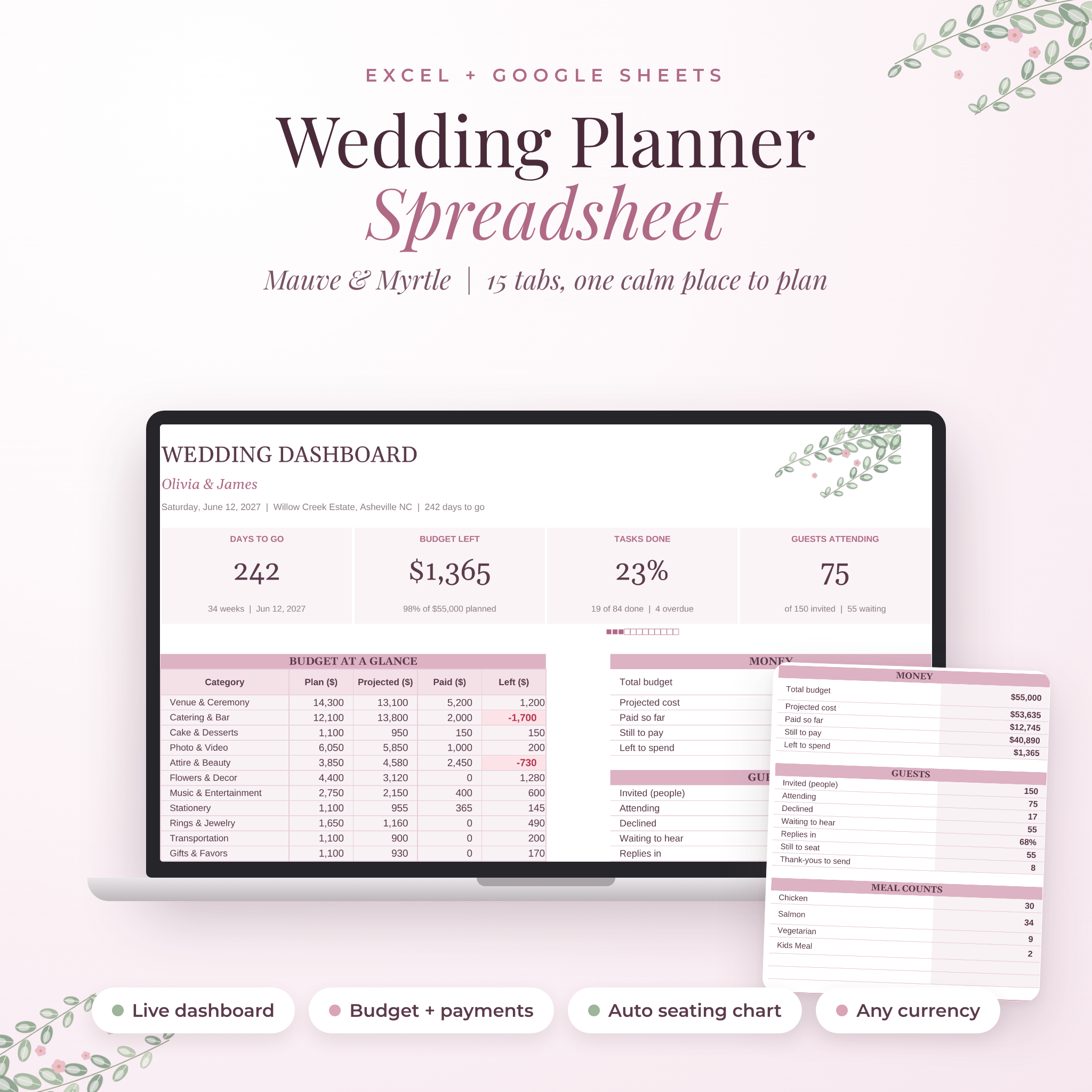
This wedding planner spreadsheet puts your whole wedding in one file. Budget, checklist, guest list, RSVPs, meals, seating chart, vendors and your day-of timeline all talk to each other. Type a guest’s table number and they show up on the seating chart. Log a deposit and the dashboard updates your budget. It opens in Microsoft Excel and Google Sheets, so you and your partner can plan from any laptop.
Mauve & Myrtle has 15 tabs in a soft mauve and sage design. It’s easy enough for a first-time spreadsheet user, and it does the math so you don’t have to.
What this wedding planner spreadsheet does for you
Most planning stress comes from three things: money, people and dates. This planner tracks all three and shows you where you stand on one page.
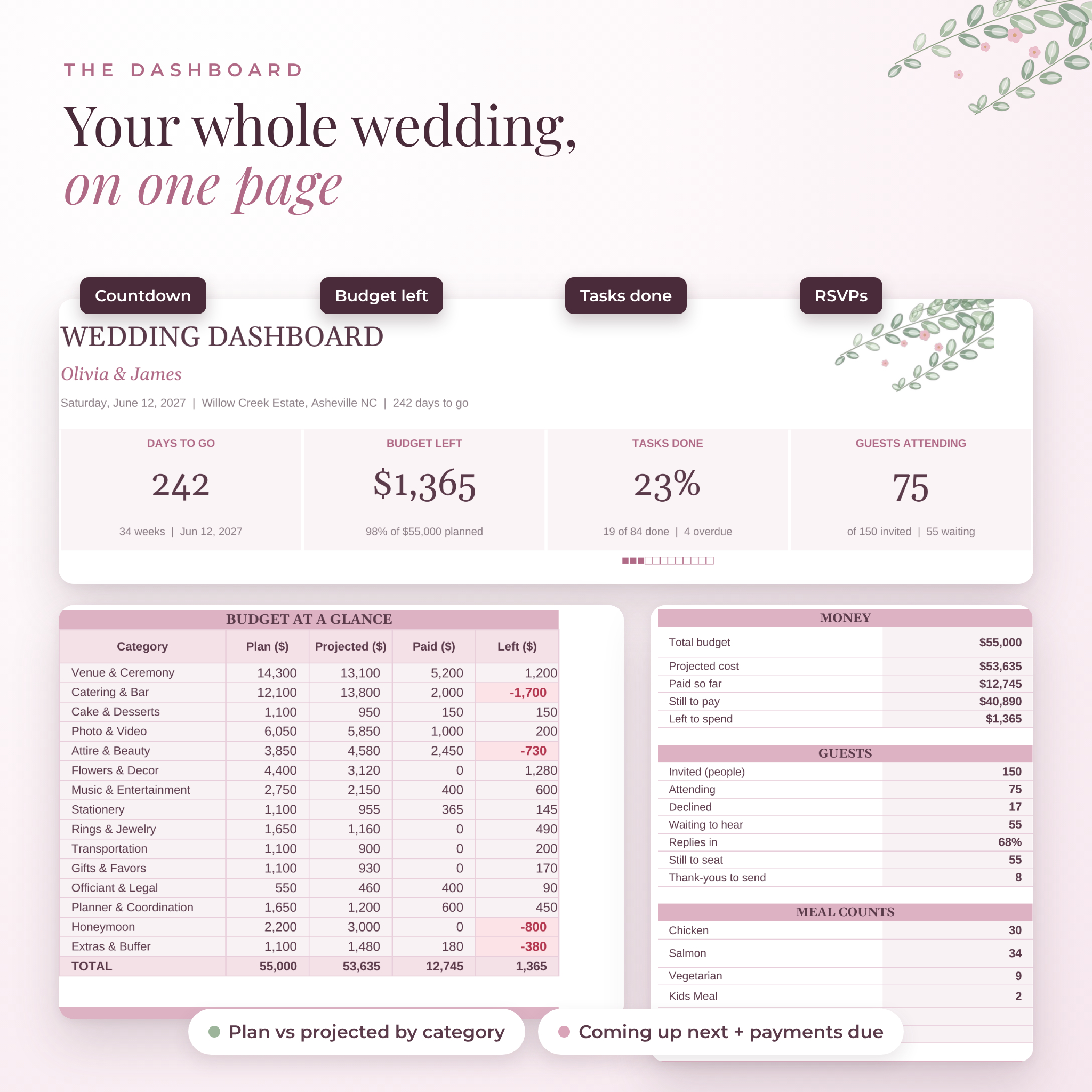
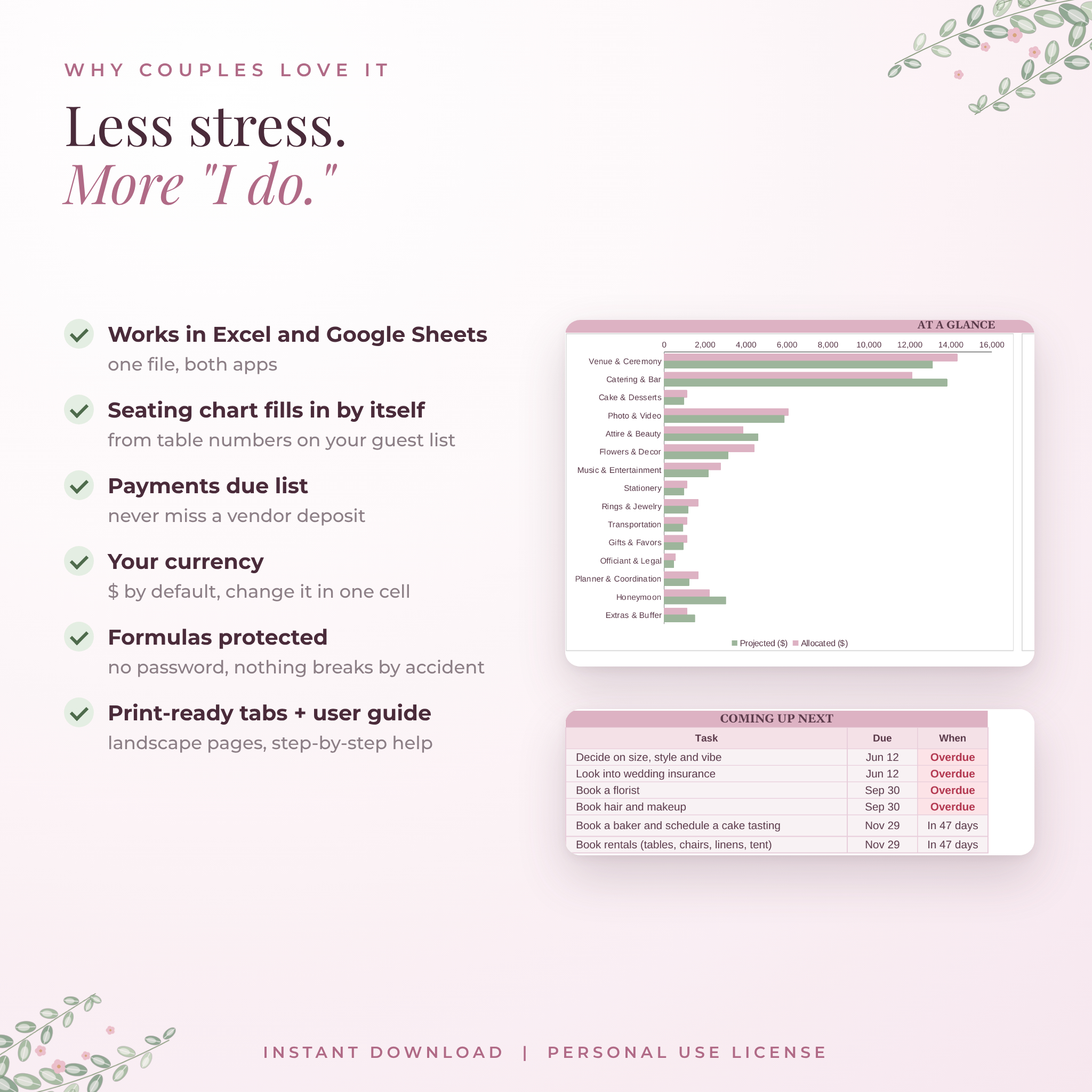
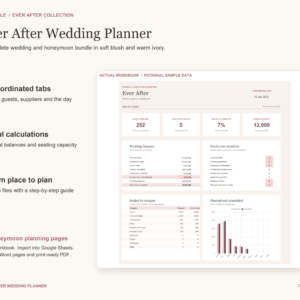
- A live dashboard. Days to go, budget left, tasks done, guests attending, meal counts, the next tasks due and the next payments due.
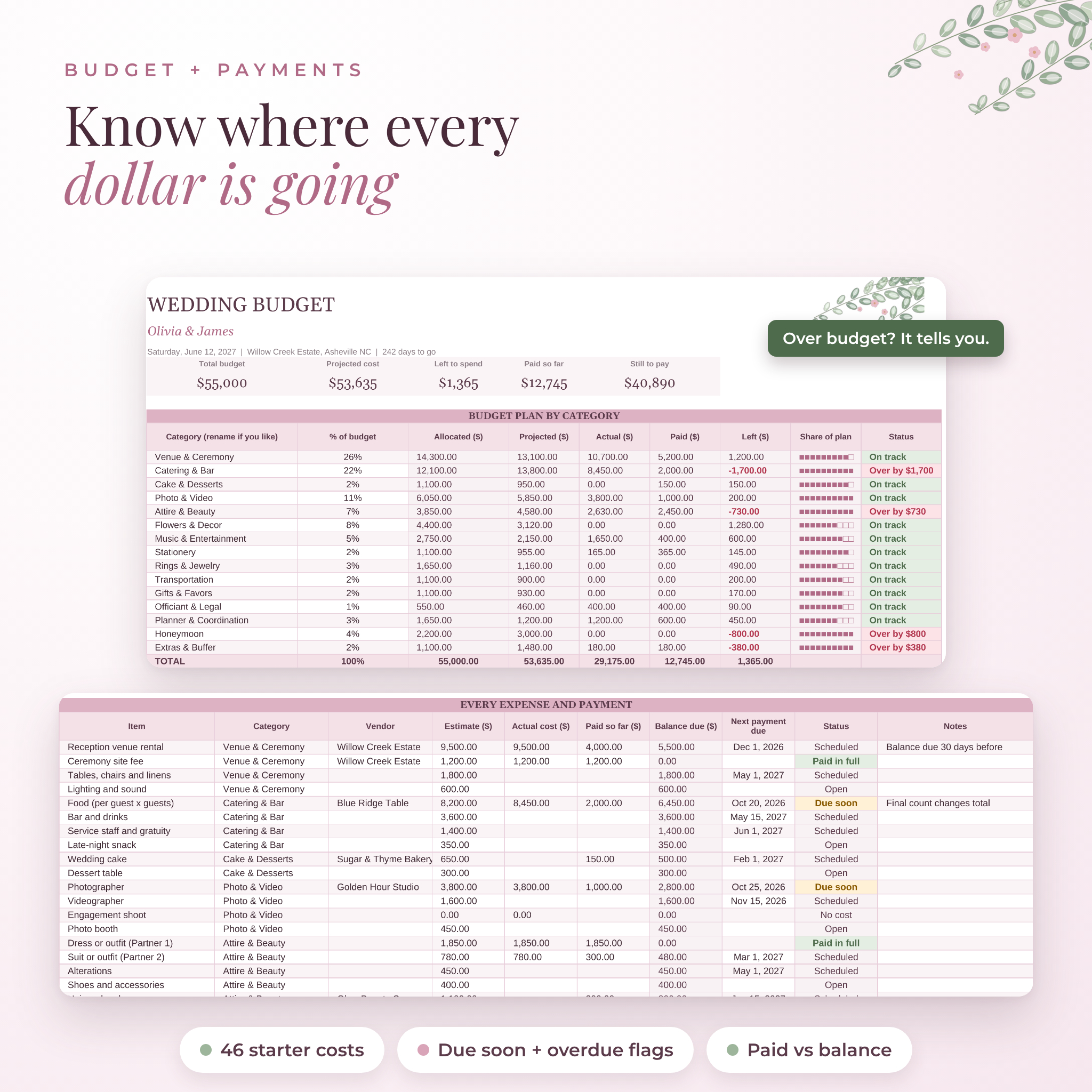
- A budget that warns you. Split your total by category. If a category goes over plan, it says “Over by” and the amount.
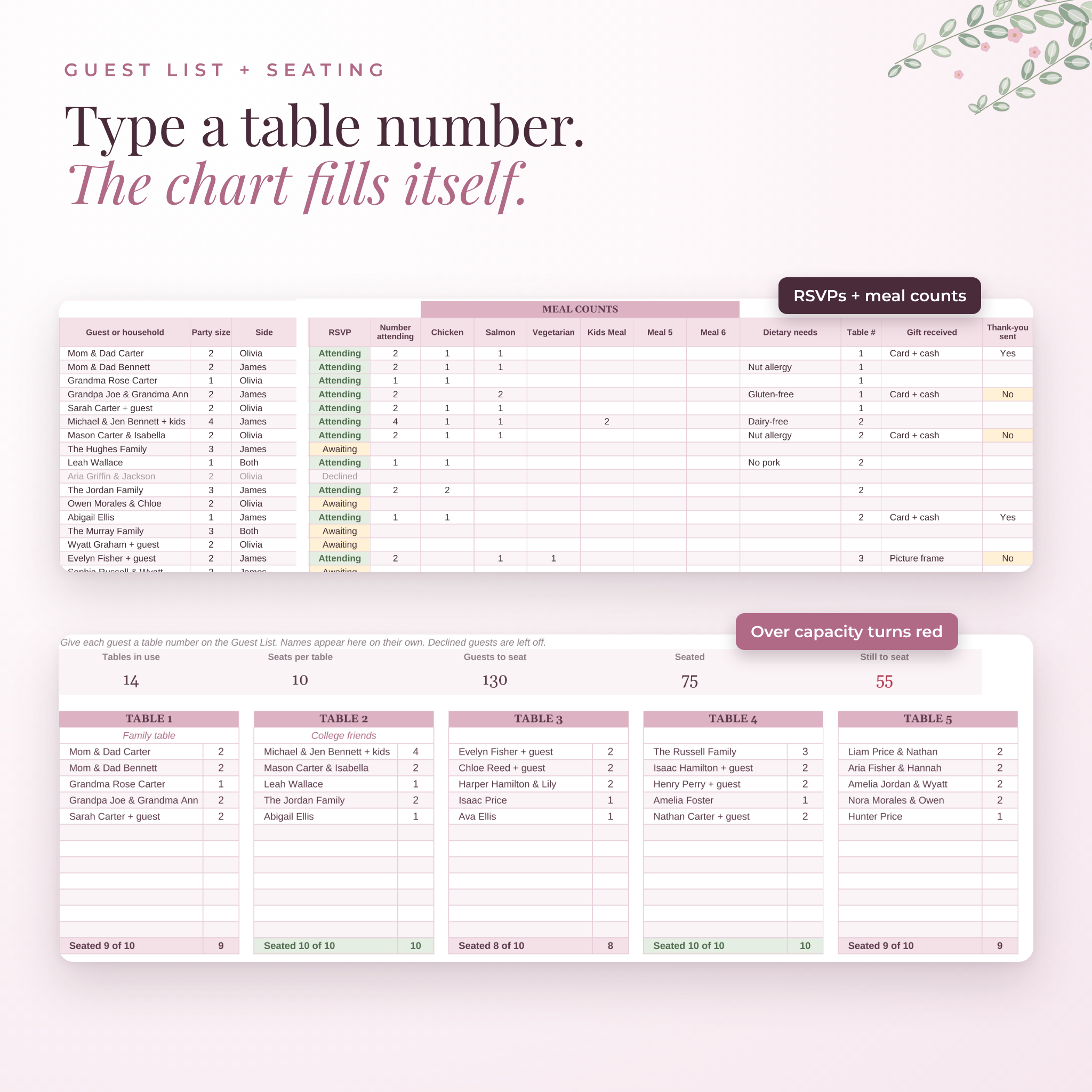
- A seating chart that fills itself. Give each guest a table number on the Guest List. Names appear on the right table card, with seats counted. Over capacity turns red.
- A checklist with real due dates. 85 tasks from 12+ months out to after the wedding. Enter your date once and every due date is set.
Who it’s for
It’s for couples planning their own wedding, and for the parents, friends and coordinators helping out. If you’ve been juggling notes apps, screenshots and a pile of vendor emails, this gives everything one home. It works for a 40-person backyard wedding or a 300-guest ballroom.
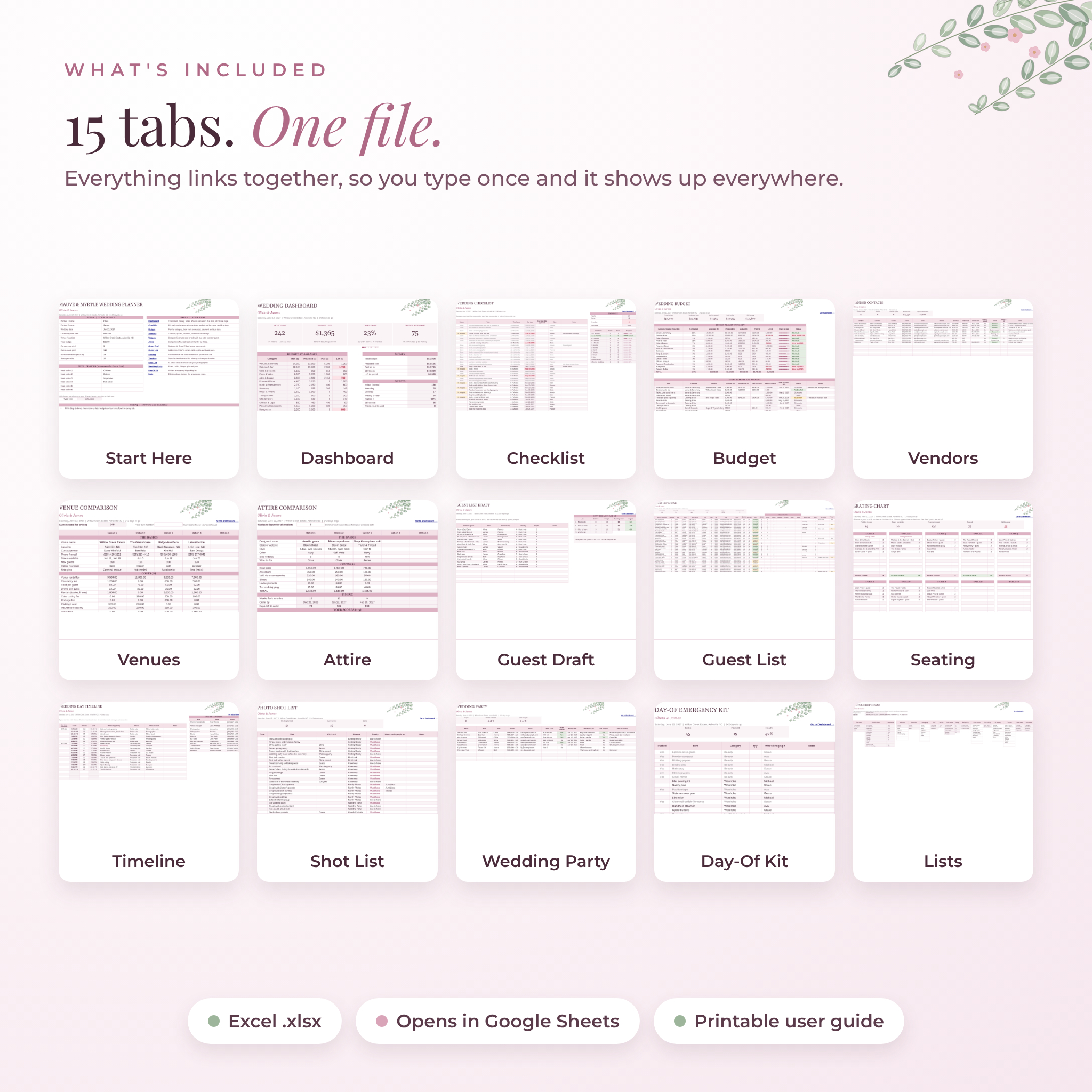
What’s included
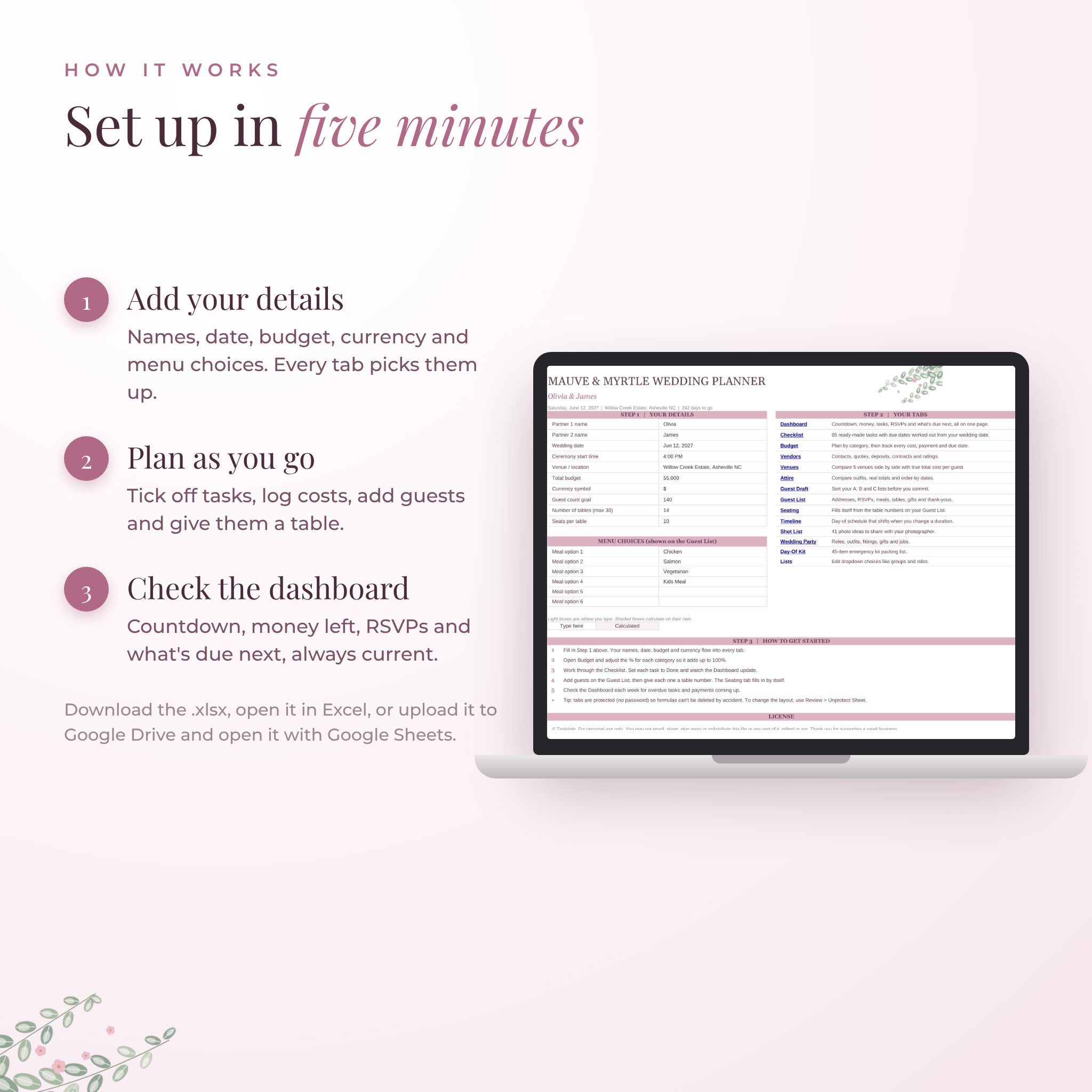
- Start Here: your names, date, ceremony time, budget, currency, guest goal, tables and up to 6 menu choices
- Dashboard: countdown, money summary, RSVP totals, meal counts, coming up next, payments due and two charts
- Checklist: 85 prefilled tasks, room for 200, auto due dates, overdue alerts and progress by timeframe
- Budget: 15 categories with % split, plus 46 starter expenses with estimate, actual, paid, balance and due date
- Vendors: contacts, quotes, deposits, contract status and ratings for up to 60 vendors
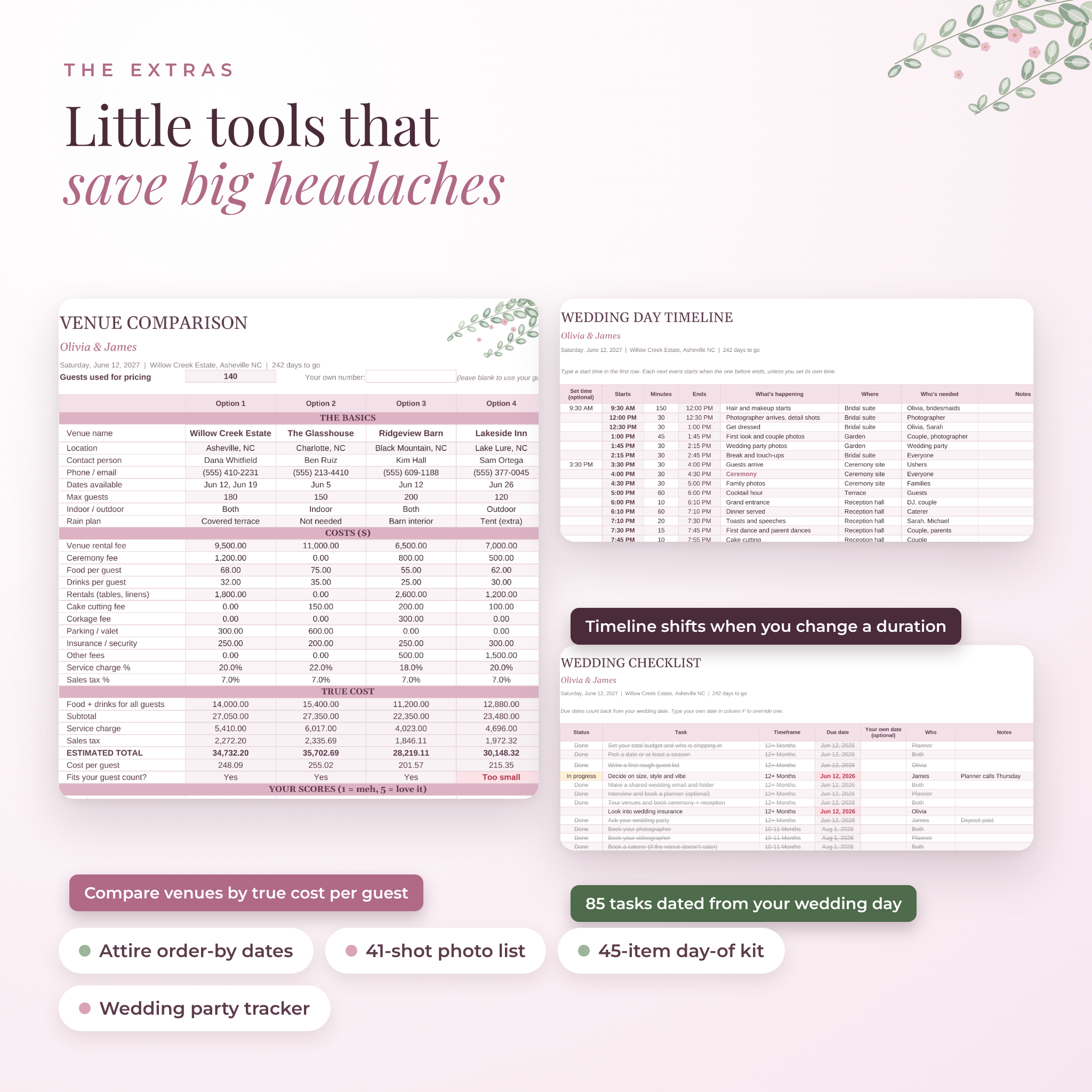
- Venues: compare 5 venues on true total cost, cost per guest and your own scores
- Attire: compare 5 outfits with full totals and order-by dates
- Guest Draft: sort a rough list into A, B and C before you commit
- Guest List: 300 rows for addresses, RSVPs, meals, dietary needs, tables, gifts and thank-you cards
- Seating: 30 table cards that fill in from your Guest List
- Timeline: a day-of schedule that shifts when you change a duration, plus a day-of contacts box
- Shot List: 41 photo ideas to send your photographer
- Wedding Party: roles, outfit sizes, fittings, gifts and jobs on the day
- Day-Of Kit: 45 emergency kit items with a packed tracker
- Lists: edit dropdown choices like guest groups and wedding party roles
You also get a 17-page user guide (Word document) with screenshots, setup steps for Excel and Google Sheets, troubleshooting and FAQs.
How it works
- Add your details. Names, wedding date, total budget and currency go on the Start Here tab. Every other tab picks them up.
- Plan as you go. Mark tasks done, log costs and payments, add guests and give them a table.
- Check the dashboard. It shows what’s left to pay, who hasn’t replied and what’s due this month.
Features that save real time
- Venue costs per guest are multiplied by your guest count, then service charge and tax are added. You see the honest total, not just the rental fee.
- Meal counts add up across the Guest List. If a household’s meals don’t match the number attending, the cells turn pink.
- The Timeline chains events together. Change the ceremony from 30 to 45 minutes and everything after it moves.
- Payment statuses update by date: Paid in full, Due soon, Overdue, Scheduled or Open.
- Outfit order-by dates count back from your wedding, leaving time for alterations.
File formats and software
- One .xlsx spreadsheet file and one .docx user guide
- Works in Microsoft Excel (Microsoft 365, Excel 2016 or newer, Windows and Mac, Excel for the web)
- Works in Google Sheets with a free Google account. Upload the file to Google Drive and open it
- Apple Numbers isn’t supported
- Every tab is set up to print landscape on US Letter. Switch to A4 in your print settings if you need it
Customize it your way
Pick any currency symbol in one cell and every money heading follows. Rename budget categories, change the % split, add your own tasks, edit dropdown choices and set the number of tables and seats. Formula cells are locked so nothing breaks by accident. There’s no password, so you can unlock a tab whenever you want to change the layout.
Digital download
This is an instant digital download. No physical item is shipped. After checkout, download the spreadsheet and user guide from your order confirmation or your account. Colors may look slightly different on different screens.
Real ways couples use it
- Sitting down on a Sunday to log the week’s deposits and see the budget left
- Sharing the Google Sheets version so both partners can add guests from their own phones
- Printing the Timeline tab for the coordinator and wedding party
- Sending the caterer a final head count and meal split straight from the dashboard
- Comparing three venues the night after the tours, with cost per guest side by side
- Working through thank-you cards after the honeymoon
FAQ
Does this wedding planner work in Google Sheets?
Yes. Upload the .xlsx file to Google Drive and open it with Google Sheets. Formulas, dropdowns, the seating chart and charts all work.
Can I use it in Excel on a Mac?
Yes. Excel for Mac and Excel for the web both work.
Can I change the currency?
Yes. It uses $ by default. Pick or type another symbol on the Start Here tab.
How many guests can it hold?
300 rows on the Guest List. Each row can be a household, so it covers well over 300 people.
Do I need spreadsheet experience?
No. You type in the light boxes and pick from dropdowns. The guide walks you through setup.
Can my partner and I edit it together?
Yes, in Google Sheets. Save it as a Google Sheets file and share it with their email.
Is this a physical planner?
No. It’s a digital download you can print if you like.
License
Personal use only. Please don’t resell, share or redistribute the files. © Taskdale.
Reviews
There are no reviews yet.