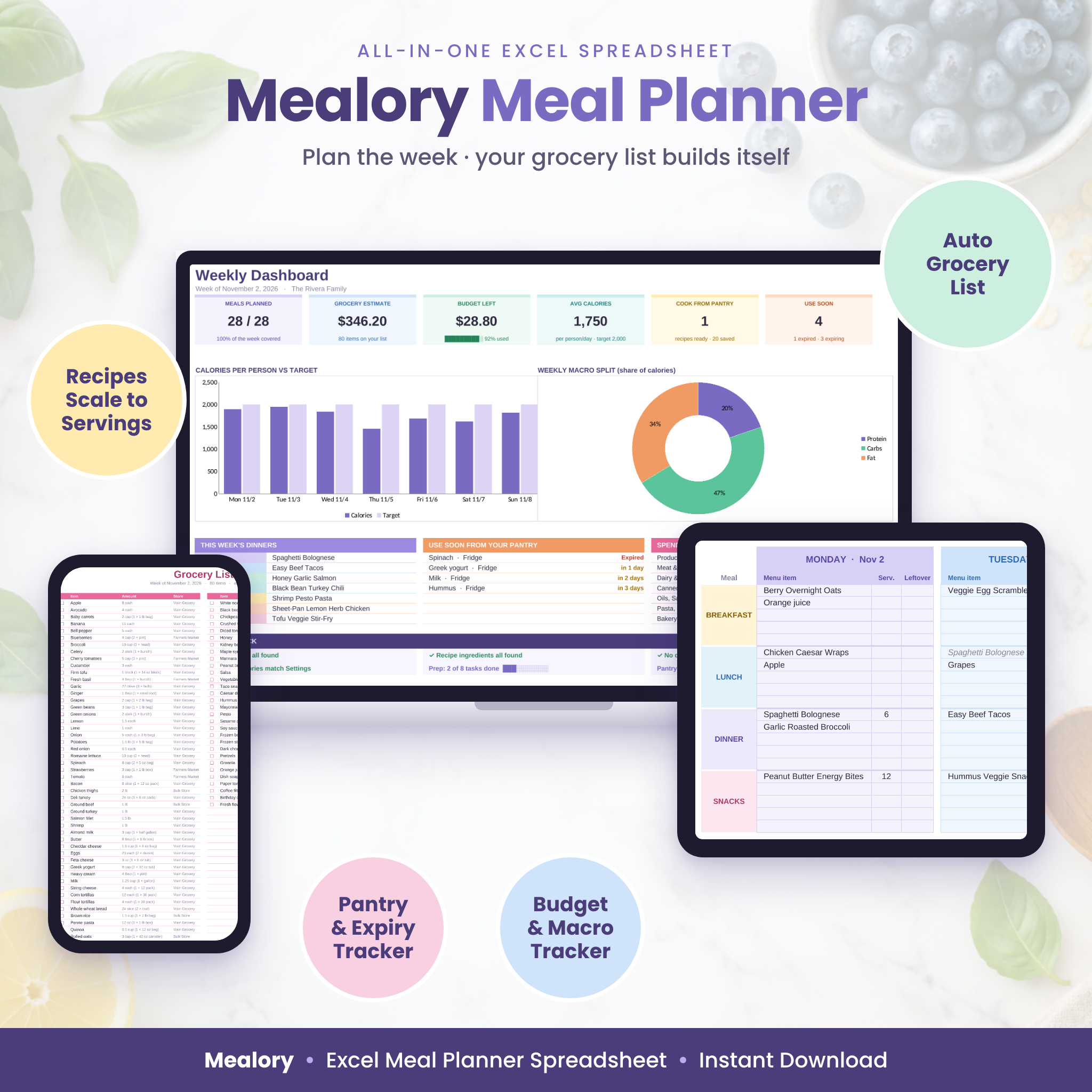
The Mealory Meal Planner spreadsheet is an all-in-one Excel workbook that turns your weekly meal plan into a finished grocery list. Save your recipes once, pick meals for the week, and Mealory scales every recipe to your servings, subtracts what’s already in your pantry, and builds a shopping list sorted by aisle, with packages to buy and an estimated cost. Your printable menu, nutrition totals and budget update on their own.
A weekly meal planner that does the math for you
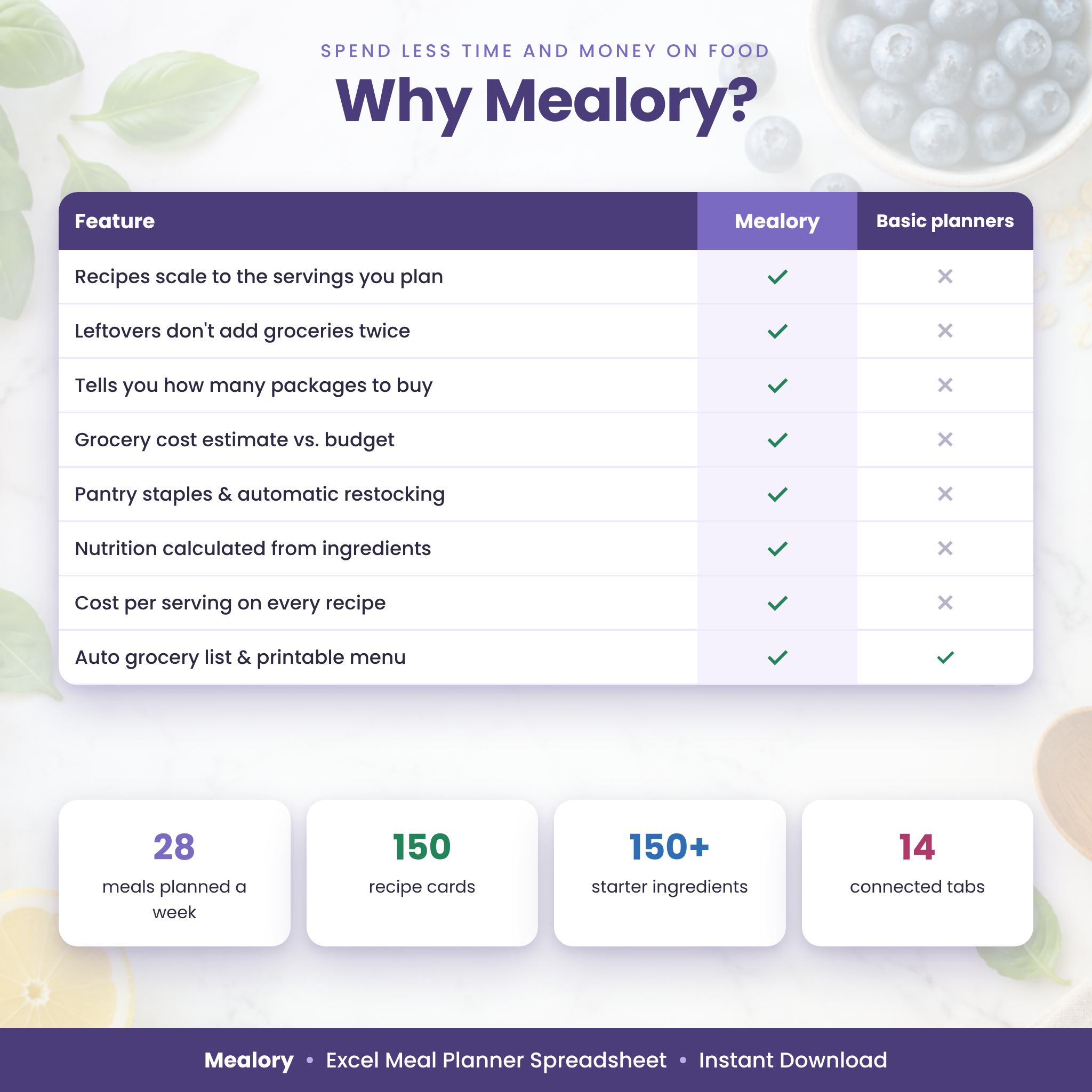
Most meal planner templates give you boxes to fill in. Mealory connects everything. When you plan 6 servings of a recipe that serves 4, every ingredient is multiplied by 1.5. When you mark Tuesday’s lunch as leftovers, it counts toward your nutrition but adds nothing to your grocery list. When you need 5 cups of milk, the list tells you to buy 1 gallon and prices it.
Who this meal planner is for
- Busy families who want recipes, the weekly menu and the shopping list in one place.
- Budget-minded shoppers who want to know what a week of meals will cost before they go to the store.
- Health and fitness planners tracking calories, protein, carbs, fat and fiber without another app.
- Meal preppers and batch cooks who plan leftovers and prep tasks ahead of time.
Main benefits
- Plan a full week of meals in minutes with dropdown menus.
- Stop rewriting grocery lists: yours builds itself from your plan.
- Buy only what you need: pantry items are subtracted automatically.
- See your grocery estimate against your weekly budget before you shop.
- Use up food before it expires with “Use soon” alerts and a “What can I cook?” panel.
- Keep every family recipe organized, searchable and ready to reuse.
Features
Weekly Meal Planner
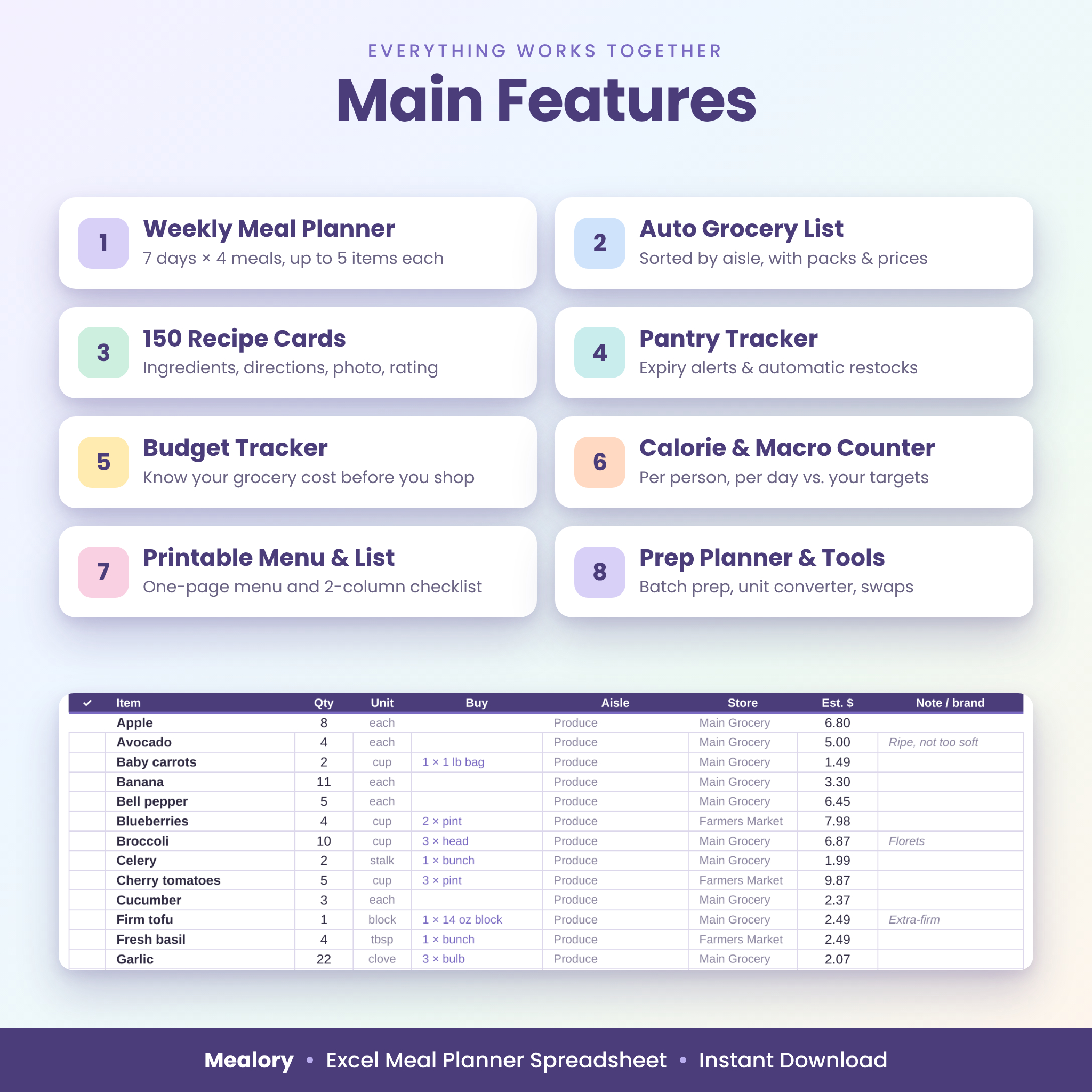
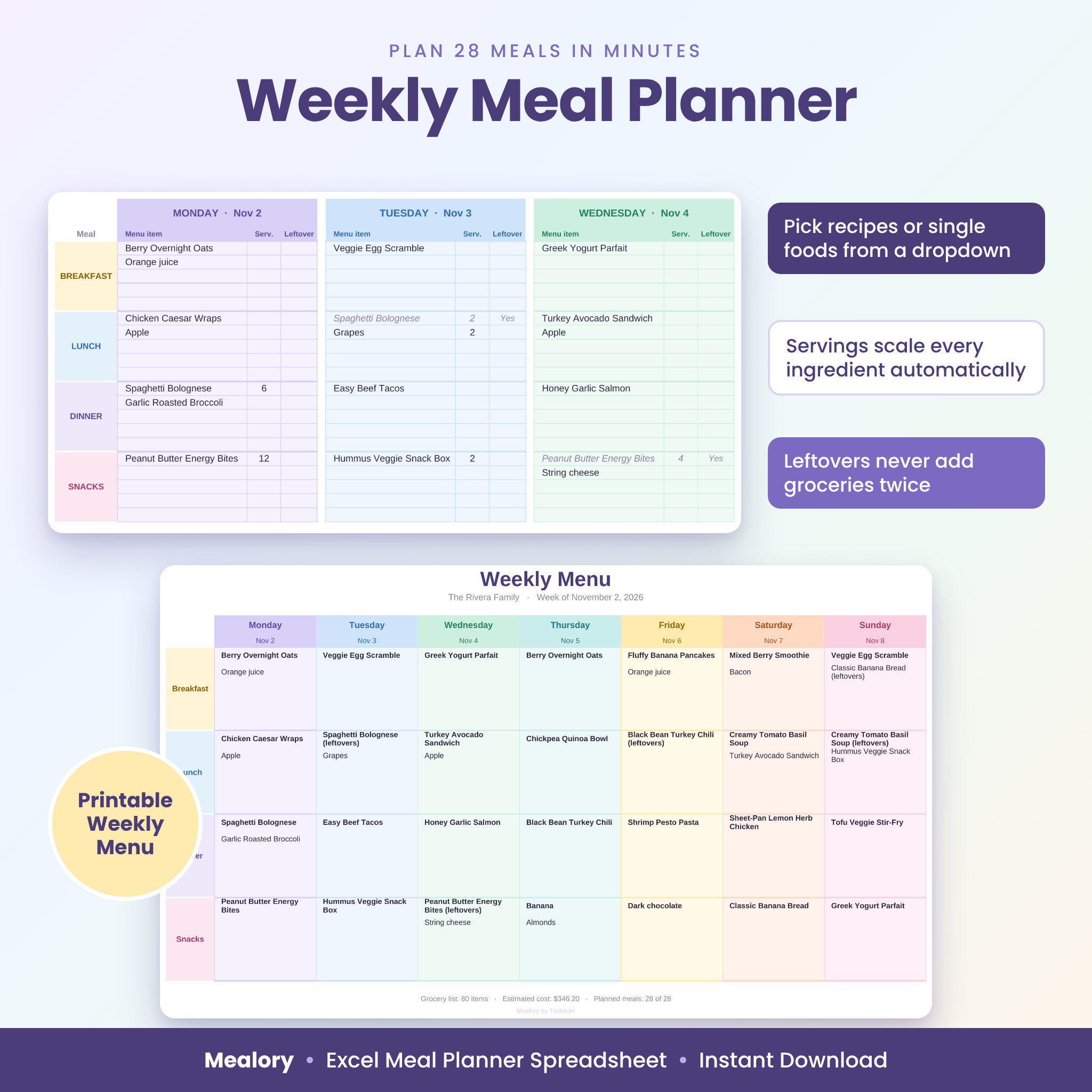
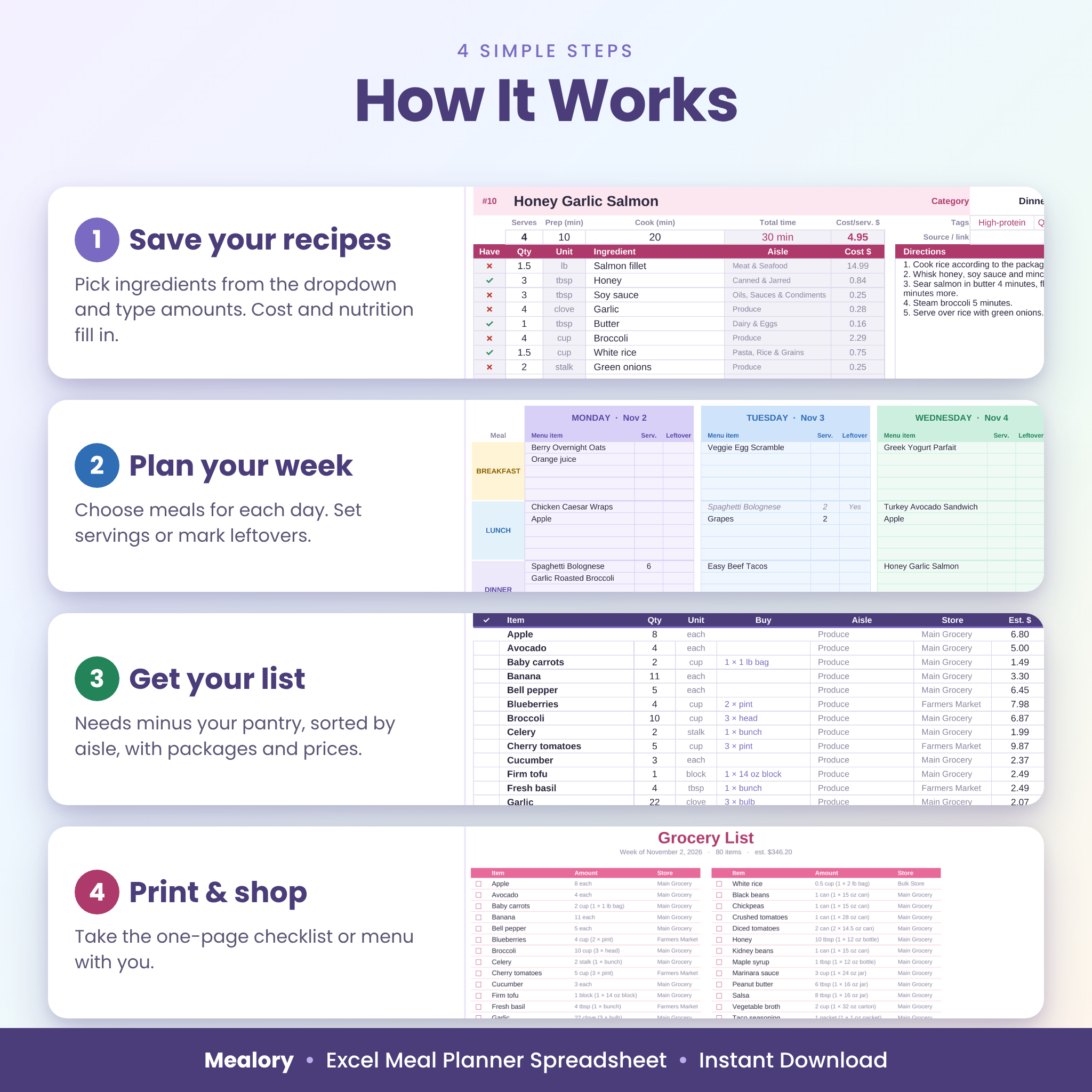
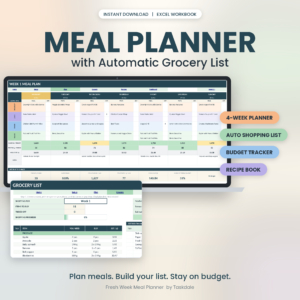
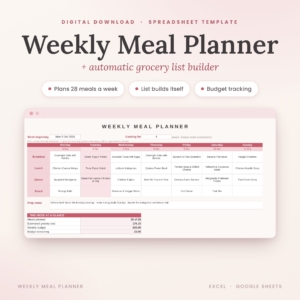
Plan 7 days of breakfast, lunch, dinner and snacks with up to 5 items per meal. Choose recipes or single foods (fruit, yogurt, snacks) from a dropdown, set servings (blank = your household size) and mark leftovers. Day totals show estimated cost, calories and protein.
Automatic Grocery List
Your shopping list is built from your meal plan, minus what’s in your pantry, plus restocks for anything below its minimum. It’s sorted by aisle in your own store’s order and shows quantity, packages to buy, store, estimated cost and brand notes. Add extra items such as paper goods, and tick items off as you shop.
150 Recipe Cards and a Recipe Book
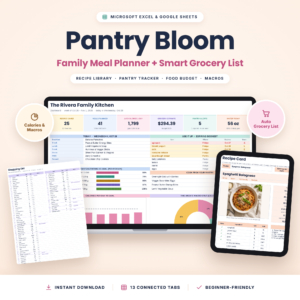
Each card holds up to 15 ingredients, directions, prep and cook time, tags, a rating, a source link and room for a photo. Cost per serving and nutrition per serving are calculated for you, and a ✓ or ✗ shows which ingredients you already have. The Recipe Book lists every recipe A–Z by category with a link to its card.
Ingredient Database with 150+ Starter Items
Start fast with a ready-made list of common groceries, each with an aisle, unit, package size and typical nutrition per unit. Add your package prices and stores to unlock cost tracking. Mark staples such as salt and oil so they never clutter your list.
Pantry and Inventory Tracker
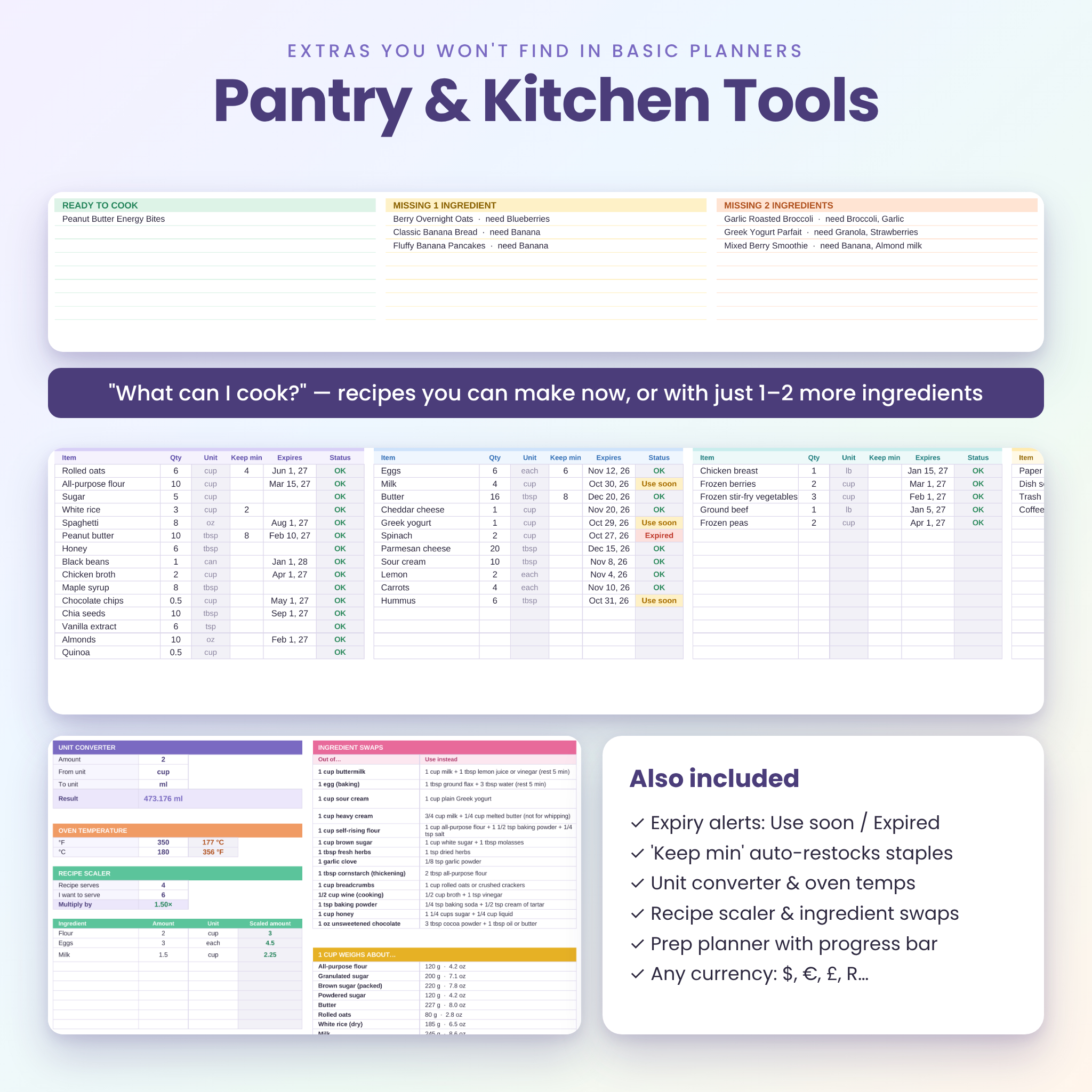
Track your pantry, fridge, freezer and other storage (60 items each) with quantities, expiry dates and a “Keep min” restock level. Status updates automatically: OK, Use soon, Expired, Restock or Out. “What can I cook?” lists recipes you can make now or with just one or two more ingredients.
Calorie and Macro Counter
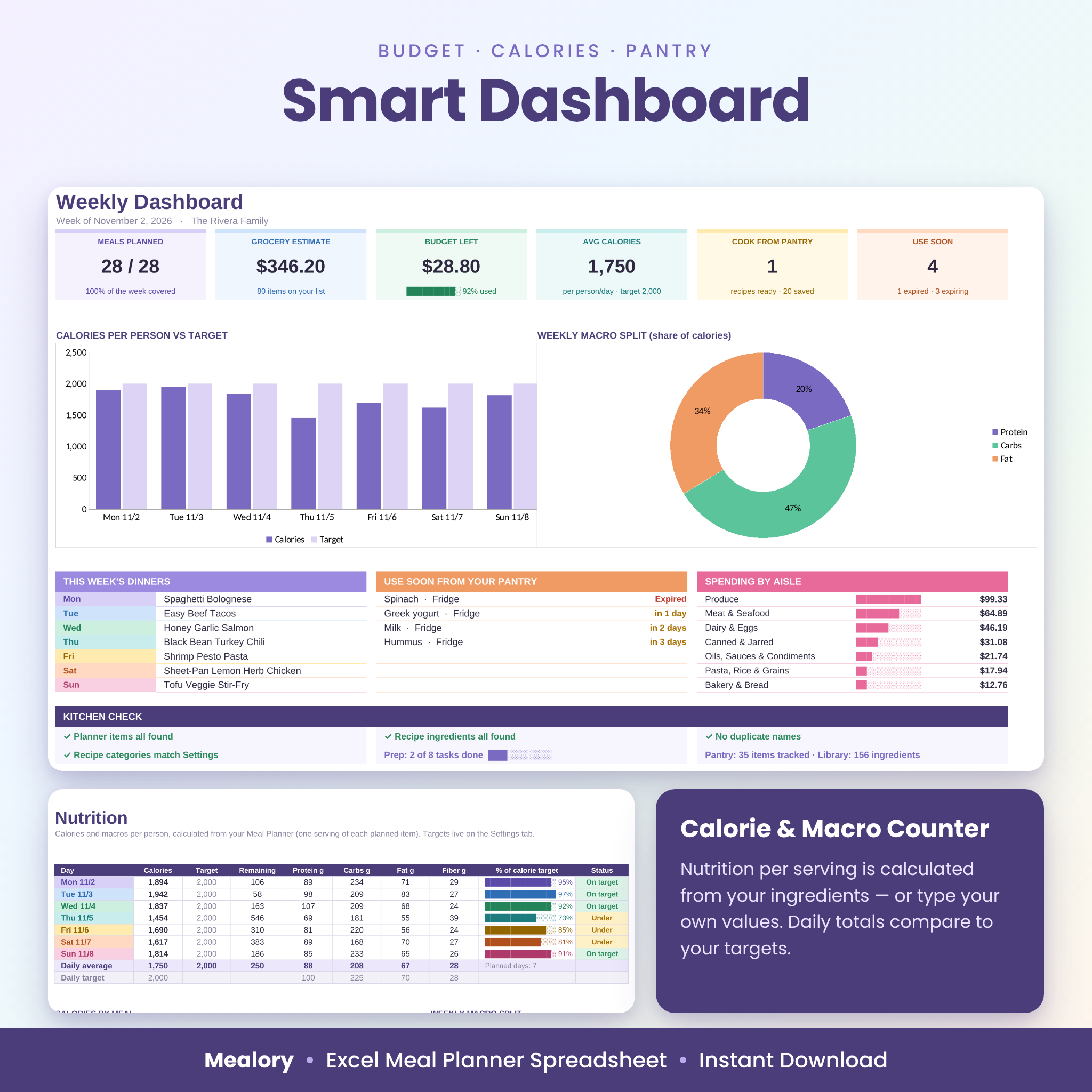
See calories, protein, carbs, fat and fiber per person for every day, compared with your own targets, plus calories by meal and your weekly macro split.
Dashboard
Your week at a glance: meals planned, grocery estimate, budget left, average calories, recipes ready to cook, items to use soon, a calories chart, a macro chart, this week’s dinners, spending by aisle and a Kitchen Check that flags anything that needs fixing.
Printables and Extras
Print a one-page Weekly Menu and a two-column Print List grocery checklist. A Prep Planner tracks batch-cooking tasks with a progress bar, and Kitchen Tools include a unit converter, oven temperature converter, recipe scaler, ingredient swaps and a cup-to-gram guide.
What’s included
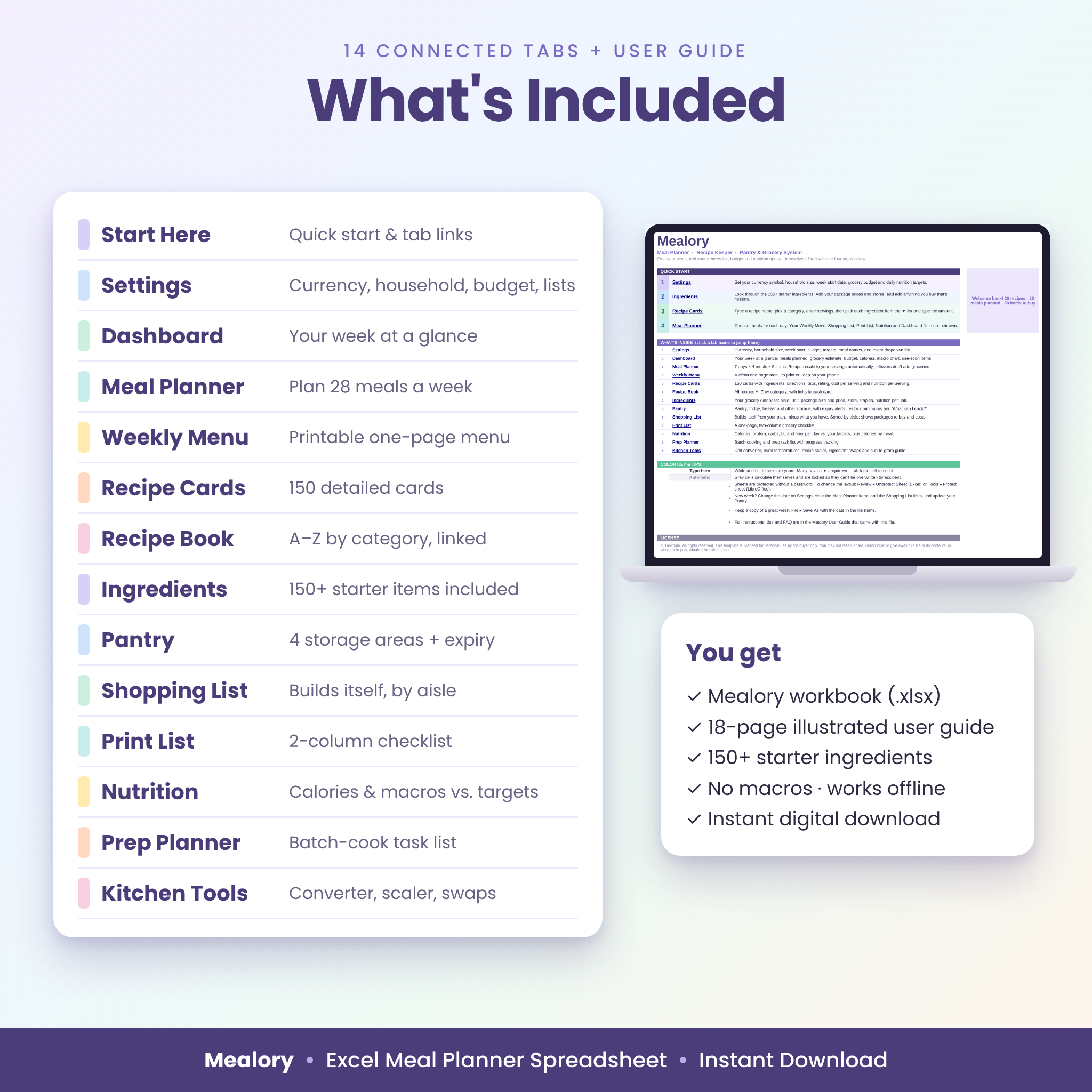
- Mealory-Meal-Planner.xlsx, a 14-tab workbook: Start Here, Settings, Dashboard, Meal Planner, Weekly Menu, Recipe Cards, Recipe Book, Ingredients, Pantry, Shopping List, Print List, Nutrition, Prep Planner and Kitchen Tools.
- Mealory-User-Guide.docx, an 18-page illustrated guide with a quick start, a walkthrough of every tab, tips, troubleshooting and FAQ.
How it works
- Set up: enter your currency, household size, week start date, budget and nutrition targets.
- Add recipes: pick ingredients from the dropdown and type the amounts.
- Plan your week: choose meals for each day, set servings and mark leftovers.
- Shop: open your finished Shopping List or print the one-page checklist.
File format and software requirements
- File format: Excel workbook (.xlsx).
- Made for Microsoft Excel on Windows or Mac. Also tested in LibreOffice Calc (free).
- No macros, no add-ons and no internet connection needed.
- Best used on a desktop or laptop. The Weekly Menu and Print List print on one page or save as PDF for your phone.
Customization
Make Mealory yours from the Settings tab. Use any currency symbol ($ by default) and every money label updates. Rename the four meals, and edit your recipe categories, grocery aisles in your store’s walking order, units, stores and diet tags. Formula cells are protected without a password, so nothing breaks by accident, but you can unprotect any sheet to change colors or layout.
Digital download
This is an instant digital download. No physical item will be shipped. After checkout, download the workbook and the user guide, open the .xlsx file and start on the Start Here tab.
Use cases
- Sunday planning for a family of four, with one trip to the store for the whole week.
- Meal prep for the workweek, with batch-cooking tasks in the Prep Planner.
- Sticking to a grocery budget and comparing estimated cost before you shop.
- Hitting daily protein or calorie targets while eating home-cooked meals.
- Using up what’s in the freezer and fridge before it expires.
FAQ
Does this meal planner work on Mac?
Yes. It’s an Excel workbook for Excel on Mac or Windows, and it also opens in LibreOffice Calc.
Is the grocery list really automatic?
Yes. It’s built from the recipes and foods in your meal plan, scaled to your servings, minus what’s in your pantry.
Can I plan for one person or a large family?
Yes. Set your household size once, or change servings meal by meal.
Can I use my own currency and metric units?
Yes. Change the currency symbol on Settings and use g, kg, ml, l or any unit you add.
How many recipes can I save?
150 recipe cards with up to 15 ingredients each, plus up to 300 ingredients and single foods.
Is the nutrition information accurate?
Nutrition values are estimates for general planning. You can type exact values from labels on any recipe card. They aren’t medical or dietary advice.
License
© Taskdale. For personal use by the buyer only. You may not resell, share, redistribute or give away the files or their contents, whether modified or not.

Reviews
There are no reviews yet.