


Sales Associate Resume Template for Word, Ready in an Evening
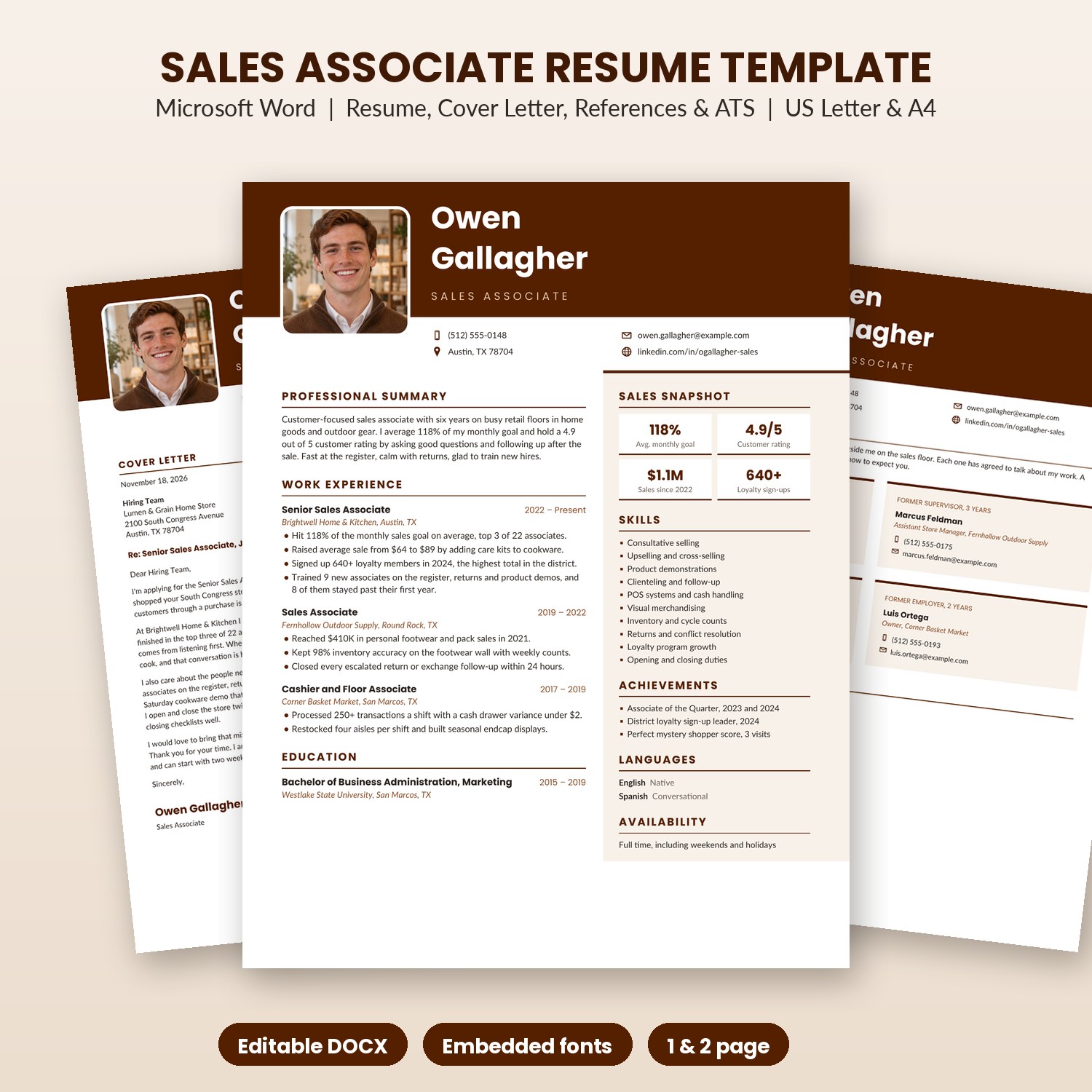
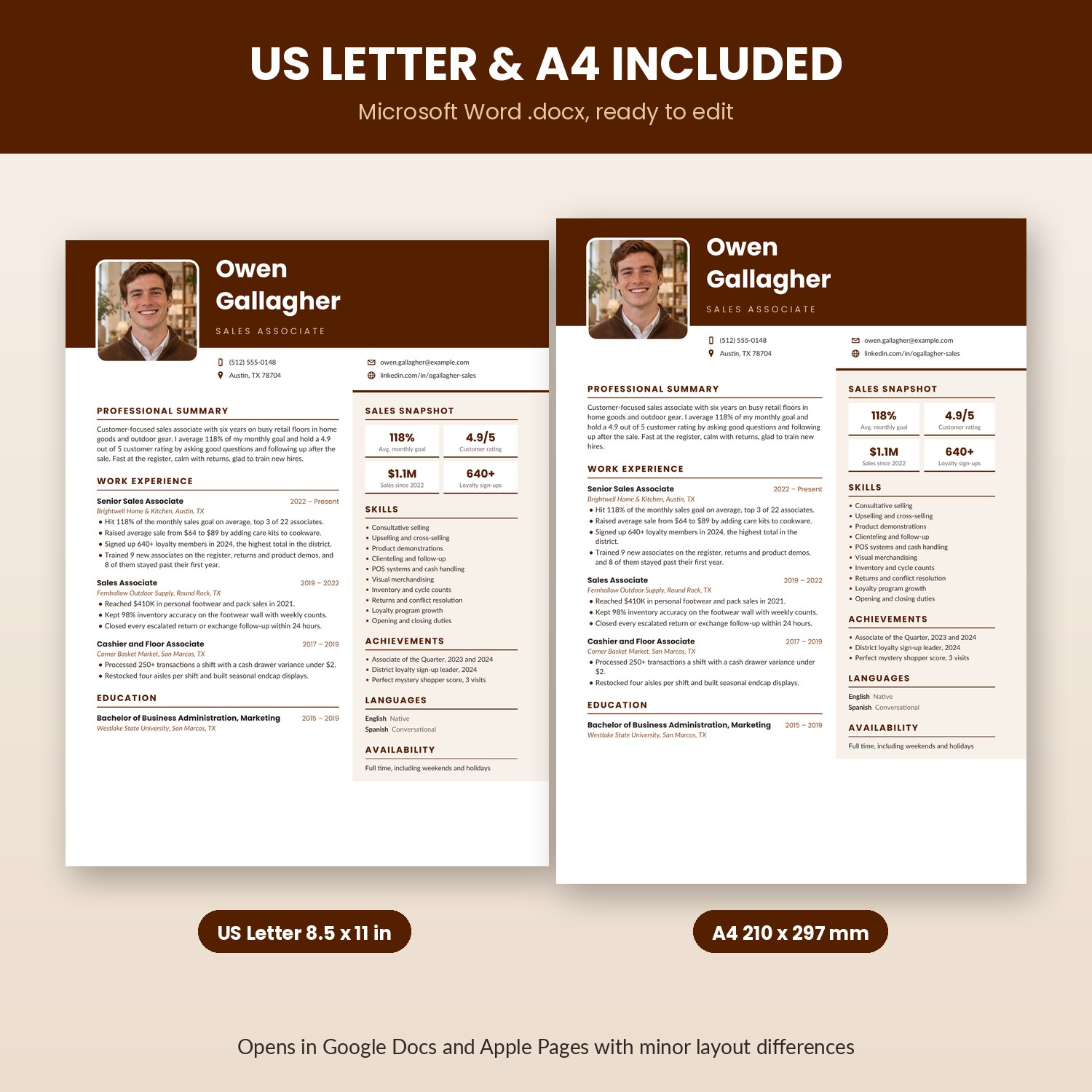
Walnutline is a sales associate resume template Word kit made for people who sell on a store floor: retail associates, key holders, cashiers stepping up to sales, and anyone applying for a customer-facing role. Open the .docx file in Microsoft Word, type over the sample text, swap in your photo and save a PDF. A deep walnut header carries your name and photo, a clean white column holds your summary and work history, and a soft cream panel puts your best numbers where a store manager looks first.
The sample resume belongs to a fictional senior sales associate with six years in home goods and outdoor gear. His bullets show the kind of detail that gets callbacks: 118% of monthly goal, average sale raised from $64 to $89, 640+ loyalty sign-ups. Read them, then replace them with your own wins.
What’s Included in the Kit
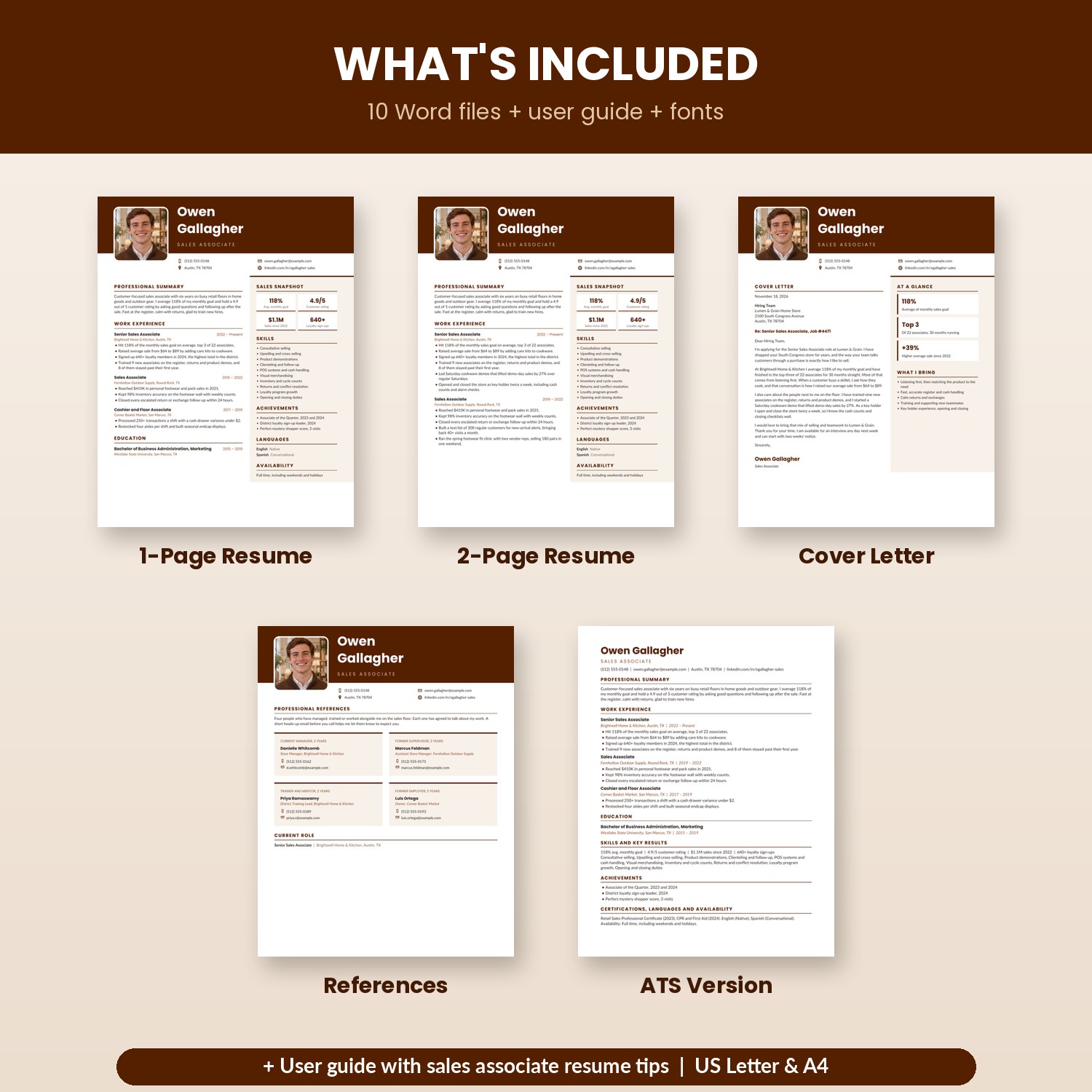
Every file comes twice: once in US Letter (8.5 x 11 in) and once in A4 (210 x 297 mm). That is 10 Word documents in one zip, plus a separate user guide.
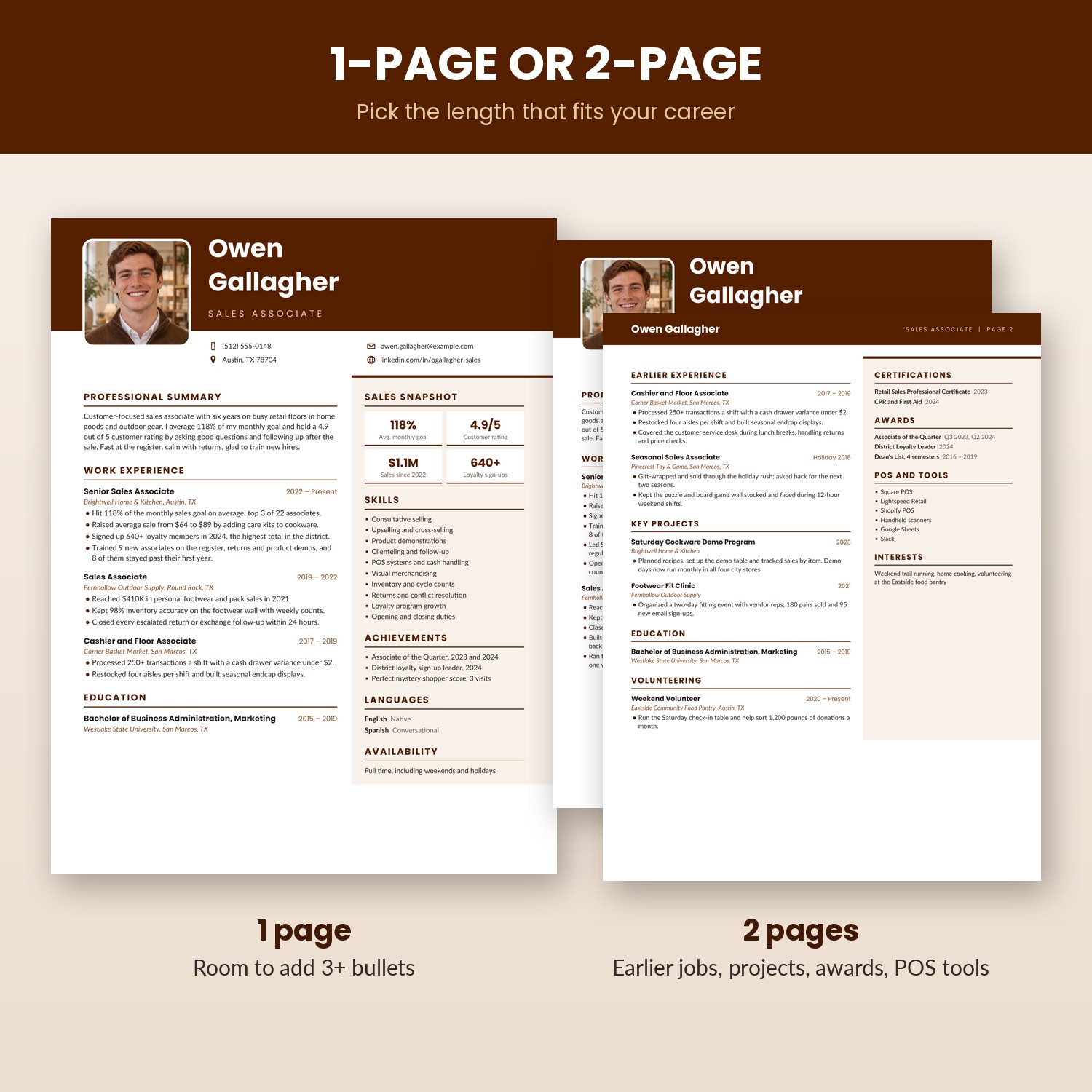
- Resume, 1 page: photo header, contact row with icons, Professional Summary, Work Experience and Education, plus a side panel with Sales Snapshot tiles, Skills, Achievements, Languages and Availability.
- Resume, 2 pages: the same design with a second page for earlier jobs, key projects, education, volunteering, certifications, awards and the POS systems you know.
- Cover letter: a matching letter written for a senior sales associate opening, with an At a Glance panel showing three headline numbers.
- References page: four reference cards with relationship, role, phone and email.
- ATS-friendly resume: one column, no photo and no tables, in the same fonts and walnut accent, for online job portals.
- Fonts folder: Poppins and Lato with their open font licences, as a backup install.
- User guide (DOCX): step-by-step editing help and a sales associate resume cheat sheet.
Why This Retail Resume Template Is Easier to Edit
Most Word resume templates break the moment you type. We built Walnutline to avoid the problems buyers complain about most.
Fonts that show up
Poppins and Lato are embedded inside every .docx file, so the design looks the same on your laptop, a library computer or a friend’s PC without installing anything. The font files are in the zip too, just in case.
No floating text boxes
All text sits in normal Word tables and paragraphs. Nothing drifts when you add a line, and applicant tracking systems can read every word. The walnut header and the cream panel are table shading, so you can recolor them with Table Design > Shading in two clicks.
A photo frame that stays put
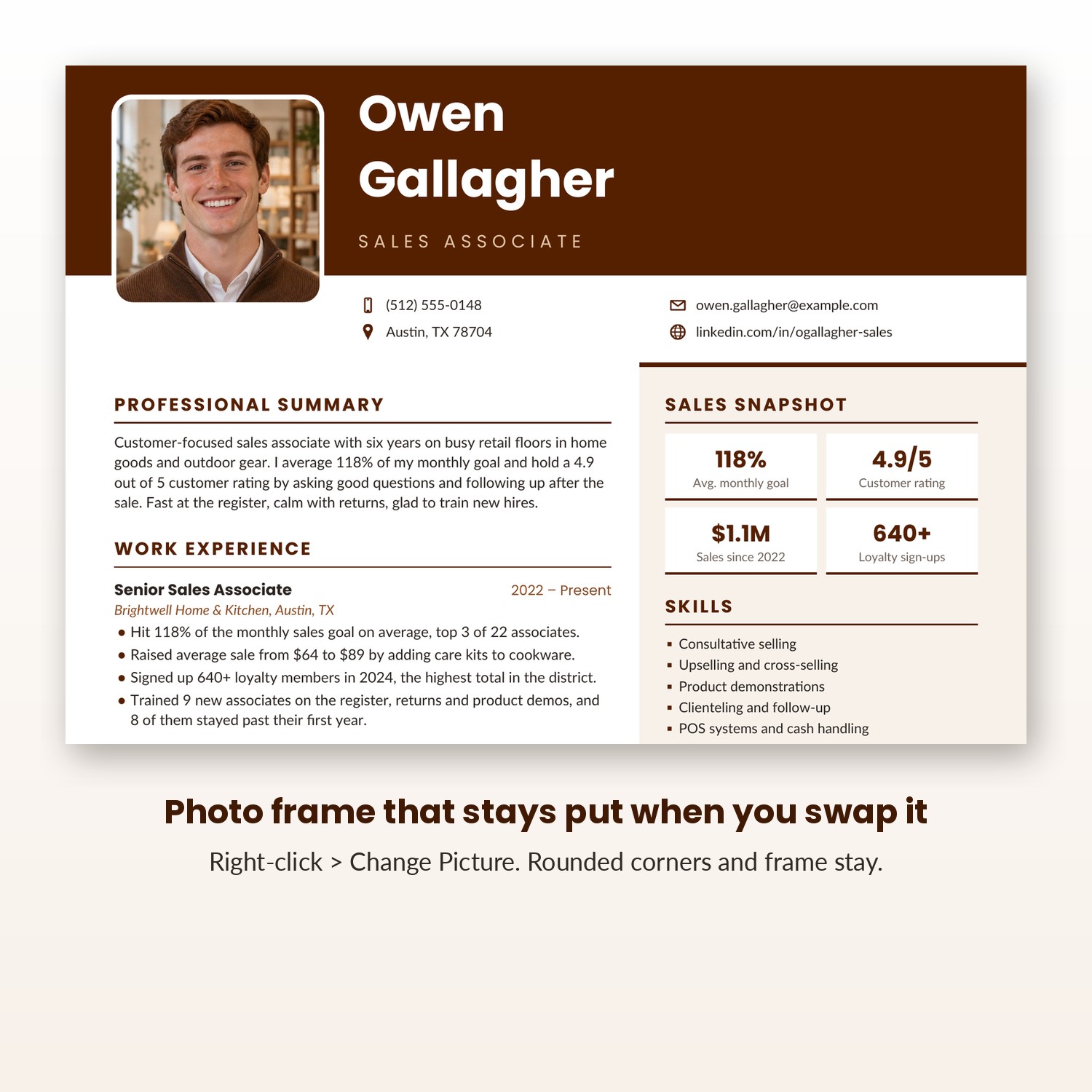
Right-click the photo, choose Change Picture, and your own photo drops into the same rounded frame over the edge of the header. Prefer no photo? Delete it and the header still looks finished.
Room to grow
We tested the 1-page resume with a 16-letter last name, a two-line job title and three extra bullets. It stayed on one page in both paper sizes.
Real Word styles
Name, headings, job titles, bullets and panel text each use a named style. Change one style and the whole page follows.
Sales Associate Resume Features Recruiters Notice
- Sales Snapshot tiles: four bold numbers such as percent of goal, customer rating, total sales and loyalty sign-ups.
- Availability section: store managers schedule around weekends and holidays, so tell them up front.
- Skills list built from real job ads: consultative selling, cross-selling, POS and cash handling, clienteling, visual merchandising and more.
- Achievements block: awards, top-seller rankings and mystery shopper scores get their own spot.
How It Works
- Download the zip and the user guide after checkout, then unzip the kit.
- Open the 1-page or 2-page sales associate resume in your paper size.
- Replace the photo, then type over the name, contact details and sample bullets.
- Edit the cover letter and references page so all three match.
- Save as PDF and send. Use the ATS version when a careers site asks you to upload a resume.
File Formats and Software
- Microsoft Word .docx files (Word 2016, 2019, 2021, Microsoft 365 for Windows and Mac).
- US Letter and A4 versions of every document.
- The files also open in Google Docs and Apple Pages with minor layout differences. For the cleanest PDF, export from Word.
- This is a digital download. Nothing is shipped.
Customization
Change the walnut header or the cream panel to any color through table shading. Restyle every heading at once from the Styles pane. Add or remove bullets, jobs and sections, or move to the 2-page file when you have more to say. The user guide walks through each step in plain, step-by-step instructions.
Who It’s For: Real Use Cases
- A retail sales associate applying for a senior associate or key holder role.
- A cashier moving onto the sales floor at a department store or specialty shop.
- A student looking for a holiday season job at the mall.
- An experienced associate switching from apparel to electronics, furniture or home goods.
- Anyone handing a printed resume to a store manager during a walk-in visit.
Bonus: Sales Associate Resume Cheat Sheet
The user guide includes a bullet formula with before and after examples, 30 action verbs for sales associates, 26 keywords store managers and ATS software look for, a section-by-section writing guide and a sample summary for entry-level applicants.
Frequently Asked Questions
Do I need Microsoft Word?
Yes. The template is made and tested for Microsoft Word .docx. It also opens in Google Docs and Apple Pages with minor layout differences.
Can I use this sales associate resume template with no experience?
Yes. Lead with education, volunteering and school projects. The user guide has an entry-level sample summary you can adapt.
Is the resume ATS friendly?
The designed resume uses no text boxes, so its text is readable. For strict online portals, use the included single-column ATS version.
Can I remove the photo?
Yes. Click the photo and press Delete. In the US a photo is optional, and the layout still looks complete without it.
Can I change the colors and fonts?
Yes. The header and panel colors are table shading, and every heading uses a Word style you can modify.
Will the fonts work on my computer?
The fonts are embedded in each file. If your version of Word ignores embedded fonts, install them from the Fonts folder in the zip.
Which paper size should I pick?
US Letter for the US and Canada, A4 for most other countries. Both are included.
License
Personal use only. Edit and use the files for your own job applications. Reselling, sharing or redistributing the files is not allowed. The sample person, stores, schools and contact details are fictional, and the sample photo is AI-generated.
Reviews
There are no reviews yet.