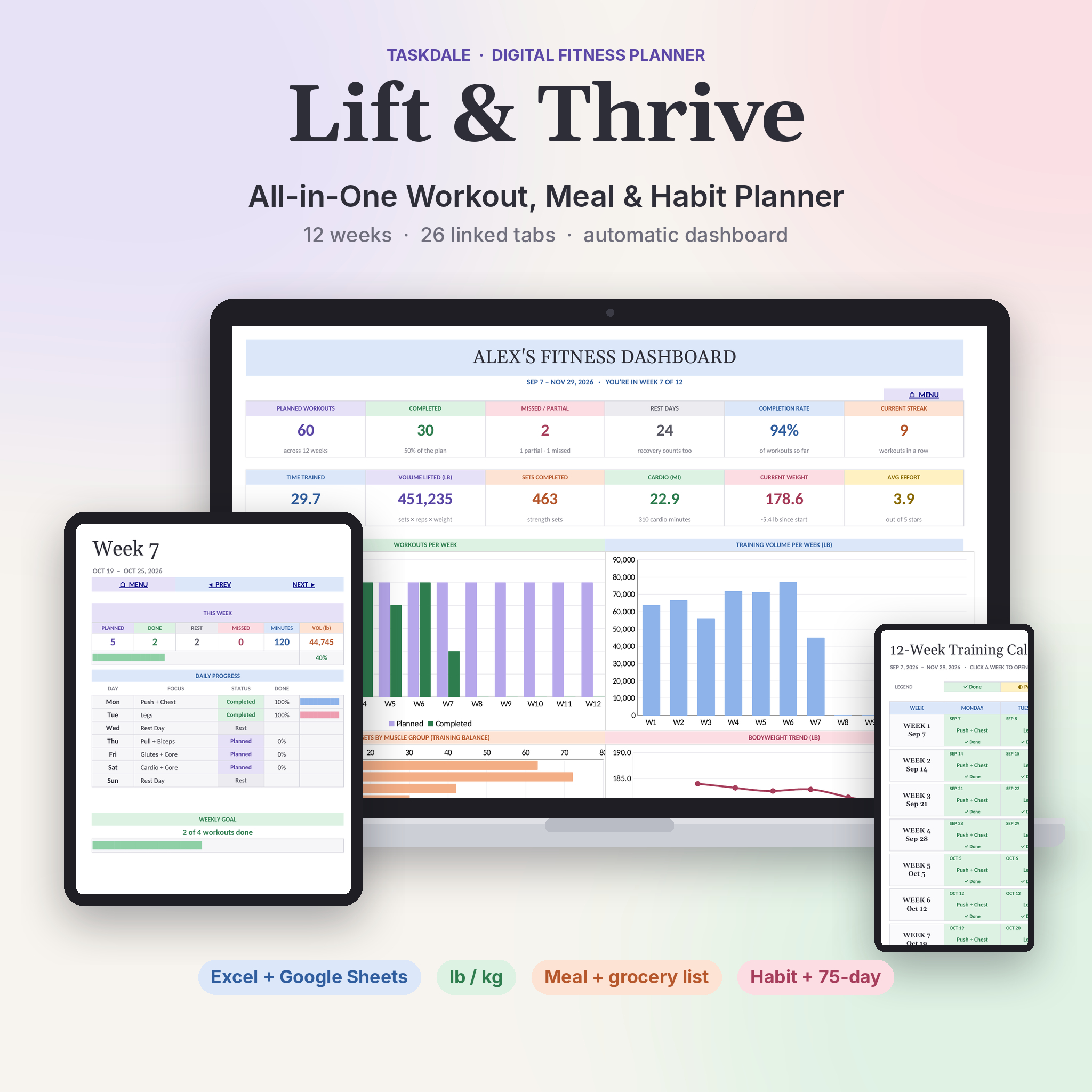
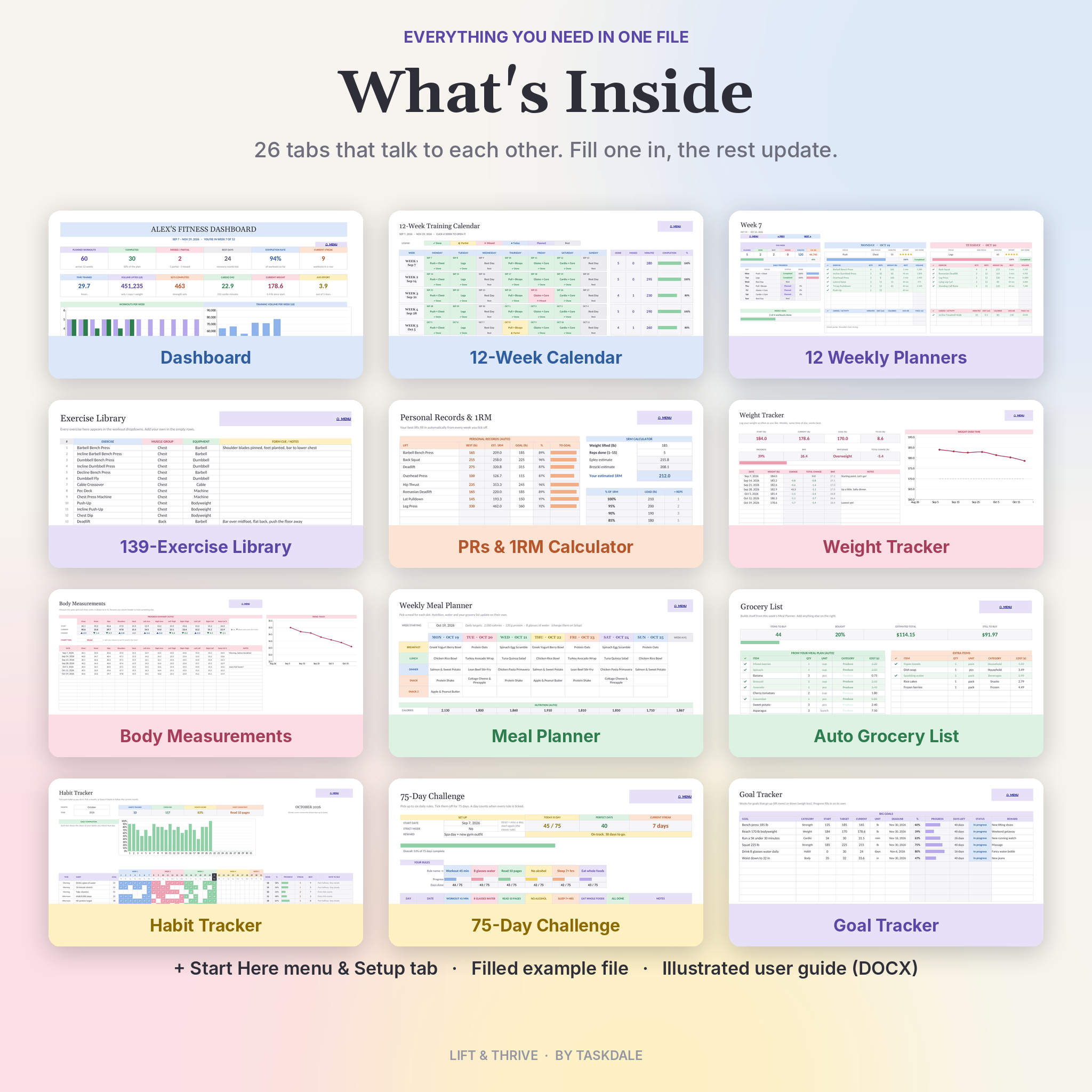
This workout planner spreadsheet puts 12 weeks of gym logs, a meal planner, a grocery list, a habit tracker and your body stats into one file. You plan a day, tick off each exercise, and the planner adds it all up for you. Volume, streaks, personal records, estimated 1RM, weekly charts. No formulas to write. No apps to pay for each month.
It runs in Microsoft Excel and Google Sheets. Pick pounds or kilograms with one switch. Grocery costs use your own currency, with $ as the default.
What This Fitness Tracker Spreadsheet Does
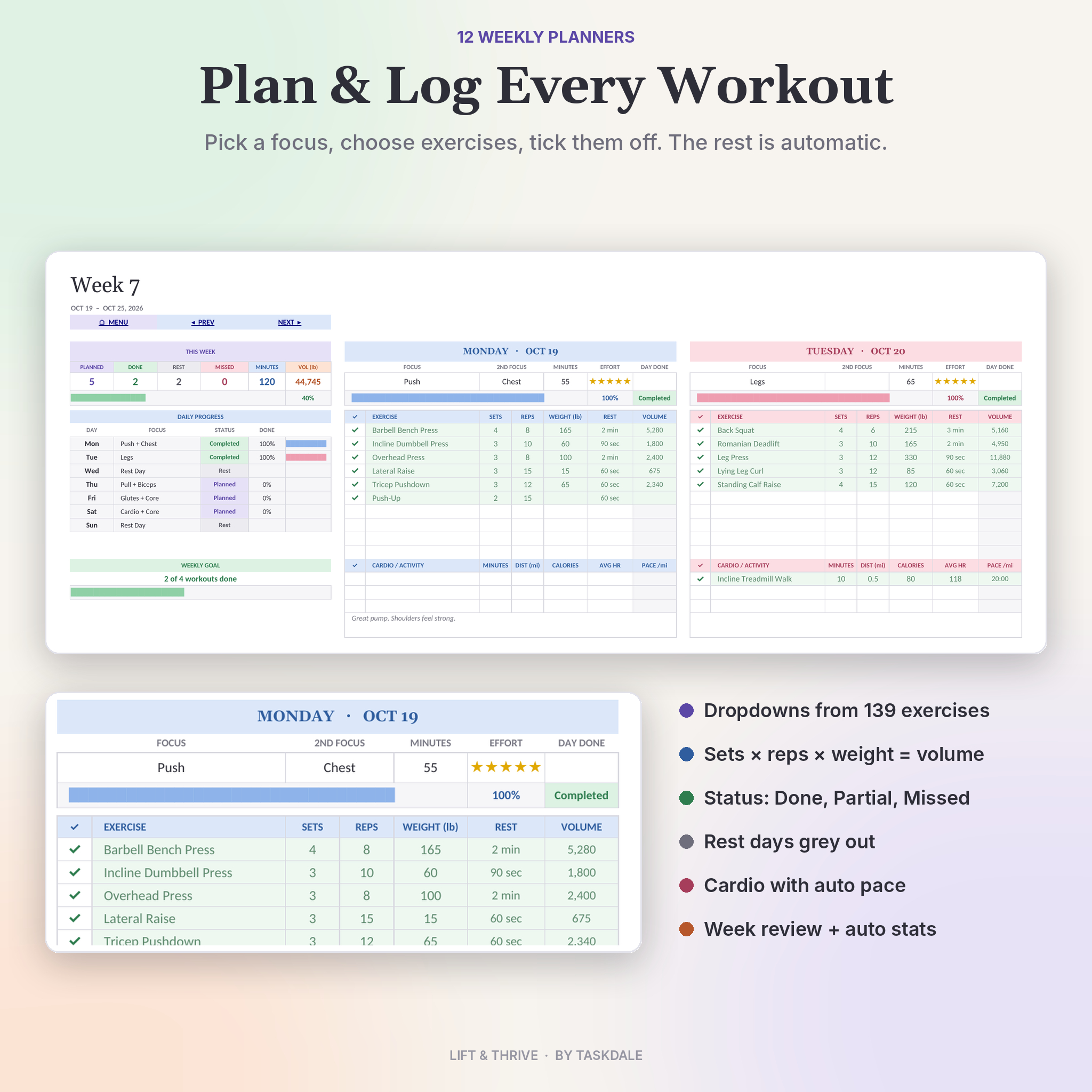
Most workout logs stop at a table of sets and reps. Lift & Thrive goes further. Each of the 12 weekly tabs has seven day blocks. Choose a focus like Push, Legs or Rest Day, then pick exercises from a library of 139 moves. Enter sets, reps and weight. Tick ✓ as you finish. The day turns green, the volume calculates and your weekly summary updates.
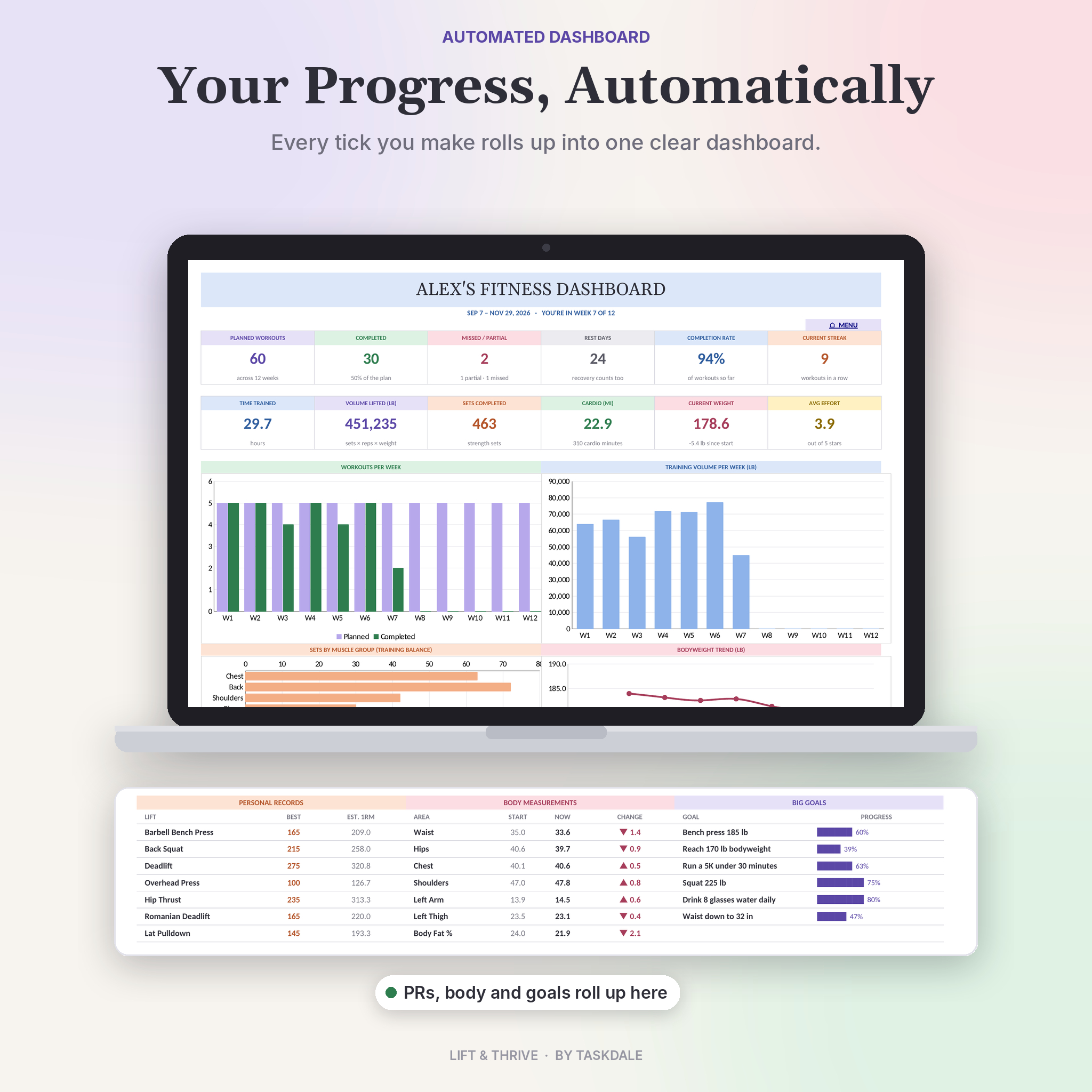
Everything flows into a dashboard. You’ll see planned and completed workouts, your completion rate, current streak, hours trained, total volume and sets by muscle group. One look tells you if you’ve been skipping leg day.
Who It’s For
- Beginners who want a simple plan and an easy way to stay on track
- Strength lifters who log sets, reps, weight, PRs and estimated 1RM
- Anyone working on weight loss, toning or muscle gain who wants to see progress week by week
- Home workout fans and gym regulars alike
- Busy people who plan meals on Sunday and shop once a week
Features
Workout planning and logging
- 12 weekly planner tabs, dated from one start date
- Exercise dropdowns from a 139-exercise library, with room for 300 of your own
- 10 strength rows and 3 cardio rows per day
- Automatic volume (sets × reps × weight) and running pace
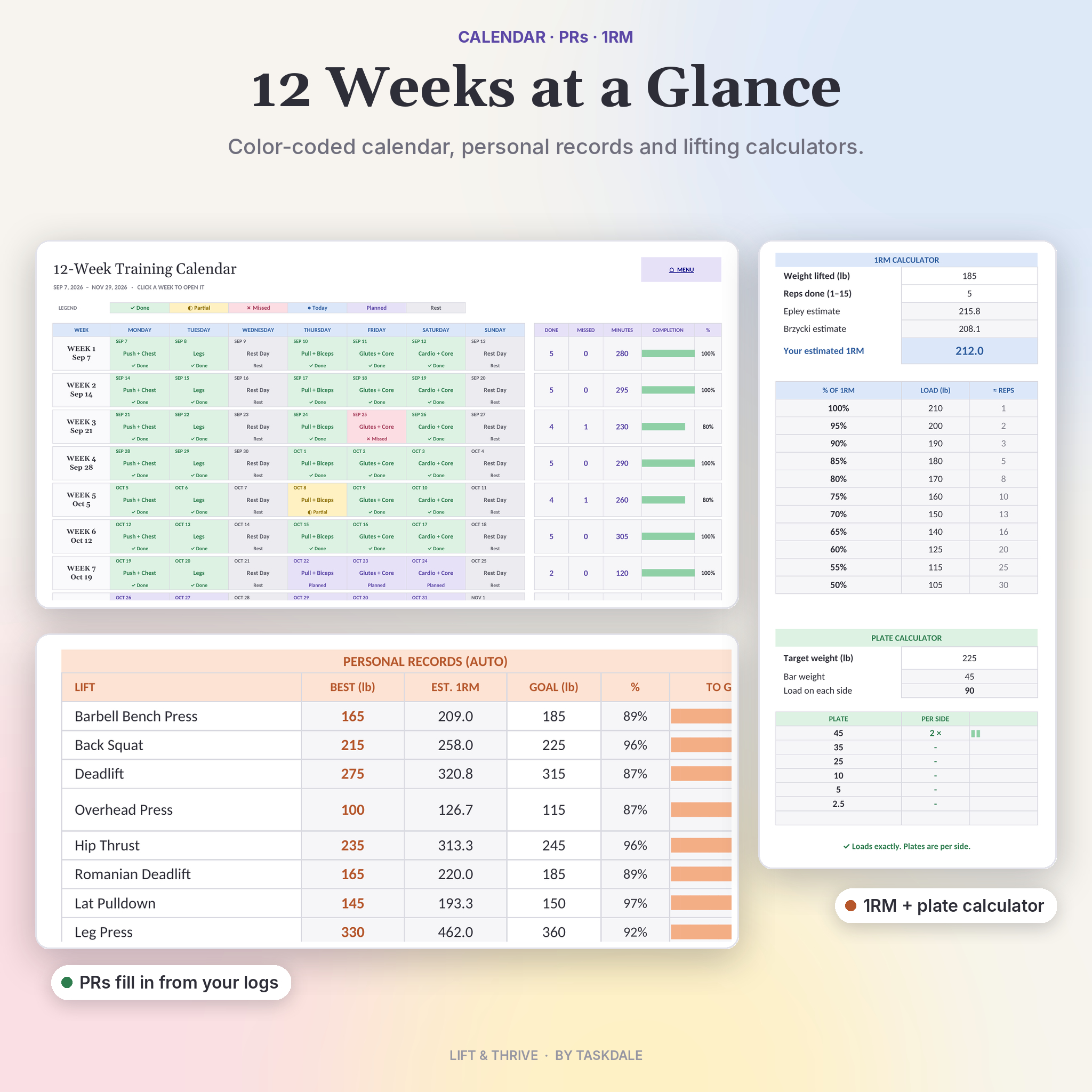
- Status for every day: Completed, Partial, Missed, Today, Planned or Rest
- Effort rating, session minutes, notes and a weekly review box
- A 12-week calendar that colors each day by status
Progress tracking
- Dashboard with 12 live stats and 4 charts
- Personal records pulled from your logs, plus best estimated 1RM
- 1RM calculator with a training load table from 50% to 100%
- Plate calculator that tells you what to load on each side of the bar
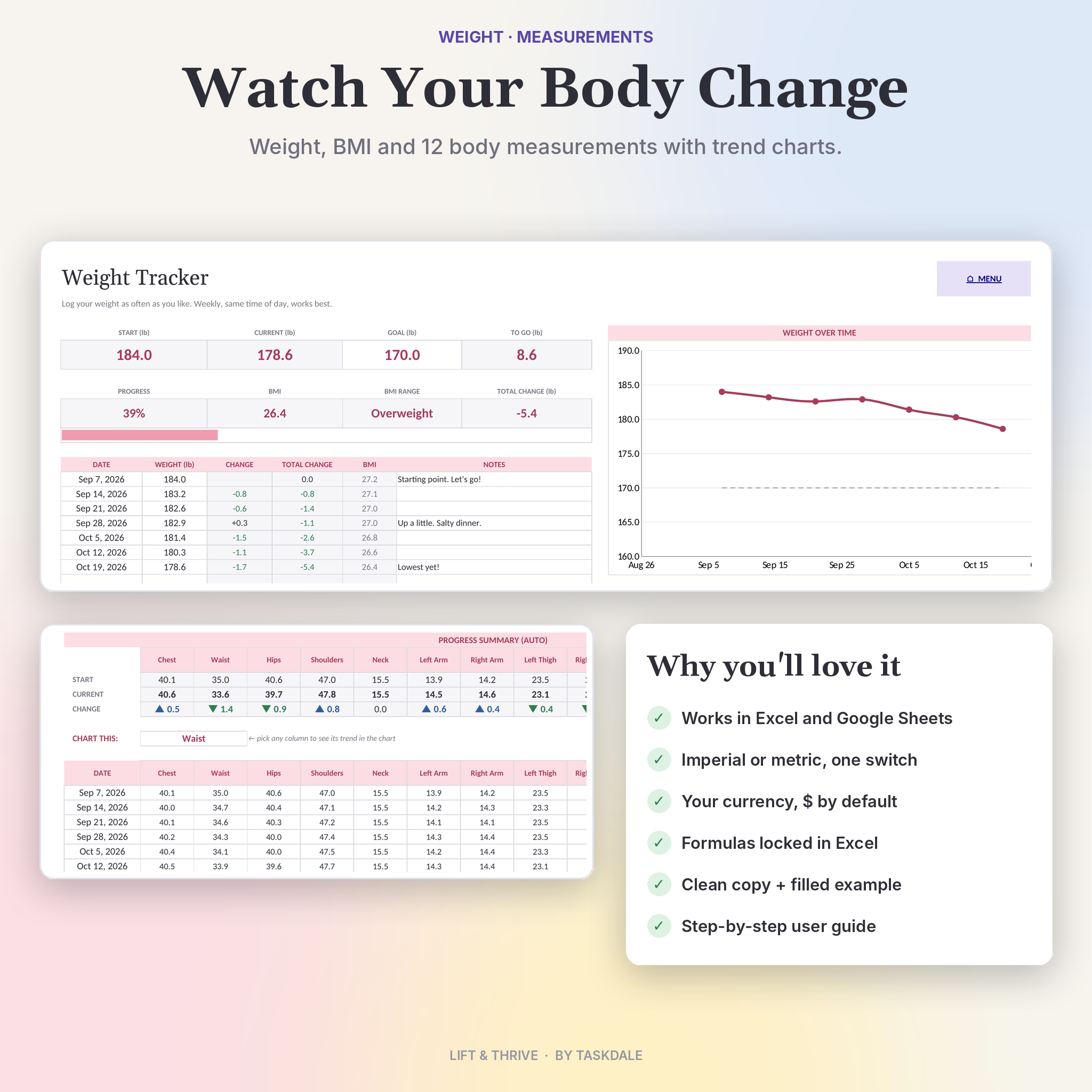
- Weight tracker with BMI, goal progress and a trend chart (200 entries)
- Body measurement tracker for 12 spots, with a chart you can switch
Meals, habits and goals
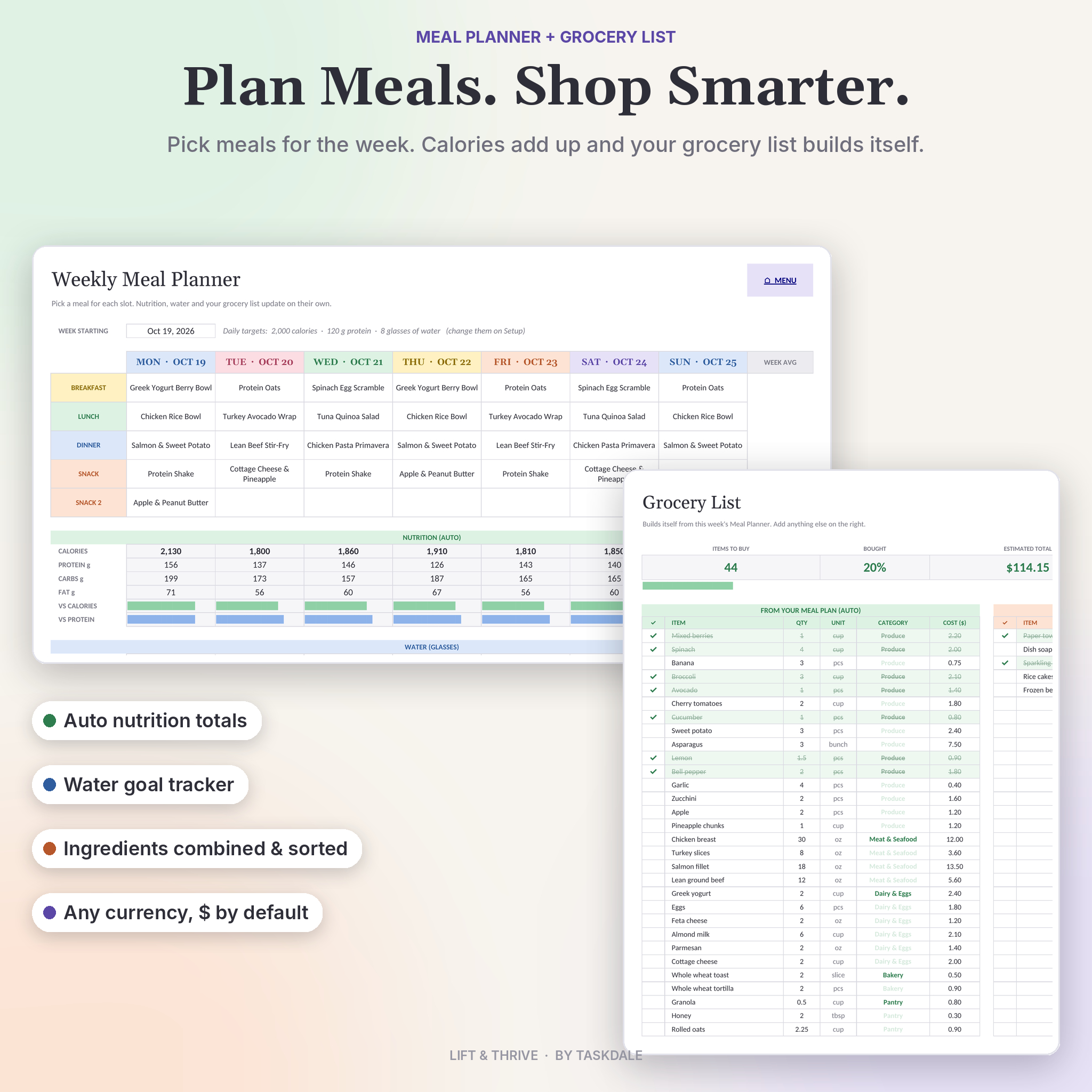
- Meal Setup for your go-to meals with calories, protein, carbs and fat
- Weekly meal planner with daily nutrition totals and a water tracker
- Grocery list that builds itself, combines repeat ingredients and sorts by aisle
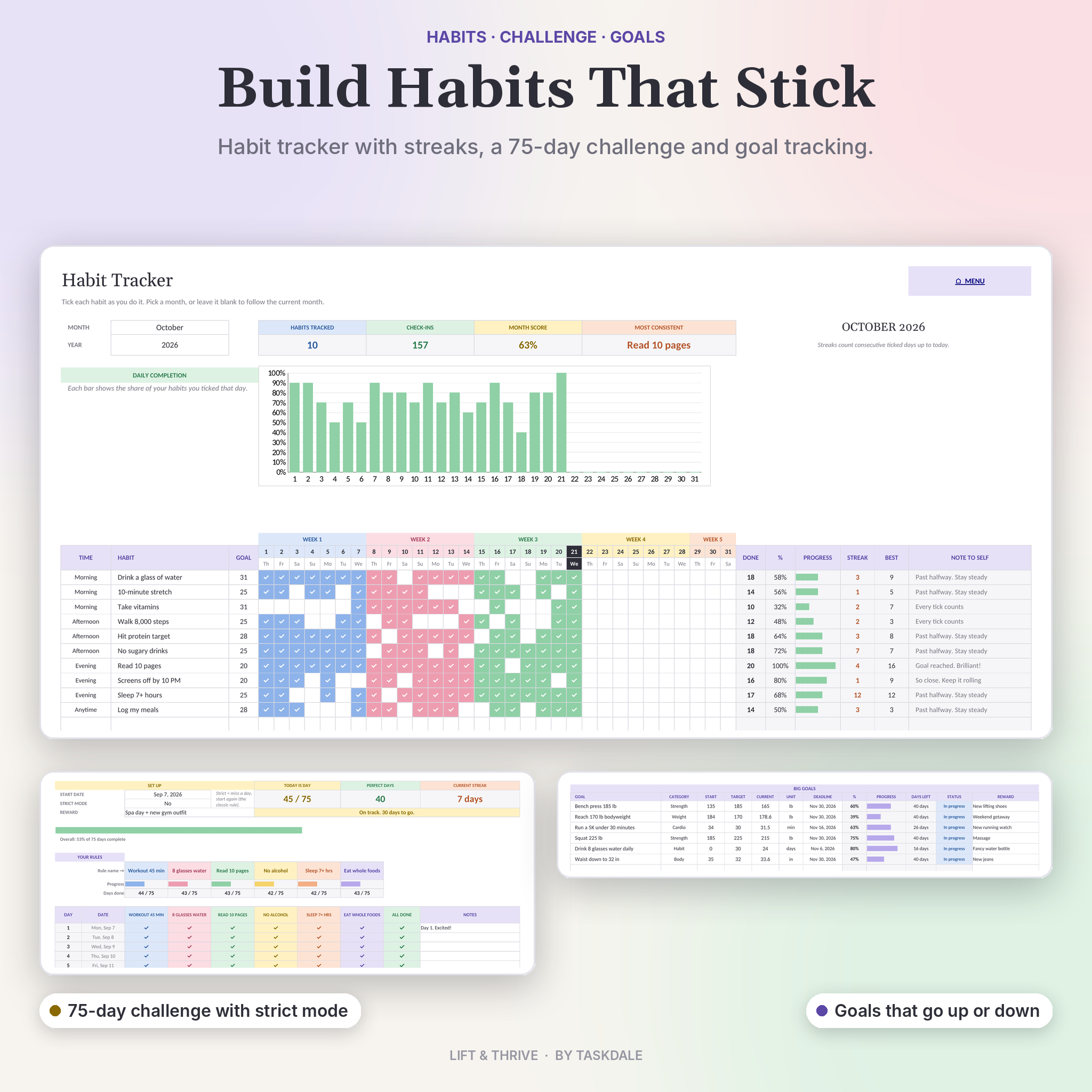
- Monthly habit tracker for 20 habits with current and best streaks
- 75-day challenge with six custom rules and an optional strict mode
- Goal tracker that handles goals going up or down, plus a monthly checklist
What’s Included
- Lift & Thrive Fitness Planner (.xlsx): your clean planner, ready to fill in
- Example file (.xlsx): the same planner with seven weeks of sample workouts, meals and habits so you can see how it works
- User guide (.docx): 16 illustrated pages covering setup, every tab, tips, troubleshooting and an FAQ
The planner has 26 tabs: Start Here, Setup, Exercises, Dashboard, Calendar, Week 1 to Week 12, PRs & 1RM, Weight Tracker, Measurements, Meal Setup, Meal Planner, Grocery List, Habits, 75-Day Challenge and Goals.
How It Works
- Open Setup. Add your name, units, start date and height.
- Open Week 1 and pick a focus for each day.
- Choose exercises and enter your sets, reps and weight.
- Tick each exercise as you finish it.
- Log your weight and measurements once a week.
- Check your Dashboard and watch the numbers move.
White boxes are for typing. Shaded cells calculate on their own. In Excel the formulas are locked, with no password, so you can’t break them by accident.
File Formats and Software
- Format: .xlsx (two workbooks) and .docx (user guide)
- Microsoft Excel: Microsoft 365 or Excel 2019 and newer, on Windows or Mac
- Google Sheets: free with a Google account. Upload the file to Drive, open it, then choose File, Save as Google Sheets
- Phone and tablet: works in the Excel and Google Sheets apps for quick ticking on the go
Older Excel versions such as Excel 2016 aren’t supported because the PR tracker uses newer functions.
Customization
Rename workout focus options, muscle groups and exercises, and every dropdown follows. Switch between imperial (lb, in, mi) and metric (kg, cm, km). Type any currency symbol. Rename the body measurement columns to track whatever you like. Change cell colors freely. Start on any day of the week.
Instant Digital Download
This is a digital product. No physical item ships. Your files are ready to download right after checkout, and you can open them on any device you own.
Real Ways People Use It
- Following a push, pull, legs split and checking that each muscle gets enough weekly sets
- Running a 12-week weight loss plan with meals, water and weekly weigh-ins in one place
- Training for a 5K while keeping two strength days a week
- Getting back into the gym after a break and building a streak
- Doing a 75-day challenge with a friend and comparing progress
FAQ
Does this workout planner work in Google Sheets?
Yes. Upload it to Google Drive and save it as a Google Sheet. All formulas, dropdowns and charts work there.
Does it work in Excel on a Mac?
Yes, in Excel 2019 or newer and Microsoft 365.
Can I track in kilograms?
Yes. Choose Metric on the Setup tab and every label switches to kg, cm and km.
Can I add my own exercises?
Yes. Type them into the Exercises tab. There’s space for 300.
Is this good for beginners?
Yes. The example file shows a full week filled in, and the guide walks you through each tab.
Can I reuse it after 12 weeks?
Yes. Save a copy, clear the weeks and set a new start date.
Is it a subscription?
No. You pay once and keep the files.
Licence
For personal use only. You may not resell, share or redistribute the files, in part or in full. This planner is a tracking tool and not medical advice.
Reviews
There are no reviews yet.