Résumé builder templates you fill in once and reuse for every job save you from the worst part of a job search: starting from a blank page every single time. You do the hard thinking once. After that, each new application is a matter of copying, trimming and reordering, not rewriting your whole working life from memory at 11pm.
This guide is for anyone applying to more than a handful of jobs. Recent graduates sending 30 applications. Parents returning to work. People switching careers who need slightly different versions for different roles. You will learn how to build a master résumé, write a bank of bullet points you can pull from, tailor a copy in about 15 minutes, and keep track of which version went where. We also compare a few Taskdale templates that are built to be reused.
Quick picks: reusable résumé templates and trackers
| Product | Best for | Price | Link |
|---|---|---|---|
| Essential ATS Resume Kit | Writing prompts in every section | $6.95 | View |
| Meridian ATS Resume Template Kit | Four layouts from the same content | $6.95 | View |
| ATS Resume Template for Word and Google Docs | Photo and no-photo versions plus a step-by-step guide | $4.79 | View |
| Offerline Job Application Tracker | Tracking which version went to which job | $5.99 | View |
Why a template you own beats a builder site
Online résumé builders are handy for a first draft. You type into boxes and a design appears. The trouble often shows up later. Some ask you to sign up before you can download. Some keep your résumé in their own format, so editing it means logging back in. Some put the nicer layouts or the PDF download behind a monthly plan. None of that is wicked. It is just a business model that suits them more than you.
A Word or Google Docs template works the other way round. You download it once and the file is yours. Open it in a year, on a different laptop, without a password. Make ten copies. Send it as a PDF or a .docx, whichever the employer asks for. That is what makes the fill-once approach possible: a file you fully control, that you can duplicate and change as often as you like.
Step 1: Build a master résumé with everything in it
Your master résumé is not the one you send. It is the long version, the warehouse. It can run to four or five pages, and that is fine, because nobody but you will ever see it.
Put in every job you have had in the last 10 to 15 years, with start and end months. Under each one, write every task and win you can remember, not just the three best. Add every qualification, course, certificate, software tool, language, volunteer role and award. If you led a fundraising drive at your kid’s school, it goes in. If you learned Excel pivot tables to sort out a messy stock count, it goes in.
Dig for the numbers
Numbers make bullets believable. How many customers a day? How many staff did you train? How much did a budget, a sales target or a waiting time change? A retail supervisor who writes managed a team becomes far more convincing as scheduled and coached a team of 9 across 3 shifts. Spend an evening with old emails, appraisals and payslips to find the figures. It is the most valuable hour of the whole job search.
Keep it in one master file
Save it as Master Resume, and never send it. Every tailored version starts as a copy of this file, so improvements you make here flow into every future application.
Step 2: Write a bullet bank you can pull from
A bullet bank is a list of ready-to-use achievement lines, grouped by skill. When a job asks for scheduling or customer complaints or budgeting, you open the bank, find the best two lines and drop them in.
Write each bullet with the same simple shape: an action verb, what you did, and what changed because of it. A few examples:
- Customer service: Resolved 25 to 30 customer calls a day, keeping complaint escalations under 2 a week.
- Admin: Rebuilt the shared filing system for a 14-person office, cutting time spent finding documents.
- Retail: Trained 6 new starters on tills and stock rotation during the holiday rush.
- Healthcare: Supported 12 residents daily with personal care, meals and activity plans.
- Project work: Coordinated a 3-month office move for 40 staff with no lost working days.
Aim for 20 to 40 bullets. Then group them under headings like Leadership, Customer, Numbers, Systems and Communication. When you tailor, you are shopping from your own shelf.
If you freeze when facing an empty section, a template with a short hint in every box takes the edge off. The Essential kit is built that way.
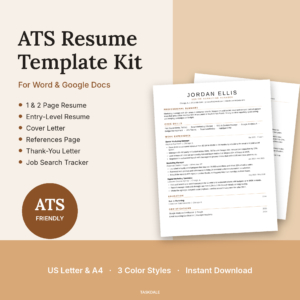
Essential ATS Resume Kit
Price: $6.95 | Best for: first-time writers and returners
The Essential ATS Resume Kit is a one-column résumé for Word and Google Docs with a matching cover letter, references page, thank-you letter and a job search tracker, in US Letter and A4. Every section has a hint telling you what to write, often with an example, so you type over the bracketed text and save as PDF. It uses real heading styles and comes in Charcoal, Sand and Navy. Use it as your master file first.
Step 3: Pick a template that survives being copied 30 times
Not every pretty template is reusable. Some break the moment you add a line: text boxes jump, columns overlap, dates drift out of line. After the third copy, you are fixing layout instead of applying for jobs.
A reusable template has a few features under the hood:
- One column of real text. Easy to edit and easy for applicant tracking software to read top to bottom.
- Real heading styles. Change the font or color once and every heading follows.
- Right tab stops for dates. Dates stay lined up when you edit the job title.
- No text boxes or tables carrying key details. They are the first things to scramble.
- Contact details in the page body. Not hidden in the header, where some software skips them.
- Works in Word and Google Docs. So you can edit on any device.
Our guide to the ATS-friendly résumé template goes deeper on how the software reads your file.
Have two or three layouts from the same content
One more trick. Keep a one-page and a two-page version of your master ready. Most entry and mid-level roles want one page. Senior roles, academic posts and jobs with long certification lists often allow two. With both shells set up, you only choose which to fill.
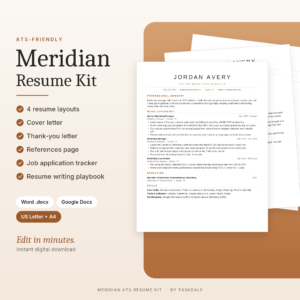
Meridian ATS Resume Template Kit
Price: $6.95 | Best for: people applying across different roles
The Meridian ATS Resume Template Kit gives you four résumé layouts for Word and Google Docs, including a one-page and a two-page version with a Key Achievements section, plus a cover letter, thank-you letter and references page in US Letter and A4. Every layout is one column with standard section names and dates on proper tab stops. It also includes a job application tracker and a writing playbook. Fill one layout with your master content first.
Step 4: Tailor a copy in 15 minutes
With a master file and a bullet bank, tailoring becomes a short routine. Set a timer if it helps.
- Read the job ad twice (3 minutes). Highlight the five skills or tasks mentioned most. Those are your keywords.
- Copy the master (1 minute). Save it with the company and role in the name, like Smith_Resume_Riverside_AdminLead.
- Rewrite the summary (3 minutes). Two or three lines that name the role and your two strongest matching points.
- Swap bullets (5 minutes). For each recent job, keep the 3 to 5 bullets that best match the keywords. Pull better ones from the bank if needed. Delete the rest.
- Reorder skills (1 minute). Put the skills the ad mentions first, using their exact words where they are true for you.
- Trim and save as PDF (2 minutes). Check it fits the page, then export.
Fifteen minutes, and the résumé reads like it was written for that job, because in every way that matters it was. The relief of not starting from scratch is real. Most people find they apply to more roles, and better-matched ones, once this routine is in place.
Keep two or three base versions if you are switching fields
If you are applying for both admin and customer service roles, keep a base copy for each, already tailored to that field. Then each new application only needs a light touch rather than a full rework.
A quick example
Say the ad for an office coordinator mentions scheduling, supplier invoices, onboarding and Microsoft Outlook four or five times between them. From the bank, you pull the office-move bullet, the filing-system bullet and a line about processing 40 supplier invoices a week. You move Outlook and Excel to the front of your skills list. Your summary now opens with organized office coordinator who keeps schedules, suppliers and new starters running smoothly. Same person, same history. A much closer fit.
Step 5: Track which version went where
After 20 applications, you won’t remember which summary went to which company. Then a recruiter calls and asks about something on your résumé, and you are scrambling to work out which copy they have. It happens to almost everyone.
Keep a simple log: company, role, date, the exact filename you sent, the job ad link and the status. Save the job ad too, as ads often vanish once a role closes, and you will want it before an interview. Our walkthrough on running a job search from one spreadsheet covers how to set this up.
A ready-made tracker takes the follow-up dates and reply rates off your mind as well.
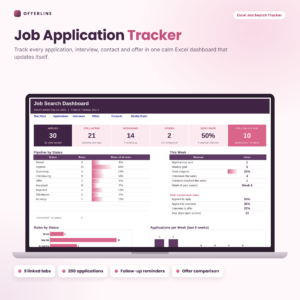
Offerline Job Application Tracker
Price: $5.99 | Best for: anyone sending more than 10 applications
Offerline is an Excel job application tracker with nine linked tabs. You enter the company, role, date and status, and it works out follow-up dates that flag as Soon and then Due now, counts down to interviews, tracks a weekly goal and shows which job sites lead to replies. An offer comparison tab weighs pay, time off and commute. Log your current applications first, with the filename of each résumé you sent.
Reuse the rest of the application too
The same fill-once idea works for everything that goes with a résumé.
- Cover letter: keep a master with a strong opening, two paragraphs of evidence and a closing. Tailor the first and last paragraphs for each job. Our guide on writing a cover letter that matches your résumé has the structure.
- References page: fill it in once with three referees, then check they are still happy to be contacted each time you share it.
- Thank-you note: keep a short template you can personalize within an hour of each interview.
- Interview stories: for each strong bullet, jot a 60-second story about the situation, what you did and the result. You will reuse these in every interview.
Mistakes that undo the fill-once approach
Sending the master. Five pages of everything tells a recruiter you didn’t tailor. Always send a trimmed copy.
Editing the master for one job. Change a copy, not the master, or you will lose the original wording.
Keyword stuffing. Using the ad’s words is smart when they are true. Pasting in skills you don’t have will come out at interview.
Forgetting to update the master. When you write a better bullet for one application, copy it back into the bank.
Vague filenames. Resume_final_v3_NEW.pdf says nothing. Your name, the company and the role say everything.
When a single master file is not enough
If you are applying for very different kinds of work, say nursing shifts and graphic design gigs, one master can get unwieldy. Keep two masters instead, each with its own bullet bank. It is a little more setup, and it stops you hunting through irrelevant lines every time.
Academic CVs, federal applications and some creative portfolios follow their own rules and lengths. A standard one or two-page template still helps as a base, but expect to adapt the sections to what that sector asks for.
Frequently asked questions
What is a master résumé?
It is a long private document that lists every job, task, achievement, skill and qualification you have. You never send it. Instead, you copy it and trim it for each application.
How do I reuse one résumé for different jobs?
Keep a master file and a bank of bullet points. For each job, copy the master, rewrite the summary, keep the bullets that match the job ad, reorder your skills and save as a PDF with the company name.
Is a Word template better than an online résumé builder?
For reuse, often yes. A Word or Google Docs file is yours to copy and edit without logging in, and you can save it as a PDF or .docx whenever you need to.
How long should it take to tailor a résumé?
With a master file and bullet bank ready, around 15 minutes per job. The first master takes an evening or two to build.
Do résumé templates work with applicant tracking systems?
Simple one-column templates with real text, standard section names and contact details in the page body tend to be read cleanly. Avoid text boxes and graphics that hold important details.
Your next step
Tonight, open a blank document called Master Resume and list every job from the last 15 years with every task and number you can remember. Tomorrow, pour it into a template built for reuse, like the Essential ATS Resume Kit, and make your first tailored copy.