When you split a receipt across categories, the pieces must add back to the till total.
Record one purchase in your account register, then divide that same amount among the spending categories on your budget insert. Add the category amounts before posting them: if the receipt says £40.41, the split must also total £40.41.
When you split a receipt on paper, put the receipt worksheet beside the monthly expense log. You need space for the original total, the category amounts and any discounts or charges that explain the difference between the shelf prices and what you paid.
If the budget sits inside an existing planner, match the binding before adding pages. The 11-disc monthly refill and 7/3-hole monthly refill are both 8.5 × 11 inches, but they attach differently. For smaller binders, the Forvencer A5 calendar refill, A5 project planner inserts and Beautiful six-ring monthly inserts can sit alongside a separate receipt worksheet if the dimensions and hole spacing match.
Split a receipt: the workflow from print test to budget entry
Print and assemble a worksheet that fits your planner
Set up a worksheet with two areas. Before you split a receipt, leave space at the top for the date, shop, payment account, receipt reference and original total. Below that, use columns for category, item subtotal, adjustments and final amount. Leave a line at the foot for
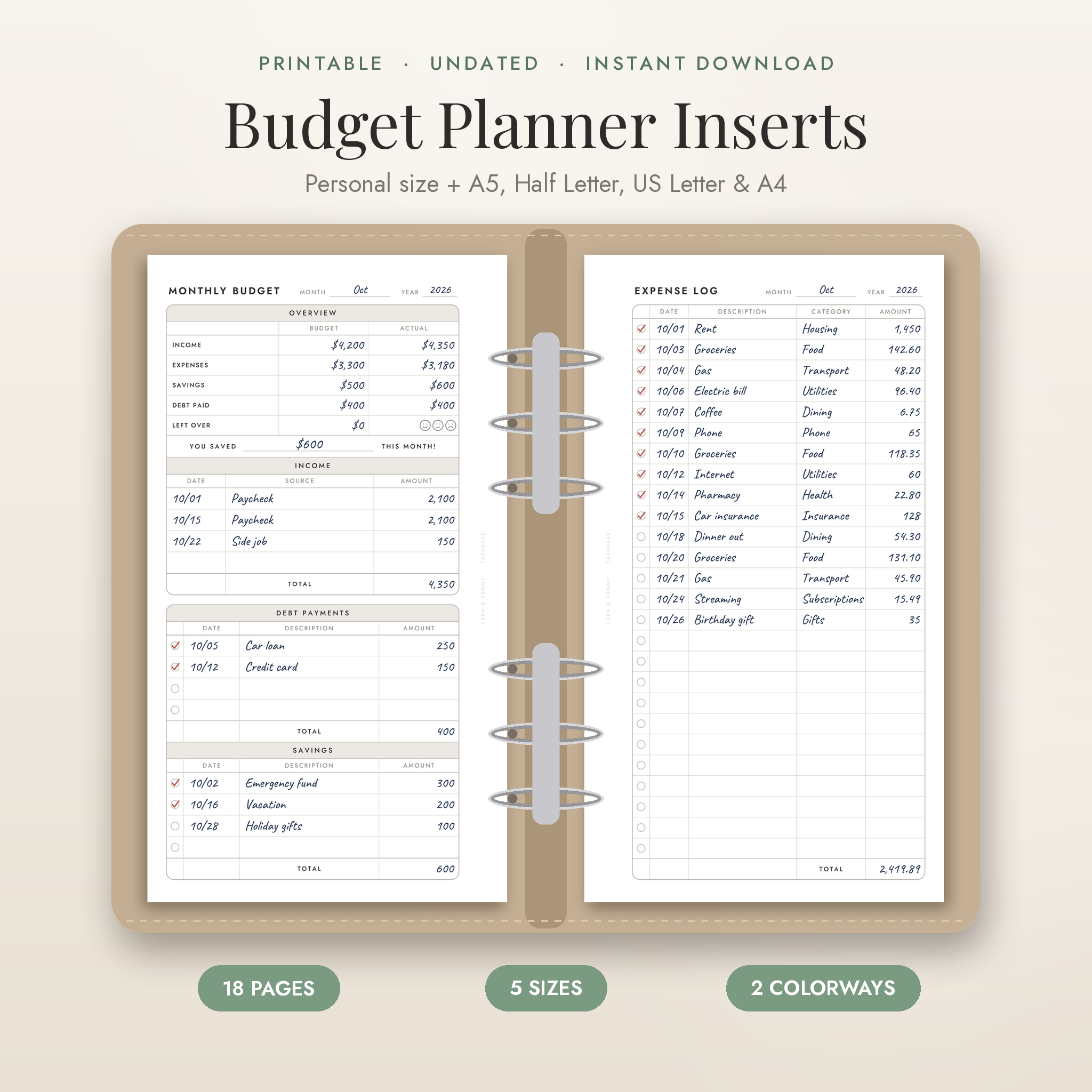
Original total − sum of final amounts = difference. That line is your posting check.For an A5 or Personal size ring planner, the Fern & Penny Budget Planner Printable costs $1.99 and includes an expense log. Print the version for your planner and place a separate split worksheet opposite the log so the adjustments don’t crowd the spending entries.
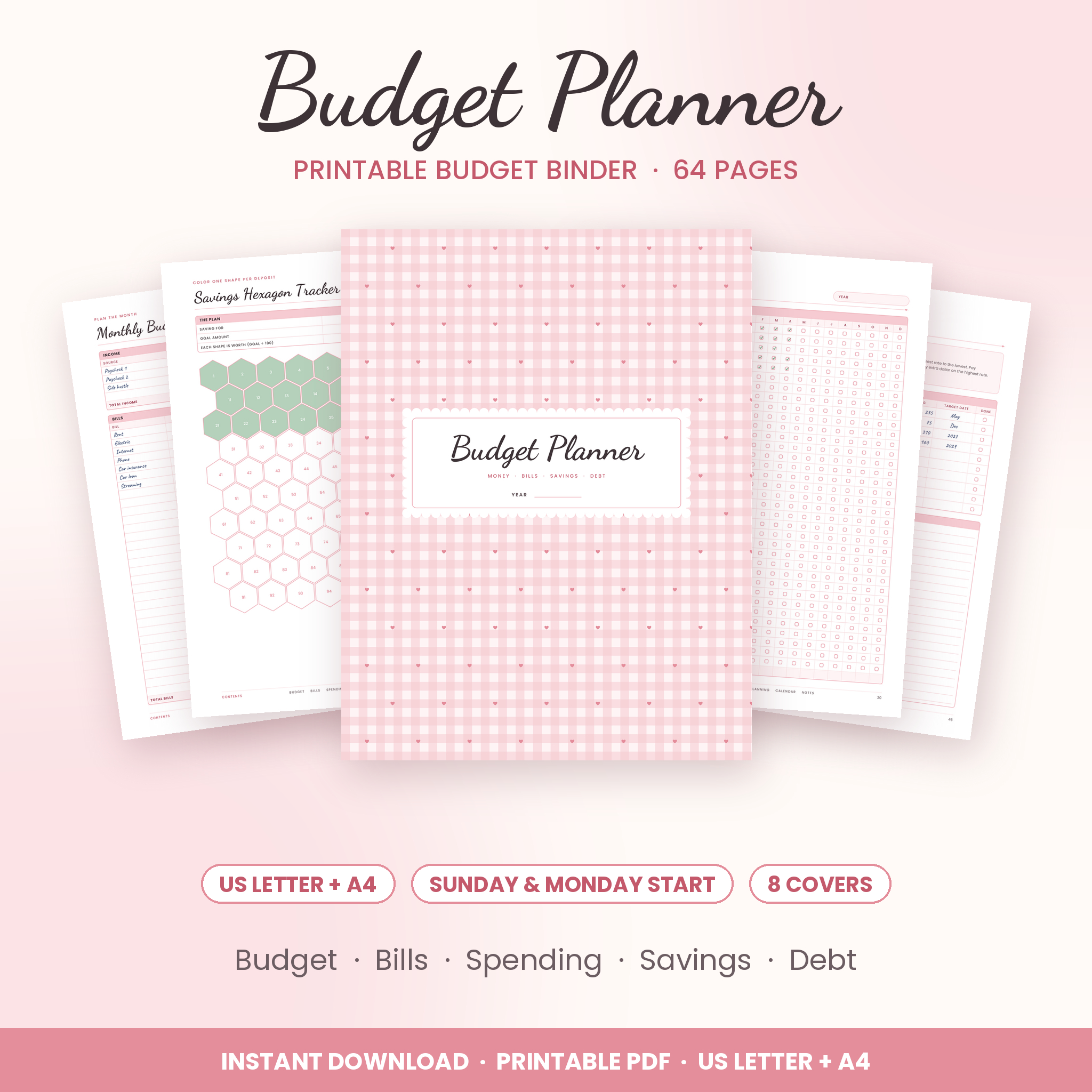
If a large binder needs a dedicated receipt section, the Petal & Penny Budget Binder costs $1.49 and includes eight section dividers. Use one to separate receipts awaiting a split from the expense log where checked amounts are posted.
Test one sheet before printing a batch. Match the PDF and the printer paper setting: US Letter is 8.5 × 11 inches, A4 is 210 × 297 mm and A5 is 148 × 210 mm. Use Actual Size or 100% when the file is already laid out for the paper being fed. If two small inserts are arranged on one full sheet, print that sheet at its intended size and trim along the supplied marks. Don’t shrink a Letter layout to A5 and expect its writing space or punch margin to stay usable.
For a double-sided insert, mark the top of a test sheet and check how the reverse reads when you turn it as it will sit in the binder. If it comes out upside down, change the flip edge and test again. Trim the page before punching, line it up against a refill you know fits and check that the punch won’t take a piece out of the amount column.
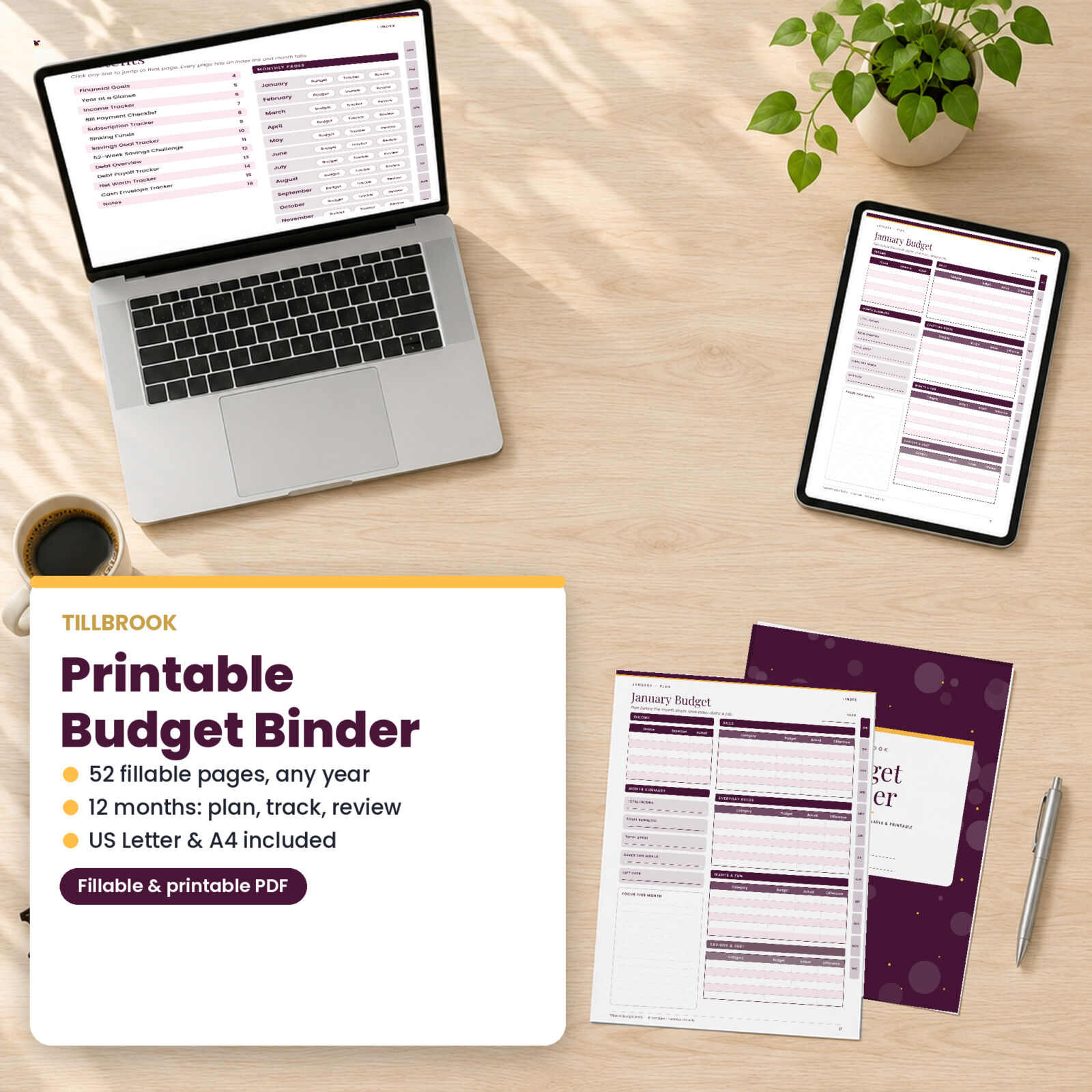
The $9.99 Tillbrook Printable Budget Binder suits a US Letter or A4 setup where some pages are filled in on screen and others are printed. Try the expense tracker first rather than printing all 52 pages before checking how much writing room it leaves beside the binding.
Use an existing page as a physical template for the new worksheet. If you’re adding off-the-shelf pages as well, check them by binding type:
The 2027–2028 11-disc monthly refill provides 18 monthly calendars on 8.5 × 11-inch pages. Use a disc punch that matches the existing page; an ordinary round-hole punch won’t make the same slots.

The 2027–2028 7/3-hole monthly refill provides 18 monthly calendars at the same sheet size. Align the worksheet with the holes your binder actually uses before punching.

The Forvencer 2027 A5 monthly refill is a six-hole calendar insert. Put the worksheet you use to split a receipt behind the relevant month rather than trying to fit category figures in a date square.

The A5 six-hole project planning refill has 100 double-sided sheets. Its task fields can hold item notes for a decorating project that shares a receipt with groceries; copy only the checked project total to the spending log.

The Beautiful 2027–2028 monthly inserts are for six-ring binders. If the binder size is uncertain, measure a page and the gaps between hole centres before choosing a print layout. The ring count alone isn’t enough.

Copy the amount paid and split a receipt by category
Copy the original total before sorting items. Use the final amount due for the purchase, after discounts and charges, rather than the merchandise subtotal or the amount of cash handed over. If the bill is £18.60 and you handed over £20, the £1.40 change isn’t spending. Each time you split a receipt, mark the worksheet and receipt with the same reference, such as
M03-07, so you can retrieve the source later.Assign each item to the category that paid for it. A supermarket receipt can contain food, washing powder and a birthday card, which is exactly when you need to split a receipt. Use the budget categories already in use, such as Groceries, Household and Gifts. To split a receipt, write the category beside each line or mark the lines with initials, then add each group. A six-pack bought for one purpose needs one category. When you split a receipt, split a line only if the parts genuinely belong to different budgets and you can support the amounts.
Apply discounts and charges in receipt order. Put an item coupon against the category containing that item. For a basket voucher, use the shop’s allocation if it shows one. Otherwise divide the discount in proportion to each eligible category’s subtotal after item discounts. If a category makes up £15 of a £60 eligible subtotal, it gets one quarter of the voucher. Leave excluded items out of the calculation.
Put a charge tied to one item in that item’s category. For a shared delivery fee, either use an existing Delivery category or allocate it by a consistent rule, such as each category’s share of the order value. On a UK receipt with VAT already included in the item prices, don’t add the VAT summary again. If tax is charged separately, allocate only the tax shown, using the applicable taxable lines or the shop’s breakdown.
Check the difference, then post once. Round the allocations to pennies and add them. If splitting a voucher leaves a penny unassigned, give it to an eligible category with the largest discarded fraction of a penny and mark the adjustment. If the difference isn’t explained by rounding, go back to the source rather than putting it in Miscellaneous.
Enter the full amount once in the account register, and enter only the category amounts in the spending log. Use the same receipt reference on both. In a planner with one combined log, give each category its own line and write the receipt total in the notes, outside the amount column.
For a paper log backed by a spreadsheet, the $8.99 Soft Ledger Budget Planner Printable includes an Excel budget spreadsheet and a printable daily log. Enter the category rows in the spending calculation and keep the original total in a separate check cell so it doesn’t get added as another expense.
Worked example: checking a £40.41 mixed receipt
Take a practise receipt with three categories. The shop lists £24.00 for groceries, £12.00 for household supplies and £9.00 for personal care. There’s a £2.00 coupon for a household item, a £4.30 voucher covering the whole remaining basket and £1.71 in tax shown as a separate charge. The receipt shows one card payment of £40.41.
- Write
M03-07, the purchase date, the shop and the card account on the worksheet. Copy £40.41 as the original total. The three groups of items add to £45.00 before adjustments. - Take the £2.00 coupon out of Household. Now the eligible grocery, household and personal care subtotals are £24.00, £10.00 and £9.00. They add to £43.00.
- Split the £4.30 voucher against those subtotals. In this case it equals 10% of the eligible basket, so the discounts are £2.40, £1.00 and £0.90.
- Copy the separately charged tax from the receipt breakdown. It assigns £0.90 to Household and £0.81 to Personal care, with none to Groceries.
| Category | Item subtotal | Item coupon | Basket voucher | Separate tax | Final amount |
|---|---|---|---|---|---|
| Groceries | £24.00 | £0.00 | −£2.40 | £0.00 | £21.60 |
| Household | £12.00 | −£2.00 | −£1.00 | £0.90 | £9.90 |
| Personal care | £9.00 | £0.00 | −£0.90 | £0.81 | £8.91 |
| Total | £45.00 | −£2.00 | −£4.30 | £1.71 | £40.41 |
The difference line reads £40.41 − £40.41 = £0.00. Enter £21.60, £9.90 and £8.91 in the expense log with reference M03-07, and match the three lines to the single £40.41 card purchase. When the credit card bill is paid, record the payment without counting the purchase twice.
File the receipt behind the worksheet or save a photo with the same reference. Keep the discount and tax details in the photo, not just the payment line. If the household item is returned later, those details help explain why the refund might be less than its £12.00 shelf price.
Fixes when the receipt, category log and account don’t agree
The difference matches a coupon, fee or tax line
Compare the sum of your item amounts with the receipt’s first subtotal. If they match, work down the receipt one adjustment at a time. A difference of exactly £2.00 on the practise receipt points to the item coupon as a place to look. If the item price already reflects the coupon, subtracting it again makes the category total too low.
If the category total matches the receipt but the card entry is different, check that you’re looking at the final posted charge. For a restaurant bill, the customer copy may show the amount before a tip that appears on the final charge. Keep the receipt total visible, record the documented tip as a separate adjustment and check the updated category total against the settled charge. Don’t invent a tip to explain a discrepancy.
The purchase was paid from two accounts
Check spending and payment separately. On a £40.41 purchase paid with £10.00 in cash and £30.41 by card, the categories still need to add to £40.41. Enter £10.00 against cash and £30.41 against the card, using the same reference. Don’t add a third account entry for £40.41. If you withdrew the £10.00 beforehand, record the cash withdrawal as a transfer, not a second expense.
A refund or repayment arrives after the split was posted
If a £6.00 return shows up on a later statement, don’t split a receipt again; keep the original split intact. Record the refund as a linked entry in the original item’s category, using the amount actually refunded rather than its shelf price. If the month has closed, record the refund in the month it arrives without losing the link to the purchase.
If £12.00 of the basket was bought on someone else’s behalf, keep it in the receipt check so the full charge still balances. Identify that share on its own line and track the reimbursable purchase until repayment arrives rather than treating it as ordinary household spending.
If one item is still unclear, move the worksheet to the front of the binder and write the unresolved amount beside its receipt line. Keep the bank or card charge recorded, but mark the split as pending. Go back to it when you can identify the item, price or adjustment, not when you find a category that happens to absorb the difference.