Best Wedding Organizer: Which Planner Suits You?
A wedding organiser works best when its format matches how you already work. If you like pen and paper, choose a printable binder. If you plan on a tablet, choose a GoodNotes or Notability planner. If you want sums and seating done for you, choose an Excel or Google Sheets spreadsheet. Each of the 14 options below is an instant digital download.
Key facts at a glance
- A printable binder suits people who like writing by hand, and most here come in US Letter and A4, with A5 for the smaller binders.
- A tablet planner such as Ever & Always Digital Wedding Planner has hyperlinked pages and stickers, and several also include an Excel budget tracker.
- A spreadsheet such as Sage & Stone Wedding Planner Spreadsheet adds up payments, RSVPs and seating for you.
- Most are undated and work in any currency, so you can start in any month.
- Planning one wedding rarely needs more than one main organiser, with a printed day-of binder as an optional extra.
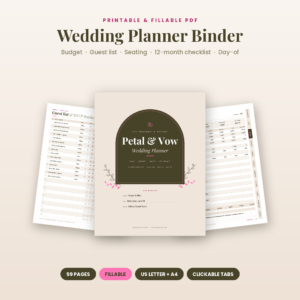 Printable Wedding Planner Binder, Fillable PDF with Budget, Guest List & Seating Chart | Petal & Vow
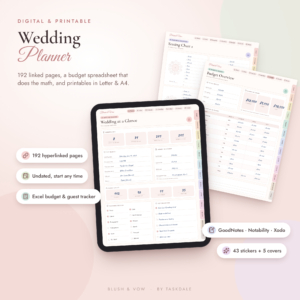 Blush & Vow Digital Wedding Planner | GoodNotes & iPad Wedding Binder with Printable Pages, Budget Spreadsheet, Checklist, Guest List & Seating Chart
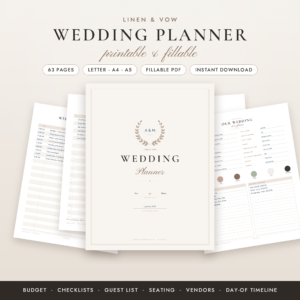 Linen & Vow Printable Wedding Planner | Fillable PDF Wedding Planning Book with Budget Tracker, Checklist, Guest List & Seating Chart
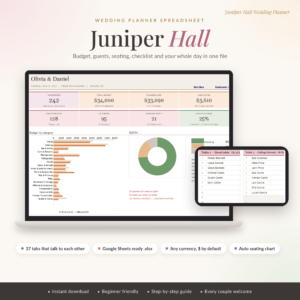 Juniper Hall Wedding Planner Spreadsheet | Wedding Budget Tracker, Guest List, Seating Chart & Checklist for Google Sheets
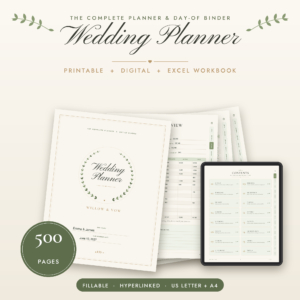 Willow & Vow Wedding Planner | 500-Page Printable & Fillable Wedding Binder with Budget Spreadsheet, Guest List, Seating Chart & Day-Of Timeline
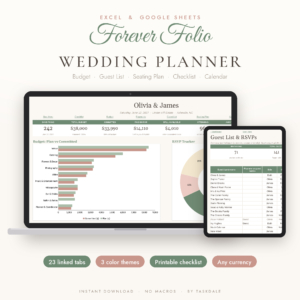 Forever Folio Wedding Planner Spreadsheet for Excel & Google Sheets | Budget Tracker, Guest List, RSVP, Seating Chart & Checklist
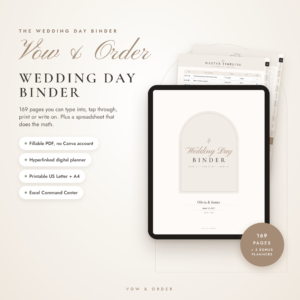 Vow & Order Wedding Day Binder | Fillable PDF Wedding Planner, Day-of Timeline, Seating Chart, Vendor Contacts & Checklists | Printable + Excel Tracker
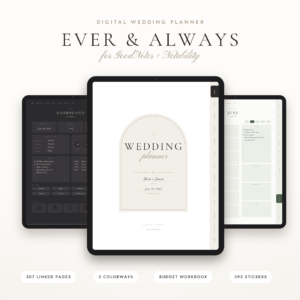 Ever & Always Digital Wedding Planner for GoodNotes + Notability, 307 Hyperlinked Pages, Budget Workbook, Guest List, Seating Chart + Printable
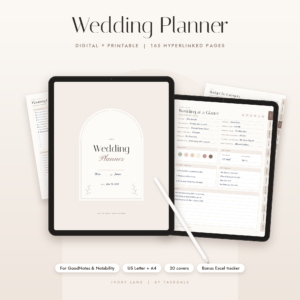 Ivory Lane Digital Wedding Planner | GoodNotes & Notability Wedding Planning Book with Budget, Guest List & Seating Chart | Printable US Letter & A4
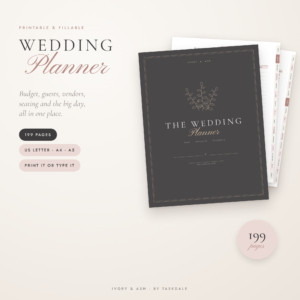 Printable Wedding Planner Book, 199 Pages | Fillable PDF Wedding Binder with Budget, Guest List, Checklist & Seating Chart | US Letter, A4, A5
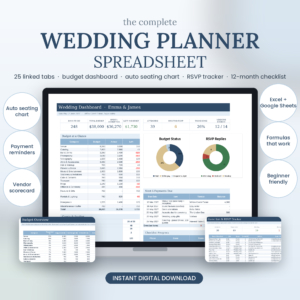 Wedding Planner Spreadsheet for Excel & Google Sheets | Budget Tracker, Guest List, RSVP, Seating Chart, Vendor Tracker, 12-Month Checklist
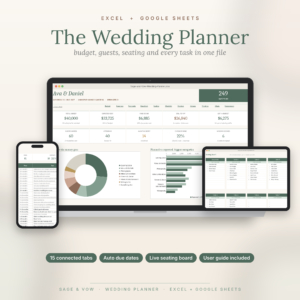 Wedding Planner Spreadsheet | Wedding Budget Tracker, Guest List, Seating Chart, Checklist, Payment Schedule & Dashboard | Excel, Google Sheets
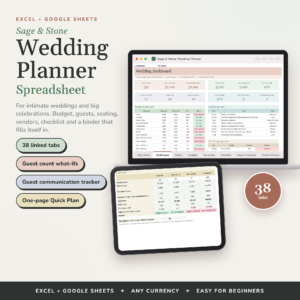
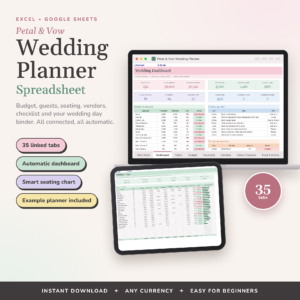
Table of Contents Toggle
- Which type of wedding organiser is best?
- What should you look for in a wedding organiser?
- How do the best wedding organisers compare?
- Which wedding organiser suits which couple?
- How do you use a wedding organiser well?
- What mistakes should you avoid?
- What affects the price of a wedding organiser?
- How to choose with confidence
- Common questions
Choosing a wedding organiser can feel like another job on an already long list. We'll keep it simple: decide on a format first, then check the few features that matter for your own wedding.
Which type of wedding organiser is best? {#which-type}
The best type of wedding organiser is the one you will open every week. There are three kinds here, and each has a different strength.
A printable binder is a set of fillable pages you print and keep in a folder. Printable Wedding Planner Book, 199 Pages is the largest of this type, with 80 checklist tasks and 13 vendor comparisons. A tablet planner is a hyperlinked PDF you write in on an iPad with GoodNotes or Notability. A spreadsheet planner is a file for Excel or Google Sheets that calculates as you type.
Many of these listings combine formats. Willow & Vow Wedding Planner, for example, pairs 500 printable pages with an Excel workbook, so you can write by hand and still let a spreadsheet do the arithmetic.
What should you look for in a wedding organiser? {#what-to-look-for}
Look for five things: the format, how much it calculates for you, how it handles your guest list and seating, how well it covers vendors and the day itself, and how clearly it explains itself.
Format and the devices you own
Check that the file opens on what you have. Spreadsheet planners such as Juniper Hall open free in Google Sheets on a laptop, tablet or phone. Tablet planners need GoodNotes or Notability. Printable binders need a printer and some ring binders, so think about ink too. Petal & Vow's printable binder offers an Ink Saver edition, and Willow & Vow offers ink-saving print editions.
How much it calculates for you
A spreadsheet calculates, and a printed page does not. If adding up deposits and balances by hand worries you, choose a spreadsheet or a bundle with an Excel tracker. Forever Folio asks you to type your date and budget once, then updates due dates, payment alerts and RSVP counts itself.
Guest list and seating capacity
Check the numbers against your own guest list. Petal & Vow's printable binder has a 100-guest RSVP tracker and seating for 12+ tables. The Petal & Vow spreadsheet handles up to 500 guests. Printable Wedding Planner Book has 30 seating tables, while Linen & Vow has a 12-table seating chart. A small wedding will not need more, but a large one will.
Vendor tools and the wedding day
Look at whether the organiser lets you compare vendors before you book, not just list them afterwards. Linen & Vow has vendor and venue comparisons and an emergency kit list. Vow & Order Wedding Day Binder focuses on the day itself, with a master timeline, processional, tips and vendor contacts. The tablet planners Blush & Vow and Ivory Lane include an hour-by-hour or day-of timeline too.
Guidance and starting points
Good instructions matter more than extra tabs. Most listings include a user guide, and some add a filled-in example. The Wedding Planner Spreadsheet with a 25-tab layout includes a sample wedding, and the other plain-titled one includes a filled sample and a guide of more than 20 pages. Seeing one finished example makes a large spreadsheet much less daunting.
How do the best wedding organisers compare? {#comparison}
The table below compares six of the options that differ most in format and scope. Use it to narrow the field, then read each listing for the full detail.
Which wedding organiser suits which couple? {#who-suits}
Each organiser suits a particular planning style, so match yours to the list below.
- You want the numbers handled for you. Choose Forever Folio Wedding Planner Spreadsheet for a lighter 23-tab file, or Juniper Hall if you live in Google Sheets.
- You are still deciding how big the wedding will be. Sage & Stone is the only one here that shows what 50, 80 or 120 guests would cost and the most guests your budget allows. It also tracks save the dates, invites and thank-yous.
- You have a large guest list. Petal & Vow Wedding Planner Spreadsheet takes up to 500 guests and builds the seating chart automatically.
- You like a physical folder. Linen & Vow Printable Wedding Planner suits a compact binder, as it comes in A5 as well as US Letter and A4. Printable Wedding Planner Book suits those who want everything printed in one place.
- You plan on an iPad. Ivory Lane Digital Wedding Planner has 165 pages and a calendar that runs to December 2028. Ever & Always has more pages and decoration. Blush & Vow includes 81 planning tasks and 90+ vendor questions already written.
- You want the day itself under control. Vow & Order Wedding Day Binder is built for the day, down to tips and vendor contacts.
How do you use a wedding organiser well? {#how-to-use}
You use a wedding organiser well by setting it up once, then checking it at a fixed time each week. Setup takes an evening, and upkeep takes minutes.
- Read the user guide first. Every listing includes one, and it explains how the tabs connect.
- Enter your wedding date and total budget before anything else, so due dates and payment alerts can calculate.
- Add your guest list in one pass, even if it is provisional, then update RSVPs as replies arrive.
- Record every deposit and balance the day you pay it.
- Print or export the day-of timeline and vendor contacts two weeks before the wedding, and give a copy to someone you trust.
If you use a spreadsheet, keep a backup copy before making big changes. If you use a printable, print only the sections you need now and add the rest later.
What mistakes should you avoid? {#mistakes}
The most common mistake is buying for features you will never use. A 500-page bundle is useful if you want everything, but it can feel heavy if you only need a budget and a guest list.
Other pitfalls to watch for:
- Choosing a format you cannot open. Check that you have GoodNotes or Notability, or a printer, before you buy.
- Splitting information across several files. Pick one main organiser and keep the budget, guests and vendors together.
- Skipping the example. Where a filled-in sample is included, look at it first.
- Leaving seating to the end. Auto-seating charts work best when guests are entered early.
- Forgetting the day-of copy. A digital file is no use if your phone battery fails, so print the timeline and contacts.
What affects the price of a wedding organiser? {#price}
The price of a wedding organiser depends mainly on how much is included and how much of it is automated. Product prices are shown on the cards next to this guide.
Bundles with several formats usually cost more than a single file. A listing that adds an Excel tracker, bonus planners, stickers or multiple paper sizes is offering more, and so is a spreadsheet with a live dashboard and many linked tabs. A simpler printable binder with fewer pages generally costs less. Because every item here is a digital download, you are paying for the design and the formulas, not for postage.
How to choose with confidence {#decide}
Pick your format first. If you want calculations, choose a spreadsheet. If you want to write, choose a printable binder or tablet planner. If you want both, choose a bundle such as Willow & Vow, Vow & Order or Ever & Always.
Then check three things: the guest and table numbers fit your wedding, the file opens on your devices, and a user guide is included. If all three are true, you have a good choice, and the rest is preference.
Common questions {#faq}
Can I use a wedding organiser if I am not good with technology?
Yes. A printable binder needs only a printer or a PDF reader, and every listing includes a user guide. Linen & Vow comes with a step-by-step guide, and the fillable PDFs let you type straight in on any device.
Is a spreadsheet or a binder better for a large wedding?
A spreadsheet is usually easier for large guest lists because it counts RSVPs and builds seating for you. Petal & Vow's spreadsheet handles up to 500 guests. A binder works well if you prefer paper and have fewer guests.
Do these organisers work outside the United States?
Yes. Printable files come in A4 as well as US Letter, and many listings are undated and work in any currency. Juniper Hall uses $ as its default, and you can change it.
Can I start planning at any point in the year?
Yes, if the organiser is undated. Petal & Vow's printable binder and Blush & Vow are both undated. Ivory Lane's calendar runs to December 2028, so check that your date falls inside it.
Do I need Excel to use the spreadsheet planners?
No. Forever Folio, Sage & Stone and Petal & Vow's spreadsheet work in both Excel and Google Sheets. Juniper Hall is made for Google Sheets, which is free and runs in a web browser.