Best Wedding Planner Excel Spreadsheets, Compared
The best wedding planner Excel spreadsheet links your budget, guest list, seating chart and checklist, so you type each detail once and everything else updates. Rosewater and Melon & Matcha suit full planning, Blush & Sage suits couples who mainly want control of the money, and the Luxury Wedding Planning Dashboard Suite suits Excel users who like charts.
Wedding planning can feel like forty small jobs arriving at once, and a spreadsheet only helps if it takes work away from you. We'll walk through what separates a good file from a pile of empty tabs, how the seven options here differ, and how to choose without second-guessing.
Key facts at a glance
- Six of the seven spreadsheets on this page work in both Excel and Google Sheets, while the Luxury Wedding Planning Dashboard Suite is listed for Excel.
- Tab counts range from 15 (Mauve & Myrtle) to 27 (Rosewater), and more tabs means more detail, not automatically a better fit.
- Pre-built checklists run from 80 tasks (Forever Folio) to 150 tasks (Rosewater).
- Laurel & Fern states its seating chart handles up to 500 guests.
- Blush & Sage is the only one built mainly around the budget, with pledges for up to 10 family members.
 Melon & Matcha Wedding Planner Spreadsheet | Excel & Google Sheets Wedding Budget Tracker, Guest List & RSVP, Auto Seating Chart, 102-Task Checklist & Dashboard
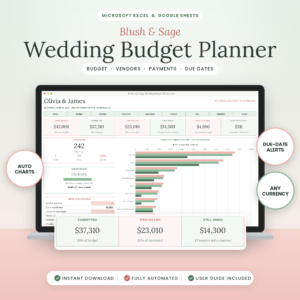 Blush & Sage Wedding Budget Planner Spreadsheet | Excel & Google Sheets Wedding Budget Tracker with Vendor Payments, Due Dates & Dashboard
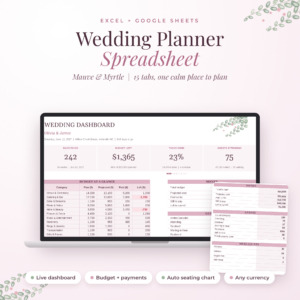 Mauve & Myrtle Wedding Planner Spreadsheet | Excel & Google Sheets Wedding Budget Tracker, Checklist, Guest List RSVP & Auto Seating Chart
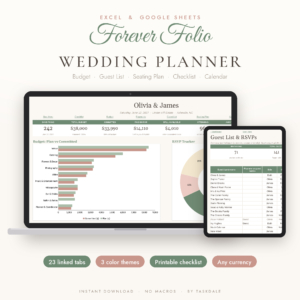 Forever Folio Wedding Planner Spreadsheet for Excel & Google Sheets | Budget Tracker, Guest List, RSVP, Seating Chart & Checklist
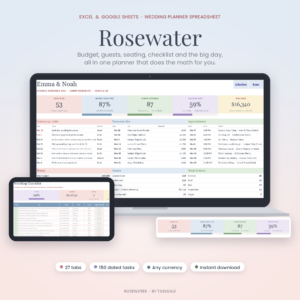 Rosewater Wedding Planner Spreadsheet for Excel & Google Sheets | Wedding Budget Tracker, Guest List, Seating Chart, 150-Task Checklist & Day-Of Timeline
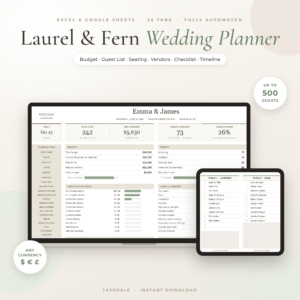
Table of Contents Toggle
- What should you look for in a wedding planner Excel spreadsheet?
- How do the best wedding planner Excel spreadsheets compare?
- Which wedding planner spreadsheet suits which couple?
- How do you get started with a wedding planner spreadsheet?
- What mistakes should you avoid?
- What affects the price of a wedding planner spreadsheet?
- Which one should you pick?
- Common questions
What should you look for in a wedding planner Excel spreadsheet?
A good wedding planner spreadsheet is a set of linked tabs where one entry feeds several others, so a guest added once appears in your RSVP count, meal totals and seating plan. Six factors decide whether that actually works for you.
Linked tabs that update each other
A linked workbook is one where changing a cell in one tab changes figures elsewhere. Every file here claims this, and it is the whole point. Rosewater, Forever Folio and Melon & Matcha ask you to enter your date and budget once, then fill in dates and payment reminders around them.
Budget depth
Some couples need a total and a few categories. Others need to know who owes what and when. Blush & Sage starts with 24 ready-made categories, tracks vendors, contracts, balances and due dates, and flags overdue payments. If your wedding has several people contributing, that matters more than extra tabs.
A seating chart that fills itself
Seating is where hand-built sheets fall apart. Mauve & Myrtle lets you type a table number against a guest and the chart fills itself. Melon & Matcha builds its seating plan from the guest list, and Laurel & Fern does the same for up to 500 guests. Check the guest ceiling if your list is large.
A checklist dated from your wedding day
A dated checklist counts backwards from your wedding day, so each task has a real deadline. Task counts vary: 80 in Forever Folio, 85 in Mauve & Myrtle, 90 in Laurel & Fern, 102 in Melon & Matcha and 150 in Rosewater. A bigger list gives more prompts, but it also means more tasks to delete if they don't apply to you.
Excel and Google Sheets compatibility
If you plan with a partner or parent, a file that opens in Google Sheets as well as Excel saves a lot of emailing. Only the Luxury Wedding Planning Dashboard Suite is described as an Excel file, so check that everyone who needs access has Excel before you choose it.
Printables, guide and currency
Currency and paper size are small details that cause real annoyance. Mauve & Myrtle, Forever Folio, Rosewater and Laurel & Fern all work in any currency. Forever Folio includes a printable checklist in US Letter and A4, and Melon & Matcha has an 18-page printable pack. User guides come with Rosewater (18 pages), Laurel & Fern (20 pages), Forever Folio (illustrated), Mauve & Myrtle and Blush & Sage.
How do the best wedding planner Excel spreadsheets compare?
The seven spreadsheets differ mainly in tab count, checklist size, and whether they lean towards budget, seating or presentation. The table shows the differences stated in each listing.
| Product | Linked tabs | Checklist | Works in | Standout feature |
|---|---|---|---|---|
| Melon & Matcha Wedding Planner Spreadsheet | 22 | 102 tasks | Excel, Google Sheets | Live dashboard and 18-page printable pack |
| Blush & Sage Wedding Budget Planner Spreadsheet | Not stated | Checklist included | Excel, Google Sheets | 24 budget categories, overdue alerts, pledges for up to 10 family members |
| Mauve & Myrtle Wedding Planner Spreadsheet | 15 | 85 tasks | Excel, Google Sheets | Venue and outfit comparisons, meal counts |
| Forever Folio Wedding Planner Spreadsheet for Excel & Google Sheets | 23 | 80 tasks | Excel, Google Sheets | Three colour themes, table cards |
| Rosewater Wedding Planner Spreadsheet for Excel & Google Sheets | 27 | 150 tasks | Excel, Google Sheets | Day-of timeline, open seats count |
| Laurel & Fern Wedding Planner Spreadsheet | Not stated | 90 tasks | Google Sheets, Excel | Seating for up to 500 guests |
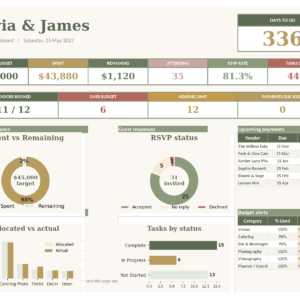 Luxury Wedding Planning Dashboard Suite for Excel | 21 | Not stated | Excel | Charts and smart budget alerts |
Which wedding planner spreadsheet suits which couple?
Each spreadsheet fits a different planning style, so match the file to how you actually work rather than to the longest feature list.
Rosewater suits couples who want every prompt written down. With 150 tasks and 27 tabs, it is the most detailed here, and it adds a wedding day timeline and meal counts. If you feel safer with too many reminders than too few, start here.
Melon & Matcha suits couples who want a thorough system without the largest checklist. Its 102 tasks are dated from your wedding day, and the dashboard shows countdown, money paid, RSVPs and next tasks together.
Blush & Sage suits anyone whose main worry is money. If parents or relatives are contributing, the pledge tracking for up to 10 family members shows who has promised what. The guest cost calculator and tip planner help with the awkward lines people forget.
Mauve & Myrtle suits couples comparing venues and outfits before they commit. With 15 tabs it is the leanest of the full planners, which makes it easier to learn quickly.
Forever Folio suits people who want a simple look and a printout. The three colour themes and the printable checklist in two paper sizes help if you prefer paper beside the laptop.
Laurel & Fern suits larger guest lists, given the 500-guest seating limit, and couples who want vendors and a timeline in the same workbook.
Luxury Wedding Planning Dashboard Suite for Excel suits people who work in Excel and like visual summaries. Its budget alerts warn you before a category goes over, rather than after.
How do you get started with a wedding planner spreadsheet?
Setting up a wedding planner spreadsheet takes about one sitting if you follow a fixed order, because the linked tabs only work once the foundations are in.
- Open the file and read the user guide first, even briefly. Each design handles its inputs slightly differently.
- Enter your wedding date and total budget on the setup or dashboard tab. This drives your checklist dates and budget split.
- Add your guest list in one go, including plus-ones, before touching seating.
- Log every deposit already paid, with the date, so your balances start accurate.
- Delete or mark as not applicable any checklist tasks that don't fit your day.
- Save a dated copy each month. If you share via Google Sheets, agree who edits and who only views.
What mistakes should you avoid?
The most common mistakes are entering data in several places, overwriting formulas, and choosing on tab count alone. Each is easy to avoid.
- Typing over formulas. Cells that calculate for you should stay untouched. Enter details only where the guide says to.
- Starting seating too early. Wait until most RSVPs are in, or you will rearrange tables repeatedly.
- Ignoring due dates. A payment tracker only helps if you log the dates, since alerts rely on them.
- Buying the biggest file by default. A 27-tab workbook you abandon in week three is worse than a 15-tab one you use daily.
- Forgetting version control. If two people edit separate downloads, you will end up with two different guest lists.
What affects the price of a wedding planner spreadsheet?
The price of a wedding planner spreadsheet mostly reflects how much is built in: the number of tabs, the size of the checklist, extra tools and included printables. A single-purpose budget file generally costs less up front than a full planner with seating, a timeline and a long checklist.
Bundled extras also move the price. A printable pack, an illustrated guide, a tip planner or a guest cost calculator each add value, but only if you will use them. Because these are digital files, you are not paying for materials, so compare on what you will actually open each week.
Which one should you pick?
Pick the spreadsheet that matches your biggest worry. If it is money, choose Blush & Sage. If it is forgetting things, choose Rosewater or Melon & Matcha. If it is guest numbers, choose Laurel & Fern. If you want simple and tidy, choose Mauve & Myrtle or Forever Folio. If you only use Excel and want charts, choose the Luxury Wedding Planning Dashboard Suite. Browse all 7 options below and compare the previews before you decide.
Common questions
Can I use these spreadsheets without Excel?
Yes, for most of them. Melon & Matcha, Blush & Sage, Mauve & Myrtle, Forever Folio, Rosewater and Laurel & Fern are listed for both Excel and Google Sheets. The Luxury Wedding Planning Dashboard Suite is described as an Excel file, so check before relying on it elsewhere.
Will a spreadsheet work in my currency?
Mauve & Myrtle, Forever Folio, Rosewater and Laurel & Fern all state they work in any currency. Rosewater uses the dollar sign by default and can be changed. For the others, check the listing or the guide before you buy.
Do I need to be good with spreadsheets?
No. The formulas are already built, and you mainly type into marked cells. Each listing includes a guide or setup instructions in most cases. If you can fill in a form and type a table number, you can use these files.
Can I share the file with my partner or parents?
Yes, if the file is in Google Sheets or you both have Excel. Agree who edits, keep one master copy, and avoid emailing different versions. Blush & Sage is useful when relatives contribute, since it tracks pledges for up to 10 family members.
Should I print any of it?
Printing is optional, but it helps for venue meetings and day-of use. Melon & Matcha includes an 18-page printable pack and Forever Folio includes a printable checklist in US Letter and A4. If you want paper, choose one of those.