You open the app. You stare at the caption box. Twenty minutes later you’ve typed “Happy Friday!” and deleted it twice. Sound familiar?
AI prompts for social media can fix that blank-box feeling, but only if you ask well. A vague request gets you a vague caption, the kind that sounds like every other brand. This guide shows how to write prompts that give you usable captions for Instagram, TikTok and Facebook, plus how to edit the results so they still sound like you.
| Product | Best for | Price | Link |
|---|---|---|---|
| Prompt Studio 600 | AI marketing prompts for small business | $6.29 | View product |
| Social Media Planner Spreadsheet | A content calendar in Excel and Google Sheets for Instagram and TikTok posts | $11.99 | View product |
| Feedline 2027 Social Media Planner | A dated 2027 printable and fillable social media planner | $5.99 | View product |
Why Most AI Prompts for Social Media Give Bland Captions
Type “write an Instagram caption about my candles” and you’ll get something cheerful, generic and slightly breathless. Three emojis. A call to action nobody asked for. It’s not the tool’s fault. You gave it almost nothing to work with.
A caption is a small piece of writing with a job. It might make someone stop scrolling, answer a question, visit a link or remember your name next week. If the prompt doesn’t say which job, the AI guesses. And it guesses safe.
So the fix is boring but it works: give the AI more of your real life. Who is reading, what you sold last week, what a customer actually said, what you’d never write. The more specific the input, the less the output sounds like a template.
The Five Ingredients of a Good Prompt
Every strong prompt has the same few parts. You don’t need all five every time, but the more you include, the better the first draft.
- Who you are. “I run a small bakery in Leeds that sells sourdough and cinnamon buns.”
- Who reads it. “My followers are mostly local parents who shop on Saturdays.”
- The platform and format. “A caption for a 20 second Reel.”
- The goal. “Get people to pre-order for Saturday.”
- Voice rules. “Short sentences. Dry humor. No exclamation marks. No hashtags in the caption.”
That last one is the secret ingredient. Telling the AI what not to do saves you more editing than anything else. Ban the words you hate. Ban emojis if they’re not your thing. Ban “Are you ready?” forever.
Here’s the thing about AI prompts for social media: they work like a brief you’d hand to a freelancer. If a freelancer got one line, you’d expect a so-so result. Give them a paragraph and they can do real work. The same goes for the machine.
A starter prompt you can copy
Try this and swap in your own details: “You are a social media writer for [your business]. My audience is [who]. Write five caption options for [post idea]. Goal: [what you want people to do]. Voice: [three plain descriptors]. Keep each under 60 words. Do not use [words you hate].”
Five options matter. You’ll rarely love the first one, but you’ll often love a line from the third and an ending from the fifth. Mix them. That’s how real writers use these tools.
AI Prompts for Social Media Captions on Instagram
Instagram captions come in two flavors: the quick one-liner under a photo, and the longer story that earns saves. Your prompt should say which one you want.
For the short kind, try: “Write six one-line captions for a photo of [describe the photo]. Make three funny and three calm. No emojis.” For the long kind: “Write a 90 word caption that tells the story of [a real moment], starts with a surprising first line, and ends with a question my followers can answer in one word.”
The first line is the part people see before the “more” button. Ask for five different opening lines on their own, then pick one and build around it. It’s a small trick, and it’s the one that changes results the most.
Carousel and Reel captions
Carousels need a caption that makes people swipe. Ask for a hook that promises something specific, like “three mistakes I made pricing my first order”. Reels often need less text. Ask for a caption under 25 words that adds context the video doesn’t, instead of repeating what’s on screen.
AI Prompts for Social Media on TikTok
TikTok captions are usually short, and the real work happens in the video. Use AI for the pieces around it: the hook line you say in the first two seconds, the on-screen text, and the caption that nudges a comment.
A prompt that works well: “I’m making a TikTok about [topic]. Give me ten opening lines I can say out loud in under three seconds. Make them sound like a friend talking, not an ad.” Then: “Write three captions under 15 words that end with a question.”
Read every line out loud before you use it. If it feels odd in your mouth, it’ll feel odd to viewers. Cut the clunky words. Real speech is messy, and that’s fine.
AI Prompts for Social Media on Facebook
Facebook readers tend to tolerate longer posts, and they respond to questions, local detail and a bit of story. Your prompt can ask for a warmer, more conversational tone.
Try: “Write a Facebook post of about 100 words announcing [event or product] to my local community. Mention [one specific detail]. End with a simple question so people comment.” If you’re posting for a group, add: “Write it like I’m talking to neighbors.”
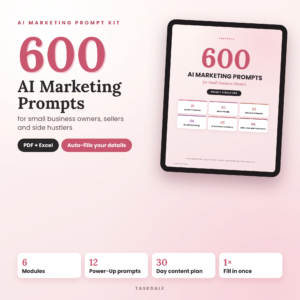
Prompt Studio 600: AI Marketing Prompts for Small Business
Price: $6.29 | Best for: small business owners who want marketing prompts ready to paste
Prompt Studio 600 is a set of AI marketing prompts made for small business. It’s a handy shortcut if you don’t want to write your own prompts from scratch every time you sit down to plan content. Paste a prompt, add your details, and edit the draft in your own voice.
Build a Prompt Bank So You Stop Starting Over
Good AI prompts for social media are worth saving. Treat them like recipes, not one-off chats.
Here’s where most people lose time. They write a great prompt on Monday, forget it by Thursday and start from nothing. A prompt bank fixes that.
Open a plain document or spreadsheet. Make one row per prompt that gave you a good result. Add four columns: the prompt itself, the platform, the goal, and a note on what to tweak. After a month you’ll have a dozen reliable prompts, and your content planning drops from an hour to fifteen minutes.
Keep a second list too: your voice rules. The words you never use. The phrases you always use. Two or three sample captions you wrote yourself and love. Paste those samples into any new chat and say “match this voice”. It’s the fastest way to make AI sound less like AI.
Edit Like a Human: The Five Minute Pass
No caption should go out raw, however good your prompt was. Give every draft a quick pass.
First, cut the first sentence if it’s throat clearing. Second, swap any word you’d never say aloud. Third, add one detail only you know: a price, a name, a weather complaint, the burnt batch from this morning. Fourth, shorten. Fifth, check any fact the AI gave you, especially dates, prices and claims about results.
That third step is the one that matters. A real detail turns a template into a post. “Fresh bread on Saturday” is forgettable. “Fresh bread Saturday, and yes, I finally fixed the oven door” gets replies.
Plan a Week of Posts in One Sitting
Once you have a few good AI prompts for social media, batching gets easy. Pick one afternoon. Ask the AI for ten post ideas based on what happened in your business this week. Choose five. Write captions for each platform from a single idea, adjusting the length: short for TikTok, medium for Instagram, a little warmer for Facebook.
Then put the dates somewhere you’ll see them. A simple content calendar works, whether that’s a spreadsheet, a notebook or a wall planner. The point isn’t to be perfect. It’s to know on Tuesday morning what you’re posting on Tuesday.
Prompts give you words. A planner gives those words a place to land. Here are two tools for the planning side, one for screens and one for paper.

Social Media Planner Spreadsheet
Price: $11.99 | Best for: keeping a content calendar and post tracker in a spreadsheet
This is a content calendar template for Excel and Google Sheets, with an Instagram and TikTok post planner and an analytics tracker. It suits anyone who likes to plan on a screen, paste in captions from a prompt session and track how posts do over time.
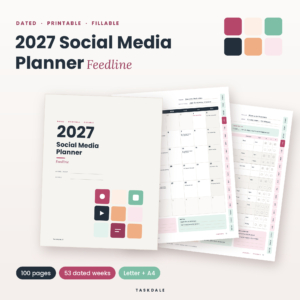
Feedline 2027 Social Media Planner
Price: $5.99 | Best for: planning posts on paper through 2027
Feedline 2027 is a dated social media planner in printable and fillable PDF form. Fill it in on screen or print it. It works well if you plan better with a pen in hand and a page you can stick on the wall.
Spreadsheet or Paper: Pick One and Stick With It
People ask which is better. The honest answer is whichever you will open on Monday morning. A spreadsheet is good for sorting, copying captions across platforms and tracking numbers. Paper is good for seeing the whole month at a glance and for crossing things off.
Here is a simple test. If you already live in Excel or Google Sheets, start there. If you think better on a printed page, start there. Switching between both is fine later, but don’t try to keep two systems alive from day one. That is how posts fall through the cracks.
Whichever you pick, give each post a row or a box with the same few things: the date, the platform, the idea, the caption and a status. Status can be as simple as idea, written, scheduled, posted. When you can see a column full of “idea” and nothing else, you know it is time for a prompt session.
Where captions fit in the plan
After a prompt session, paste your best caption into the planner next to its post idea. Mark it written. Next week, you can look back, see which captions got replies and feed those examples into your next prompt. That small loop is how your AI prompts for social media get better over time.
Compare Your Options
| Product | Format | Price | Best for | Link |
|---|---|---|---|---|
| Prompt Studio 600 | AI marketing prompts | $6.29 | Captions, emails and general small business marketing | View product |
| Social Media Planner Spreadsheet | Excel and Google Sheets content calendar | $11.99 | Planning and tracking Instagram and TikTok posts | View product |
| Feedline 2027 Social Media Planner | Dated 2027 printable and fillable PDF | $5.99 | Planning social posts on paper or on screen | View product |
Frequently Asked Questions
What are the best AI prompts for social media captions?
The best ones include who you are, who reads the post, the platform, the goal and your voice rules. Ask for several options, then mix the best lines. Prompts that say what to avoid, such as certain words or emojis, save the most editing time.
Can I use the same AI caption on Instagram, TikTok and Facebook?
You can start from the same idea, but adjust the length and tone. TikTok wants short, spoken lines. Instagram suits a strong first line and a clear story. Facebook readers often respond to a warmer, more conversational post with a question at the end.
How do I stop AI captions sounding robotic?
Paste two or three captions you wrote yourself and ask the AI to match that voice. Then edit by hand. Add a detail only you know, cut cheerful filler, and read the caption aloud. If you wouldn’t say it, change it.
How many caption options should I ask for?
Ask for five options per post. One option rarely lands, but five give you raw material to combine. You might take the opening from one, the middle from another and the ending from a third. It takes less time than rewriting a weak single draft, and it gives you a real choice.
Should I trust facts the AI writes in my posts?
No, check them. AI can get dates, prices and claims wrong with total confidence. Verify anything specific before you post, and never let it invent testimonials, results or numbers about your business. Real details from your own work are always safer, and they make the post sound like you.
So, here’s the next step: write one proper prompt today using the five ingredients, ask for five options, and post the best one. If you’d like a head start, Prompt Studio 600 gives you a library of marketing prompts for $6.29, ready to adapt to your own voice.