Ninth grade starts, and suddenly a thought lands: someone will ask for a transcript. A real one. With credits, grades and a GPA. If you are staring at a blank page, take a breath. A homeschool transcript template is just a tidy table, and parents write them every year. This guide walks you through what goes on it, how to turn courses into credits, how to work out a GPA, and where to keep the records so you are not rebuilding four years of school from memory at midnight.
Quick picks
| Product | Best for | Price | Link |
|---|---|---|---|
| Hearthside Homeschool Command Center | Excel users who want report cards and a transcript built in | $8.99 | View |
| Brightwood Homeschool Planner 2026-2027 | Tracking grades and GPA from ninth grade on | $9.99 | View |
| Homeschool Planner App for Multiple Kids | A digital planner with a gradebook, report cards and transcripts | $4.49 | View |
What a homeschool transcript template needs to show
Colleges, employers and some programs want the same few things, laid out in a way they recognize. Keep it to one clean page if you can. Fancy designs do not help. Clarity does.
- Student name, birthdate, address and graduation date
- The name of your homeschool and a parent or administrator signature line
- Course titles grouped by year, with grades and credits
- A cumulative GPA and the grading scale you used
That is the core. Some families add a short course description page, test scores, or a list of activities and volunteer work. Those are extras, and you can build them later. Start with the table of courses, because that is the part everyone looks at first.
One note: requirements for homeschool records vary by country, state and school. Treat this as general information, and check what your target college or local authority asks for.
How to make a homeschool transcript for high school, step by step
The easiest way to build one is backwards. List what your teen actually did, then fit it into subjects. Do not start with what a “perfect” transcript should hold. Start with the truth.
Step one: list every course
Sit down with your teen and a cup of something warm. Write every course taken in each year, including co-op classes, online courses, dual enrollment and anything you taught at home. Be honest about the hard ones and the half-finished ones. A “Biology with Lab” that ran from September to May is a course. A three-week unit on birds is probably part of a bigger course.
Step two: assign credits
Many homeschoolers use a simple rule: about 120 to 180 hours of work equals one full credit, and half that is a half credit. Others use a finished textbook or a full year of a class. Pick one method and use it for every course. Consistency matters more than which rule you choose, and it is the first thing a reviewer notices.
Step three: assign grades
Grades come from the work. Tests, projects, essays, labs and daily assignments all feed in. Decide on a weighting at the start of the course, such as tests 40 percent and projects 30 percent, and keep the numbers in a gradebook. At the end of the year you convert the average to a letter, then to grade points.
Step four: calculate the GPA
Use the common 4.0 scale unless you have a reason not to: A is 4, B is 3, C is 2, D is 1, F is 0. Multiply the grade points by the credits for each course, add them up, and divide by total credits. Say your teen earned an A in English (1 credit) and a B in Algebra (1 credit). That is 4 plus 3, divided by 2, so a 3.5. Print the scale on the transcript so nobody has to guess.
Where homeschool records go wrong
The usual trouble is not math. It is missing information. A parent finishes tenth grade and realizes the grades for the first semester were never written down. Now it is guesswork, and guesswork shows.
Other common slips: switching credit rules between years, leaving the grading scale off the page, listing courses with vague names like “Language Arts 2”, and forgetting to date the document. None of these are fatal. All of them are avoidable if you keep running records during the year instead of at the end.
So treat the transcript as the last step in a chain. The chain starts with lesson plans, runs through attendance and a gradebook, and ends with report cards. If each link is kept up, the transcript nearly writes itself.
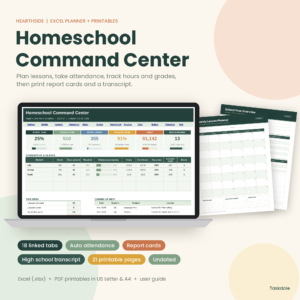
Hearthside Homeschool Command Center
Price: $8.99 | Best for: families who want the whole record chain in one Excel file
Hearthside Homeschool Command Center is an Excel homeschool planner with a lesson planner, attendance, a gradebook, report cards and a transcript, plus 21 printable pages. It is sized for US Letter and A4. It suits parents who would rather keep the gradebook, report cards and transcript in one workbook than juggle separate files.
Keeping grades, credits and hours in one place
Here is a scene most of us know. It is the week before a scholarship application is due, and you are digging through a drawer of folders, a notes app and a photo of a whiteboard. Everything is somewhere, and nothing is together.
The fix is dull and it works: one home for the records. It can be a binder, a shared drive folder or a planner. What matters is that grades, hours and course names live in the same place and get updated on the same day each week. A weekly ten minute update beats a four hour rescue every time.
If you like a fillable PDF for lesson planning, a planner that also tracks grades and GPA keeps the math close to the work. If you prefer a spreadsheet for everything, pick one with a gradebook and transcript sheet so the totals add themselves.
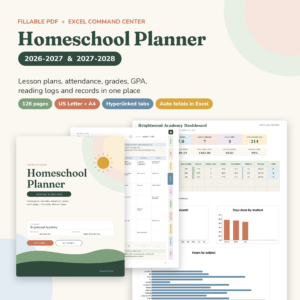
Brightwood Homeschool Planner 2026-2027
Price: $9.99 | Best for: parents who want planning, attendance and a GPA tracker together
Brightwood Homeschool Planner 2026-2027 is a fillable PDF lesson planner with an attendance tracker and a grade and GPA tracker. It also includes an Excel command center, and it comes in US Letter and A4. It works well if you plan by hand or on screen and want the GPA kept right beside your lessons.
A simple homeschool transcript template layout
Here is a layout you can copy, whichever tool you use. Put the student information at the top, then four blocks, one for each year. Inside each block, list the course name, the grade and the credit. Under the four blocks, add a line for total credits, a line for cumulative GPA, and a small key for the grading scale. At the bottom, leave a spot for a signature and date.
Keep course names plain and specific. “Algebra 1” is better than “Math”. “American Literature” beats “English”. If a course was unusual, such as a robotics project or a long woodworking apprenticeship, give it a real name and add a one line description on a second page. That is where homeschool shines, so show it.
Add the date the transcript was issued. If you update it each year, keep old copies in a folder. You may need an earlier version someday, and it is easier than trying to remember what you wrote.
Extra pages that make a homeschool transcript template stronger
A transcript alone can feel thin to someone who has never met your family, so a couple of supporting pages help. The first is a course description sheet. For each course, write two or three lines: what the textbook or program was, what your teen read or built, and how you graded it. Plain facts, no sales pitch.
The second is a short activities list. Sports, music, volunteering, a part-time job, a business your teen runs from the garage. Put the dates and rough hours next to each one. These pages tell the story the grades cannot, and they take an afternoon to write when your records are in order.
When to start, and how often to update
Start in ninth grade, even if you feel it is early. You do not need to produce a transcript until senior year, but you do need the data. Create the file once, then update it at the end of each semester. It takes minutes when the grades are fresh.
Younger grades are lighter. A report card each term and a simple portfolio is plenty before high school. If you want to start the habit early, a spreadsheet with report cards built in makes the later jump to a transcript feel small.
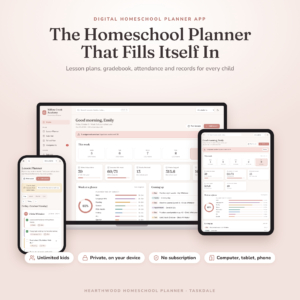
Homeschool Planner App for Multiple Kids
Price: $4.49 | Best for: parents who want planning, grades and records on iPad, phone and computer
Homeschool Planner App for Multiple Kids is a digital lesson planner with a gradebook, attendance tracker, report cards and transcripts. It works on iPad, phone and computer, and it is made for families with more than one child. If you like to update records from wherever you happen to be, this is the one to look at.
Which homeschool transcript template route fits you?
Be honest about how you work. If you will update a spreadsheet every Friday, a workbook with report cards and a transcript is a strong choice. If you plan by hand and like fillable pages, a planner with a GPA tracker keeps things light. And if you want to enter grades from a phone or tablet, the Homeschool Planner App has a gradebook, report cards and transcripts built in.
None of these replace your own judgment about what counts as a credit or how to grade. They give you a place to put your decisions, so they do not get lost.
| Product | Format | Price | Best for | Link |
|---|---|---|---|---|
| Hearthside Homeschool Command Center | Excel + 21 printable pages | $8.99 | Gradebook, report cards and transcript | View |
| Brightwood Homeschool Planner 2026-2027 | Fillable PDF + Excel command center | $9.99 | Planning with a grade and GPA tracker | View |
| Homeschool Planner App for Multiple Kids | Digital app (iPad, phone, computer) | $4.49 | Grades and transcripts on any device | View |
Frequently asked questions
What should a homeschool transcript template include?
Include the student name, school name, graduation date, courses by year with grades and credits, a cumulative GPA, your grading scale, and a signature line with the date. Keep it to one page when possible, and add course descriptions on a separate sheet if needed.
How many credits does a homeschool high schooler need?
It depends on your state, country and the colleges your teen wants to apply to. Many families aim for four years of English and math plus science, history and electives. Check the requirements for your target school early, then plan courses around them.
How do I calculate a homeschool GPA?
Convert each letter grade to grade points on a 4.0 scale, multiply by the course credits, add the results, and divide by total credits. A simple spreadsheet does this for you. Print your grading scale on the transcript so reviewers can see your method.
Can I make a homeschool transcript myself?
Yes. In many places parents are the ones who issue the transcript. Use a clear layout, keep consistent credit and grading rules, and sign and date it. Always check the requirements of the school or program that will receive it.
When should I start keeping transcript records?
Start in ninth grade. Write down courses, hours and grades each semester so you never have to rebuild them from memory. Younger grades only need simple report cards, but good habits early make the high school paperwork much easier.
Your next step
So, the short version: list your teen’s courses this week, pick one credit rule, and start a gradebook. If you want the whole chain of lessons, attendance, grades, report cards and a transcript in a single spreadsheet, take a look at Hearthside Homeschool Command Center. It is the closest fit for this exact job, and it will make senior year a lot calmer.