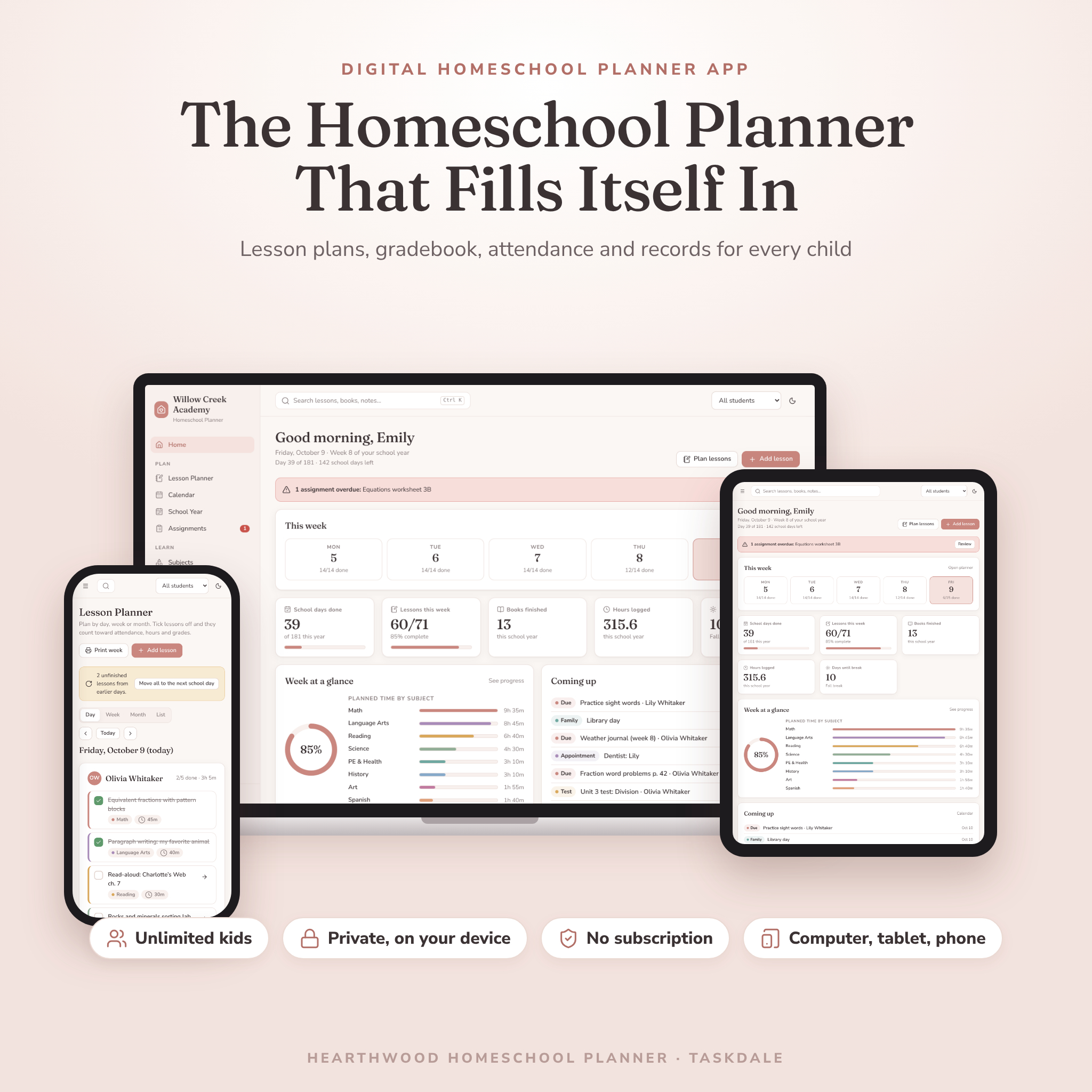
Hearthwood is a homeschool planner app for families teaching one child or six. Plan lessons, tick them off, and watch the rest fill itself in. Attendance, learning hours, grades, progress charts and report cards all come from the same few taps. It runs in your web browser, keeps your records on your own device, and costs one small payment. No account. No subscription.
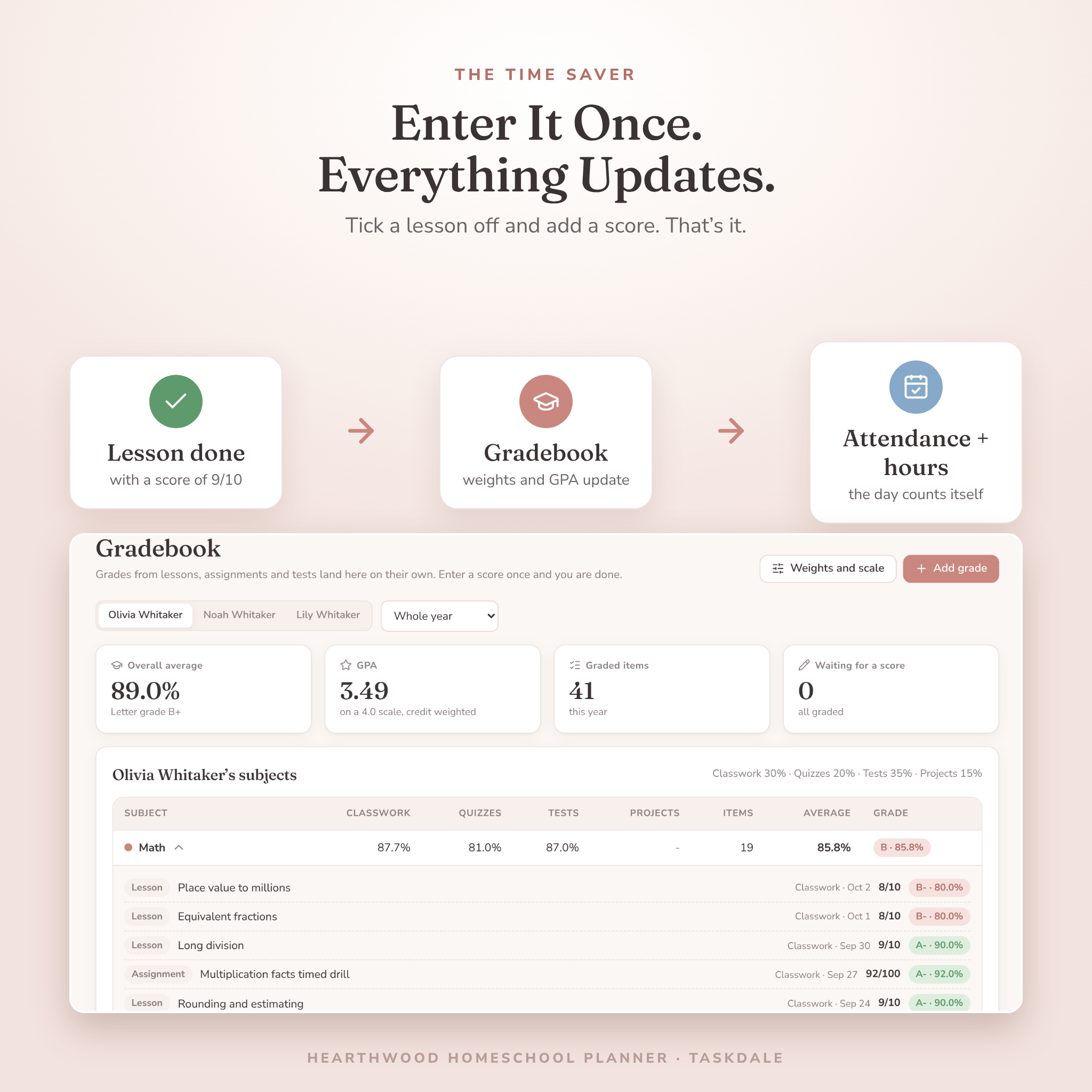
Most planners ask you to write the same thing twice. You plan a lesson in one spot, then copy the grade into a gradebook, then mark attendance somewhere else. Hearthwood was built to fix exactly that.
What this homeschool planner does for you
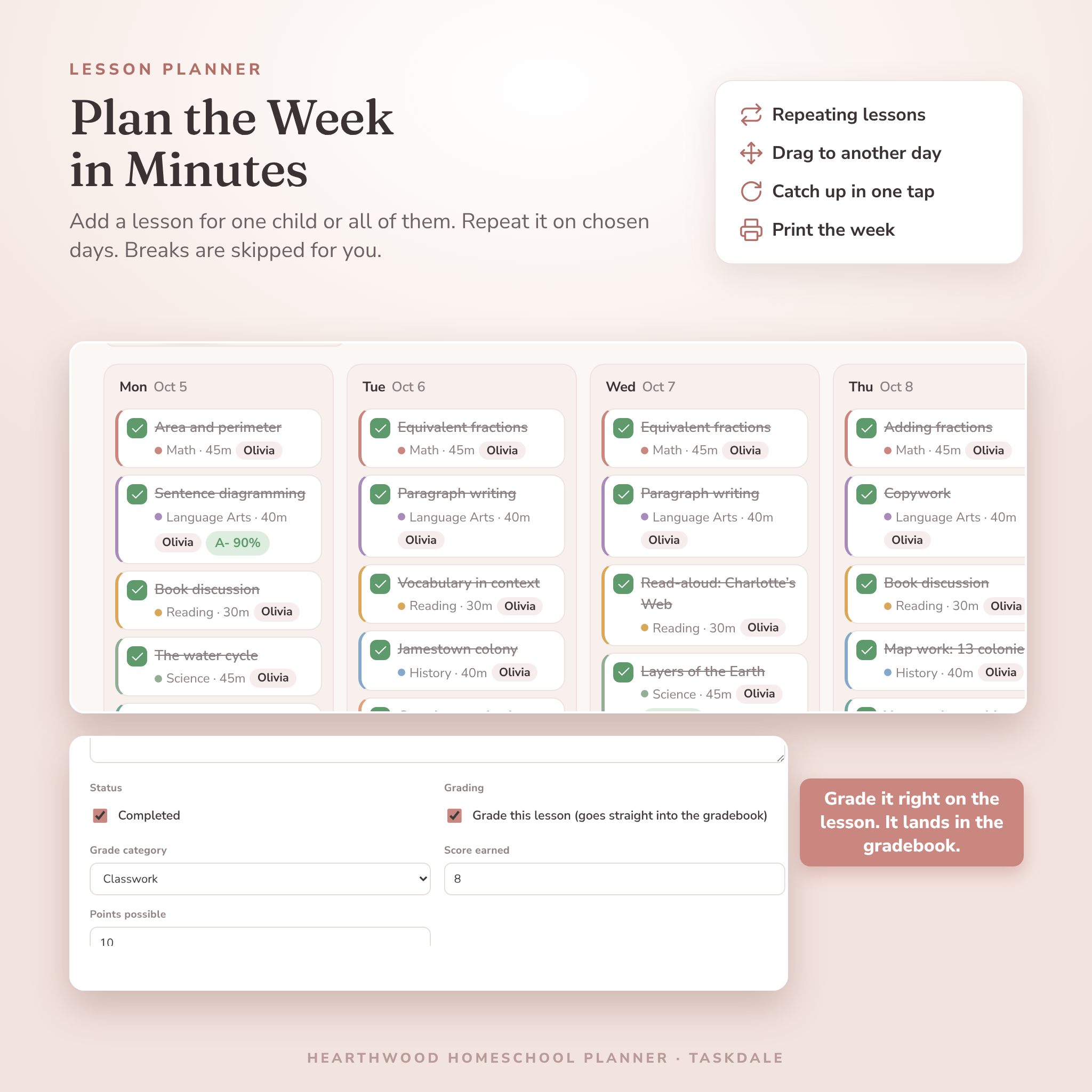
- Grade once. Score a lesson, assignment or quiz and it lands in the gradebook with your category weights, letter grade and GPA.
- Attendance that keeps itself. Tick off a lesson and that day counts as present for that child. You only mark sick days, half days and field trips.
- Hours that add up on their own. Lesson minutes, extra learning time and finished field trips roll into one total, split into core and elective, home and away.
- Catch up in one tap. Missed a day? Move every unfinished lesson to the next school day. Breaks and holidays are skipped for you.
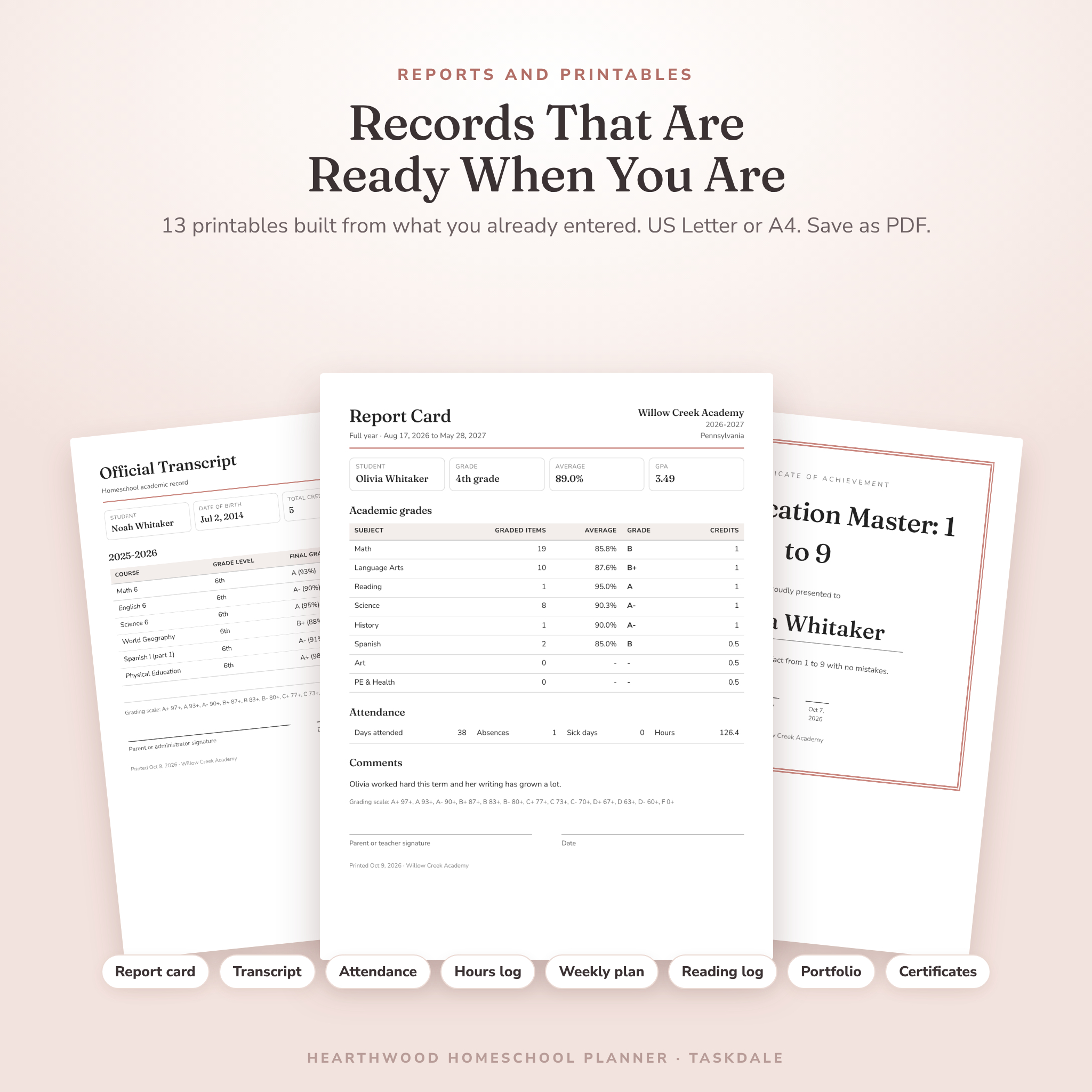
- Records ready to print. Report cards, transcripts, attendance reports and 10 more printables, in US Letter or A4.
Who it is for
Busy homeschool parents with more than one child. New homeschoolers who want a calm place to start. Families in states that ask for day counts, hour logs or a portfolio. And anyone who has tried a spreadsheet planner and gave up on the formulas.
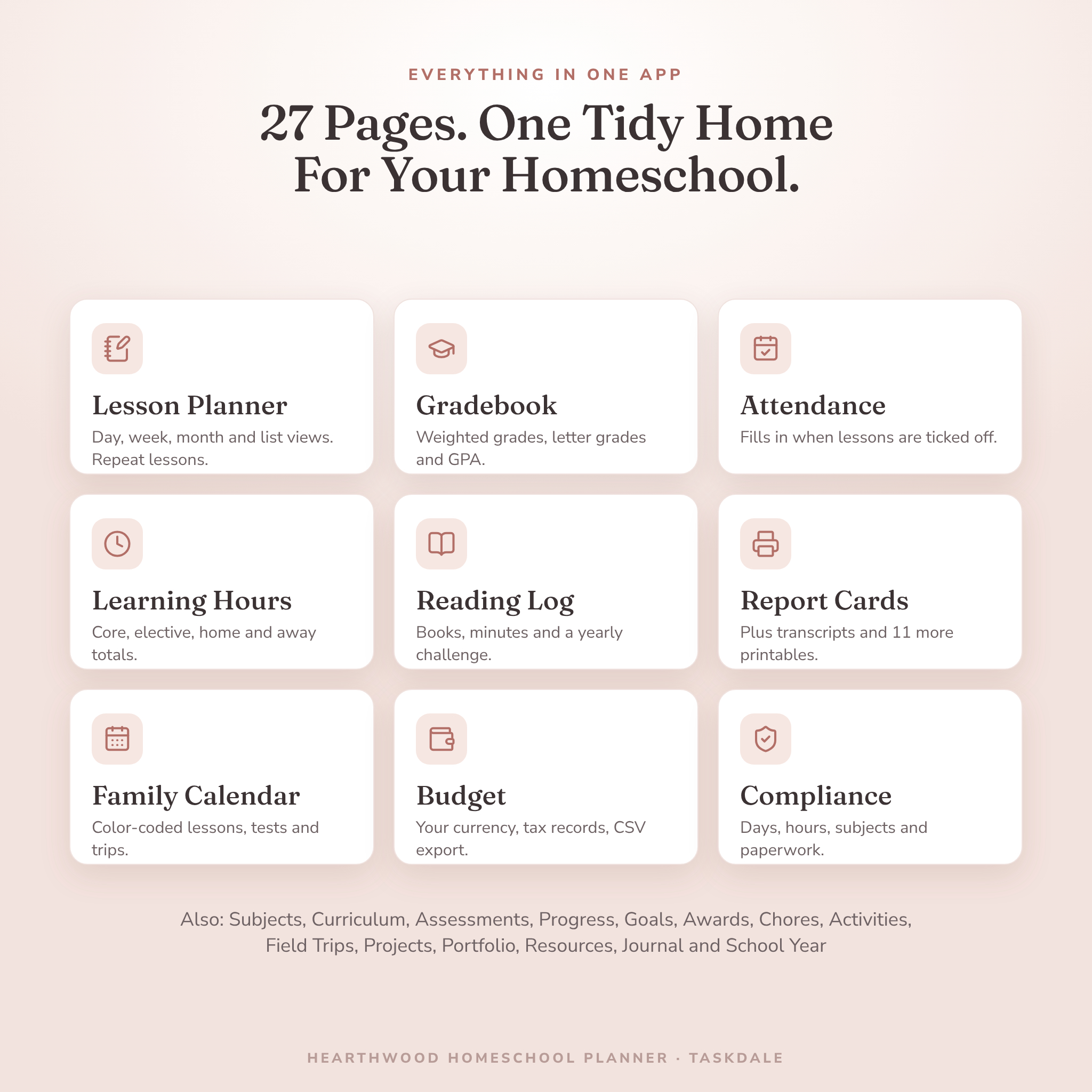
Features inside the digital homeschool planner
Plan
- Home dashboard: this week at a glance, today’s lessons, what is coming up, overdue alerts and a card for each child.
- Lesson planner: day, week, month and list views. Assign a lesson to one child or several. Repeat it every school day or on chosen weekdays. Drag lessons between days on a computer.
- Family calendar: lessons, tests, due dates, field trips, activities and appointments, color-coded.
- School year: start and end dates, terms, breaks and holidays, with a timeline and school day counts. One button adds common US holidays.
- Assignments: due dates, priorities, status and scores, with a red badge when something is overdue.
Learn
- Gradebook: weighted categories you can rename and re-weight, an editable grading scale, credit-weighted GPA, and a “ready to grade” list.
- Subjects and curriculum: colors, icons, credits, weekly time targets, costs and completion percentages that move as you finish linked lessons.
- Assessments and progress: quizzes, tests and standardized tests, plus charts for every child.
Family, growth and records
- Student profiles with learning styles and accommodations
- Attendance grid, learning hours log and compliance center
- Reading log with ratings, reading minutes and a yearly reading challenge
- Goals with milestones, milestone badges and printable award certificates
- Chore chart with points, life skills tracker and extracurricular activities with volunteer hours
- Field trip planner, project-based learning board, photo portfolio, resource library and journal
- Budget with category and per-child charts, tax-record flags and CSV export
What is included
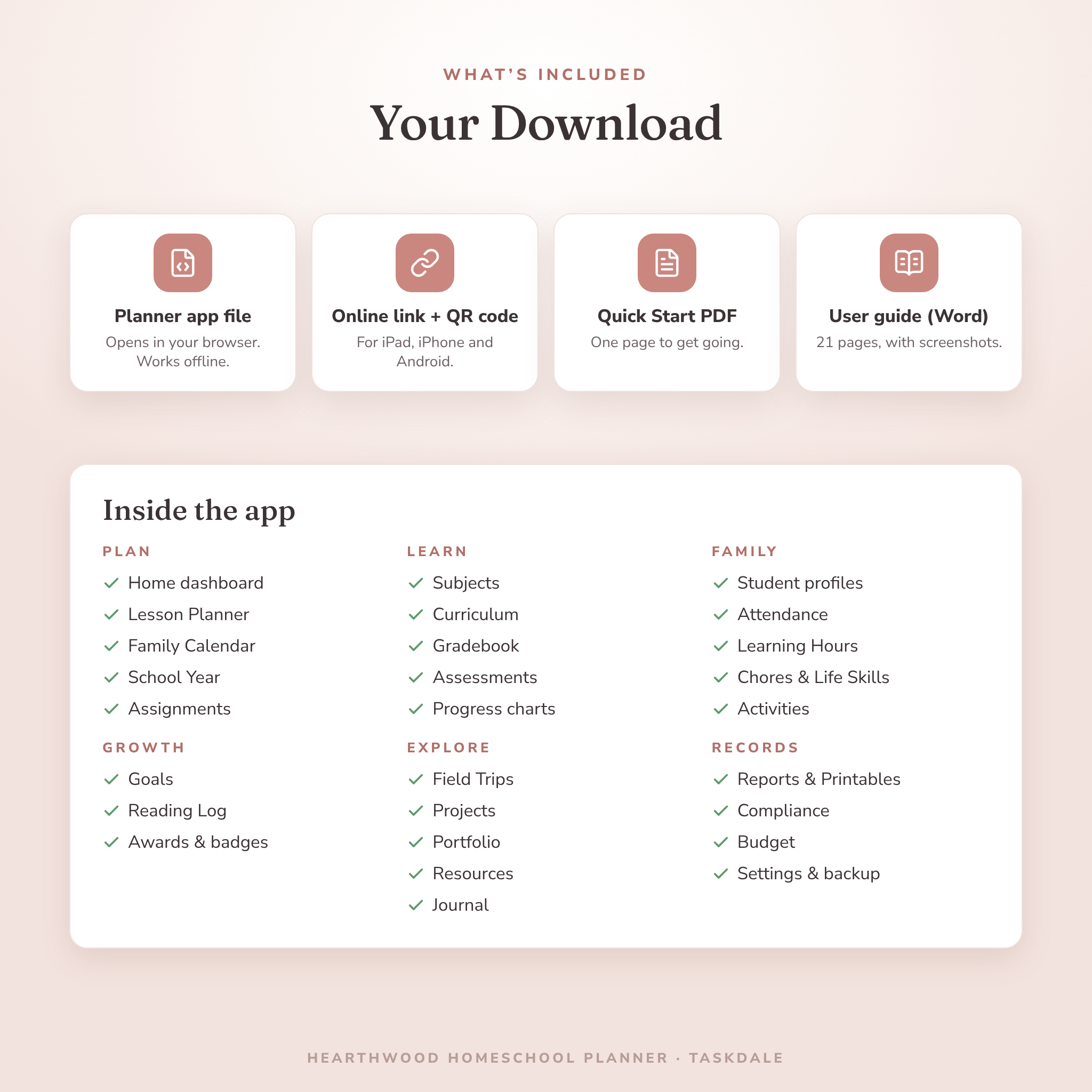
- Hearthwood-Homeschool-Planner.html: the planner app. Open it in your browser on a computer. It works offline.
- Quick Start PDF: one page with your online link and a QR code for iPad, iPhone and Android.
- User guide (.docx, 21 pages): every page explained with screenshots, plus tips, troubleshooting and FAQs.
How it works
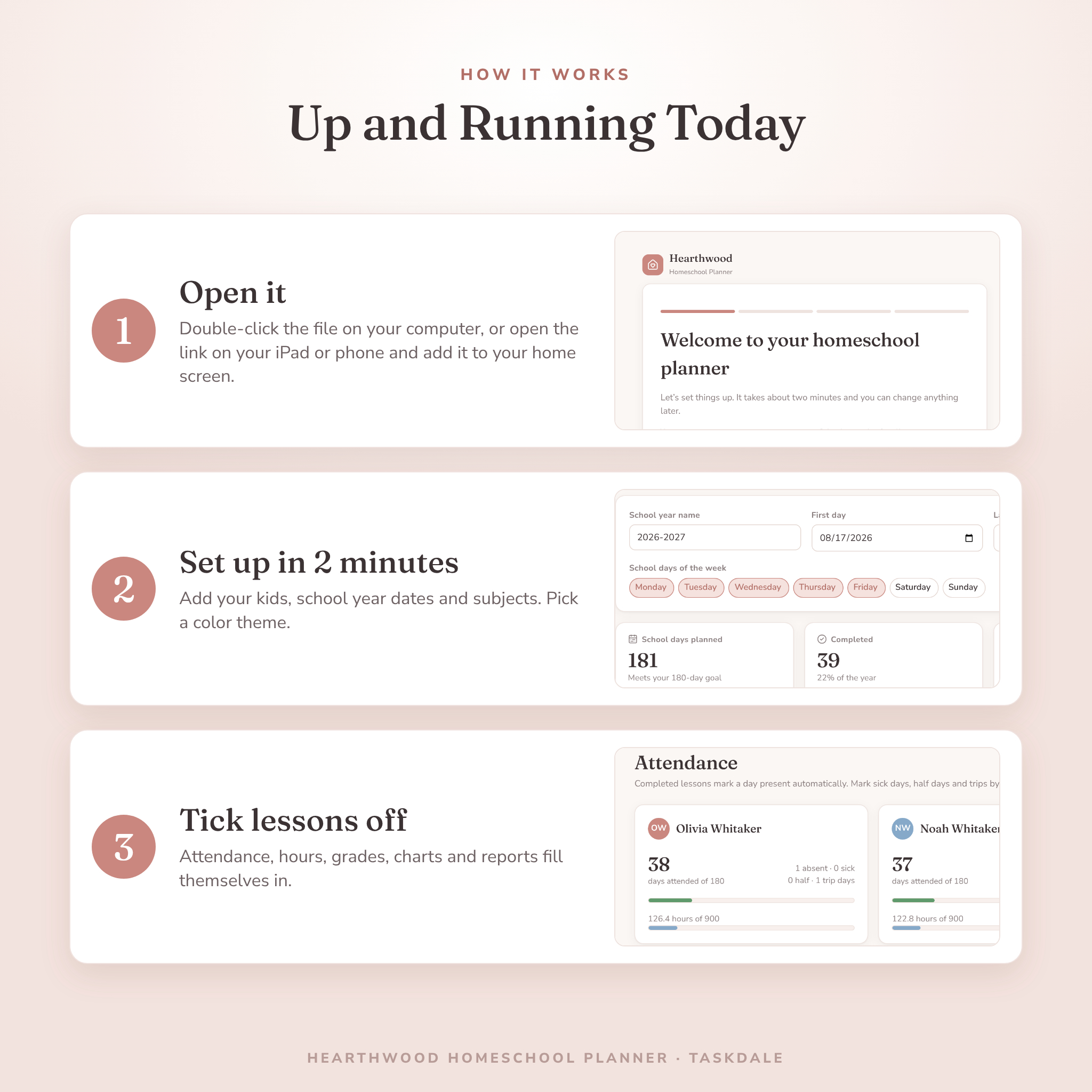
- Download your files right after checkout.
- On a computer, double-click the planner file and bookmark it. On a tablet or phone, scan the QR code and add Hearthwood to your home screen.
- Answer a two-minute setup: your name, your kids, your school year and your subjects.
- Plan your week, tick lessons off, and print records whenever you need them.
File format and requirements
Hearthwood is an HTML web app. You need a modern web browser such as Chrome, Edge, Safari or Firefox. There is nothing to install and no other software to buy. It is not a PDF, a GoodNotes file or a spreadsheet, so you do not need Excel, Google Sheets or a note-taking app.
Your records are saved in your browser on that device. Each device keeps its own copy and they do not sync. To move to a new device, download a backup in Settings and restore it on the other one. The online link for tablets and phones needs an internet connection to open.
Make it yours
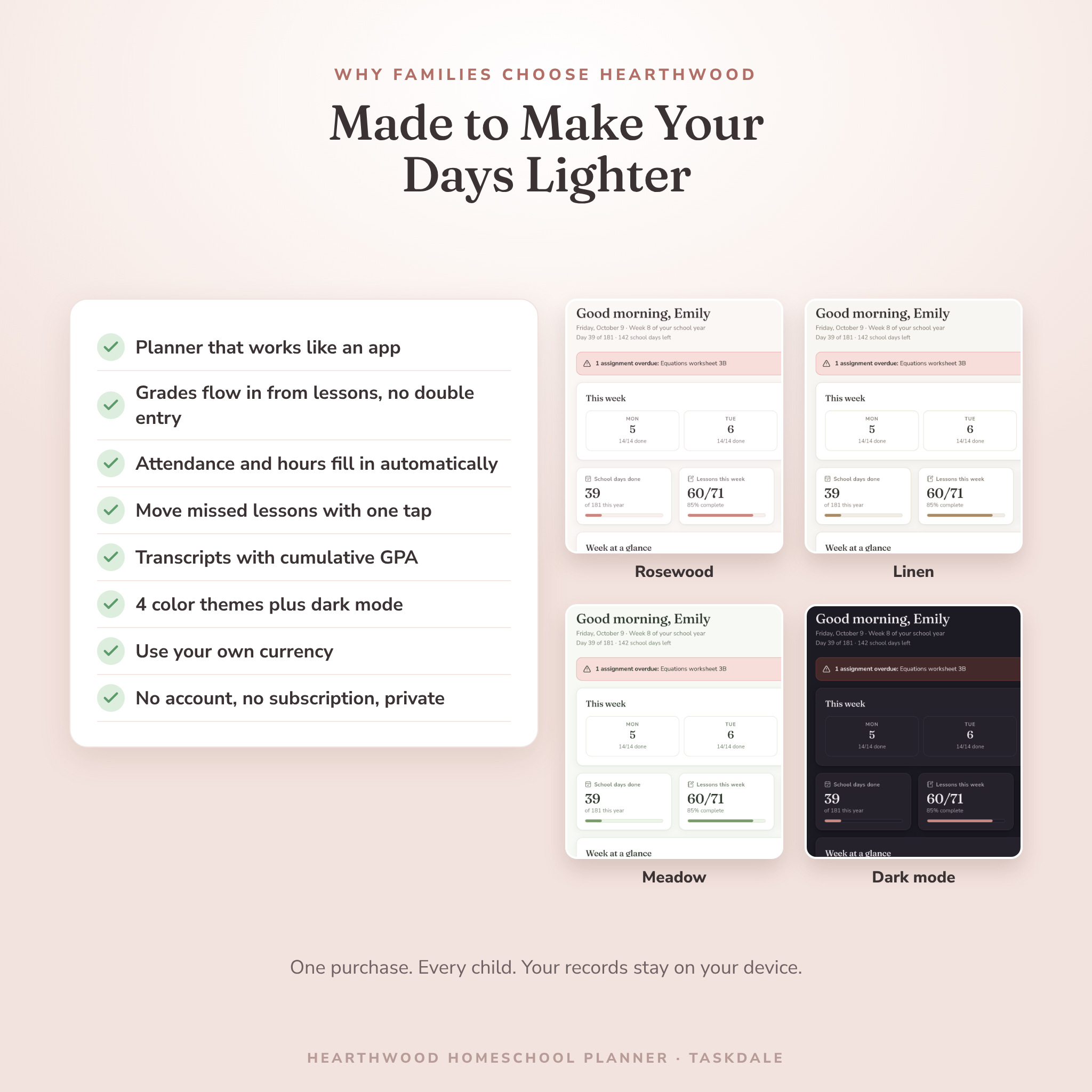
Pick from four color themes (Rosewood, Linen, Lakeside and Meadow), each with a dark mode. Choose a larger text size, your week start day and your school days. Money values use one currency setting, with $ as the default, so you can switch to CA$, A$, £, €, R or your own symbol. Rename grade categories, change their weights and edit the grading scale.
Real ways families use it
- Sunday night planning for three kids in about fifteen minutes, with math and reading set to repeat.
- Printing an attendance report and hours log for a state that asks for 180 days or 900 hours.
- Building a high school transcript with credits and a cumulative GPA for college applications.
- Snapping a photo of a science poster for the portfolio before an end-of-year evaluation.
- Tracking curriculum and co-op costs for the family budget, then exporting them for tax time.
Digital download
This is an instant digital download. Nothing is shipped. Your files appear on the order confirmation page and in your account right after payment.
License: personal use for your own family. You may copy it to your own devices. Please do not resell, share, upload or give away the file or the link.
Homeschool planner FAQ
Does it work on an iPad?
Yes. Open the online link from your Quick Start PDF in Safari and tap Share, then Add to Home Screen.
Can I use it for multiple kids?
Yes. Add as many students as you like at no extra cost.
Is this a subscription?
No. You pay once and keep it.
Do I need internet?
Not for the downloaded file on your computer. The tablet and phone link needs a connection to open.
Where is my data stored?
Only in your browser on your device. Nothing is uploaded, and there is no account.
Can I print report cards and transcripts?
Yes, along with attendance reports, hours logs, weekly plans, reading logs, portfolio summaries and certificates. Save any of them as a PDF.
Does it handle my state’s requirements?
You enter your state’s required days, hours and subjects, and Hearthwood tracks your progress against them. Please check your own state’s homeschool law for the exact rules.
Reviews
There are no reviews yet.