You finish a walkthrough, jot a number on your phone, and text it to the customer. Two weeks later the job costs more, they say you promised the lower figure, and you both feel sick about it. That whole mess usually starts with one thing: nobody agreed on what the number was. A quote vs estimate mix-up is one of the cheapest mistakes to avoid and one of the most expensive to make. This guide explains what each document means, when an invoice comes in, and which simple templates save you from sending the wrong one.
Quick picks
| Product | Best for | Price | Link |
|---|---|---|---|
| Ledgerline Business Forms Kit | Invoice, estimate and quote in one Word and Excel set | $2.99 | View |
| QuoteBloom Price Quote Template | Auto-calculating quotes with a quote tracker | $4.99 | View |
| Rosewater Price Quote Template Kit | Estimates in Excel, Word or fillable PDF | $3.97 | View |
Quote vs Estimate: The Plain-English Difference
Here is the short version. An estimate is your best guess at the price. A quote is a fixed price you are willing to be held to.
That is it. Everything else flows from those two sentences. When you give an estimate, you are saying “this is roughly what I expect, and it could move.” When you give a quote, you are saying “this is the price, and I will honor it for the work described.”
Think of a plumber who opens a wall. If she says, “Probably around $600, depending on what’s behind the drywall,” that is an estimate. If she says, “$640 for the work listed, good for 30 days,” that is a quote. Same plumber, same wall, very different promise.
Most people treat quote vs estimate as a word swap, as if the two mean the same thing. Customers do it all the time. So the burden is on you to be clear, in writing, about which one you are handing over. A good template does that job for you by printing the word right at the top of the page.
When to Send an Estimate
Send an estimate when you cannot know the final cost yet. Maybe the scope is fuzzy. Maybe the job depends on things you cannot see, like rot under a floor or how long a client takes to make decisions. An estimate lets you give a ballpark without locking yourself in.
The quote vs estimate choice often comes down to timing, and estimates suit the early stage of a sale. A homeowner asking three contractors for prices wants a rough range before choosing who to invite back for a closer look. Spending an hour on a precise number for someone who may never call again is a poor use of your Tuesday.
What a good estimate says
An estimate should show the date, the customer’s details, a short description of the work, a price range or a best figure, and a line that says plainly it is an estimate and the final cost may differ. Add a note about what could change the number. “Price may rise if extra repairs are found” is plain and fair.
Some trades also set a limit. For example, you might say the final bill will not go more than 10 percent over the estimate without asking first. That is your call, and it is worth deciding before the job starts, not after.
When to Send a Quote
Send a quote when the scope is clear and you can price it with confidence. A fixed-size lawn, a set of business cards, a 20-piece custom order, a one-day event shoot. You know the work. You know your costs. You can say the number out loud and mean it.
In the quote vs estimate debate, quotes win trust. A customer who sees a fixed figure knows what they are signing up for, and that takes the sting out of the “what if it doubles?” worry. They also tend to say yes faster, because there is nothing left to haggle over except the price itself.
What a good quote says
A quote needs the same basics as an estimate, plus a few firm details. Itemize the work and materials. State the total. Add an expiry date, because your costs change and you do not want a quote from March coming back in September. Spell out payment terms and what is not included.
That last part matters more than people think. “Does not include permit fees” saves an argument later. Short, boring, and very useful.
Where the Invoice Fits In
Now the third document. An invoice is a request for payment. It comes after the work is done, or at an agreed stage such as a deposit or a milestone.
Here is the order most small businesses follow. First comes an estimate or a quote. The customer says yes. You do the work. Then you send the invoice, and it should match the quote line by line unless something changed that you both agreed to.
Where it goes wrong is when the invoice shows up with surprises. If the quote said $640 and the invoice says $820, you need a written change note, ideally signed off before the extra work, not after. Customers forgive a clear explanation. They rarely forgive a shock.
Quote vs Estimate vs Invoice at a Glance
| Document | What it says | Is the price fixed? | When you send it |
|---|---|---|---|
| Estimate | Rough cost, may change | No | Before work, when scope is unclear |
| Quote | Firm price for listed work | Yes, until it expires | Before work, when scope is clear |
| Invoice | Payment request | Based on the agreed price | After work or at a set stage |
Keep this quote vs estimate table in your head, or print it and tape it near your desk. When you are unsure which to send, ask one question: “Could this number change?” If yes, it is an estimate. If no, it is a quote.
Common Mistakes With Quotes and Estimates
The same few errors show up again and again. They are easy to fix once you spot them.
Calling an estimate a quote. A customer hears “quote,” remembers a fixed price, and then holds you to it. If you meant an estimate, say so on the page in plain words.
Leaving off an expiry date. Without one, an old quote can come back to haunt you after your supplier raises prices. Thirty days is a common choice, though you can pick what suits your trade.
Vague line items. “Labor and materials: $500” invites questions. Break it into parts, even roughly, and the customer sees where the money goes.
Forgetting to track what you sent. You send ten quotes, five get accepted, and now you cannot remember which five. A simple tracker fixes that. More on that below.
Mixing up the paperwork. Sending an invoice with a different number than the quote and no explanation is how disputes start. Keep the documents matched.
How to Choose Your Quote vs Estimate Templates
You can build these from scratch in a blank document. Plenty of people do. But it eats an evening, and the math is easy to get wrong when you add up totals by hand. A ready-made template gives you the layout, the totals, and a consistent look, so every customer sees the same neat page.
Look for three things. First, the file type: do you live in Word, Excel, or both? Second, whether totals calculate on their own. Third, a way to track what you sent. Those three cover most small jobs.
Below are the Taskdale products that fit. I am describing only what each listing says it includes, so check the product page for the full details before you buy.
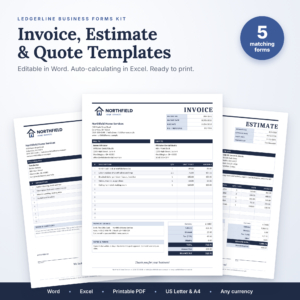
Ledgerline Business Forms Kit
Price: $2.99 | Best for: sending invoices, estimates and quotes from one set
This kit covers editable invoice, estimate and quote templates for Word and Excel. It also lists a receipt, a purchase order and a printable PDF. If you want every document in one place so the look stays consistent from first quote to final invoice, this is the one to start with.
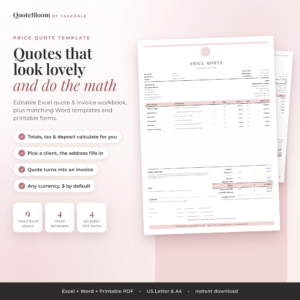
QuoteBloom Price Quote Template
Price: $4.99 | Best for: businesses that send a lot of quotes and want to keep track
QuoteBloom is an editable quote and invoice template for Excel and Word. The listing mentions auto calculations, a client list, a quote tracker and a printable estimate form. That tracker is the part many small sellers wish they had sooner, since it shows what you sent and to whom.
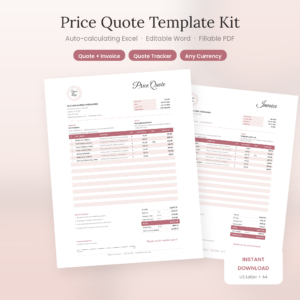
Rosewater Price Quote Template Kit
Price: $3.97 | Best for: estimates you want in Excel, Word or a fillable PDF
This kit is an editable estimate template for Excel, Word and fillable PDF with auto calculations. It also comes with a matching invoice and a quote tracker. It suits anyone who wants the choice of three file types and a tidy invoice to match.
Comparing the Templates Side by Side
| Product | Format | Price | Best for | Link |
|---|---|---|---|---|
| Ledgerline Business Forms Kit | Word, Excel, printable PDF | $2.99 | One set covering invoice, estimate, quote, receipt and purchase order | View |
| QuoteBloom Price Quote Template | Excel, Word | $4.99 | Quote tracking with a client list | View |
| Rosewater Price Quote Template Kit | Excel, Word, fillable PDF | $3.97 | Estimates plus a matching invoice and tracker | View |
A Simple Workflow You Can Copy
Let me walk through a quote vs estimate example. Say you run a small cleaning business, and a landlord asks about a deep clean on a two-bedroom flat.
You visit, look around, and the scope is clear: empty flat, standard rooms, no repairs. That is a quote. You send a one-page document with an itemized price, say $240, an expiry date of 14 days, and your payment terms. She says yes.
Next, a different landlord calls about a flat after a flood. You cannot see behind the damaged walls. That is an estimate. You write a range, state what could change it, and promise to call before adding anything. Once the walls are open and you know the scope, you can follow up with a firm quote.
After each job, you send the invoice. If the quote said $240, the invoice says $240. Both numbers match, nobody is surprised, and payment arrives faster because there is nothing to question.
That small habit, matching the paperwork to the promise, does more for your reputation than any logo or slogan.
Frequently Asked Questions
Is a quote legally binding, and how does that differ from an estimate?
It depends on where you live and how the quote is worded. In general, a quote that the customer accepts can form an agreement, which is why expiry dates and clear scope matter. This is general information, not legal advice. For anything large, check local rules or ask a professional.
Can an estimate change after I send it?
Yes, that is the point of an estimate. Still, good practice is to tell the customer before costs go up, and to explain why. A short written note or email is enough. Silence is what causes arguments, not the higher number itself.
Should I charge for quotes or estimates?
Many small businesses offer them free, since they are part of winning the job. Some charge for complex ones that need hours of design work and credit the fee back if the customer hires them. Whatever you choose, tell people up front so nobody is caught off guard.
How long should a quote stay valid?
Thirty days is common, but there is no rule. If your material prices move fast, pick a shorter window such as 7 or 14 days. Write the expiry date right on the document so the customer sees it without hunting for it.
Do I need a separate template for each document?
Not necessarily. A kit that covers estimate, quote and invoice keeps the look and numbering consistent, which makes your business look organized. Separate files work too, as long as the figures match from one to the next.
Your Next Step
So, the short version: send an estimate when the price can move, send a quote when it cannot, and send the invoice when the work is done. Say which one it is on the page, every time.
If you want one set that handles all three, start with the Ledgerline Business Forms Kit for $2.99. Fill in your details once, save it, and your next customer gets a clean page in minutes instead of a rushed text message.