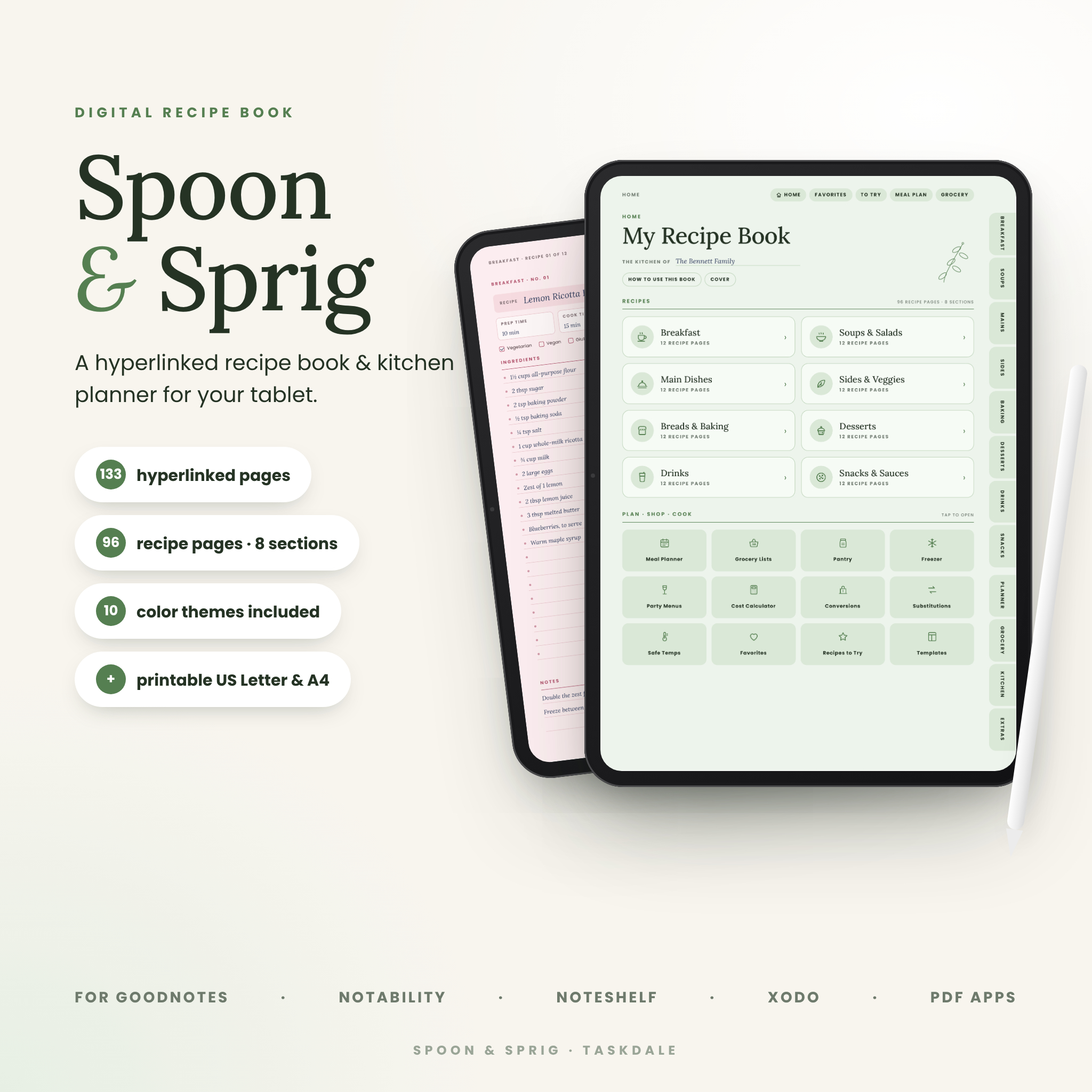
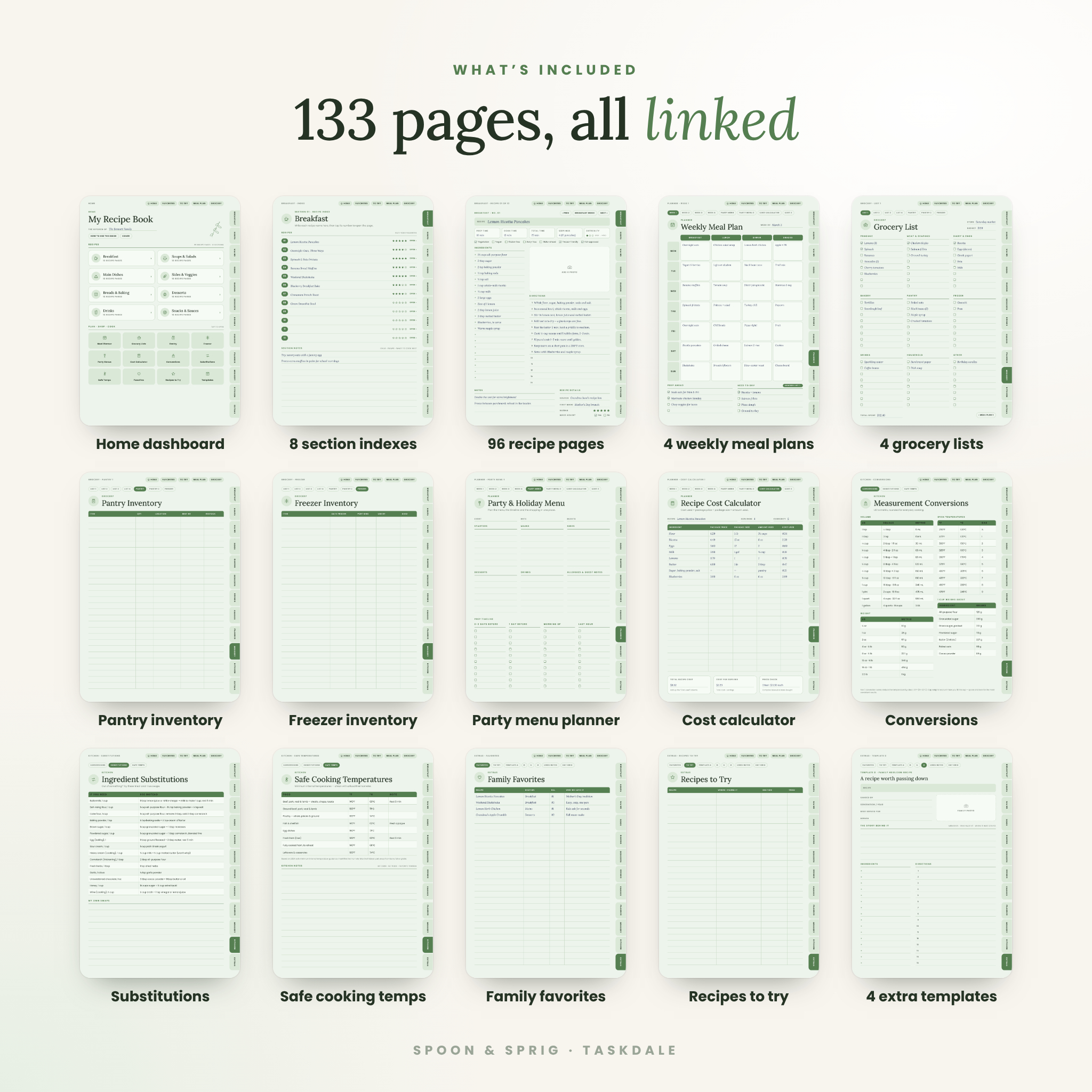
The Spoon & Sprig Digital Recipe Book gives every recipe you love a proper home on your tablet. It is a 133-page hyperlinked recipe book and kitchen planner with 96 recipe pages across 8 tabbed sections, plus weekly meal plans, grocery lists, pantry and freezer inventories, a recipe cost calculator and handy kitchen charts. Import it into GoodNotes, Notability or another PDF note-taking app, tap a tab, and start writing.
A Digital Recipe Book That Actually Keeps You Organized
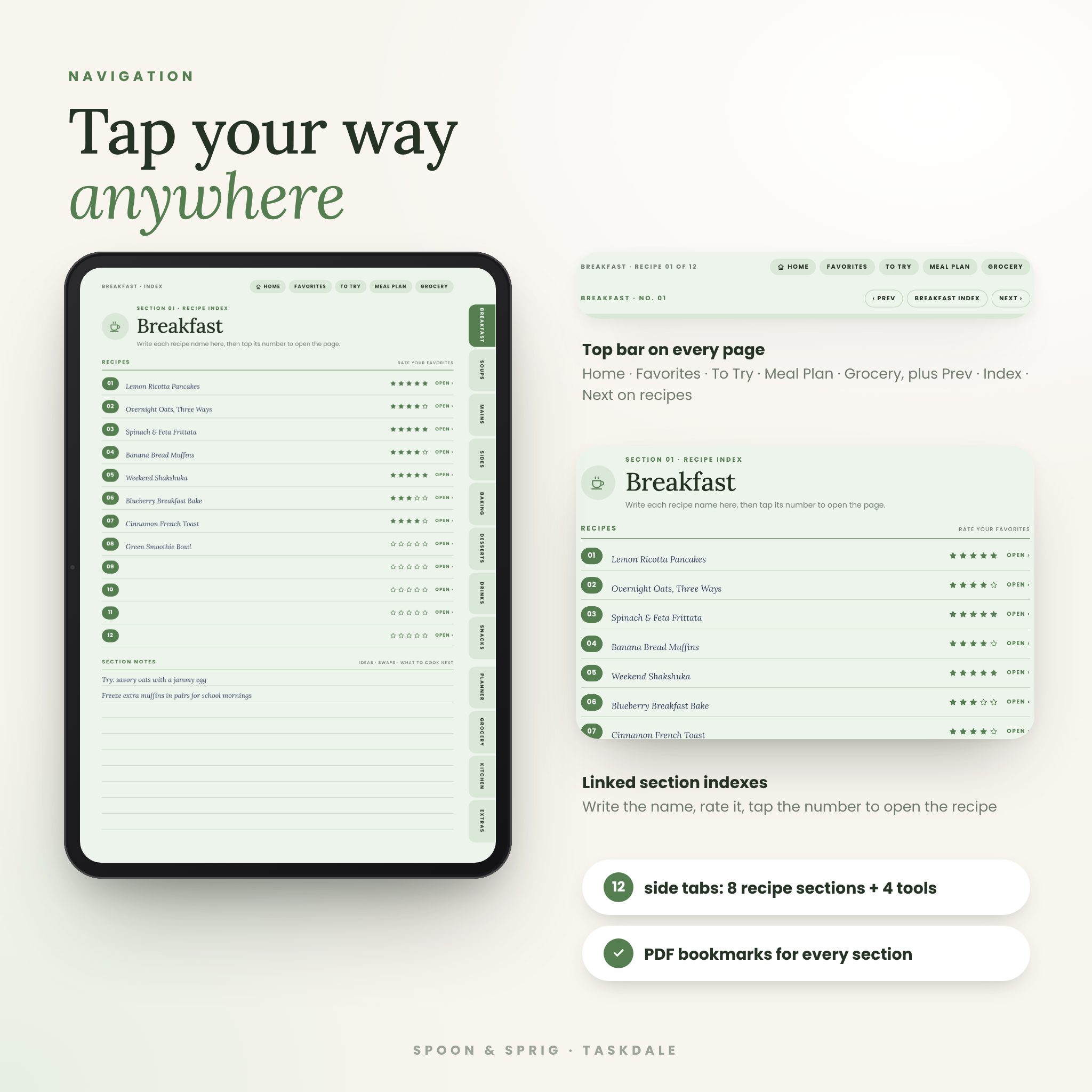
Recipes end up everywhere: screenshots, index cards, cookbook margins, browser tabs and Grandma’s handwriting. Spoon & Sprig pulls them into one calm, beautiful place. Every page is linked, so you never scroll through a hundred pages to find dinner. Side tabs open each recipe section, a top bar keeps Home, Favorites, Recipes to Try, Meal Plan and Grocery one tap away, and every recipe page has Prev, Index and Next buttons.
Who It’s For
- Home cooks who want a tidy, searchable-by-section recipe journal on their iPad or tablet
- Families saving heirloom recipes and the stories behind them
- Meal-preppers who plan the week before they shop
- Budget-minded cooks who want to know the cost per serving
- Anyone who loves a paper recipe binder — printable pages are included
Features
96 recipe pages in 8 tabbed sections
Breakfast, Soups & Salads, Main Dishes, Sides & Veggies, Breads & Baking, Desserts, Drinks, and Snacks & Sauces. Each section opens on a linked index: write the recipe name, rate it with stars, and tap its number to jump straight to the page.
Recipe pages that hold everything
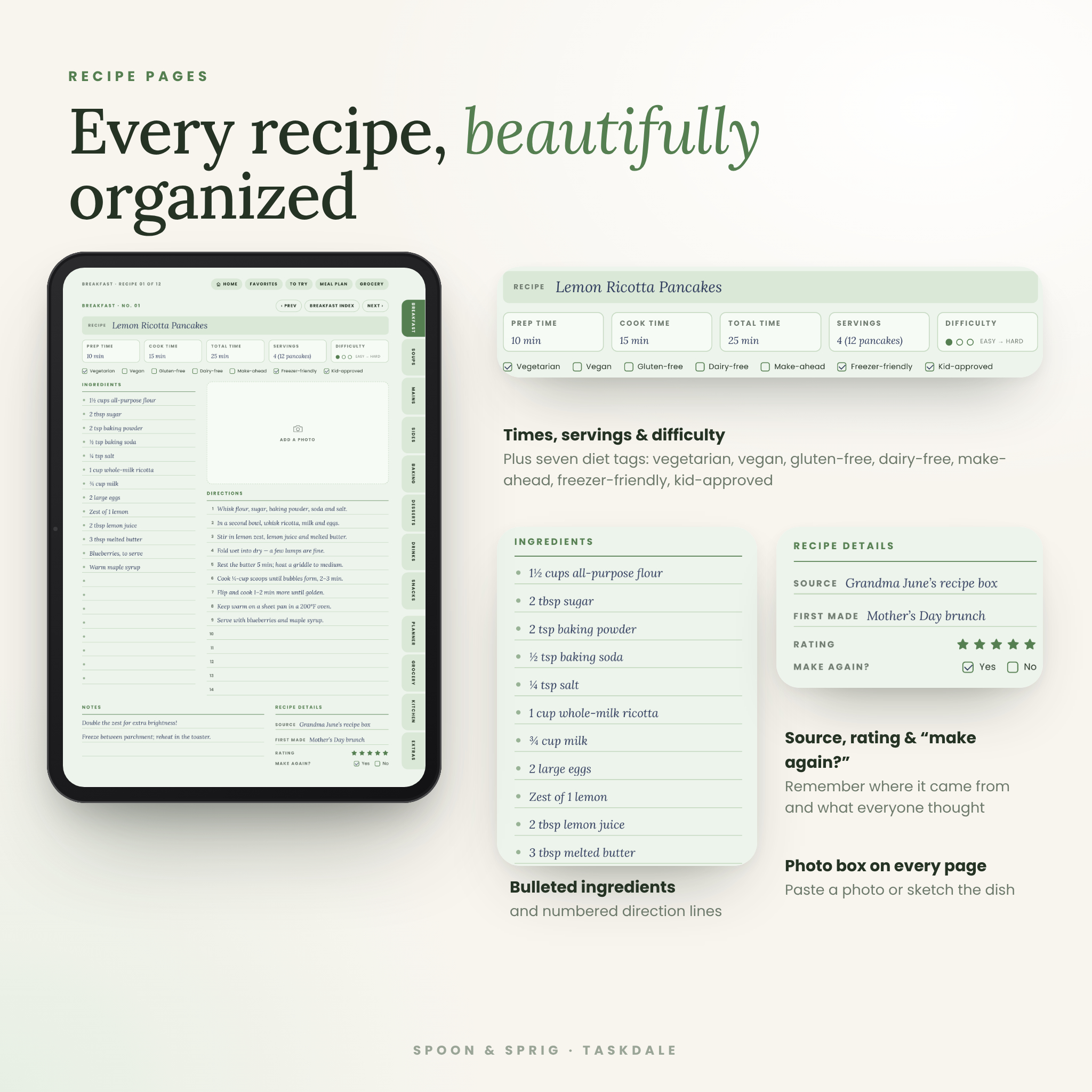
- Recipe title bar, prep time, cook time, total time and servings
- Three-dot difficulty scale (easy to hard)
- Seven diet tags: vegetarian, vegan, gluten-free, dairy-free, make-ahead, freezer-friendly and kid-approved
- Bulleted ingredient lines and numbered direction lines
- A photo box for a picture of the finished dish
- Notes, recipe source, “first made” date, 5-star rating and “Make again?”
Meal planning and grocery tools
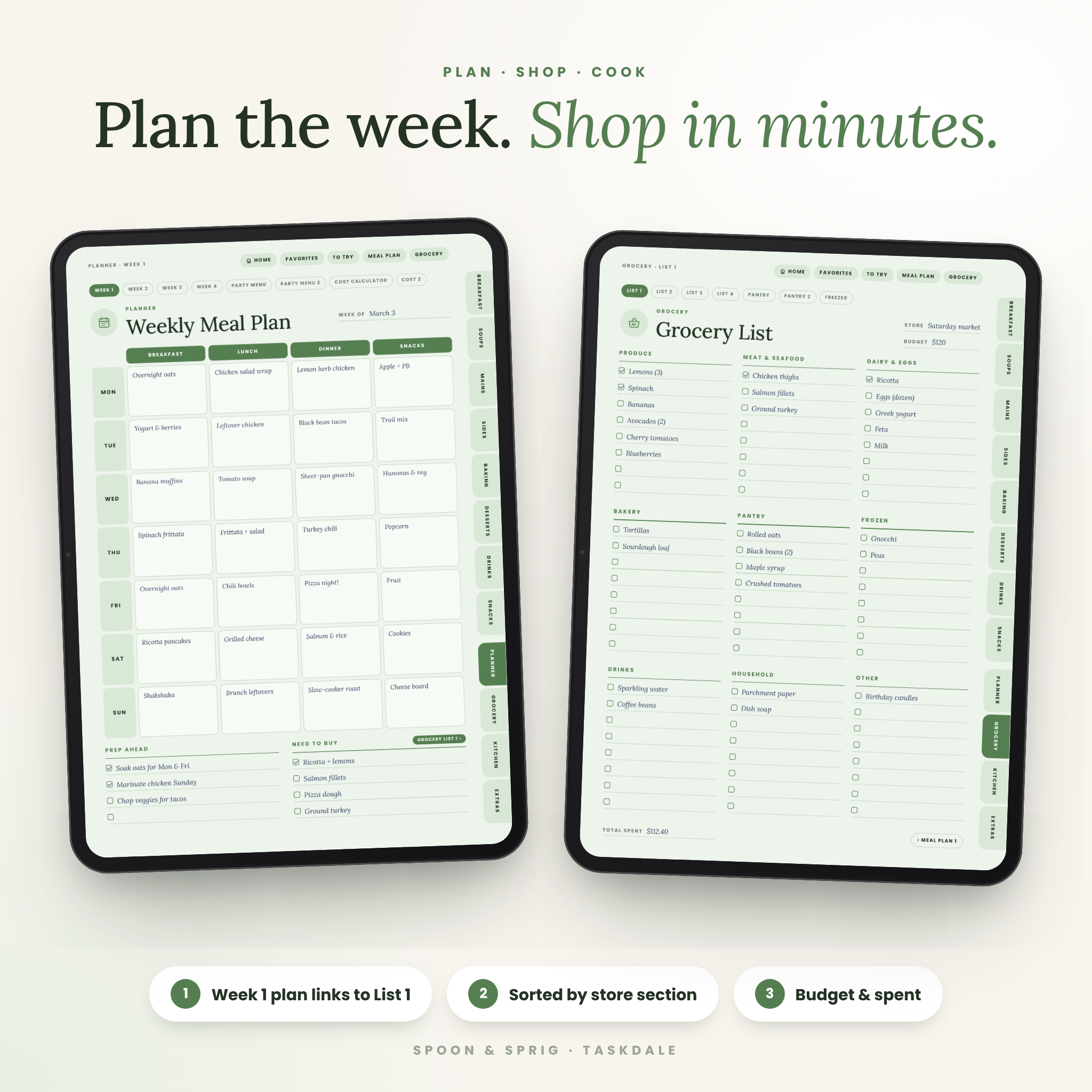
- 4 undated weekly meal plans (breakfast, lunch, dinner, snacks) with Prep Ahead and Need to Buy checklists
- 4 grocery lists sorted by store section, with Store, Budget and Total Spent fields — each meal plan links to its matching list
- Pantry inventory (2 pages) and freezer inventory
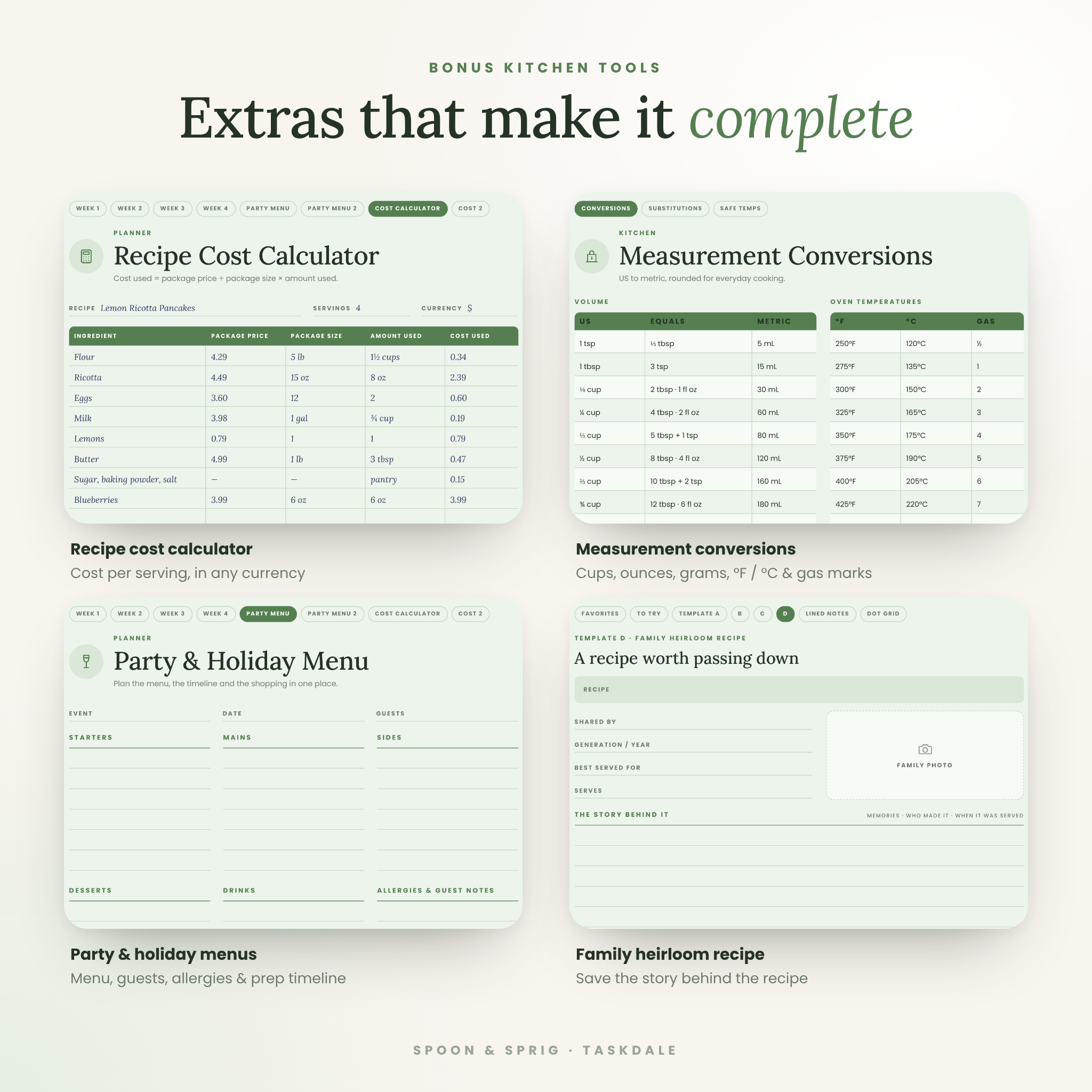
- 2 party & holiday menu planners with a four-stage prep timeline
- 2 recipe cost calculators to work out total cost and cost per serving
Kitchen reference charts
- Measurement conversions: volume, weight, oven temperatures (°F, °C and gas mark) and cup-to-gram weights
- 15 tried-and-true ingredient substitutions
- Safe minimum cooking temperatures based on USDA guidance
Extras
- Family Favorites and Recipes to Try lists
- 4 duplicate-ready templates: photo recipe, classic lined recipe, two recipe cards per page, and a family heirloom recipe page with space for the story behind it
- Lined and dot-grid notes pages
- PDF bookmarks for every section
What’s Included
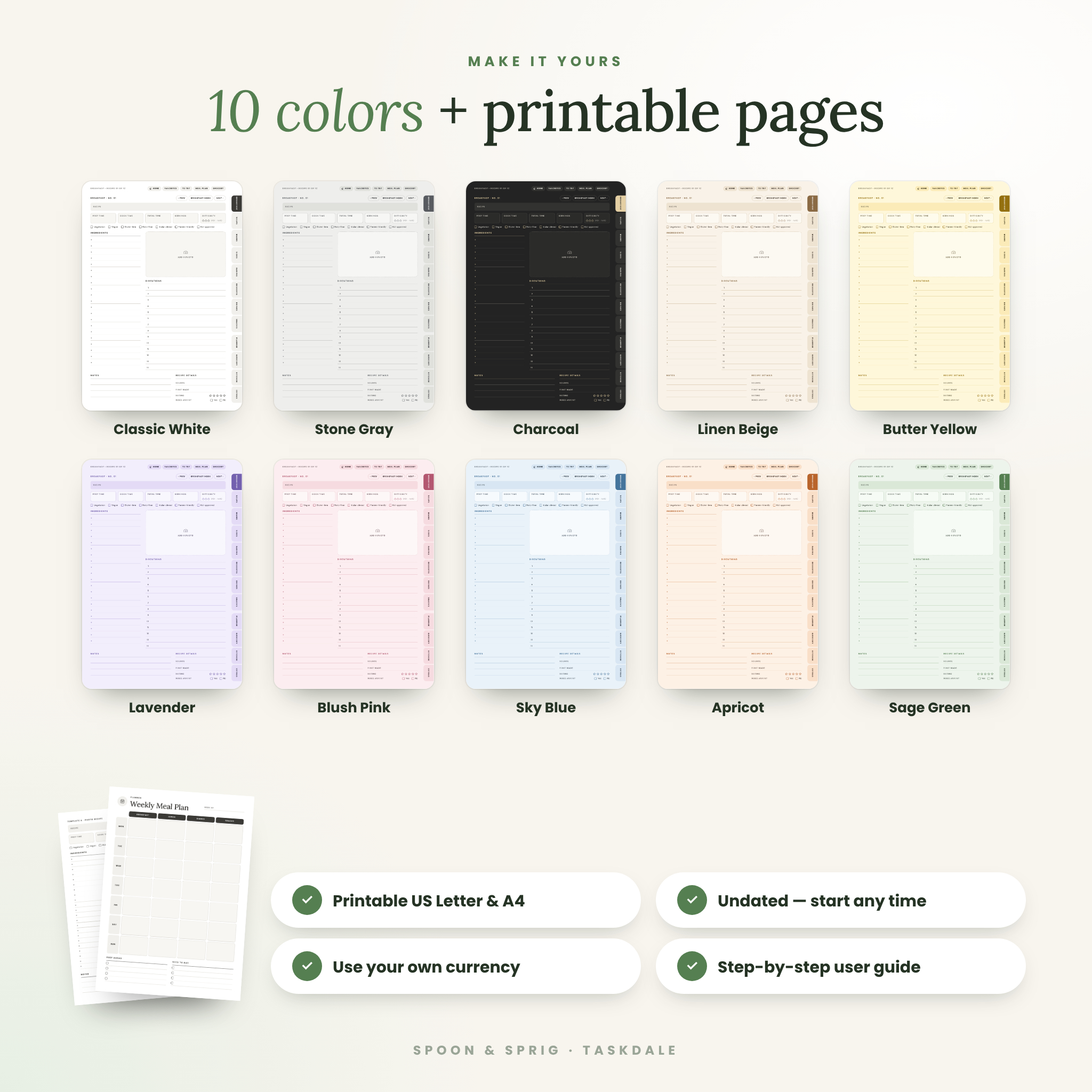
- 10 digital recipe book PDFs (133 pages each, one file per color) — Classic White, Stone Gray, Charcoal, Linen Beige, Butter Yellow, Lavender, Blush Pink, Sky Blue, Apricot and Sage Green
- Printable recipe pages — 18 ink-friendly pages, as separate US Letter and A4 PDFs
- User guide (DOCX) with setup steps, feature walkthroughs, tips, troubleshooting and FAQ
How It Works
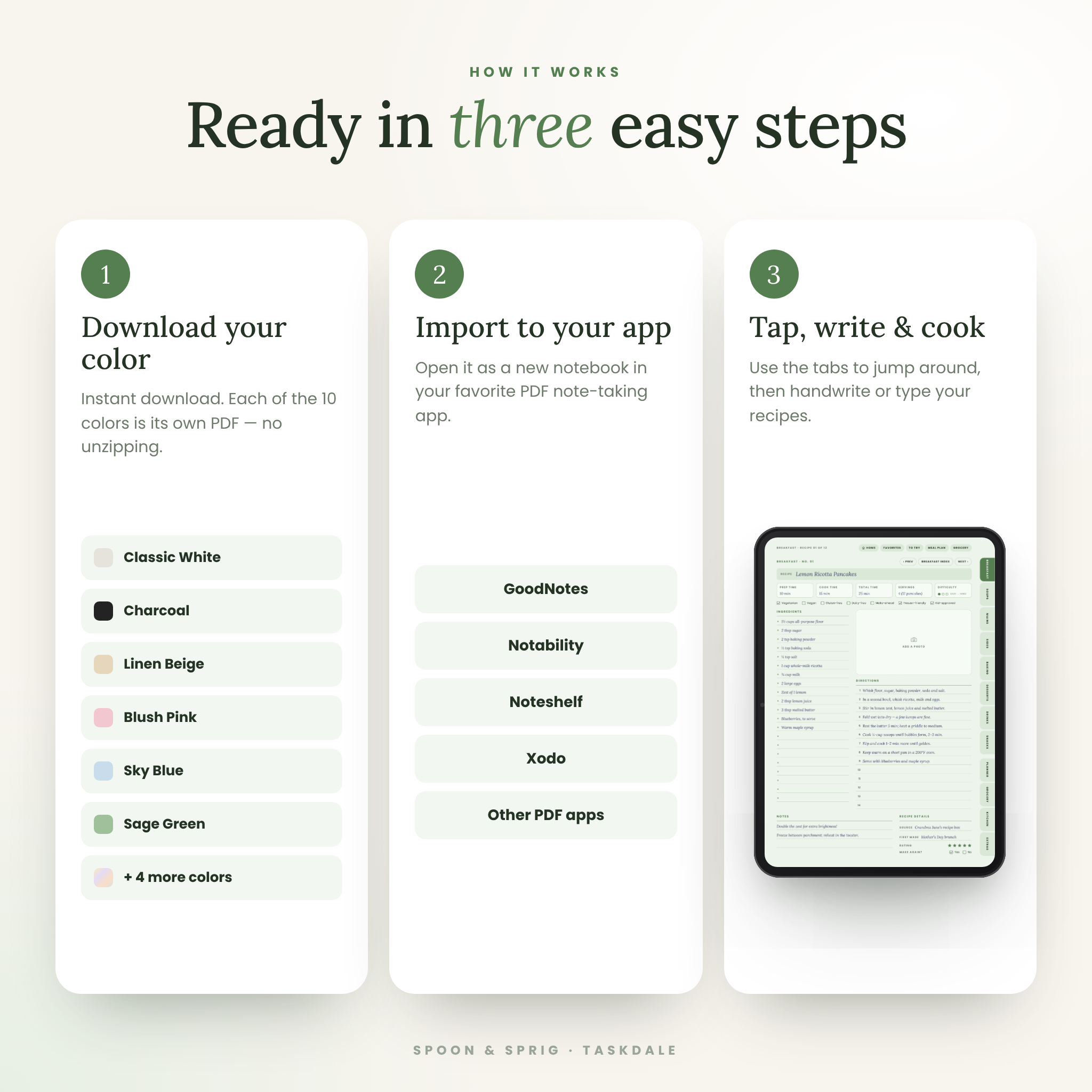
- Download the files after checkout. Each color is a separate PDF, so there is nothing to unzip.
- Import your favorite color into your note-taking app as a new notebook.
- Tap “Open my recipe book,” then use the tabs to jump around. Handwrite with your stylus or type with the text tool.
- Need more room? Duplicate any recipe page or template.
File Formats & Software Requirements
The digital recipe book is a hyperlinked PDF sized for tablets in portrait. Use it with a PDF note-taking app that follows PDF links, such as GoodNotes, Notability, Noteshelf or Xodo, on iPad or Android tablets. It also opens in any standard PDF reader on a computer. The printable pages are PDFs in US Letter (8.5 × 11 in) and A4. The user guide is a Word document (.docx) that also opens in Google Docs, Pages and LibreOffice.
Customization
Choose from 10 color themes, write your family name on the cover, paste photos into the photo boxes, add digital stickers, and duplicate pages as your collection grows. Every money field is neutral, and the cost calculator has a currency box, so it works with dollars or any other currency. The page design (section names, tabs and colors) is fixed so the links stay accurate.
Digital Download
This is an instant digital download. No physical product will be shipped. Files are available right after payment from your order confirmation and account downloads page.
Ways to Use Your Digital Recipe Book
- Copy over the family recipe cards before they fade, and record who made each dish
- Plan Sunday meal prep, then shop from one organized grocery list
- Save recipes from blogs and videos into Recipes to Try, then promote the winners to Favorites
- Plan a Thanksgiving, birthday or holiday menu with a prep timeline and allergy notes
- Work out what a recipe costs per serving before adding it to the weekly rotation
- Keep a printed binder in the kitchen and the digital book on your iPad
Frequently Asked Questions
Does this digital recipe book work with GoodNotes and Notability?
Yes. It is a hyperlinked PDF made for importing into PDF note-taking apps like GoodNotes, Notability, Noteshelf and Xodo.
Can I use it on an Android tablet?
Yes, with an Android PDF note-taking app that supports PDF links, such as Xodo.
Why don’t the links work when I tap?
Most apps follow links in read mode or when you tap with a finger rather than the pen tool. Switch tools and tap again.
Can I add more recipe pages?
Yes. Duplicate any recipe page or template in your app as many times as you like.
Is it dated?
No. Every page is undated, so you can start any time of year.
Can I print the recipe pages?
Yes. Printable US Letter and A4 versions are included.
Can I change the section names or colors?
The section names and colors are part of the design, but you get 10 color versions to choose from.
Can I share or resell it?
No. The license is for personal use only. Please don’t share, resell or redistribute the files.
© Taskdale. Personal use only.
Reviews
There are no reviews yet.