If you already take notes on an iPad, a paper wedding binder can feel like going backwards. You’d be carrying a three-ring folder to venue tours while your tablet sits in the bag doing nothing.
A digital wedding planner fixes that. It’s a hyperlinked PDF you open in GoodNotes, Notability or a similar app and write on with a stylus. Tap a side tab and you’re on the guest list. Tap Home and you’re back on the dashboard. Drop in a photo of the cake you liked. Copy a page when you need more.
The catch: paper (even digital paper) can’t add up 40 deposits. So every planner below also comes with a spreadsheet that does the maths. That’s the combination I’d look for. Here are six, and who each one suits.
What to look for in a digital wedding planner
- Links that work everywhere. Side tabs on every page and a Home button. If you have to scroll, you’ll stop using it.
- Undated calendars, or ones that run long enough to cover your engagement.
- A written-out checklist. Blank boxes are fine for notes. For planning, you want tasks already listed.
- A companion spreadsheet for the budget and RSVPs, because handwriting can’t total a column.
- A printable version, so whoever runs the day can have paper copies.
The six best picks
1. Ever & Always: the biggest, most complete set
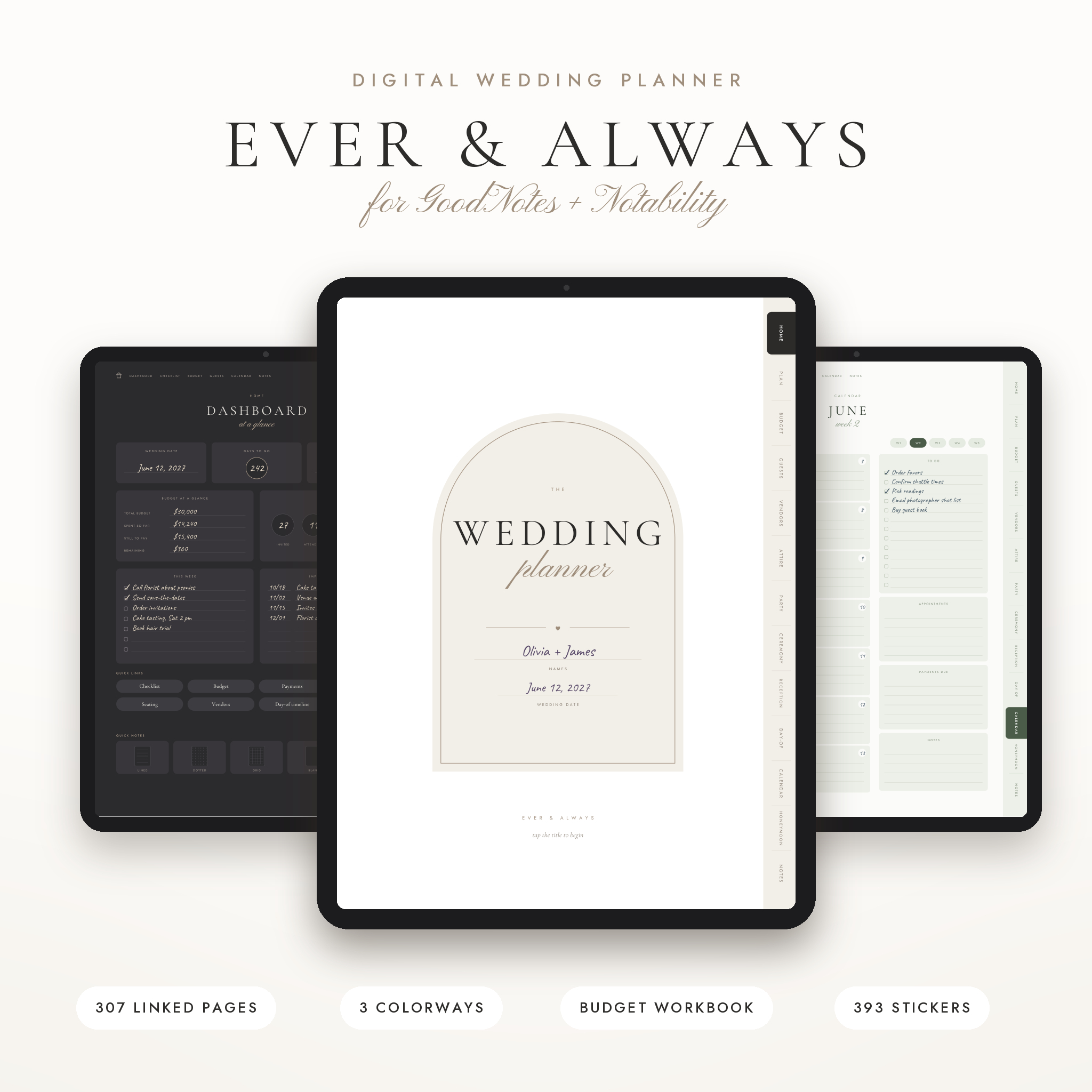
Ever & Always is 307 hyperlinked pages for GoodNotes and Notability, in three colorways (Ivory, Charcoal and Sage) with the same layout in each. It also ships with 393 stickers, 12 covers, printable copies in US Letter and A4, a budget and guest list workbook for Excel and Google Sheets, and a 17-page editable day-of binder in Word format for whoever runs the show.
Some details are clever. Tap a table number on the seating chart (there are 30) and you land on that table’s plan with a line for every seat. Each of the 60 undated weekly pages links back to its month. The budget overview links each of 16 category names to its own worksheet, and there are compare-quotes pages for 14 vendor types with questions to ask before signing.
Best for: couples who want everything, including the day-of handover, and love stickers.
2. Forever Planned: two colorways, one for each of you
Forever Planned has 207 pages and 13 side tabs, and the seller says all 3,375 links were tested. It comes in warm taupe or soft sage, and the description suggests giving one to each partner, which is a nice way to split the writing.
Inside: about 80 written tasks across eight timeline pages, a budget overview with 14 categories and typical spending shares, three pages each for 12 vendor types, room for 200 households and 30 seating tables of 10. It works on an iPad, an Android tablet or a laptop, and the printable versions use a white, ink-friendly background.
Best for: couples who’ll both write in the planner, and Android tablet users.
3. Ivory Lane: fewer pages, every one working
Ivory Lane is the one for people who are tired of planners padded with stock photos. It’s 165 working pages, with a linked calendar running from October 2026 to December 2028 and a bonus Excel budget and guest tracker.
The budget covers 24 categories, there are 250 numbered guest lines, round and long table seating charts, and 12 vendor comparison pages with the right rows for each vendor type. There’s also a priorities page you each rank on your own, which is a good conversation starter. You get 20 cover designs in 10 colorways.
Best for: couples marrying in 2027 or 2028 who want a dated calendar that lasts.
4. Ever Ours: the most tasks written in for you
Ever Ours has 249 pages in Blush, Dove Grey and Sage, each with Sunday-start and Monday-start versions. The checklist already has 105 tasks, sorted from 12+ months out to the morning of the wedding, with each stage linked to its month on the countdown calendar.
There are 14 mood boards, 52 weekly pages, 13 vendor types with compare-three-quotes pages, and 141 stickers like Booked, Deposit Paid and Due Today. The workbook dashboard shows payments due in the next 30 days.
Best for: people who want to be told what to do next, and anyone outside the US who plans on a Monday-start week.
5. Blush & Vow: the vendor questions alone are worth it
Blush & Vow has 192 undated pages and 81 written tasks. Its standout is the vendor section: 13 vendor pages, each with seven questions to ask in your first meeting. That’s how you avoid walking out of a call wishing you’d asked about overtime or the rain plan.
There are 7 wedding-week daily pages, a 36-item emergency kit list, an 8-day honeymoon itinerary, 24 round tables and a 7-sheet Excel tracker with a live dashboard. Five cover colors and 43 stickers round it out.
Best for: first-time planners who feel unsure talking to vendors.
6. Dovetail: calm, guided and compact
Dovetail is 135 pages with more than 2,300 links. It’s the shortest planner here, and it leans on guidance: questions to answer together, tips on the budget split, questions to ask each vendor. Its spreadsheet works in Excel and Google Sheets, with a guest list for up to 300, a seating plan that fills in names and warns about over-full tables, and a checklist dated back from your wedding day.
It has 12 covers, including one with a frame for your own photo, which makes it a thoughtful engagement gift too.
Best for: couples who want a lighter planner, and gift givers.
Which digital wedding planner should you pick?
- You want the most in one download: Ever & Always.
- You’re both going to write in it: Forever Planned.
- Your wedding is in 2027 or 2028: Ivory Lane or Dovetail, both with calendars to December 2028.
- You need lots of hand-holding: Ever Ours, with 105 tasks already written.
- Vendor meetings make you nervous: Blush & Vow.
- Big planners overwhelm you: Dovetail.
If you’re torn, pick by page count against your patience. Some people love 300 pages to explore. Others open a big planner once and never again. If you’re the second type, go small.
Digital wedding planner FAQ
What app do I need?
Any PDF note app that supports hyperlinks. GoodNotes and Notability are the most popular on iPad. On Android, apps like Samsung Notes or Xodo handle hyperlinked PDFs. Check that links work in your app after importing.
Can I print a digital wedding planner?
All six include printable versions in US Letter, and most in A4 too. It’s handy to print the day-of pages for your coordinator even if you plan everything on the tablet.
Can two people use the same planner?
A PDF lives on one device, so true sharing is awkward. Most couples keep the planner on one tablet and share the companion spreadsheet in Google Sheets or OneDrive so both can update money and RSVPs.
Do I need the spreadsheet as well?
For the budget, yes. Writing numbers by hand is fine for notes, but totals, balances and overdue payments are much easier to trust when a spreadsheet works them out.