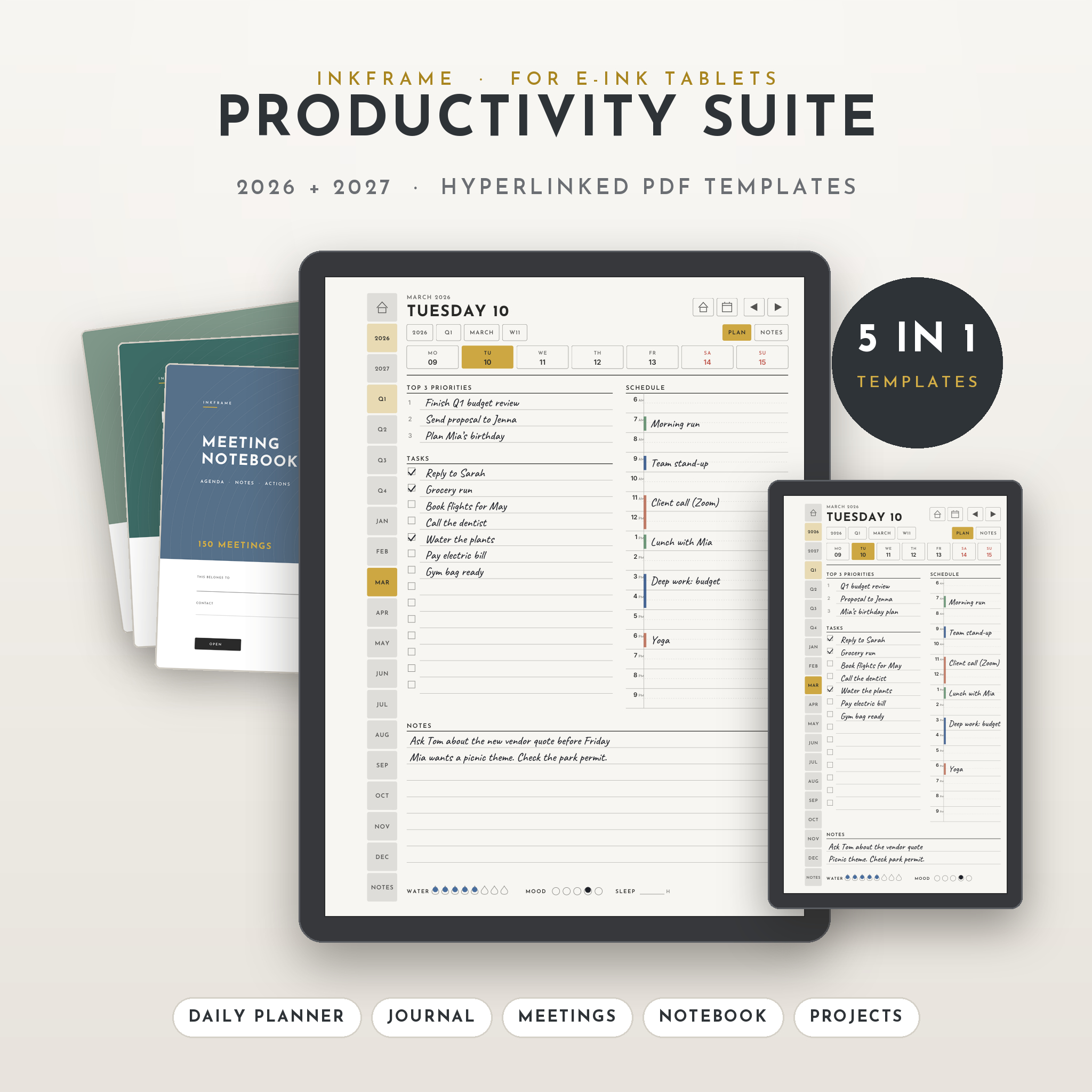
The Inkframe Productivity Suite is a set of reMarkable templates for 2026 and 2027 that puts your planner, journal, meeting notes, notebook and projects in five linked PDFs. Every page connects to the next. Tap a tab and you’re there, whether that’s next Tuesday, last month’s habit tracker or meeting 42.
It’s sized for the reMarkable Paper Pro, reMarkable 2 and Paper Pro Move, with tabs placed clear of the toolbar so they never get covered.
What’s inside the reMarkable templates bundle
Five templates, each built to do one job well.
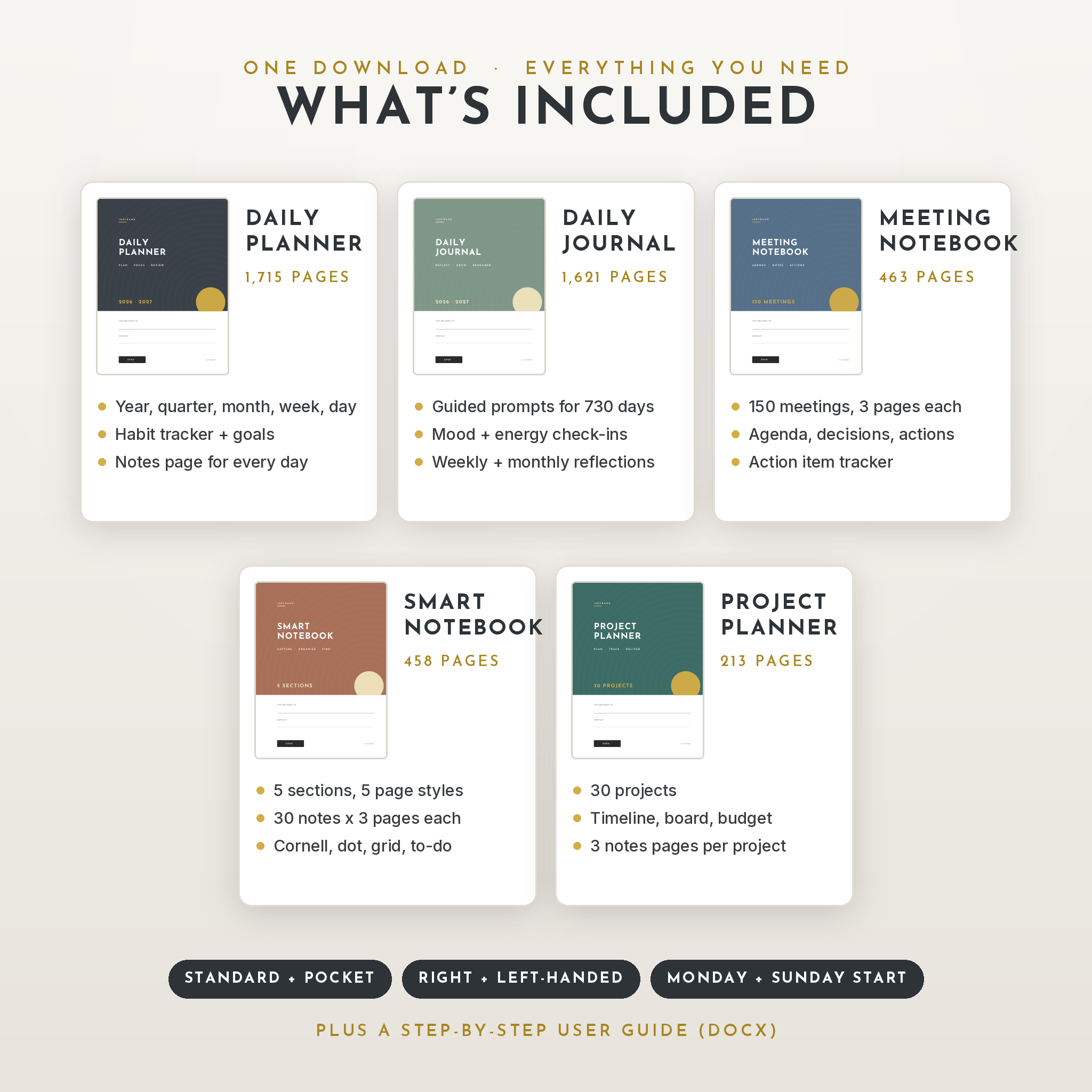
1. Daily Planner 2026-2027 (1,715 pages)
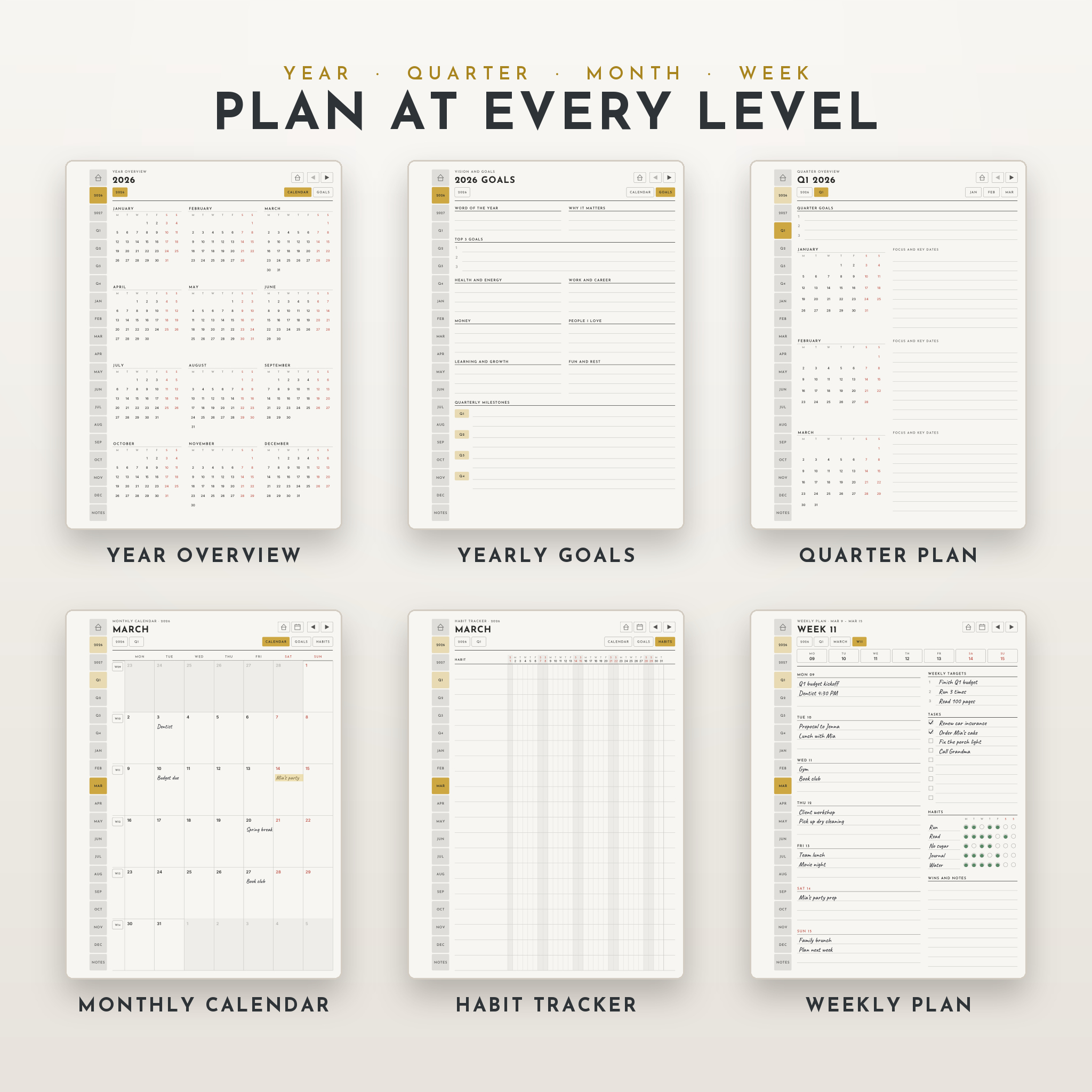
- A home dashboard for each year with one-tap access to every month, quarter and goal page
- Year overviews where every date links to its day
- Yearly goal pages with a word of the year, top 3 goals, six life areas and quarterly milestones
- 8 quarter pages with goals, mini calendars and space for key dates
- 24 monthly calendars with clickable dates and week numbers
- 24 monthly goal and review pages, including a money check-in with blank currency fields
- 24 habit trackers (20 habits on Standard, 10 on Pocket)
- A weekly plan for every week: day blocks, 3 targets, tasks, a 5-habit check-in and wins
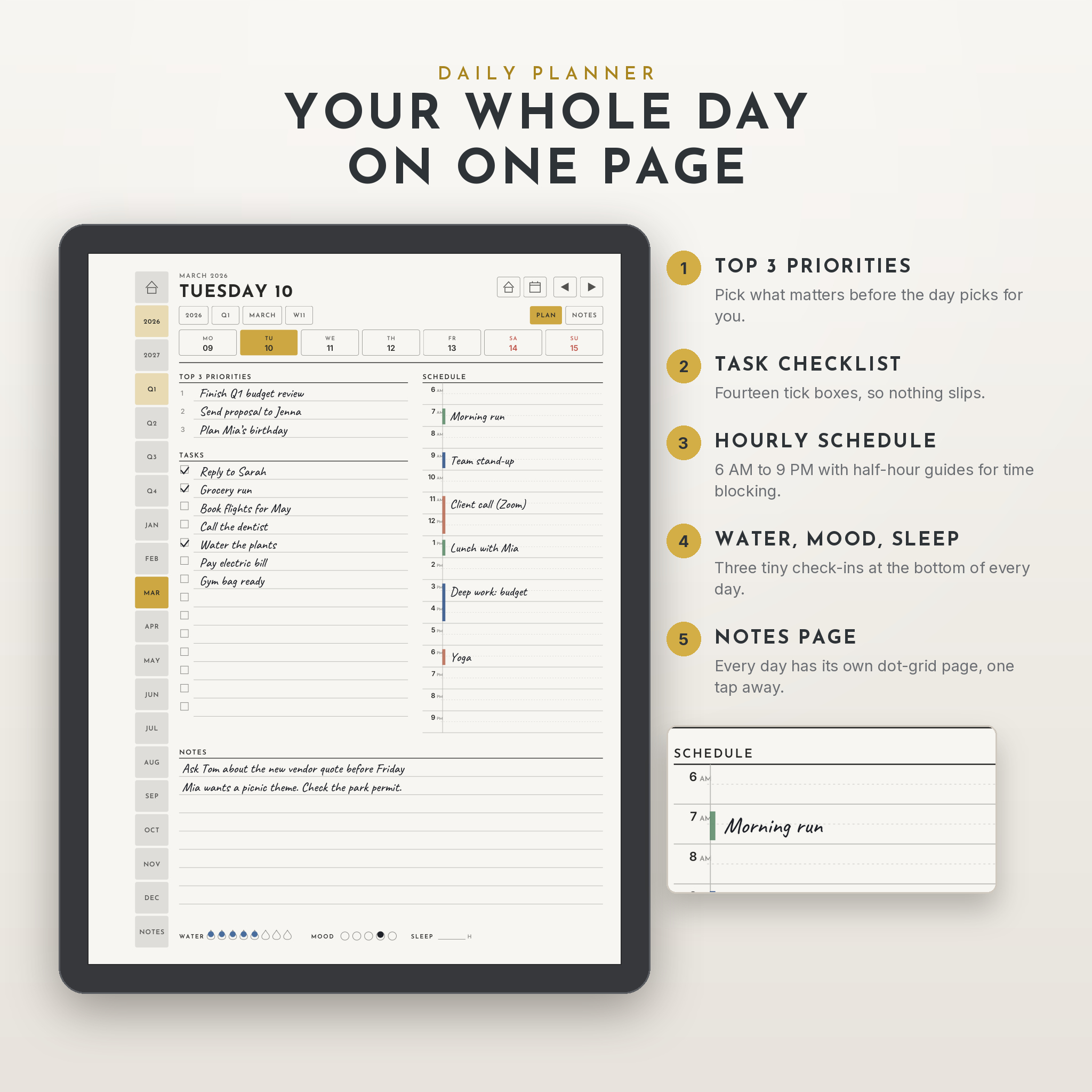
- A daily plan for all 730 days: top 3 priorities, 14 tasks, an hourly schedule from 6 AM to 9 PM, notes, water, mood and sleep
- A dot-grid notes page for every single day
- 30 indexed note pages per year
2. Daily Journal 2026-2027 (1,621 pages)
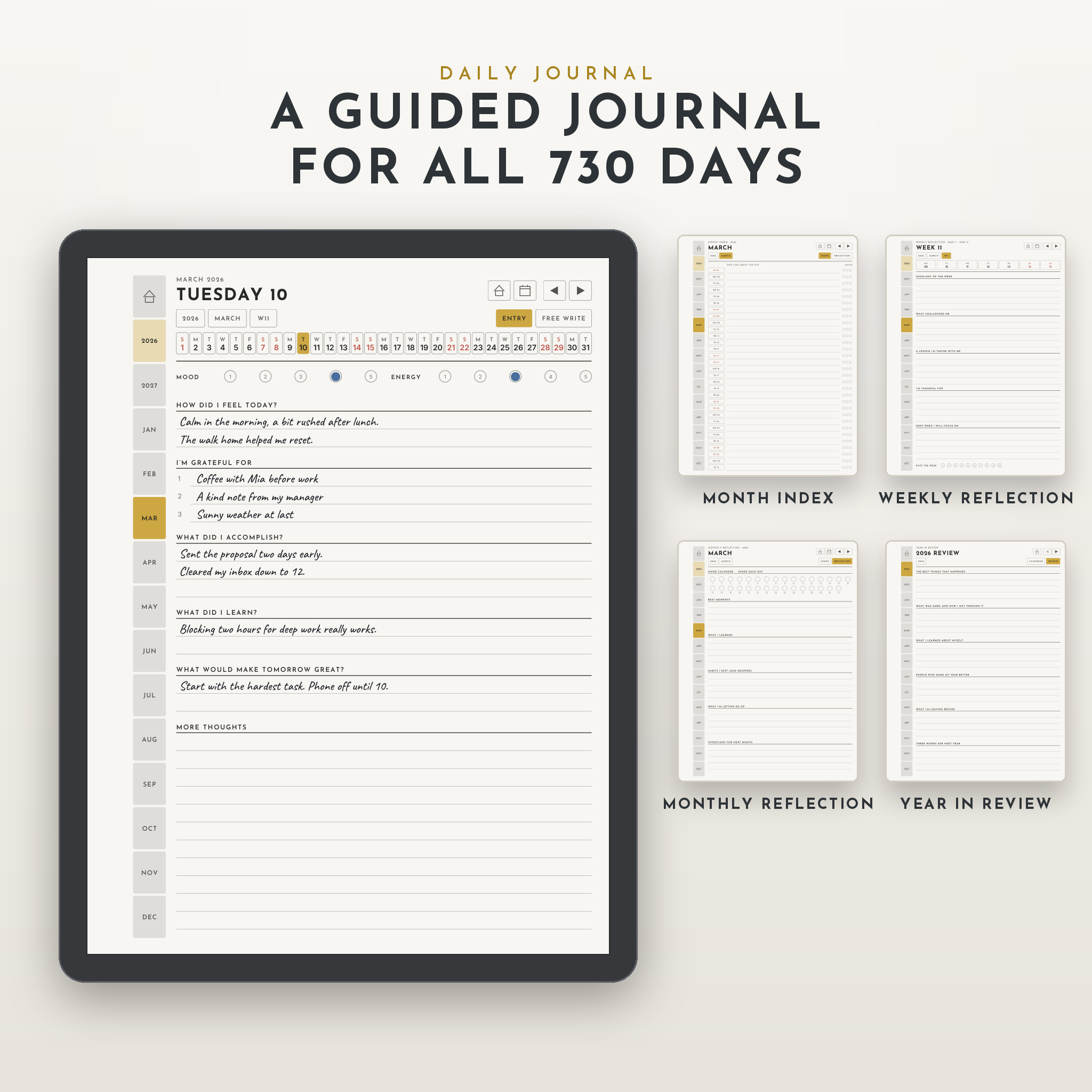
- A guided entry for every day with mood and energy check-ins and six short prompts
- A lined free-writing page for each day
- Month index pages with one line per day, so you can sum up the month at a glance
- Weekly reflections, monthly reflections with a mood calendar, and a year-in-review page
3. Meeting Notebook (463 pages)
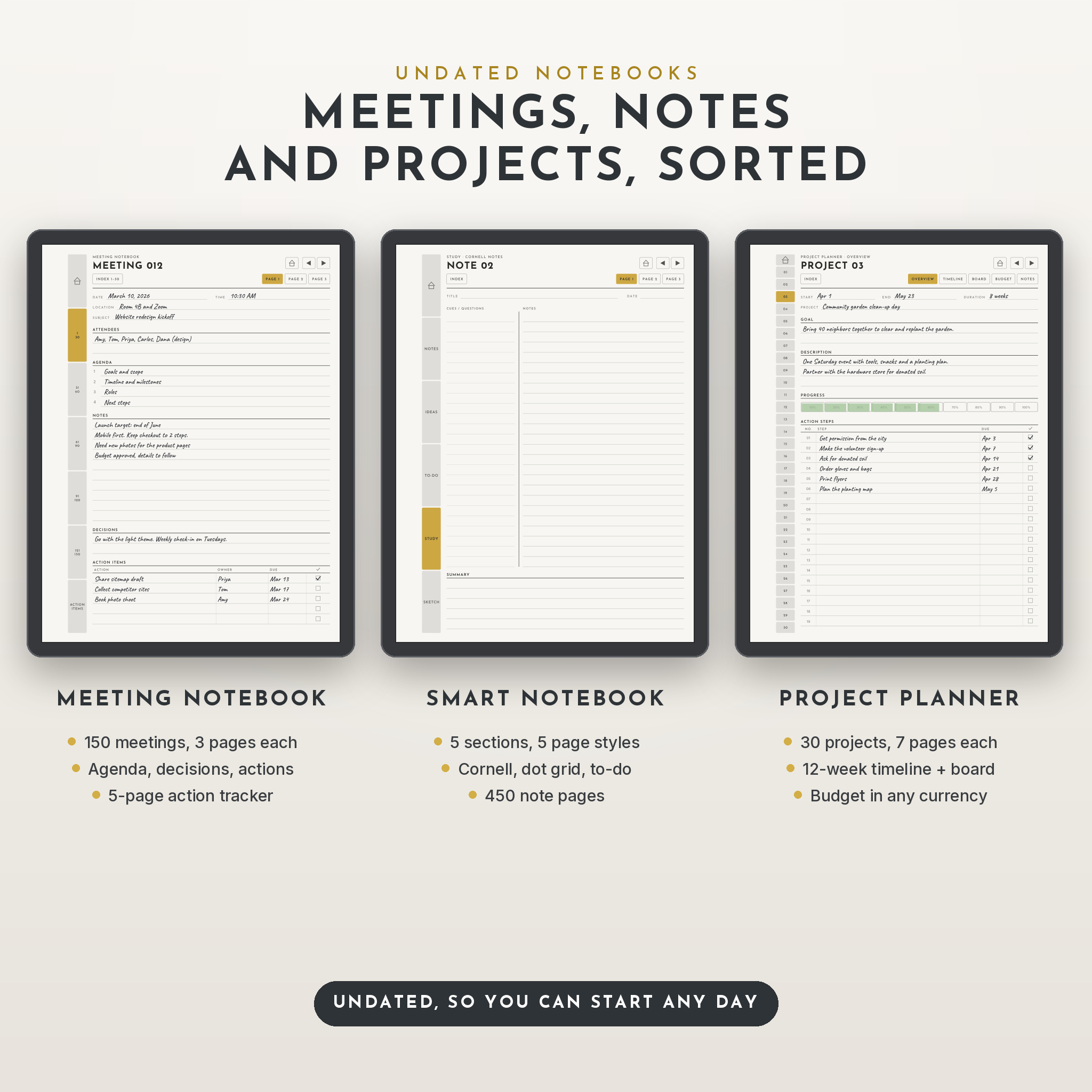
- 150 meetings with 3 pages each
- Structured meeting page: date, time, location, subject, attendees, agenda, notes, decisions and action items
- 5 index pages and a 5-page action item tracker
- Tables for recurring meetings and key contacts
4. Smart Notebook (458 pages)
- Five sections, each with its own page style: lined notes, dot grid, to-do checklist, Cornell notes and square grid
- 30 notes per section, 3 pages per note, with an index for each section
5. Project Planner (213 pages)
- 30 projects, each with an overview, 12-week timeline, To Do / Doing / Done board, budget and resources page, and 3 notes pages
- A project index with start dates, due dates and progress bars
Why this reMarkable planner is easier to use
Most tablet planners make you dig. This one is built around getting anywhere in one or two taps.
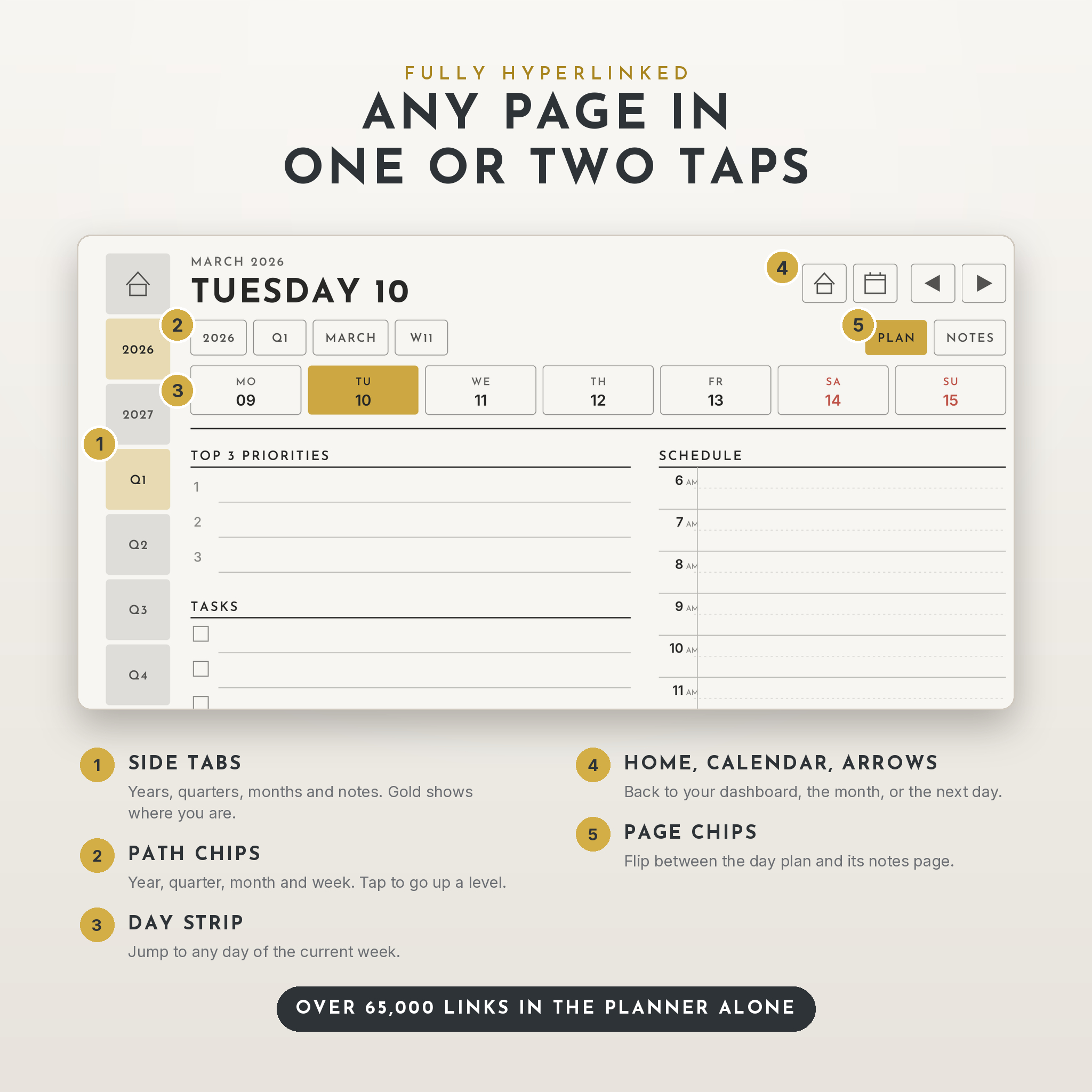
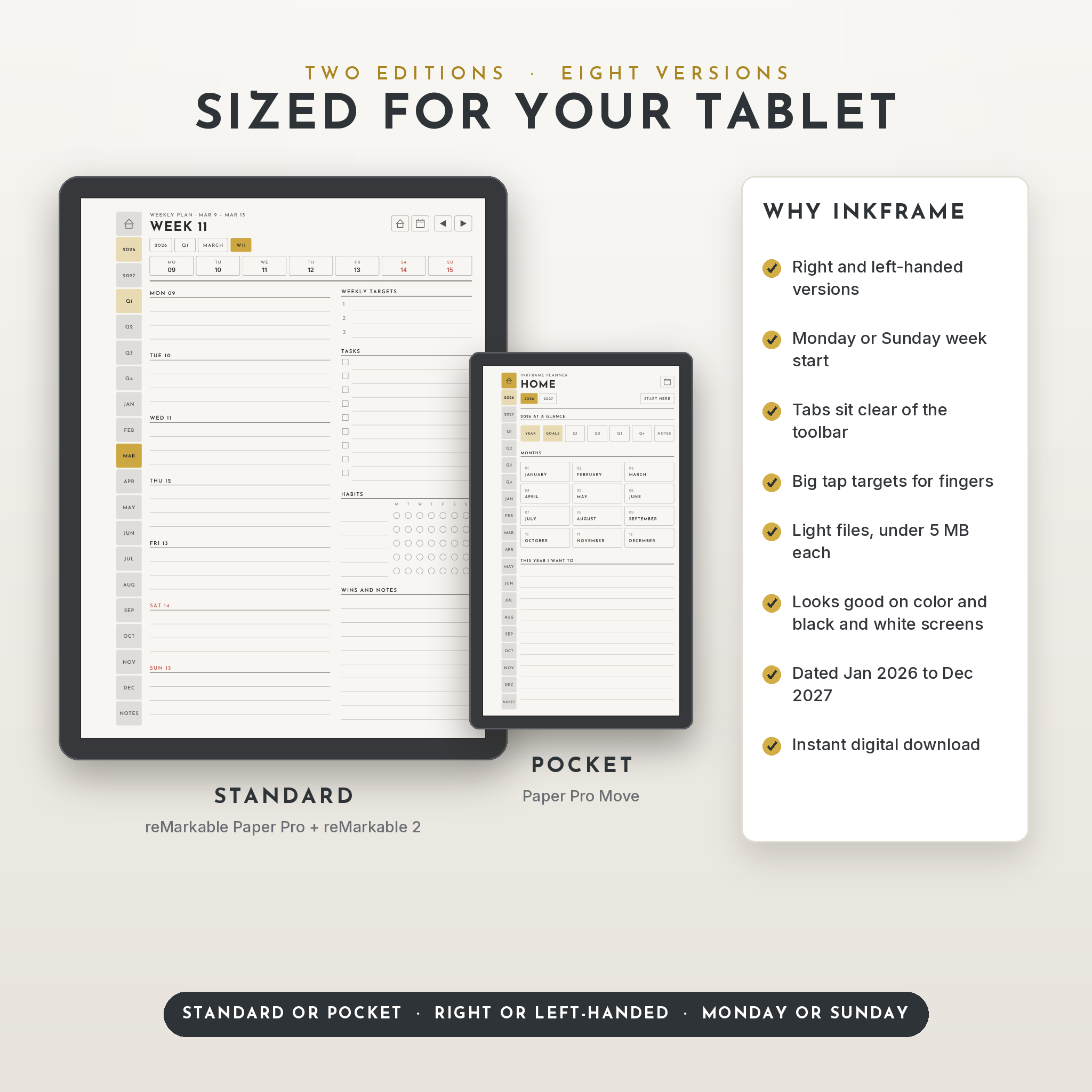
- Tabs that stay visible. The side tabs sit just past the toolbar area, so opening the toolbar doesn’t hide them.
- Path chips. Under each title you’ll see 2026, Q1, MARCH, W11. Tap any of them to go up a level.
- Home and calendar buttons on every dated page. Handy when you’ve wandered deep into a notebook.
- Bigger buttons. Tap targets are sized for fingers.
- Light files. Every PDF is under 5 MB, even the planner with 1,715 pages and over 65,000 links.
Eight versions included
Pick the one that fits how you work. All eight come with your purchase:
- Standard edition for reMarkable Paper Pro and reMarkable 2 (3:4 pages)
- Pocket edition for reMarkable Paper Pro Move (9:16 pages with larger text)
- Right-handed or left-handed layouts, with tabs and toolbar space mirrored
- Monday or Sunday week start
The accent color is a soft gold that looks good on color screens and turns into a clear gray on black and white ones.
How it works
- Download the ZIP pack that matches your tablet, hand and week start.
- Unzip it and send the PDFs to your tablet with the reMarkable desktop app, mobile app or my.remarkable.com.
- Open a file, tap OPEN on the cover and start writing. The Start Here page inside each file explains every button.
Real ways people use it
- A project manager plans each morning on the daily page, logs stand-ups in the meeting notebook and tracks follow-ups in the action list.
- A grad student keeps lecture notes in the Cornell section, deadlines in the planner and a short journal entry before bed.
- A small business owner runs three client projects on the board and timeline pages and checks the monthly money summary.
- A parent keeps the family schedule, school dates and a habit tracker for the whole house in one place.
File formats and requirements
- 8 ZIP packs, each with 5 hyperlinked PDF files and a quick-start note
- A user guide in Word format (DOCX) with setup steps, tips, troubleshooting and FAQs
- Sized for: reMarkable Paper Pro, reMarkable 2 and reMarkable Paper Pro Move
- To transfer files: the free reMarkable app on desktop or mobile, or my.remarkable.com
- Dated pages run from January 1, 2026 to December 31, 2027. The meeting notebook, smart notebook and project planner are undated.
Customization
Write your own labels on the section names, rename notebook sections, choose your currency on the budget and money pages, and reuse the undated notebooks as often as you like by keeping a blank copy. The layout itself is fixed, as with any PDF template, so your handwriting sits on top of each page.
Digital download
This is an instant digital download. Nothing will be shipped. You’ll get your download links straight after checkout.
FAQ
Which reMarkable tablets does this work on?
The Standard edition is sized for the reMarkable Paper Pro and reMarkable 2. The Pocket edition is sized for the reMarkable Paper Pro Move.
Are the PDF templates hyperlinked?
Yes. Tabs, calendars, dates, week numbers, index pages and arrows are all linked, so you can move around without scrolling.
Can I type on the pages or convert handwriting to text?
No. reMarkable doesn’t support typing or handwriting conversion on PDF pages, so these templates are made for writing by hand.
Does it sync with Google or Apple Calendar?
No. Everything stays on your tablet.
Is there a Sunday start version?
Yes. Both Monday and Sunday start versions are included for the planner and journal.
Do I need all eight packs?
No. Most people use one pack. The others are there if you switch tablets, hands or week start later.
Can I share or resell the files?
No. The licence is for personal use only. Please don’t share, resell or redistribute the files.
Inkframe is an independent product by Taskdale and is not affiliated with or endorsed by reMarkable. Product names are used only to show compatibility.
Reviews
There are no reviews yet.