

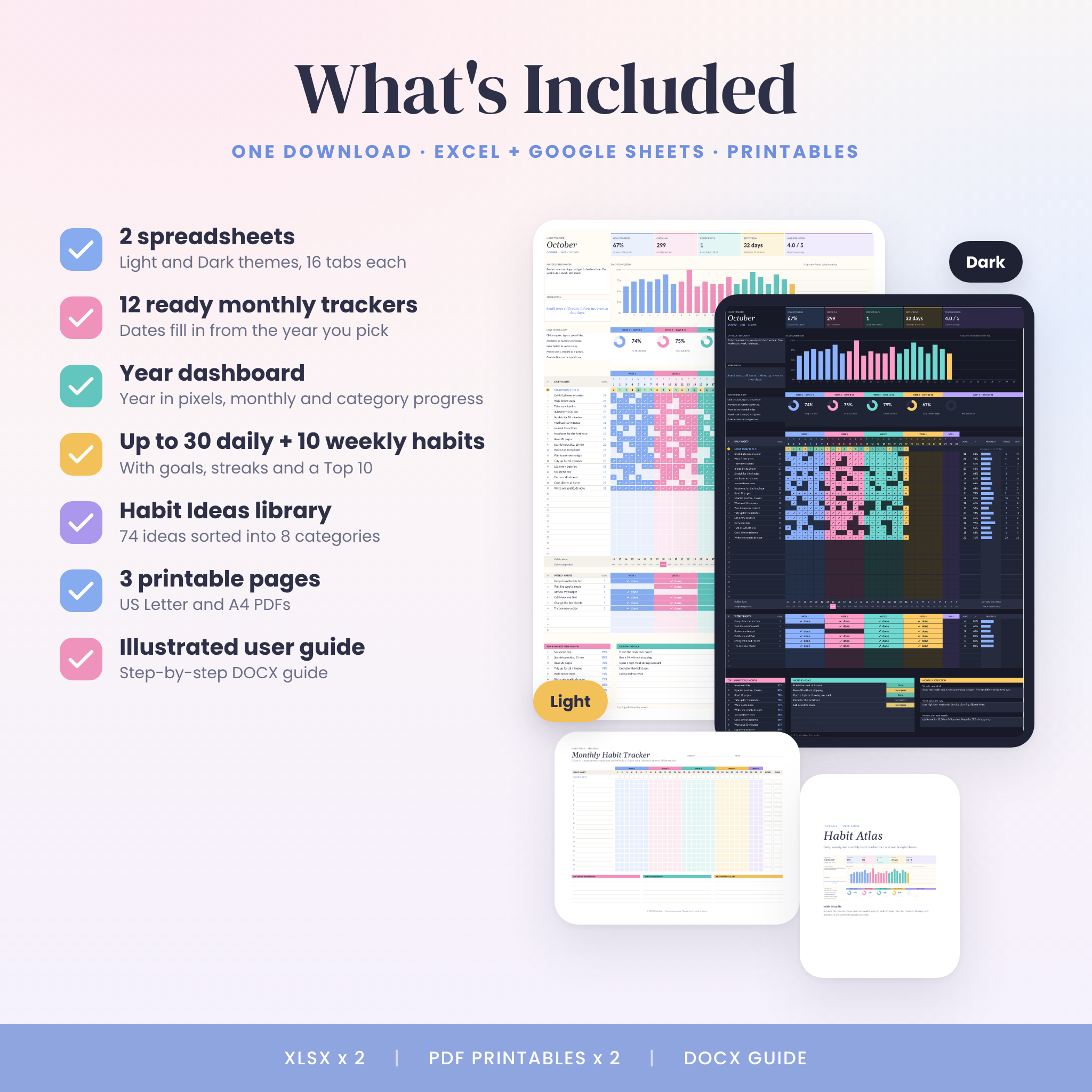

Habit Atlas is a habit tracker spreadsheet that does the counting for you. You write your habits down once in Settings. After that, you open the month, click a square and type x. It turns into a colored check mark, and your goals, streaks, charts and year dashboard all update on the spot.
All twelve months come ready. There’s no copying tabs, no setting dates by hand and no formulas to touch. Pick your year and you’re done.
Why this habit tracker spreadsheet is easy to stick with
Most trackers expect you to do every habit every day. Real life doesn’t work like that. In Habit Atlas, you tell it how many times a week you’re aiming for, from 1 to 7. Work out 3 times a week? The goal for a 30-day month becomes 13, and hitting it counts as a full win.
Missed a Monday? The week ring only counts the days that have happened so far, so one off day never looks like a disaster. Streaks also carry over between months. A run that starts on the 28th keeps counting into the next month.
Features
Monthly habit tracker tabs (January to December)
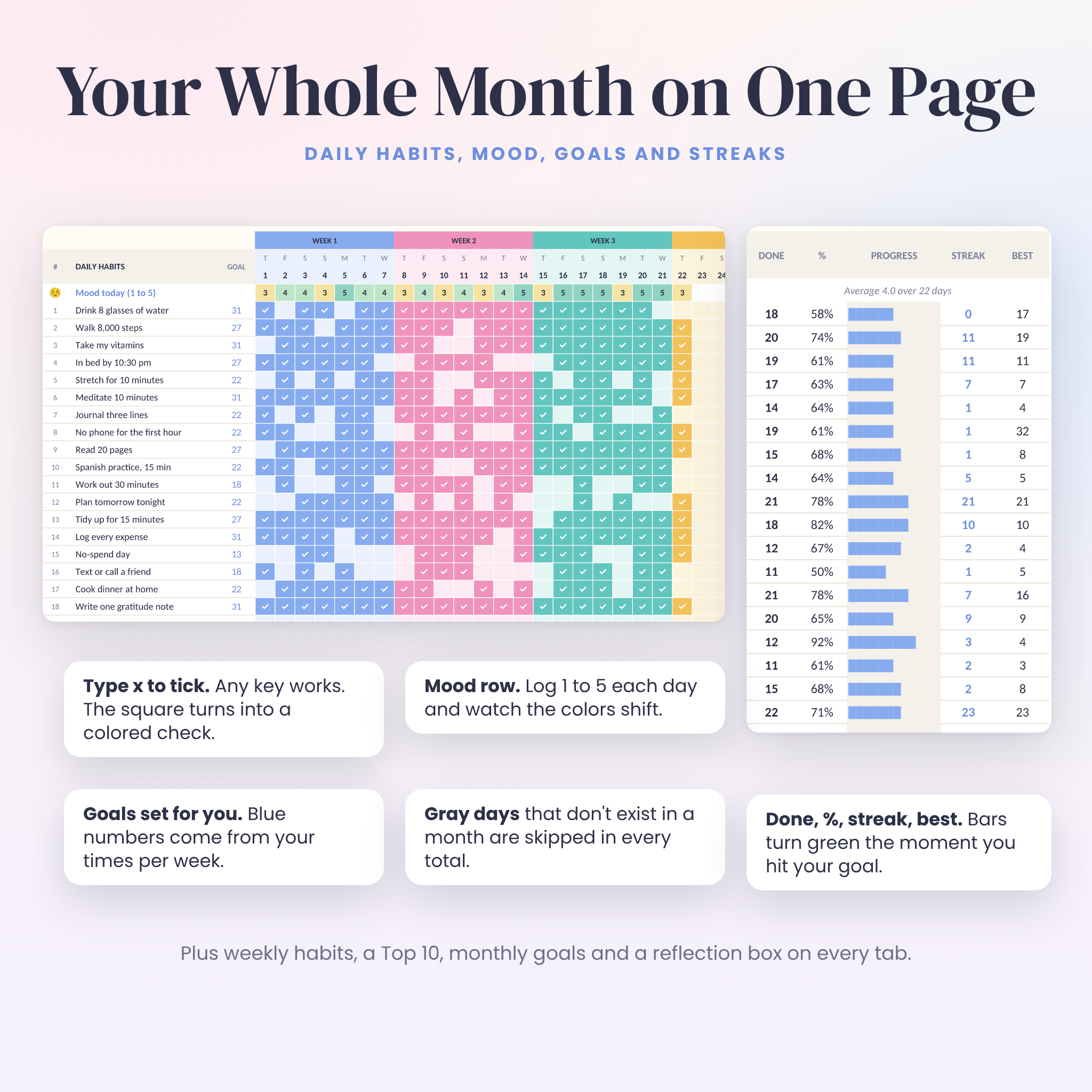
- Up to 30 daily habits, each with its own monthly goal, done count, percentage and progress bar
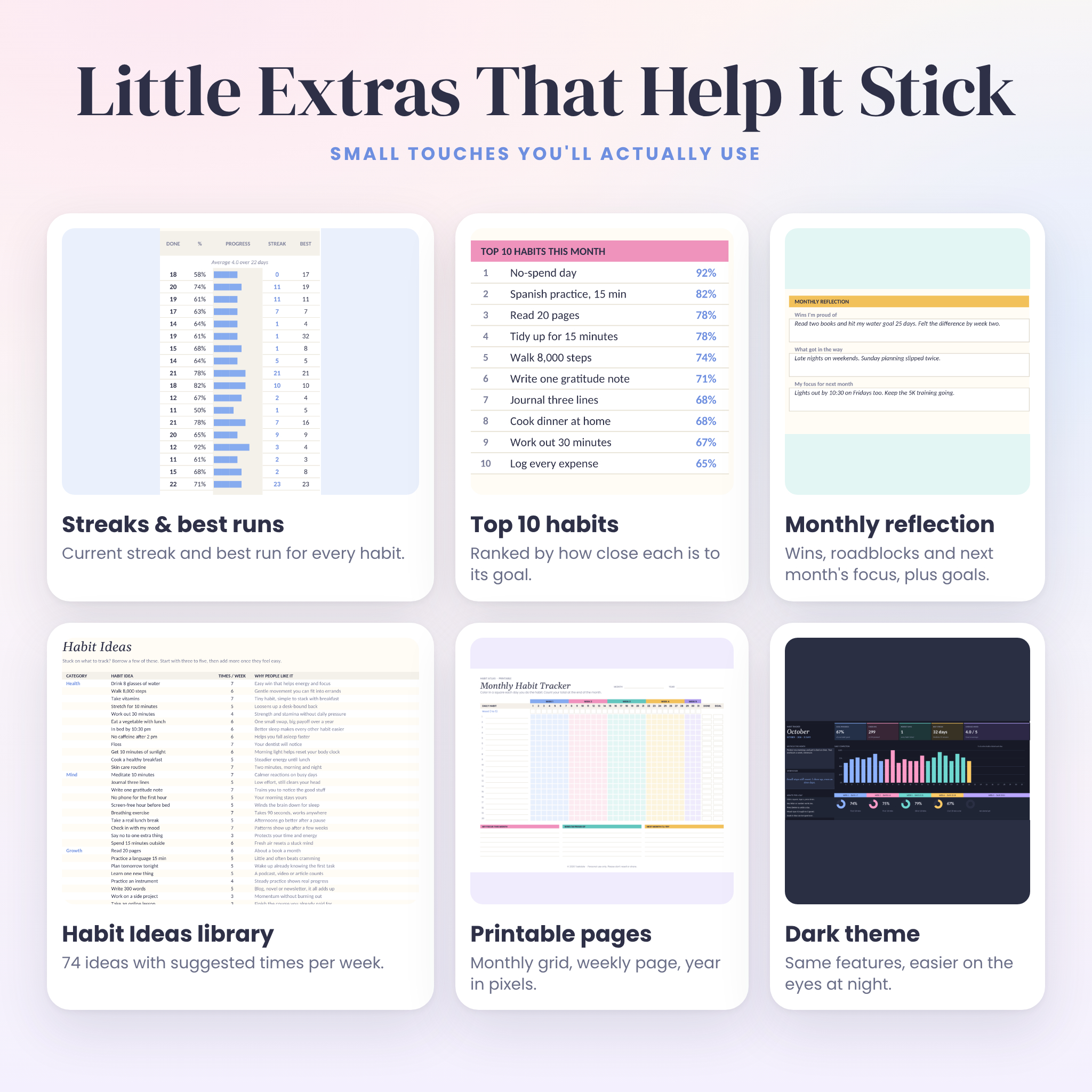
- Current streak and best streak for every habit
- Daily mood tracker: log 1 to 5 and the cell changes color
- Daily completion chart colored by week, plus five week rings
- Summary cards: goal progress, check-ins, perfect days, best streak and average mood
- Up to 10 weekly habits with one box per week
- Top 10 habits, ranked automatically
- Monthly goals with a Not started, In progress or Done status
- Monthly focus, affirmation and reflection boxes
- Gray squares for dates that don’t exist, like February 30, so totals stay right
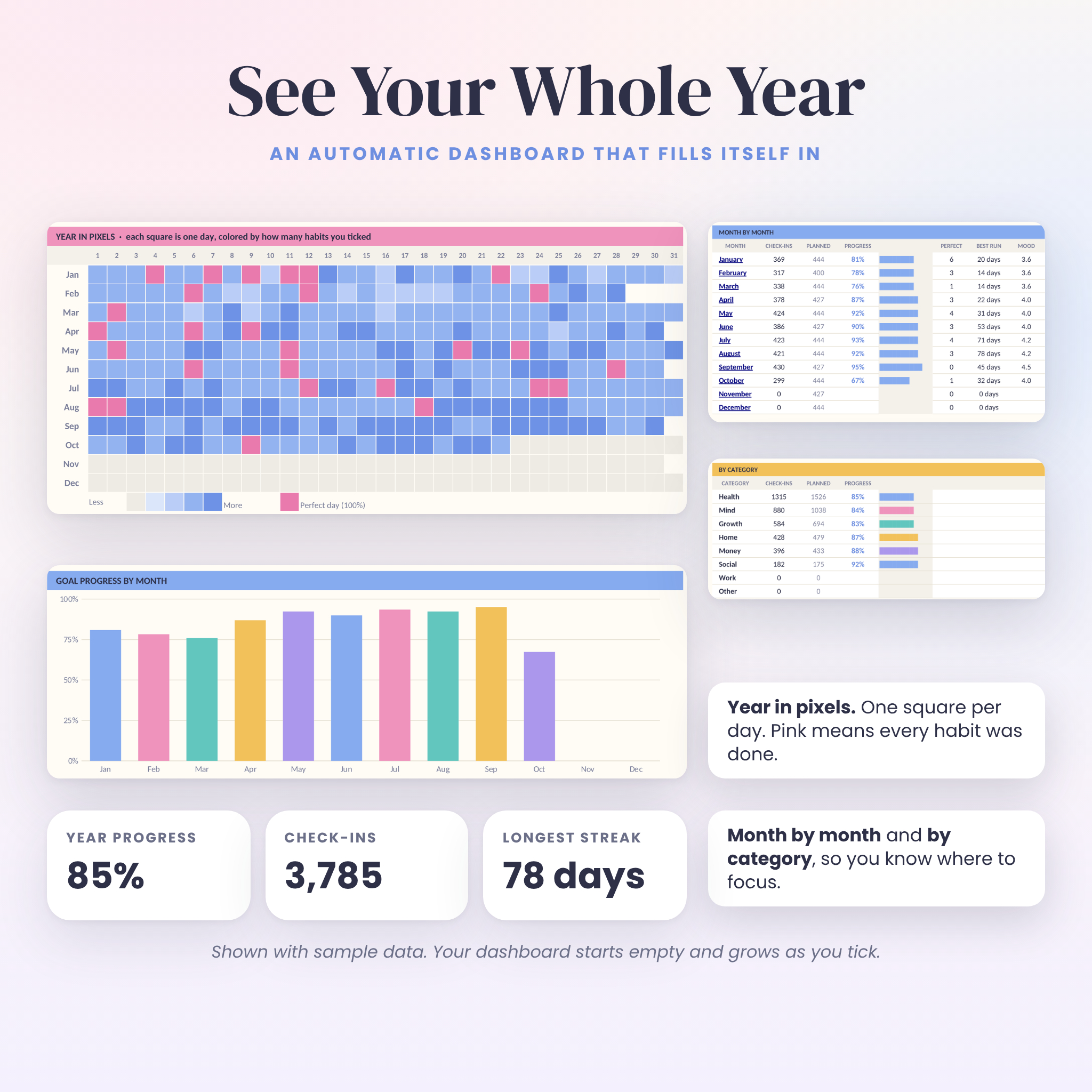
Year dashboard
- Year in pixels: one square per day, shaded by how many habits you did, with perfect days in pink
- Month by month table with check-ins, goal progress, perfect days, best run and mood
- Goal progress by month and average mood by month charts
- Progress by category, like Health, Mind or Money
- A full-year score for every daily habit
Settings and extras
- One Settings tab for your year, name, habits, categories and times per week
- Rename the 8 categories and every dropdown updates
- Habit Ideas tab with 74 ideas sorted into 8 categories
- Formula cells locked with no password, so nothing breaks by accident
- Clickable Start Here page with buttons that jump to each tab
What’s included
- Habit-Atlas-Habit-Tracker-Light.xlsx (16 tabs)
- Habit-Atlas-Habit-Tracker-Dark.xlsx (same tracker, dark theme)
- Habit-Atlas-Printable-US-Letter.pdf and Habit-Atlas-Printable-A4.pdf: monthly grid, weekly habits and goals page, year in pixels page
- Habit-Atlas-User-Guide.docx: a 10-page illustrated guide with setup steps, tips, troubleshooting and FAQ
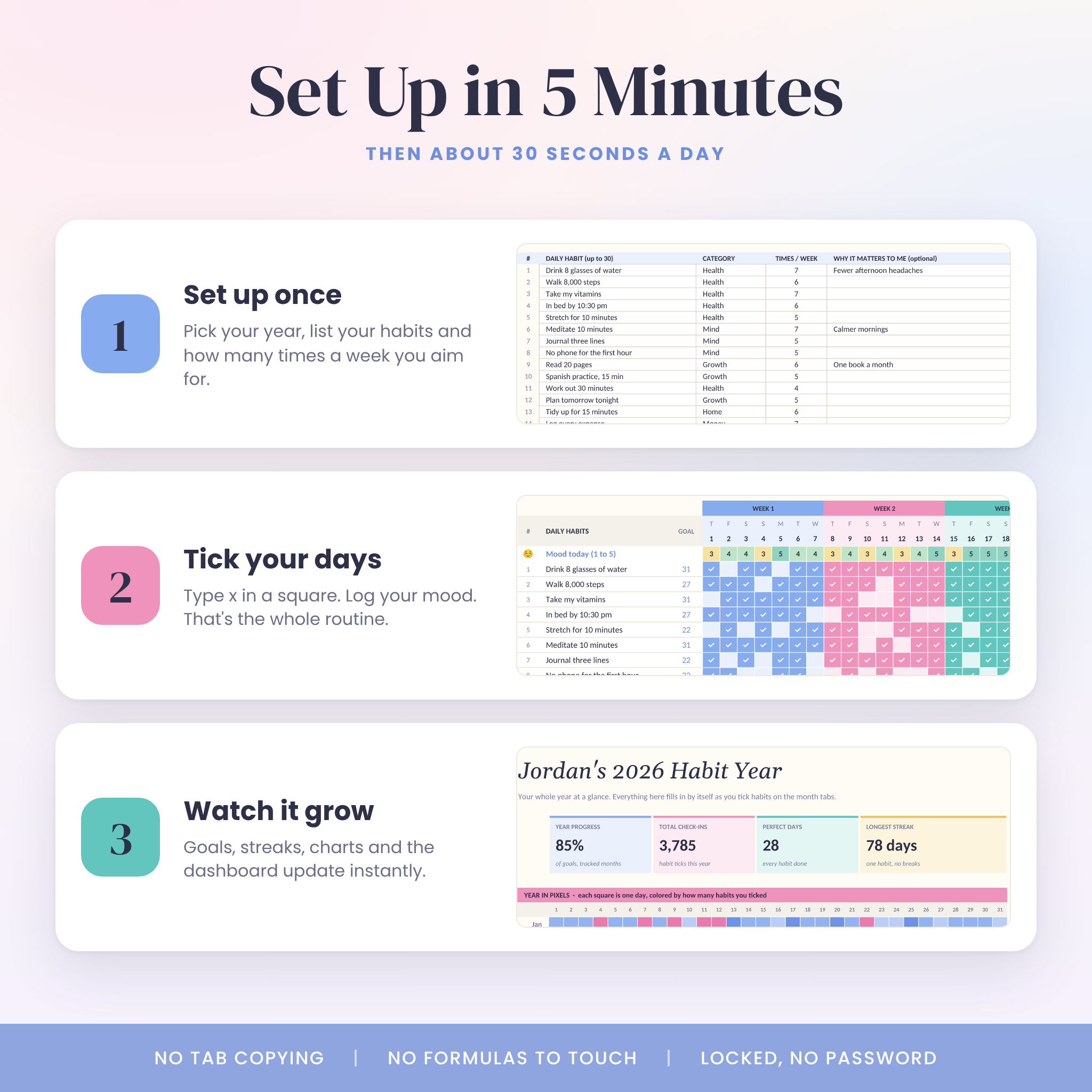
How it works
- Download the files and open the Light or Dark version.
- On Settings, type your year and list your habits with how many times a week you aim for each one.
- Each day, open the month and type x in the squares for the habits you did. Add your mood if you like.
- Check the Dashboard whenever you want to see the bigger picture.
File formats and software
- .xlsx spreadsheet files for Microsoft Excel and Excel for the web
- Google Sheets: upload the file to Google Drive and open it. A free Google account is all you need.
- Also opens in LibreOffice Calc
- PDF printables for home printing, sized for US Letter and A4
- DOCX user guide for Word or Google Docs
Setup is easiest on a computer. After that, you can tick habits from the Excel or Google Sheets app on your phone. Charts can look slightly different in Google Sheets, but every number is the same.
Make it yours
Rename categories, swap a habit for a single month by typing over its name, or set a different goal for one month only. Google Sheets users can turn the day squares into checkboxes with Insert, then Checkbox. Ticked boxes count and empty ones don’t. Money never comes up in this tracker, so there’s no currency to set.
Real ways people use it
- A New Year reset: track water, sleep, steps and reading for all of 2027 in one file
- Building a morning routine and watching the streak grow
- ADHD-friendly tracking: one keypress per habit, bright colors, no daily pressure
- Fitness goals like working out 3 or 4 times a week, without guilt on rest days
- Money habits such as no-spend days and logging expenses, next to health and self care
- Spotting patterns between mood and habits over a few months
- Printing the PDF pages for a fridge or desk tracker
Digital download
This is an instant digital download. No physical item ships. Your files are ready right after checkout from your account and order email.
License: personal use for you and your household. Please don’t resell, share or upload the files.
FAQ
Does this habit tracker work in Google Sheets?
Yes. Upload the .xlsx file to Google Drive and open it with Google Sheets. All formulas, colors and charts carry over.
Do I need to copy a tab every month?
No. January through December are already built and dated from the year you choose.
Can I track habits that aren’t daily?
Yes. Set times per week from 1 to 7 and each month’s goal adjusts to that month’s length. There’s also a separate weekly habits section.
How many habits can I track?
Up to 30 daily habits and 10 weekly habits per month.
Is there a dark mode?
Yes. You get both a Light and a Dark version of the full tracker.
Can I use it for 2027 and beyond?
Yes. Type any year on Settings and every date updates. Clear your ticks to reuse it the next year.
Can I print it?
Each month tab is set to print on one landscape page width, and you also get printable PDF pages in US Letter and A4.
Will I break the formulas?
Formula cells are locked, so a stray click won’t hurt anything. You only type in the white or tinted squares.
Reviews
There are no reviews yet.