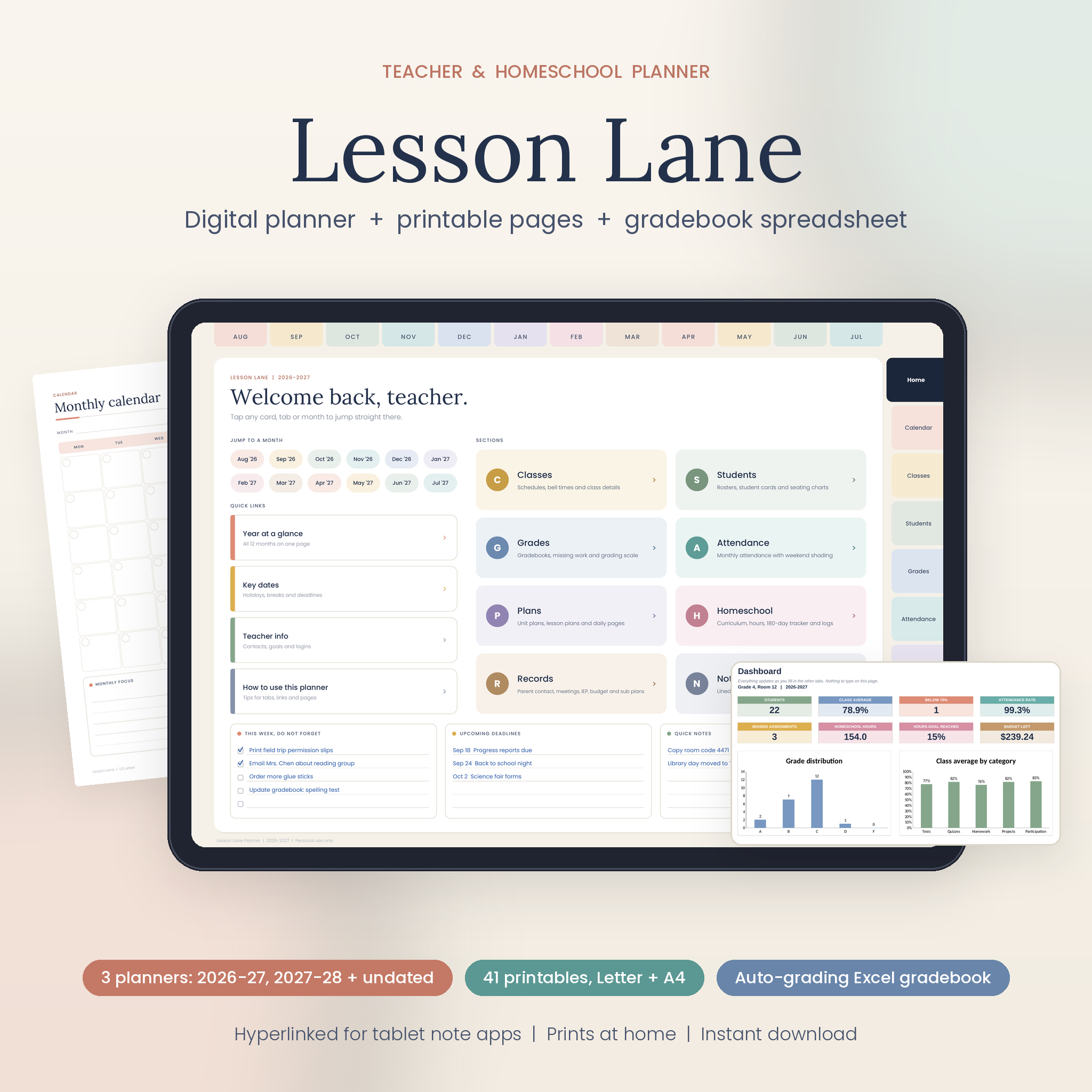
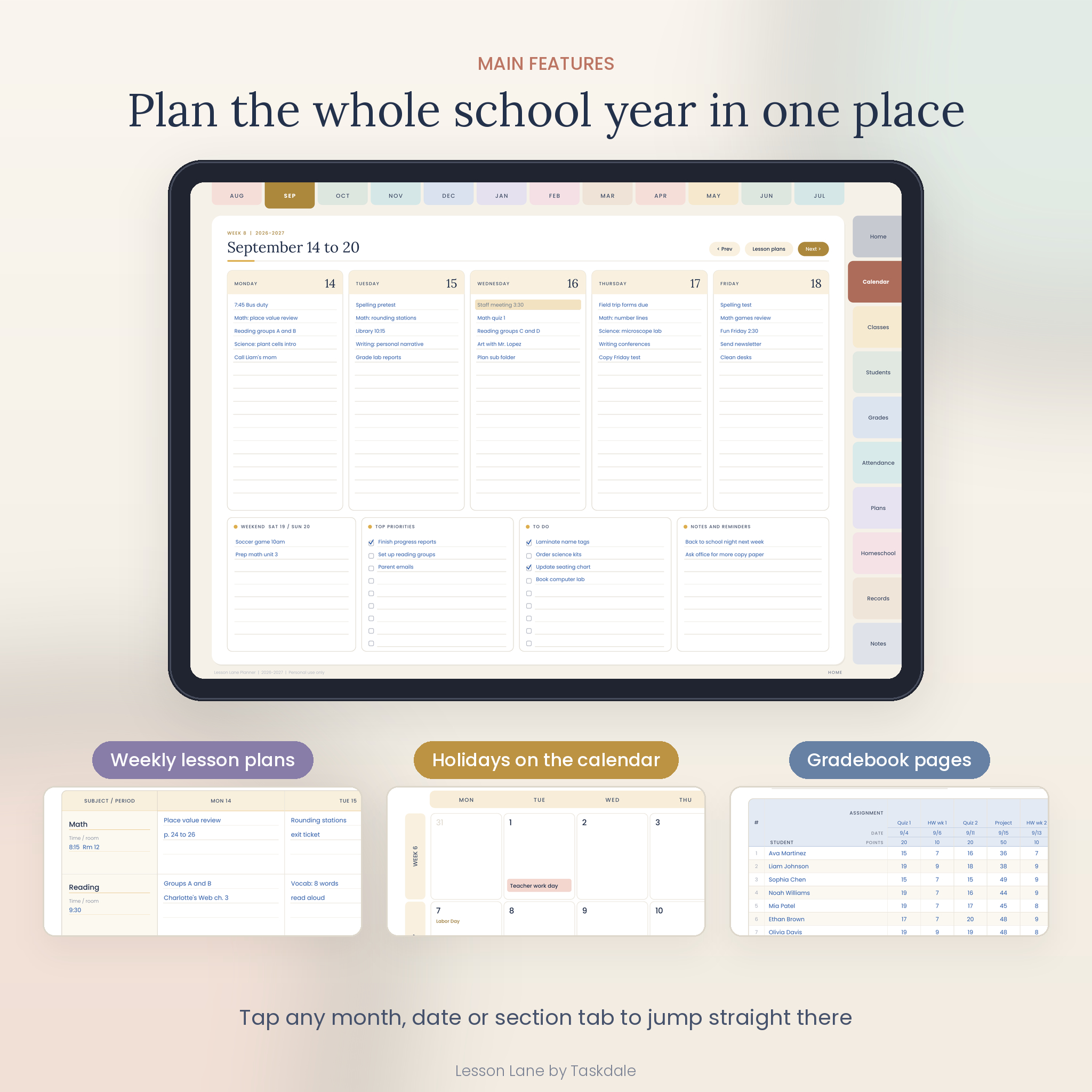
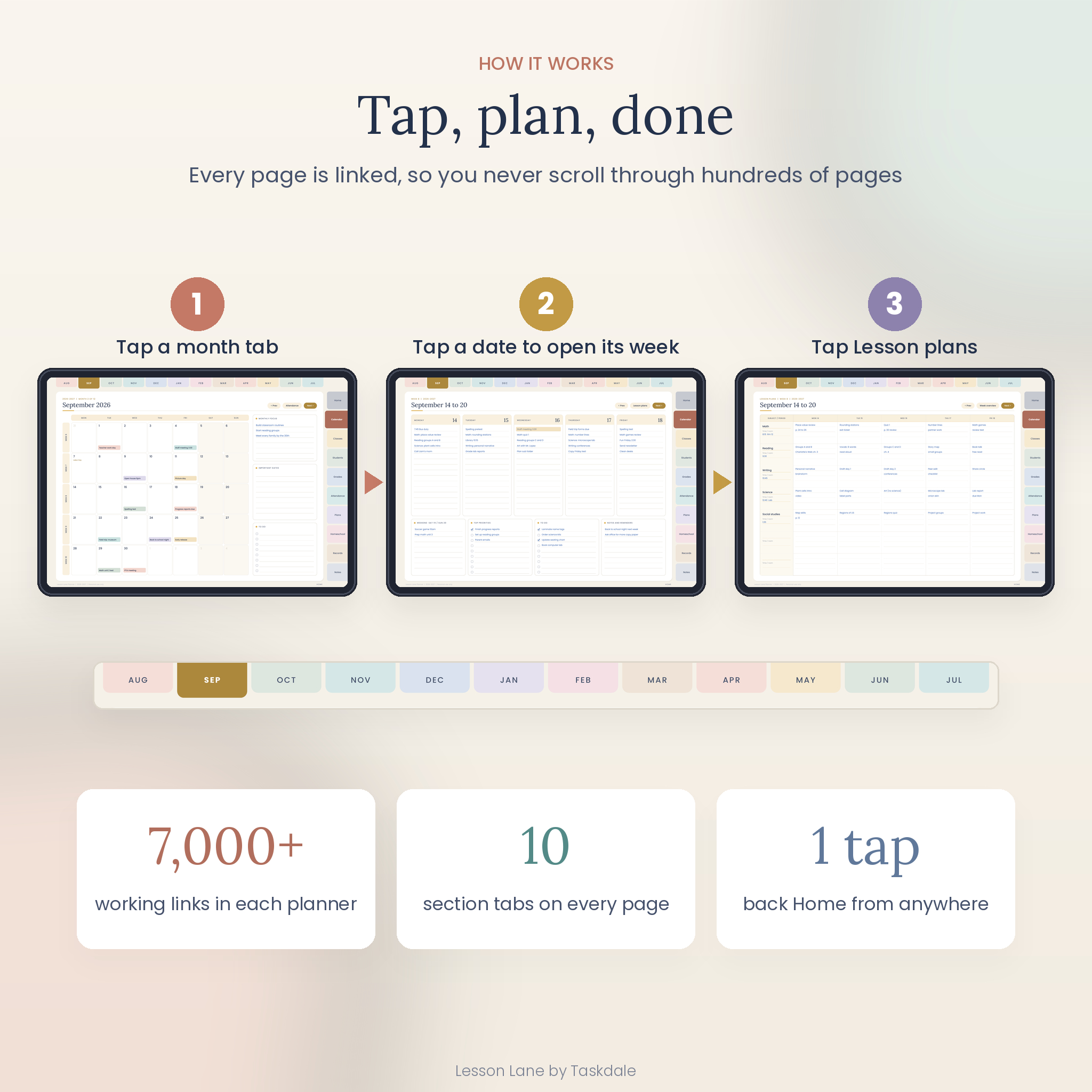
Lesson Lane is a digital teacher planner and homeschool planner built for real school weeks. You get a hyperlinked planner for your tablet, matching printable pages, and a gradebook spreadsheet that does the math, all in the same soft, color-coded design. Tap a month, tap a date, and you are on that week’s page. Tap again and you are in its lesson plans.
What this digital teacher planner does
It brings the parts of teaching that usually live in five different places into one system. Your calendar, weekly lesson plans, rosters, seating charts, gradebooks, attendance, parent contacts and sub plans all sit behind tabs on the right side of every page. Month tabs run across the top. A Home button sits in the corner of every page, so you are never more than one tap from the dashboard.
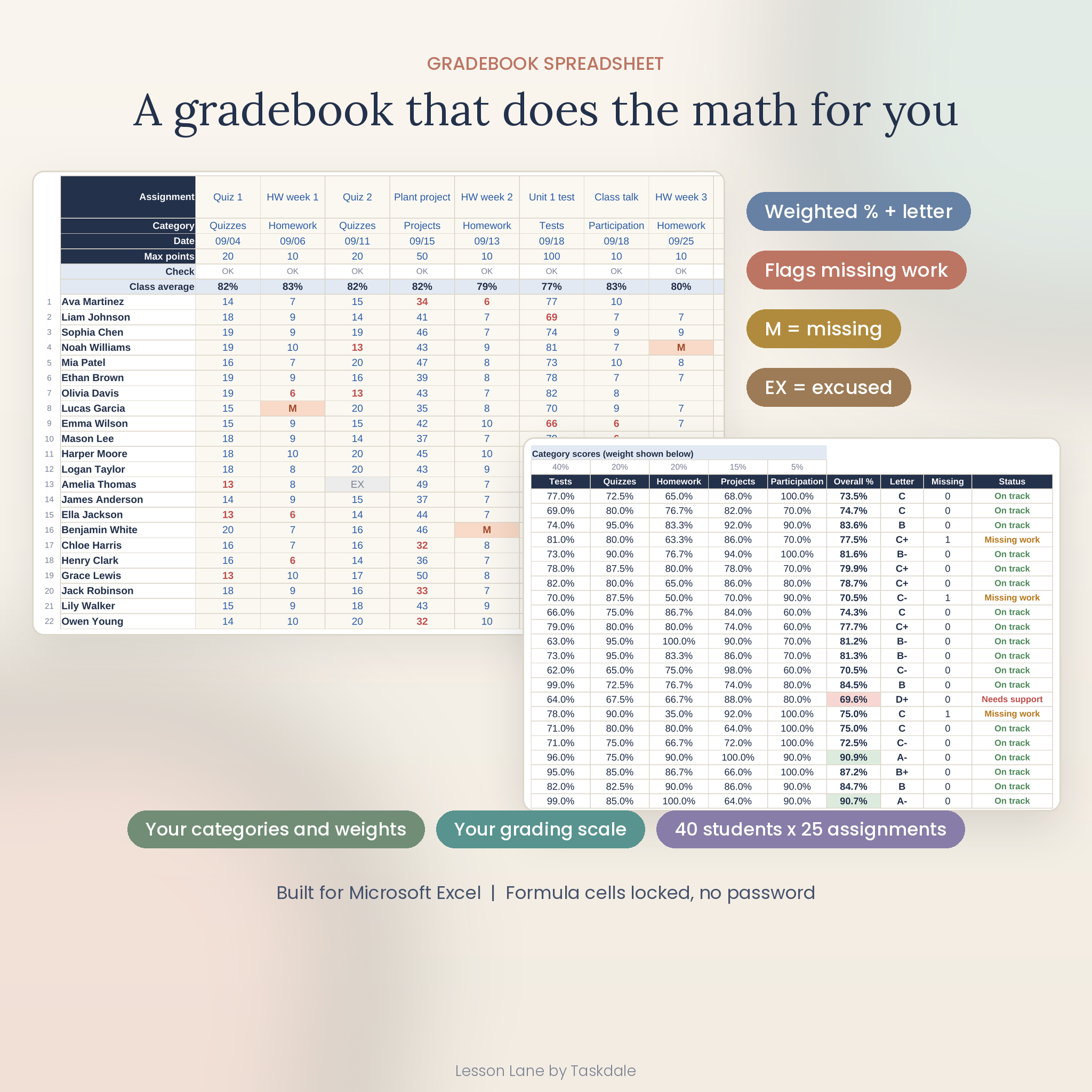
The spreadsheet handles the number work. Enter scores once and it gives you weighted category scores, an overall percentage, a letter grade from your own scale, a missing work count and a status flag for students below 70%.
Who it is for
- Elementary, middle and high school teachers who want lesson plans and records in one place.
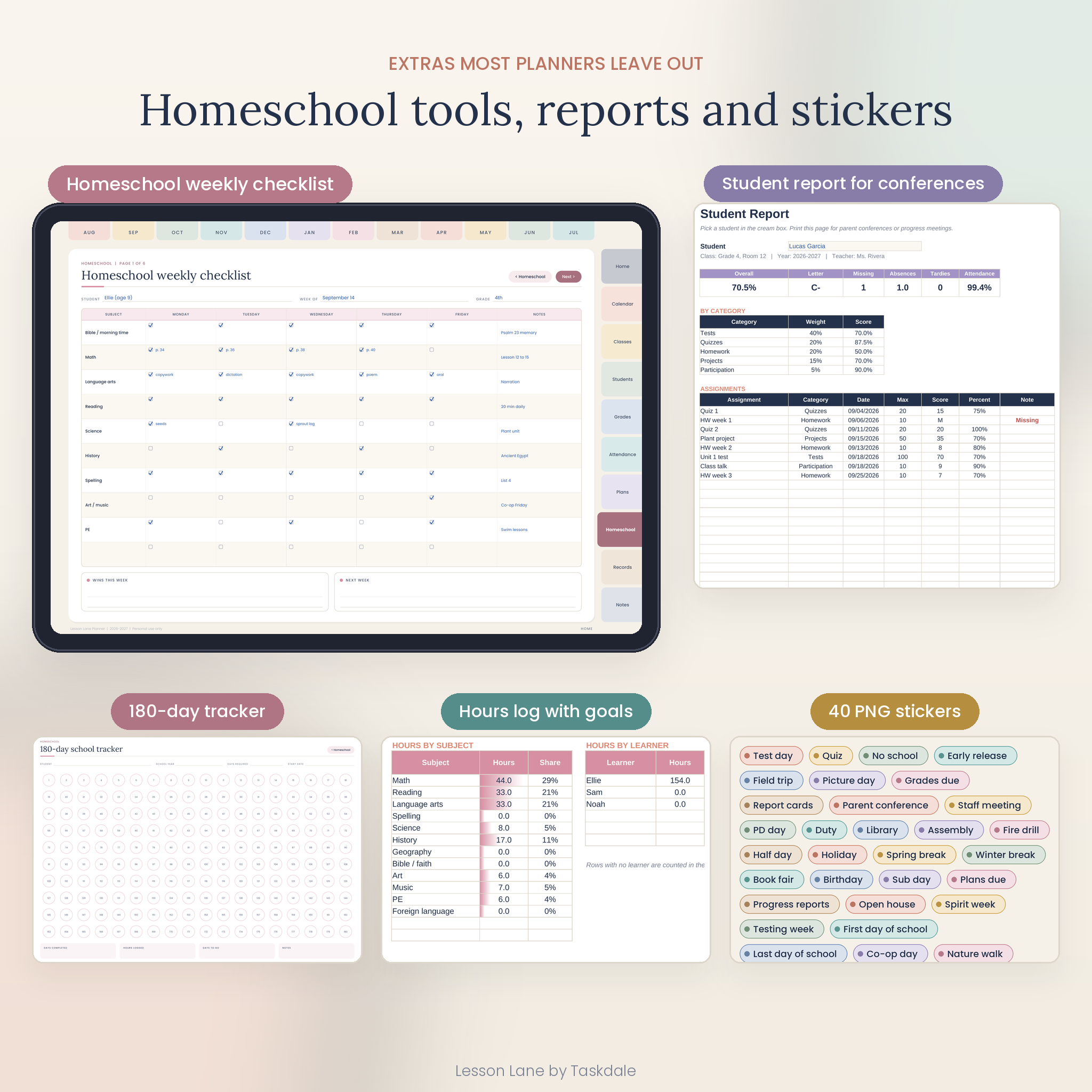
- Homeschool parents who need a curriculum plan, weekly checklists, an hours log and a 180-day record.
- New teachers, tutors and co-op leaders who want a ready structure from the first day.
What is included
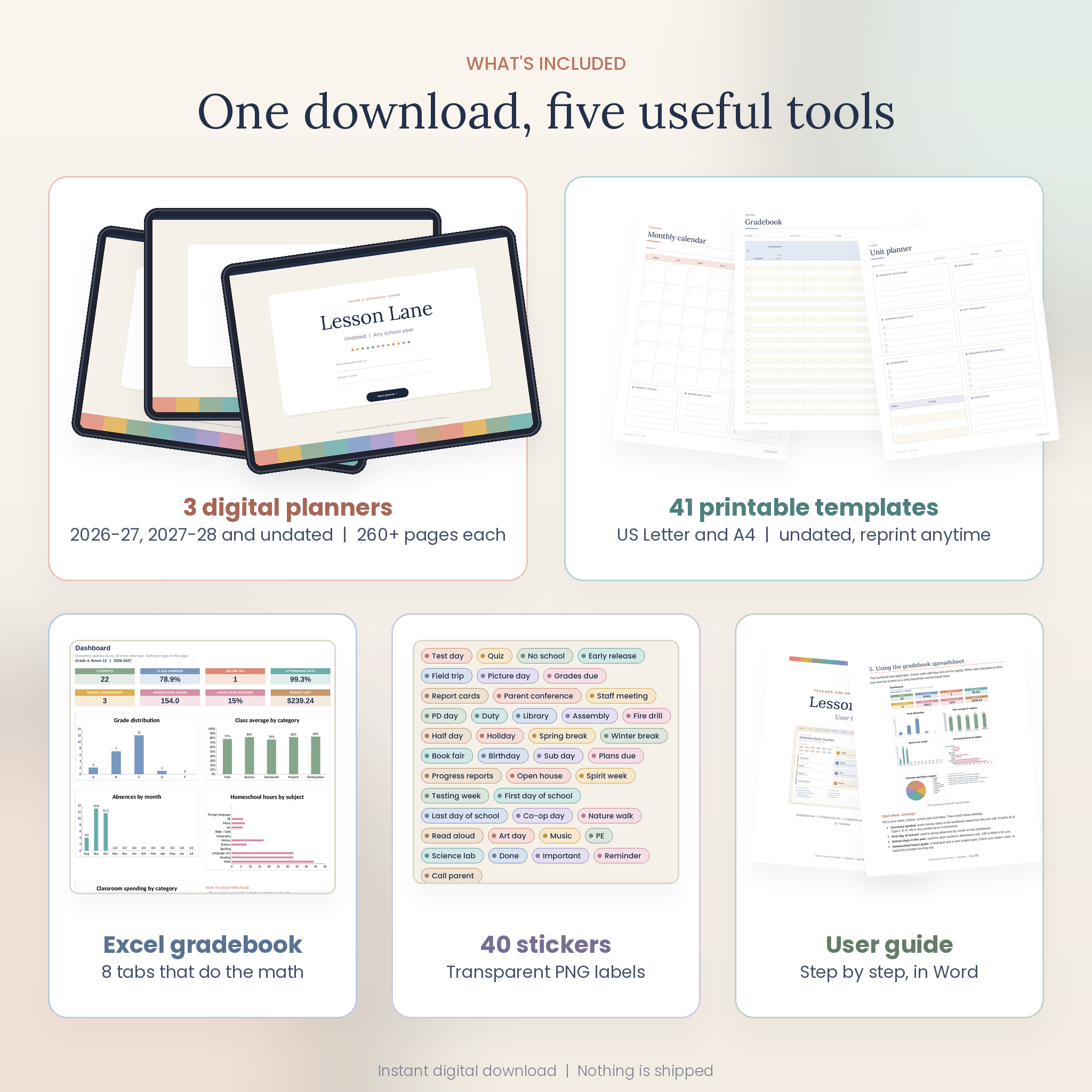
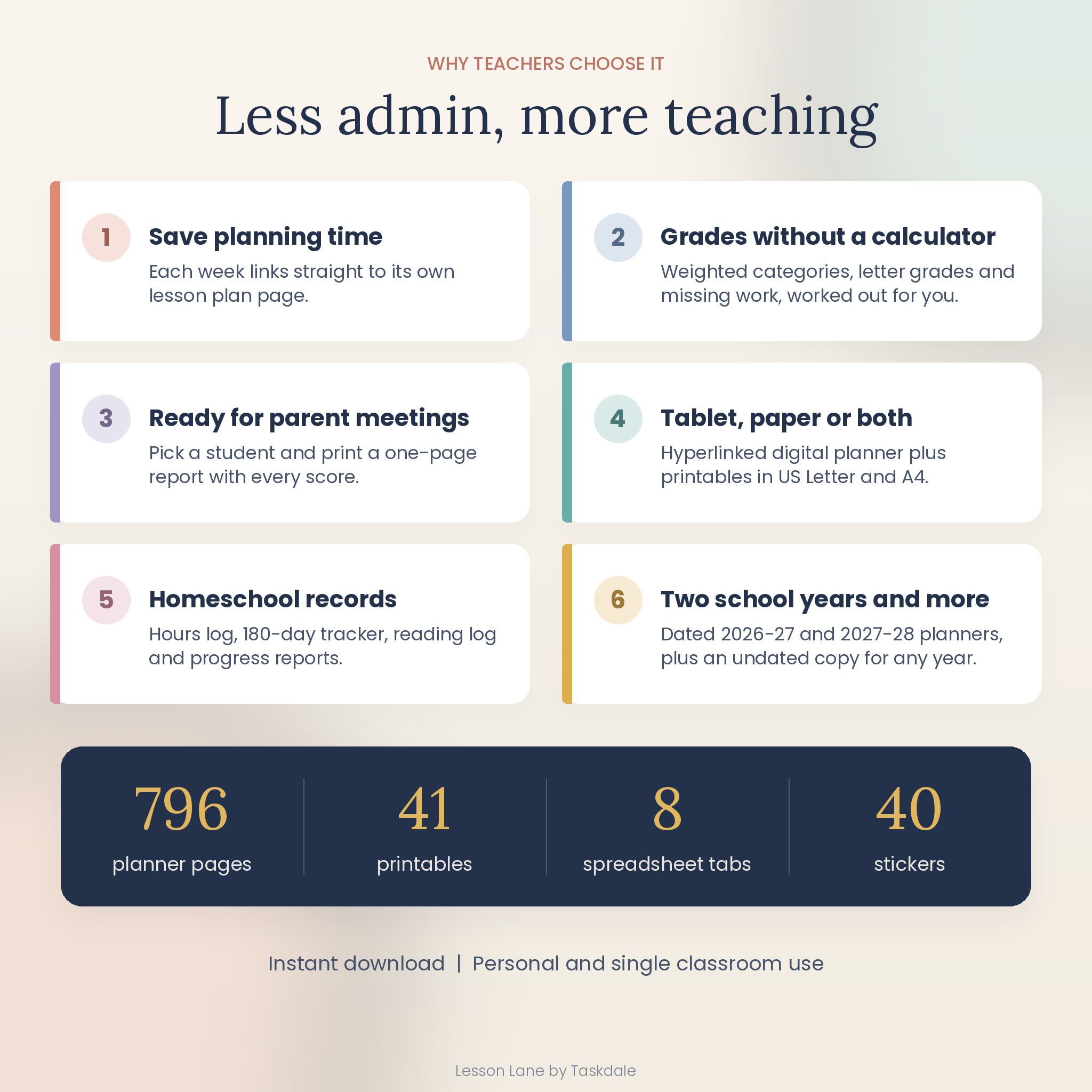
1. Three hyperlinked digital planners
- 2026-2027 academic year planner, August to July (260 pages)
- 2027-2028 academic year planner (262 pages)
- Undated planner for any school year (274 pages)
- Over 7,000 working links in each file: month tabs, section tabs, date links, week to lesson plan links, and Prev and Next buttons
2. Printable teacher planner
- 41 undated templates plus a cover and a linked contents page
- US Letter and A4 versions, half-inch margins, white backgrounds that save ink
3. Gradebook and Class Records spreadsheet (Excel)
- Start Here settings, Roster, Gradebook, Attendance, Homeschool Hours, Classroom Budget, Student Report and Dashboard tabs
- 40 students and 25 assignments, with five grade categories you name and weight
- One currency setting that every money value reads from ($ by default)
4. Bonus files
- 40 transparent PNG stickers such as Test day, Field trip, Grades due and Parent conference
- A 16-page user guide in Word format
Features inside the planner
Calendar and lesson planning
- Year at a glance with tap-to-open dates, and a key dates page
- Monday-start monthly calendars with US holidays printed on the dated versions
- Weekly pages with a column per school day, weekend box, priorities, to do and notes
- Weekly lesson plan pages with seven subject or period rows, linked to every week
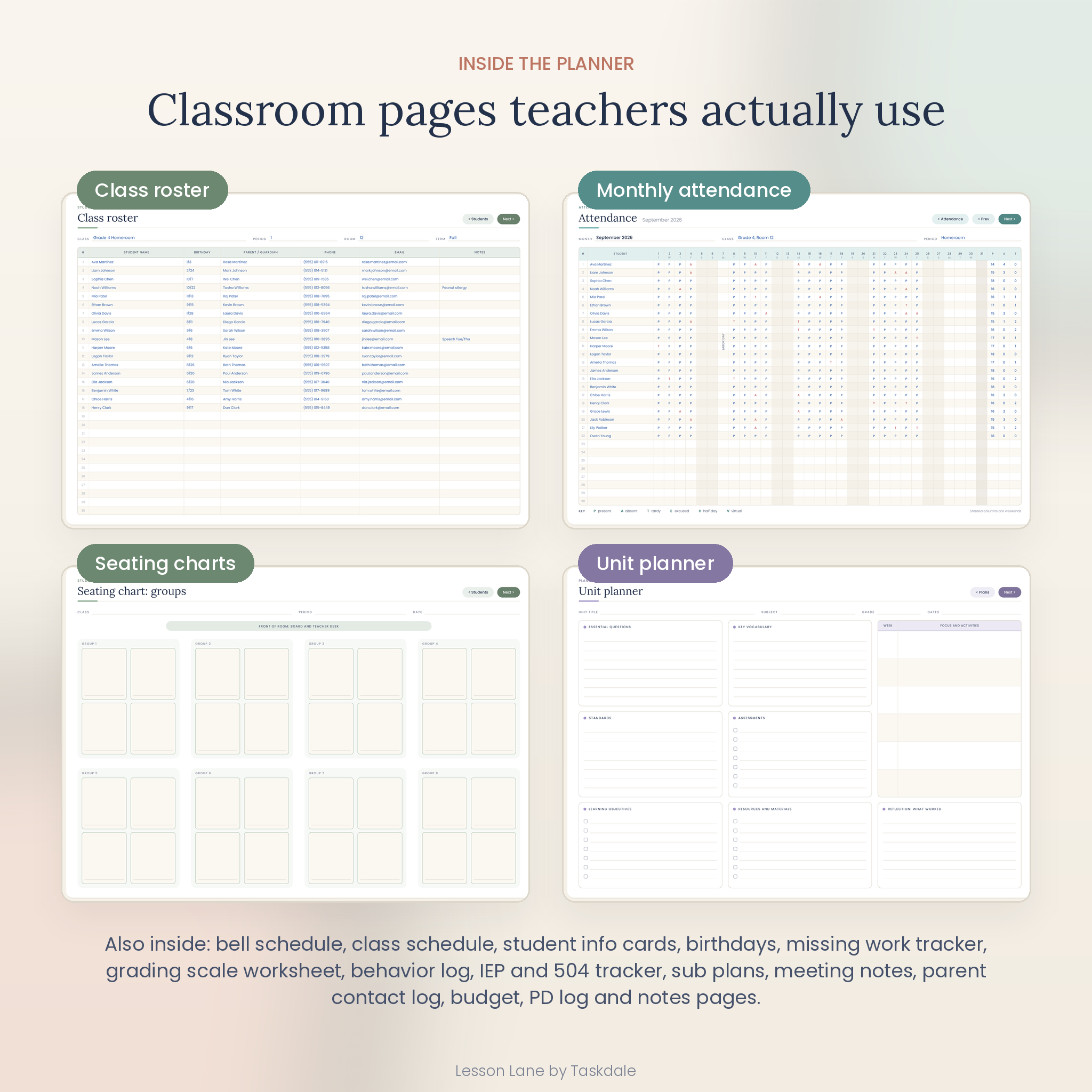
- Unit planners, detailed lesson plans and period-by-period daily pages
Classroom records
- Class schedules, bell schedule and routines, and six class info cards
- Four 30-student rosters, 32 student info cards and a birthday page
- Seating charts in rows, table groups and U-shape layouts
- Eight gradebook pages, a missing work tracker and a grading scale worksheet
- Twelve monthly attendance pages, with weekday letters and shaded weekends in the dated versions
- Parent contact log, meeting notes, behavior log, IEP and 504 tracker, substitute teacher info, classroom budget, supply and wish list, and a PD log
Homeschool section
- Student profiles for up to four learners and a curriculum planner
- Weekly subject checklists, a 180-day school tracker and an hours log
- Reading log with star ratings, field trip planner and term progress reports
How it works
- Download the ZIP file and unzip it.
- Import the planner PDF for your school year into your note-taking app.
- Tap Open planner on the cover, then use the tabs to move around.
- Open the spreadsheet, fill in the Start Here tab, add your students and start entering grades.
- Print any extra pages you want from the US Letter or A4 file.
File formats and software
- Digital planner: hyperlinked PDF, landscape, sized for iPad screens. Made for PDF note-taking apps like GoodNotes, Notability and Xodo, and it opens in any PDF reader.
- Printables: PDF in US Letter (8.5 x 11 in) and A4.
- Spreadsheet: .xlsx for Microsoft Excel. It was built and tested in LibreOffice Calc using standard Excel functions. It has not been tested in Google Sheets or Apple Numbers.
- Stickers: PNG with transparent backgrounds.
- Guide: DOCX, opens in Word, Pages or Google Docs.
Make it yours
Write class names, periods and rooms in the header lines on each page. Duplicate any page in your app when you need more, and the copy keeps its tabs and links. In the spreadsheet you can rename grade categories, change weights, edit the grading scale, set your currency symbol and add your own homeschool subjects, learners and budget categories. Formula cells are locked to protect them, with no password, so you can turn protection off if you want to change the layout.
Real ways teachers use it
- Plan Monday to Friday on Sunday night, then fill the lesson plan page behind each week.
- Print a one-page Student Report before a parent conference.
- Hand the substitute teacher pages to a sub along with your daily schedule.
- Track classroom spending and reimbursements across the year.
- Homeschool families log daily hours and keep a 180-day record for their state.
Digital download
This is an instant digital download. Nothing is shipped. After checkout you get a ZIP file with every planner, printable, spreadsheet, sticker and the user guide. The user guide is also offered as a separate download.
Teacher planner FAQ
Which apps does the digital planner work in?
It is a standard hyperlinked PDF made for apps like GoodNotes, Notability and Xodo. It also opens in any PDF reader.
Is this a dated or undated teacher planner?
Both. You get dated 2026-2027 and 2027-2028 planners, plus an undated version for any year.
Does the school year run August to July?
Yes. If your year starts in another month, use the undated version.
Can I print the pages?
Yes. The printable set comes in US Letter and A4, and you can print as many copies as you need for your own class.
Does the gradebook calculate weighted grades?
Yes. Set up to five categories and weights, and it works out each student’s overall percentage and letter grade.
Can I use it as a homeschool planner?
Yes. There is a full homeschool section and a homeschool hours tab in the spreadsheet.
Can I use my own currency?
Yes. Change one currency cell in the spreadsheet and every money value updates. The printable budget pages leave a blank space for your currency.
License: for personal use, or use in your own classroom or homeschool. Please do not resell, share or redistribute the files.
Reviews
There are no reviews yet.