The Best Debt Snowball Tracker for Your Payoff Plan
A debt snowball tracker is best when it shows your debt-free date and tells you which debt gets the extra money each month. For most people, that means a dedicated spreadsheet such as Payoff Prism, Balance Bloom or Breakwater. Choose a budget planner instead if you also want to track bills and spending.
Paying off several debts at once can feel tangled, and it is easy to lose track of what you owe and where the extra money should go. A good tracker removes the guesswork. We'll explain what to look for, compare the main options and help you decide, so you can start with confidence.
Key facts at a glance
- A debt snowball pays the smallest balance first while you make minimum payments on everything else.
- Dedicated debt spreadsheets here handle between 25 and 50 debts, depending on the template.
- Several trackers on this page also run the avalanche method, which targets the highest interest rate first, so you can compare both plans.
- Some options work offline with no account, while others need Google Sheets, Excel or a tablet app such as GoodNotes.
- Printable planners suit people who prefer pen and paper, and fillable PDFs let you type instead.
 Debt Snowball Spreadsheet | Breakwater Debt Payoff Planner for Google Sheets with Avalanche Calculator, Payment Tracker & Debt-Free Dashboard
 Debt Payoff Planner App | Paidwell Snowball & Avalanche Debt Tracker with Payoff Calculator, Budget, Credit Score Tracker & Printables | Works Offline
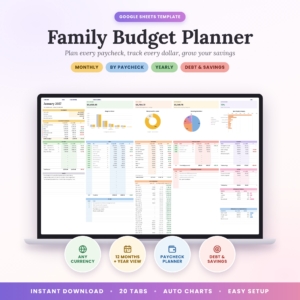 Family Budget Planner Google Sheets | Nest & Nickel Monthly Budget Spreadsheet with Paycheck Planner, Debt Payoff, Savings Goals & Yearly Dashboard
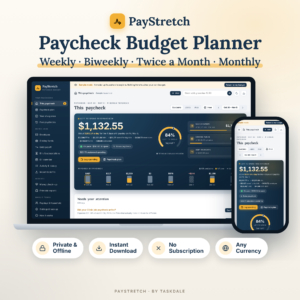 PayStretch Paycheck Budget Planner | Weekly & Biweekly Budget App with Cash Envelopes, Sinking Funds, Debt Snowball & Bill Calendar | Offline HTML, Any Currency
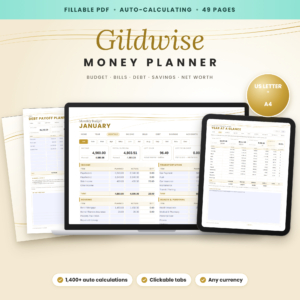 Budget Planner Fillable PDF | Gildwise Auto-Calculating Money Planner with Monthly Budget, Debt Tracker, Savings & Net Worth Tracker | US Letter & A4
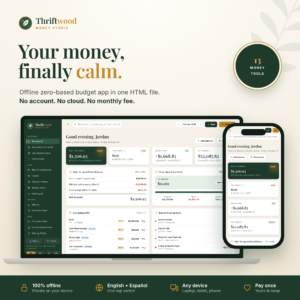 Offline Budget App | Thriftwood Money Studio HTML Personal Finance Tracker with Zero-Based Budget, Bill Tracker, Debt Payoff & Paycheck Planner
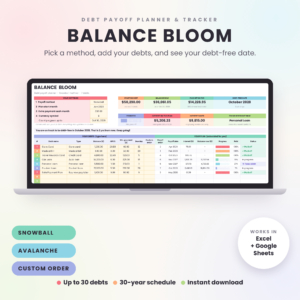 Debt Payoff Planner Spreadsheet for Excel & Google Sheets | Balance Bloom Debt Snowball & Avalanche Tracker with Payoff Schedule, Payment Log & Coloring Chart
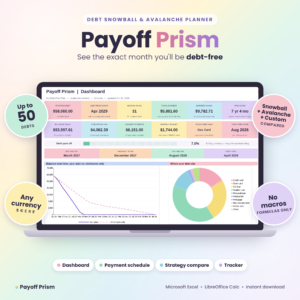 Debt Snowball Spreadsheet for Excel | Payoff Prism Debt Payoff Planner with Avalanche Calculator, Payment Schedule & Tracker
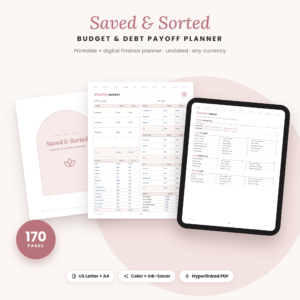 Saved & Sorted Budget Planner Printable | Debt Payoff Tracker, Savings Challenges & Monthly Budget | 170-Page Undated Finance Planner PDF
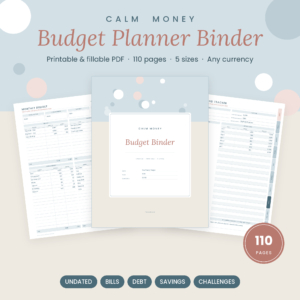 Printable Budget Planner Binder, Fillable PDF | Bill Tracker, Debt Snowball, Savings Tracker | Calm Money Budget Binder
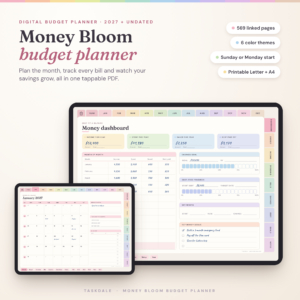
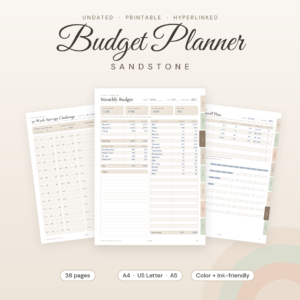
Table of Contents
Toggle
- What is a debt snowball tracker?
- What should you look for?
- How do the options compare?
- Which tracker suits which person?
- How do you use one month to month?
- Mistakes to avoid
- What affects the price?
- Which one should you choose?
- Common questions
What is a debt snowball tracker?
A debt snowball tracker is a spreadsheet, app or printable planner that lists your debts, orders them smallest balance first and shows what to pay on each one every month. The method was popularised by Dave Ramsey, and the idea is simple. Once the smallest debt is cleared, its payment rolls onto the next one, so the payments grow like a snowball.
The tracker does the arithmetic you would otherwise redo every month. It also gives you a debt-free date, which is the number most people find motivating.
What should you look for in a debt snowball tracker?
Look for five things: enough room for all your debts, the ability to switch strategy, a place to log real payments, a format you will open regularly, and privacy that suits you. Each one changes how useful the tracker is after the first week.
How many debts can it hold?
Capacity varies. Breakwater handles up to 25 debts, Balance Bloom up to 30 and Payoff Prism up to 50. Most households have far fewer than 25, so do not pay extra attention to the top figure unless you have many small store cards and loans.
Can you switch between snowball and avalanche?
Strategy switching means changing the payoff order without rebuilding your data. Breakwater does it with one dropdown. Balance Bloom and Payoff Prism compare snowball, avalanche and a custom order side by side. Paidwell goes further, with five more methods beyond those two.
Comparing matters because the avalanche usually costs less in interest, while the snowball gives faster early wins. Seeing both numbers lets you make an informed trade-off.
Does it log real payments and unexpected money?
A plan only works if it reflects what actually happened. Choose a tracker with a payment log. Balance Bloom and Payoff Prism also let you add tax refunds and raises, and Payoff Prism handles 0% promotional rates, which many store cards and balance transfers use.
Which format will you actually open?
The format decides whether you keep using it. Spreadsheets suit people who are comfortable with Excel or Google Sheets. Offline HTML apps such as Paidwell, PayStretch and Thriftwood Money Studio are single files that open in your browser. Printables suit people who like ticking things off. Money Bloom is built for GoodNotes on an iPad.
Who sees your data?
Debt details are personal. Paidwell, PayStretch and Thriftwood Money Studio work offline with no account, and Thriftwood needs no bank login. Google Sheets templates such as Breakwater and Nest & Nickel live in your own Google account. Printables keep everything on paper.
How do the best debt snowball trackers compare?
The table below compares the dedicated and most feature-rich options. Other planners on this page, including Nest & Nickel, Gildwise, Calm Money Budget Binder and Sandstone, include a debt section as part of a wider budget, and the next section covers them. Browse all 12 options in the grid.
Which debt snowball tracker suits which person?
Each option suits a different habit. Match the tracker to how you already manage money, not to the longest feature list.
- You want the cleanest debt-only plan: Breakwater, Balance Bloom or Payoff Prism. Choose Breakwater for Google Sheets, Payoff Prism for Excel and the largest debt list, and Balance Bloom if you want either program plus a coloured chart to fill in.
- You want to test ideas before committing: Paidwell lets you try balance transfers and lump sums and compare more methods, with no account or subscription.
- You live paycheck to paycheck: PayStretch assigns bills to each paycheck and shows what is left until payday. Its debt snowball sits inside that routine.
- You want one tool for everything: Thriftwood Money Studio covers a zero-based budget, bill tracker, debt payoff and paycheck planner, and imports bank CSV files.
- You share finances with a partner: Nest & Nickel offers 12 monthly dashboards, a debt snowball and avalanche planner and a savings goals tracker in Google Sheets.
- You prefer paper: Saved & Sorted has a payoff thermometer to colour in. Calm Money Budget Binder comes in five paper sizes, and Sandstone is the shortest at 38 pages. Gildwise is a fillable PDF with built-in calculations, so you type rather than write.
- You own an iPad: Money Bloom is a hyperlinked planner for GoodNotes with a debt snowball page.
How do you use a debt snowball tracker month to month?
Using a debt snowball tracker takes about ten minutes a month once it is set up. Follow the same routine each time so the habit sticks.
- Gather your latest statements and note each balance, interest rate and minimum payment.
- Enter every debt into the tracker and choose the snowball order.
- Check the debt-free date and the amount to pay on each debt this month.
- Make all minimum payments, then send every spare pound to the smallest debt.
- Log the payments you actually made, and update balances from your next statements.
- When a debt reaches zero, move its whole payment onto the next debt in the list.
Do step 5 even when the month went badly. A tracker with real figures gives you an honest date, and an honest date is more useful than a hopeful one.
What mistakes should you avoid with a debt snowball tracker?
The most common mistakes are entering rough numbers, forgetting new borrowing and skipping the payment log. Each one makes the debt-free date less reliable.
- Guessing interest rates. Use the rate on the statement. A wrong rate skews the interest figures when you compare strategies.
- Dropping the minimums. The snowball only works if every other debt still receives its minimum payment.
- Not recording new spending on cards. If the balance grows, the plan is out of date. Update the balance rather than the target date.
- Forgetting promotional rates. A 0% deal that ends soon changes which debt costs most. Payoff Prism lets you enter these.
- Choosing a tracker too big for the job. A 170-page planner is wasted if you will only ever open one page. Pick the size you will use.
- Treating the date as fixed. It is a forecast. Raises, refunds and lump sums can bring it forward.
What affects the price of a debt snowball tracker?
Price depends mostly on scope, format and how much is bundled. A single-purpose spreadsheet generally costs less than a full budgeting system, though the live cards show the current figure for each product.
- Scope. Debt-only spreadsheets sit at the cheaper end. Products that add budgeting, paycheck planning, credit score tracking or net worth tracking tend to cost more.
- Size. Larger printable planners with hundreds of pages or thousands of links usually cost more than a short 38-page one.
- Format. Browser apps, spreadsheets and PDFs are all instant downloads, so the difference comes from features rather than delivery.
- Extras. User guides, printable packs and multiple paper sizes add value, and some of these are included in the price.
- Ongoing fees. Paidwell, PayStretch and Thriftwood Money Studio state no subscription or monthly fee, so you pay once.
Which debt snowball tracker should you choose?
Choose by the main job you need done. If you only want to clear debt, pick a dedicated spreadsheet that matches your software: Payoff Prism for Excel, Breakwater for Google Sheets or Balance Bloom for either.
If your debts are tangled up with a tight monthly budget, choose PayStretch or Thriftwood Money Studio. If you want to see your plan on paper, pick a printable such as Saved & Sorted. Whichever you choose, enter your real balances today and start with the smallest debt.
Common questions
Is the snowball or the avalanche cheaper?
The avalanche usually costs less in interest because it targets the highest rate first. The snowball can feel easier because you clear small debts sooner. Trackers such as Balance Bloom and Breakwater show the interest difference, so you can decide on real numbers.
Where do I find my interest rate and minimum payment?
Both appear on your latest statement or in your online account. Loan agreements also list the rate. If a figure is unclear, contact the lender and ask. Enter the exact numbers, because rounding them can shift your debt-free date.
Is it safe to put my debts into a spreadsheet?
A spreadsheet holds only what you type, so you can leave out account numbers and enter just balances, rates and payments. Google Sheets files sit in your Google account, while offline apps keep data on your own device. Printables stay on paper.
Can I use a tracker if my income changes each month?
Yes. Log what you actually pay each month and let the tracker recalculate. PayStretch is designed around paycheck timing, including short paychecks flagged in advance. Balance Bloom and Payoff Prism let you add raises when they happen.
What should I do with a tax refund or bonus?
Send it to the debt you are currently targeting. A one-off payment pulls the debt-free date forward. Payoff Prism and Balance Bloom accept refunds in the plan, and Paidwell lets you test lump sums before you commit.