You downloaded the app. You scanned a barcode or two. Then the free trial ended, the screen asked for a monthly fee, and your food log went quiet for three weeks. Sound familiar? A macro tracker spreadsheet fixes most of that. It’s yours, it doesn’t expire, and nobody can put your protein count behind a paywall. This guide shows you how to track calories and macros in a spreadsheet, what columns you really need, and which ready-made files save you the setup time.
Quick picks: macro tracker spreadsheet and planner options
| Product | Best for | Price | Link |
|---|---|---|---|
| Glow Goals Weight Loss & Fitness Tracker | Calorie and macro tracking in Google Sheets | $2.50 | View |
| SlimBloom Weight Loss & Fitness Planner Spreadsheet | Calories and macros in one Excel file | $1.19 | View |
| Pastel Reset Printable Weight Loss Planner | Paper macro tracking plus an Excel dashboard | $4.99 | View |
| Peak Form Fitness & Wellness Planner | Workout, meal and habit tracking together | $4.49 | View |
Why a macro tracker spreadsheet beats most apps
Apps are great at one thing: making logging feel fast on day one. After that, the cracks show. Ads. Subscriptions. A food database full of entries that someone typed wrong in 2017. And a layout that decides what you should care about.
A spreadsheet flips that. You decide which numbers matter. If you only care about protein and total calories, you track two columns and ignore the rest. If you want fiber too, add a column. It takes ten seconds.
There’s another benefit people don’t talk about much. A spreadsheet shows your whole week at once. Apps hide the pattern behind taps and screens. In a sheet, you’ll see that every Thursday you land 400 calories over. That’s useful. You can’t fix what you can’t see.
Fair warning, though. A spreadsheet takes a little setup, and typing in every food by hand gets old. The trick is to build it so you log meals you eat often, not every single ingredient on earth.
What to put in a macro tracker spreadsheet
Keep it small. The more columns you add, the less likely you are to keep using it. Here’s the minimum that does the job.
- Date
- Meal (breakfast, lunch, dinner, snack)
- Food and portion
- Calories
- Protein, carbs and fat in grams
Then add a daily total row at the bottom of each day, using a simple sum. Under that, a target row with the numbers you’re aiming for. The gap between the two rows is the whole point of the sheet. Green when you’re close, red when you’re not, if you like colors.
A simple formula for the calories check
Protein and carbs each carry about 4 calories per gram, and fat carries about 9. So if you log grams, you can add a quick check that multiplies them out and compares the result to your calorie number. If the two figures are far apart, a food entry has a typo. It’s a handy little sanity test, and it catches mistakes before they pile up.
Where do your targets come from?
That’s a personal question, and the right answer depends on your body, your activity and your goals. A registered dietitian or doctor can help you set numbers that suit you. Online calculators give rough starting points, but treat them as estimates, not orders.
How to build your macro tracker spreadsheet in one sitting
If you want to build from scratch, here’s a quick path. Open a new file. Put your headers in row one. Freeze that row so it stays visible as you scroll. Format the date column as a date, and the rest as numbers.
Next, create a second tab called “Foods.” This is your personal food list. List the things you eat all the time with their calories and macros per serving. Oatmeal. Your usual yogurt. The chicken wrap from the corner shop. When you log a meal, you copy the line from your food list instead of searching a database. After two weeks, about 80 percent of your meals will already be on the list.
Third, a weekly summary tab in your macro tracker spreadsheet. Average calories, average protein, and the number of days you hit your target. That’s all. Looking at one tab on Sunday night tells you more than staring at a daily number ever will.
Honestly, this takes about an hour the first time. If that sounds like an hour you’d rather spend elsewhere, a ready-made file is a very fair shortcut.
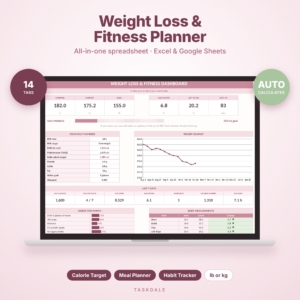
SlimBloom Weight Loss & Fitness Planner Spreadsheet
Price: $1.19 | Best for: calorie and macro tracking in an Excel template
SlimBloom is an Excel template with a calorie, macro, meal, workout and habit tracker in one file. That means your food log, your workouts and your daily habits live side by side, with no tab-hopping between apps. It’s a low-cost way to skip the setup hour.
Excel or Google Sheets for macro tracking?
People ask this a lot. Both work, and both are fine for a macro tracker spreadsheet. Excel runs on your computer and handles bigger files smoothly. Google Sheets lives in your browser, syncs across devices and is easy to open on your phone while you’re standing in the kitchen.
If you want to log from your phone, Sheets has an edge, because the mobile app is simple and you can pin your sheet to the home screen. If you prefer working at a desk and like more formatting control, Excel is solid.
Some ready-made files come as Excel templates. Google Sheets can usually open Excel files, though a few features may look or work a little differently once you do, so test it before you rely on it. Check the product description of any template you buy to see which program it was made for.
Whichever you choose, back the file up. Copy it once a week into a folder with the date in the name. It takes five seconds and protects months of data.
Common macro tracking mistakes (and easy fixes)
Most people who quit tracking don’t fail at math. They fail at habits. Here are the usual culprits.
Logging everything at bedtime
By 9 pm you’ll forget the handful of nuts, the second coffee with milk, the bite of your kid’s toast. Log right after you eat, or at least after each meal. Even a rough entry beats a perfect one you never make.
Chasing perfect numbers
You don’t need to hit 150 grams of protein to the exact gram. A range works better. Aim for within about 10 percent of your target and call it a win. Perfection is how people burn out by week three.
Ignoring weekends
Weekdays are tidy. Weekends are not. If you only track Monday to Friday, your weekly average is a fiction. You don’t have to be strict on Saturday, but write it down anyway. Seeing it is half the battle.
Never weighing or measuring anything
Eyeballing portions is fine for veggies. For calorie-dense foods like oil, nut butter and rice, a cheap kitchen scale for a week or two will teach you what a real serving looks like. After that, your eye gets much better.
One note before we go further: this is general information, not medical or nutrition advice. If you have a health condition, a history of disordered eating, or you’re pregnant, talk to a doctor or dietitian before tracking calories.
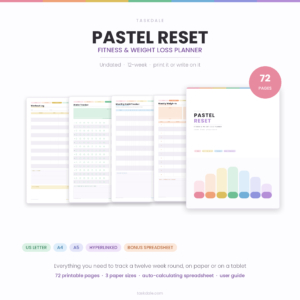
Pastel Reset Printable Weight Loss Planner
Price: $4.99 | Best for: macro tracking on paper with an Excel dashboard
A 72-page undated fitness journal with a workout log, meal planner, macro tracker and habit tracker. It prints in US Letter, A4 and A5, and an Excel dashboard comes with it. A good pick if you like writing things down but still want a spreadsheet view.
Paper, spreadsheet or both?
Some people love typing numbers into cells. Others find a pen and a printed page far more satisfying, and they stick with it for longer. There’s no wrong answer here. Think about where you eat and when you’ll have the chance to log.
If you’re mostly at a desk, a spreadsheet is faster. If you’re on your feet at work, a folded paper page in your bag may beat pulling out a laptop. And a hybrid works for plenty of people: write quick notes during the day on paper, then type the totals into the sheet at night.
The hybrid approach tends to win for a simple reason. The paper part is forgiving and quick. The spreadsheet part gives you the weekly charts and averages that keep you honest. You get the best of both.
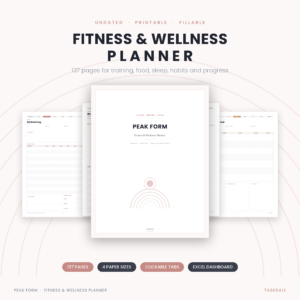
Peak Form Fitness & Wellness Planner
Price: $4.49 | Best for: tracking workouts, meals and habits together
A 137-page printable and fillable planner with workout, weight loss, meal and habit trackers. It comes in US Letter, A4, A5 and Half Letter, plus an Excel dashboard. Handy if you want your food notes next to your training notes.
A Google Sheets macro tracker spreadsheet that is ready to use
The title of this guide says Google Sheets for a reason. Sheets is free, it works on your phone and your laptop, and you never lose the file if your device dies. The only catch is the setup time. If you want to skip it, pick a macro tracker spreadsheet that was made for Sheets from the start, with the calorie and macro columns, meal planner and grocery list already built. That saves the hour of formatting and lets you log your first meal tonight instead of next weekend.
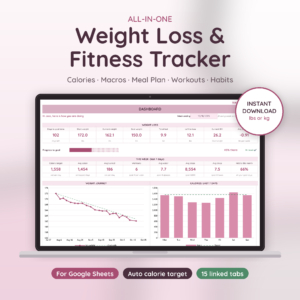
Glow Goals Weight Loss & Fitness Tracker
Price: $2.50 | Best for: calorie and macro tracking in Google Sheets
A weight loss tracker spreadsheet for Google Sheets with a calorie and macro tracker, meal planner, grocery list, workout log and habit tracker. It is the closest match to the topic of this article, since it is made for Google Sheets from the start and covers food, workouts and habits in one file.
Macro tracker spreadsheet options compared
| Product | Format | Price | Best for | Link |
|---|---|---|---|---|
| Glow Goals Weight Loss & Fitness Tracker | Google Sheets spreadsheet | $2.50 | Calorie and macro tracking in Google Sheets | View |
| SlimBloom Weight Loss & Fitness Planner Spreadsheet | Excel template | $1.19 | Calorie and macro logging in a spreadsheet | View |
| Pastel Reset Printable Weight Loss Planner | 72-page printable, plus Excel dashboard | $4.99 | Paper macro tracker with a spreadsheet view | View |
| Peak Form Fitness & Wellness Planner | 137-page printable & fillable, plus Excel dashboard | $4.49 | Food, workouts and habits in one planner | View |
Making a food-tracking habit last past week three
The first week is easy. You’re curious, and everything is new. The second week is when it starts to feel like work. By week three, many people have drifted. So plan for that dip.
Start by shrinking the job. Track only dinner for the first few days. Then add lunch. Then breakfast. Small wins build the habit better than a heroic first day that leaves you exhausted.
Attach logging to something you already do. Open the sheet while the kettle boils. Log your lunch before you take the first bite. Tie it to a cue and it stops depending on willpower.
And review the numbers weekly, not daily. A single day of 2,300 calories or 80 grams of protein tells you almost nothing. A seven-day average tells you plenty. Look at the average, pick one small change for next week, and leave it there.
Finally, be kind about misses. If you skip logging for two days, don’t start over with a fresh sheet and a guilty feeling. Just open the file and type today’s meals. The old rows will still be there, and they’re still useful.
Frequently asked questions
How do I track macros in a spreadsheet?
Make columns for date, meal, food, calories, protein, carbs and fat. Add a daily total row and a target row beneath it. Keep a separate tab of foods you eat often so you can copy entries instead of searching a database each time.
Is a spreadsheet more accurate than a tracking app?
Not automatically. Accuracy depends on your entries and portion sizes, not the tool. A spreadsheet does let you use numbers from labels you trust and avoid mistyped database entries, which some people find more reliable. Weighing food helps either way.
Can I use an Excel template in Google Sheets?
Google Sheets can usually open Excel files, but some formatting or features may behave differently. Open the file and check that your totals and formulas still work before you start logging. Read the product description to see which program the template was made for.
How many macros should I track?
Start with calories and protein. Add carbs and fat when you feel ready. Tracking fewer numbers consistently beats tracking everything for a week and then stopping. Personal targets vary, so a doctor or dietitian is the right person to ask.
Should I track every day?
Many people track most days and relax on occasion, like holidays. Consistency matters more than perfection. Even rough entries on a busy day keep the habit alive. If tracking ever starts to feel stressful, take a break and talk to a professional.
Your next step
So, here’s the plan. Pick your macro tracker spreadsheet today, log tomorrow’s dinner, and build from there. If you want a ready-made file, Glow Goals Weight Loss & Fitness Tracker is $2.50 and is made for Google Sheets, with a calorie and macro tracker, meal planner, grocery list, workout log and habit tracker. The SlimBloom spreadsheet is $1.19 if you prefer Excel. Download one tonight, and your first entry takes about two minutes.