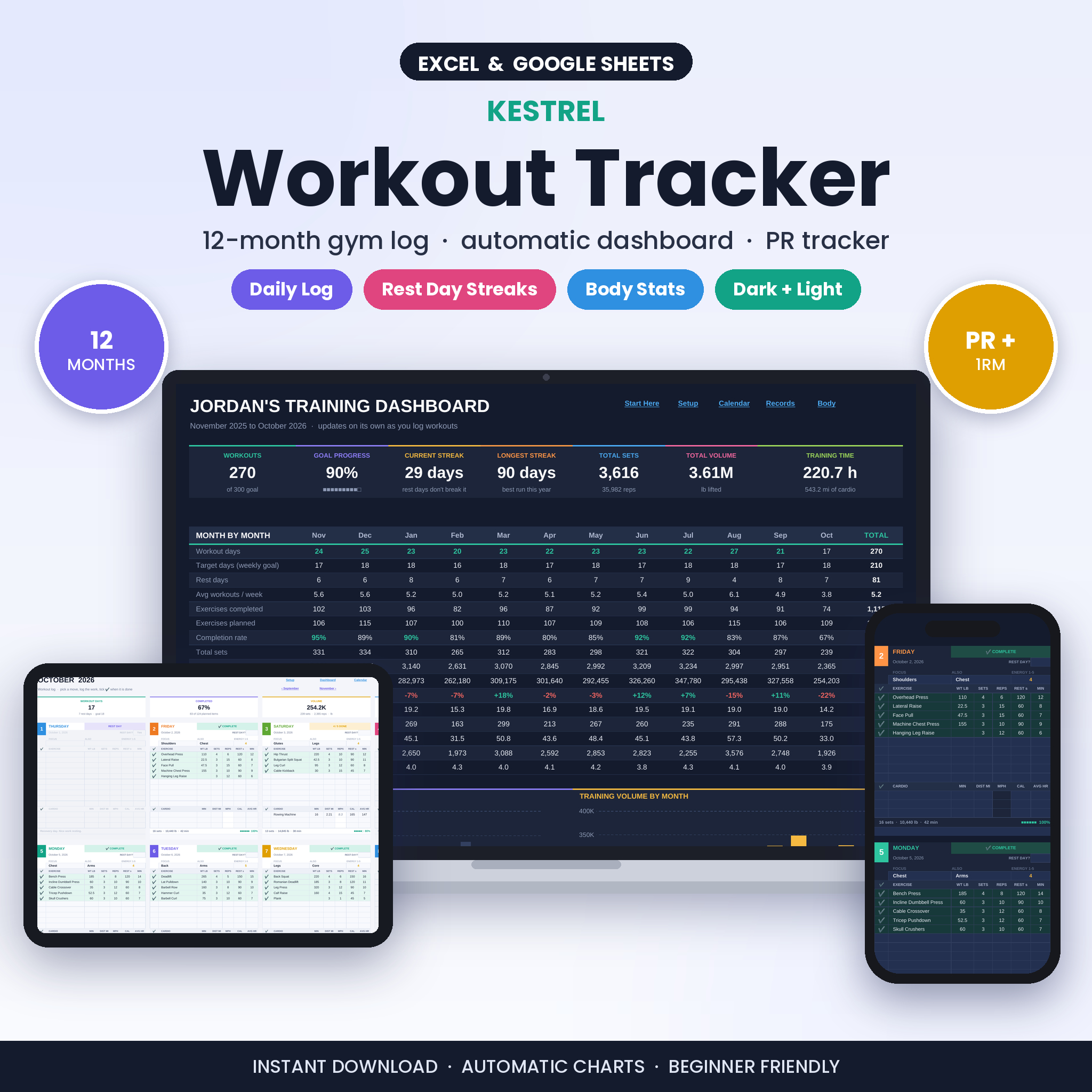
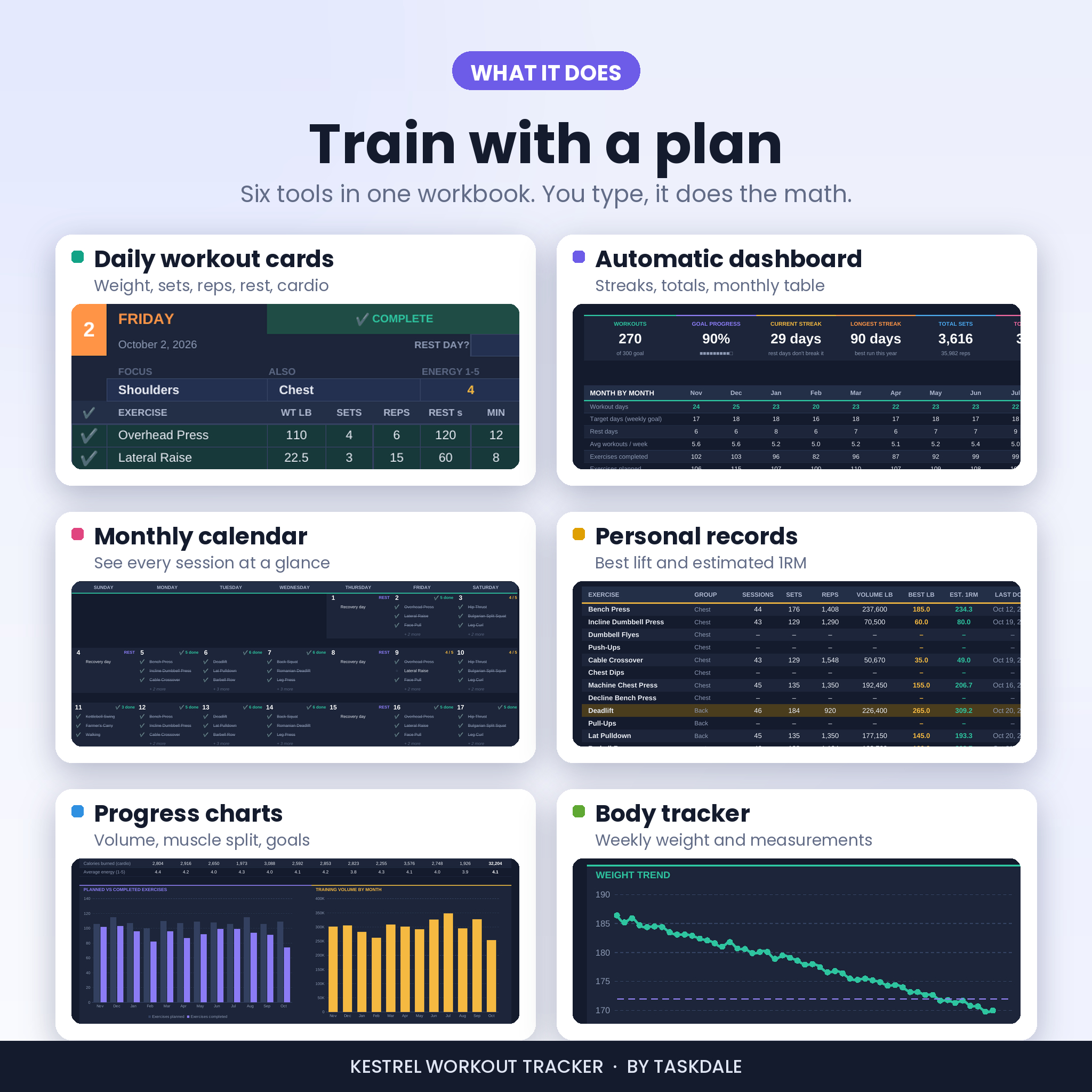
The Kestrel workout tracker spreadsheet gives you a full year of gym logging in one file for Google Sheets and Excel. Plan each session, tick off every exercise as you finish it, and let the workbook build your dashboard, calendar, personal records and body stats for you.
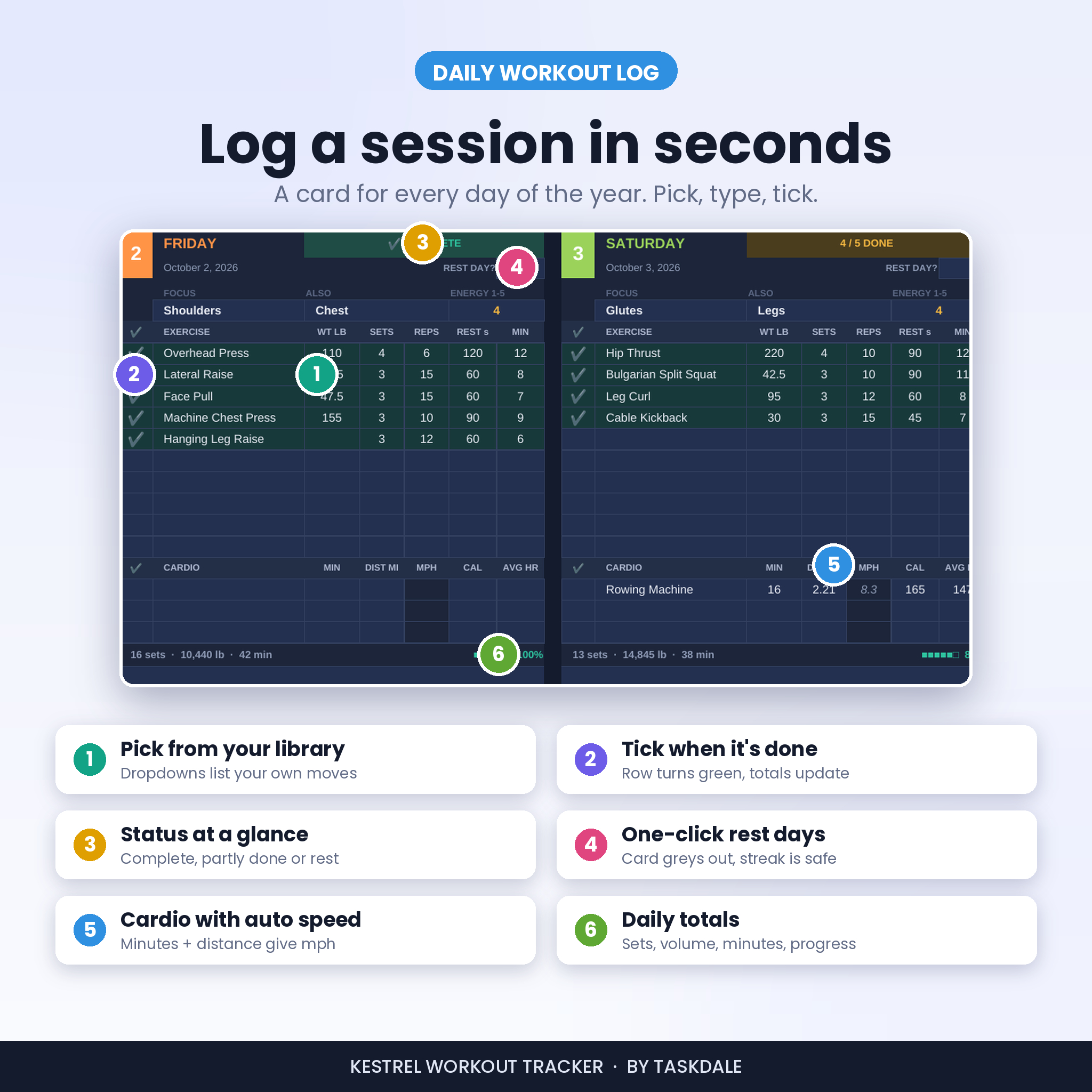
Each day has its own card. Pick an exercise from your library, type the weight, sets and reps, and choose the check mark when it’s done. That one tick feeds your monthly totals, your streak, your volume chart and your best lifts. Rest days get a single Yes, and they never break your streak.
What this workout tracker does
- Logs every session. 12 monthly tabs with a card for every day: up to 10 strength exercises and 3 cardio activities, plus focus, energy rating and notes.
- Counts only finished work. Planned rows show as to-do. Ticked rows add to your sets, reps and volume, so your numbers reflect what you actually lifted.
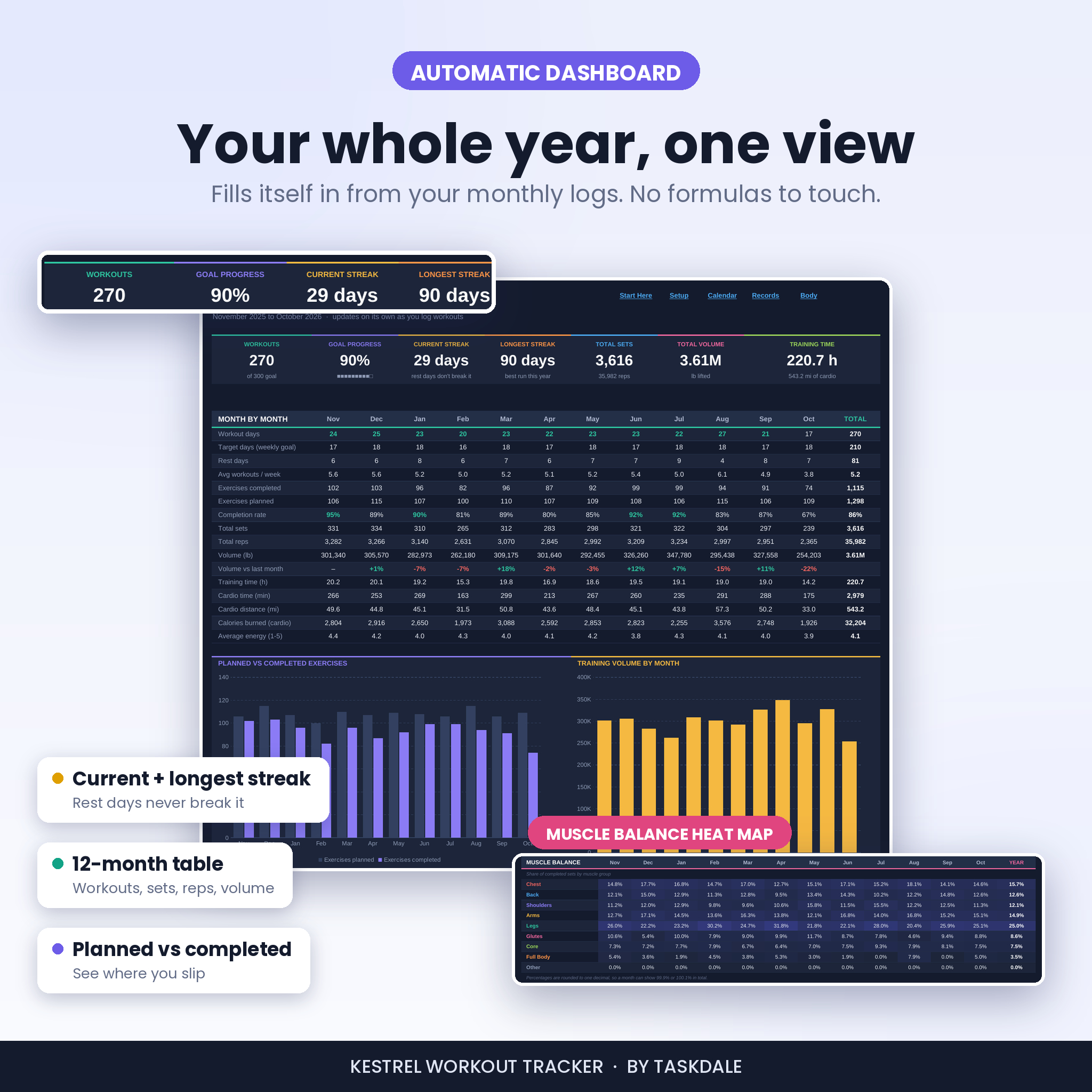
- Builds a fitness dashboard on its own. Workouts against your goal, current and longest streak, total sets, total volume and training hours, with a 12-month table and four charts.
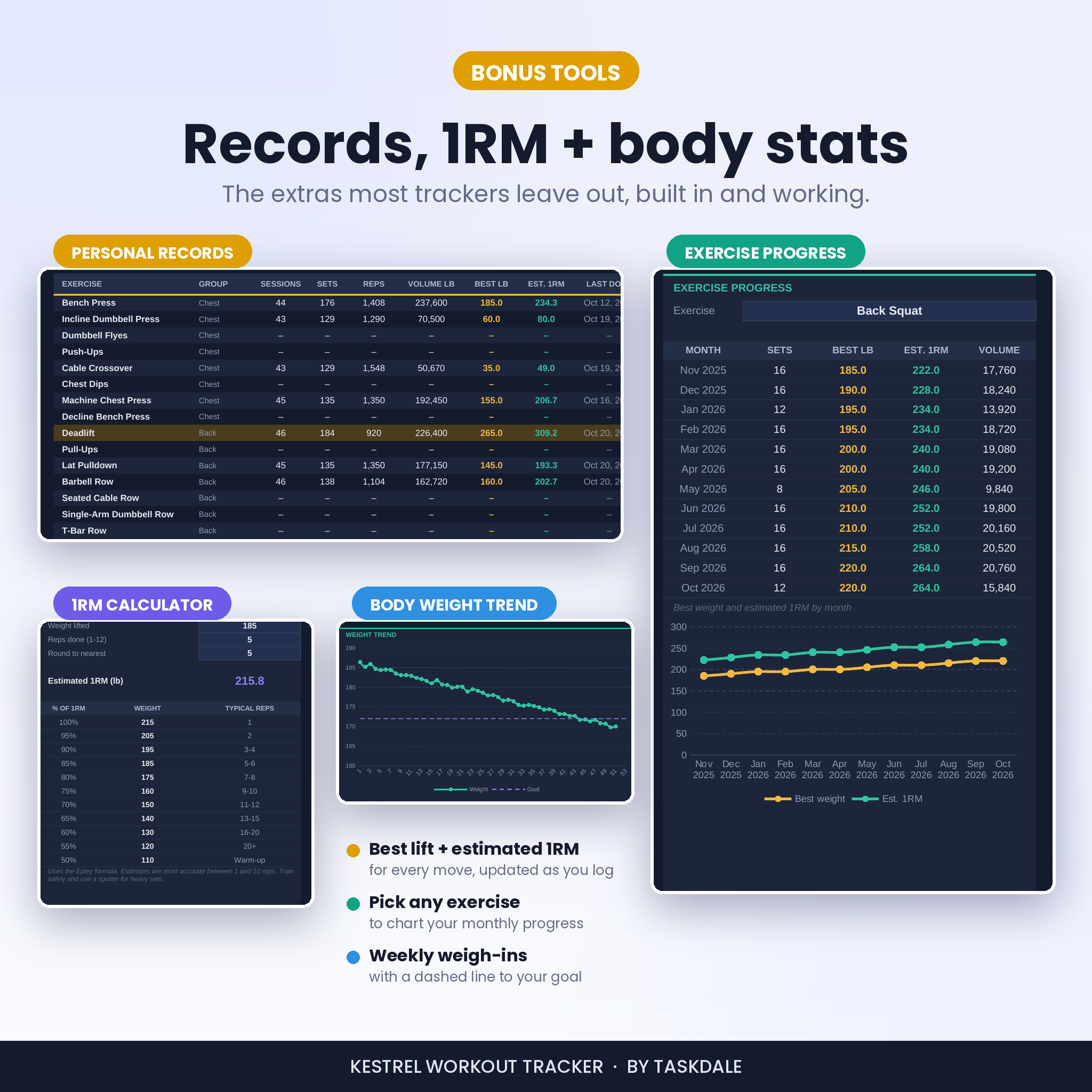
- Tracks personal records. Best weight and estimated one-rep max for every move in your library, with a month-by-month progress chart for any lift you pick.
- Follows your body changes. Weekly weight, body fat and five measurements, with a trend line toward your goal weight.
Who it’s for
It suits beginners who want structure on day one, and lifters who want proof of progressive overload by month three. Use it for strength training, bodybuilding, powerlifting practice, home workouts, circuit sessions, running, cycling, rowing or plain daily walks.
What’s included
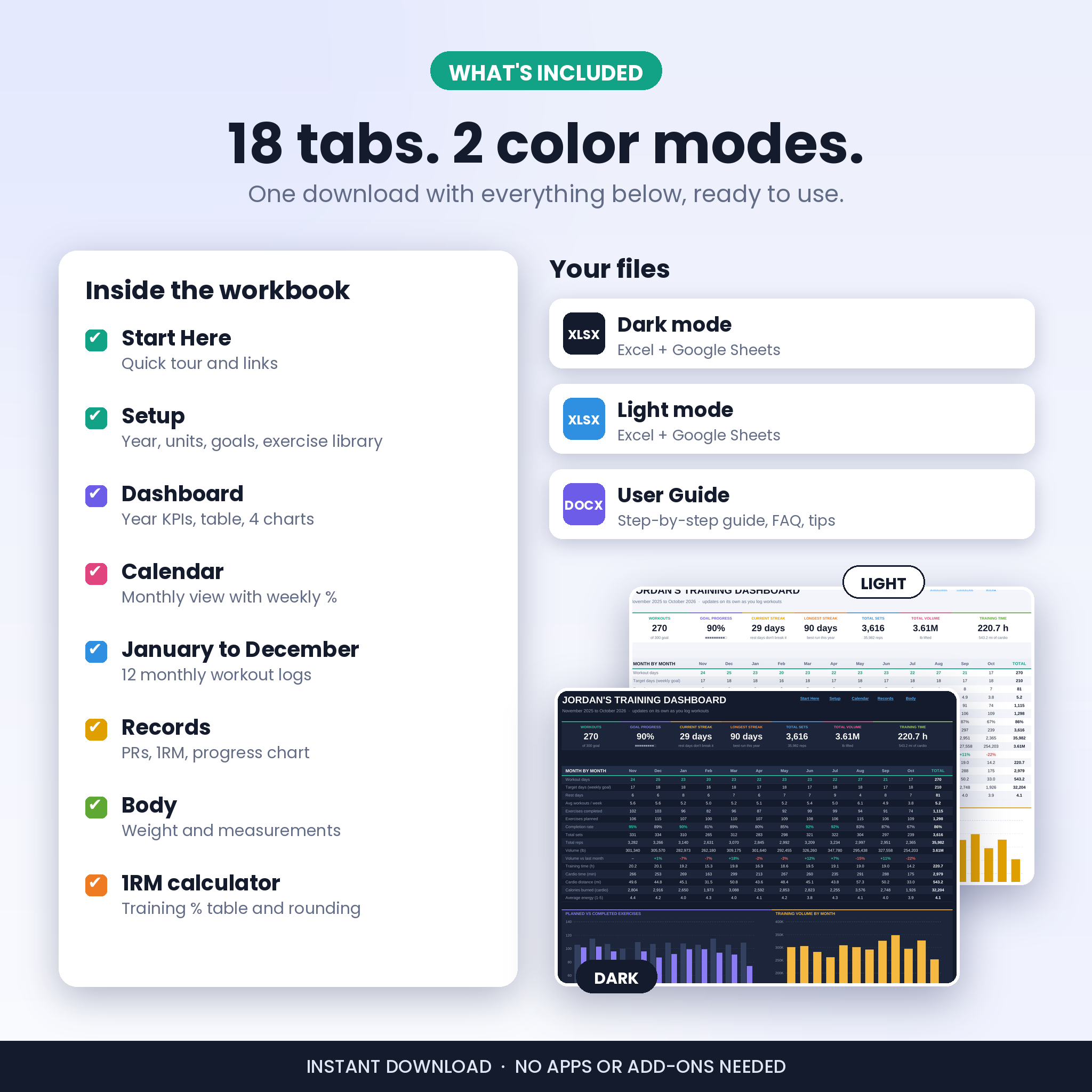
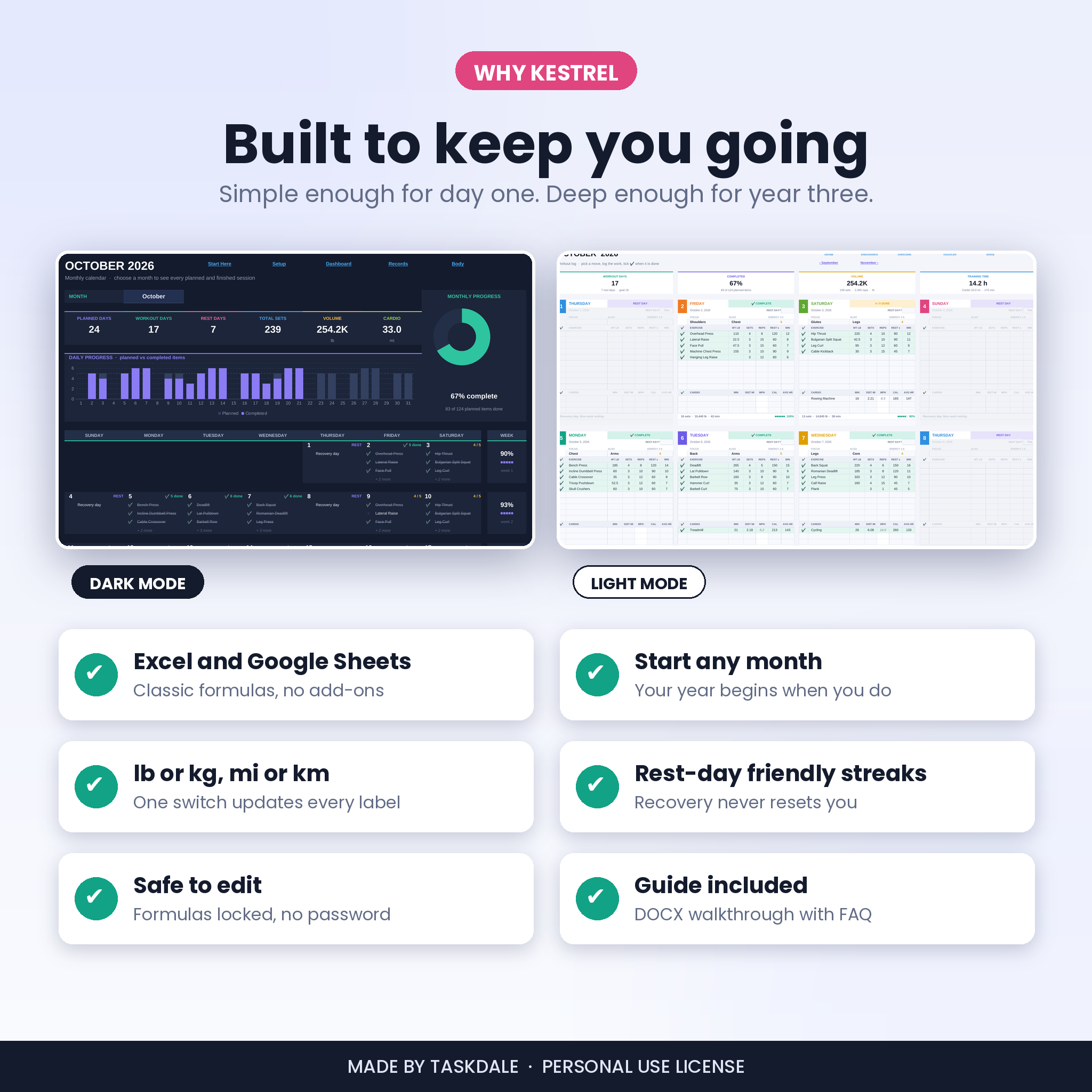
- Kestrel Workout Tracker, dark mode (.xlsx)
- Kestrel Workout Tracker, light mode (.xlsx), which also prints cleanly
- A 15-page user guide (.docx) with setup steps, every feature explained, tips, troubleshooting and FAQs
Inside the workbook you’ll find 18 tabs: Start Here, Setup, Dashboard, Calendar, January to December, Records and Body.
Features in detail
Setup once, then just train
- Start in any month. Pick September and your tracking year runs September to August.
- Switch between lb and kg, and mi and km. Every label and speed reading follows.
- Set a weekly and yearly workout goal. The dashboard turns them into monthly targets.
- Edit the exercise library: 8 renameable muscle groups with 15 slots each, plus 15 cardio activities. It comes filled with common moves so you can start today.
- A data check flags any logged exercise that’s missing from your library, so nothing slips through quietly.
Daily workout log
- Dropdowns for exercises, muscle groups, rest days and the done check mark.
- Weight, sets, reps, rest time and minutes for each move. Cardio speed works itself out from time and distance.
- Each card shows its status (complete, partly done or rest day) and a footer with sets, volume, minutes and a progress bar.
- Weekday colors make it easy to scan a month. A Month at a Glance panel sums up the whole month.
Calendar view
Choose a month and see each day’s first exercises, with finished ones crossed out, a daily planned vs completed chart, a monthly progress ring and a completion rate for every week.
Fitness dashboard
- Seven summary tiles, including current streak and longest streak.
- A month-by-month table: workout days vs target, rest days, average workouts per week, completion rate, sets, reps, volume and change from last month, training time, cardio time, distance, calories and average energy.
- Charts for planned vs completed exercises, training volume, your yearly muscle split and workout days vs target.
- A muscle balance heat map that shows where your sets went each month, so you can spot the group you keep skipping.
Personal records and 1RM calculator
Every exercise gets sessions, sets, reps, volume, best weight, estimated 1RM and the date you last did it. Your three strongest lifts are highlighted. The built-in one-rep max calculator gives you training weights from 100% down to 50%, rounded to the plate step you choose.
Body and measurements
A weekly log for weight, body fat, waist, chest, hips, arms and thighs. Tiles show your start weight, current weight, total change and how far you are from your goal.
How it works
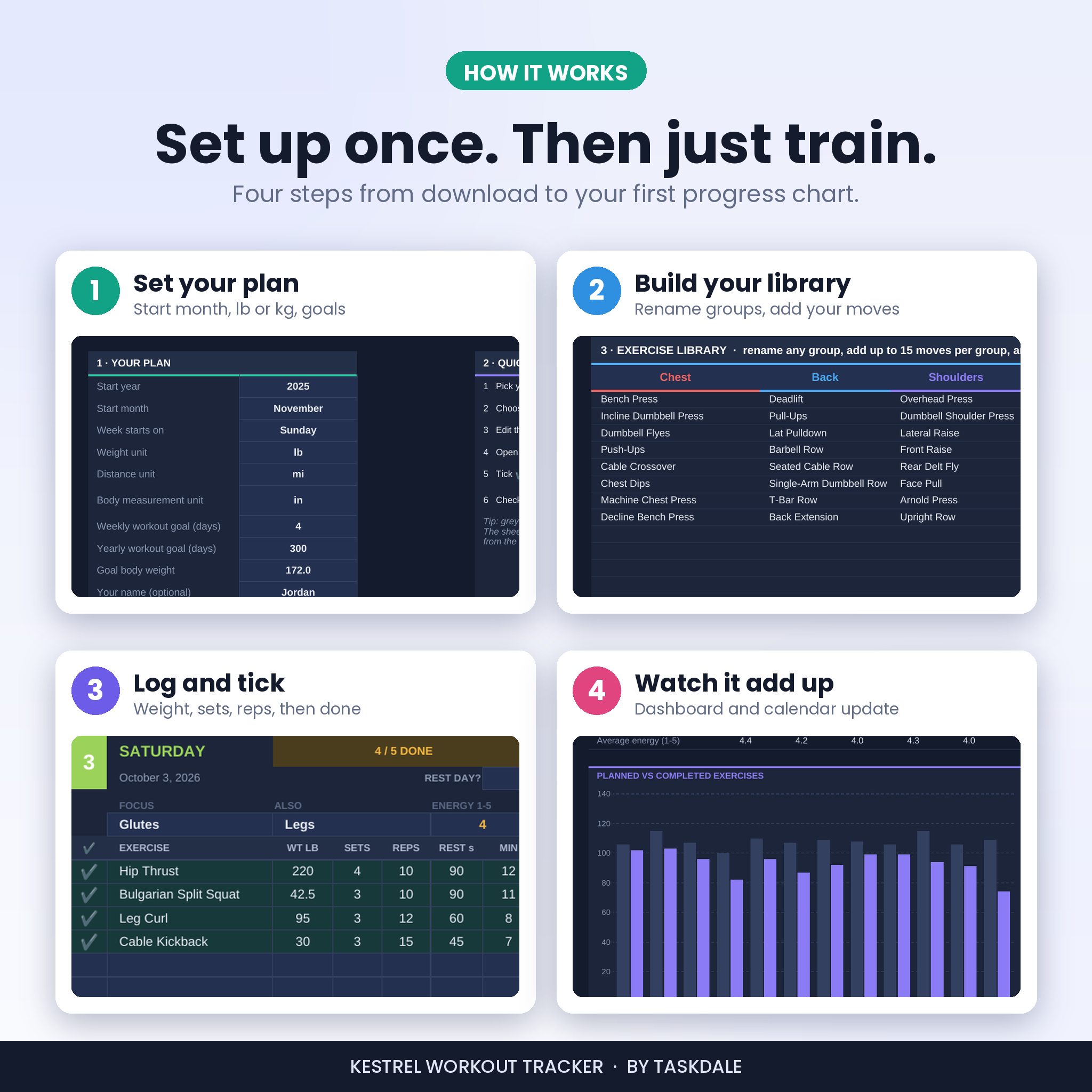
- Open the file in Excel, or upload it to Google Drive and save it as a Google Sheet.
- Fill in Setup: start year and month, units, goals and your exercise library.
- Open the current month and plan your session on today’s card.
- Tick each exercise as you finish it. Everything else updates on its own.
File formats and software
- Format: .xlsx spreadsheet (2 color versions) and .docx guide
- Google Sheets: free Google account. Upload the file to Drive, open it, then choose File, Save as Google Sheets.
- Excel: Excel 2010 or newer on Windows or Mac, including Microsoft 365. Standard formulas only, with no macros or add-ins.
- Best on: a computer or tablet. You can log from the Google Sheets phone app, though big sheets update more slowly on a phone.
Customize it
Rename muscle groups to match your split (Push, Pull, Legs works well), add your own exercises and cardio, choose dark or light mode, and set your own goals. Formula cells are locked with no password, so you can unprotect a sheet any time.
Real ways people use it
- Following a 4-day upper/lower program and checking that bench and squat numbers climb each month.
- Getting back into the gym after a break and building a streak that rest days can’t wreck.
- Training for a 10K while keeping two strength days a week, with running miles on the same card.
- Logging a weight-loss plan with weekly weigh-ins and a goal line on the chart.
Instant digital download
This is a digital product. Nothing ships. Your files are ready to download as soon as payment clears, from your order confirmation and your account page. The template is delivered blank; the screenshots show sample data so you can see it in use.
FAQ
Does this workout tracker work in Google Sheets?
Yes. Upload the .xlsx to Google Drive, open it and save it as a Google Sheet. Dropdowns, colors, charts, tab links and totals all work.
Do I need Microsoft 365?
No. It uses standard formulas found in Excel 2010 and newer.
Can I use kilograms?
Yes. Choose kg (and km for cardio) in Setup before you start logging.
Can I start in the middle of the year?
Yes. Pick any start month and the tracker runs 12 months from there.
Do rest days break my streak?
No. Marked rest days carry your streak forward. Only an unplanned day with no finished work resets it.
How is the one-rep max estimated?
With the Epley formula, which is most accurate between 1 and 10 reps. Treat it as a guide, not a test result.
Is it beginner friendly?
Yes. Light cells are the only ones you type in, the library comes pre-filled, and the guide walks you through your first five minutes.
License
For personal use by one person. Please don’t resell, share, upload or give away the files, in whole or in part. This tracker is a logging tool and isn’t medical advice; check with a doctor before starting a new exercise program.

Reviews
There are no reviews yet.