A digital weight loss planner built for the whole journey, not just the first six weeks
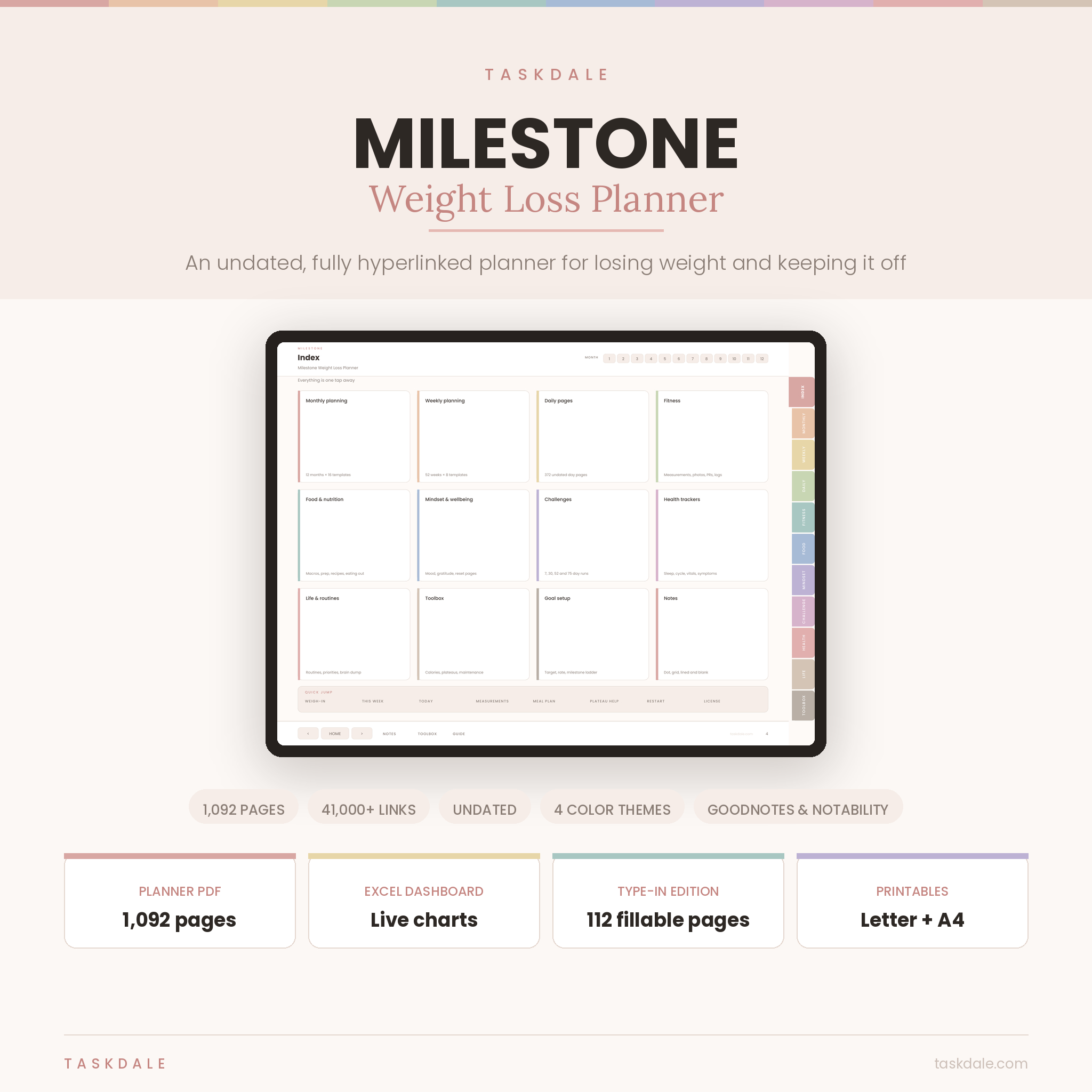
Most weight loss planners hand you a weight chart, a meal plan and a habit tracker, then stop. Milestone keeps going: the plateau at week nine, the week that falls apart, and the part almost nobody plans for, which is what you do once you reach the number.
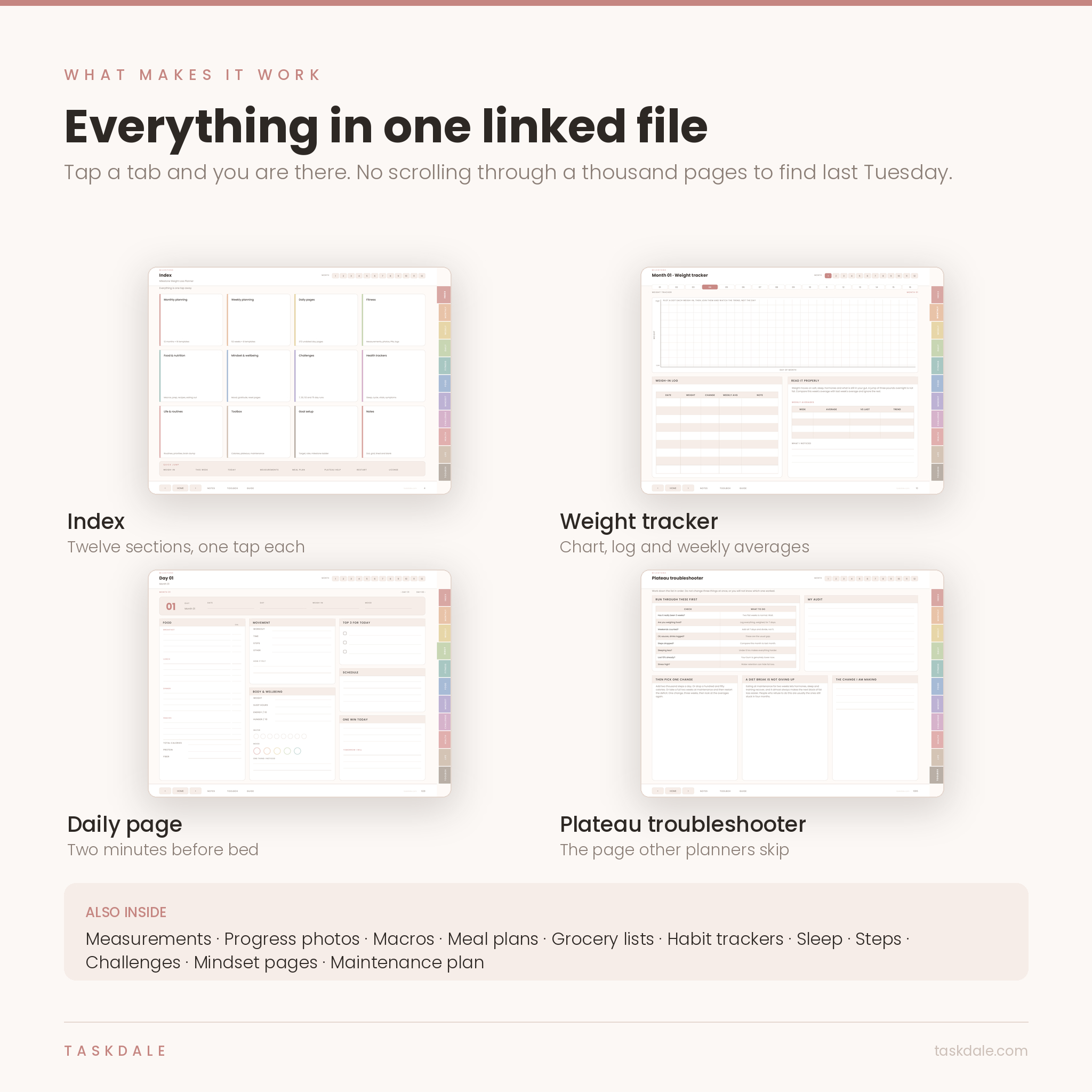
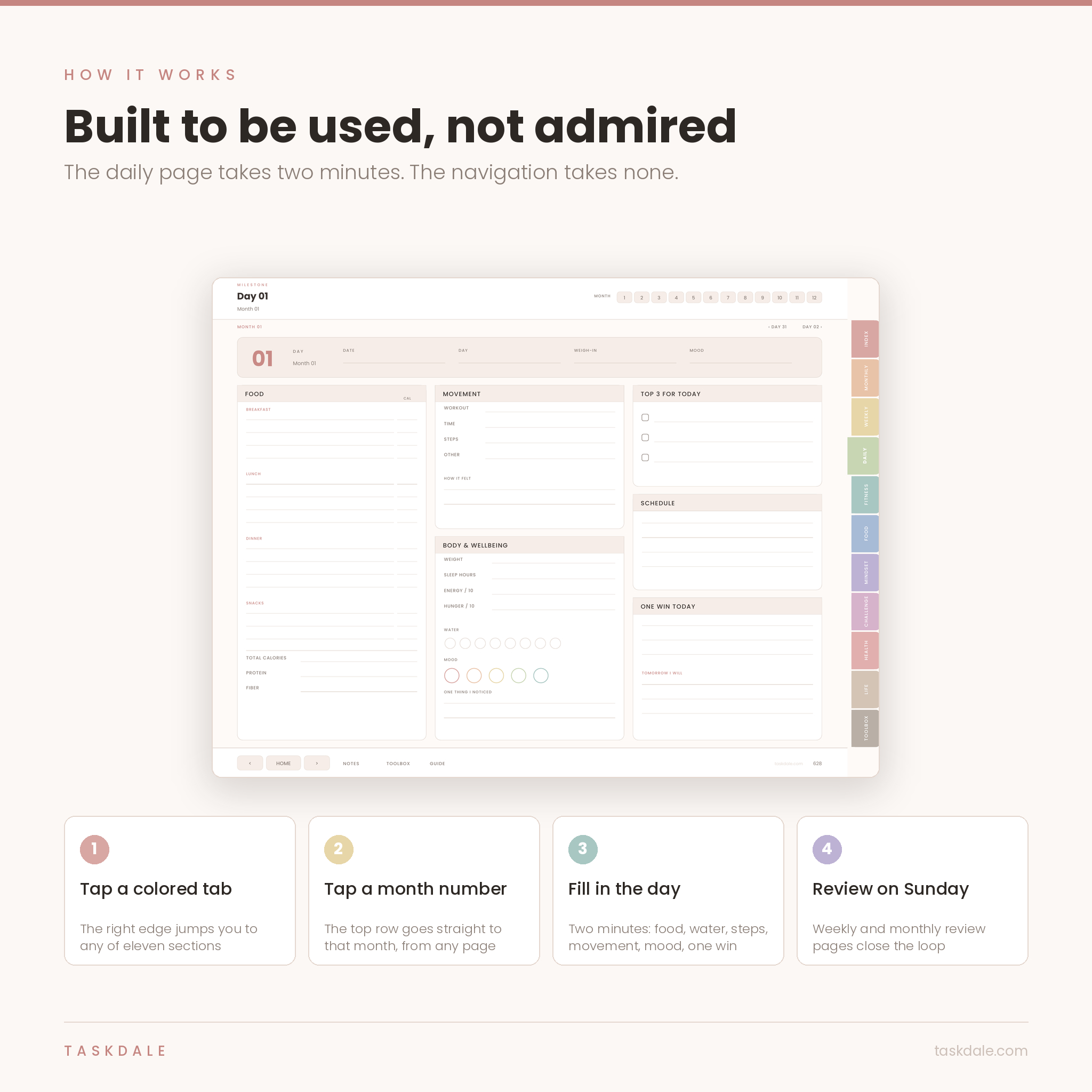
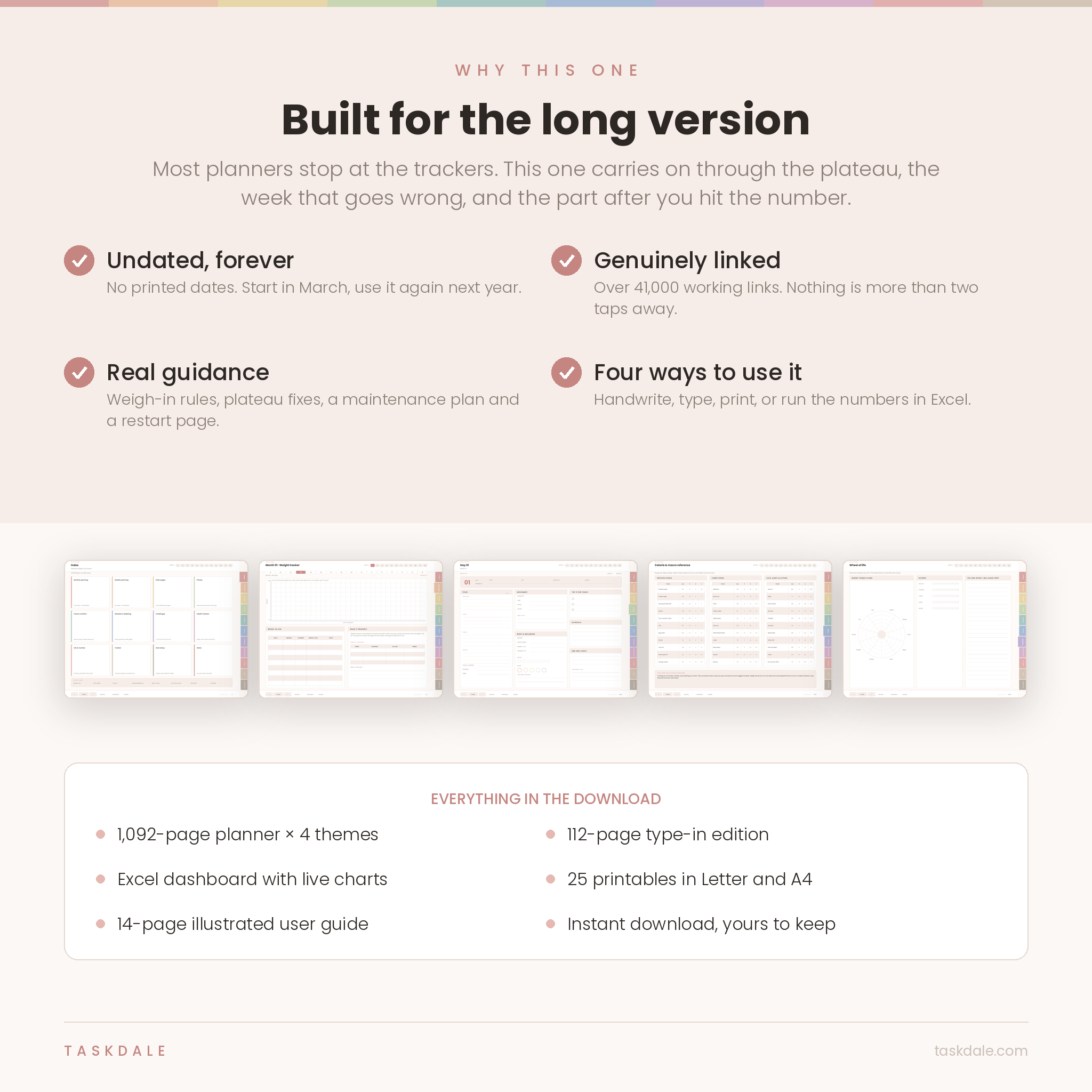
It is one PDF of 1,092 undated pages carrying more than 41,000 working internal links. Tap a colored tab on the right edge and you land in that section. Tap a number along the top and you are in that month. Nothing sits more than two taps away.
Nothing in it is dated. Start in March if you like, and use the same file again next year.
What you get
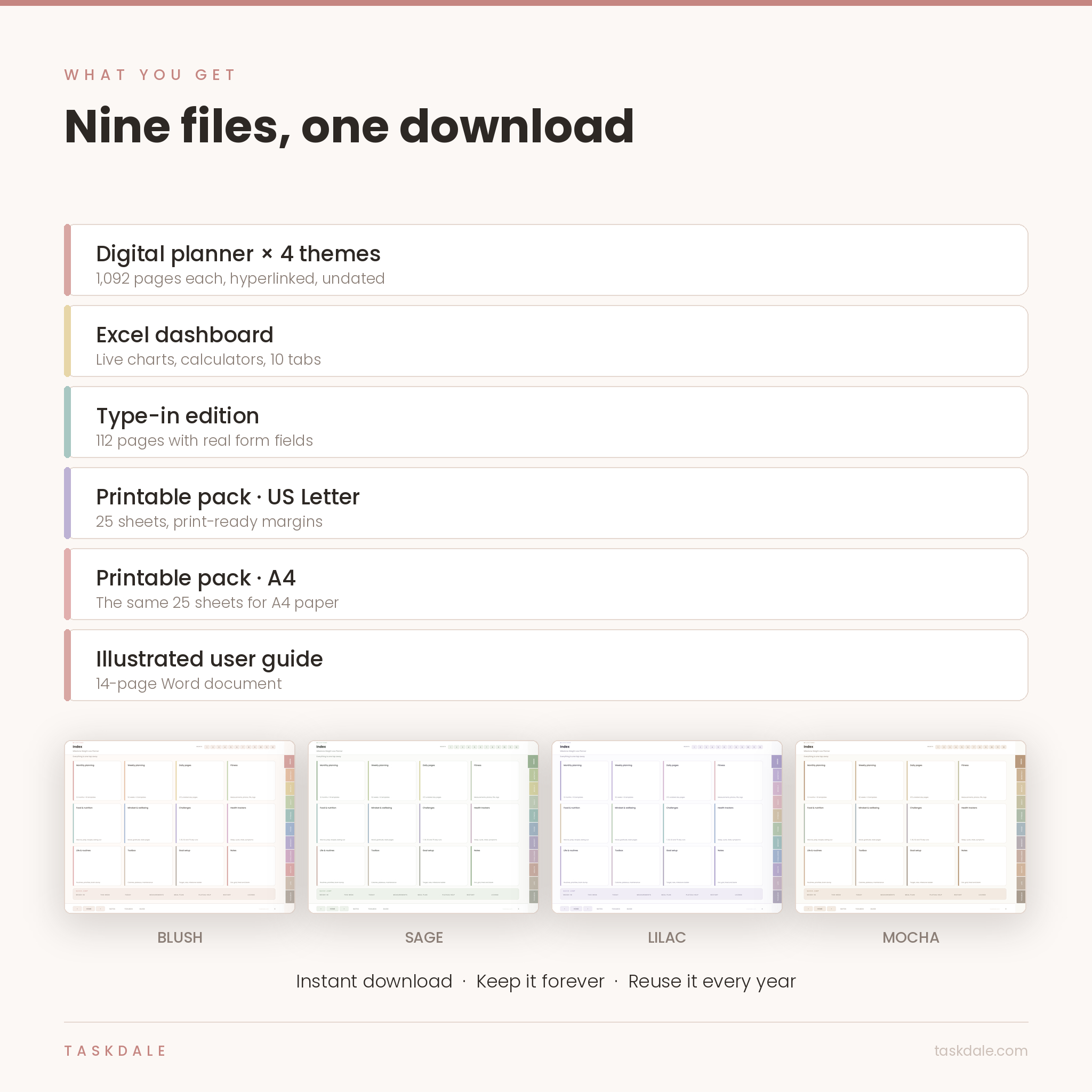
- The planner, in four color themes. Blush, Sage, Lilac and Mocha. Same 1,092 pages, four palettes. Pick one and stay with it.
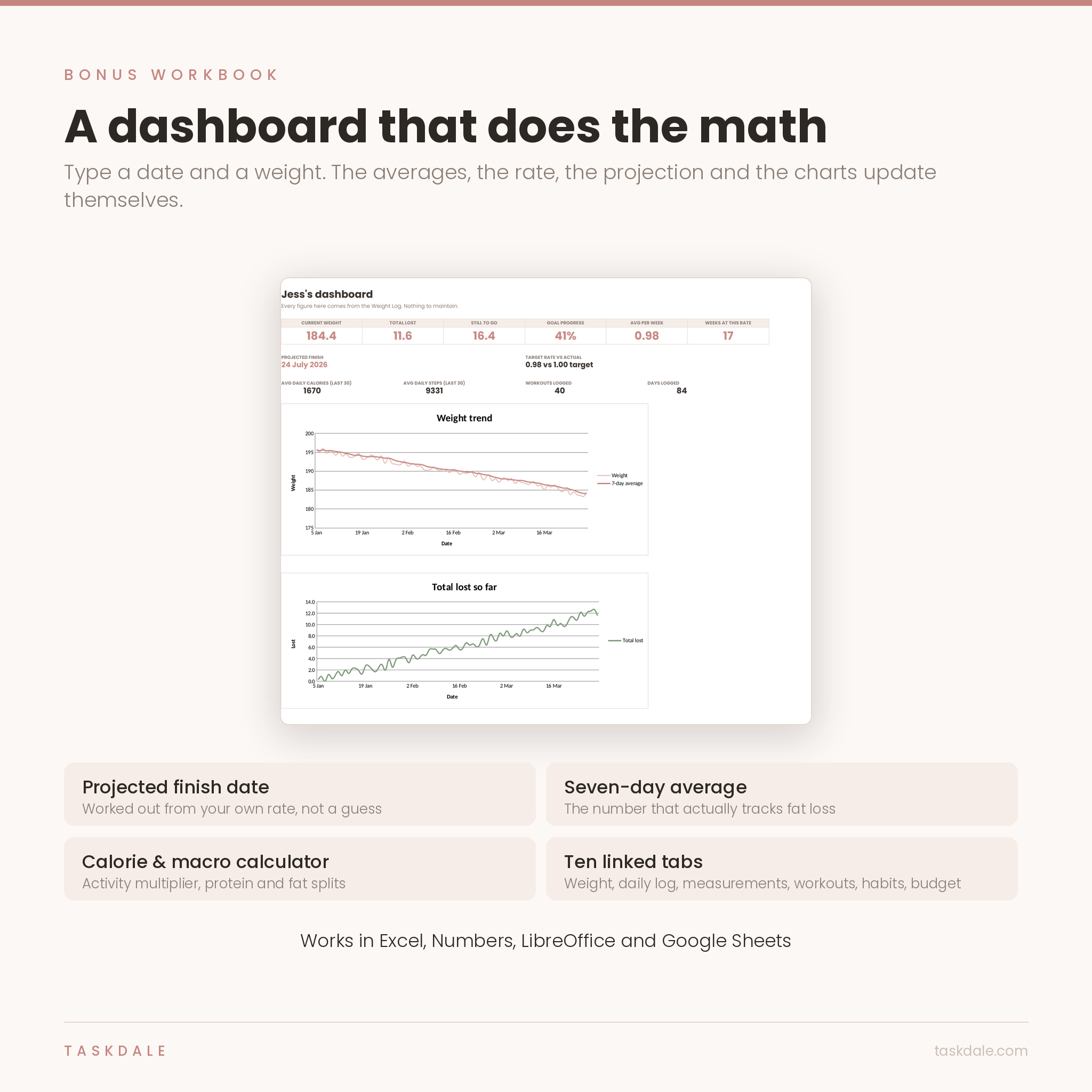
- A live Excel dashboard. Type a date and a weight. It works out your real weekly rate, how much is left and a projected finish date, and redraws two charts as you go.
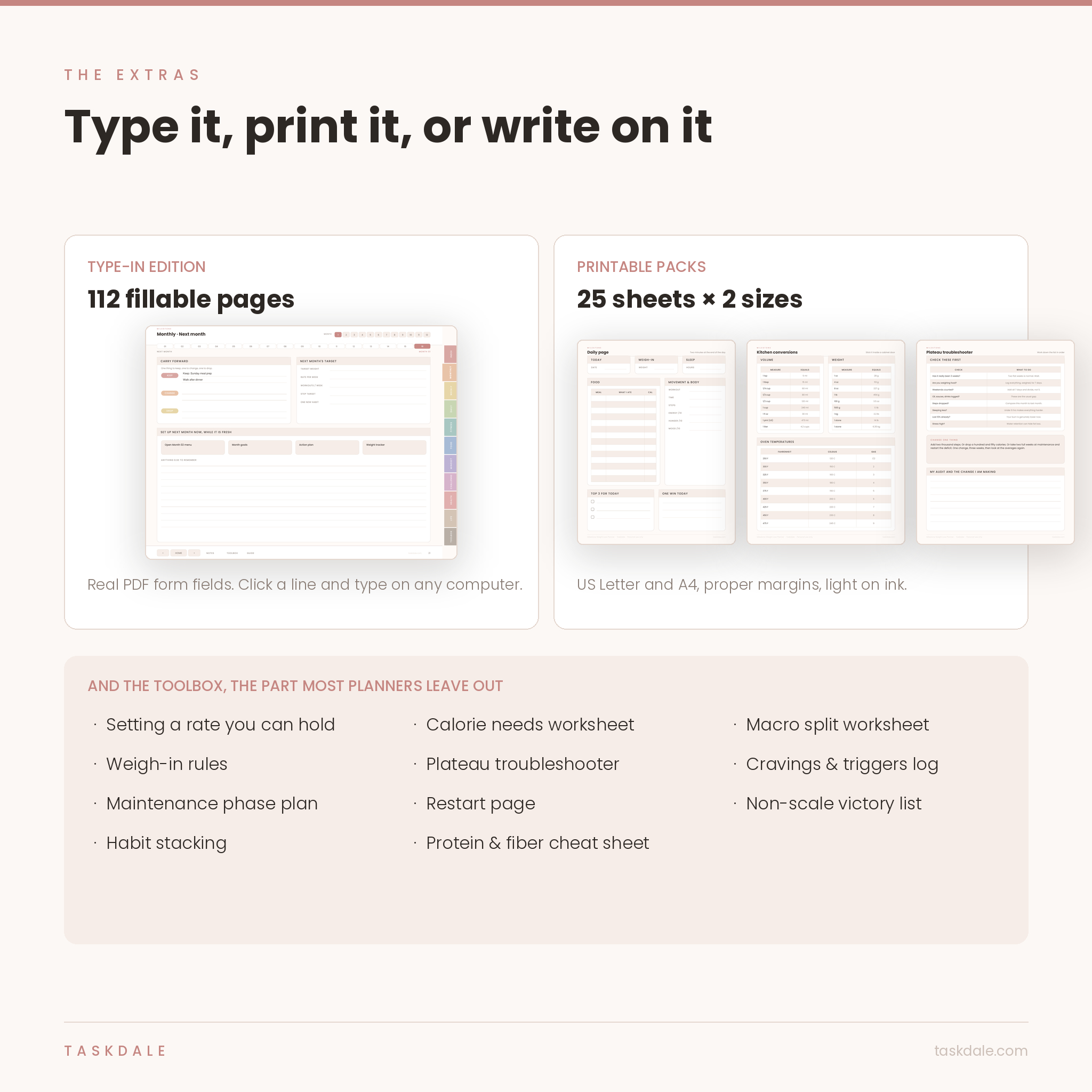
- A type-in edition. 112 pages with genuine PDF form fields, for people who would rather type than handwrite.
- Two printable packs. 25 sheets each, one sized for US Letter and one for A4, with proper print margins and ink kept deliberately light.
- A 14-page illustrated user guide covering setup, every feature, troubleshooting and a full FAQ.
Who it is for
Anyone losing weight who is tired of running four apps and a notes file. It suits people writing on a tablet in GoodNotes, Notability, Noteshelf or Xodo, people who prefer typing on a laptop, and people who still like paper. It also suits anyone who has lost weight before, put it back on, and wants the maintenance half taken seriously this time.
It is not a diet and not a training program. It is the structure you put your own plan into.
Inside the planner
Monthly: 12 months, 16 pages each
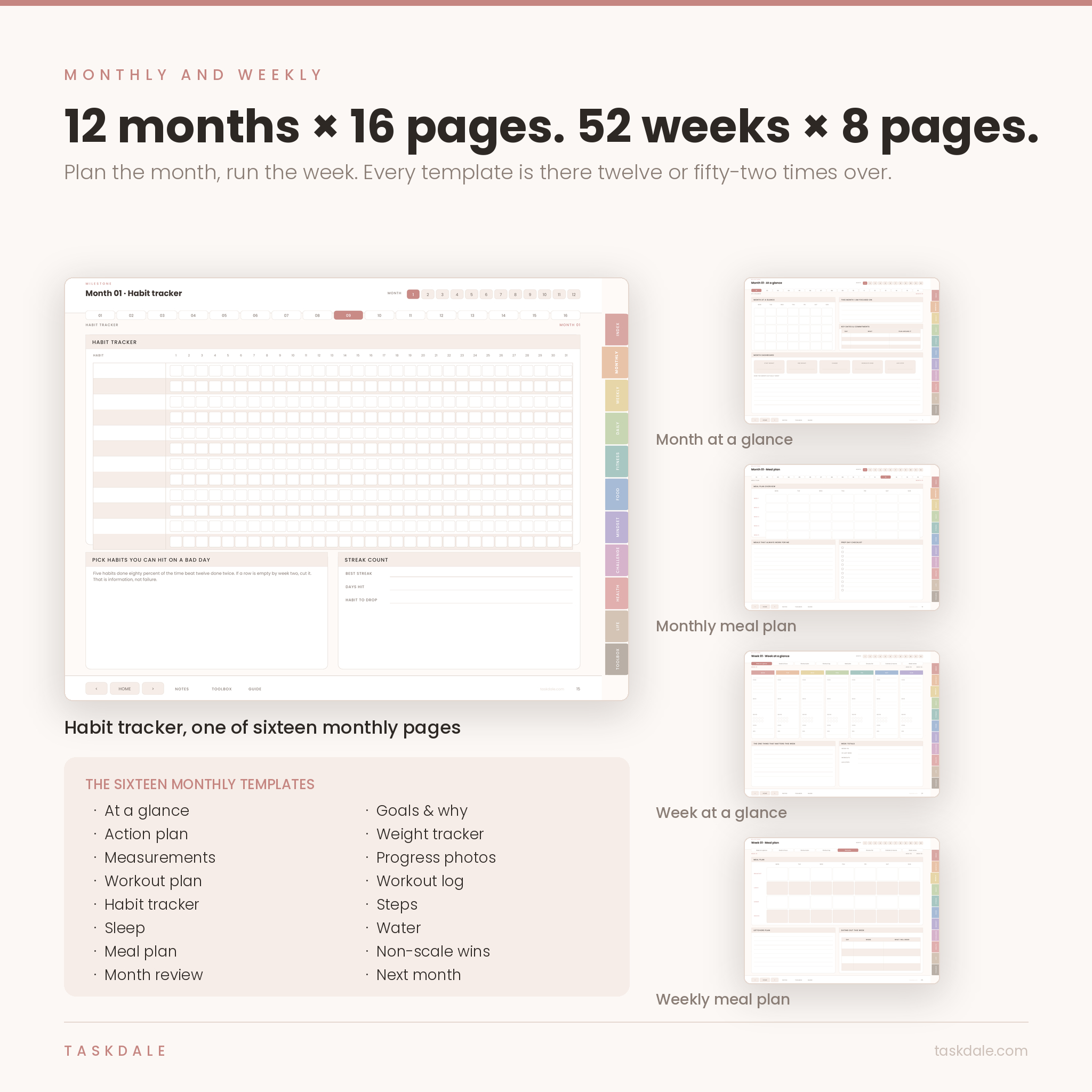
Month at a glance, goals and why, an action plan, weight tracker with a chart, measurements, progress photos, workout plan, workout log, habit tracker, steps, sleep, water, meal plan, non-scale wins, a month review and a setup page for the month after. That is 192 monthly pages, not one template you keep reusing.
Weekly: 52 weeks, 8 pages each
Week at a glance, goals and focus, workout plan, workout log, meal plan, grocery list, calories and macros, and a week review. Sunday is the natural day for the first six.
Daily: 372 undated pages
One page per day. Food with a calorie column, movement, weight, sleep, energy, hunger, water, mood, your top three, one win, and a line for tomorrow. It is short on purpose.
Fitness, food, mindset, health and life
Sixty-five more templates. Measurements, progress photos, a full-year weight log, body fat, steps, cardio logs, strength planning and personal records. A calorie and macro reference with real figures in it, a portion guide, kitchen conversions, recipe cards, meal prep and an eating-out playbook. Mood tracking, a wheel of life, gratitude, challenges from seven days to seventy-five, sleep and cycle tracking, vitals, routines and a brain dump.
The toolbox
This is the part that sets it apart. Setting a rate you can hold. A calorie needs worksheet with activity multipliers. A macro split worksheet. Weigh-in rules and what really makes the number jump. A plateau troubleshooter you work down in order. A cravings log, a maintenance phase plan, a restart page, a non-scale victory list and a protein and fiber cheat sheet.
The Excel weight loss dashboard
Fill in the Settings tab once, then log a date and a weight. Everything else looks after itself: current weight, total lost, how much is left, your actual weekly rate, and a projected finish date. Ten linked tabs in all, including a daily log for calories, macros, fiber, water and steps, measurements, workouts, a habit grid with hit rates, calorie and macro calculators and a grocery budget. Formula cells are locked so you cannot wipe them by accident, with no password on the lock.
Type on it, print it, or write on it
The main planner is for handwriting with a stylus. The type-in edition has real form fields, so on a computer you click a line and type. The printable packs cover the sheets people reach for most, from the weight tracker and meal plans to kitchen conversions and the restart page.
Formats and what you need
Planner and type-in edition: PDF, landscape 4:3, built for a tablet screen. Printables: PDF, portrait, US Letter and A4. Dashboard: XLSX, which opens in Excel, Numbers, LibreOffice and Google Sheets. Guide: DOCX. Tested in GoodNotes, Notability, Xodo, Acrobat Reader and Preview. Samsung Notes imports the pages but ignores internal links, so use Xodo or Noteshelf on Android. No subscription and nothing to install.
Making it yours
Pick a theme and work in it. In any note app you can write in your own colors, add stickers, duplicate pages and drop in your gym program or a recipe PDF. The workbook is fully editable once you unprotect a sheet, and units and currency both come from one settings tab.
When people actually use it
- Sunday evening, building the week: workout plan, meal plan, grocery list, ten minutes.
- Two minutes before bed on the daily page, which is the habit that holds the rest together.
- Week three with a flat scale, working down the plateau troubleshooter rather than guessing.
- The Monday after a vacation, on the restart page, getting back to it the same day instead of next month.
- Four weeks from goal, reading the maintenance plan before the deficit ends rather than after.
Digital download
Instant download. Nine files, on your order page as soon as payment clears. Nothing is shipped. Download them as often as you need and keep them.
Questions buyers ask
Is it dated? Can I use it again next year?
Undated on every page. Months are Month 01 to Month 12, weeks are Week 01 to Week 52, days are Day 01 to Day 31. Use it this year, next year and the year after.
Do I need GoodNotes?
No. It works in Notability, Noteshelf, CollaNote and Xodo, and on a computer in Acrobat Reader or Preview.
Can I type instead of handwriting?
Yes. The type-in edition has real form fields across 112 pages. On a tablet you can also use your note app’s text box tool on any page.
Can I print it?
The planner is landscape and built for screens. For paper, use the two printable packs, portrait with safe margins at US Letter and A4.
Do I get all four colors?
Yes, all four are in the download. They are the same planner, so pick one and use it.
Does the spreadsheet work in Google Sheets?
Yes. Upload it to Drive and open it with Sheets. Formulas, dropdowns and charts carry across.
Is this a diet plan?
No. What you eat and how you train stays yours. This is the structure around it.
Personal use only. Please do not resell, share or redistribute the files. This is a planner, not medical advice. Talk to a doctor or a registered dietitian before starting a weight loss plan, particularly if you are pregnant, under eighteen, managing a medical condition or taking medication that affects weight.
Reviews
There are no reviews yet.