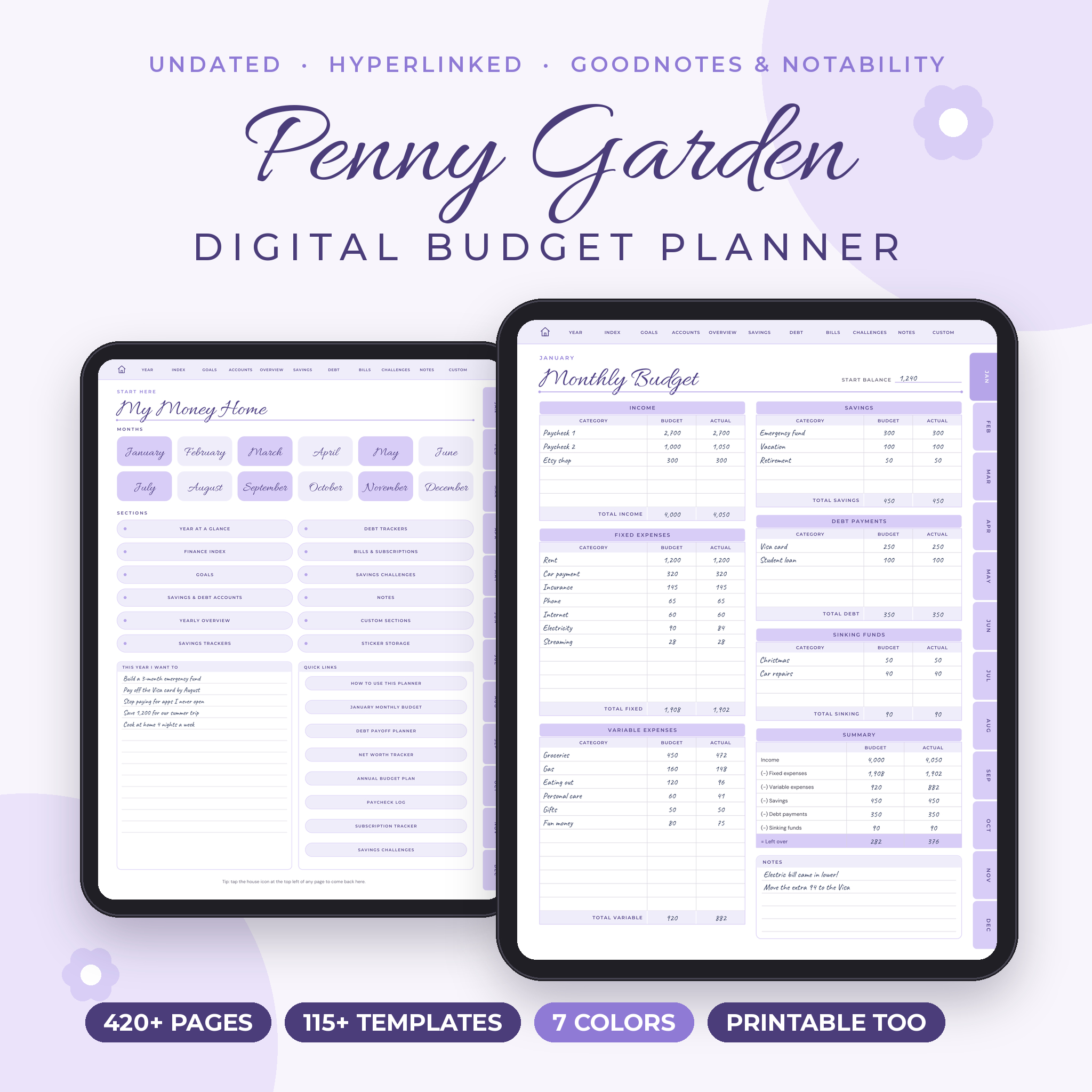
Penny Garden is a digital budget planner for iPad and Android tablets that finally makes money feel calm. You get 423 hyperlinked pages in every file, an undated layout you can start any month, and budget styles for every kind of paycheck. Open it in GoodNotes, Notability or any PDF note app, tap a tab, and start writing.
Most budget planners give you one layout and hope it fits. This one gives you five.
What this digital budget planner does
Penny Garden keeps your whole money life in one file. Plan the month, track every purchase, fill your savings jars, watch debt shrink and look back at the year. Every page links to the others, so you never scroll through hundreds of pages to find your bills.
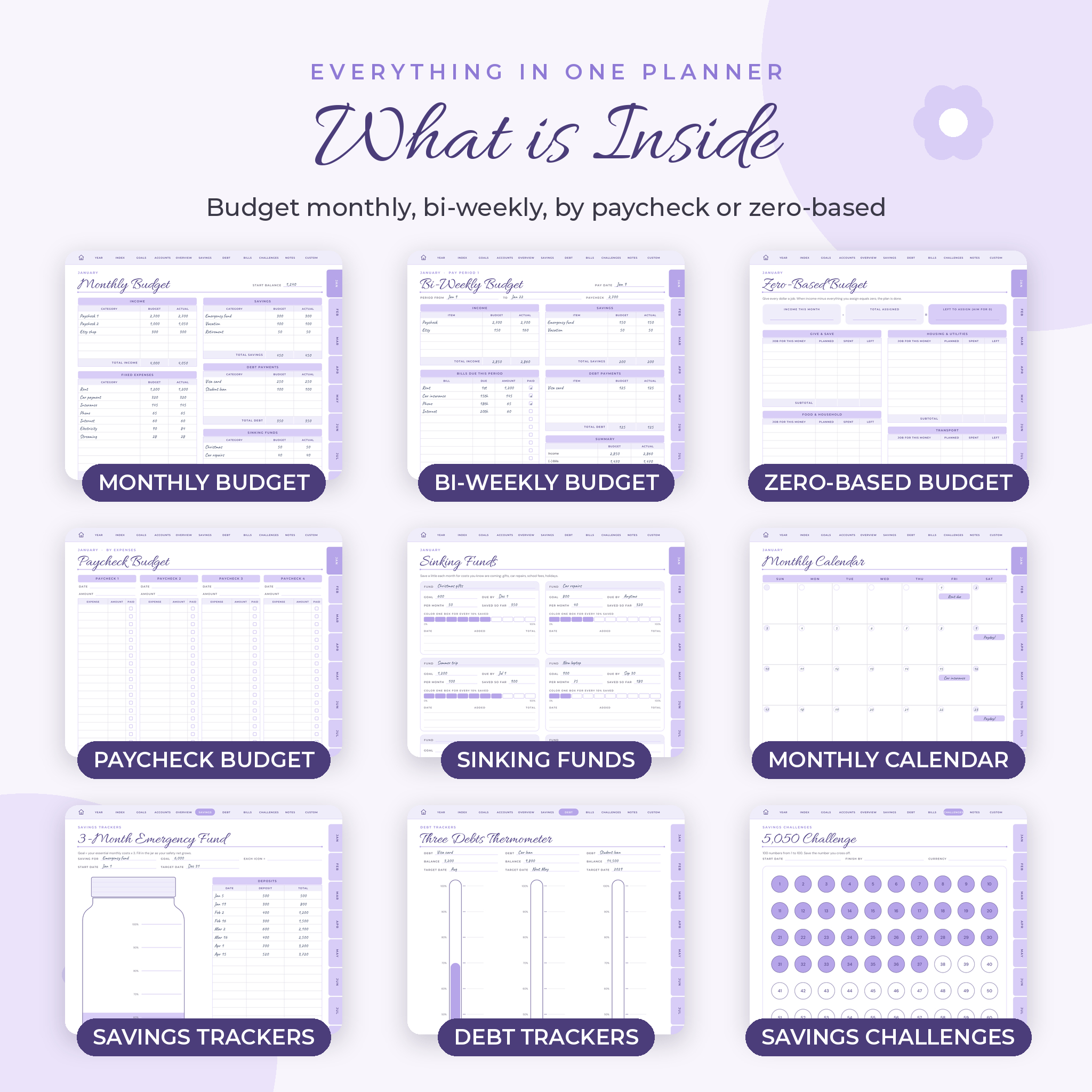
- Budget monthly, bi-weekly, by paycheck, with cash envelopes or zero-based
- Track daily and weekly spending, bills and subscriptions
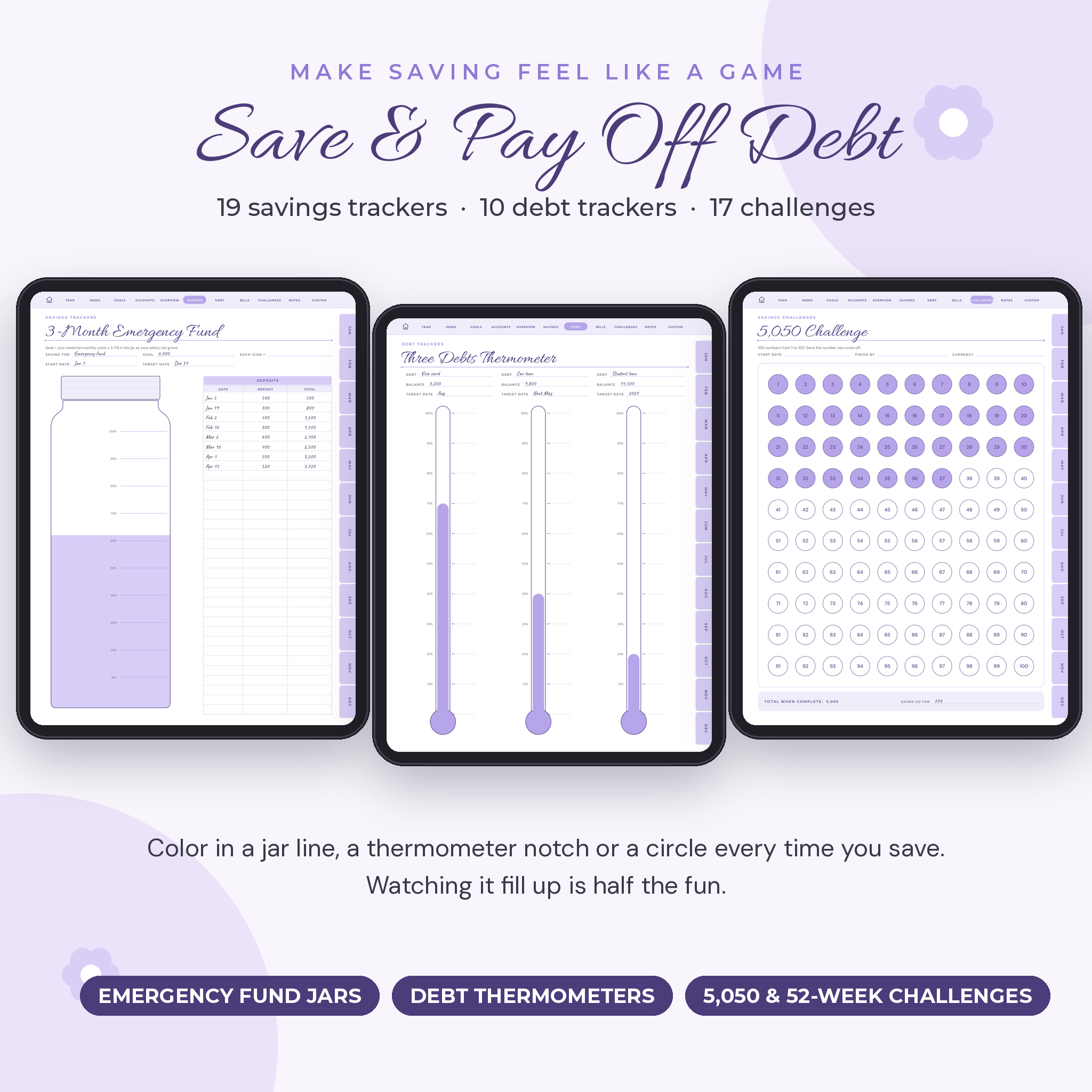
- Save with 19 savings trackers and 17 savings challenges
- Pay off debt with 10 debt trackers and a snowball or avalanche planner
- See the big picture with net worth, annual budget and yearly overview pages
Who it is for
It suits anyone who wants a clear view of their money without building a spreadsheet. People paid every two weeks love the bi-weekly pages. Freelancers and side hustlers use the side hustle income and tax deduction logs. Families use the sinking funds for birthdays, school costs and holidays. If you are new to budgeting, the how-to page and the user guide walk you through it in plain English.
Features
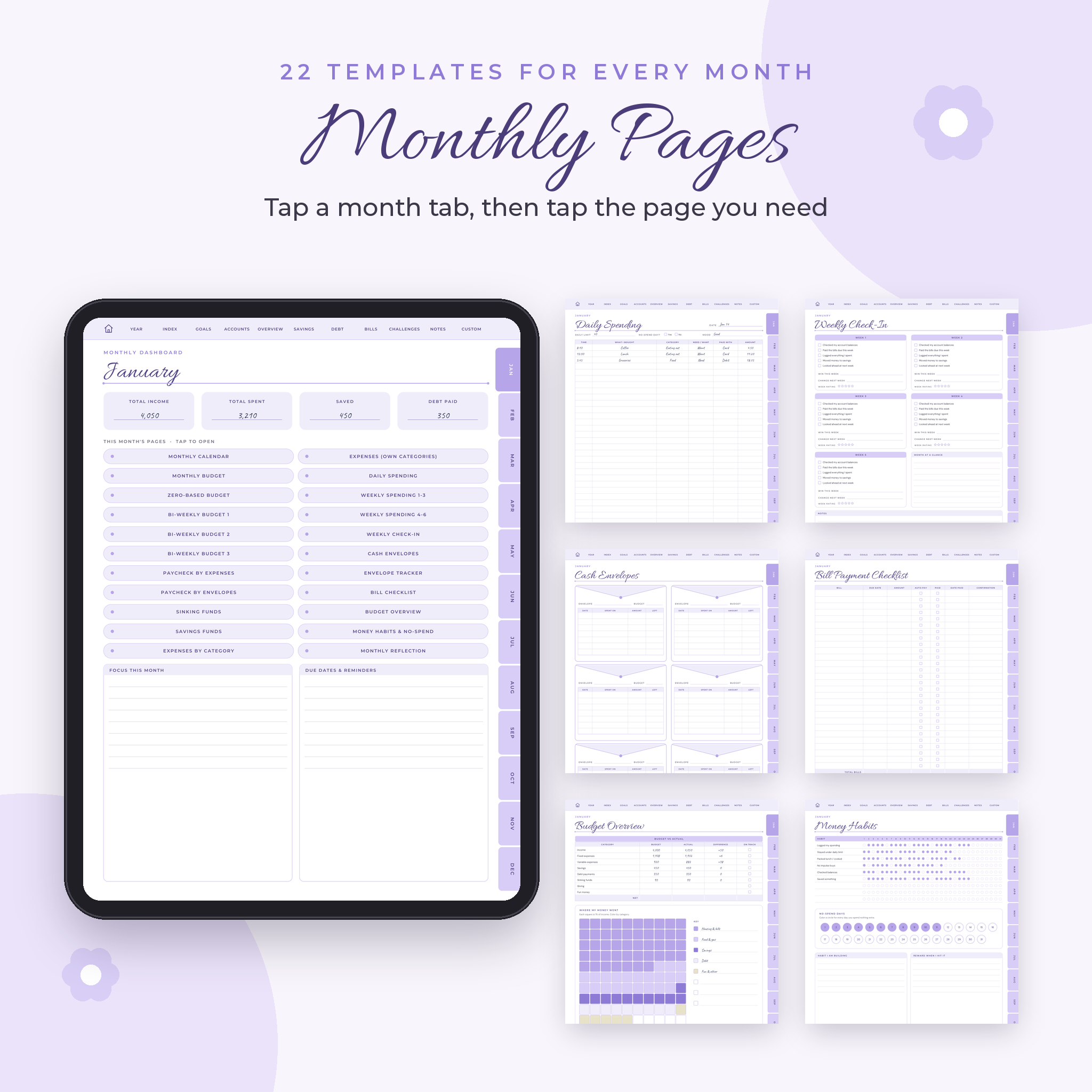
22 monthly templates, for all 12 months
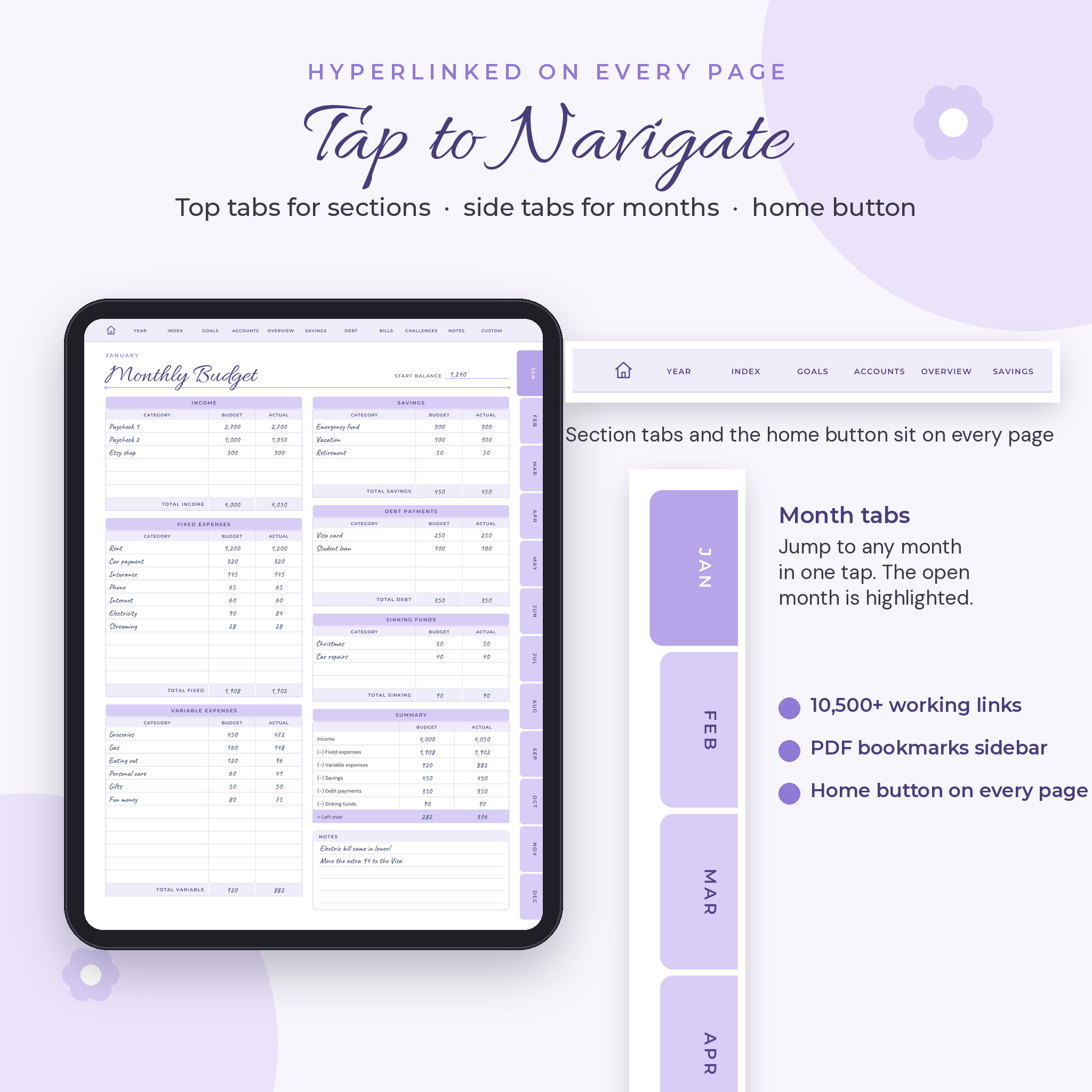
Each month opens on its own dashboard with a button for every page. Inside you get a monthly calendar, monthly budget, zero-based budget, three bi-weekly budget pages, a paycheck budget, a cash envelope paycheck, sinking funds, savings funds, expenses by category (plus a blank version for your own categories), daily spending, weekly spending for up to six weeks, a weekly check-in, cash envelopes, an envelope tracker, a bill checklist, a budget overview, money habits with no-spend days and a monthly reflection.
Finance index for the whole year
Bank accounts, credit cards, wishlist, income tracker, expense tracker, expense planning, vacation expenses, investments, yearly sinking funds, retirement funds, donations, net worth, annual budget plan, side hustle income, tax deduction log, insurance policies, renewals and key dates, paycheck log, a grocery price book and reviews for 18 money books.
Savings trackers and challenges
Color your way to a goal with 3 and 6 month emergency fund jars and planners, a savings jar, a thermometer, a piggy bank grid and themed funds for a home, car, education, vacation, wedding, Christmas, birthdays, shopping and a rainy day. The 17 challenges include the 5,050, 10,100, 50 and 100 envelope, 1,000 in 30 days, 5,000 in 52 weeks, 52-week, 365-day and 30 or 31 day no-spend challenges. Every challenge prints its final total, so you know exactly what you are aiming for.
Debt trackers
A payoff list for every debt, one, two and three debt thermometers, a payoff graph, and trackers for car loans, mortgages, student loans, credit cards and medical bills. The debt payoff planner shows you how to roll payments over with the snowball or avalanche method.
Goals, accounts and overview
Financial goals, monthly targets, a yearly reflection and a vision board. Detail pages for 8 savings accounts and 8 debt accounts. An annual overview, a balance overview for every month and an upcoming expenses page so nothing sneaks up on you.
Notes, stickers and custom sections
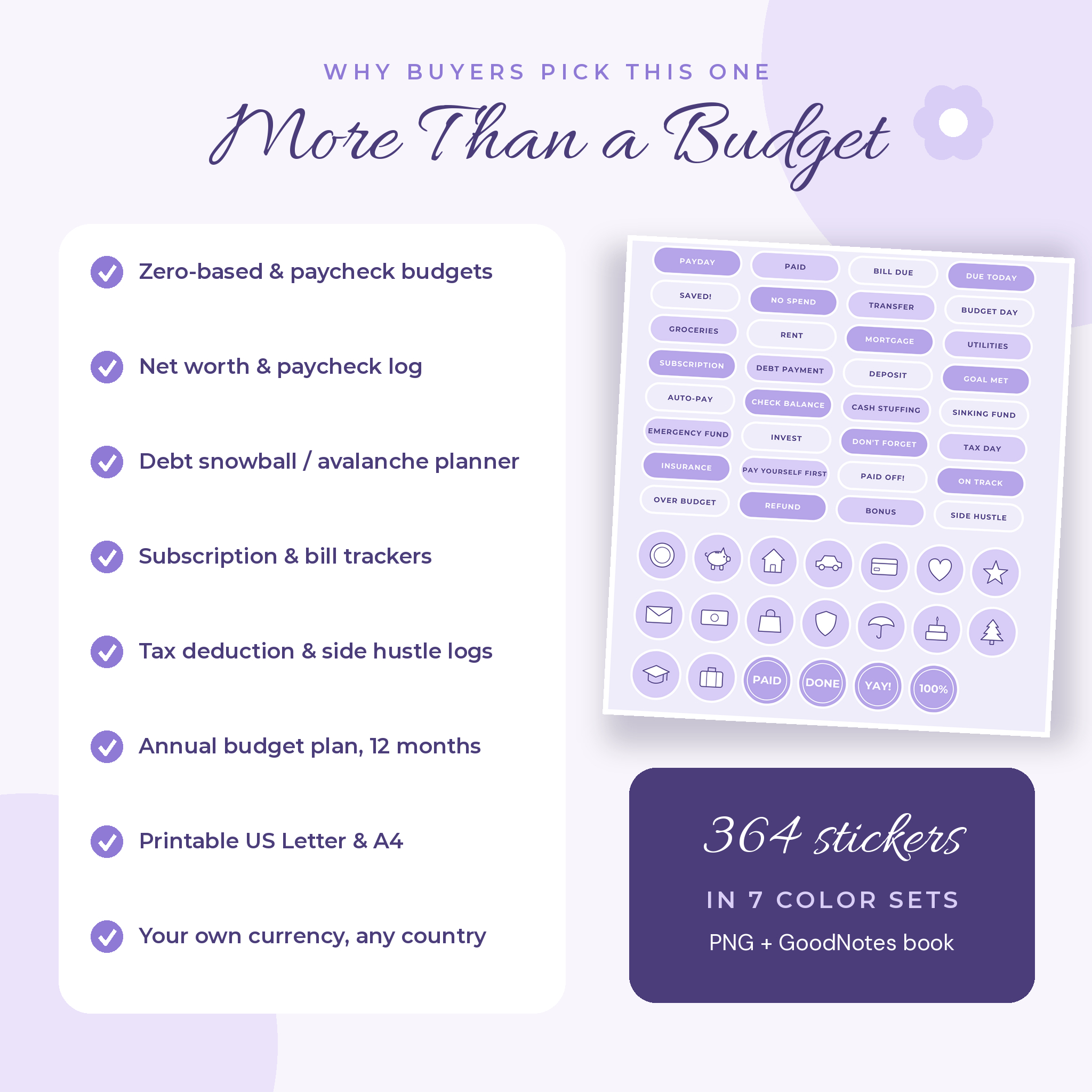
Ten note templates, sticker storage and 12 custom sections you can name yourself. You also get 364 original stickers in seven color sets, as transparent PNG files and as a GoodNotes-ready sticker book.
What is included
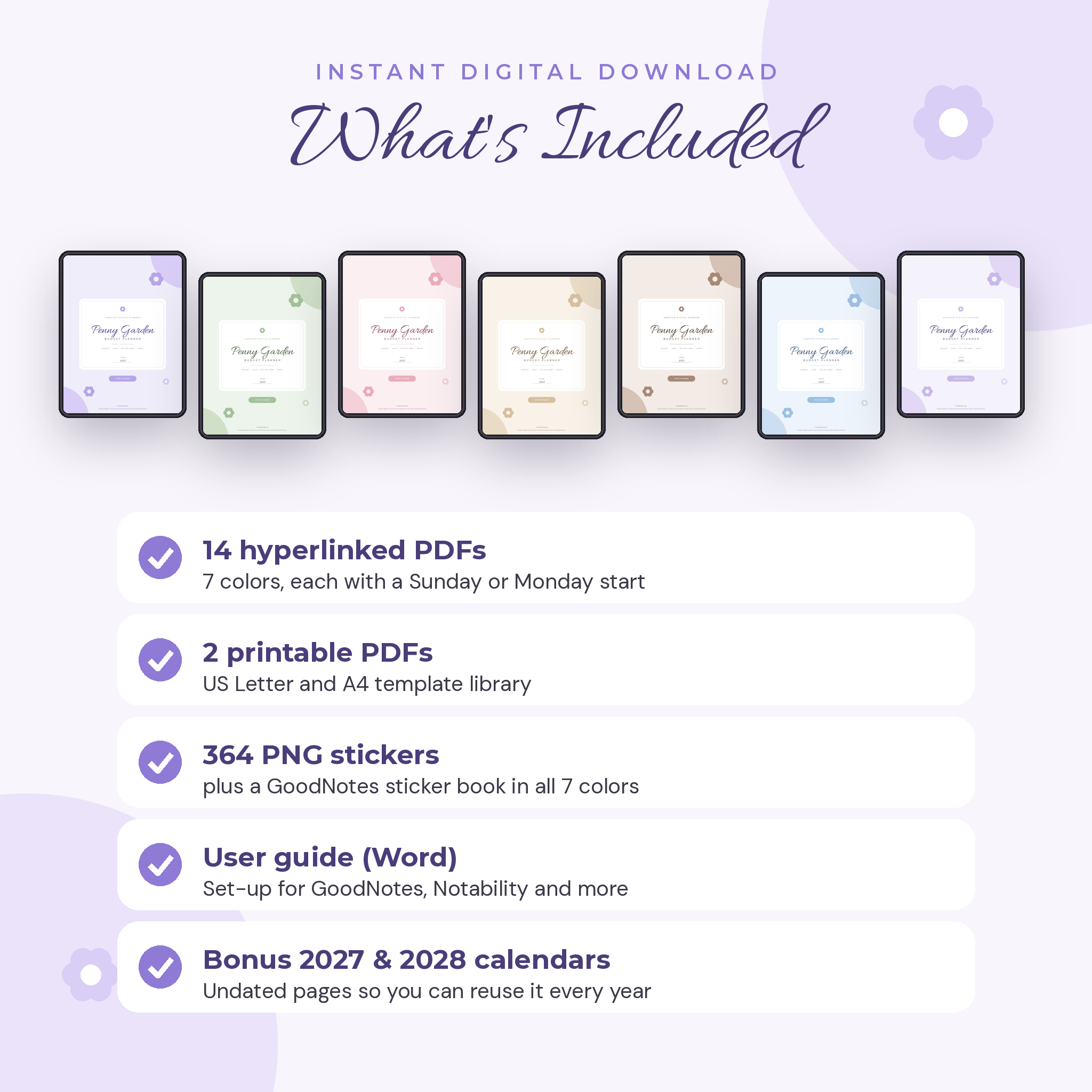
- 14 hyperlinked planner PDFs: 7 colors (Lilac, Sage, Blush, Sand, Mocha, Sky and Rainbow), each with a Sunday start and a Monday start
- 2 printable PDFs: the template library sized for US Letter and A4
- 364 PNG stickers plus a sticker book PDF
- A Word user guide with set-up steps, tips and troubleshooting
- Bonus dated 2027 and 2028 year calendars inside the planner
How it works
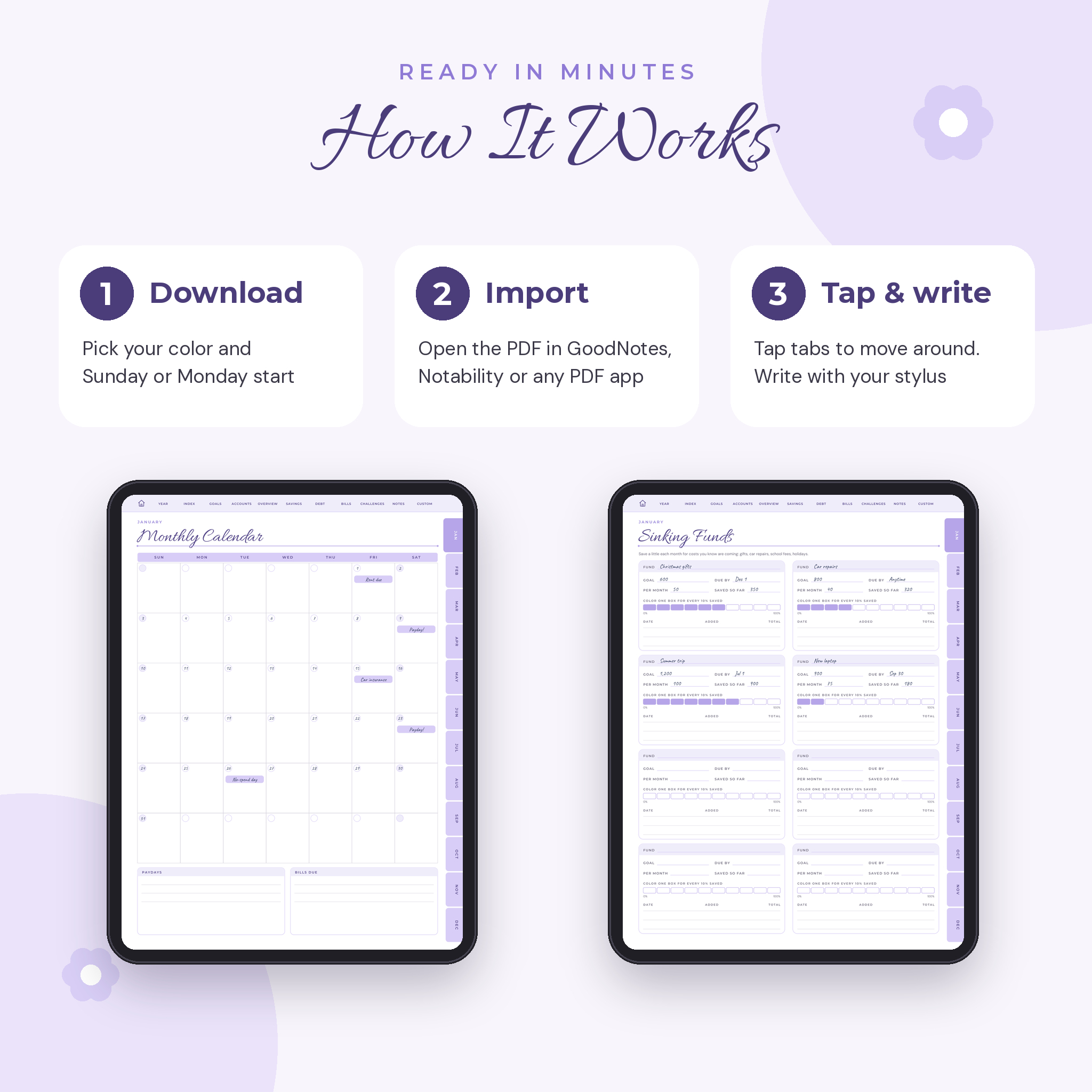
- Download the zip for the color you like after checkout.
- Unzip it and import the Sunday or Monday start PDF into your note app.
- Tap the month tabs on the right or the section tabs along the top to move around. Tap the little house to go home.
- Write with your stylus, color in your trackers and duplicate any page you need more of.
File formats and software
The planner is a standard PDF with internal hyperlinks and a full bookmark list. It is designed for GoodNotes and Notability on iPad, and for PDF annotation apps on Android such as Xodo, Samsung Notes and Noteshelf. You need a tablet with a stylus, or you can type and draw with your finger. The printable files open in any PDF reader. The user guide is a .docx file for Word, Pages or Google Docs. OneNote does not keep PDF links, so it is not a good fit.
Make it yours
No currency symbol is printed in the money columns, so it works with dollars, pounds, euros, rand or any other currency. Pick the color you love, add stickers, rename the custom sections and duplicate the pages you use most. Each planner file is only about 2.5 MB, so it opens quickly and stays smooth even with 423 pages.
Digital download
This is an instant digital download. No physical item will be shipped. Your files appear on the order confirmation page and in your account right after payment. Download on a computer or with a web browser on your tablet, then save the files to a folder before importing them.
Real ways people use it
- A nurse paid every other Friday plans each paycheck on the bi-weekly pages and ticks off bills as they clear.
- A couple saving for a wedding colors one ring for every 50 they put aside.
- A freelancer logs client income, platform fees and tax-deductible costs so tax season takes an evening, not a weekend.
- Someone paying off three cards uses the snowball planner and the three debt thermometer page to stay motivated.
Digital budget planner FAQ
Is this budget planner dated?
No, it is undated so you can start any month and reuse it. Dated 2027 and 2028 year calendars are included as a bonus.
Does it work with GoodNotes and Notability?
Yes. It is a hyperlinked PDF made for those apps. Switch to read-only or view mode to tap the links.
Can I use it on an Android tablet?
Yes, in a PDF note app that supports links, such as Xodo, Samsung Notes or Noteshelf.
Can I print the planner?
Yes. US Letter and A4 printable files are included.
What currency does it use?
Your own. The money columns have no currency symbol.
Can I add more pages?
Yes. Duplicate any page in your app or use the 12 custom sections.
Do I get all the colors?
Yes. All 7 colors and both week starts are included in one purchase.
For personal use only. Please do not share, resell or redistribute the files. All artwork and stickers are original Taskdale designs.
Reviews
There are no reviews yet.