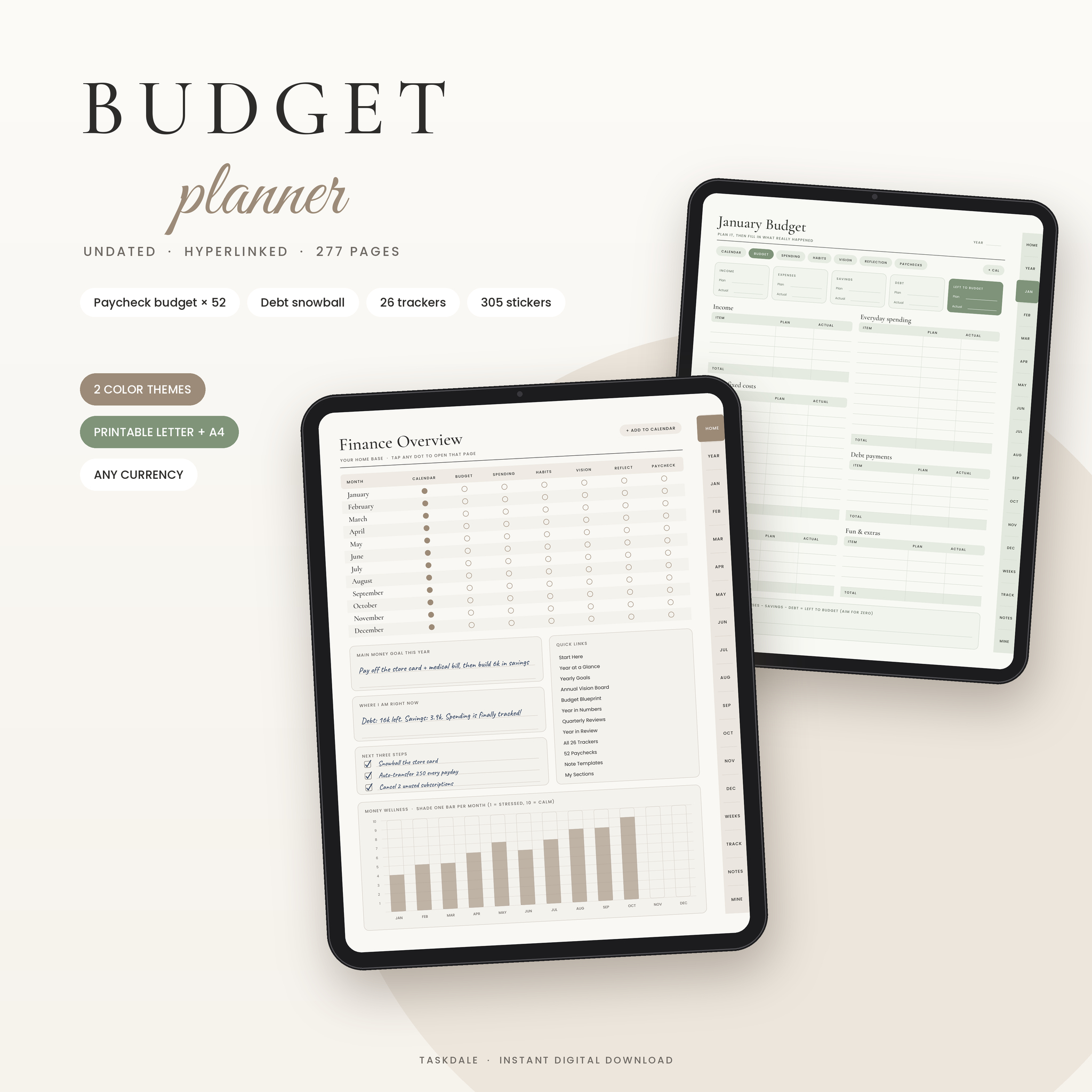
The Quiet Money Budget Planner is an undated digital budget planner built around the way most people actually get paid: one paycheck at a time. You plan each check before you spend it, log what really happens, and watch your debt and savings move on the same linked pages. It runs on your tablet as a hyperlinked PDF, and it comes with US Letter and A4 versions if you would rather print.
There are 277 pages. Most weeks you only touch three or four, and the tabs get you anywhere else in one tap.
What this digital budget planner does
It gives every dollar a job. You set a simple plan once on the Budget Blueprint page, using the 50/30/20 helper if you want a starting point. Then each month and each paycheck follows the same rhythm: plan it, track it, review it.
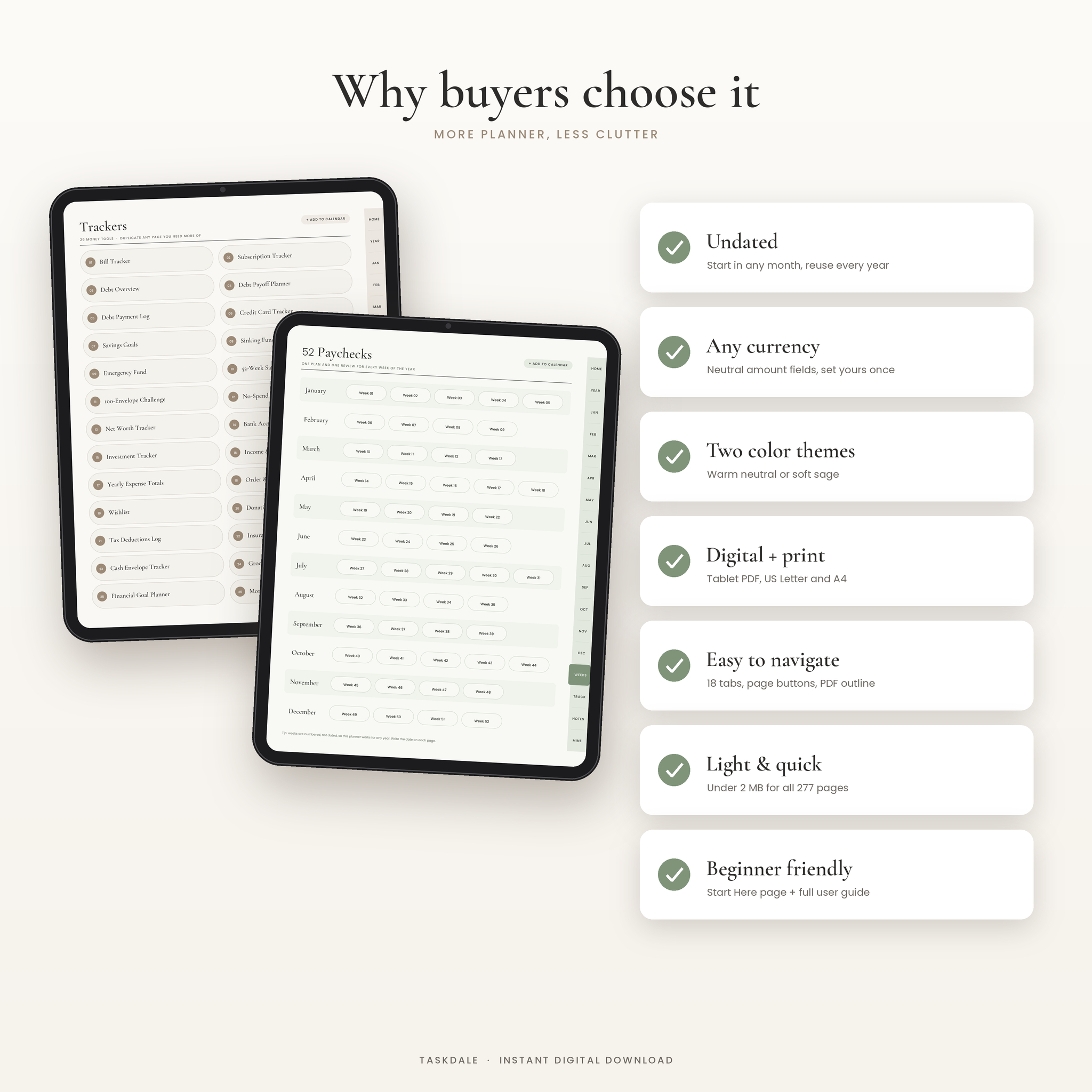
Nothing is dated, so you can start in March or September and still use every page. Money fields say Amount, Plan or Actual instead of a dollar sign, which means it works in any currency.
Who it is for
- Anyone paid weekly, every two weeks or monthly who wants a paycheck budget that is easy to keep up
- People paying off credit cards or loans with the debt snowball or avalanche method
- Savers building an emergency fund, sinking funds or a savings challenge
- Couples who want one place for bills, goals and spending
- Beginners, with a Start Here page and a full user guide
Features
Home dashboard
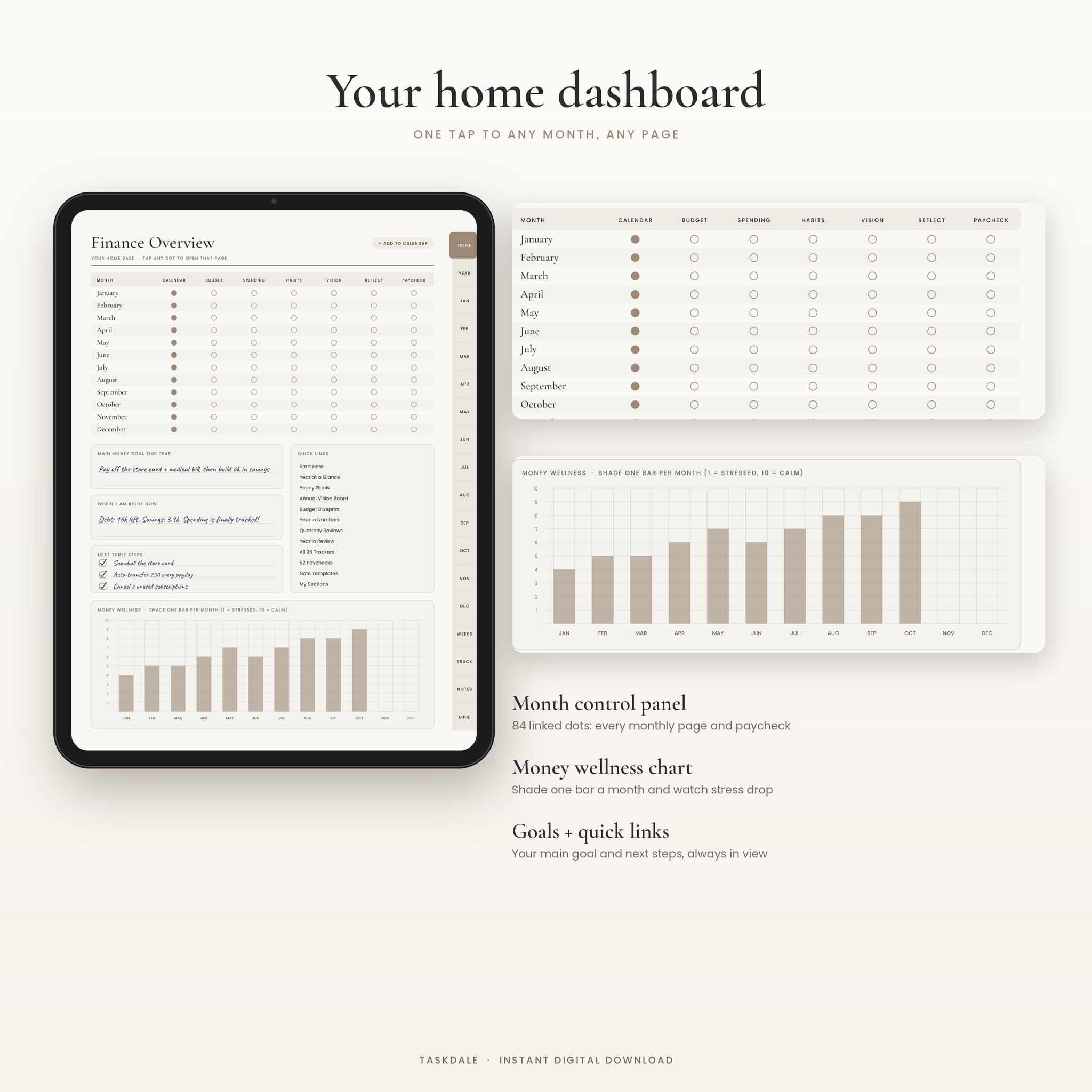
The Finance Overview page is a control panel. Each month has a row of dots, and each dot opens that month’s calendar, budget, spending log, habits, vision board, reflection or first paycheck. Below it you write your main money goal, where you stand today and your next three steps. A wellness chart lets you shade one bar a month to show how calm you feel about money.
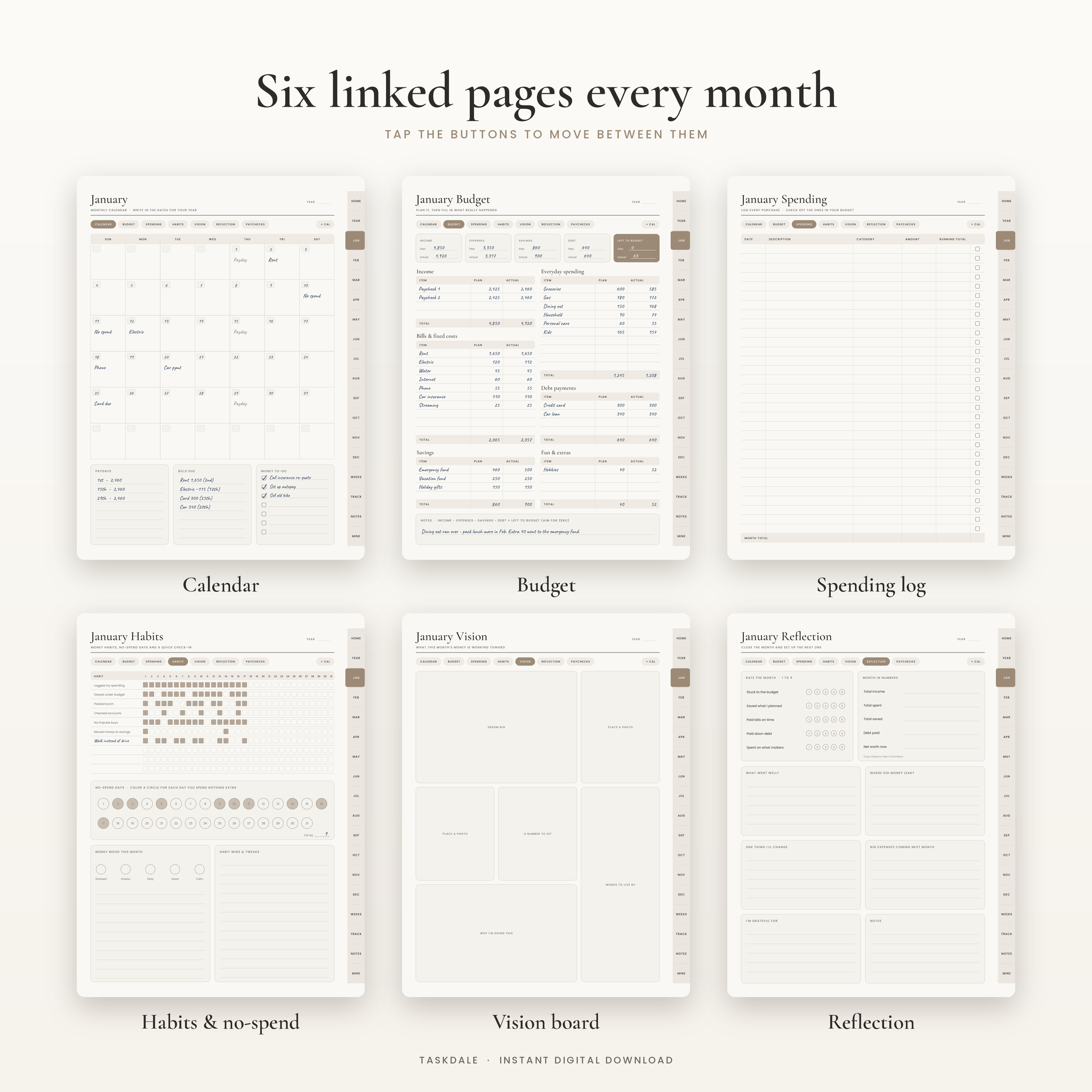
Six linked pages every month
- Calendar with write-in dates, plus boxes for paydays, bills due and a money to-do list
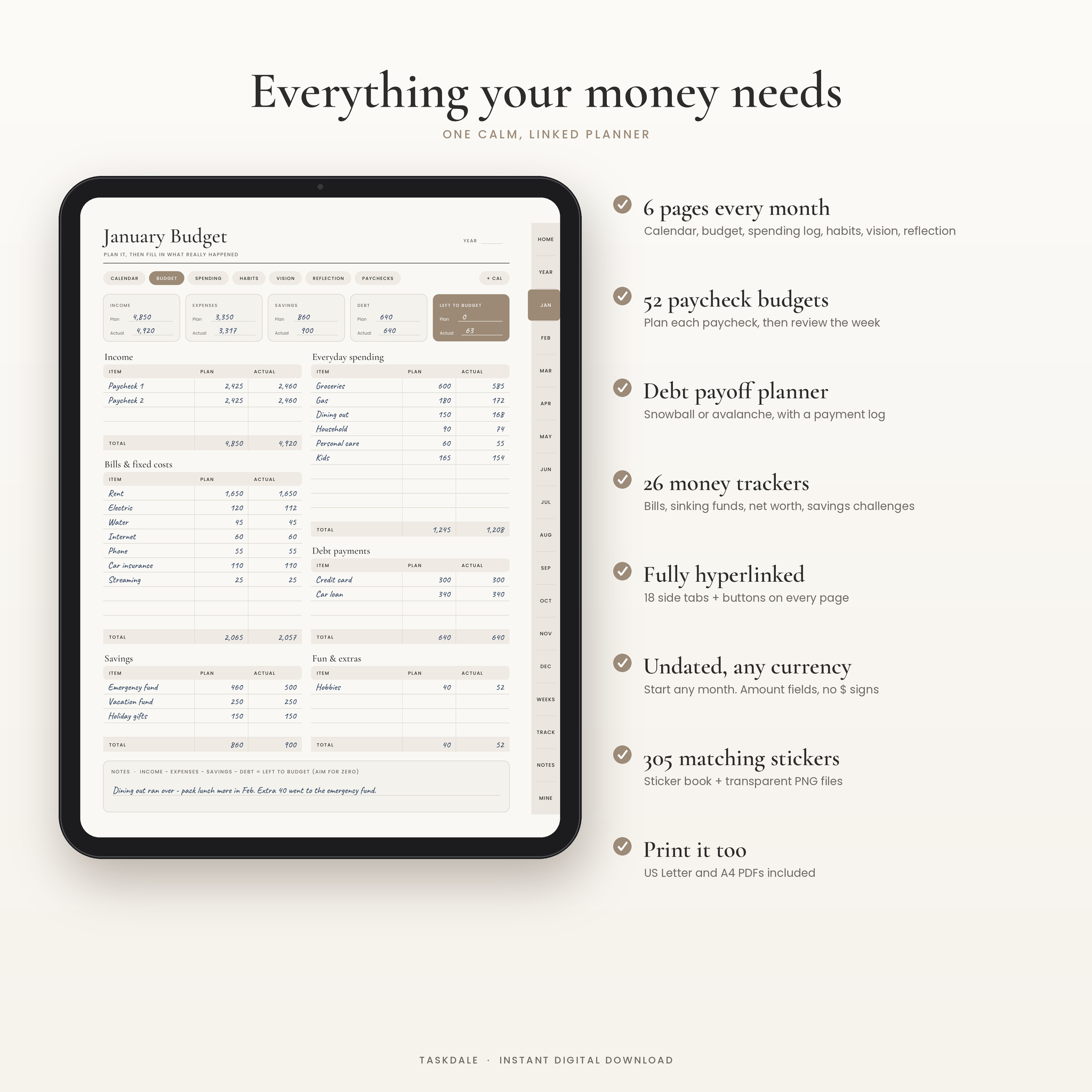
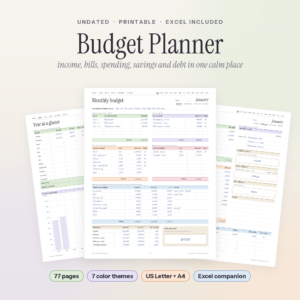
- Monthly budget with plan and actual columns for income, bills, everyday spending, savings, debt and fun, and a left-to-budget box
- Spending log with a running total and a tick box for planned purchases
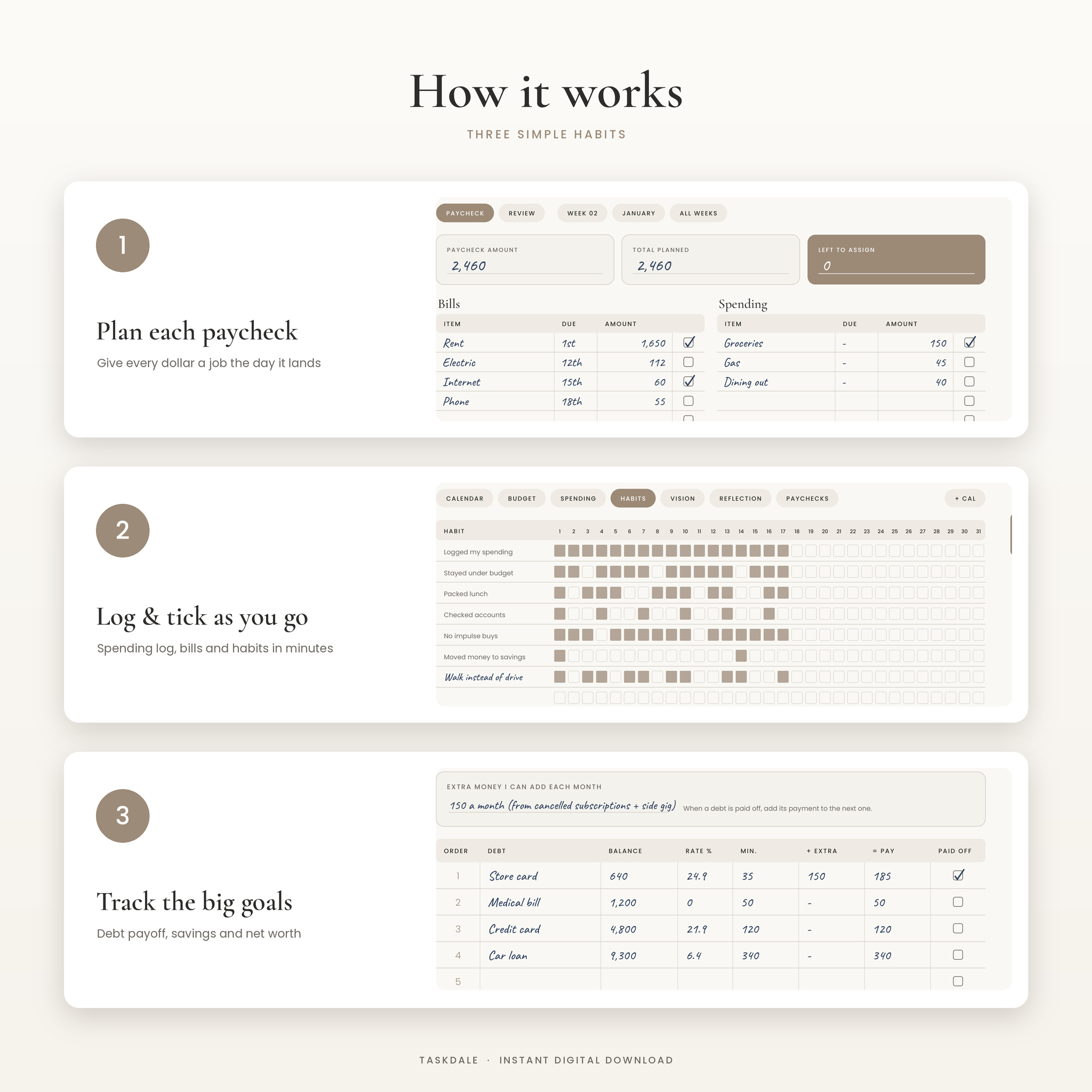
- Habit tracker for 10 money habits over 31 days, no-spend day circles and a money mood check-in
- Vision board for the thing this month’s money is working toward
- Reflection page to rate the month and carry the totals forward
52 paycheck budgets and weekly reviews
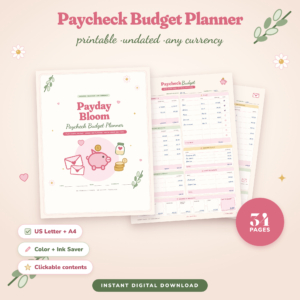
Each paycheck page shows the amount, total planned and left to assign at the top. Bills, spending, savings and debt each get their own table with due dates and tick boxes. A matching review page asks what went well, what ran over and what you will do next week. Buttons jump to the previous or next week, the month budget and the full list of weeks.
26 money trackers
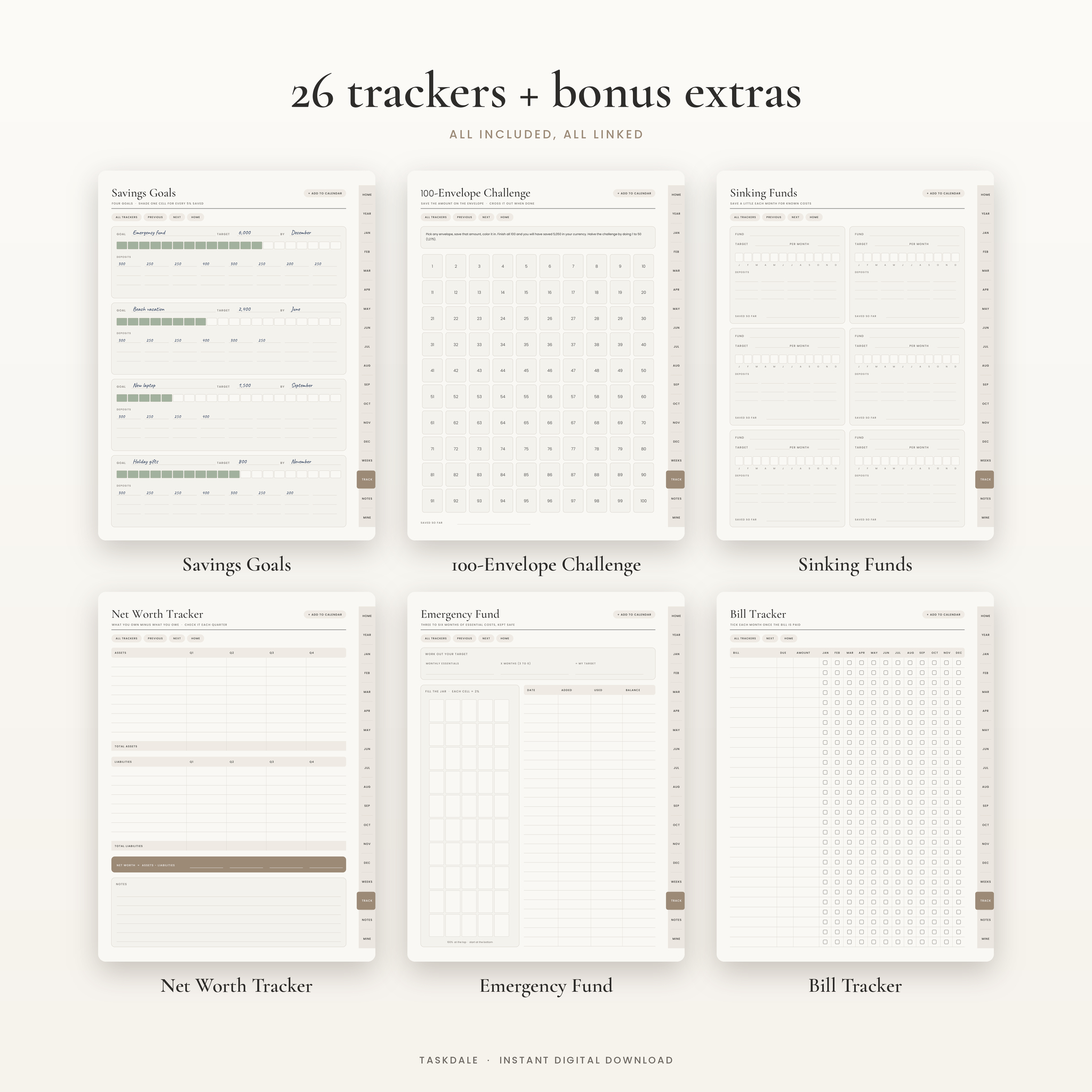
Bill tracker, subscription tracker, debt overview, debt payoff planner (snowball or avalanche), debt payment log with a 2% progress bar, credit card tracker, savings goals, sinking funds, emergency fund jar, 52-week savings challenge, 100-envelope challenge, no-spend challenge, net worth tracker, bank account tracker, investment tracker, income and side hustle tracker, yearly expense totals, order and returns tracker, wishlist, donations tracker, tax deductions log, insurance policies, cash envelope tracker, grocery budget tracker, financial goal planner and a money to-do list.
Year pages
Year at a glance, yearly goals with progress bars, an annual vision board, the budget blueprint, year in numbers, four quarterly reviews and a year in review.
Notes, custom sections and stickers
You get 48 note templates (lined, dot grid and graph in three sizes, Cornell, checklists, weekly and daily plans, a money journal and more), 10 custom sections you can name yourself and 305 matching stickers as a sticker book and transparent PNG files.
What is included
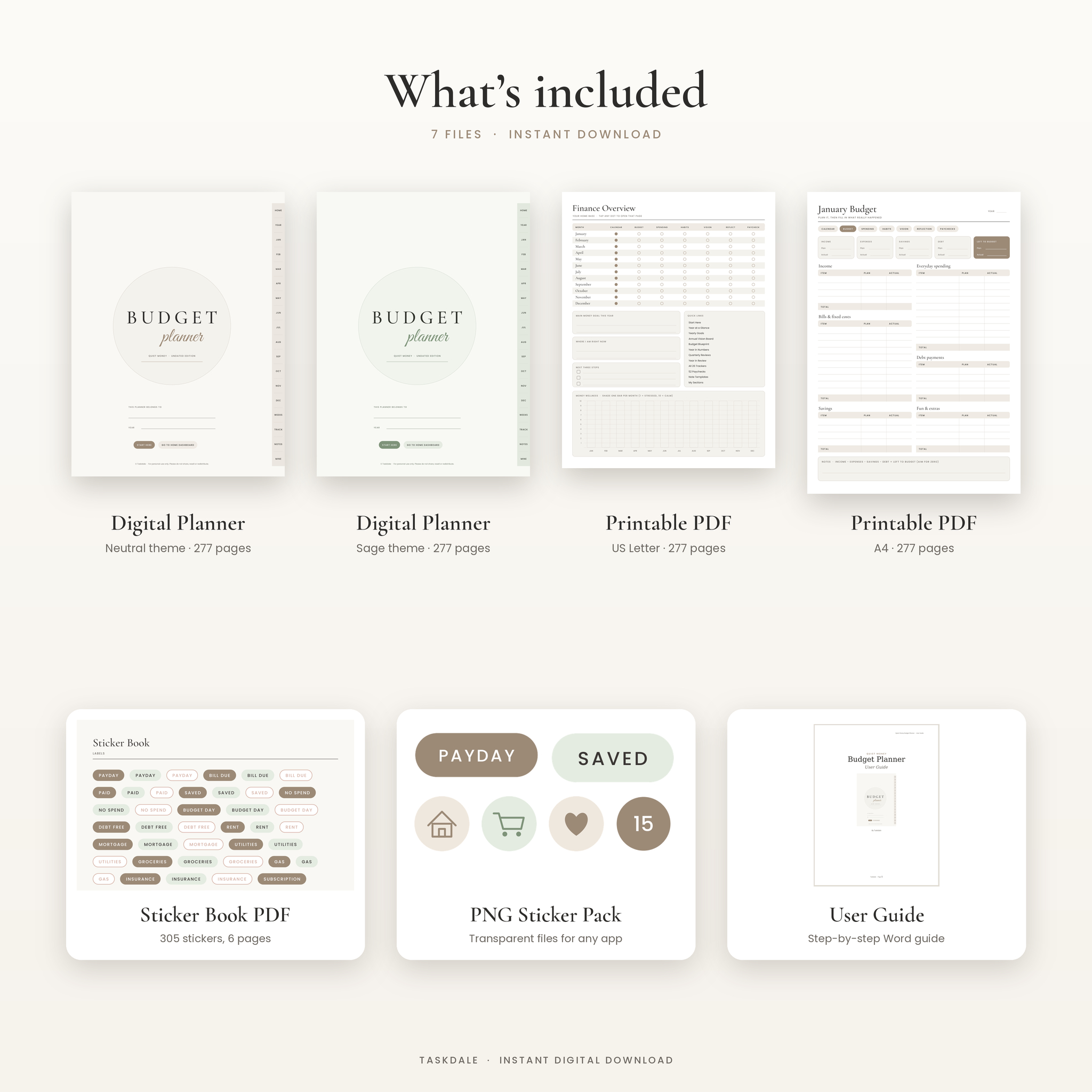
- Digital planner PDF in a warm Neutral theme (277 pages)
- Digital planner PDF in a soft Sage theme (277 pages)
- Printable PDF, US Letter (white background, ink friendly)
- Printable PDF, A4
- Sticker book PDF with 305 stickers
- PNG sticker pack (305 transparent files)
- User guide (Word document)
How it works
- Download the files and import a digital planner PDF into your note-taking app as a new notebook.
- Fill in the Budget Blueprint with your currency and take-home pay.
- Open the current month, write in the dates and add paydays and bills.
- Plan each paycheck on payday until left to assign hits zero.
- Log spending a few times a week, then close the month on the Reflection page.
File formats and software
All planner files are PDF. The digital versions are sized for portrait tablets and use 18 clickable side tabs, page buttons and a full PDF outline. They are made for annotation apps that support PDF links, such as GoodNotes, Notability, Xodo, Noteshelf and Samsung Notes. Links work in read or view mode in most apps. The printables open in any PDF reader. The user guide opens in Microsoft Word, Google Docs, Pages or LibreOffice. A Google Calendar shortcut on most digital pages opens a new event in your browser.
Each digital planner is under 2 MB, so it opens fast even on older tablets.
Customizing it
Pick a theme, duplicate any page you need more of and name up to 10 sections of your own. Add stickers with the lasso tool or import the PNGs. Handwrite or type anywhere.
Digital download
This is an instant digital download. No physical product will be shipped. Your files appear right after payment and stay in your Taskdale account. Personal use only, please do not share or resell the files.
Real ways people use it
- A nurse paid every two weeks plans each check on payday and tracks overtime on the income page.
- A couple paying off three credit cards lists them on the snowball planner and colors the payment log as balances fall.
- A freelancer logs side hustle income, sets money aside for tax and keeps receipts on the tax deductions log.
- A family saving for a holiday runs the 100-envelope challenge alongside a sinking fund for gifts.
FAQ
Is this budget planner dated?
No. It is undated, so you can start any month and use it year after year.
Does it work with GoodNotes on iPad?
It is a standard hyperlinked PDF made for GoodNotes and similar apps. Import it as a new notebook and tap the tabs in read mode.
Can I use it on Android?
Yes. Use a PDF app with link support, such as Xodo, Noteshelf or Samsung Notes.
Can I print it?
Yes. US Letter and A4 printable PDFs are included, with a white background to save ink.
Does it add up totals for me?
No. It is a handwritten planner. The pages show the simple formula where it helps, so the math stays quick.
What currency does it use?
Any. Money fields have no currency sign, so you write in dollars, pounds, euros or whatever you use.
Does it work if I get paid every two weeks?
Yes. Use the paycheck pages for the weeks you are paid and the reviews every week if you like.
Reviews
There are no reviews yet.