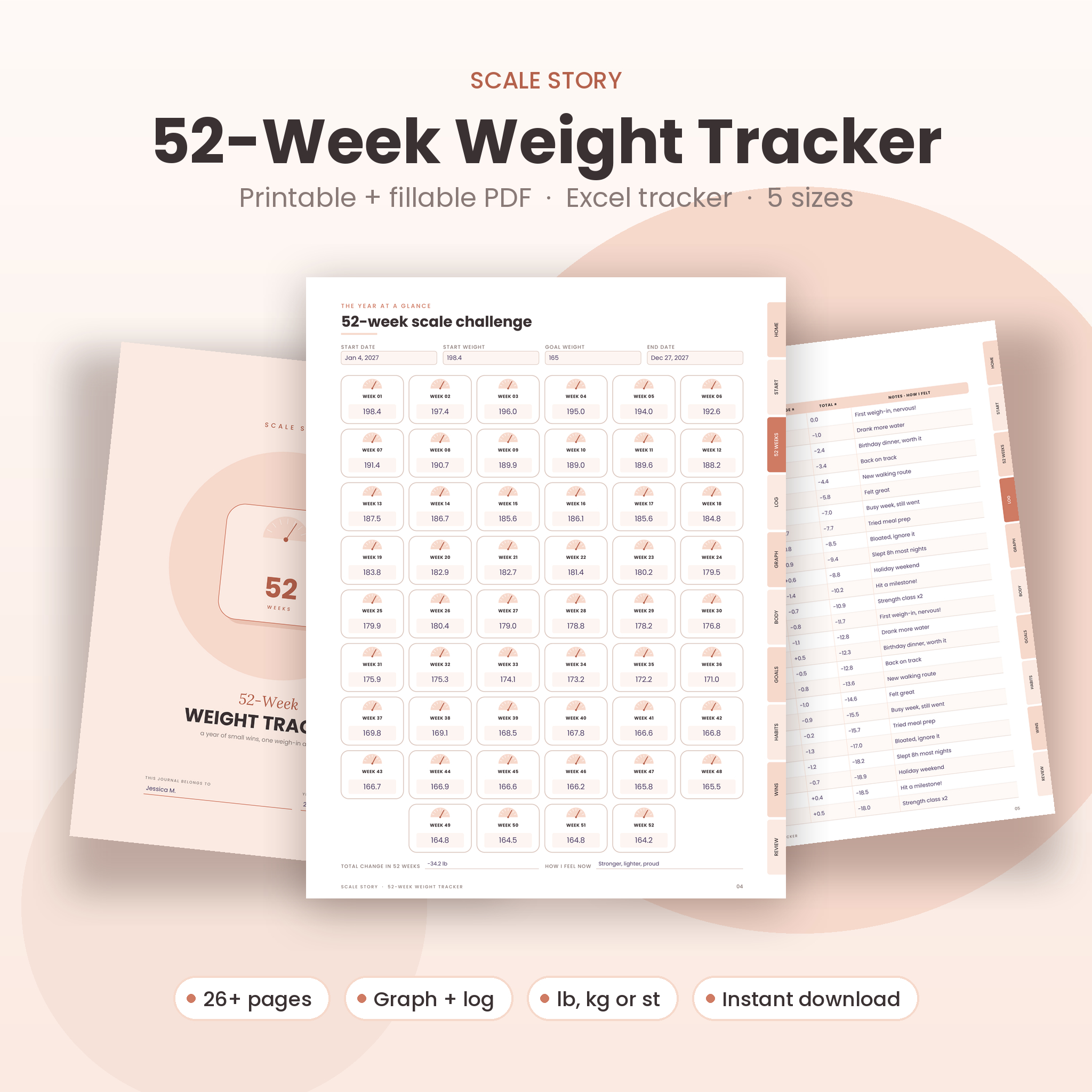

This 52-week weight loss tracker gives you a full year of weekly weigh-ins in one tidy kit. You get a printable PDF, a fillable PDF with clickable tabs, and an Excel tracker that does the math for you. Weigh in once a week, write one number, and watch a year of small wins add up.
Most weight trackers are a single page of boxes. That works for a few weeks. Then you want a graph, somewhere to log measurements, a way to reward yourself. Scale Story puts all of that in one place, in a soft blush design that looks good on a desk or in a planner.
What this 52-week weight tracker does
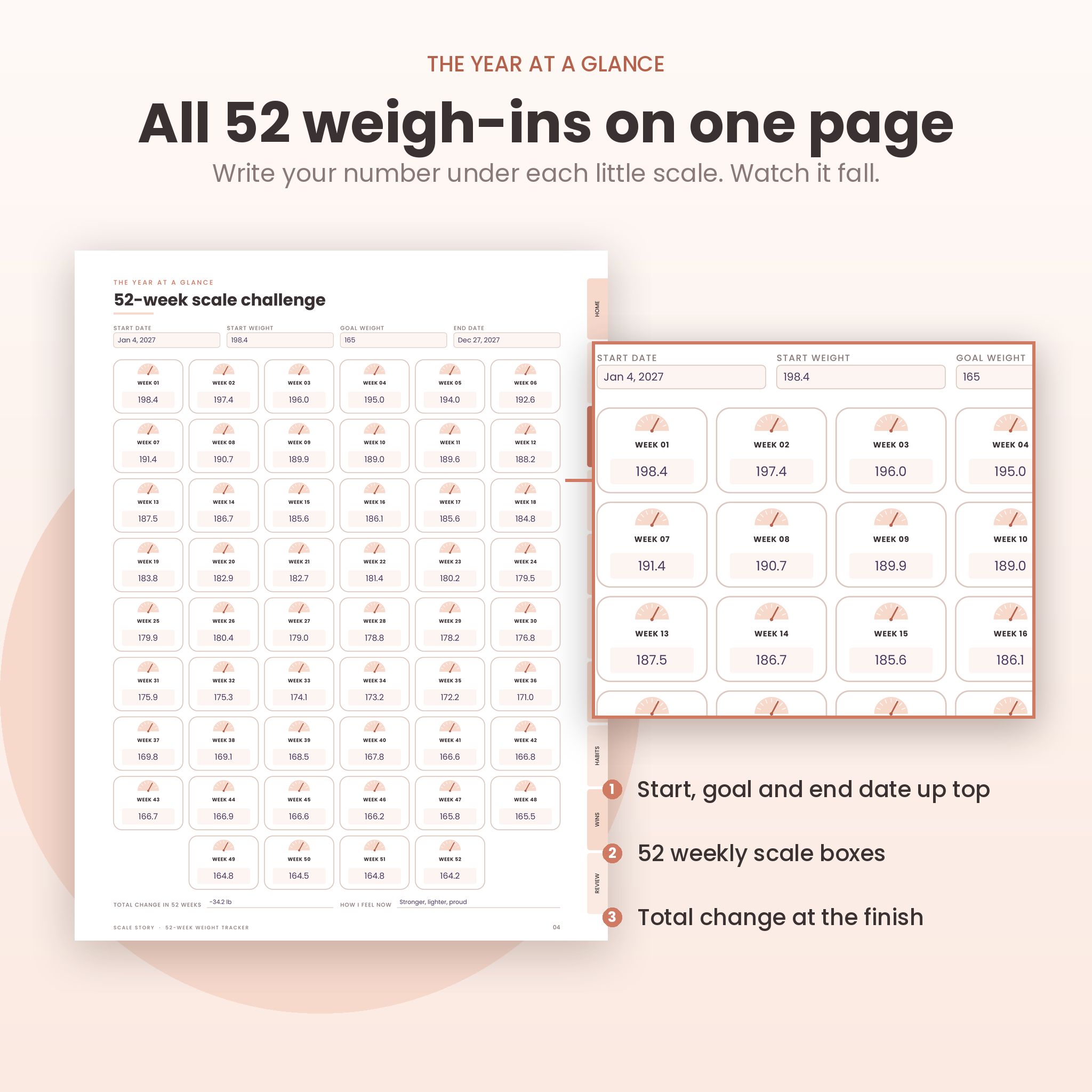
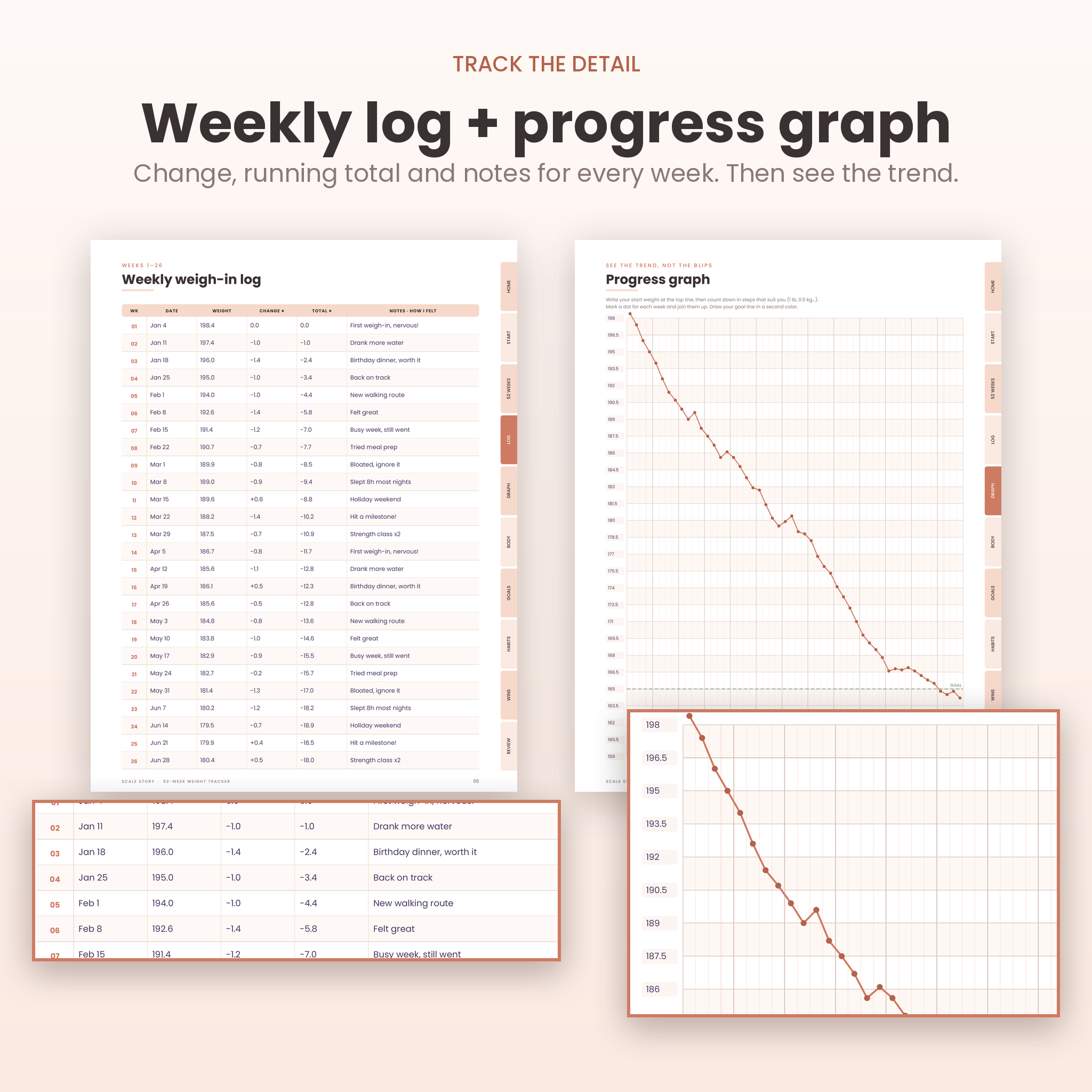
It turns weekly weigh-ins into a story you can see. The one-page 52-week scale challenge shows the whole year at a glance. The weekly log holds the detail: date, weight, change, running total and a note. The progress graph shows the trend, which matters far more than any single week.
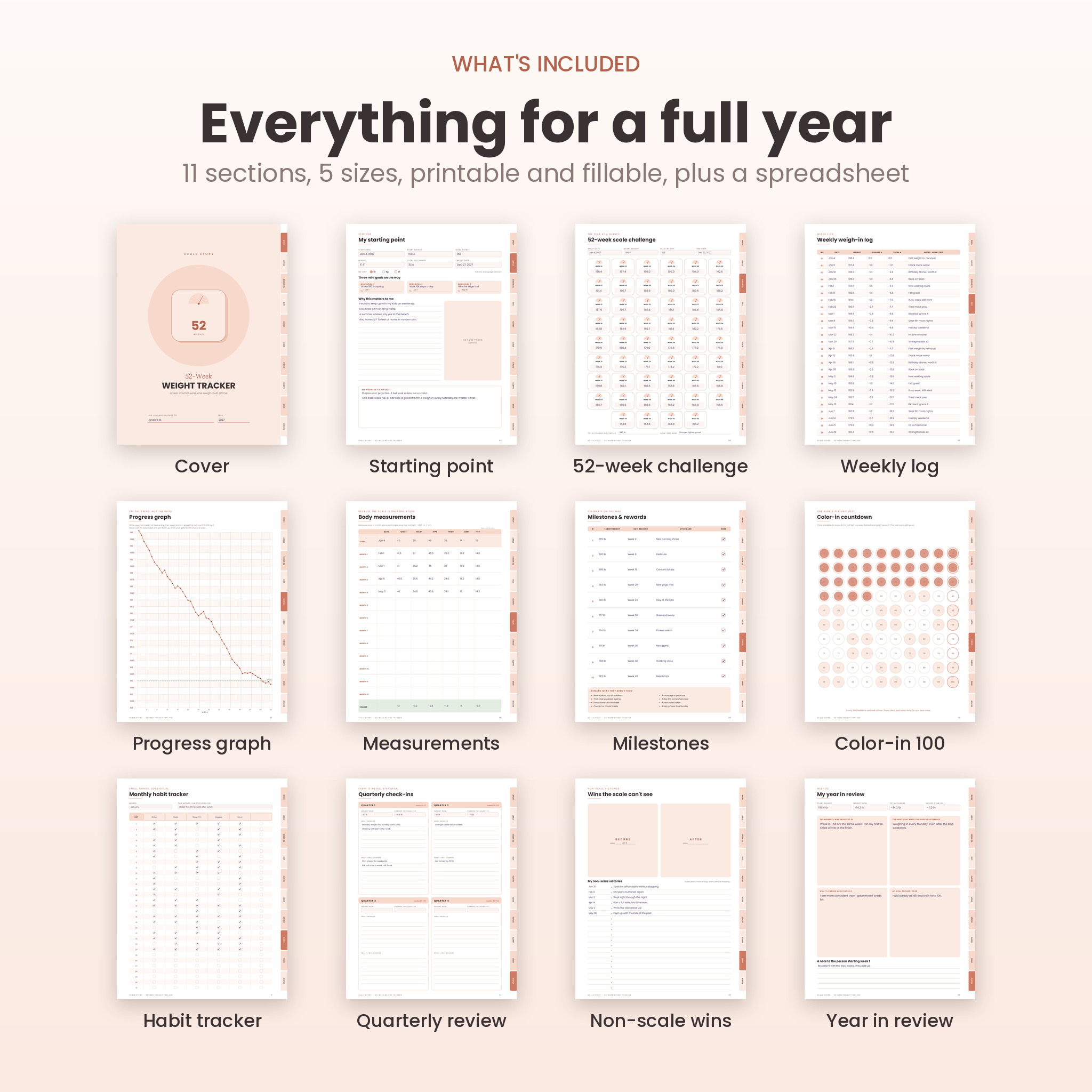
Around that core sit the pages people usually go looking for later. Monthly body measurements. Ten milestones with non-food rewards. A 100-bubble color-in countdown. Twelve months of habit tracking. Quarterly check-ins. A non-scale victories page. A year-in-review to close it out.
Who it’s for
- Anyone starting a weight loss goal who wants a simple weekly routine
- Pen-and-paper people and tablet people (you get both versions)
- Binder, disc and Classic Happy Planner users
- Slimming club members who weigh in weekly
- People who gave up on apps that want data every single day
What’s included
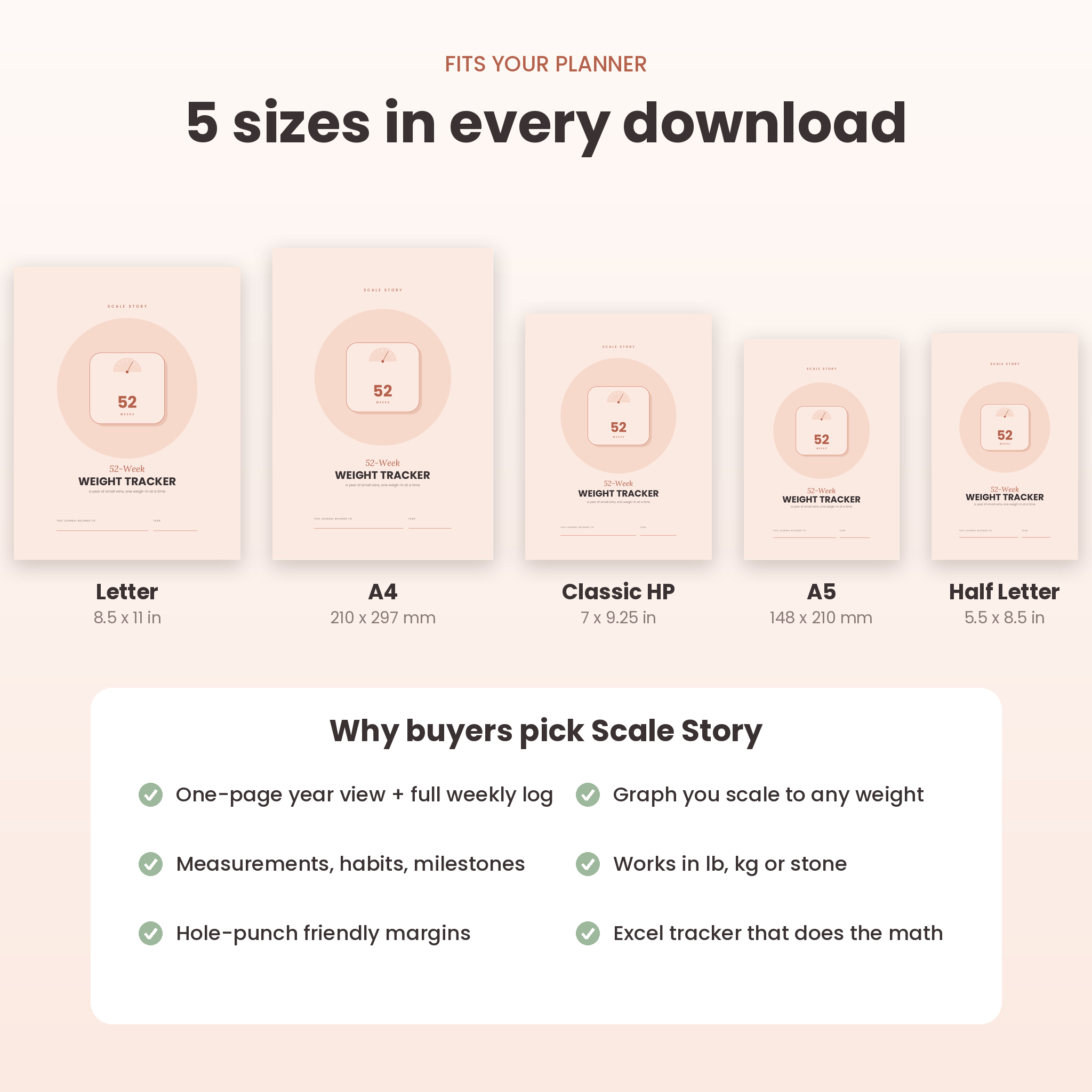
- Printable PDF in 5 sizes: US Letter, A4, A5, Half Letter and Classic Happy Planner (7 x 9.25 in). 15 to 16 pages each.
- Fillable PDF in 5 sizes: the same design with type-in fields, tick boxes, 12 habit months and clickable side tabs. 26 to 27 pages each.
- Excel weight tracker (.xlsx): dashboard, chart, weekly log, measurements and milestones. It calculates everything.
- User guide (.docx): 20 pages covering setup, every page, printing, tablets, troubleshooting and FAQs.
Pages inside the tracker
- Cover with name and year
- Linked contents page
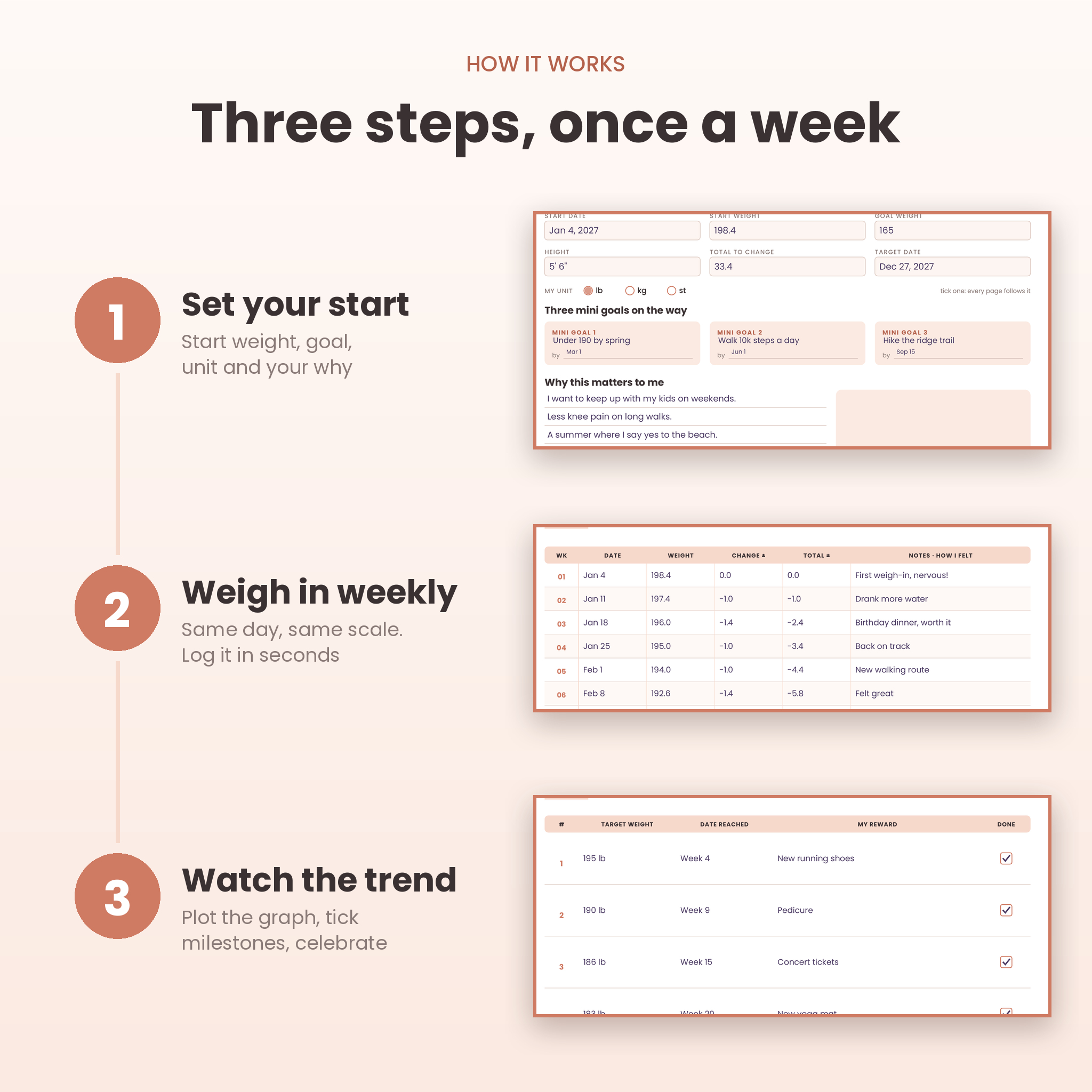
- My starting point: start weight, goal weight, height, target date, unit, three mini goals, your why and a day-one photo spot
- 52-week scale challenge: 52 little scale icons, one box per week
- Weekly weigh-in log: date, weight, change, total change and notes for all 52 weeks
- Progress graph: 52 columns with a y-axis you label yourself, so it fits any weight and any unit
- Body measurements: chest, waist, hips, thigh, arm and one spot you choose, monthly for a year
- Milestones and rewards: 10 targets, the date you hit each one and a reward, plus non-food reward ideas
- Color-in countdown: 100 numbered bubbles, one per pound or half kilo lost
- Monthly habit tracker: water, steps, sleep, veggies, movement and one habit of your own
- Quarterly check-ins: what worked and what to change, every 13 weeks
- Non-scale victories with before and after photo frames
- Year in review and a note to the person starting week 1
Features that set it apart
- Works in lb, kg or stone. Tick your unit once. Nothing is printed in a fixed unit, so you never convert.
- Graph that fits your numbers. You write the scale down the side, so a 15 lb goal and a 100 lb goal both get a graph that fills the page.
- Running totals. The log tracks change from last week and from day one, side by side.
- Clickable side tabs. In the fillable PDF, ten tabs jump straight to each section. The contents page links too.
- Hole-punch friendly. Every page has a wider inner margin for binders and disc planners.
- Undated. Start any week of the year.
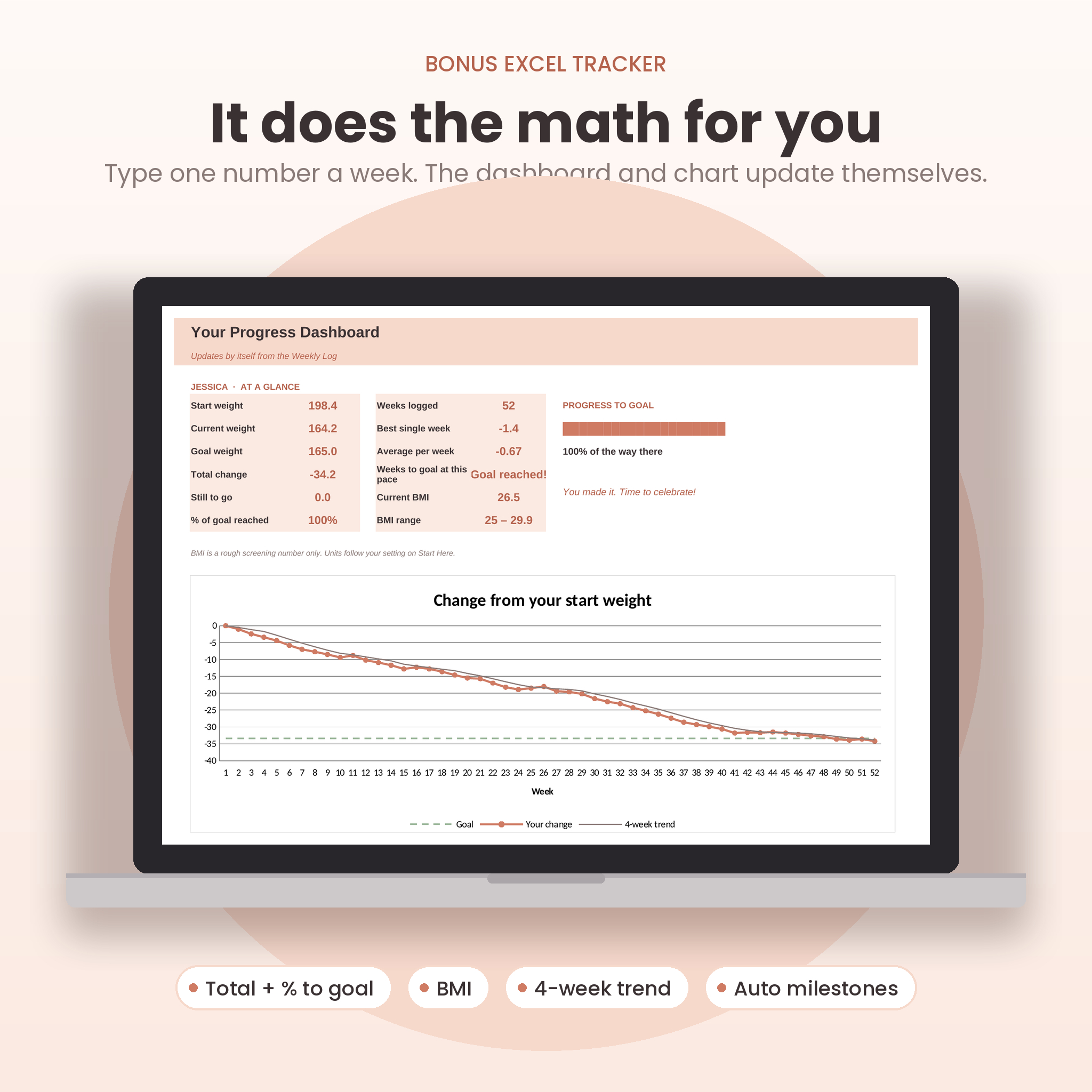
- Excel tracker included. Type one number a week and the dashboard updates: total change, % to goal, BMI, best week, average per week, weeks left at your pace and a chart with a 4-week trend line.
How it works
- Download and unzip the file.
- Pick your format: printable, fillable or the spreadsheet. Use one or all three.
- Fill in your starting point and choose lb, kg or st.
- Weigh in once a week, same day and same scale. Write it on the 52-week page and in the log.
- Plot a dot on the graph, tick off milestones and color in a bubble for every pound down.
File formats and software
- PDF files open in any PDF reader. For typing into the fillable version, use Adobe Acrobat Reader (free).
- For tablets, import the PDF into a PDF note-taking app such as GoodNotes, Notability, Noteshelf or Xodo and write with your stylus.
- The spreadsheet is an .xlsx file built for Microsoft Excel on desktop.
- The user guide is a Word .docx file.
Customization
Name the sixth habit and the custom measurement column whatever you like. Pick your own milestone targets and rewards. Choose how many lb or kg each graph line stands for. In the spreadsheet, the formula cells are locked to stop accidents, but there’s no password, so you can unprotect any sheet and change the colors or labels.
Digital download
This is an instant digital download. You’ll get one ZIP file with all sizes and formats, plus the user guide as a separate file. Nothing physical will be shipped. Colors can look a little different depending on your screen and printer.
Real ways people use it
- A New Year goal: start week 1 in January and finish with the year-in-review in December.
- Slimming club weigh-ins: keep the weekly log in your bag and the graph on the fridge.
- Post-baby or post-holiday reset: use the milestones page to break a big number into ten smaller ones.
- Couples or friends doing a challenge together: print a set each and compare graphs, not numbers.
- Doctor or dietitian check-ins: bring the log and measurement pages so you have the real history in front of you.
FAQ
Does it work with kilograms or stone?
Yes. Tick lb, kg or st on the starting page. The spreadsheet has one unit setting for lb or kg that every sheet follows.
Can I use it on my iPad?
Yes. Import the PDF into a note-taking app like GoodNotes or Notability and write on it with your pen. Typing into the fields works best in Adobe Acrobat Reader.
Which size should I print?
US Letter in the US and Canada, A4 almost everywhere else. A5, Half Letter and Classic Happy Planner sizes fit those planners.
Can I print it more than once?
Yes, as many times as you like for yourself and your household.
Is it dated?
No. Week 1 is whenever you start.
Do I need Excel?
Only for the spreadsheet. The PDFs work on their own and cover everything the spreadsheet does, just by hand.
Can I use it for weight gain or maintenance?
The PDF pages work for any goal. The spreadsheet milestones are set up for weight loss.
Licence
Personal use only. Please don’t resell, share, upload or redistribute the files or printed copies. This tracker is a planning tool, not medical advice.
Reviews
There are no reviews yet.