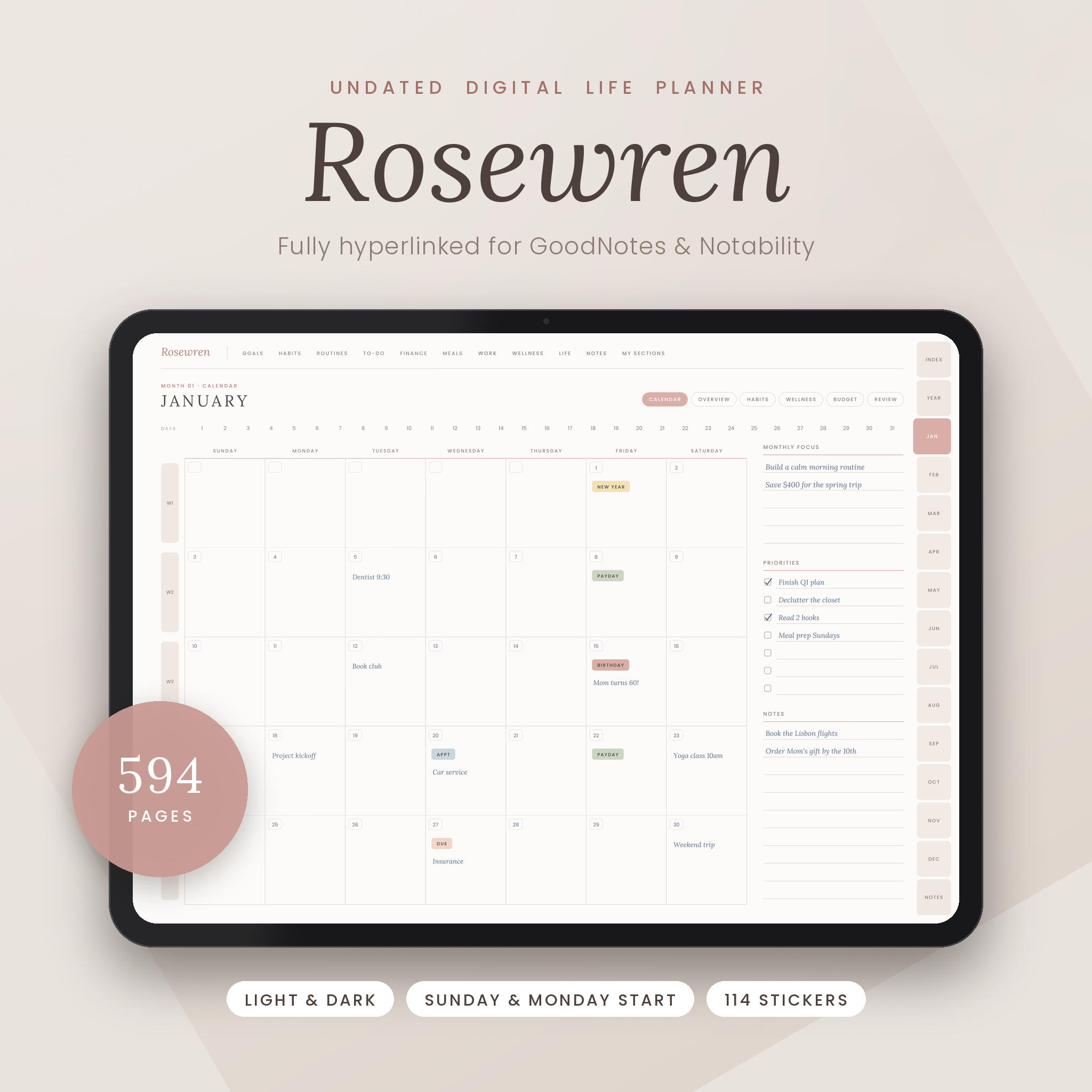
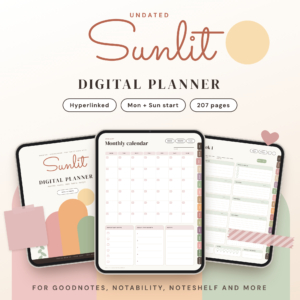
The Rosewren Life Planner is an undated digital planner that keeps your whole life in one beautiful, fully hyperlinked file. Plan your year, months, weeks and days, track habits, mood and sleep, manage your budget, organize meals and projects, and keep every important detail in one calm place on your iPad or Android tablet. Because it is undated, you can start in any month and use it again year after year.
A hyperlinked digital life planner that is easy to use
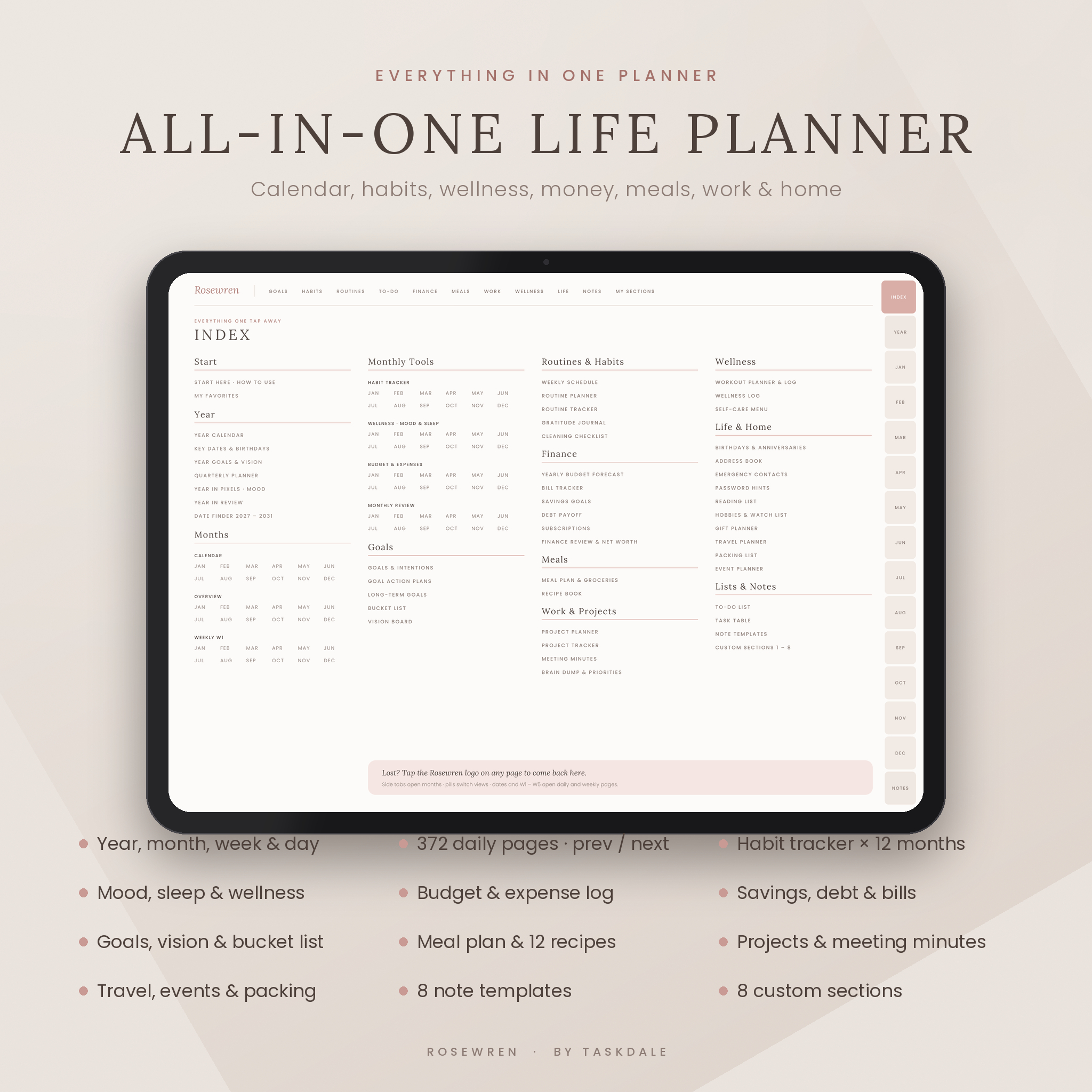
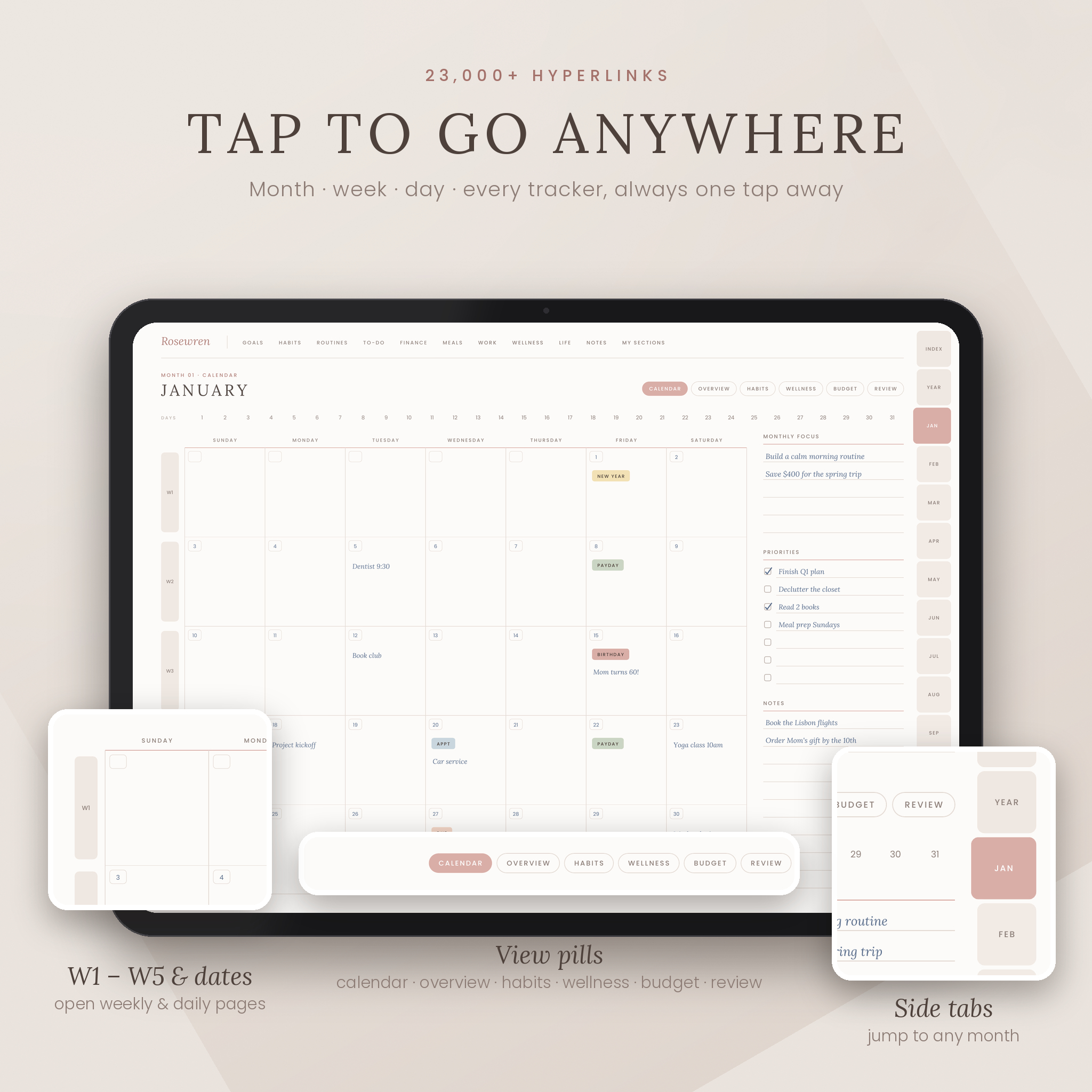
Many digital planners are pretty but confusing. Rosewren is designed to be simple from the first tap. Every page shares the same layout: a labeled top menu for each section, side tabs for every month, view buttons for the month you are in, and dates and week numbers that open the right page. Tap the Rosewren logo on any page to return to the Index. With 594 pages and more than 23,000 working links, everything is one or two taps away.
Who it is for
- Busy parents and home organizers who want the household in one place
- Students, teachers and professionals who plan by the week and the day
- Small business owners and creators managing projects, meetings and money
- Anyone who loves paper planning but wants the ease of a tablet and stylus
Features of this undated GoodNotes planner
Year pages
- Year calendar linked to every month and week
- Key dates and birthdays, year goals and vision, quarterly planner
- Year in Pixels mood tracker and a Year in Review reflection
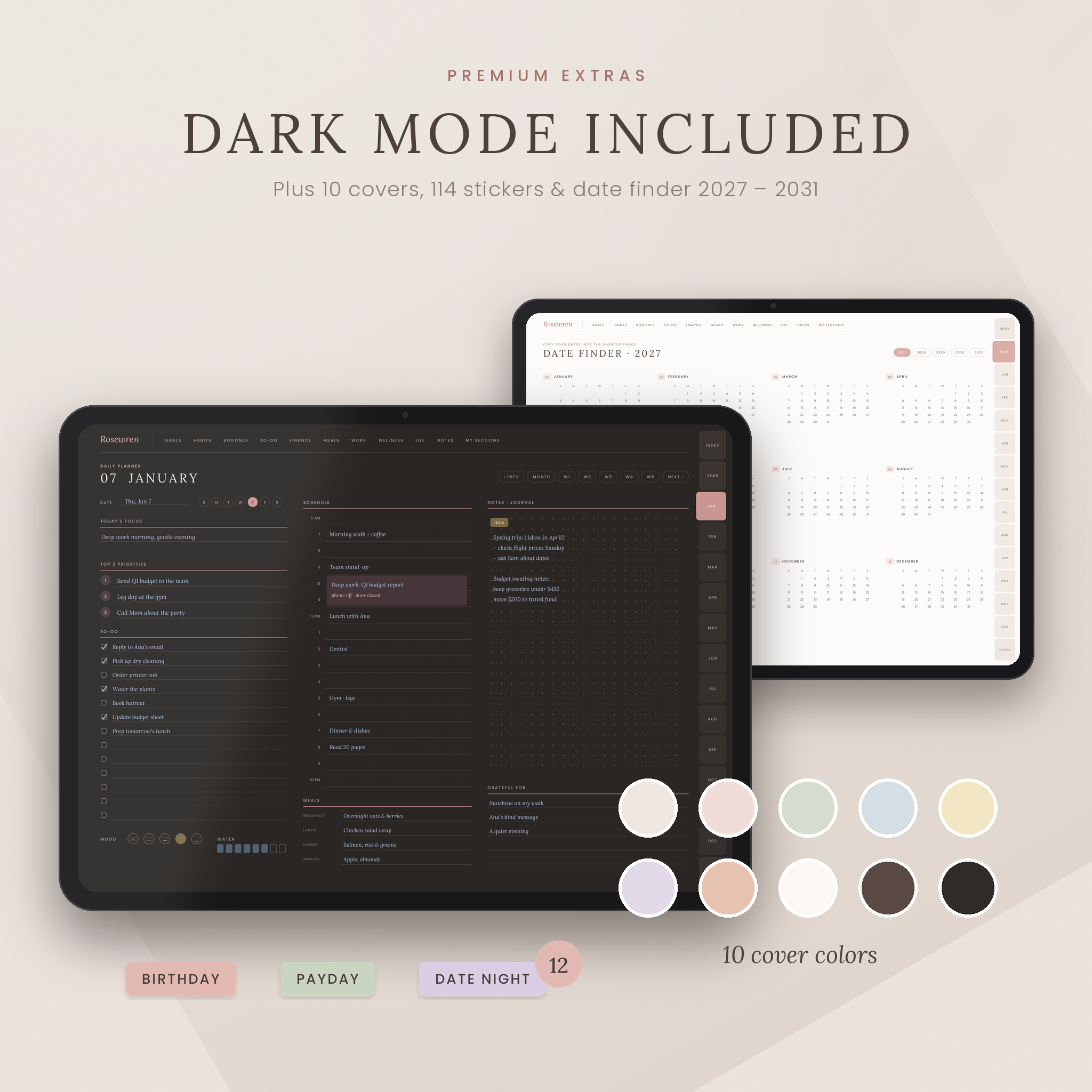
- Date Finder calendars for 2027 to 2031, so filling in your undated pages takes seconds
Monthly, weekly and daily planning
- 12 monthly calendars with a 1–31 date strip and W1–W5 week links
- 12 monthly overviews with goals, priorities, milestones and to-dos
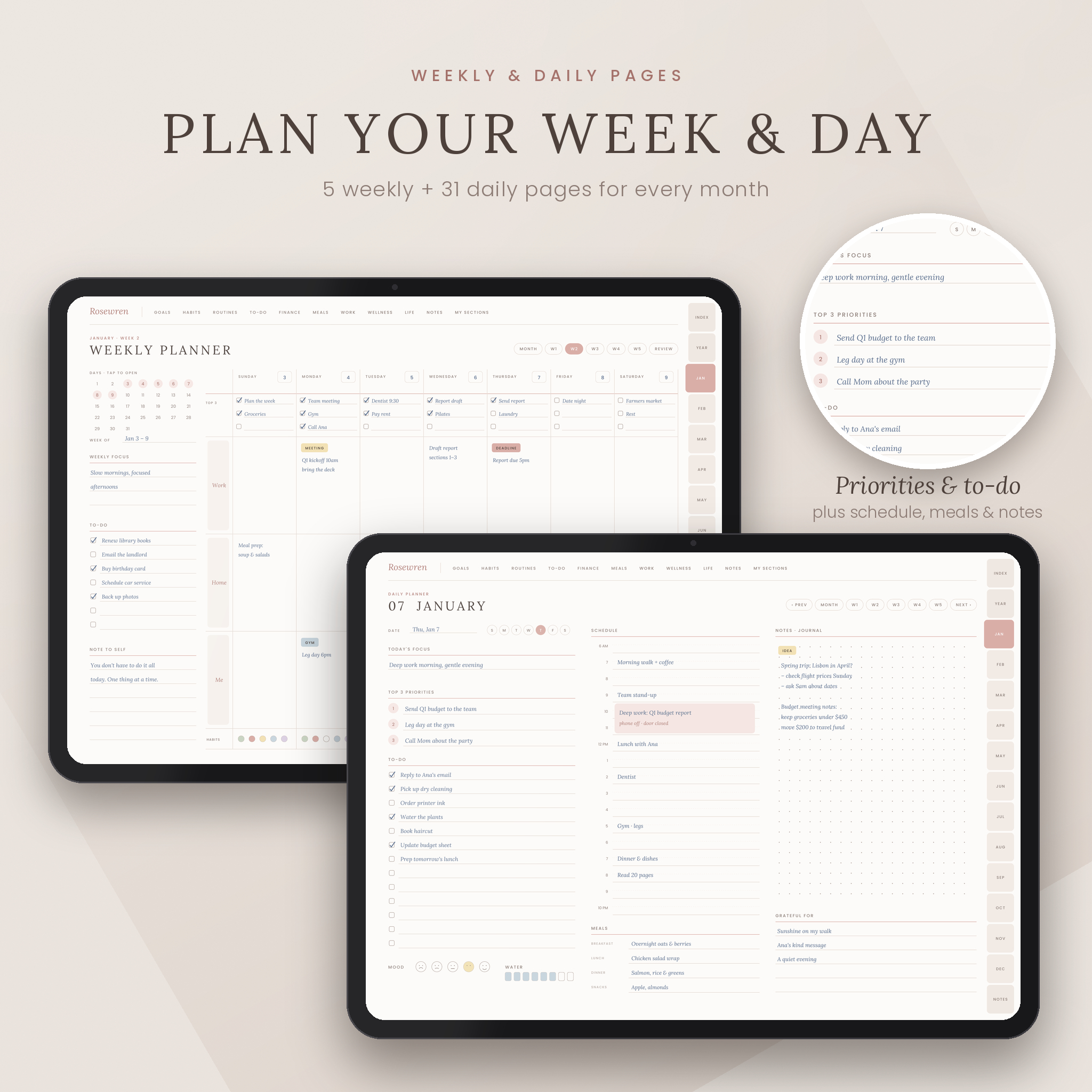
- 60 weekly pages with top three tasks per day, three flexible time blocks and a weekly habit row
- 372 daily pages with focus, top three priorities, to-do list, 6 AM–10 PM schedule, meals, water, mood, notes and gratitude
- Previous and next day buttons on every daily page
Trackers for all 12 months
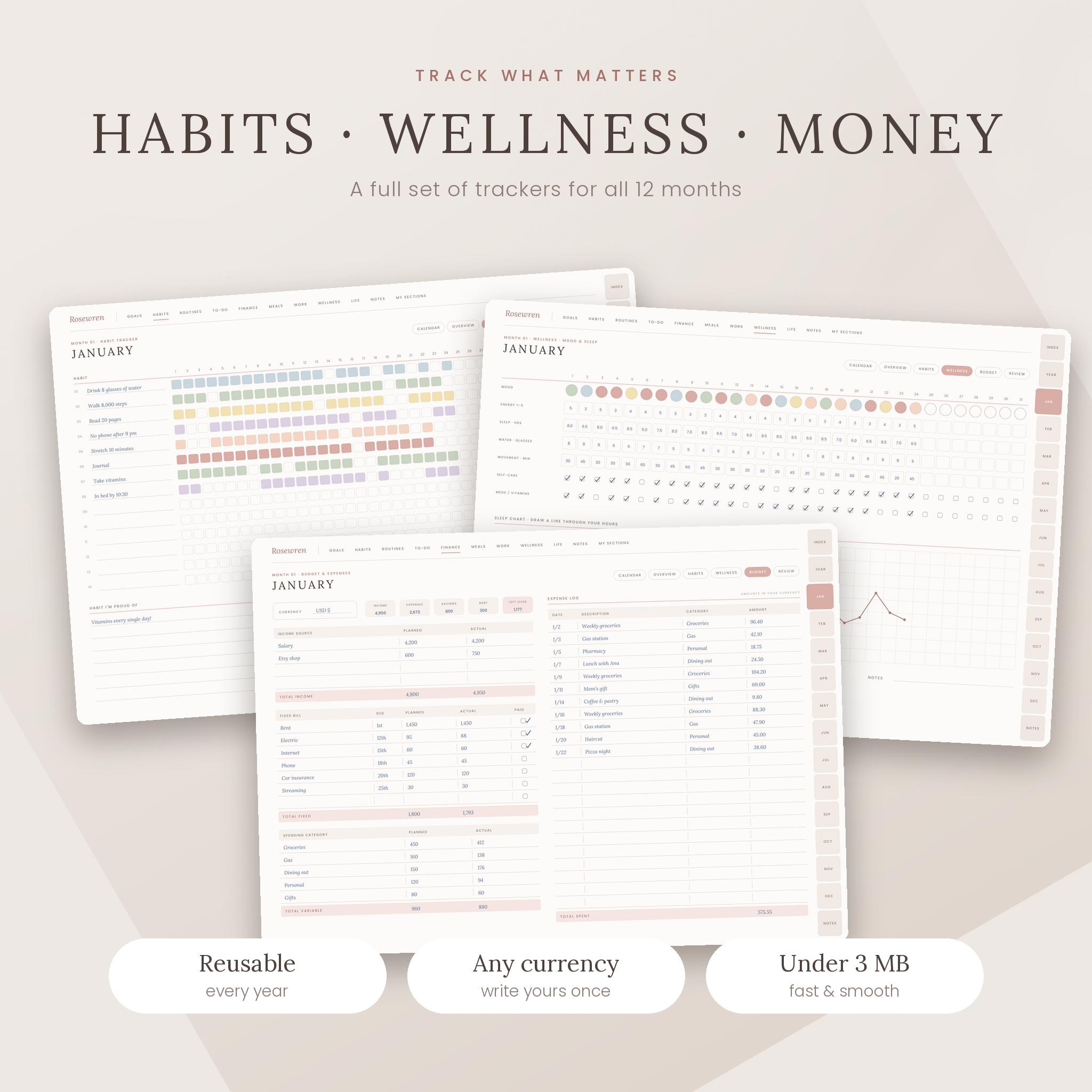
- Habit tracker: 14 habits × 31 days with goal and done columns
- Wellness tracker: mood, energy, sleep, water, movement, self-care and a sleep chart
- Budget and expense log with income, fixed bills, spending categories and a 23-line log
- Monthly review: rate nine life areas, wins, lessons, and stop / start / continue
Life sections with hub pages
- Goals: goals and intentions, three goal action plans, long-term goals, bucket list, vision board
- Routines: weekly schedule, routine planner, routine tracker, gratitude journal, cleaning checklist
- Finance: yearly budget forecast, bill tracker, savings goals, debt payoff, subscriptions, net worth review
- Meals: weekly meal plan with sorted grocery list and a linked recipe book with 12 recipe pages
- Work: project planner, project tracker, meeting minutes, brain dump with priority matrix, to-do list and task table
- Wellness: workout planner and log, wellness log, self-care menu
- Life and home: birthdays, address book, emergency contacts, password hints, reading list, hobbies and watch list, gift planner, travel planner, packing list, event planner
- Notes: 8 note templates (lined, dotted, grid, blank, journal, two columns, Cornell, checklist)
- My Sections: 8 custom section dividers you can name yourself
Why choose Rosewren over other iPad planners
- Clear, labeled navigation instead of tiny mystery icons
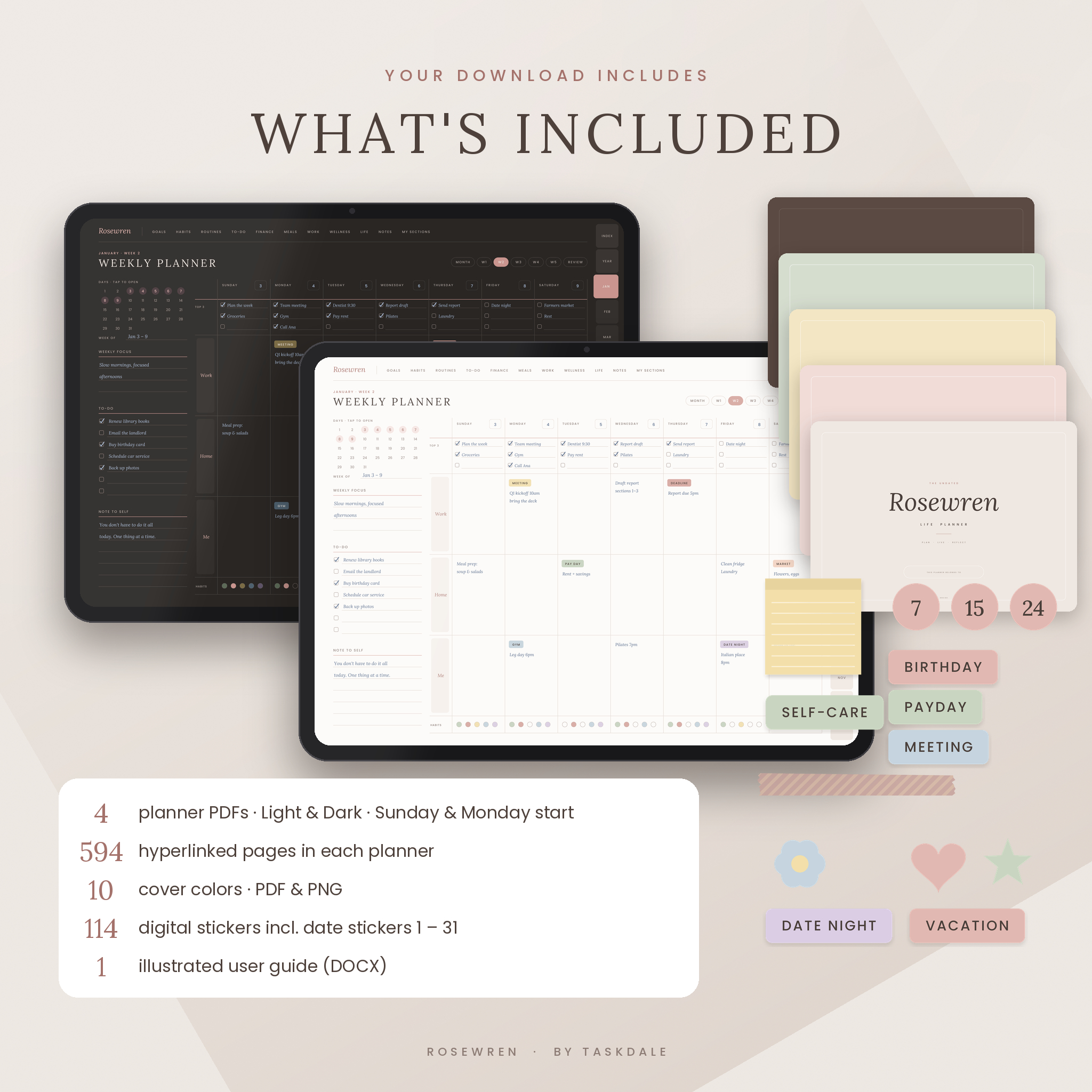
- Light and Dark editions, each with Sunday or Monday start
- Every monthly tracker repeated for all 12 months, not just one copy
- Larger writing spaces for comfortable handwriting
- 114 matching digital stickers, including date stickers 1–31 that make an undated planner quick to set up
- Light and fast: each planner file is under 3 MB, so it opens and scrolls smoothly
- Built-in bookmarks that appear in your app’s outline sidebar
What’s included
- 4 planner PDFs: Light Sunday start, Light Monday start, Dark Sunday start, Dark Monday start (594 pages each)
- 10 cover colors as PDF pages and PNG images
- Sticker book PDF plus 114 PNG stickers: date stickers, days, months, 30 event labels, sticky notes, washi tapes and icons
- Illustrated user guide (DOCX) with setup steps, tips, troubleshooting and FAQ
How it works
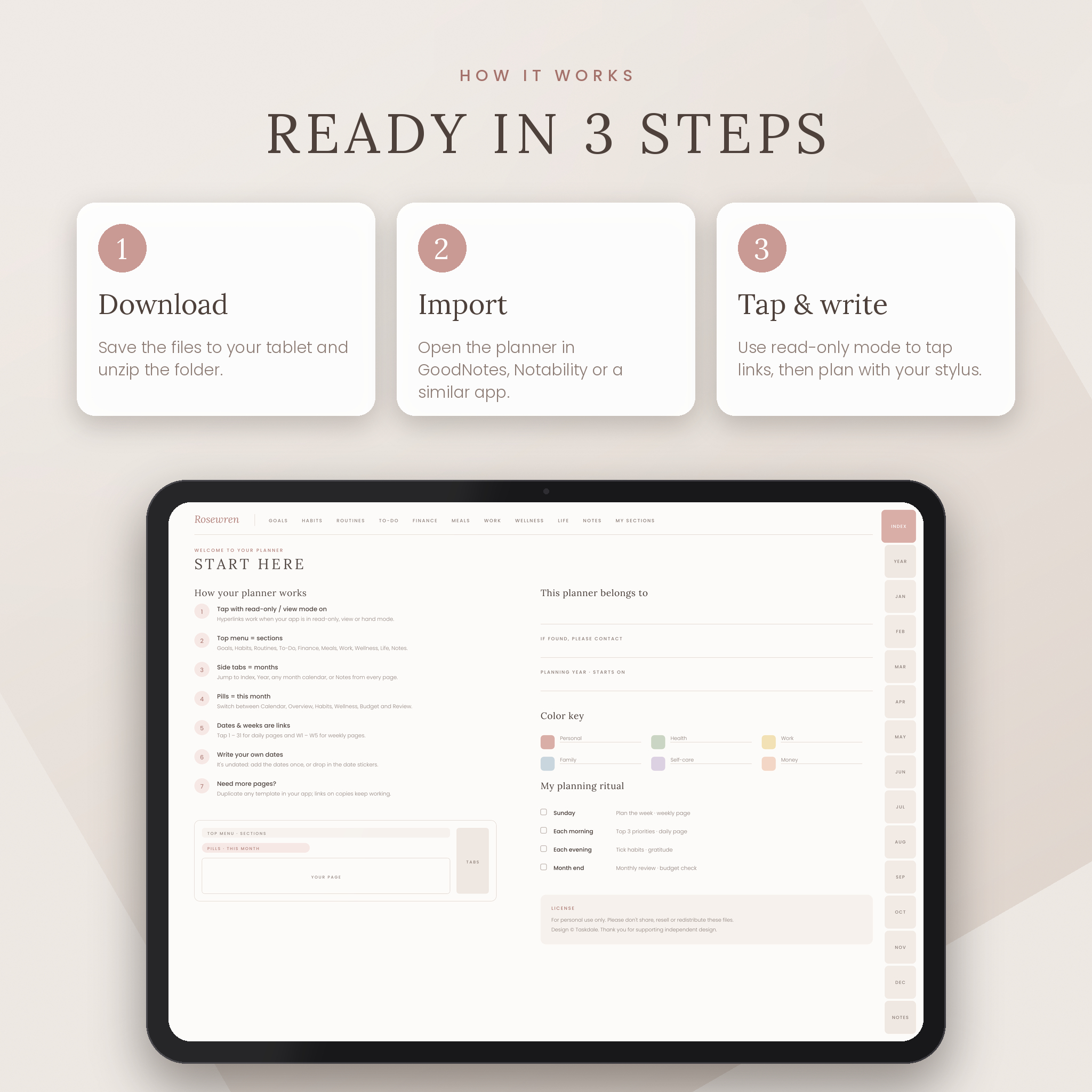
- Download the files to your tablet and unzip the folder.
- Import your chosen edition into GoodNotes, Notability or a similar PDF annotation app.
- Switch to read-only or view mode to tap links, then write with your stylus.
- Use the Date Finder or date stickers to add your dates, pick a cover and start planning.
File formats and requirements
- Format: hyperlinked PDF (landscape, 1400 × 1000 pt), PNG covers and stickers, DOCX guide
- Requires: a tablet, a stylus and a PDF annotation app that supports hyperlinks, such as GoodNotes or Notability
- Works on iPad and Android tablets with a compatible app
Customize it your way
Choose from 10 cover colors, set your own color key, name eight custom sections, and add stickers from the included pack. Money pages have a currency box and neutral columns (Planned, Actual, Amount), so the budget pages work in dollars or any currency. Duplicate any page in your app when you need more space.
Instant digital download
This is a digital product. No physical item will be shipped. Your files are available to download right after purchase. Colors may vary slightly between screens.
Real ways to use it
- A Sunday reset: plan your week, prep your meal plan and grocery list, and check your bills
- A morning routine: pick your top three priorities and block your schedule
- A month-end check-in: review your habits, sleep, spending and wins
- Planning a trip, a party or a project with dedicated pages for each
FAQ
Is this a digital download?
Yes. You will receive digital files to use on your tablet. Nothing is shipped.
Which apps does it work with?
Any PDF annotation app that supports hyperlinks, such as GoodNotes or Notability, on iPad or Android tablets.
Is it undated?
Yes. You can start any month, and the Date Finder calendars for 2027–2031 help you fill in dates quickly.
Can I use it every year?
Yes. Keep a blank copy and import it again whenever you want a fresh year.
Does it include a dark mode?
Yes. You get Light and Dark editions, each with Sunday and Monday start.
Can I use my own currency?
Yes. Write your currency once in the Currency box. All money fields are neutral.
Can I print it?
It is designed for tablets. You can print pages for personal use, but page sizes are made for screens.
License
For personal use only. Please do not share, resell or redistribute the files. © Taskdale.
Reviews
There are no reviews yet.