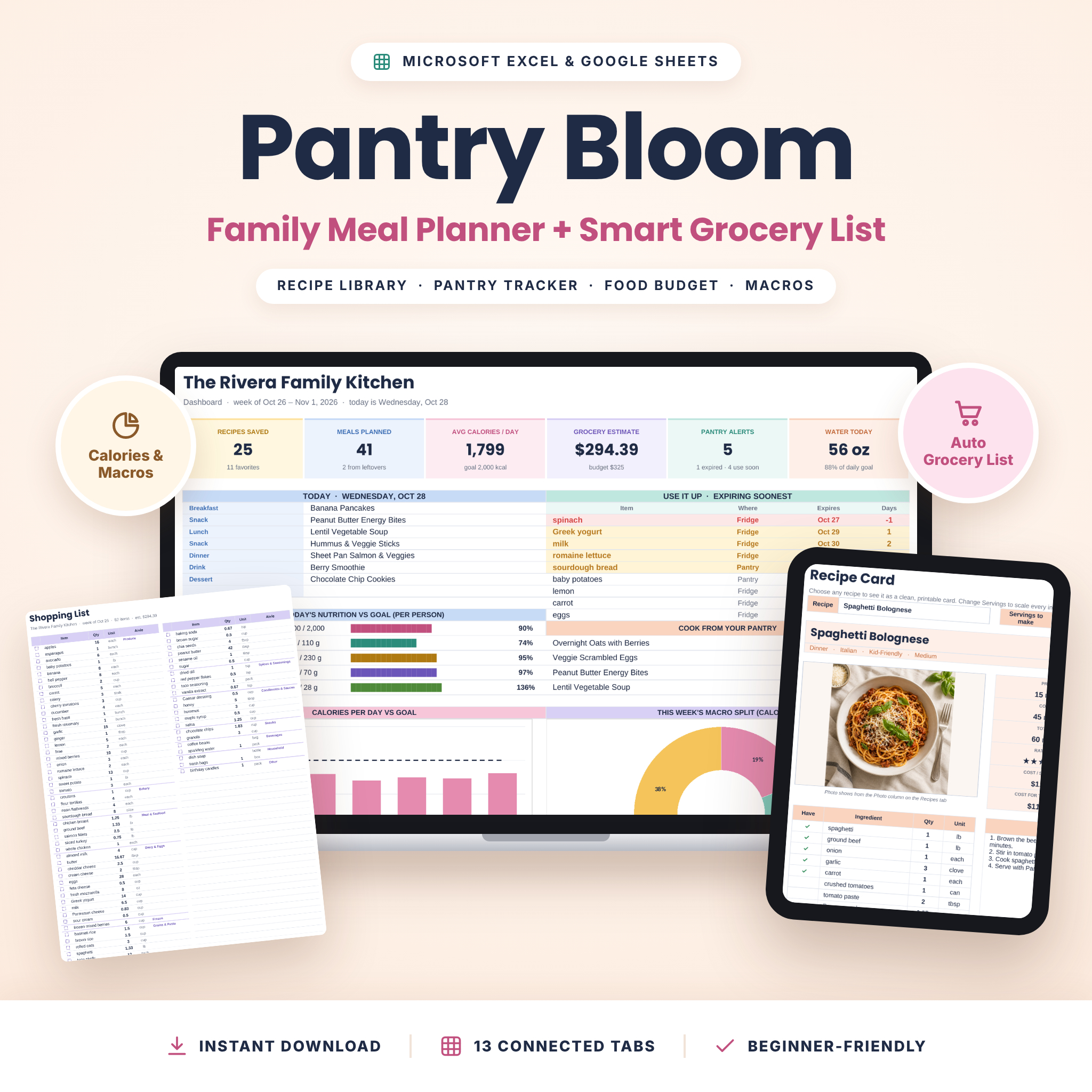
Pantry Bloom is a meal planner spreadsheet for Excel and Google Sheets that turns your recipes into a weekly meal plan, a grocery list that already knows what’s in your pantry, and a clear picture of what your family eats and spends. Save each recipe once, pick meals from simple dropdowns, and let the planner handle the calories, macros, food costs and shopping list for you.
Why You’ll Love This Meal Planner Spreadsheet
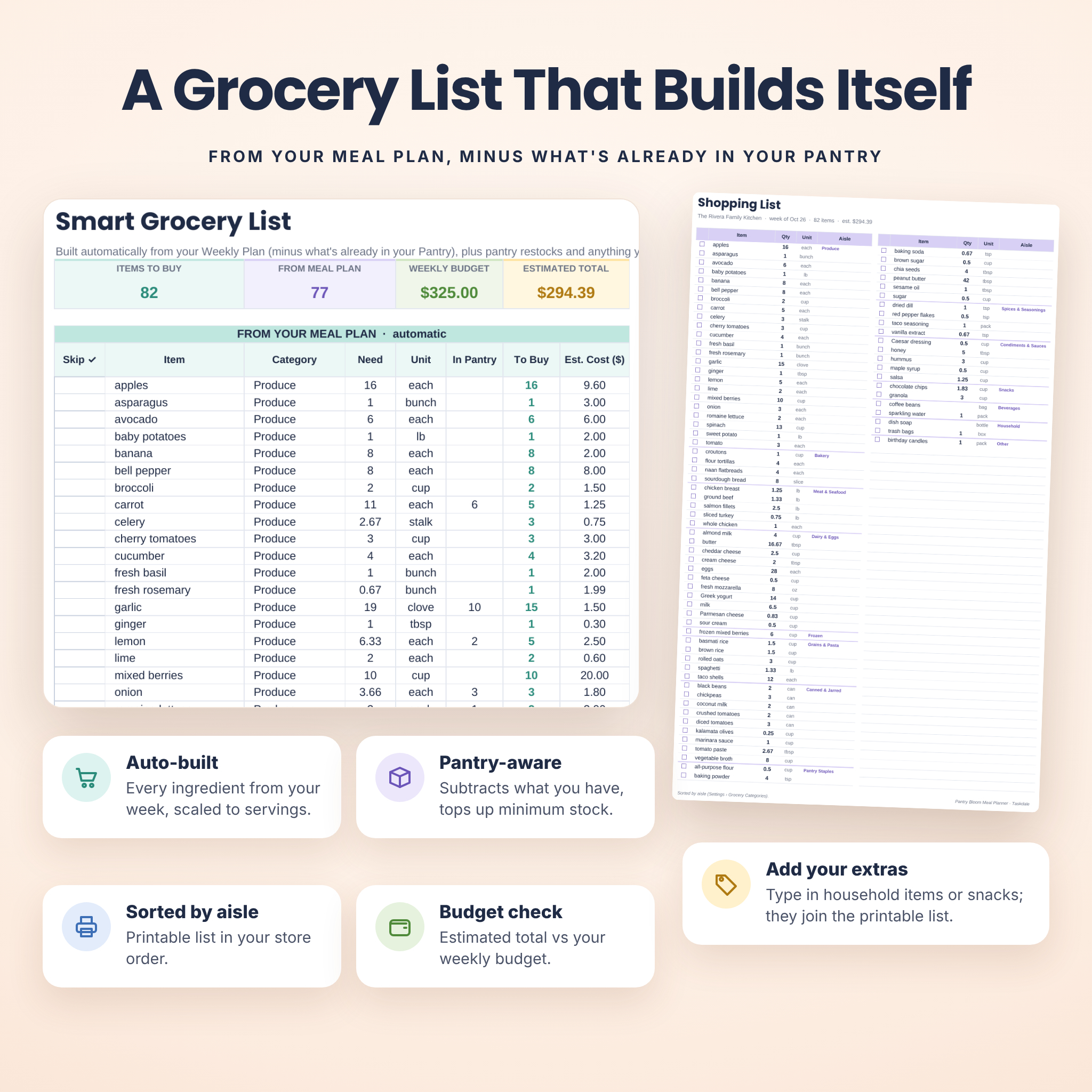
- Grocery list that builds itself: every ingredient from the week is added up, scaled to your servings, and checked against your pantry.
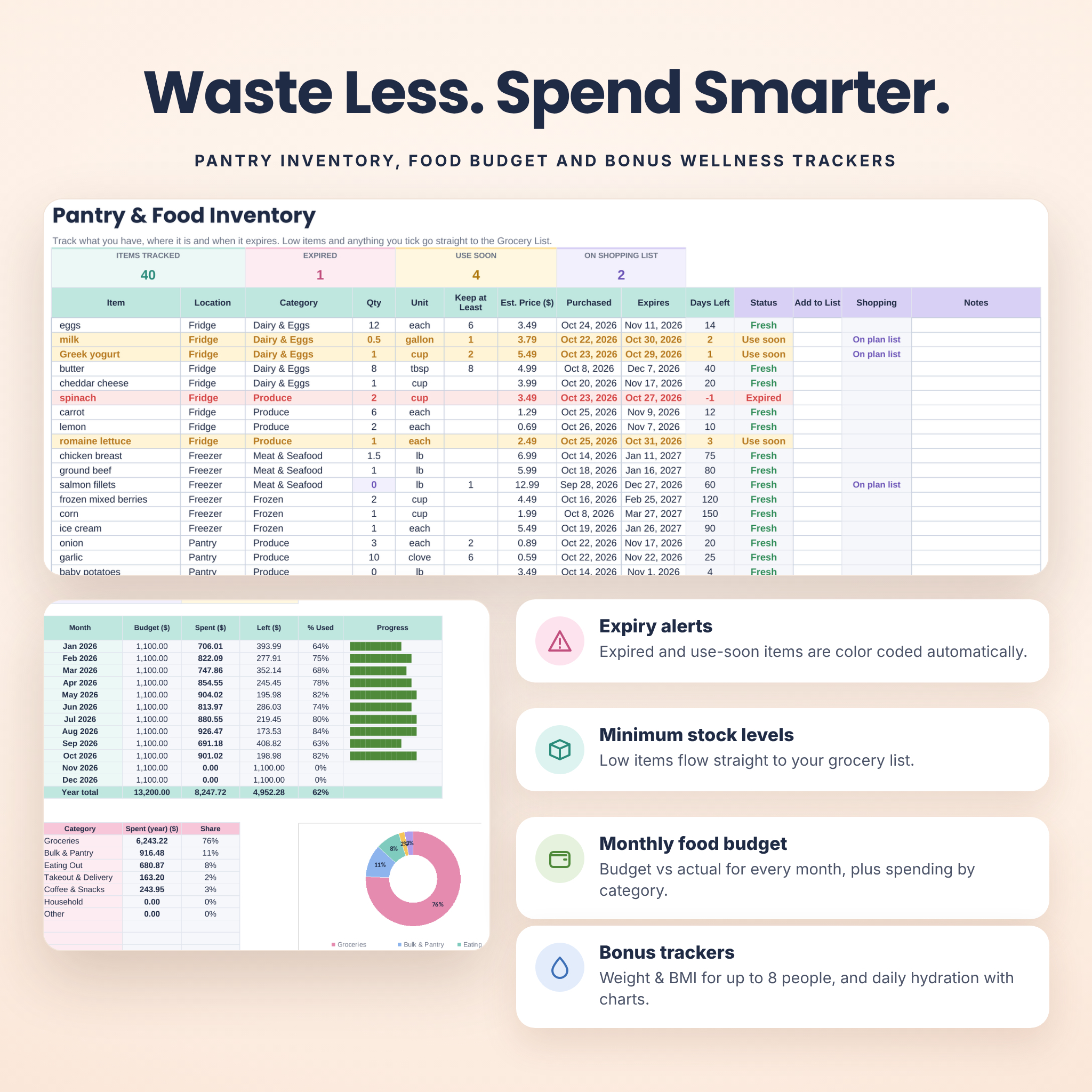
- Waste less food: expiry alerts and “cook from your pantry” ideas help you use what you already have.
- Know what meals cost: automatic cost per serving, daily food cost and a grocery estimate compared with your weekly budget.
- Track nutrition without extra apps: daily calories, protein, carbs, fat and fiber per person, compared with your goals.
- Beginner-friendly: white cells are for typing, tinted cells calculate for you, and every tab has short instructions.
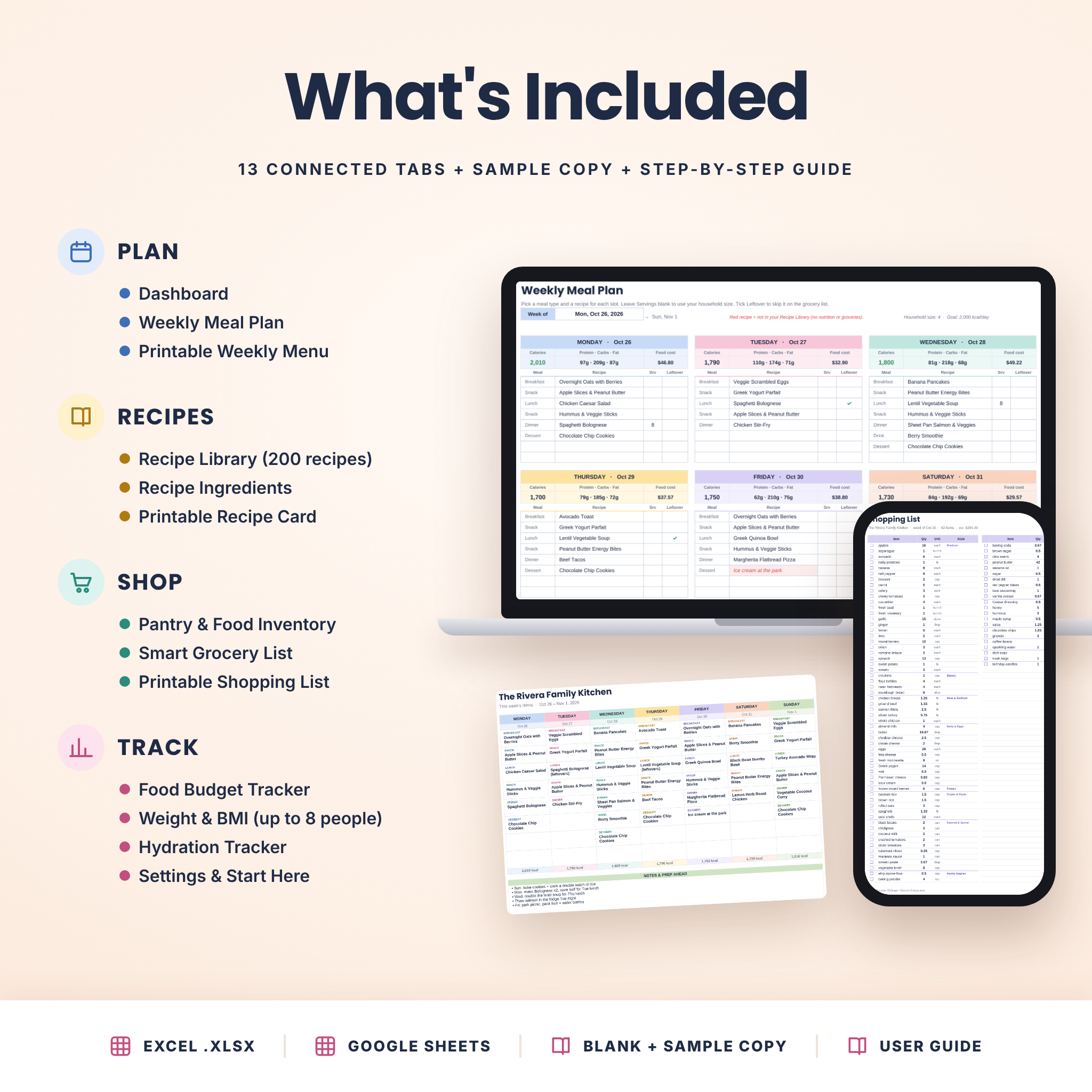
What’s Included
- Pantry Bloom Meal Planner (.xlsx), blank and ready for your recipes
- Pantry Bloom Meal Planner SAMPLE (.xlsx), filled with a sample family week, 25 recipes, pantry, budget and trackers
- Pantry Bloom User Guide (Word .docx, 18 pages) with setup steps, feature walkthroughs, tips, troubleshooting and FAQ
13 Connected Tabs
- Start Here: 10-minute quick start and one-click links to every tab
- Settings: currency, household size, units, nutrition goals, food budget and all dropdown lists
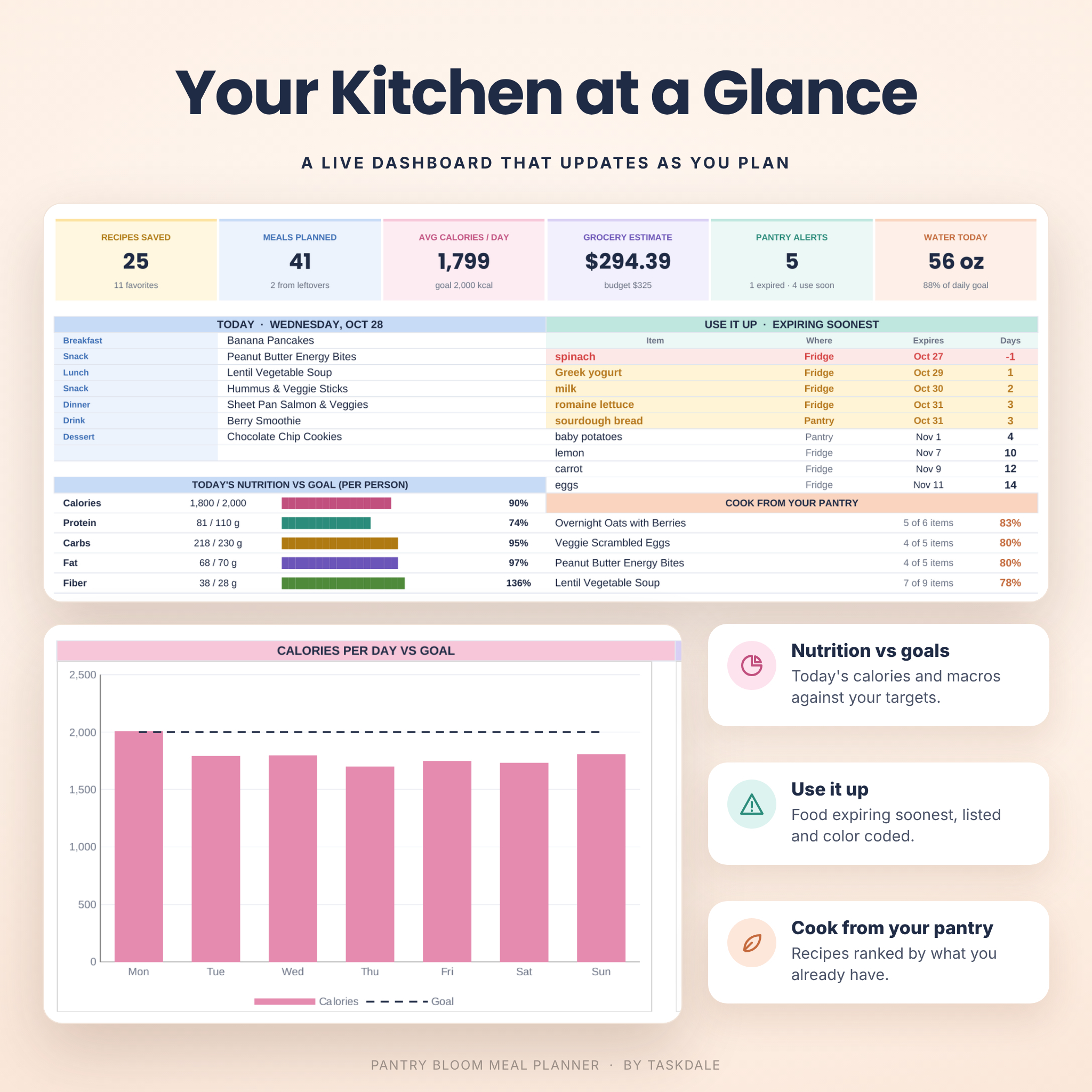
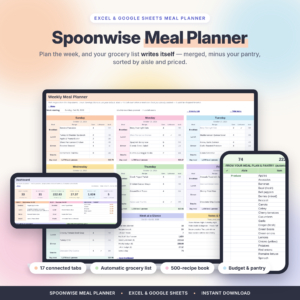
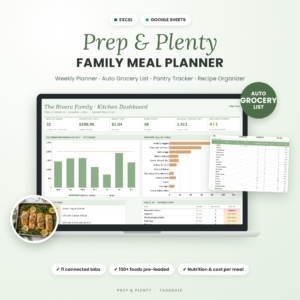
- Dashboard: today’s meals, nutrition vs goals, food expiring soonest, cook-from-pantry ideas, charts and a Recipe Finder
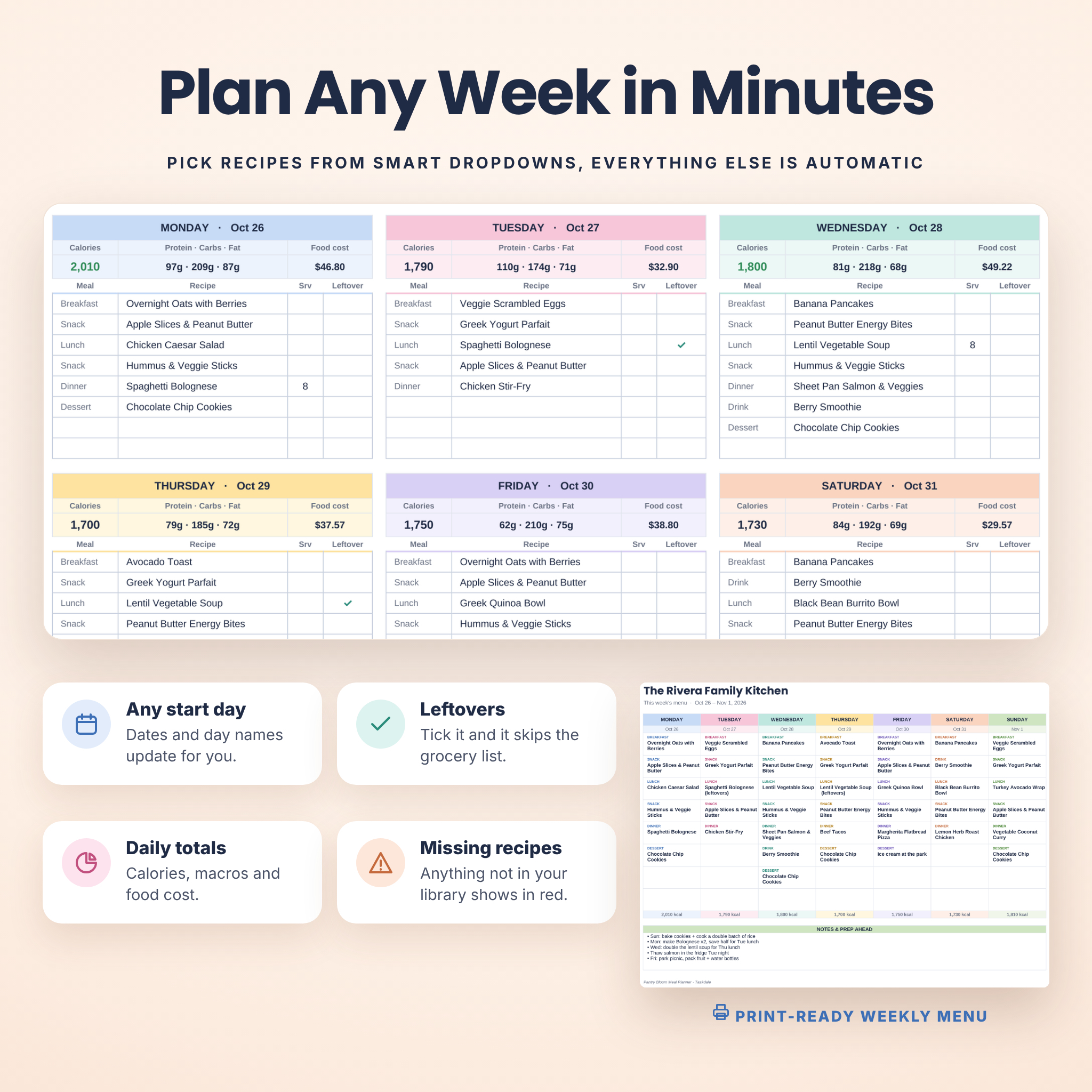
- Weekly Meal Plan: 7 day cards with 8 meal slots each, leftovers, daily calories, macros and food cost
- Printable Weekly Menu: a clean one-page menu for the fridge
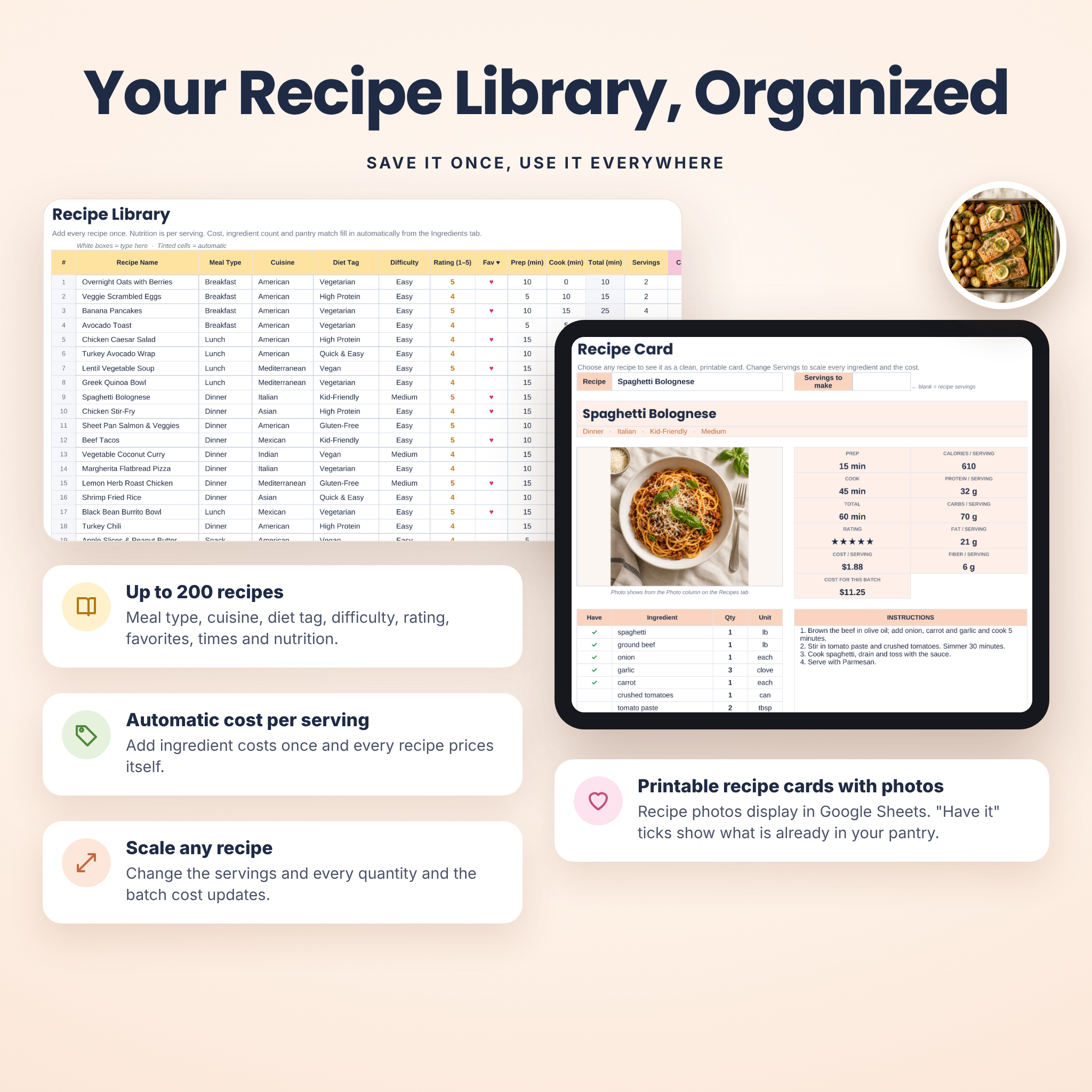
- Recipe Library: up to 200 recipes with meal type, cuisine, diet tag, difficulty, rating, favorites, nutrition and photos
- Recipe Ingredients: quantities, units, store aisle and optional costs for every recipe
- Recipe Card: any recipe as a printable card that scales to the servings you need
- Pantry & Food Inventory: fridge, freezer, pantry and spice rack with expiry alerts and minimum stock levels
- Smart Grocery List: automatic list from your meal plan, pantry restocks and your own extras
- Printable Shopping List: sorted by store aisle with tick boxes
- Food Budget Tracker: monthly budget vs actual and spending by category
- Weight & BMI and Hydration Trackers: optional wellness tabs for up to 8 family members
Features in Detail
Weekly Meal Plan and Printable Menu
Start your week on any day. Choose a meal type and a recipe for each slot; leave servings blank to use your household size or enter a number to cook a double batch. Tick Leftover for meals from an earlier batch and they skip the grocery list. Each day shows calories (green when on target, red when over), protein, carbs, fat and food cost, and a Week at a Glance card sums it all up. Meals not in your library, like “Dinner out,” are highlighted.
Recipe Library, Ingredients and Recipe Cards
Your recipe organizer holds up to 200 recipes and 2,000 ingredient lines. Cost per serving, ingredient count, pantry match and how often a recipe is planned all fill in automatically. Pick any recipe on the Recipe Card to print it, change the servings and every quantity and the batch cost update. Recipe photos you add in Google Sheets (or Microsoft 365 Excel) appear on the card automatically.
Pantry Inventory and Smart Grocery List
Track food by location with purchase and expiry dates. Items expiring soon turn amber and expired items turn red. Set a “Keep at Least” level on staples and they’re added to your shopping list when you run low. The grocery list subtracts what you already have, rounds up countable items, estimates the cost, and shows how much of your weekly budget is left. Add household extras by hand, then print a list sorted by store aisle.
Dashboard, Budget and Wellness Trackers
The dashboard shows six live summary cards, today’s menu, nutrition bars, a “Use it up” list, cook-from-pantry ideas and two charts. The Recipe Finder filters your library by meal type, cuisine, diet tag, difficulty, maximum minutes and favorites. Log food spending to compare each month with your budget, and use the optional weight, BMI and hydration trackers if they help your family’s goals.
How It Works
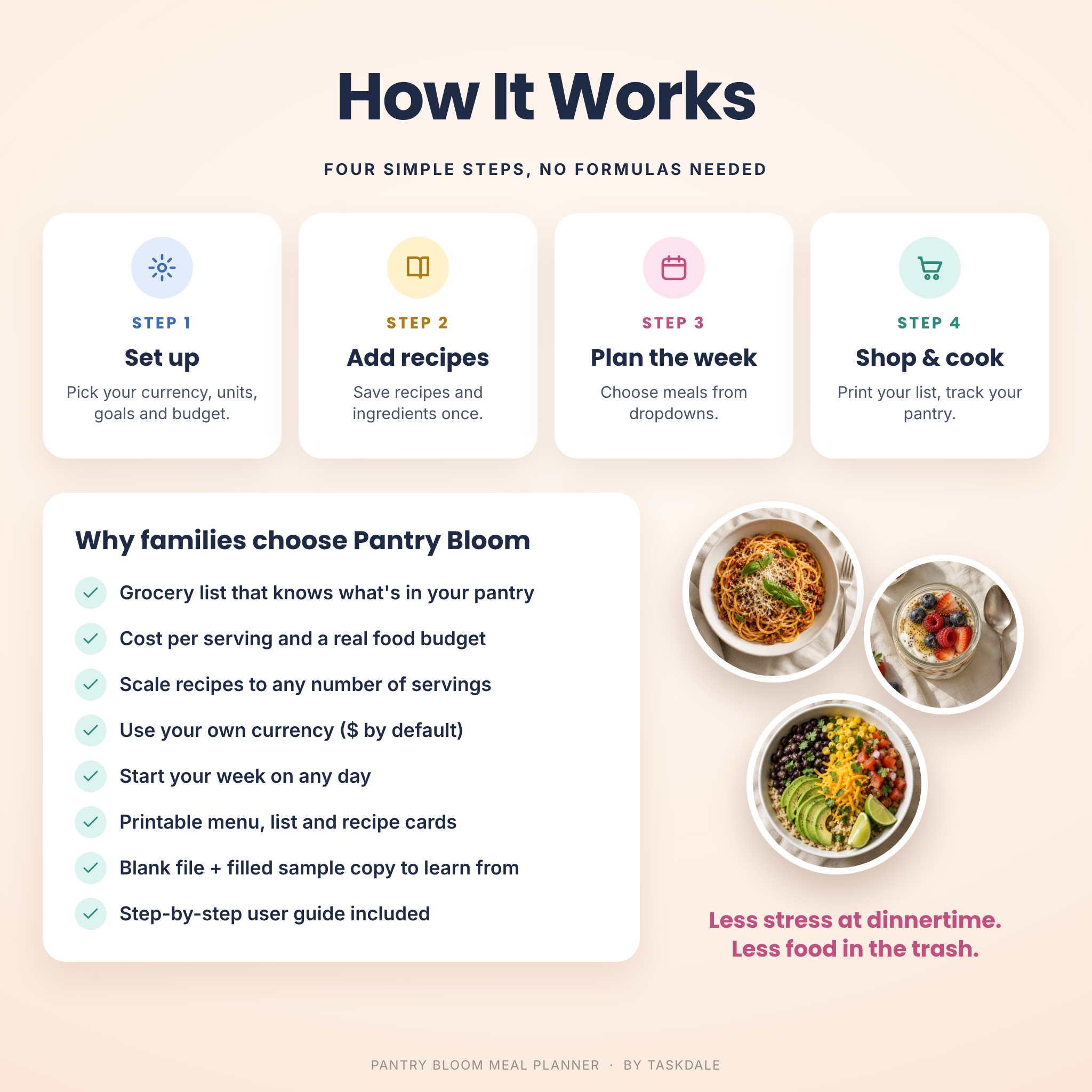
- Download the files and open the blank planner in Excel, or upload it to Google Drive and open it with Google Sheets.
- Choose your currency, units, nutrition goals and budget on the Settings tab.
- Add your recipes and their ingredients once.
- Plan your week from the dropdowns and add what’s in your pantry.
- Print your menu and aisle-sorted shopping list, and you’re ready to shop.
File Formats and Software Requirements
- Format: Microsoft Excel workbook (.xlsx) plus a Word (.docx) user guide
- Works in Google Sheets with a free Google account (upload the .xlsx to Google Drive) and in Microsoft Excel, including Microsoft 365 and Excel for the web
- Standard formulas only: no macros, add-ins or scripts
- Recipe photos display in Google Sheets and in Microsoft 365 Excel; all other features work without photos
- US Letter print settings for the menu, recipe card and shopping list
Customization
Use any currency symbol (US dollars by default) and every money value updates from one setting. Rename or add meal types, cuisines, diet tags, units, stores and grocery categories, and reorder the aisles to match your store. Change the planner title, colors and fonts, or hide the optional tabs you don’t need.
Digital Download
Instant digital download. No physical item will be shipped. Your files are available right after purchase.
Perfect For
- Busy parents planning family dinners and school-night meals for the week
- Meal preppers who batch cook on Sunday and plan leftovers on purpose
- Anyone counting calories or macros who wants nutrition and groceries in one place
- Families on a grocery budget who want to see the cost of every meal
Frequently Asked Questions
Does this meal planner work in Google Sheets?
Yes. Upload the .xlsx file to Google Drive and open it with Google Sheets. The user guide shows each step.
Does it work in Microsoft Excel?
Yes. It works in Microsoft Excel, including Microsoft 365 and Excel for the web, and uses standard formulas with no macros.
Can I use my own currency?
Yes. Type your currency symbol once in Settings and every money value in the planner updates. US dollars are the default.
Do I have to enter nutrition information?
No, it’s optional. If you add calories and macros per serving, the planner totals them per day and compares them with your goals.
Can I print the menu and grocery list?
Yes. The weekly menu, recipe card and aisle-sorted shopping list are set up to print on one page each.
How many recipes can I save?
Up to 200 recipes with 2,000 ingredient lines, which is plenty for most family recipe collections.
License
Personal use license for one household. Please do not resell, share, distribute or upload the files or any part of them. Nutrition, BMI and budget figures are estimates for planning and are not medical or financial advice. © Taskdale.

Reviews
There are no reviews yet.