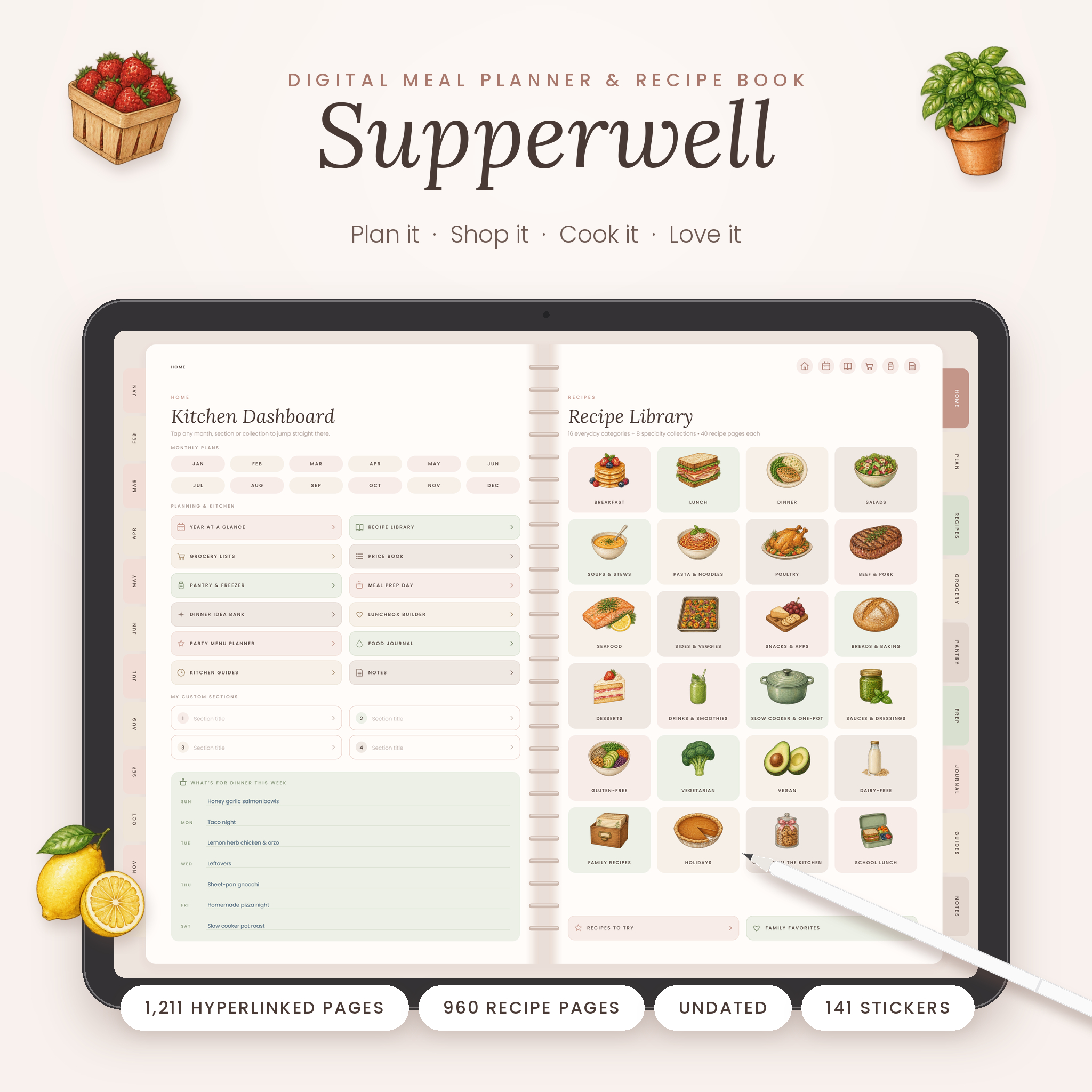
Supperwell is an undated digital meal planner and recipe book for GoodNotes, Notability and other PDF note-taking apps on iPad and Android tablets. In one beautifully designed, fully hyperlinked notebook you can plan every meal, build an aisle-sorted grocery list, prep for the week, and keep up to 960 family recipes, so “what’s for dinner?” is settled long before 5 p.m.
With 1,211 linked pages, soft blush, sage and sand tones, and hand-painted watercolor food illustrations, it’s made to be used every day and to feel calm while you use it.
What this digital meal planner does
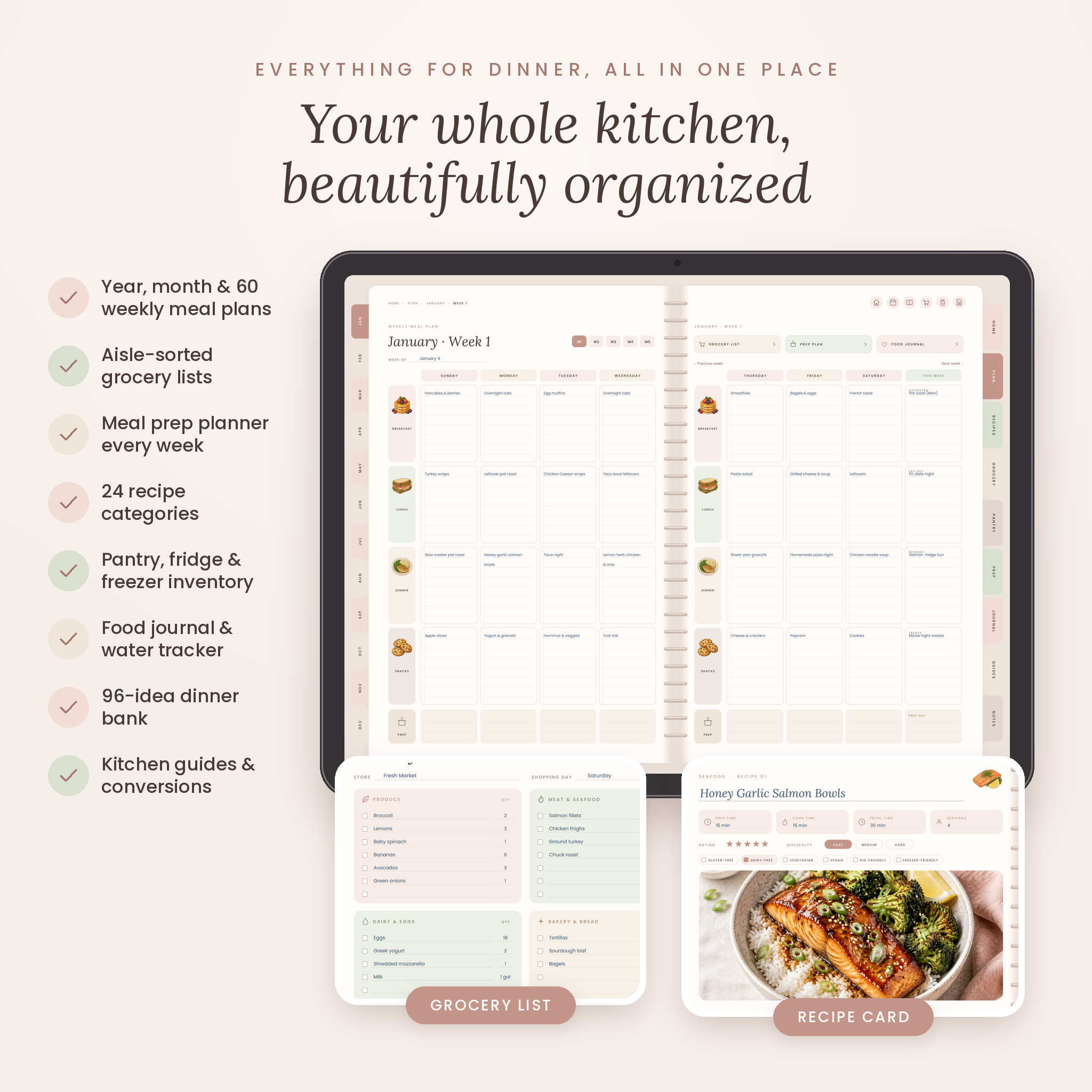
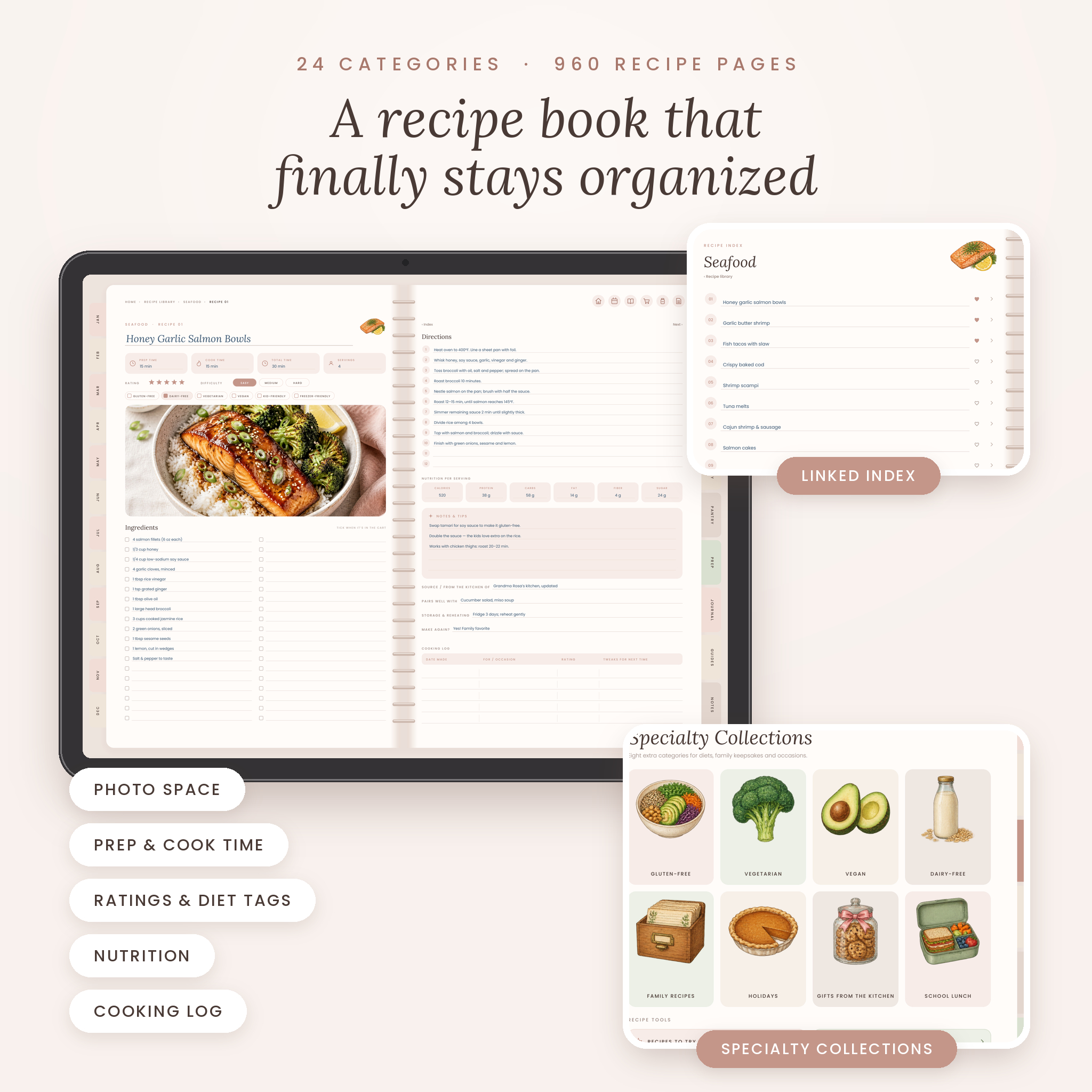
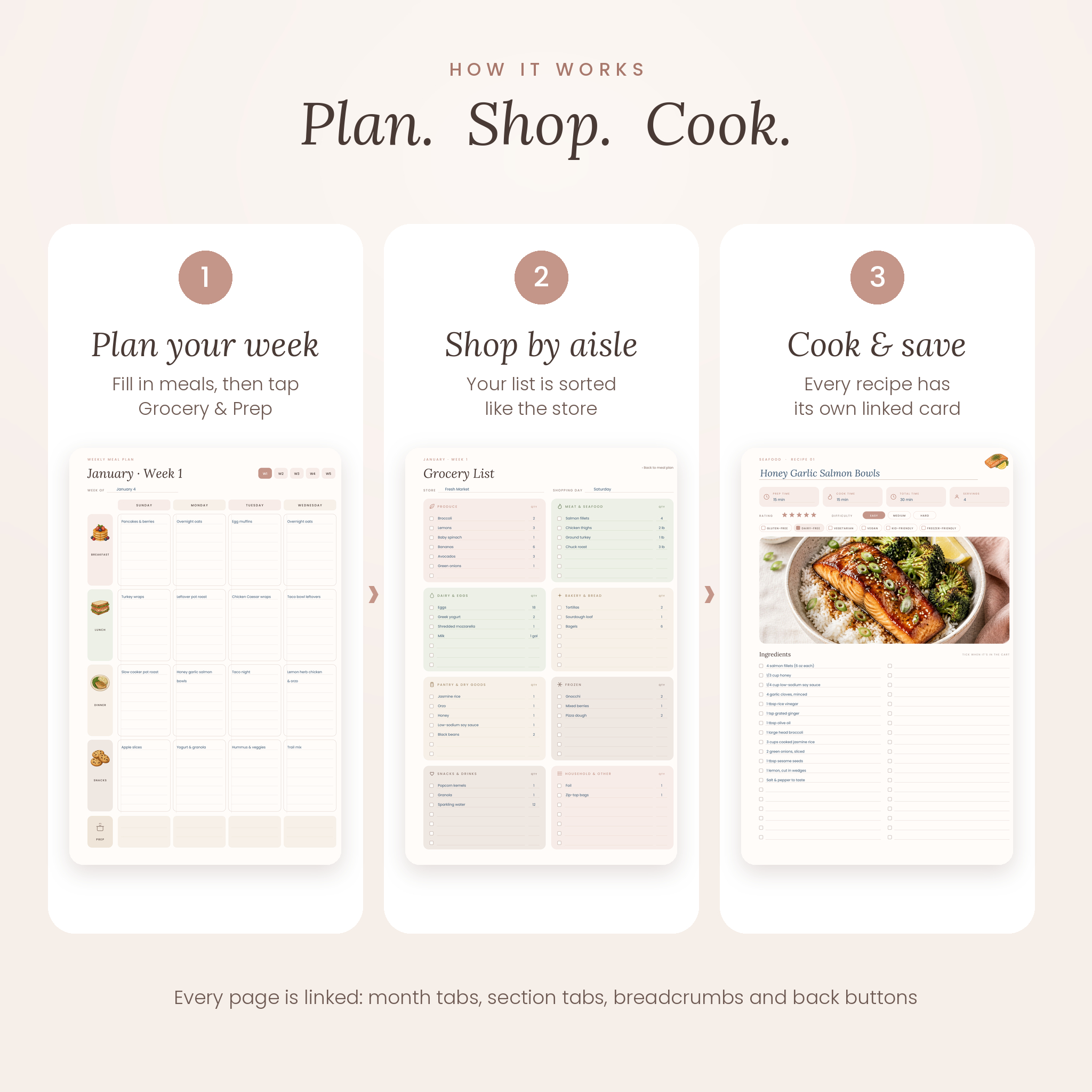
Supperwell connects the whole cooking cycle. Plan your month, open any week with one tap, fill in breakfast, lunch, dinner and snacks, then jump straight to that week’s grocery list and meal prep plan. When you cook something you love, save it to your recipe book, where every recipe has its own two-page card linked from a numbered category index.
Who it’s for
- Busy parents who want the week’s dinners decided in one sitting
- Meal preppers and batch cookers
- Families on a grocery budget who want to waste less food
- Home cooks gathering family recipes into one digital cookbook
- Gluten-free, vegetarian, vegan and dairy-free households
- Anyone packing school or work lunches
Features of the meal planner and recipe book
Planning
- Kitchen dashboard that links to every month, section and recipe category, plus a “What’s for dinner this week” list
- Year at a glance with direct links to all 60 weeks, food goals, habits and an annual food budget
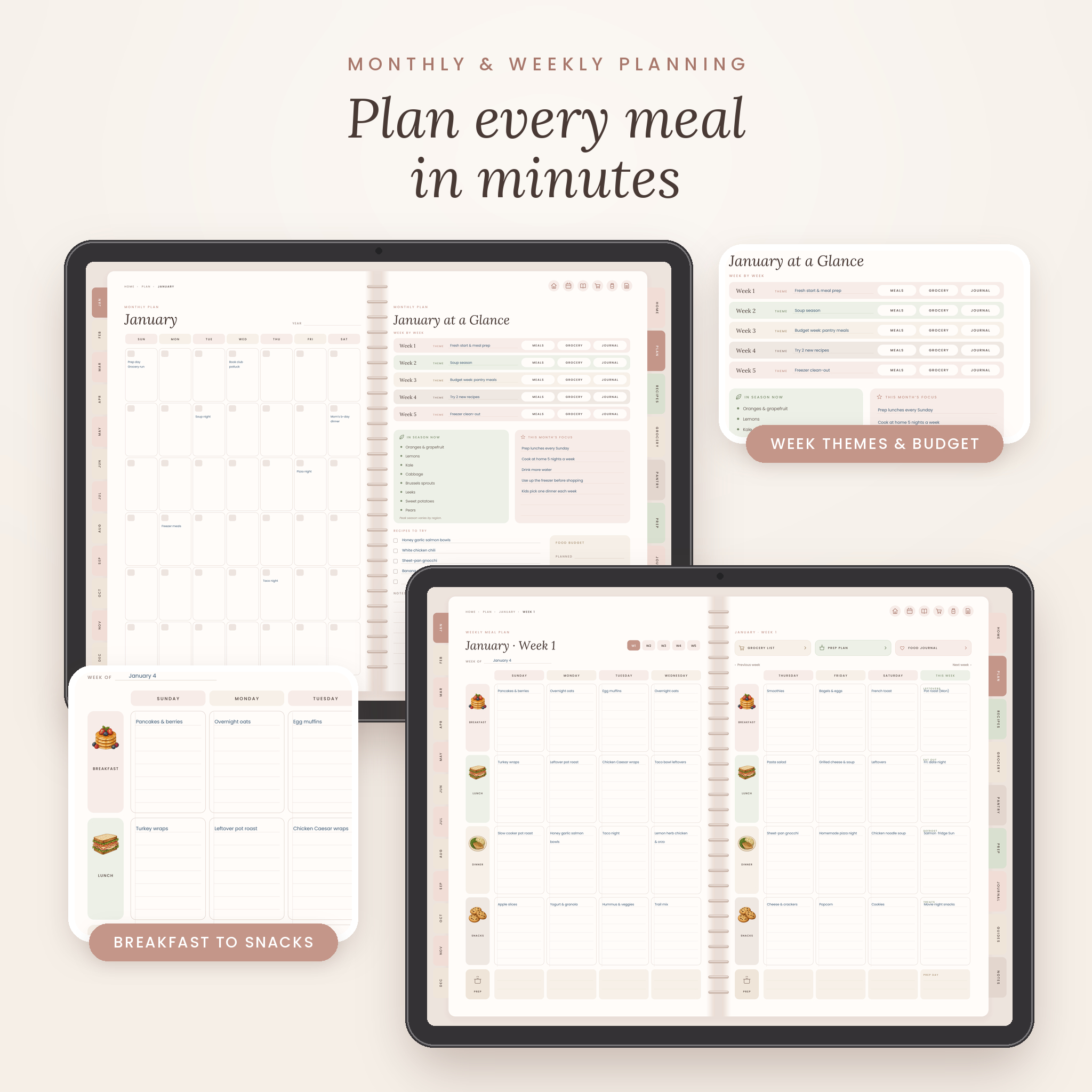
- 12 undated monthly plans: calendar, weekly themes, in-season produce, monthly focus, recipes to try and food budget
- 60 weekly meal plan spreads covering all 7 days, with a prep row and a This Week column for leftovers, eating out, defrosting and treats
Shopping and meal prep
- 60 weekly grocery lists sorted into 8 store sections, with checkboxes and quantities
- 60 weekly meal prep plans with a timed checklist, batch components and a grocery budget
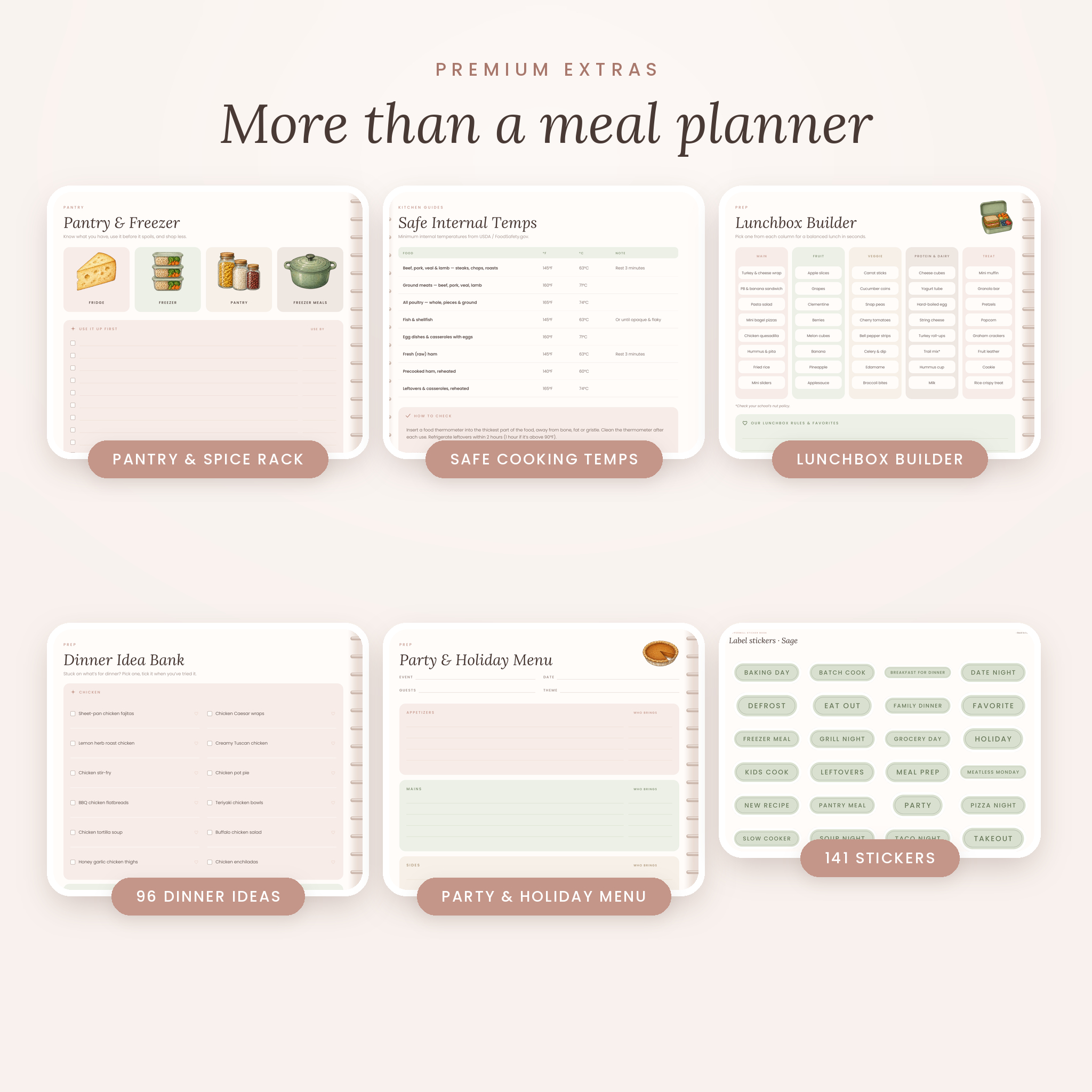
- Staples checklist, price book for comparing stores, fridge, freezer and pantry inventories, a 44-line spice rack and a “use it up first” list
- Prep day game plan, freezer meal plan and freezer meal log
- Dinner idea bank with 96 family-friendly ideas in 8 categories
Recipe book
- 24 recipe categories: 16 everyday categories plus Gluten-Free, Vegetarian, Vegan, Dairy-Free, Family Recipes, Holidays, Gifts from the Kitchen and School Lunch
- 40 recipe pages per category, 960 two-page recipe cards in total, each linked from its index
- Every card has photo space, prep, cook and total time, servings, rating, difficulty, diet tags, 2-column ingredients, 12 numbered steps, nutrition, notes, source, pairings, storage and a cooking log
- Recipes to try and family favorites lists
Wellness, family and occasions
- 60 weekly food journal spreads with meals, water and energy trackers and a weekly review
- Wellness notes for goals, foods that help, foods that don’t and household allergies
- Lunchbox builder and Monday-to-Friday school lunch planner
- Party and holiday menu planner with guest list, prep timeline, shopping list and budget
Kitchen guides and notes
- US-to-metric measurements, cups to grams, baking pan sizes, oven temperatures and gas marks
- Safe internal cooking temperatures and fridge and freezer storage times based on FoodSafety.gov guidance
- 16 ingredient substitutions and seasonal produce by season
- 6 note paper styles (lined, dot grid, graph, blank, Cornell, checklist) and 4 custom sections you name yourself
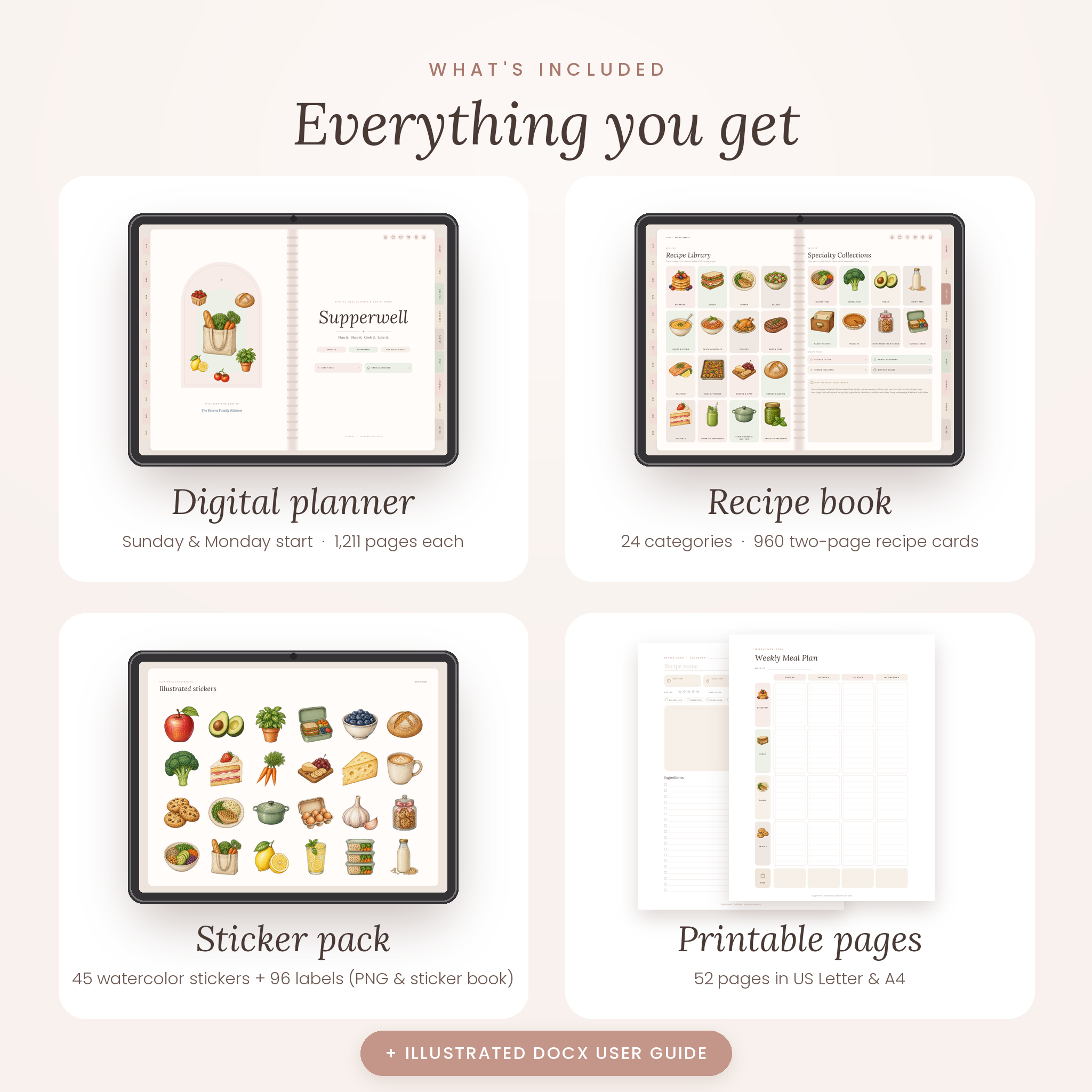
What’s included
- Supperwell digital meal planner, Sunday-start edition (PDF, 1,211 pages)
- Supperwell digital meal planner, Monday-start edition (PDF, 1,211 pages)
- Hyperlinked sticker book (PDF) with 141 stickers
- 141 transparent PNG stickers: 45 watercolor food illustrations and 96 label stickers in 4 colors
- 52 printable pages in US Letter and A4, Sunday and Monday start (4 PDFs)
- Illustrated user guide (DOCX)
How it works
- Download the ZIP file and unzip it on your tablet or computer.
- Import the planner PDF into GoodNotes, Notability or another PDF annotation app.
- Tap Start here, then use the month tabs, section tabs, breadcrumbs and back buttons to move around.
- Plan your week, tap Grocery & Prep, shop, cook, and save the recipes you love.
File formats and software requirements
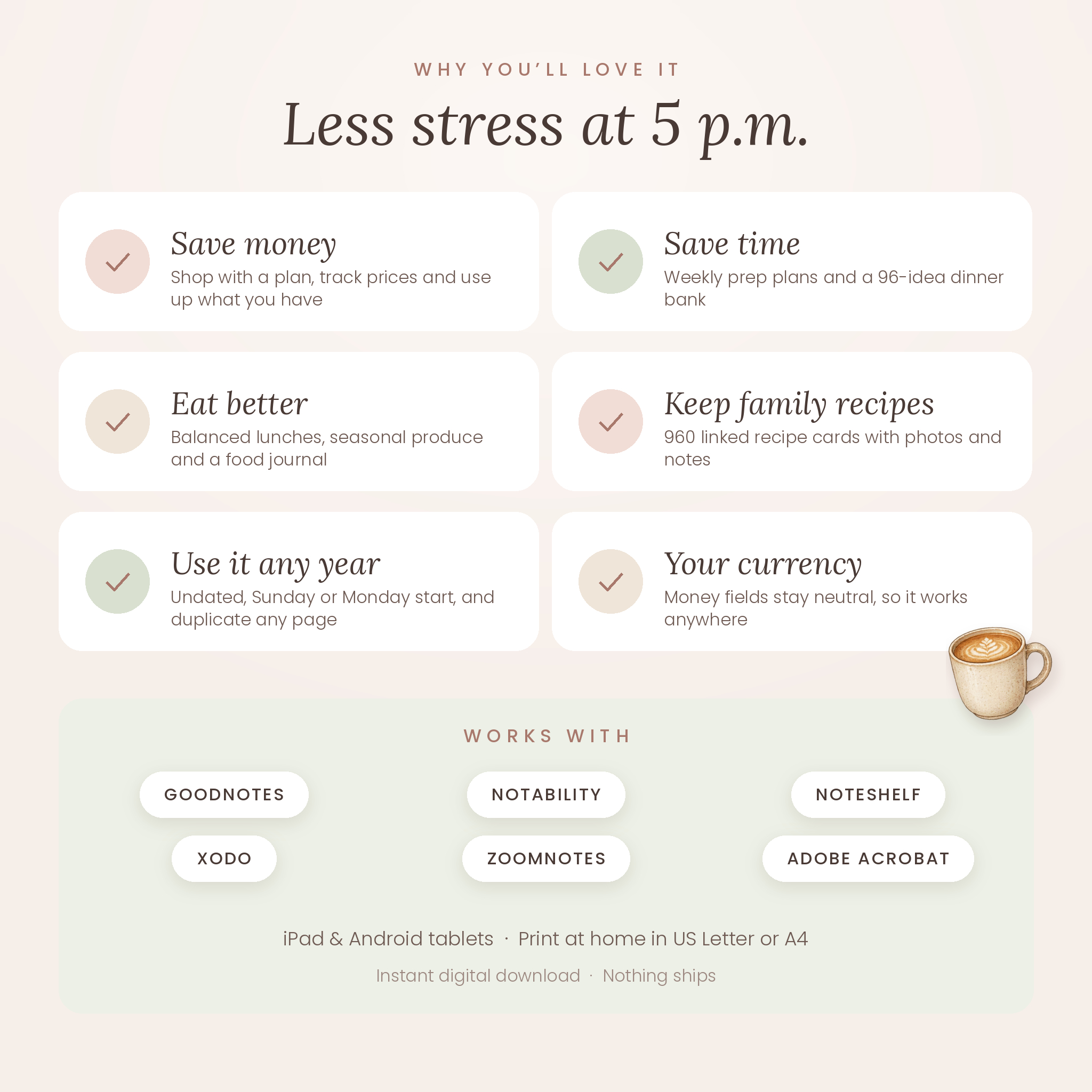
The planner, printables and sticker book are PDF files; the stickers are transparent PNG files and the guide is a Word (DOCX) file. You’ll need a tablet and a PDF annotation app that supports hyperlinks, such as GoodNotes, Notability, Noteshelf, Xodo, ZoomNotes or Adobe Acrobat Reader (sold separately). The planner pages are sized for landscape tablet screens. It isn’t designed for e-readers such as Kindle or reMarkable.
Customization
Because Supperwell is undated, you can start in any month of any year. Duplicate any page when you need more weeks or recipe cards, name your 4 custom sections, paste photos onto recipe cards and decorate with the included stickers. Money fields are left neutral, with one Currency box on the budget pages and price book, so it works for dollars or any other currency.
Digital download
This is an instant digital download. Nothing physical will be shipped. After checkout you’ll get a download link for one ZIP file (about 50 MB). Download it in a web browser for the best results.
Use cases
- Sunday planning: map out the week’s dinners, build the grocery list and set a prep plan in about 20 minutes
- Budget month: track grocery spending against your monthly food budget and compare prices in the price book
- Family cookbook: turn handwritten cards from Grandma into a searchable, photo-filled digital recipe book
- Back to school: rotate lunches with the lunchbox builder and plan Monday to Friday in one place
- Holidays: plan Thanksgiving or a birthday party menu, guest list and prep timeline
FAQ
Is this meal planner dated?
No. It’s undated, so you can start any month and reuse it every year.
Does it work with GoodNotes?
Yes. It’s a hyperlinked PDF designed for GoodNotes, Notability and similar PDF annotation apps on iPad and Android tablets.
Can I add more pages?
Yes. Duplicate any page in your app; the links on the copy still work.
Can my week start on Monday?
Yes. Both Sunday-start and Monday-start versions are included.
Can I print it?
Yes. 52 printable pages are included in US Letter and A4.
Do I need a stylus?
A stylus gives the best experience, but you can type with your app’s text tool.
Will anything be shipped?
No. This is a digital download only.
License: personal use only, by the buyer’s household. Please don’t resell, share or distribute the files. © Taskdale.
Reviews
There are no reviews yet.