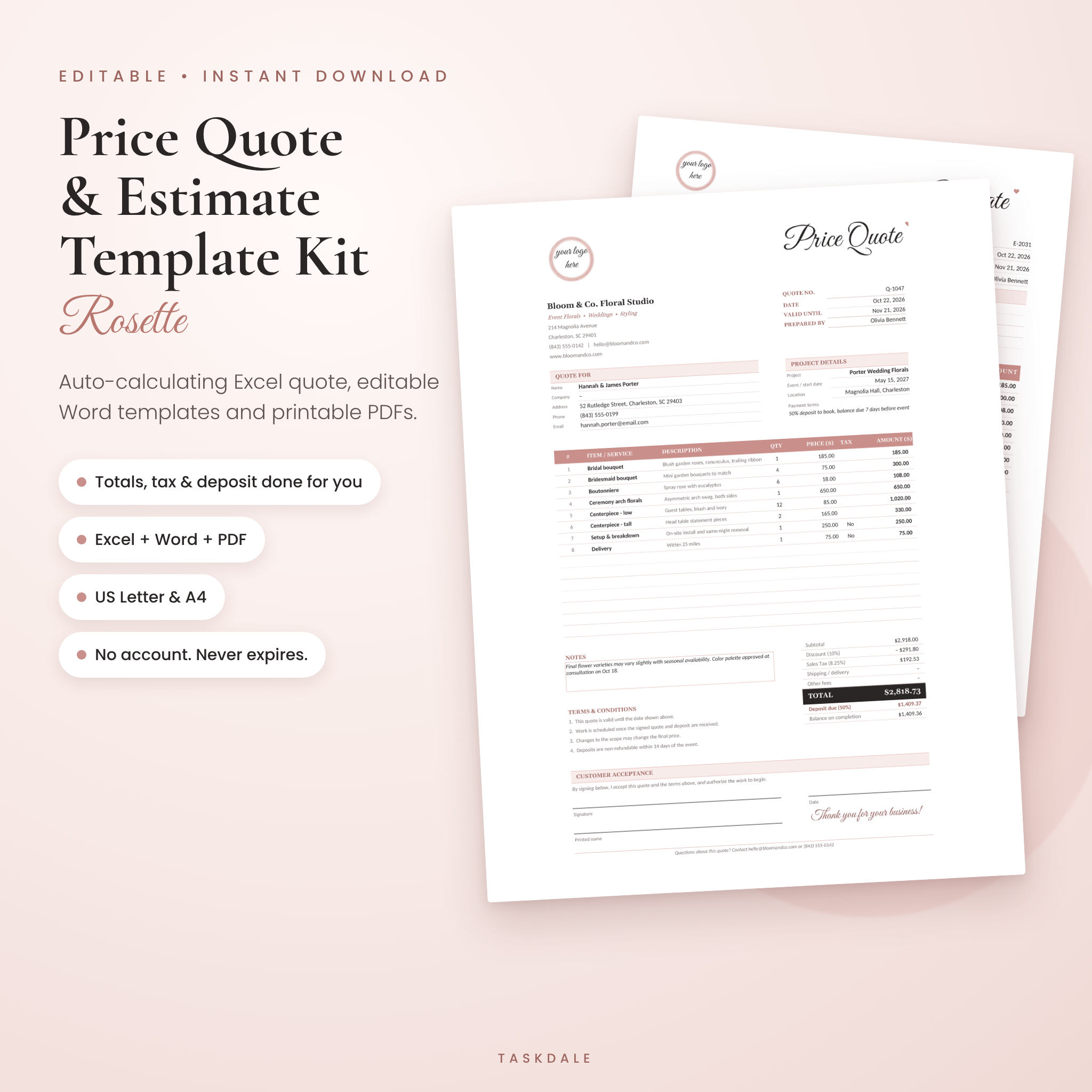
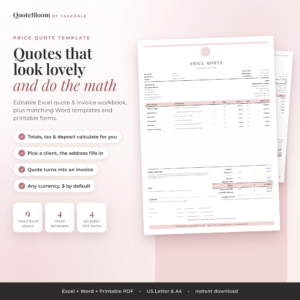
This price quote template kit gives you a quote that looks polished enough for your best client and does its own math. Pick items from your saved price list, type the quantities, and the subtotal, discount, tax, deposit and balance all fill in for you. Prefer Word? There are editable quote and estimate templates for that too, plus blank printables for quoting on site with a pen.
It’s all in a soft blush and charcoal design with a hand-lettered script title. Everything opens on your own computer. No online editor, no login link in your email, and nothing that expires after a few months.
What this price quote and estimate template does
Most quote templates are a pretty page with empty boxes. You still work out every line, add the tax and figure the deposit on your phone. This one handles that part.
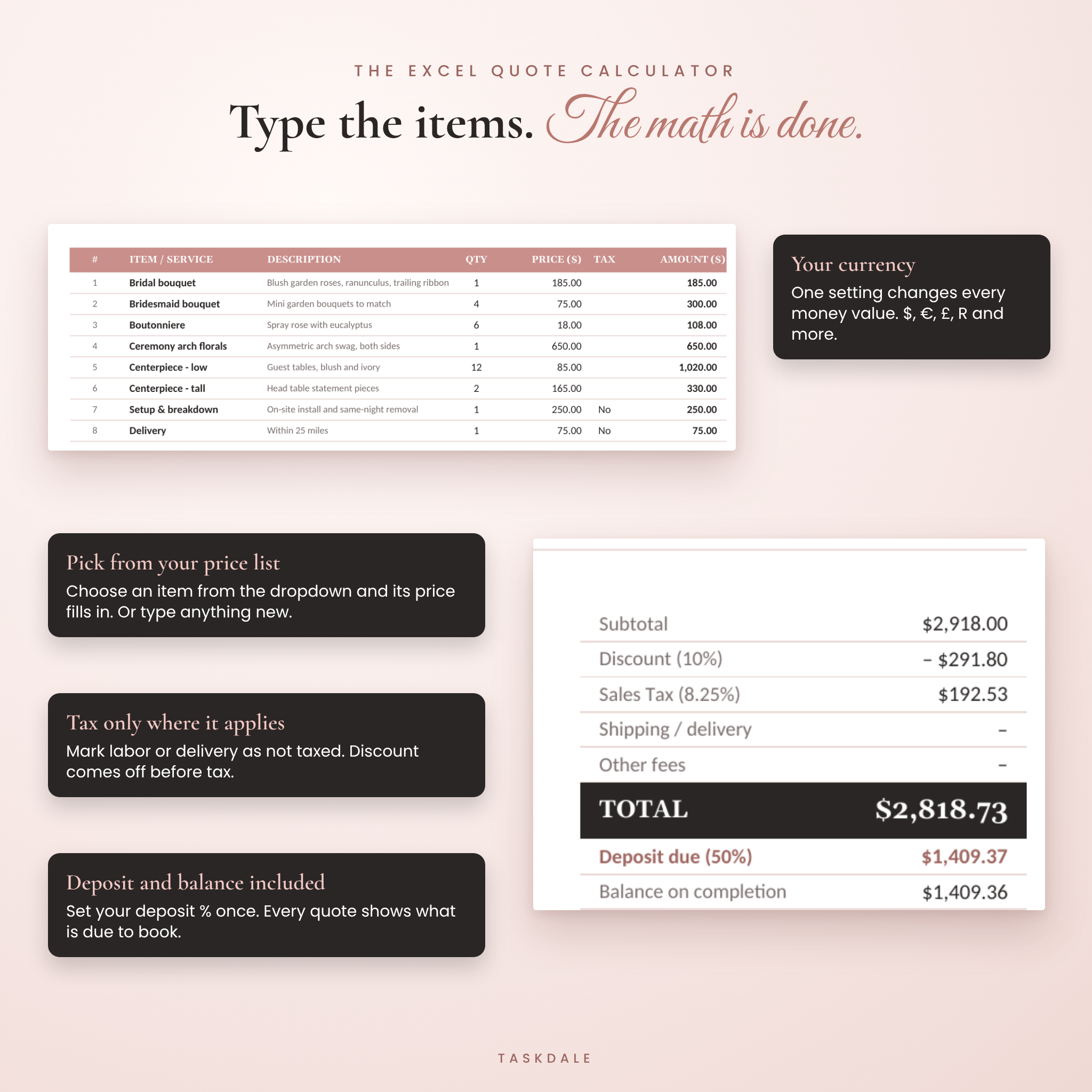
- Excel Quote Calculator: line totals, discount, tax, fees, deposit and balance update as you type.
- Saved price list: add up to 60 products or services once. They show up in a dropdown on every quote and the price fills in.
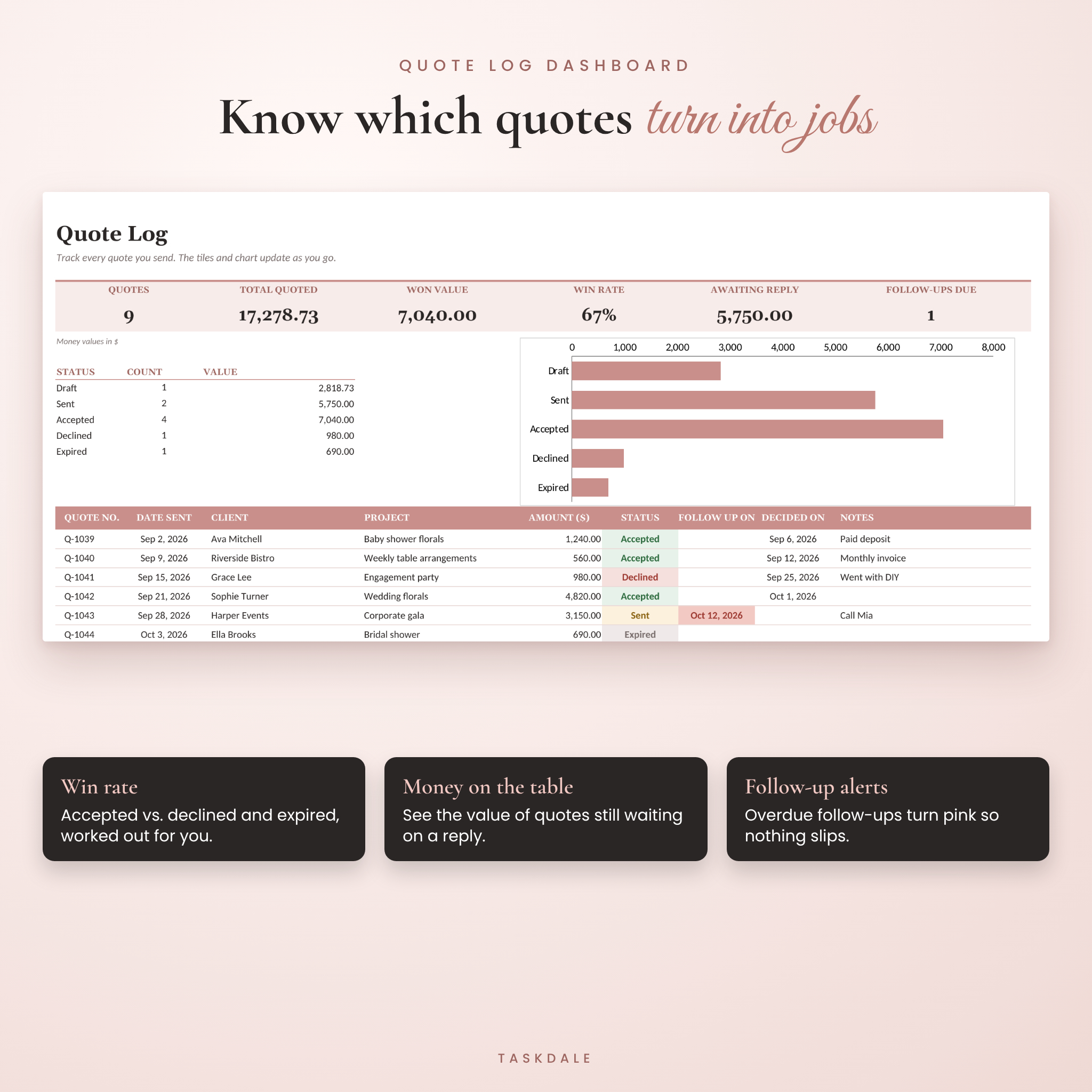
- Quote Log dashboard: track every quote you send, your win rate, money still waiting on a reply, and follow-ups that are due.
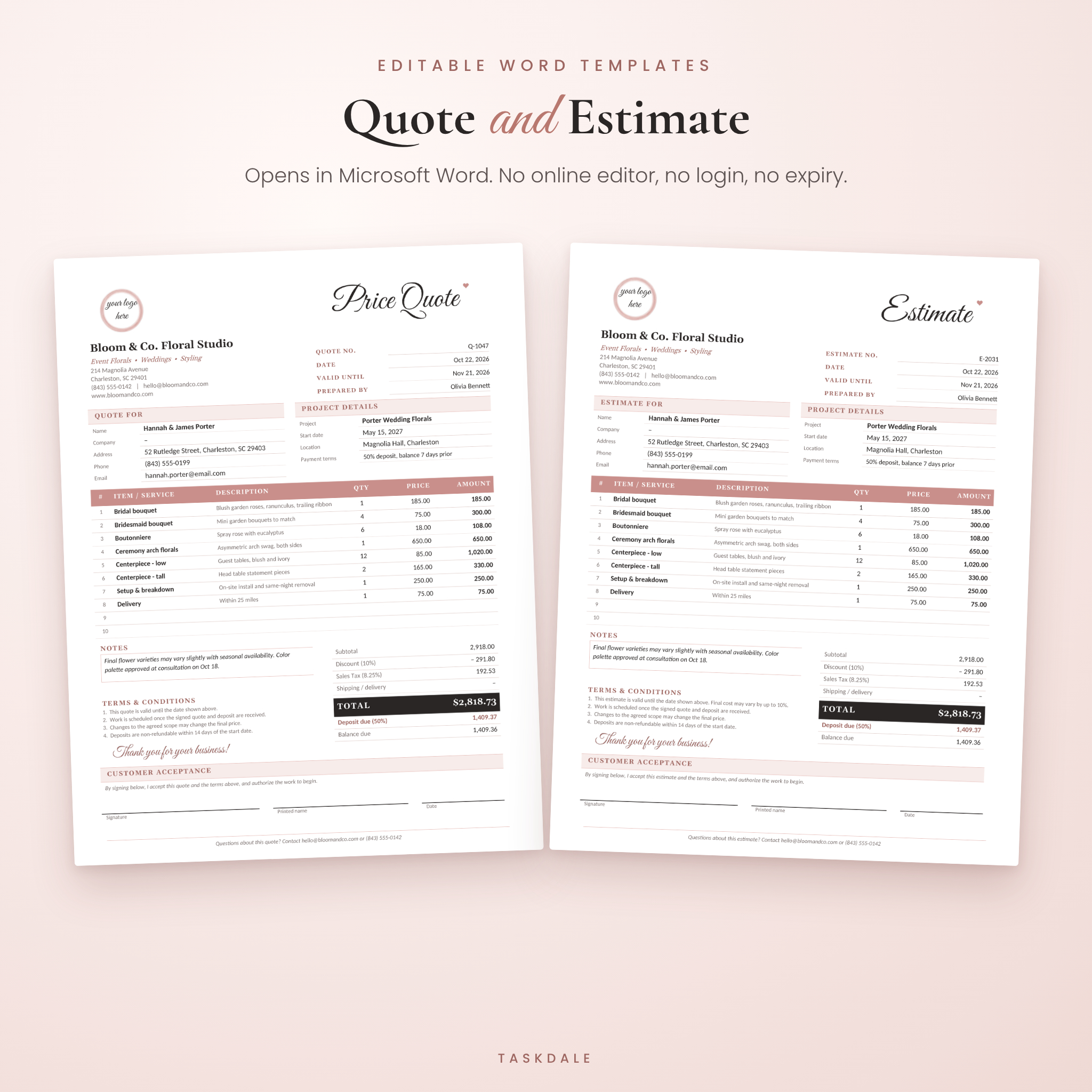
- Word templates: editable price quote and estimate, each in US Letter and A4.
- Printable PDFs: blank quote and estimate pages to print and fill by hand.
Who it’s for
Built for small businesses that price custom work. Florists, bakers, photographers and event planners use it. So do cleaners, landscapers, contractors and handymen. Freelancers and consultants too. If you send a price before you start the job, it fits.
Features
Excel quote calculator
- 15 line items on one tidy printed page
- Item dropdown linked to your price list, or type any item freely
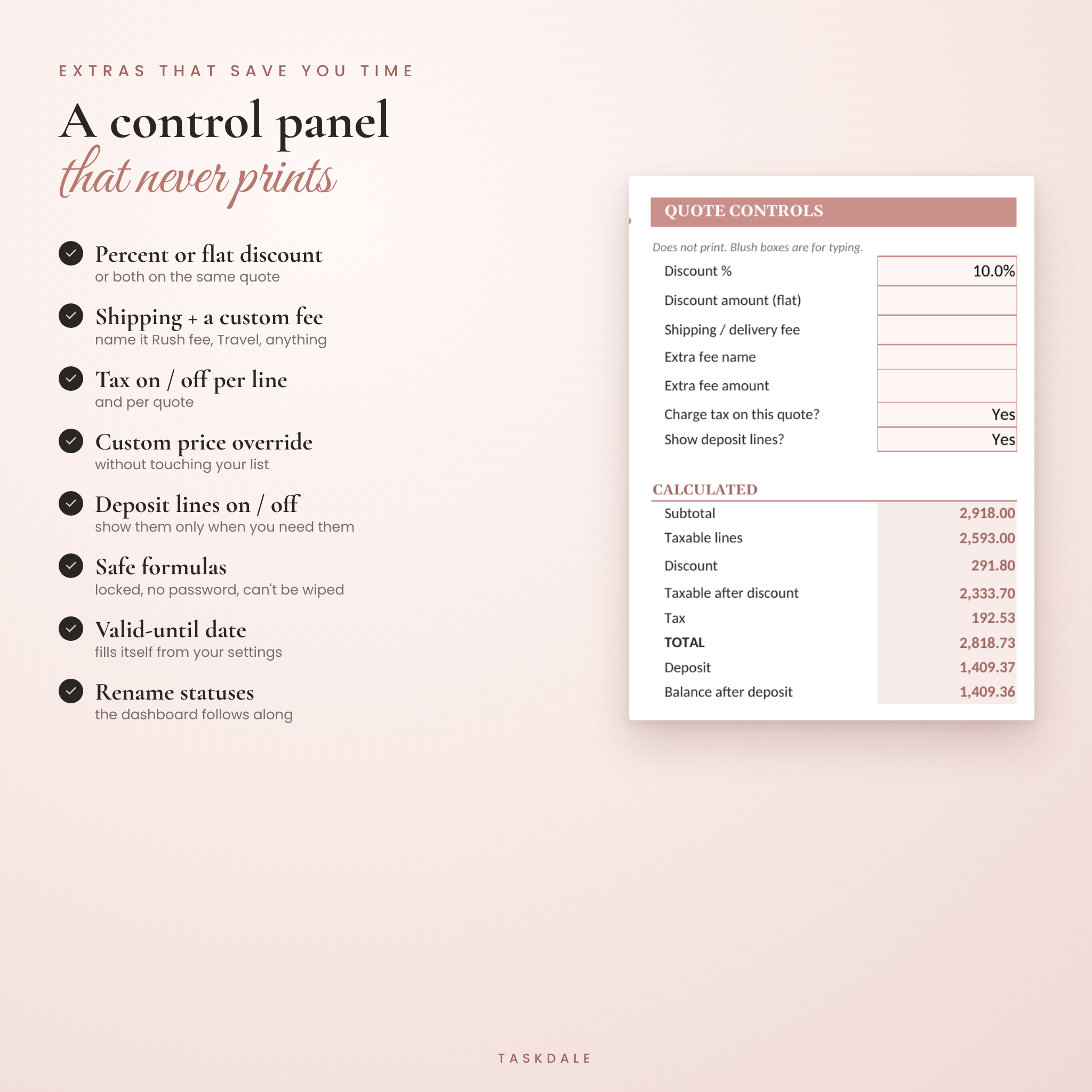
- Custom price box on each line to override the list price for one client
- Percentage discount, flat discount, or both
- Tax on or off per line, so labor or delivery can stay untaxed
- Tax name you choose: Sales Tax, VAT, GST or HST
- Shipping fee plus one extra fee you can name (Rush fee, Travel, Setup)
- Deposit % with the deposit and balance shown on the quote, or hidden with one switch
- Valid Until date fills itself from the quote date
- One currency setting used by every money value. $ is the default, and any symbol works
- Lines with an item but no price turn pink so nothing slips through
- Formulas locked with no password, so a stray click can’t wipe them
- Print area set to fit one page, with the control panel left off the printout
Quote log and dashboard
- 300 rows for quote number, date, client, project, amount, status and follow-up date
- Tiles for total quotes, total quoted, won value, win rate, awaiting reply and follow-ups due
- Status chart that updates on its own
- Color-coded statuses, plus pink alerts for overdue follow-ups
- Rename the statuses and the dashboard follows the new names
Word and printable templates
- Quote and estimate versions with matching design
- US Letter (8.5 x 11 in) and A4 for every editable template
- Easy-to-spot placeholders in square brackets
- Round logo spot you can swap for your own logo
- Client details, project details, notes, terms and a signature block for acceptance
- Built-in heading styles, so you can restyle the whole page in a couple of clicks
What’s included
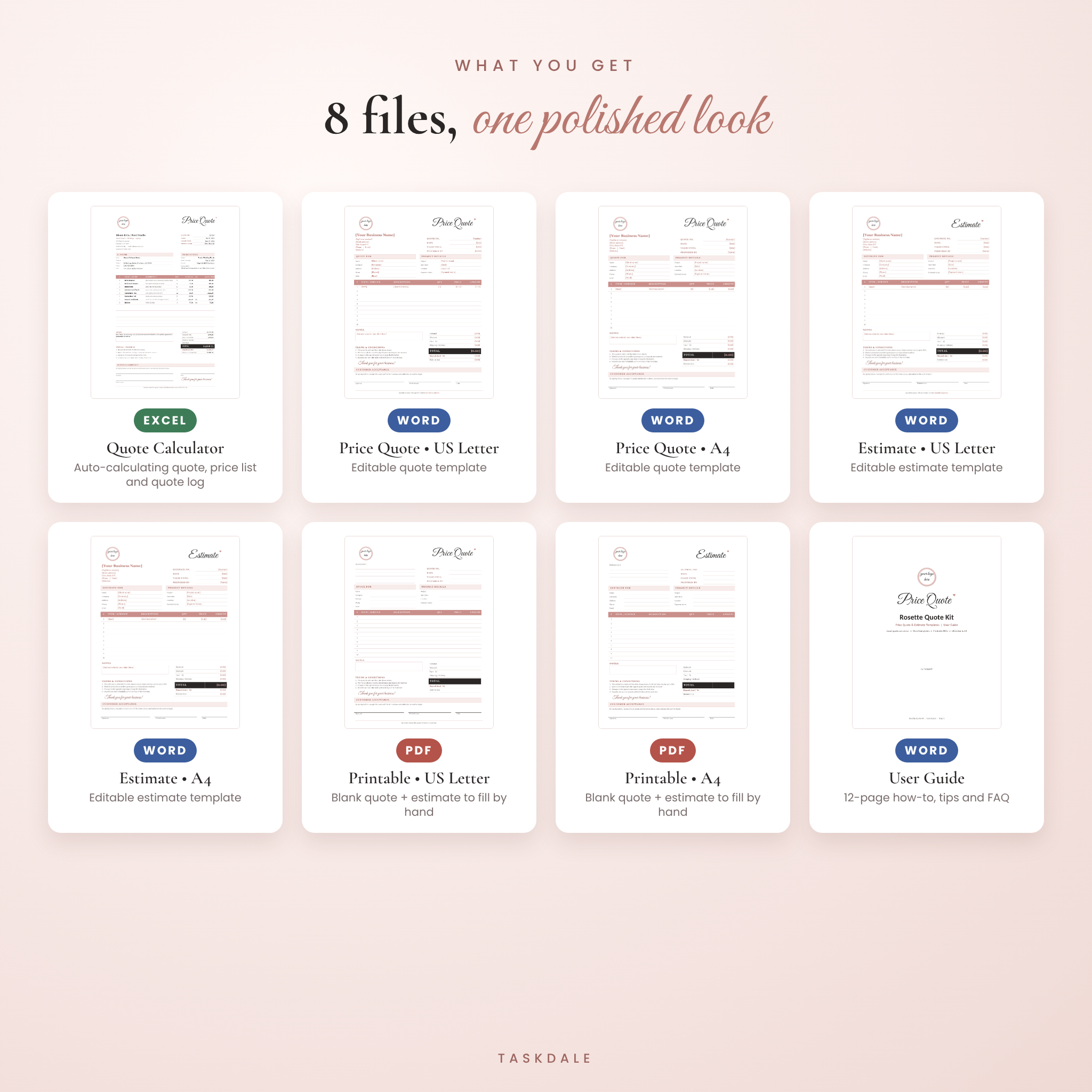
- Rosette Quote Calculator (Excel .xlsx)
- Price Quote Template, US Letter (Word .docx)
- Price Quote Template, A4 (Word .docx)
- Estimate Template, US Letter (Word .docx)
- Estimate Template, A4 (Word .docx)
- Printable Quote and Estimate, US Letter (PDF, 2 pages)
- Printable Quote and Estimate, A4 (PDF, 2 pages)
- User Guide (Word .docx, 12 pages with setup steps, tips, troubleshooting and FAQ)
How it works
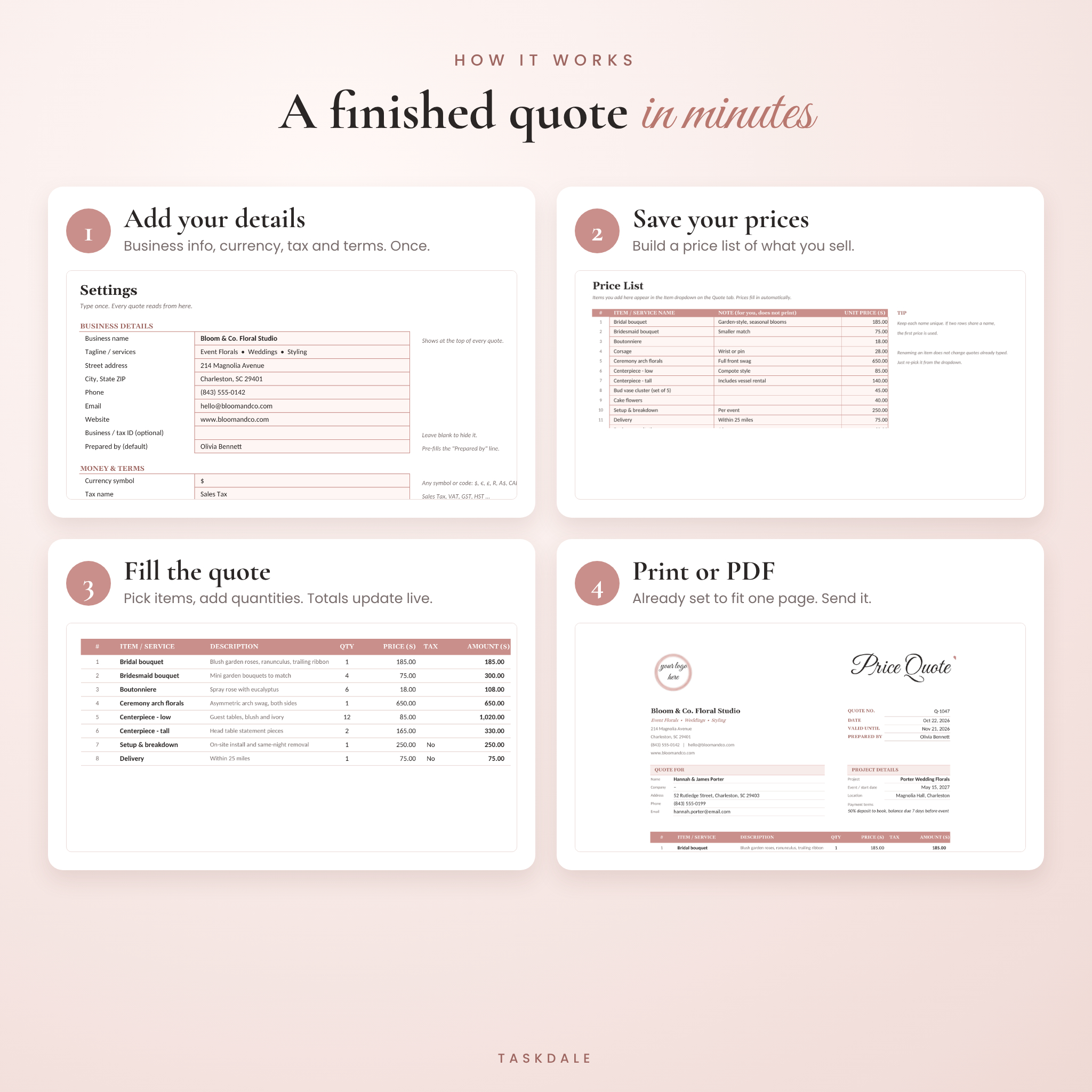
- Open the calculator and fill in the Settings tab: business details, currency, tax rate, deposit and terms. You do this once.
- Add the things you sell to the Price List tab.
- On the Quote tab, type the client details, pick items and enter quantities.
- Print it, or save it as a PDF and email it. Then add it to your Quote Log.
A first quote takes about five minutes. After that, it’s quicker.
File formats and software
- .xlsx for Microsoft Excel (Microsoft 365, 2016 or newer), Windows or Mac
- .docx for Microsoft Word (Microsoft 365, 2016 or newer)
- .pdf for any PDF reader and home or office printer
A computer is recommended for editing. The templates are built for Microsoft Office, so other apps such as Google Docs or Pages may shift fonts or spacing.
Customize it
Add your logo, change the header colors, swap fonts, rename the statuses and rewrite the terms. Use it for any currency. The Word and PDF templates use plain amount fields, so they work anywhere.
Digital download
This is an instant digital download. Nothing physical is shipped. Your files are ready to download as soon as payment goes through, and you can open them as often as you like.
Real ways people use it
- A florist pricing wedding flowers with a 50% booking deposit
- A cleaner quoting a move-out clean with supplies untaxed
- A photographer sending a session package with travel as an extra fee
- A contractor giving a rough estimate on site with the printable PDF, then a typed quote the next day
- A baker tracking which custom cake quotes turned into orders
FAQ
Do I need an account or an online editor?
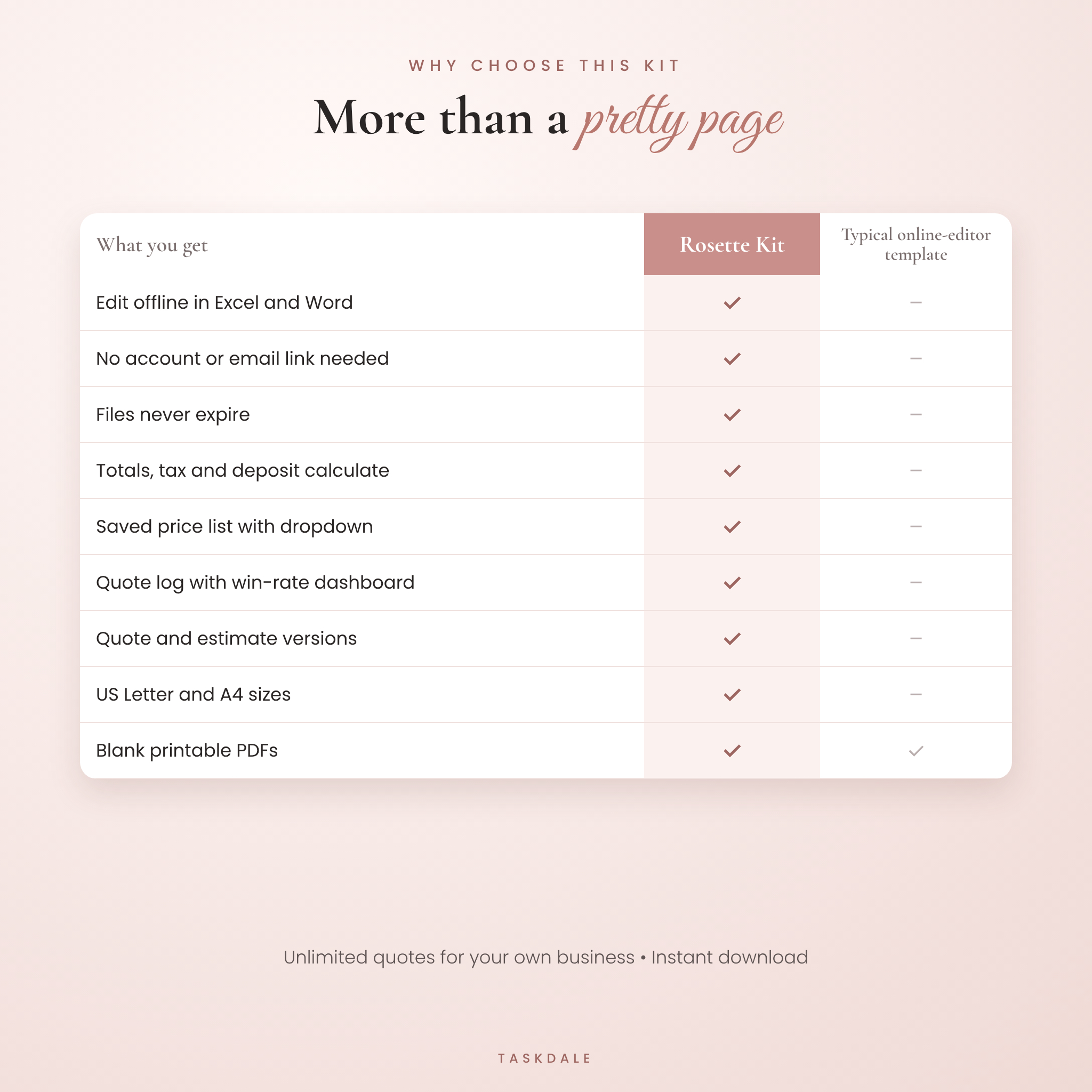
No. You download real Excel, Word and PDF files and they work offline. They never expire.
Does the quote calculate totals automatically?
Yes, the Excel version does. Subtotal, discount, tax, fees, total, deposit and balance all calculate. The Word templates are for typing.
Can I use my own currency?
Yes. Type your symbol once in Settings and every money value uses it. $ is the default.
Can I add my logo?
Yes. Right-click the logo circle, choose Change Picture and pick your file.
What’s the difference between a quote and an estimate?
A quote is a fixed price. An estimate is a close guess that may change. Both versions are included.
Will it print on A4 paper?
Yes. Word and PDF files come in US Letter and A4, and the Excel quote scales to either size.
Does it work in Google Sheets?
It’s made for Microsoft Excel and Word, which is where it was tested.
License
For use in your own business. Send unlimited quotes and estimates to your clients. Please don’t resell, share or give away the template files.
Reviews
There are no reviews yet.