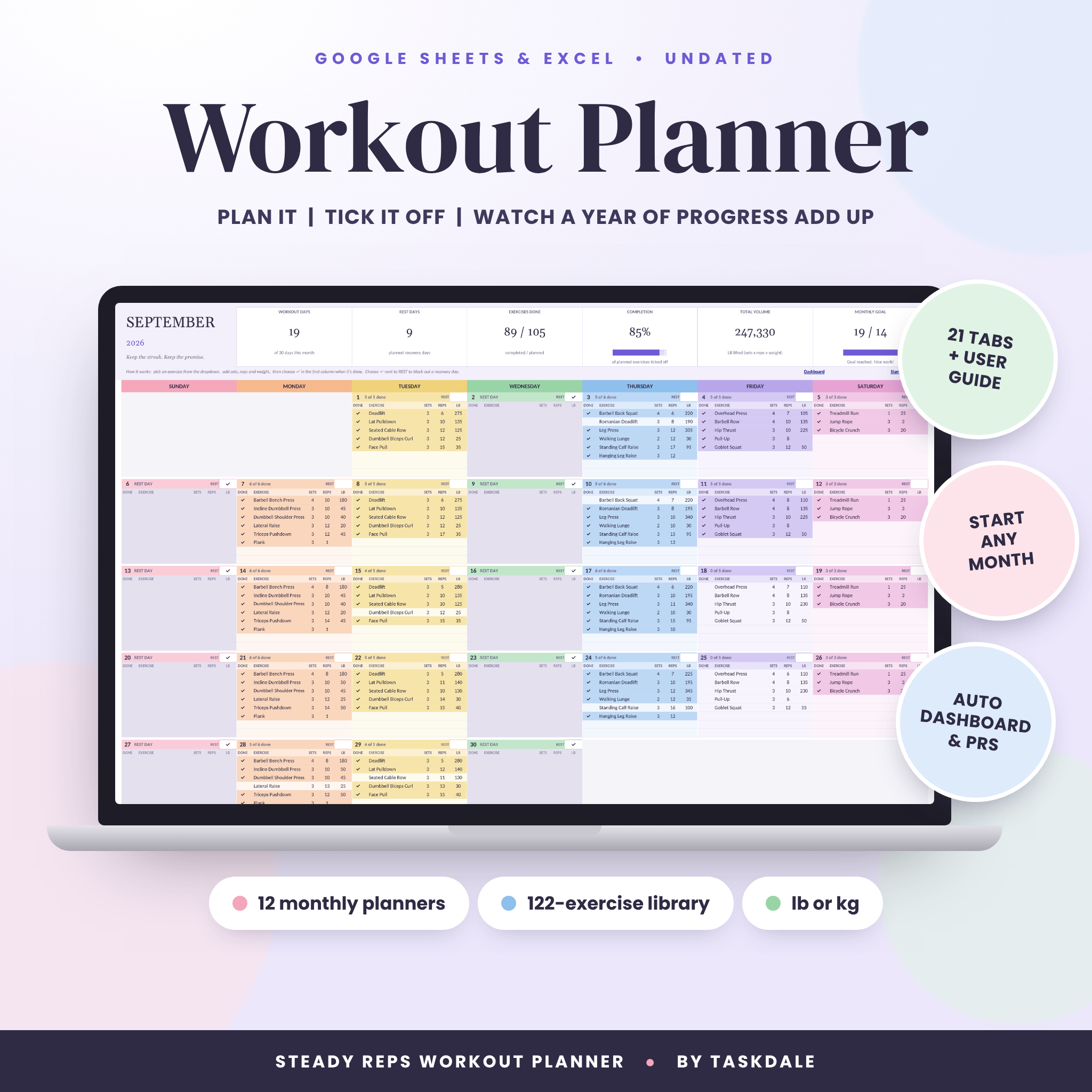


The Steady Reps Workout Planner is a workout planner spreadsheet for Google Sheets and Excel that keeps your whole training year in one file. Plan each workout on a calendar, tick exercises off as you finish them, and let the planner do the math. Workout days, rest days, training volume, personal records and body weight all update the second you make a change.
It’s undated, so you can start in any month. It’s simple enough for a first-time gym goer. And it goes a lot further than most trackers once you’re ready for more.
What this workout planner spreadsheet does
Most fitness trackers stop at a list of exercises. This one turns your ticks into real feedback. You’ll see how many days you trained this month, how much weight you moved, which lifts have gone up, and which weekday you keep skipping. No formulas to write. No setup beyond picking your start month and units.
Who it’s for
- Beginners who want an easy gym planner plus three ready-made starter routines.
- Lifters who log sets, reps and weight and want their best lifts found for them.
- Home exercisers using bodyweight, bands or dumbbells. Weight is optional on every row.
- Anyone tracking weight loss or body composition who wants measurements and BMI next to their training.
What’s included
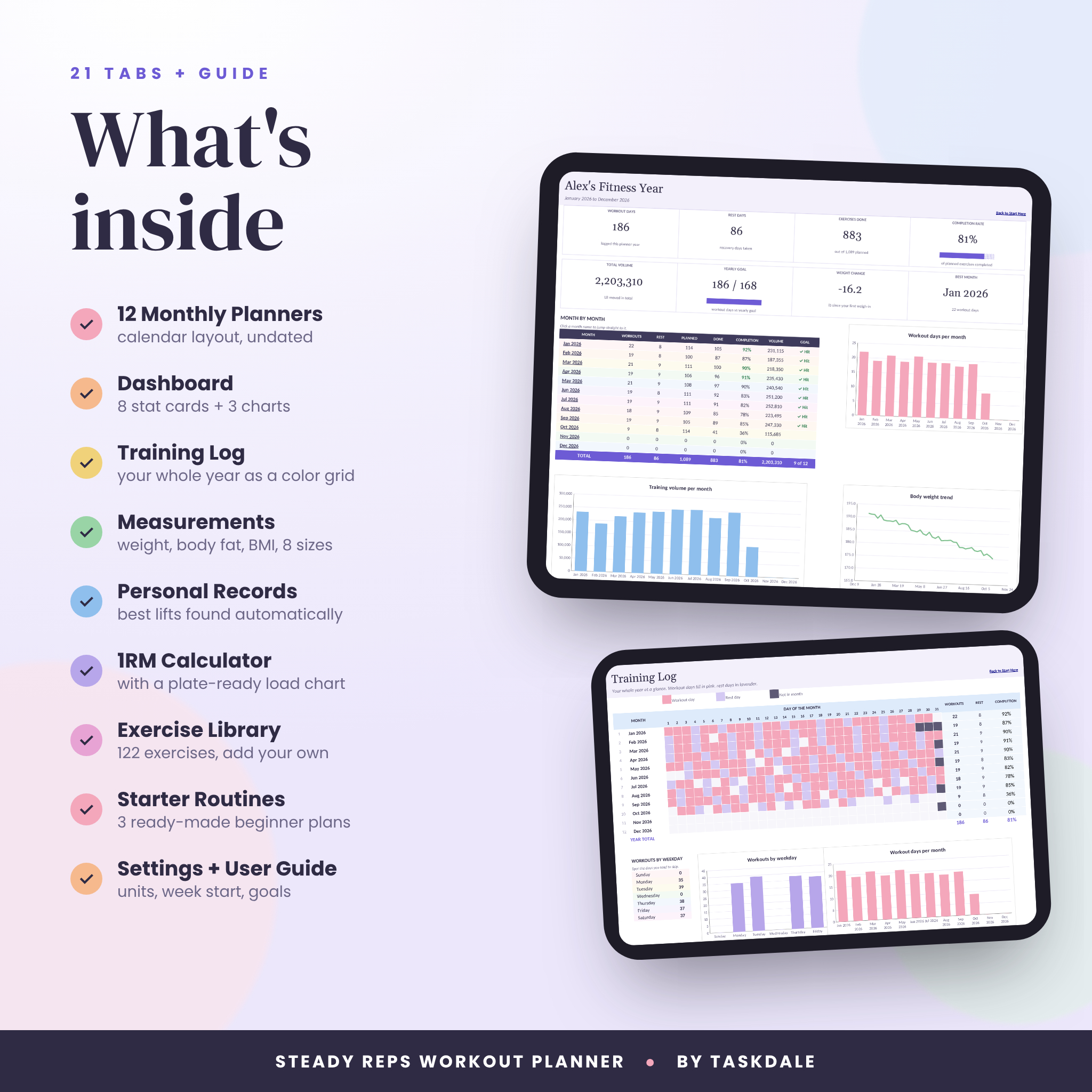
One .xlsx workbook with 21 tabs, plus a 14-page user guide (.docx).
- Start Here with quick-start steps and one-click buttons to every tab
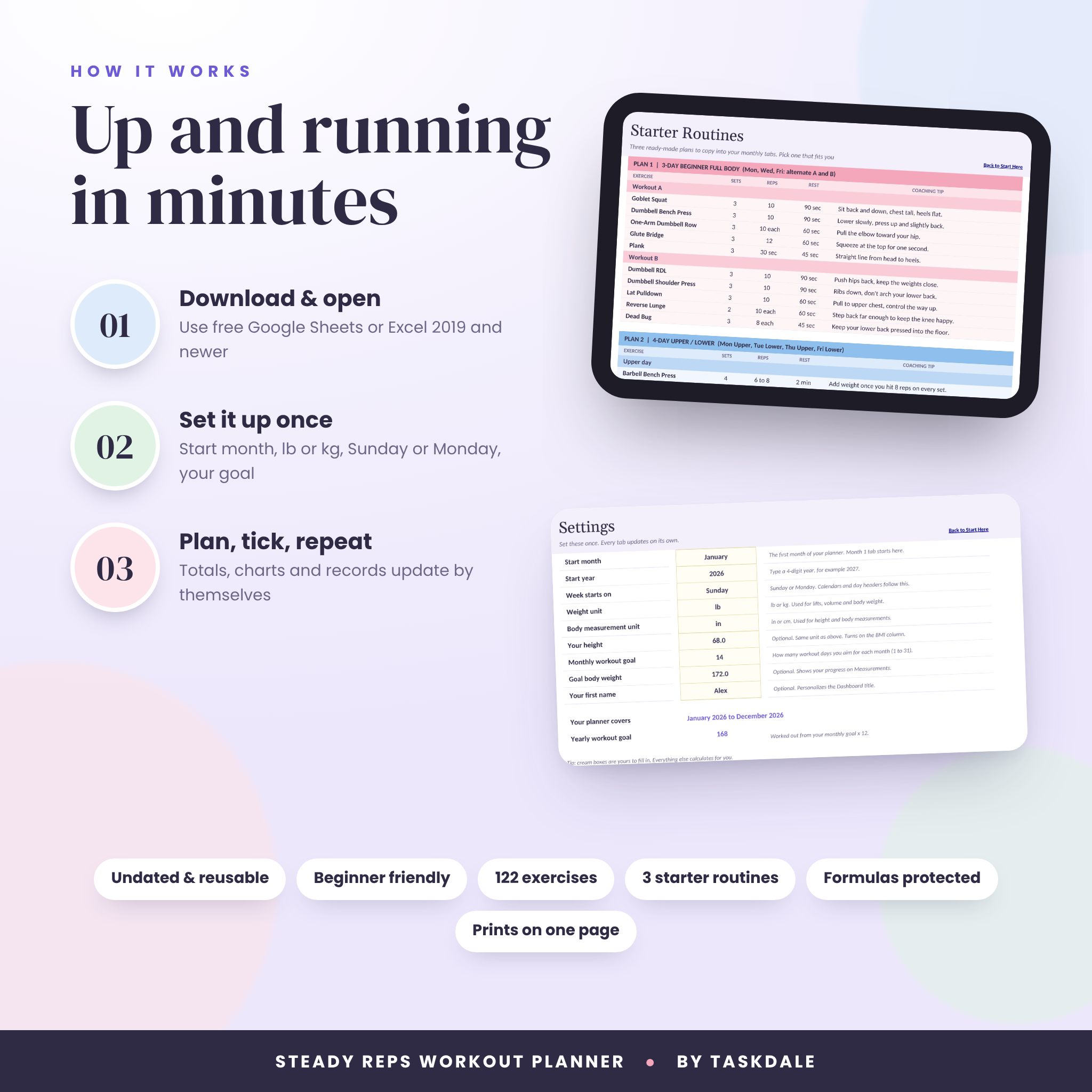
- Settings for start month, year, Sunday or Monday weeks, lb or kg, in or cm, height and goals
- 12 monthly planners in a color-coded calendar layout, 8 exercise rows per day
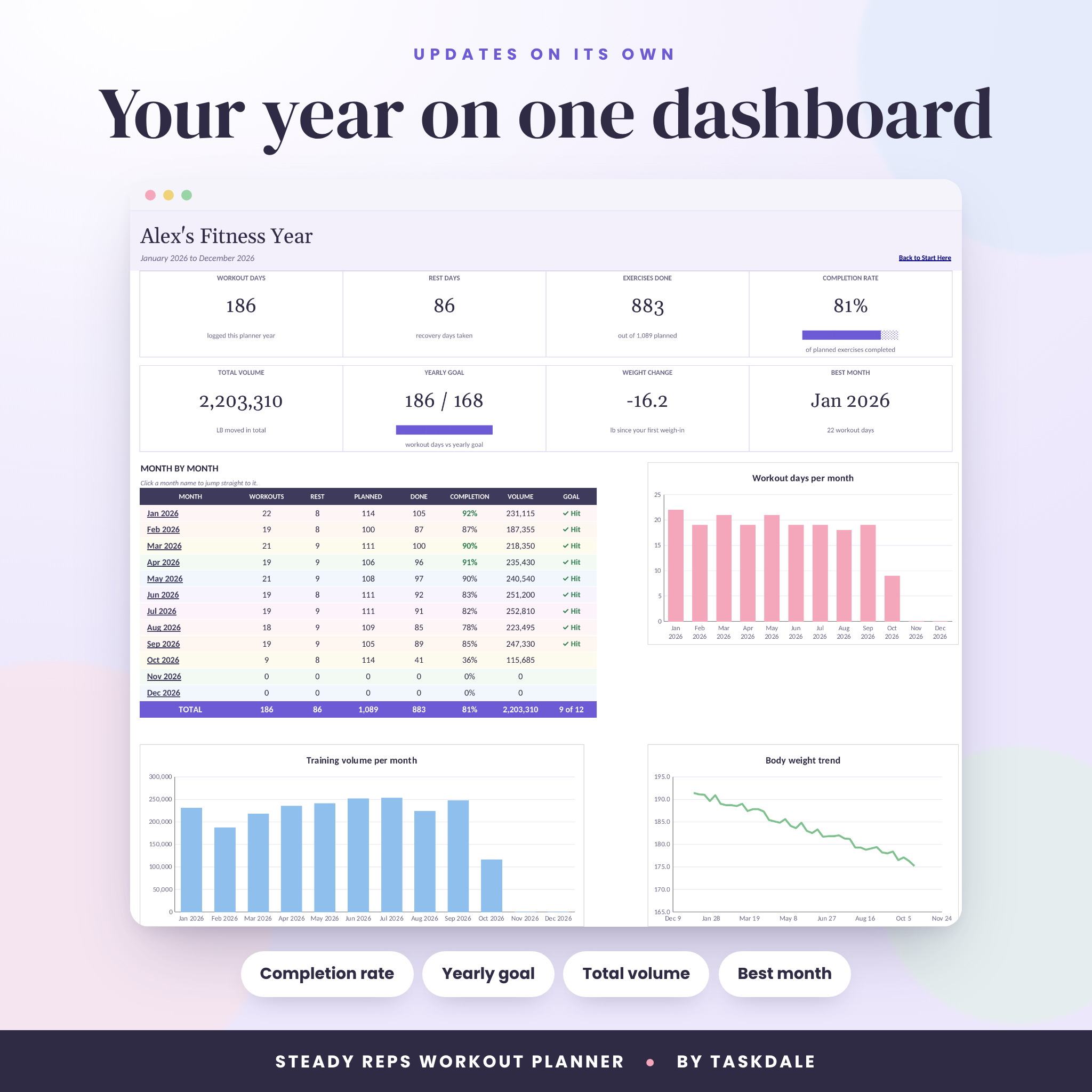
- Dashboard with 8 stat cards, a month-by-month table and 3 charts
- Training Log showing your whole year as a 12 x 31 color grid
- Measurements for weight, body fat and 8 body measurements, with BMI and charts
- Personal Records for up to 30 lifts, with goals and progress bars
- 1RM Calculator with a load chart from 50% to 100%
- Exercise Library of 122 exercises with equipment and main muscles
- Starter Routines: 3-day full body, 4-day upper/lower and a 3-day home workout
Features of the workout tracker
Monthly workout planner
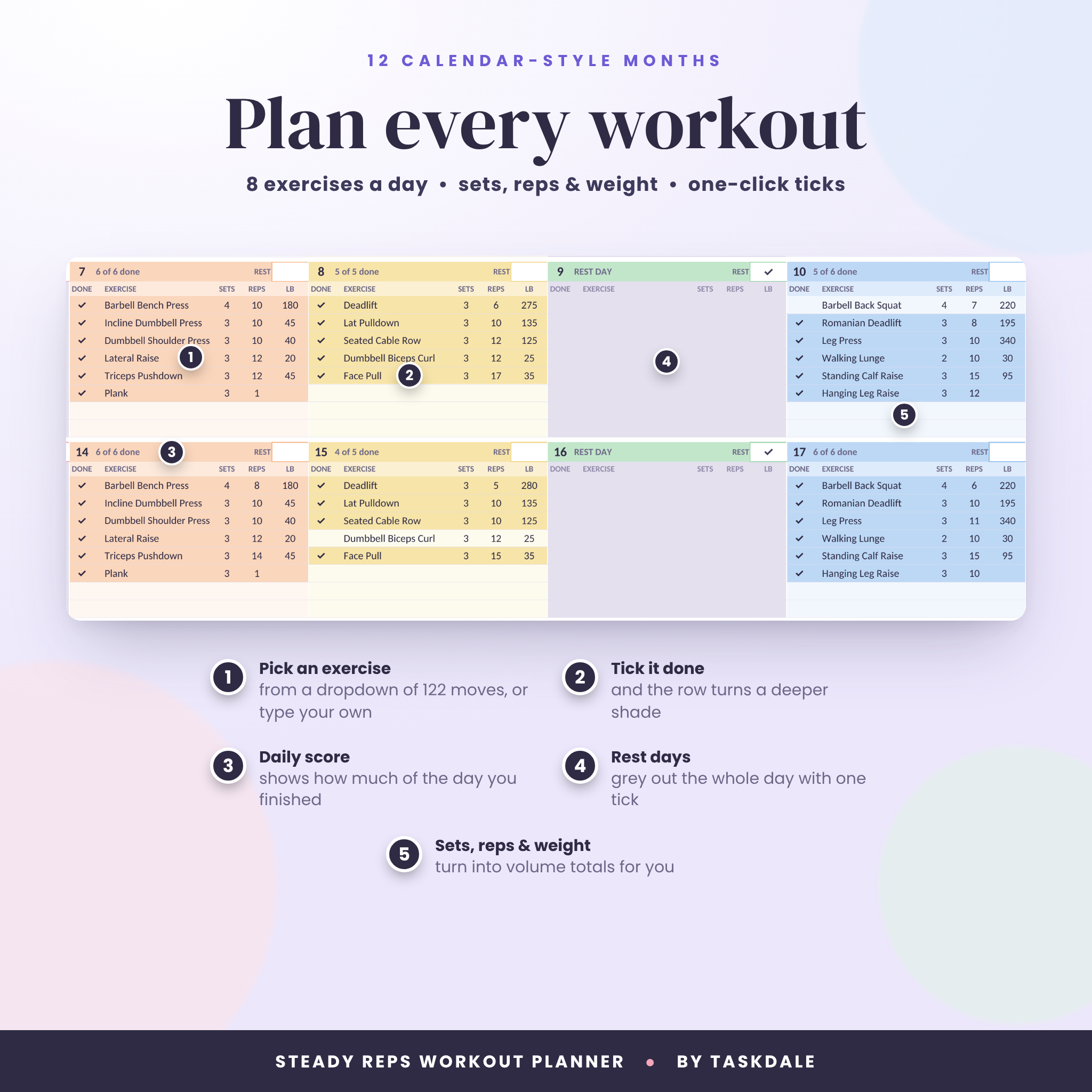
Pick an exercise from the dropdown, then type sets, reps and weight. When you finish, choose the tick in the DONE column and the row turns a deeper shade. Need a recovery day? Tick REST and the whole day greys out. Each day shows a mini score like “4 of 5 done”, and today’s date is highlighted so you never lose your place.
Six cards at the top of every month count workout days, rest days, exercises done, completion rate, total volume and progress toward your monthly goal.
Fitness dashboard
See the whole year on one page: total workout days, completion rate, total volume, yearly goal, weight change and your best month. Charts show workout days per month, training volume per month and your body weight trend. Click any month name to jump straight to it.
Training log heat map
Pink squares for workout days, lavender for rest days. One look tells you how consistent you’ve been. A workouts-by-weekday chart sits underneath, which is great for spotting the day you always skip.
Personal records and 1RM calculator
Choose a lift and the planner scans all 12 months for your best weight, best reps and the number of times you’ve done it. Add a goal weight and a bar fills up until it says “Goal hit!” The 1RM calculator estimates your one-rep max from any hard set, then shows the load for each training zone, rounded to 5 lb or 2.5 kg so it matches real plates.
Body measurement tracker
Log weight, body fat, neck, chest, waist, hips, thighs and biceps. Cards show your start weight, current weight, change and progress toward your goal weight. BMI is worked out for you once you add your height, in any mix of units.
How it works
- Download the files right after checkout.
- Open the .xlsx in Excel, or upload it to Google Drive and choose File > Save as Google Sheets.
- Set your start month, units and monthly goal in Settings.
- Plan your workouts, tick them off, and watch the totals build.
File formats and software
- Workbook: .xlsx, tested in Google Sheets and Excel for the web
- Works with free Google Sheets, Microsoft 365, Excel 2019 or newer, and Excel for the web
- Older Excel versions (2016 and earlier) are not supported, because the Personal Records tab uses MAXIFS
- User guide: .docx (opens in Word, Google Docs or Pages)
- Laid out for a laptop or desktop screen. Month tabs print on one landscape page.
Customizing it
Start in any month of any year. Switch between Sunday and Monday weeks, lb and kg, inches and centimeters. Add your own exercises to the library and they show up in every dropdown. Put your first name in Settings and the dashboard becomes yours. Formula cells are protected without a password, so you can’t break anything by accident, but you can still change colors and fonts.
Real ways people use it
- A beginner following the 3-day full body plan who wants to see each week add up.
- A lifter running upper/lower days and chasing a 225 lb squat goal.
- Someone on a weight loss plan logging weekly weigh-ins next to their workouts.
- A home exerciser doing bodyweight sessions and short runs, tracking minutes in the reps column.
- A personal trainer’s client who wants one clean place to log sessions between check-ins.
Digital download
This is a digital product. Nothing will be shipped. Your files are ready to download as soon as payment goes through. For personal use only. Please don’t share, resell or redistribute the files.
FAQ
Is this workout planner dated?
No. You pick the start month and year, so it works for any 12 months and you can reuse it every year.
Does it work in Google Sheets?
Yes. Upload the file to Google Drive, open it and choose File > Save as Google Sheets. Every dropdown, color rule and chart carries over.
Which Excel versions does it work with?
Microsoft 365, Excel 2019 or newer, and Excel for the web. Excel 2016 and older can’t run the Personal Records formulas.
Can I track bodyweight and cardio workouts?
Yes. Leave the weight empty and use the reps column for reps, rounds or minutes. These still count as workout days.
How many exercises can I log per day?
Eight per day, on every day of all 12 months, with sets, reps and weight for each one.
Can I use kilograms and centimeters?
Yes. Choose lb or kg and in or cm in Settings. Every label, the BMI and the 1RM plate rounding follow your choice.
Is it good for beginners?
Yes. It includes a 122-exercise library, three starter routines with coaching tips and a step-by-step user guide.
Reviews
There are no reviews yet.