You squatted 100 kilos for five last month. This month you did it for six. Great. But if you did not write it down, it never happened, and next month you will be guessing again. A workout tracker spreadsheet fixes that. It holds your sets, reps and weights, finds your personal records, estimates your one rep max and shows you when it is time to add weight. This guide walks through how to set one up and use it, then shows three ready-made options from Taskdale so you do not have to build from scratch.
General fitness information, not professional advice. If you are new to lifting or returning from injury, speak to a doctor or qualified coach first.
Quick picks
| Product | Best for | Price | Link |
|---|---|---|---|
| Kestrel Workout Tracker | Gym log, fitness dashboard, PR tracker and 1RM calculator | $6.49 | View |
| Steady Reps Workout Planner | A monthly planner with PR tracker and 1RM calculator | $3.79 | View |
| Momentum Workout Planner | A workout calendar with PR and 1RM tracker | $3.99 | View |
| Ironwood Workout Planner | Gym log with meals, groceries and a 75 day challenge | $5.49 | View |
What Your Workout Tracker Spreadsheet Must Record
Keep it small. Every extra column is one more thing to skip at 6 a.m. when you are tired. Here is the short list that matters.
- Date. So you can see the order of your sessions.
- Exercise. Use the same names every time, or your totals will break.
- Sets, reps and weight. The heart of the sheet.
- Effort or notes. A quick 1 to 10 score or a few words about how it felt.
That is all you need to start. Everything else, like PRs and charts, can be worked out from those four columns by formulas.
A sample log
Here is how a few weeks of one lift might look. These numbers are an example only.
| Date | Exercise | Sets x Reps | Weight (kg) | Note |
|---|---|---|---|---|
| Week 1 | Squat | 3 x 5 | 80 | Felt easy |
| Week 2 | Squat | 3 x 5 | 82.5 | Solid |
| Week 3 | Squat | 3 x 5 | 85 | Last set slow |
| Week 4 | Squat | 3 x 4 | 85 | Poor sleep |
Look at week four. Reps dropped and the note explains why. Without the note, you might think you got weaker. With it, you know it was a bad night. That is the value of a log you can read back.
How to Track PRs in a Workout Tracker Spreadsheet
A personal record, or PR, is your best result on a lift. There are a few kinds. A weight PR is the heaviest load you have lifted for a given number of reps. A rep PR is more reps at the same weight. A volume PR is the most total work in one session.
The simplest way to track them is a second tab. List each lift, then use a formula that looks up the highest weight in the log for that lift. In both Excel and Google Sheets, the MAX function with a condition does the job. If formulas make you nervous, ready-made sheets handle this for you. Kestrel, Steady Reps and Momentum each include a PR tracker.
Tip: only count a PR if your form was good. A grinding, ugly rep that nearly hurt your back is not progress worth recording. Write “form broke” in the notes and move on.
1RM Made Simple
Your one rep max, or 1RM, is the heaviest weight you could lift once. Testing it for real is hard on your body, so most people estimate it. A common formula is weight x (1 + reps / 30). If you squat 100 kg for 5 reps, that gives about 117 kg.
It is only an estimate. It gets less reliable the higher the reps go, so use sets of 10 or fewer. Still, the number is useful. It tells you roughly what weight to use for a given rep target, and it lets you compare sessions even if the sets and reps changed.
A workout tracker spreadsheet with a built-in 1RM calculator saves you typing the formula. Steady Reps, Kestrel and Momentum all list a 1RM calculator in their product titles.
Progressive Overload Without the Jargon
Progressive overload just means doing slightly more over time. Slightly more weight, slightly more reps, or slightly more sets. Your body adapts to what you ask of it, so if you never ask for more, it has no reason to change.
The simplest plan is called double progression. Pick a rep range, say 3 sets of 8 to 12. Start with a weight where you can just hit 8 on each set. Each week, try to add a rep. When you reach 12 on every set, add a little weight and go back to 8. Your sheet shows this beautifully, because you can see each week’s reps climb in a column.
If you stall for two or three sessions in a row, look at your notes. Sleep, food and stress show up there. Sometimes the fix is a lighter week, not a harder push.
Ready-Made Workout Tracker Spreadsheet Options
You can build all of this yourself. It takes an evening or two. Or you can start from a finished file and customise it. Here are the options on Taskdale.
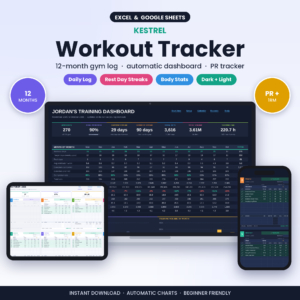
Kestrel Workout Tracker
Price: $6.49 | Best for: lifters who want PRs, 1RM and measurements in one place
A workout tracker spreadsheet for Google Sheets and Excel with a gym log, fitness dashboard, PR tracker, 1RM calculator and body measurements. It costs $6.49.
Kestrel is the closest match to everything described above. It has the log, the PR list and the estimated max, so you spend your time lifting instead of building formulas.
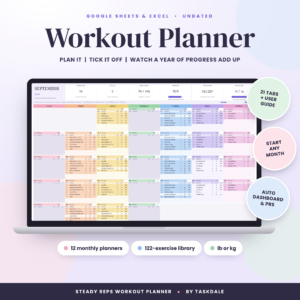
Steady Reps Workout Planner
Price: $3.79 | Best for: an easy monthly view
An undated monthly gym planner for Google Sheets and Excel. It has a workout log, fitness dashboard, PR tracker, 1RM calculator and body measurements. Price: $3.79.
If Kestrel feels like a lot, Steady Reps gives you a similar set of tools at a lower price and with a month-by-month layout.
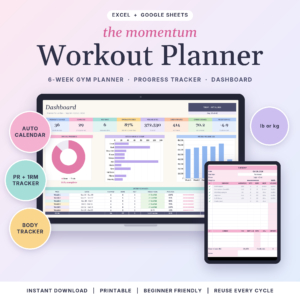
Momentum Workout Planner
Price: $3.99 | Best for: people who like a calendar
A workout planner spreadsheet for Excel and Google Sheets with a gym tracker, a workout calendar, a PR and 1RM tracker and a body measurement tracker. It costs $3.99.
The calendar helps you see which days you trained and which you skipped, which is a quiet form of accountability. For a gym log that also covers meals and a grocery list, take a look at Ironwood at $5.49.
Side-by-side comparison
| Product | Format | Price | Best for | Link |
|---|---|---|---|---|
| Kestrel | Google Sheets and Excel | $6.49 | Detailed logging and a dashboard | View |
| Steady Reps | Google Sheets and Excel, monthly undated | $3.79 | A simple, lower-cost start | View |
| Momentum | Excel and Google Sheets | $3.99 | Calendar-style training | View |
| Ironwood | Excel and Google Sheets | $5.49 | Training plus meals and groceries | View |
Build a Basic Workout Tracker Spreadsheet From Scratch
Want to try the do-it-yourself route first? Fair enough. It is a good way to learn how the formulas work. Here is a plain recipe.
- Open a blank sheet and create a tab called Log. Add the columns date, exercise, sets, reps, weight and note.
- Add a column called Volume. The formula is sets x reps x weight. Fill it down.
- Create a tab called PRs. List your main lifts down the side.
- Next to each lift, use a MAX formula that looks at the Log tab for that lift only.
- Add a 1RM column on the Log tab using weight x (1 + reps / 30), then take the max of that for each lift.
- Freeze the top row so the headers stay in view on your phone.
Test it with fake numbers first. If the PR tab shows the right weights, you are done. If it shows zero, a lift name is probably spelled differently in the two tabs. That one typo causes most of the headaches.
Charts that earn their place
Skip the dozen colourful charts. Two are plenty. First, a line of your estimated 1RM for each main lift over time. If the line trends up, you are getting stronger, even when single sessions feel flat. Second, a bar of weekly volume. It shows whether you are training consistently or lurching between big weeks and empty ones.
Check them once a week, not daily. A chart is a summary, and summaries need time to say anything. If you hate charts, ignore them completely. The log alone will carry you.
A Five-Minute Weekly Review
The sheet is only half the job. The other half is looking at it. Once a week, take five minutes. Open the log and ask three questions.
Did anything go up? Any new weight, any extra rep, any better note. Did anything go backwards, and why? And what is the one lift I will push next week?
Be specific, like “add 2.5 kg to the squat” rather than “lift heavier”. Write the answer to the last question at the top of next week’s page. Then close the file. This tiny habit turns a record into a plan, and plans are what move numbers.
Every so often, plan an easier week. Many lifters drop the weight by a bit, or cut the sets in half, after a hard block of training. In your sheet, mark it clearly so you do not read the lower numbers as a setback later. A short note like “easy week, on purpose” saves you from second-guessing yourself in a month.
This is also where a workout tracker spreadsheet beats memory. After three or four months of data, you can look back and see how a rest week affected the next block. Patterns like that are invisible without a record, and they help you plan smarter instead of harder.
Mistakes to avoid
Changing exercise names is a classic. “Bench”, “Bench Press” and “BP” look like three lifts to a formula. Pick one name. Another is logging from memory hours later. Use your phone at the gym, even if it is messy. And please do not chase a new PR every single session. Some weeks are for repeating a weight and making it feel smooth.
When the Numbers Stall: What to Check in Your Workout Tracker Spreadsheet
Every lifter hits a flat stretch. The bar weighs the same for three weeks and the sheet starts to feel like a list of reproaches. Before you blame your program, look at the data you already have.
First, check sleep and food on the days the numbers dipped. A spreadsheet only records what you type, so add a small notes column and jot a word or two: tired, rushed, skipped lunch. After a month, patterns show up that you would never remember otherwise.
Second, look at your rest times. If your last set keeps failing, maybe you are starting the next one too early. Third, check whether you changed the exercise itself. A slightly deeper squat or a pause on the chest is a different lift, and the old numbers no longer compare.
Last, give it time. Plateaus of two or three weeks are normal, and a sheet that shows them honestly is doing its job.
Frequently asked questions
What columns should a workout tracker spreadsheet have?
Start with date, exercise, sets, reps, weight and a notes column. Add effort or body measurements later if you want them. Fewer columns mean you will actually fill it in. Ready-made options like Kestrel and Steady Reps already include logs, PR tracking and measurements.
How do I calculate 1RM in a spreadsheet?
A common estimate is weight x (1 + reps / 30). For example, 100 kg for 5 reps gives about 117 kg. It works best with sets of 10 reps or fewer. Several Taskdale sheets, such as Steady Reps, Kestrel and Momentum, include a 1RM calculator.
What is progressive overload?
It means gradually doing more over time, such as adding a rep, a little weight or an extra set. Tracking your workouts in a sheet lets you see that progress clearly. A simple method is double progression: raise reps within a range, then add weight.
Can I track workouts in Google Sheets on my phone?
Yes. Google Sheets has a free phone app, and the Taskdale workout sheets work in Google Sheets and Excel. Open your file in the app before your first session so you know where to type, and keep your exercise names consistent.
How often should I update my workout tracker spreadsheet?
Log straight after each session, while the numbers are fresh. Then do a short review once a week. If you only update monthly, you will forget sets and your PR list will not be reliable.
So, the short version: log date, exercise, sets, reps, weight and a note, then review it weekly. If you want the formulas done for you, Kestrel is $6.49, or start cheaper with Steady Reps at $3.79.