Week one of term always looks calm. Then five syllabi land at once, a lab report shares a due date with a midterm, and by week six you’re finding deadlines in your inbox the night before. Sound familiar? You don’t need more motivation. You need one place where every date, grade and plan lives.
The best student planner is the one that tells you what’s due before you have to go looking. For some students that’s a spreadsheet that does the GPA maths. For others it’s a tablet planner they actually enjoy opening with a stylus every morning.
We compared five Taskdale student planners: two spreadsheets for Excel and Google Sheets and three hyperlinked digital planners for GoodNotes and Notability. We looked at what each one tracks, how much of the work it does for you, which dates it covers, and the kind of student it fits.
Start with the quick picks if you’re short on time. The table, full reviews and a buying guide follow.
Our top picks at a glance
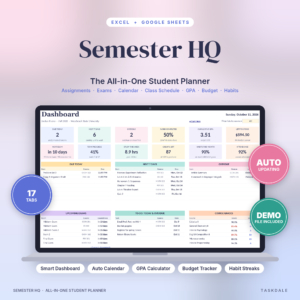
Semester HQ Student Planner
Assignments, grades, GPA, degree plan and budget in one Excel or Google Sheets file that updates itself.
See Semester HQ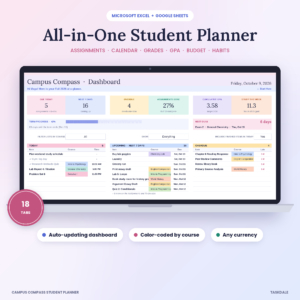
Campus Compass Student Planner
Color-coded by course, with a final exam calculator and a copy you can share with a parent.
See Campus Compass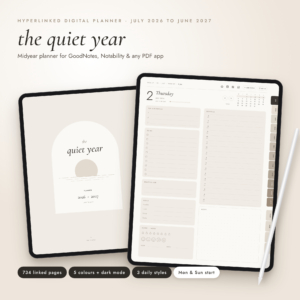
Quiet Year Planner 2026 to 2027
A July to June hyperlinked planner that matches the academic year, with a dark mode.
See Quiet YearBest student planner options compared
The short version is below. On a phone each planner shows as a card of its own.
| Planner | Format | Works in | Dates | Grade maths | Best for | |
|---|---|---|---|---|---|---|
| Spreadsheet | Excel, Google Sheets | Any term | GPA and degree | College students | View | |
| Spreadsheet | Excel, Google Sheets | Any term | GPA and finals | High school and AP | View | |
| Hyperlinked PDF | GoodNotes, Notability | Jul 2026 to Jun 2027 | No | The academic year | View | |
| Hyperlinked PDF | GoodNotes, Notability | 2026 to 2028 | No | A whole degree | View | |
| Hyperlinked PDF | GoodNotes, Notability | 2027, 2028, undated | No | Starting any time | View |
How we compared them
A student planner has one main job: make sure nothing sneaks up on you. Pretty pages help you open it. Smart pages help you stay ahead. We weighed both, using five questions.
- Does it surface deadlines for you? A dashboard that lists today, the next 7 days and overdue work beats a page you have to flip to.
- Does it do the grade maths? Weighted course grades, GPA and the score you need on a final save a lot of anxious calculator time.
- Which dates does it cover? An academic year planner, a three-year planner and an undated one suit very different students.
- What device do you need? Spreadsheets want a laptop for setup. Digital planners want a tablet and a stylus.
- What else comes along? Budget pages, study logs, habit trackers and notebooks matter when your whole life runs on a student income.
The 5 best student planners, reviewed
Semester HQ Student Planner Spreadsheet
Best overall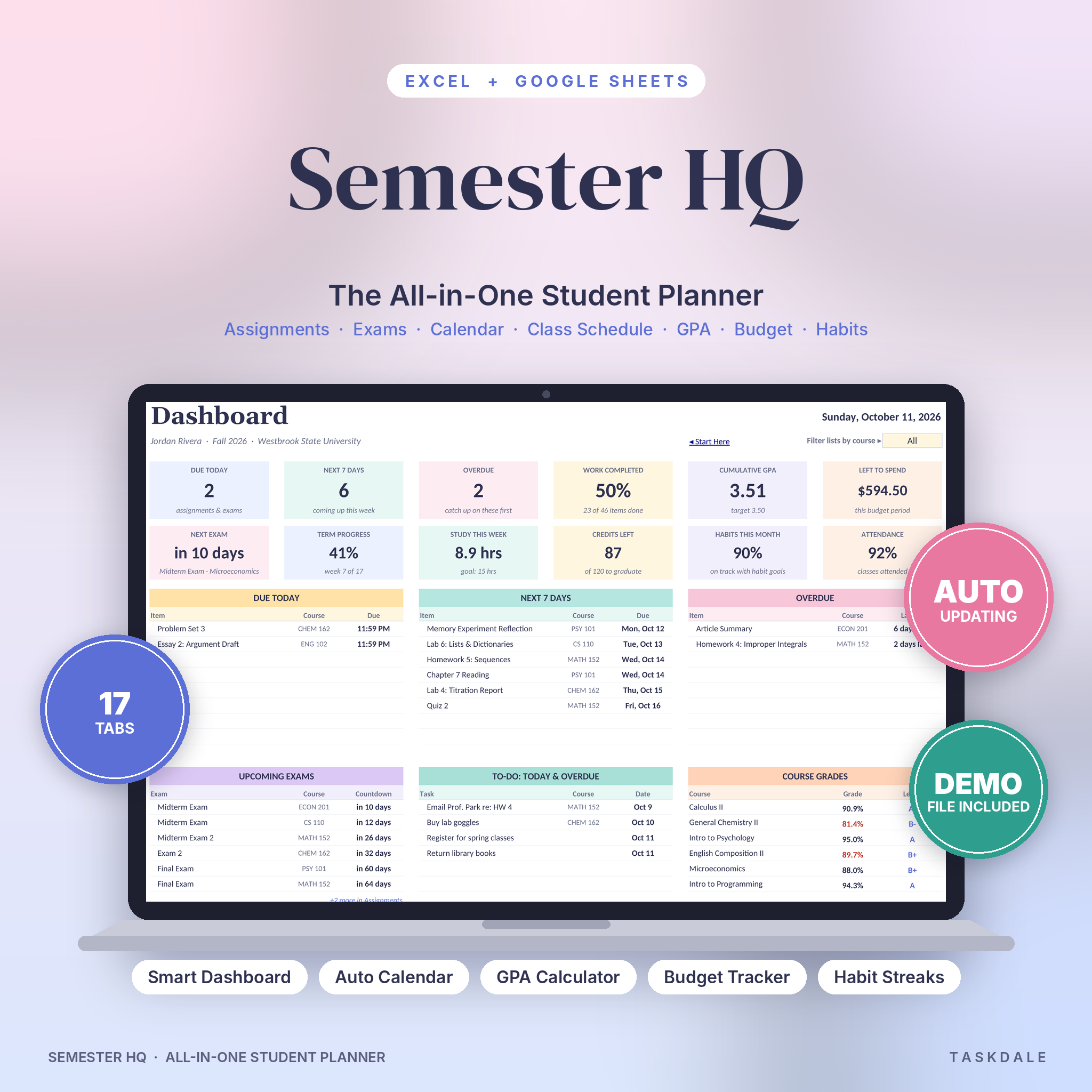
Semester HQ is built for real semesters: five syllabi, a part-time job and a group project nobody wants to lead. It’s a student planner spreadsheet for Excel and Google Sheets that keeps classes, assignments, exams, grades, GPA, budget, study hours and habits in one file. You type a due date once, and the dashboard, calendar and countdowns take it from there.
Open it in the morning and the dashboard shows 12 live numbers, including what’s due today, the next 7 days, overdue work, your GPA, money left, your next exam and term progress. The assignment tracker holds 300 items with priorities, status, days left and late warnings. Add your class times and a color-coded weekly schedule draws itself in half-hour blocks and flags any clash.
The grade tools are where it pulls ahead. Every course shows a live grade and a target check. The “What do I need on the final?” calculator gives you the exact score to aim for. And the Degree and GPA tab covers up to 80 courses, with cumulative GPA, projected GPA, credits left and the GPA you need on your remaining credits to hit your target. That last number is gold for a transfer student chasing a program cutoff.
The student budget is a proper one too: log spending once on the Transactions tab and it lands in the right budget line, with budget vs actual for a month, a paycheck or the whole semester. Gray cells calculate and are locked; white cells are for typing. Setup takes about ten minutes, and a filled sample file shows you a full semester before you start yours.
| Format | .xlsx workbook, 17 tabs, plus a filled sample file |
|---|---|
| Works in | Google Sheets (fully tested), Excel 2010 or newer, LibreOffice Calc |
| Capacity | 300 assignments and exams, 80 courses in the degree planner |
| Grade tools | Live course grades, final exam calculator, projected GPA |
| Extras | Budget, study log, attendance, 15-habit tracker, goals, reading list |
| Guide | Illustrated DOCX user guide |
What we like
- Degree planner shows the GPA you need to hit a target
- Dashboard sorts today, this week and overdue for you
- Handles plus/minus, pass/fail and 5.0 scales
- Tested in Google Sheets, not just Excel
Keep in mind
- Setup is much easier on a computer than a phone
- A spreadsheet, so no handwriting or stickers
- Personal license for one student
Original price was: $11.99.$5.99Current price is: $5.99.Add to cart
See everything inside →Campus Compass Student Planner Spreadsheet
Best for high school and AP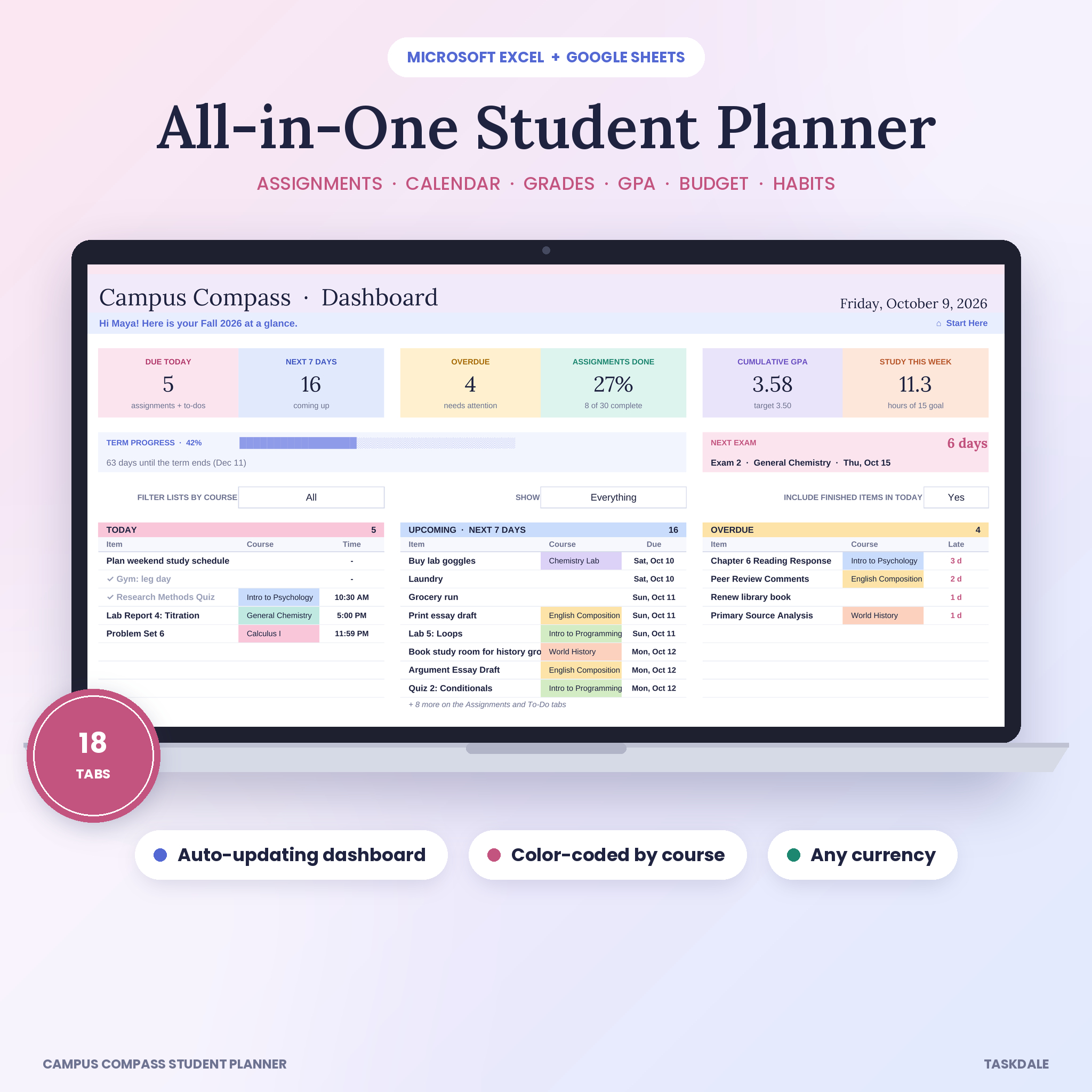
Campus Compass covers much of the same ground as Semester HQ, in a workbook that feels a little friendlier to a first-time spreadsheet user. It holds up to 12 courses, 200 assignments and 150 to-dos across 18 tabs, and it runs in Excel 2010 or newer and Google Sheets. Type a quiz in once and it shows up on your calendar, your dashboard and your course page.
Color is the thing you notice first. Each class gets its own color, and that color follows it to the tracker, the calendar, the schedule and the grade tables. Days Left counts down by itself, late work turns red, work due today turns yellow, and finished work is crossed out and drops off your lists. Tick the days a class meets and the weekly timetable draws itself, with a warning if two classes overlap.
The grades side covers weighted grades from your syllabus percentages, a “what do I need on the final?” tool, and a GPA tab with eight terms and credits left to graduate. There are a few extras Semester HQ doesn’t have, like a reading and textbook tab with page progress, textbook costs and rental return reminders. Attendance warns you under 85%.
Why do we rate it for high school juniors and seniors? Because the seller calls out AP and dual-credit students, and one of its example uses is a parent and a senior sharing the Google Sheets copy to keep college applications and AP deadlines in view. It works in the Excel and Google Sheets phone apps for quick check-ins too, though setup is easier on a computer.
| Format | .xlsx workbook, 18 tabs, plus a filled sample semester |
|---|---|
| Works in | Excel 2010 or newer, Microsoft 365, Google Sheets |
| Capacity | 12 courses, 200 assignments, 150 to-dos per file |
| Grade tools | Weighted grades, final exam tool, 8-term GPA tab |
| Extras | Budget with charts, study log, textbook tracker, 15 habits, contacts |
| Guide | 22-page DOCX with screenshots |
What we like
- Course colors carry through every tab
- Textbook costs and rental return reminders
- Easy to share with a parent in Google Sheets
- Sheets protected with no password, so you can change the layout
Keep in mind
- Fewer assignment rows than Semester HQ
- Degree and GPA tab covers eight terms
- Phone use is best for checking, not setup
Original price was: $11.99.$5.99Current price is: $5.99.Add to cart
See everything inside →Quiet Year Planner 2026 to 2027
Best tablet planner
If your year starts in August or September, a January planner wastes half its pages. The Quiet Year Planner runs from July 2026 to the end of June 2027, which matches the academic year most students live by. The pages are clean and soft on the eyes, the month tabs never move, and you can reach any month, week or day in one or two taps.
It’s a hyperlinked PDF for GoodNotes, Notability and similar apps, with 734 pages in each planner. You get year pages, four quarter plans with three goals and progress bars, 12 months with a habit tracker and budget, 53 weeks with an hourly grid from 6am to 10pm, and 365 daily pages. You choose one of three daily styles. Time-Block, with plan and actual columns from 5am to 11pm, is the one we’d pick for a heavy exam season.
There’s no grade calculator here. What you get instead is room to think: six notebooks including a Cornell page for lecture notes, a 37-page Life Hub with budget, savings, bill and expense pages, a reading log and a cleaning schedule. Fourteen templates include undated daily, weekly and monthly pages, so the planner keeps going after June 2027.
Two more things students will like. Night is a proper dark mode for late study sessions. And each planner is only about 2.5 MB, so it flips quickly instead of lagging the way heavy planners can.
| Dates | July 2026 to June 2027, plus undated templates |
|---|---|
| Pages | 734 per planner, 30 PDF versions |
| Works in | GoodNotes, Notability, Noteshelf, Xodo, Flexcil, Samsung Notes |
| Daily styles | Balanced, Time-Block, Journal |
| Colors | Oat, Sage, Dusk, Clay and Night (dark mode) |
| Extras | 148 stickers, 30 covers, printable inserts in A4 and US Letter |
What we like
- Matches a July to June school year
- Light file that flips fast
- Cornell notebook for lecture notes
- Dark mode for late nights
Keep in mind
- No grade or GPA maths
- Needs a tablet and stylus to write
- Not made for e-ink tablets like Kindle Scribe
Bloom Digital Planner 2026, 2027 and 2028
Best for a whole degree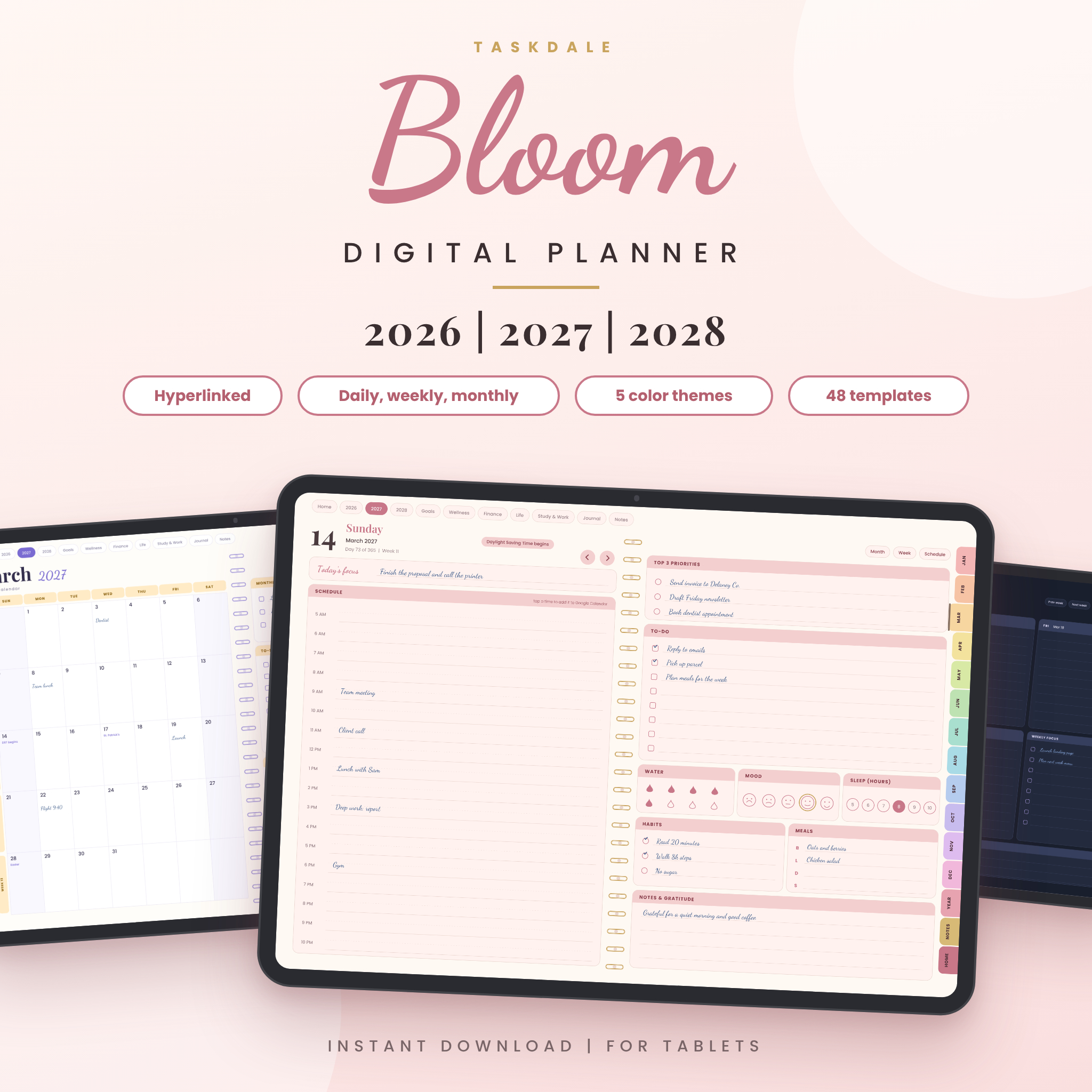
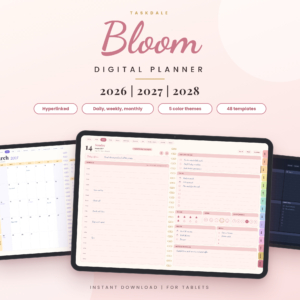
Most planners make you buy a new one every year. Bloom covers three years in one file, from January 1, 2026 to December 31, 2028. That’s 1,096 daily pages, a weekly planner and an hourly weekly schedule for every week, 36 monthly calendars and a year plan for each year, all linked together. For a student partway through a degree, that’s most of the remaining run in a single planner.
It’s a landscape hyperlinked PDF for tablet apps like GoodNotes and Notability. Twelve colored month tabs sit on every page, the top bar opens Home and each year, and tapping a date on a month page opens that day. The daily page carries priorities, a to-do list, water, mood, sleep, habits, meals and gratitude.
For studying, the template library is the part to look at. It has a Study and Work section with a timetable, an assignments page, a study log, a task board and a weekly review, plus Cornell and two-column note pages. You can copy any template as often as you like, so one assignments page per course is easy.
A nice touch: each hour on a day page links to a new Google Calendar event for that day and time, which helps if you keep your class timetable in Google Calendar. That part needs an internet connection; the rest works offline. Pick from five color themes, including Midnight, each in a Sunday or Monday start.
| Dates | January 2026 to December 2028 |
|---|---|
| Pages | 1,096 daily pages plus weekly, monthly and year pages |
| Works in | PDF apps that follow internal links, like GoodNotes and Notability |
| Templates | 48, including timetable, assignments and study log |
| Colors | Blush, Rainbow, Boho, Neutral, Midnight |
| Extras | 410 PNG stickers, 20 notebook covers, Word guide |
What we like
- Three years in one planner
- Study templates you can duplicate per course
- Hourly Google Calendar links
- Light file at about 3.5 MB
Keep in mind
- No grade calculations
- US holidays and American English only
- Test your app with the first pages, as link support varies
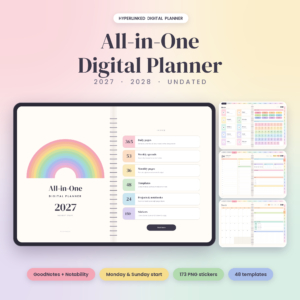
Taskdale All-in-One Digital Planner 2027, 2028 and Undated
Best for starting any time
Not every student starts in September. Maybe you’re beginning a course in February, or picking a planner up mid-term after the first one fell apart. The All-in-One planner gives you six PDFs: 2027, 2028 and an undated version, each with a Monday or Sunday start. Use the undated one and you can begin today without a stack of empty pages behind you.
Every page is a two-page spread with a little spiral down the middle, so it feels like a paper planner on a tablet. Inside are 365 daily pages (366 in 2028) with an hourly schedule, top 3 priorities and a to-do list, about 53 weekly spreads, 36 monthly pages and five year pages. A typical file holds close to 20,000 links, so you’re never more than a tap or two from anywhere.
Students get a study planner and a time blocking page in the Work templates, plus 12 project pages with milestones and task tables, which suit a dissertation or group project well. There are 12 notebooks and eight page styles, including Cornell. The finance templates go further than most, with a budget, sinking funds and an income tracker for students with a part-time job.
Like the other tablet planners, it won’t do grade maths for you. It’s a place to plan, not a calculator.
| Dates | 2027, 2028 and undated, Monday or Sunday start |
|---|---|
| Pages | 596 to 610 per file |
| Works in | GoodNotes, Notability or any PDF app that follows links |
| Templates | 48, including study planner and time blocking |
| Projects | 12 project pages with milestones |
| Extras | 173 PNG stickers, 6 sticker pages inside, Word guide |
What we like
- Undated version lets you start any day
- Project pages suit a dissertation
- Two-page spread feels like paper
- Strong finance templates
Keep in mind
- No grade or GPA maths
- Dated versions start in 2027, not 2026
Which student planner should you choose?
Match your situation to a planner and you’re done.
| If you… | Choose | |
|---|---|---|
| Are at college or university and want deadlines, grades, GPA and money in one file | Semester HQ | View |
| Are a high school junior or senior, or want a parent to see the same planner | Campus Compass | View |
| Plan on an iPad and your year runs from summer to summer | Quiet Year Planner | View |
| Want one tablet planner for the next three years of study | Bloom 2026 to 2028 | View |
| Are starting a course mid-year or want an undated planner | Taskdale All-in-One | View |
| Want the grade maths and the handwriting both | Semester HQ plus a tablet planner | View |
Buying guide: what to look for in the best student planner
1. Spreadsheet or tablet planner?
This is the big choice, and it comes down to how you think. A spreadsheet is a calculator with a memory. It sorts your deadlines, counts down days and works out grades without you lifting a pen. A tablet planner is a notebook with links. It’s slower to fill in, but writing things by hand helps a lot of people remember them. Plenty of students use one of each: the spreadsheet for the numbers and the tablet for the daily plan.
2. A dashboard that shows what’s next
The single most useful feature in a student planner is a view of what’s due today, this week and what’s already late. Both spreadsheets here put that on the dashboard. With a tablet planner, you create that view yourself on the weekly page, so build the habit of copying deadlines in every Sunday.
3. Grade and GPA maths
If you’ve ever done the “what do I need on the final” sum on your phone at midnight, you’ll love a planner that does it for you. Semester HQ and Campus Compass both include a final exam calculator and a GPA tab. Our guide to using a student planner spreadsheet for assignments and GPA walks through it step by step.
4. Dates that match your year
A January to December planner is fine if your year works that way. Many don’t. The Quiet Year Planner runs July to June, Bloom covers three full years, and the All-in-One has an undated version. If you’re unsure which suits you, read why a midyear planner fits a July to June year or our comparison of undated digital planners.
5. Money pages
Student life runs on a tight budget. Every planner here has budget pages, but the spreadsheets do the adding up. If money is the tighter squeeze this term, start with how to make a college student budget last all term.
Tip: in week one, sit down with every syllabus and copy all the due dates in at once. It takes about 20 minutes for a full term, and it’s the most useful 20 minutes you’ll spend all semester.
How to set up your student planner in one evening
- Gather your syllabi and your class timetable in one place, on paper or open in tabs.
- Enter your term dates and courses first. In a spreadsheet, that’s the Setup or Settings tab. In a tablet planner, mark the term start, breaks and exam weeks on the month pages.
- Copy in every deadline: assignments, quizzes, midterms, finals and lab reports.
- Add your weekly timetable, including work shifts and study blocks. Our time blocking planner guide shows how to plan a week hour by hour.
- Set your goals: a target GPA in the spreadsheet, or three goals on the quarter page of a tablet planner.
- Pick a daily check-in time. Ten seconds on the dashboard each morning, or two minutes on today’s page.
Student planner FAQ
What is the best student planner for college?
For most college students, Semester HQ. It sorts your deadlines on a dashboard, works out course grades and GPA, maps your degree up to 80 courses and tracks your budget, all in Excel or Google Sheets. If you’d rather write by hand on a tablet, the Quiet Year Planner matches a July to June academic year.
Is a digital or paper student planner better?
It depends on what you need it to do. Spreadsheets win on maths and reminders, since they count down days and calculate grades. Tablet planners win if writing by hand helps you remember and you like a planner you can decorate with stickers.
Do these student planners work in Google Sheets?
Both spreadsheets do. Upload the .xlsx to Google Drive and save it as a Google Sheet. Formulas, dropdowns, charts and the calendar carry over. Semester HQ was fully tested in Google Sheets.
Can I use a student planner on my iPad?
Yes. The three digital planners are hyperlinked PDFs made for apps like GoodNotes and Notability. The spreadsheets open in the Excel and Google Sheets apps for quick check-ins, though setup is easier on a laptop.
Can I reuse a student planner next semester?
With the spreadsheets, yes. Keep a clean copy, start a fresh one each term and carry your GPA history forward. The dated tablet planners run for their set dates, and the All-in-One also includes an undated version.
The verdict
If you want one student planner that keeps every deadline, grade and dollar in view, get Semester HQ. Its dashboard, final exam calculator and degree planner take the guesswork out of a busy term. Helping a teen through AP season? Campus Compass is easy to share. And if you plan with a pen on a tablet, the Quiet Year Planner lines up with the school year from July to June.