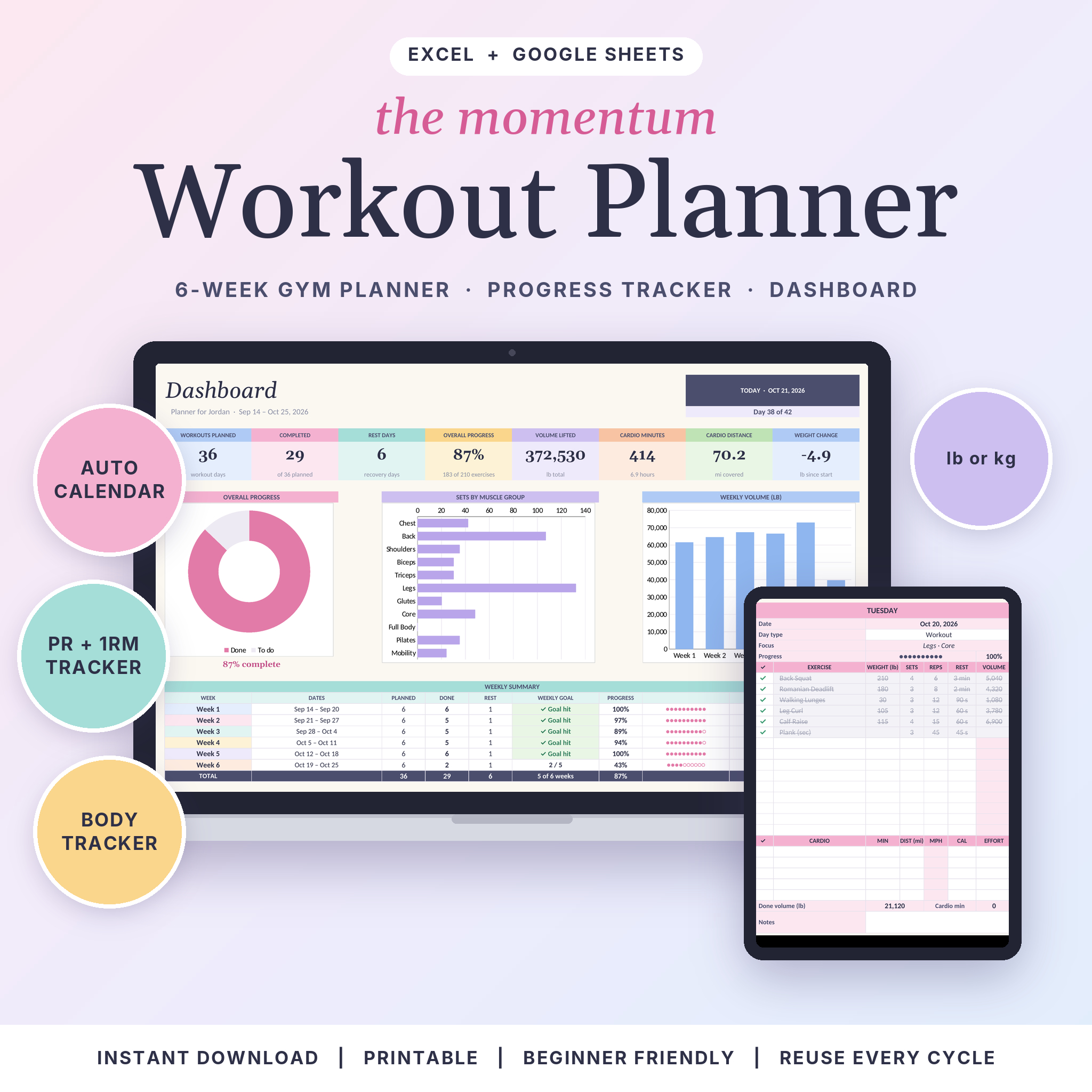

The Momentum Workout Planner is a workout planner spreadsheet for Excel and Google Sheets that plans six weeks of training, tracks every set you finish and turns it all into a calendar, a dashboard and a personal records board. You pick the exercises. You tick them off. The planner handles the math.
Most gym planners stop at a pretty checklist. This one keeps going. It works out your training volume, estimates your 1-rep max, shows which muscle groups you keep skipping and flags the days you missed. And it still takes about five minutes to set up.
What this workout planner spreadsheet does
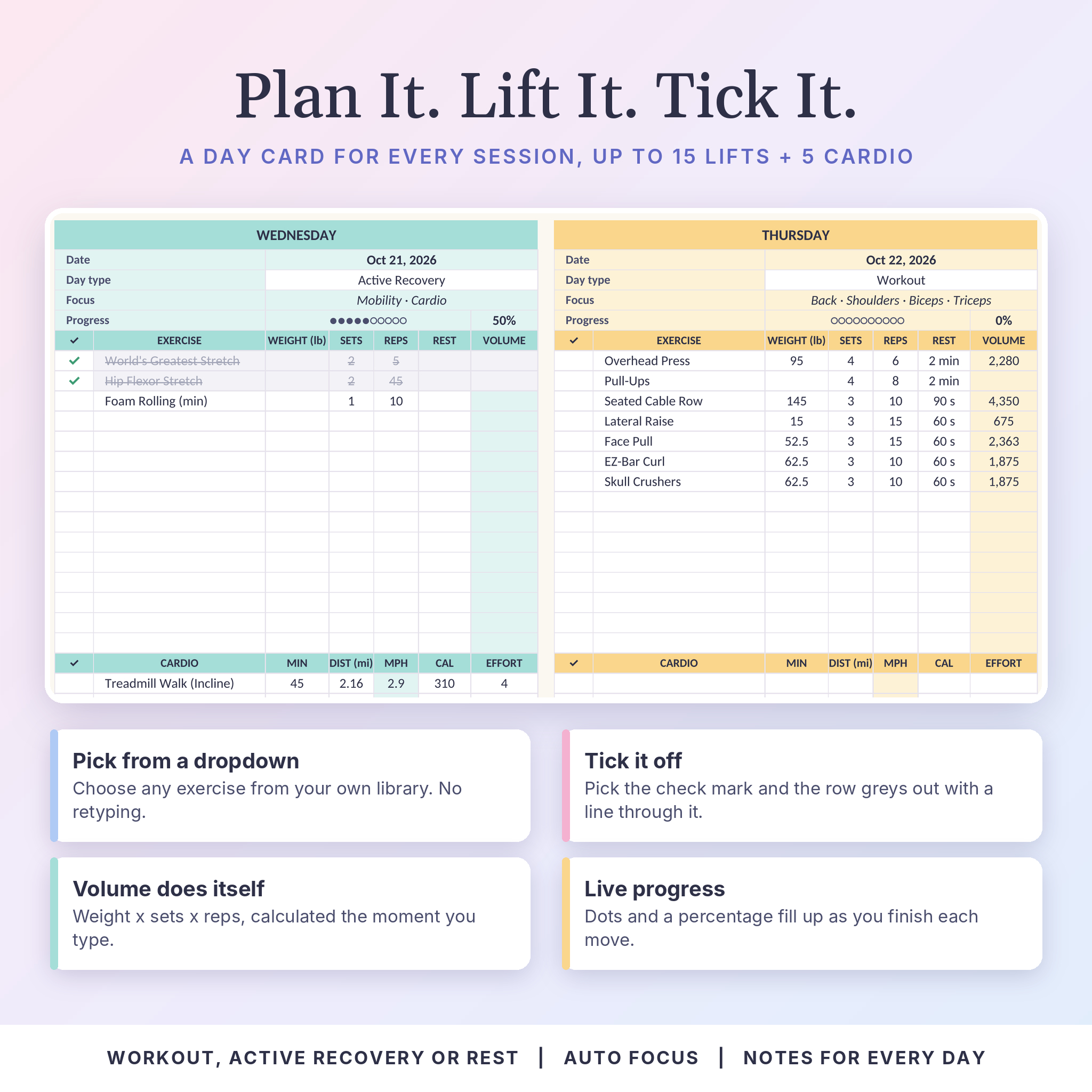
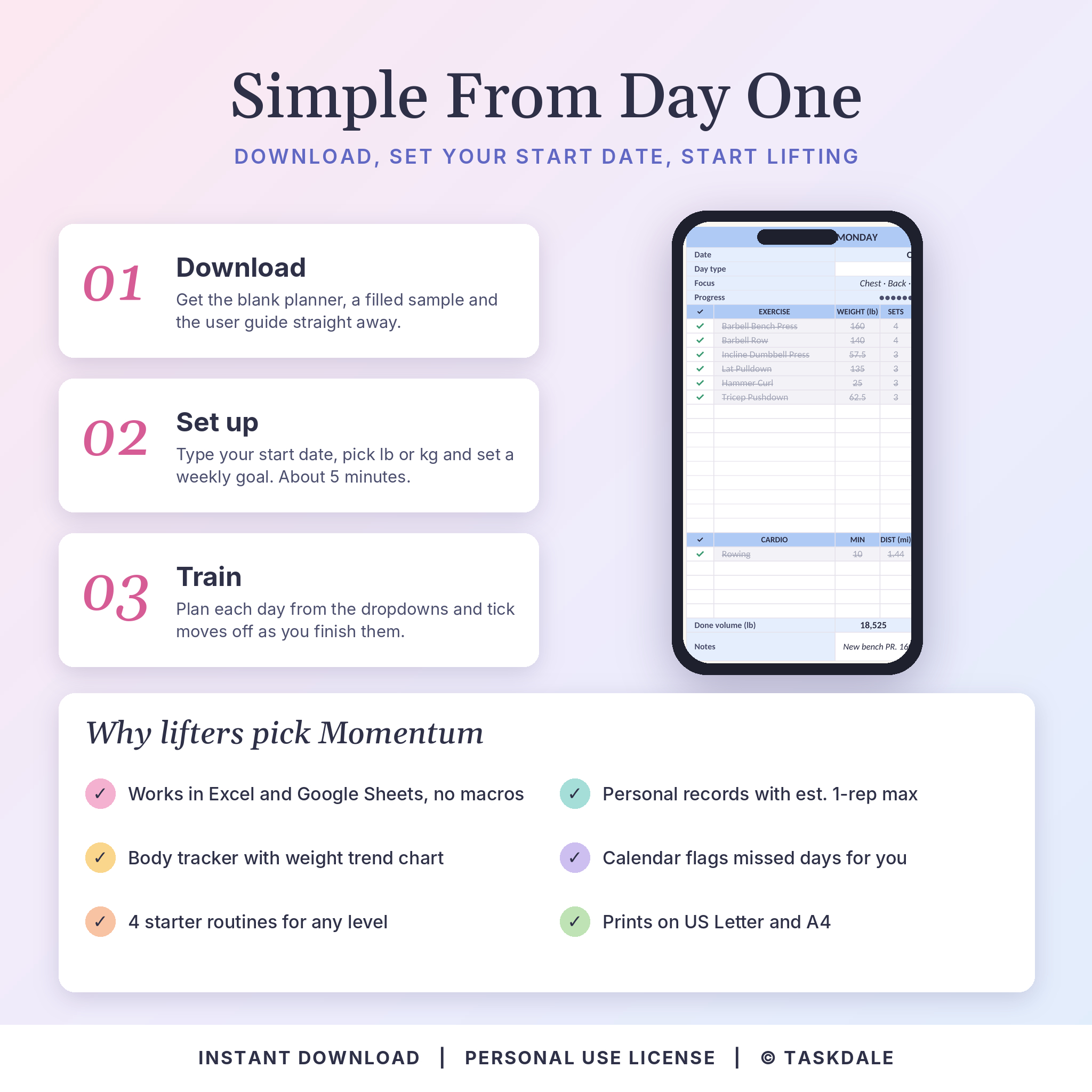
Type your start date once and every tab fills in its dates. Plan each day from dropdown menus, add weight, sets and reps, then pick the check mark when you finish a move. The row greys out with a line through it, the day’s progress dots fill up, and the Calendar and Dashboard update on their own.
- Plan up to 15 strength exercises and 5 cardio sessions per day
- Mark each day as Workout, Active Recovery or Rest
- See each day’s focus filled in for you, for example Back, Legs and Core
- Watch volume (weight x sets x reps) and cardio speed calculate as you type
- Check a weekly workout goal and see whether you hit it
Who it’s for
It suits beginners who want a clear plan for every session, and regular lifters who care about progressive overload. Pilates and mobility fans get their own muscle groups in the library, and cardio has room on every day. If you like paper, the weekly pages print on US Letter or A4 so you can take them to the gym.
What’s included
- Momentum-Workout-Planner.xlsx: your blank copy with the exercise library and routines filled in
- Momentum-Workout-Planner-Sample.xlsx: a filled six-week example to learn from
- User guide (DOCX): 12 pages covering setup, every tab, tips, troubleshooting and FAQ
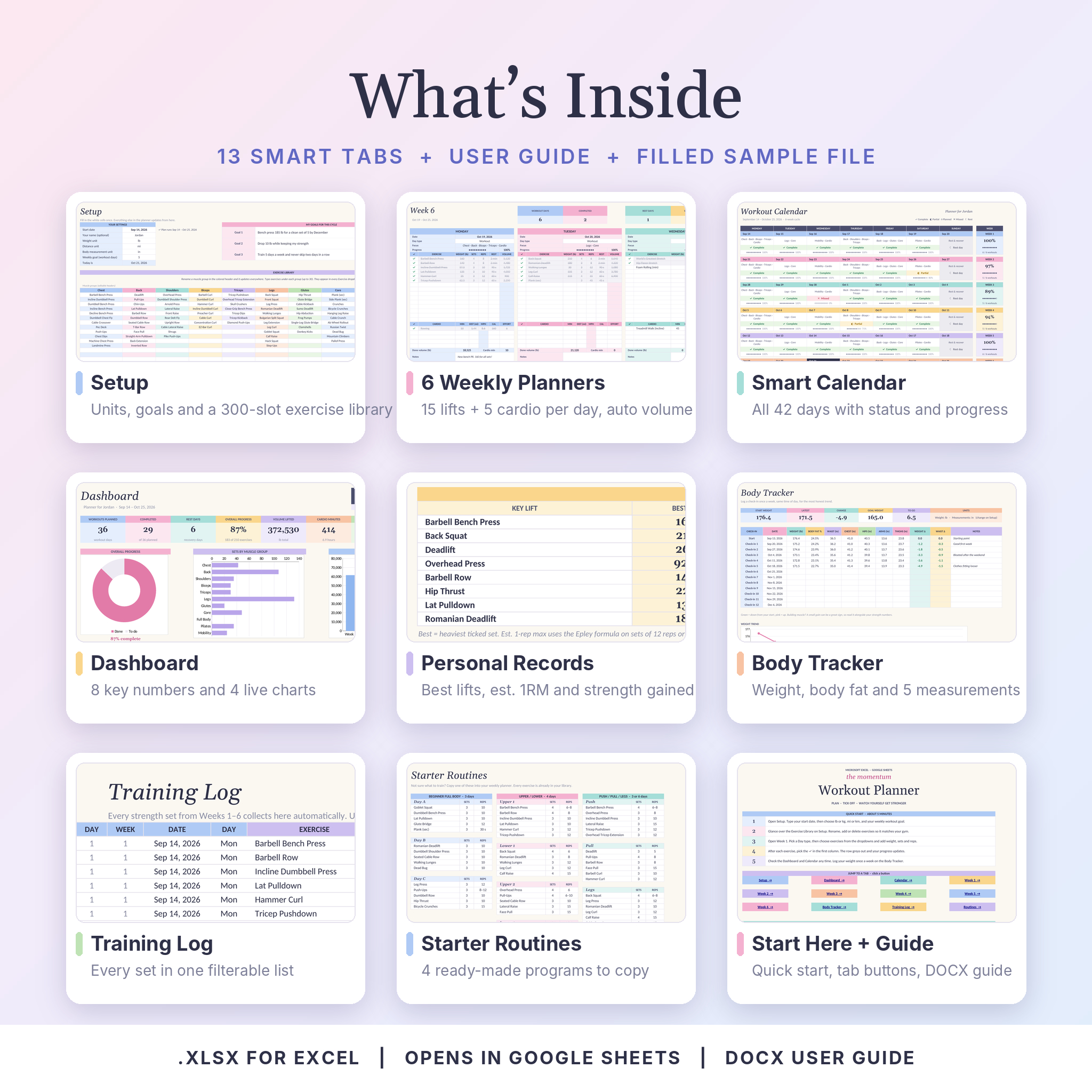
13 tabs inside the workbook
- Start Here: quick start steps, a button for every tab and a color key
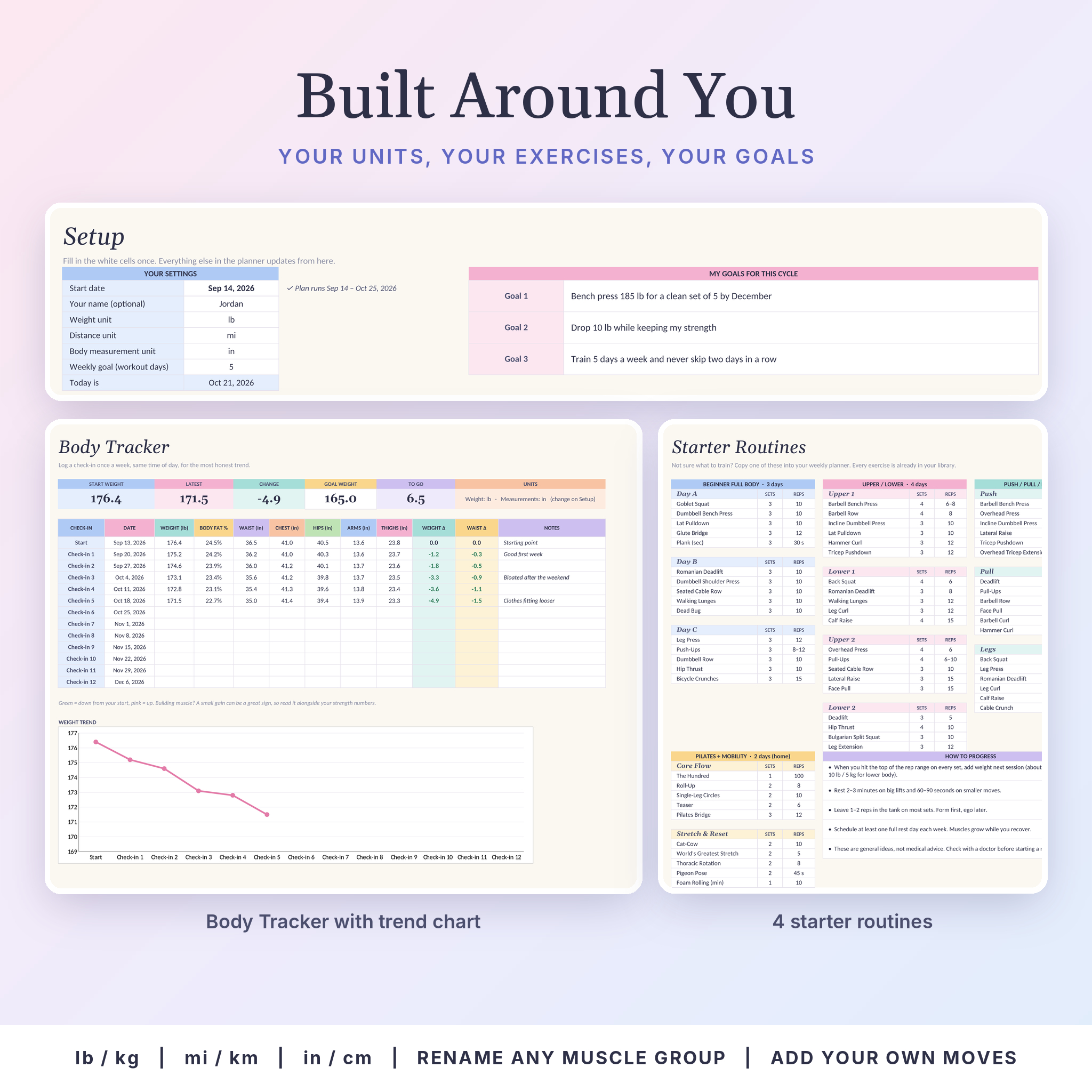
- Setup: start date, lb or kg, mi or km, in or cm, weekly goal, three cycle goals and an exercise library with 11 muscle groups and a cardio list (up to 30 moves each, 100+ already added)
- Week 1 to Week 6: seven day cards plus a This Week card for targets, wins and notes
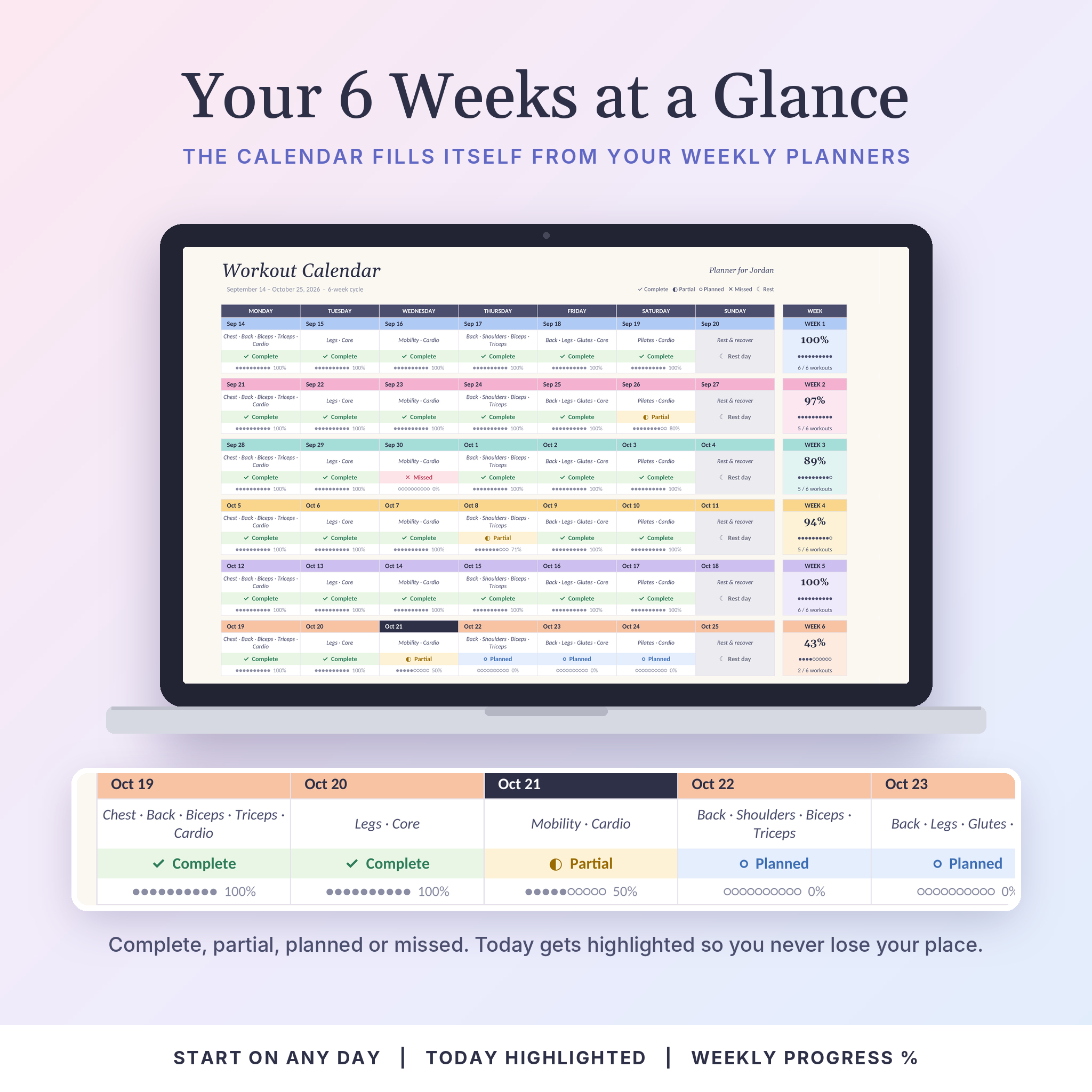
- Calendar: all 42 days with focus, status (complete, partial, planned, missed or rest) and a progress bar, with today highlighted
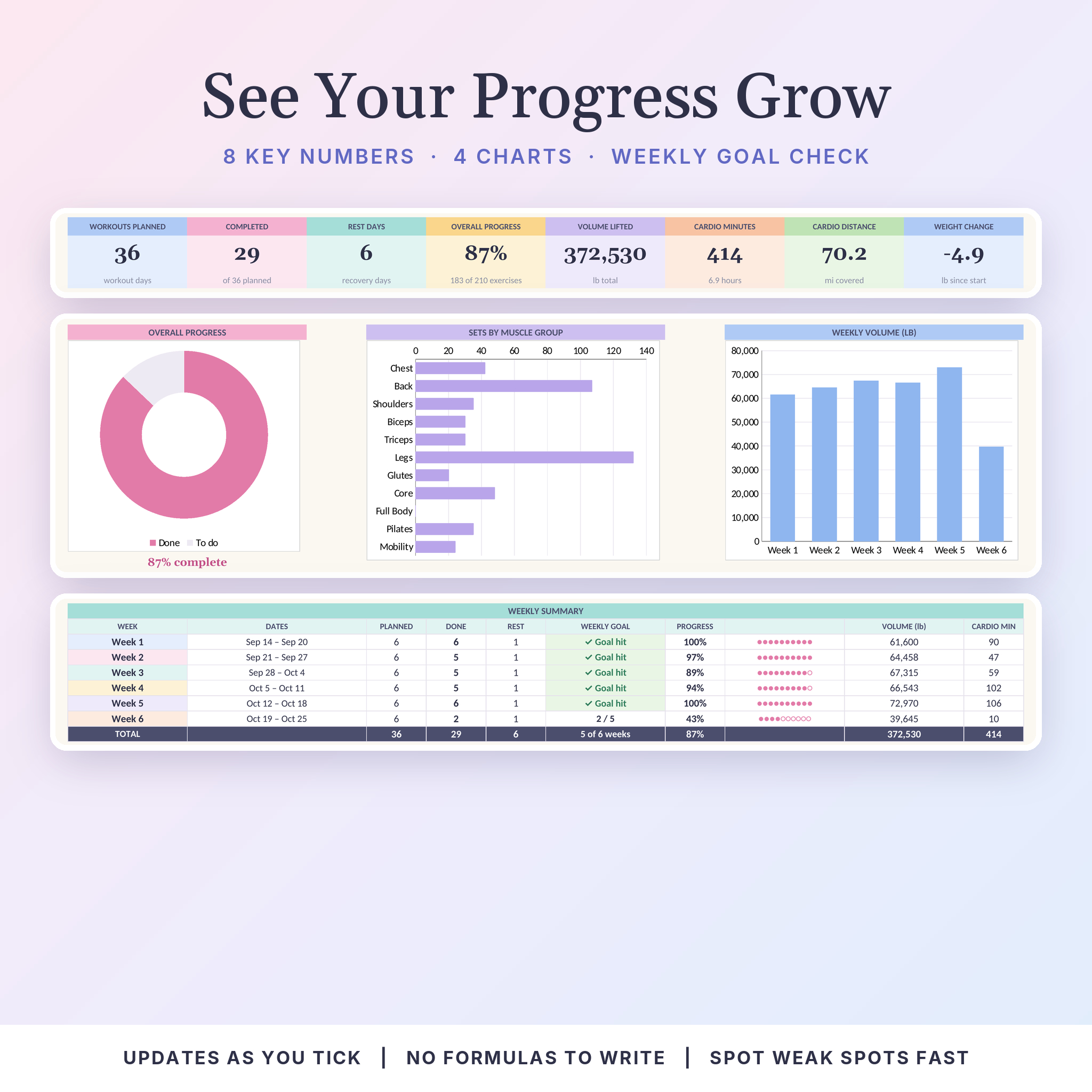
- Dashboard: 8 headline numbers, an overall progress ring, sets by muscle group, weekly volume, daily progress and a weekly summary
- Body Tracker: weekly weight, body fat and five measurements with change columns and a weight trend chart
- Training Log: every strength set from all six weeks in one filterable list
- Routines: Beginner Full Body, Upper/Lower, Push/Pull/Legs and a Pilates + Mobility plan
Features that make it a better gym tracker
Personal records with an estimated 1RM
Choose up to eight key lifts. For each one you get your heaviest ticked set, the reps you did with it, an estimated 1-rep max using the Epley formula, how much stronger you are than your first session, the date of the record and your total sessions and sets.
A calendar that keeps you honest
The Calendar reads your weekly planners and shows every day at a glance. Finished days turn green. Half-done days turn yellow. Days that slipped by with nothing ticked show as missed, so you can spot the pattern before it turns into a habit.
Muscle group balance
The Dashboard counts ticked sets for each muscle group. If legs get 130 sets and shoulders get 35, you’ll see it straight away.
Body measurement tracker
Log a weekly check-in and the planner shows your start weight, latest weight, change and distance to your goal. Green means down, pink means up, and a chart draws the trend.
Built to be hard to break
Formula cells are locked with no password, so you can’t wipe a calculation by accident, but you can still unlock the sheet to restyle it. Inputs only accept sensible values, and renaming a muscle group updates the whole planner.
How it works
- Download your files right after checkout.
- Open the planner in Excel, or upload it to Google Drive and open it with Google Sheets.
- On Setup, type your start date and pick your units.
- Plan Week 1 from the dropdowns, or copy one of the starter routines.
- Tick each exercise as you finish it and check the Dashboard whenever you like.
File formats and software
- One .xlsx workbook (blank) plus a filled sample .xlsx
- Works in Microsoft Excel and Excel for the web
- Works in Google Sheets with a free Google account. Charts look slightly different there because Sheets draws them its own way
- No macros, no add-ins and no Microsoft 365 features needed
- User guide in .docx format, opens in Word, Google Docs or Pages
Customize it
Rename any muscle group, add your own exercises, switch between lb and kg, change the weekly goal and write your own cycle goals. When six weeks are up, save a copy, change the start date and go again.
Real ways people use it
- A new gym member following the Beginner Full Body plan three days a week
- A lifter running Upper/Lower who wants proof the bench press is going up
- Someone losing weight who wants strength numbers and body measurements on one screen
- A Pilates fan mixing mat work, walks and two strength days
Digital download
This is a digital product. Nothing is shipped. You’ll get instant access to the files after purchase from your order confirmation and your account downloads page.
FAQ
Do I need Microsoft 365?
No. The planner uses standard formulas and no macros, so Excel, Excel for the web and Google Sheets all work.
Can I use it on my phone?
Yes, in the Excel or Google Sheets app. Ticking off sets on a phone is easy. Setting up is quicker on a laptop or tablet.
Does it work with kilograms?
Yes. Pick kg on the Setup tab and every heading and total relabels to match.
Is it dated?
No. It follows whatever start date you type, so you can start any day of the week and reuse it for cycle after cycle.
Can I add my own exercises?
Yes. Type them into the exercise library and they appear in every dropdown right away. Each muscle group holds up to 30.
Can I print it?
Yes. The weekly pages, calendar, dashboard and body tracker are set to fit US Letter or A4.
Is the 1-rep max a real max?
It’s an estimate based on your working sets of 12 reps or fewer. It’s great for tracking progress. Please don’t test a true max without a spotter.
License
Personal use only. One purchase covers one person. Please don’t resell, share or redistribute the files, including edited versions. The fitness content is general information and not medical advice, so check with a doctor before starting a new program.
Reviews
There are no reviews yet.