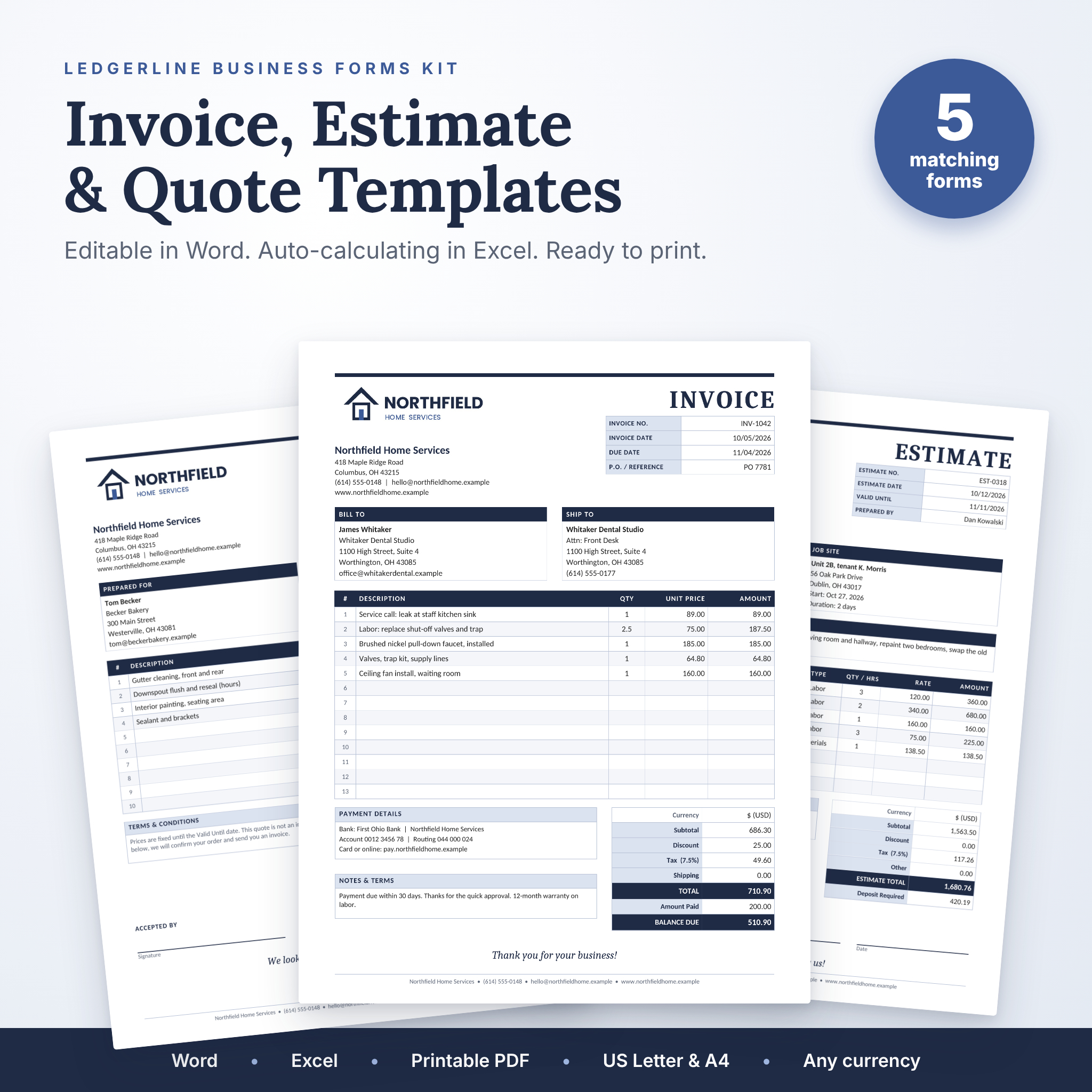

Getting paid should not depend on how good you are at formatting tables. This editable invoice template kit gives you five matching business forms that look sharp, print cleanly and take a few minutes to fill in. Use the Word versions when you want to type and go. Use the Excel Invoice Maker when you want the math done for you.
Every form shares the same navy and soft blue design, so your invoices, estimates and quotes look like they came from one business. Because they did.
What this invoice template kit does
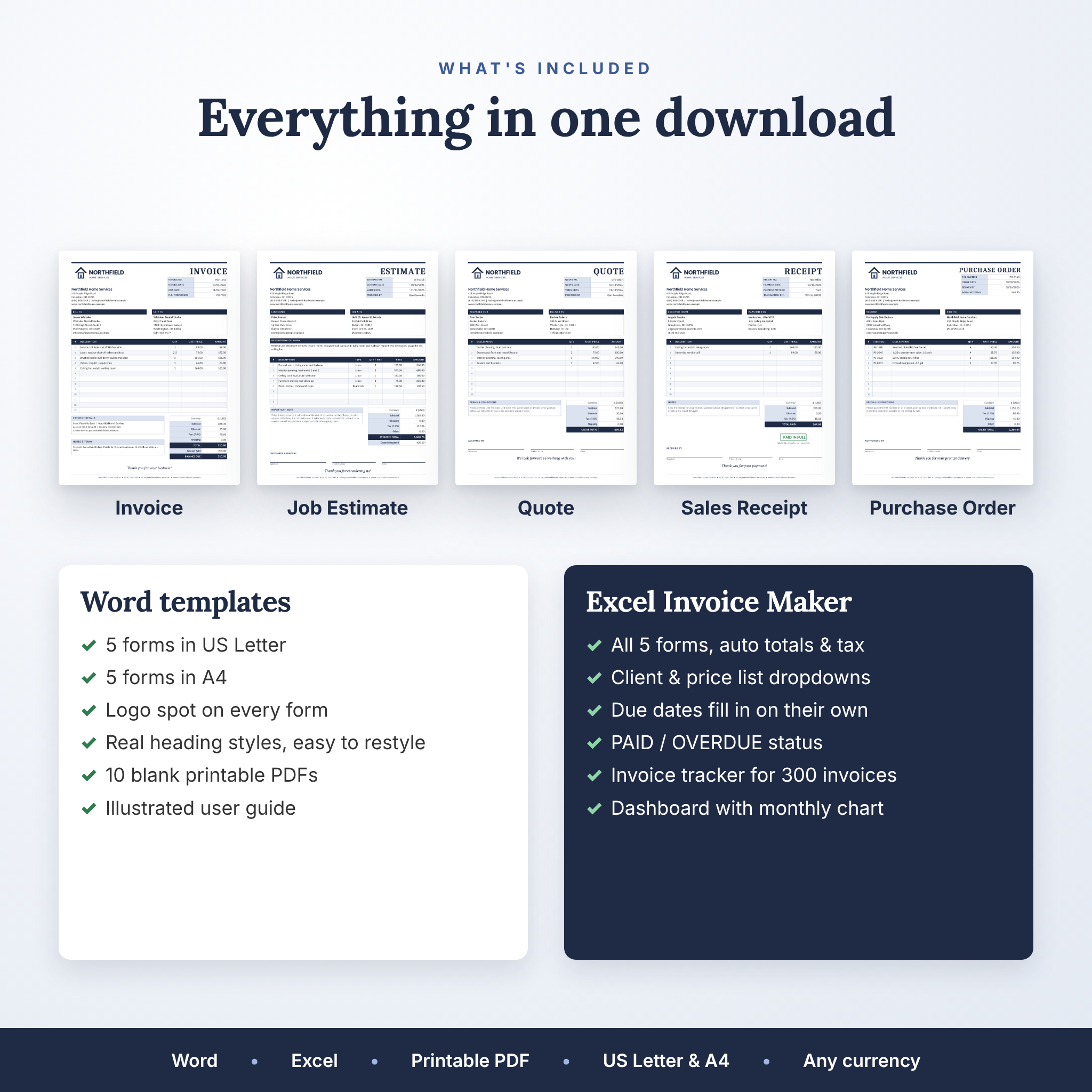
It covers the full paper trail of a small job, from first price to final payment:
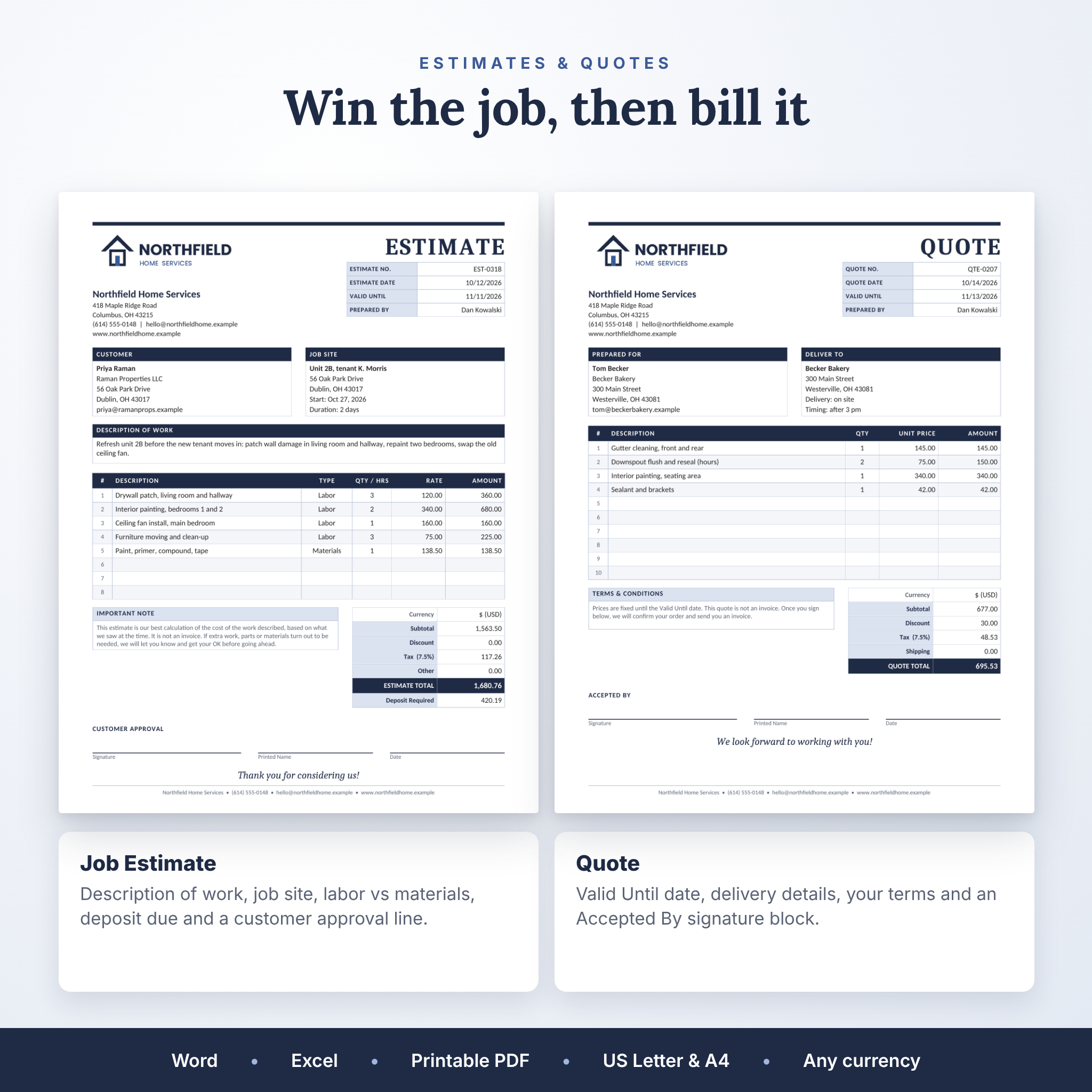
- Quote: send a price with a Valid Until date and an Accepted By signature line.
- Job Estimate: describe the work, split labor and materials, and ask for a deposit.
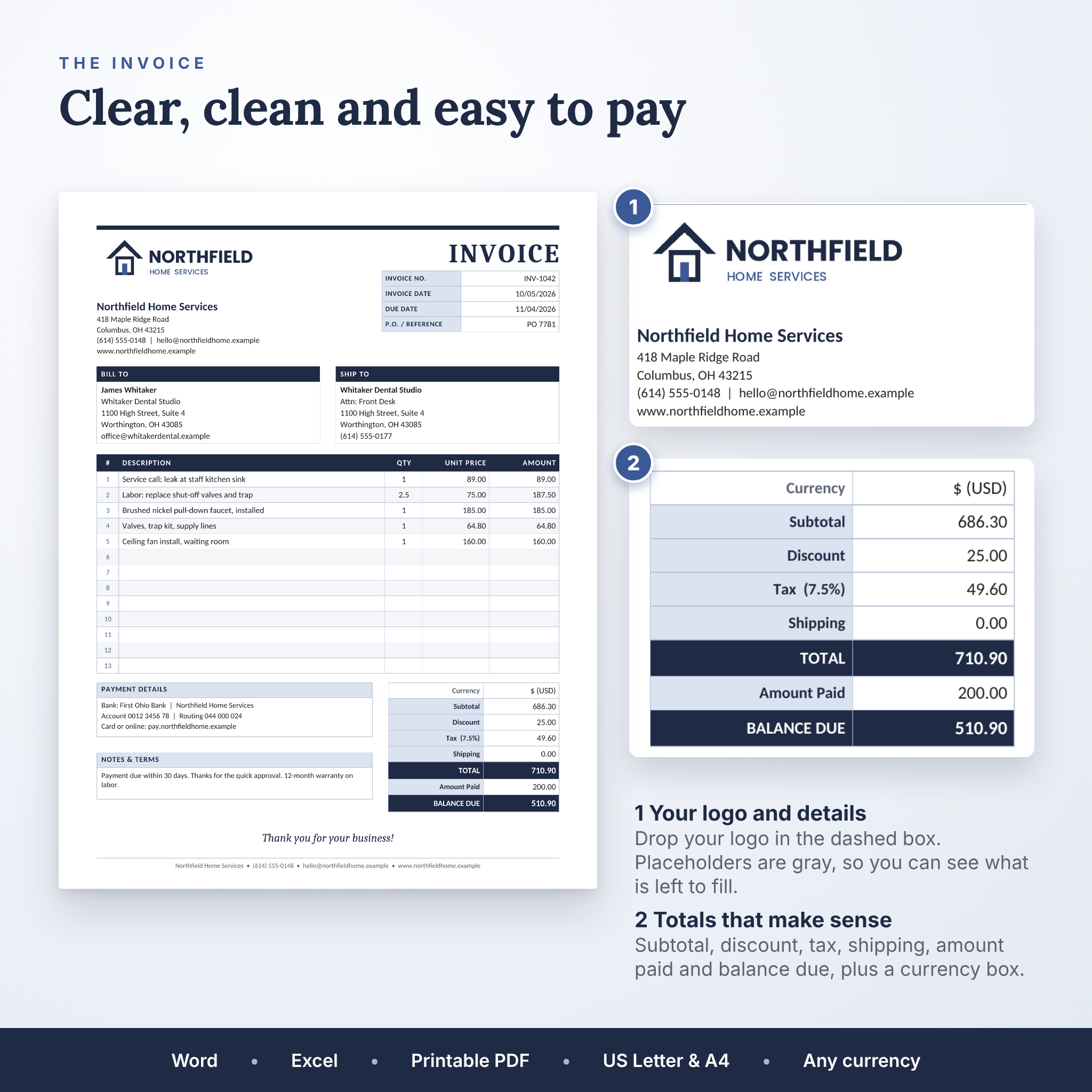
- Invoice: bill the client with payment details, discount, tax, shipping, amount paid and balance due.
- Sales Receipt: confirm a payment, with the method and a PAID IN FULL mark.
- Purchase Order: order stock or materials from your own suppliers.
Who it is for
Contractors, handymen, cleaners, landscapers and other home service pros. Freelancers and consultants who bill a few clients a month. Small shops, makers and side businesses that need clean receipts. Basically anyone who wants professional paperwork without paying a monthly fee for invoicing software.
Why it beats a basic invoice template
Most invoice templates are a single Word page with ten rows and no math. This kit goes further.
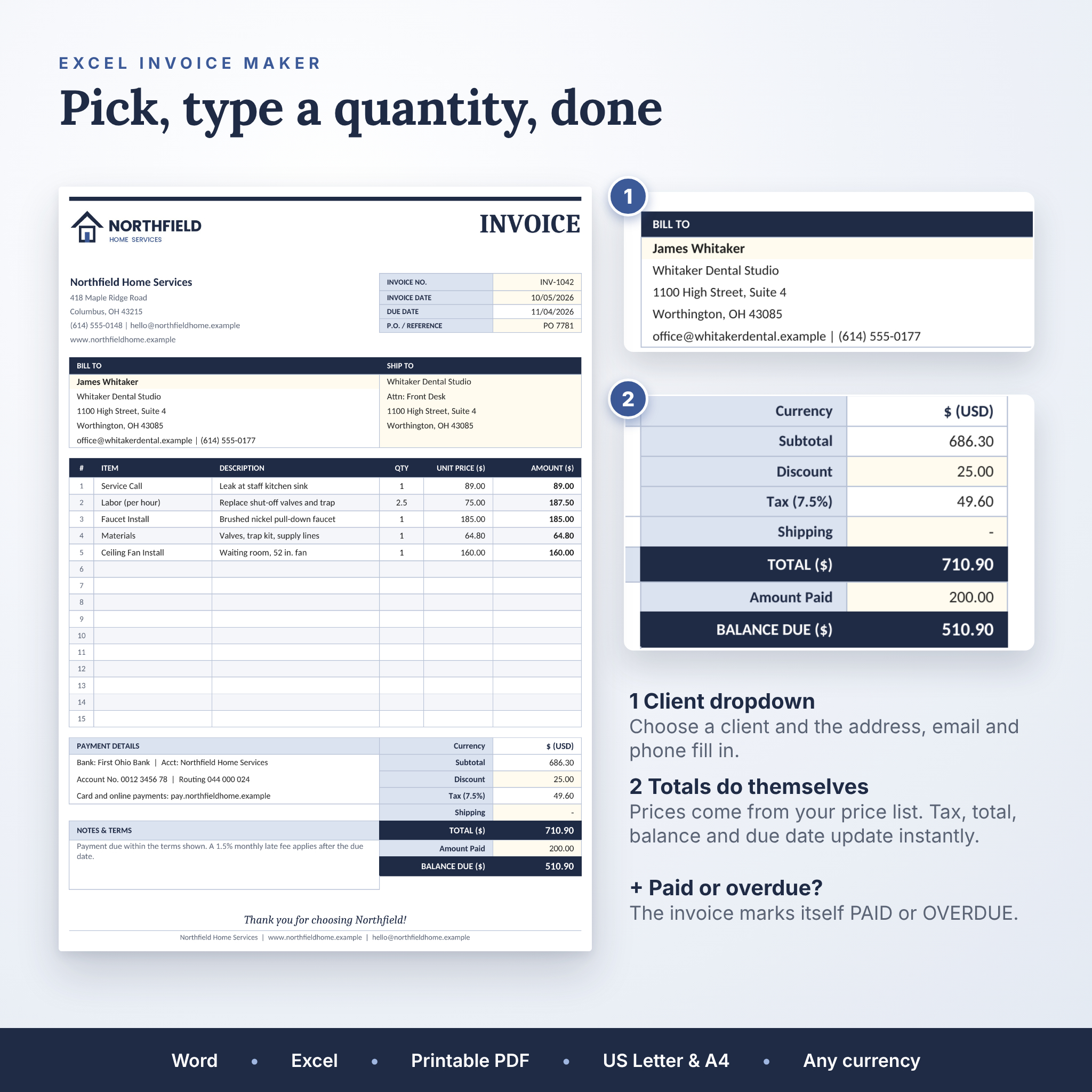
- Totals that add up on their own. In the Excel Invoice Maker, pick an item and its price fills in. Type a quantity and the line amount, subtotal, tax, total and balance due update straight away.
- Client details in one click. Save your clients once. Pick a name from the dropdown and the address, email and phone appear.
- Due dates and expiry dates fill in. Set your payment terms once (30 days, for example) and every invoice gets the right due date.
- PAID and OVERDUE status. The Excel invoice marks itself PAID when the balance hits zero, or OVERDUE in red once the due date passes.
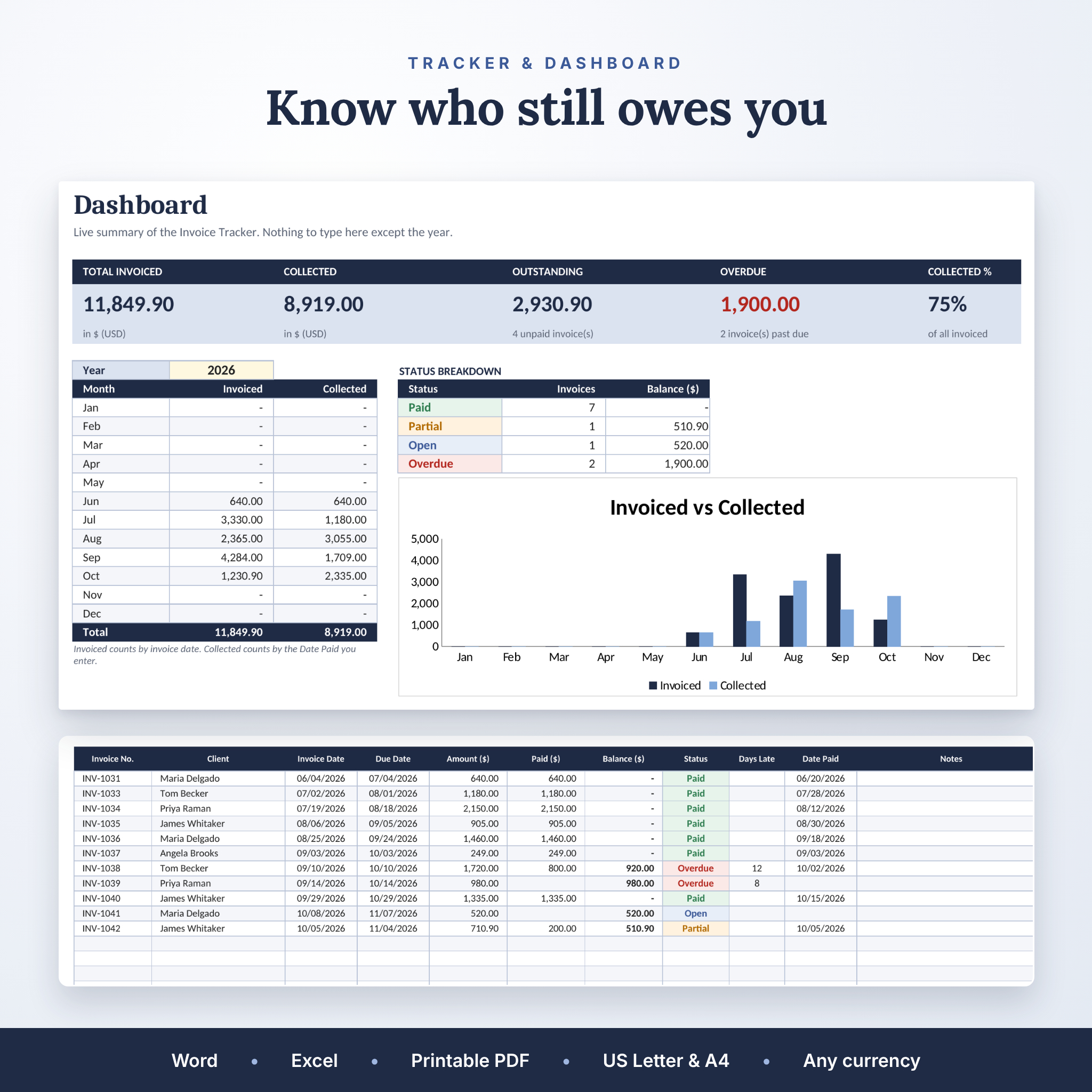
- A tracker and dashboard. Log up to 300 invoices and see total invoiced, collected, outstanding and overdue money, plus a month-by-month chart.
- Your currency, not ours. Change one setting to $, €, £, R, ₹ or any symbol and every money label follows. The Word forms keep money fields neutral with a currency box.
- More rows. Up to 15 item rows per form, and the Word rows grow when a description runs long.
What’s included
- 5 Word invoice, estimate and quote templates in US Letter (8.5 x 11 in)
- The same 5 forms in A4 (210 x 297 mm)
- Ledgerline Invoice Maker for Excel with 11 tabs: Start Here, Settings, Clients, Items, Invoice, Estimate, Quote, Receipt, Purchase Order, Invoice Tracker and Dashboard
- 10 blank printable PDF forms with writing lines, in US Letter and A4
- A 10-page illustrated user guide (Word)
Your download arrives as four files: a Word templates zip, a printable PDF forms zip, the Excel workbook and the user guide.
How it works
Word templates
Open the form, click the gray placeholder text and type over it. Drop your logo into the dashed box with Insert > Pictures. Save as PDF and email it. The headings use real Word styles, so you can change colors and fonts across the whole form in a few clicks.
Excel Invoice Maker
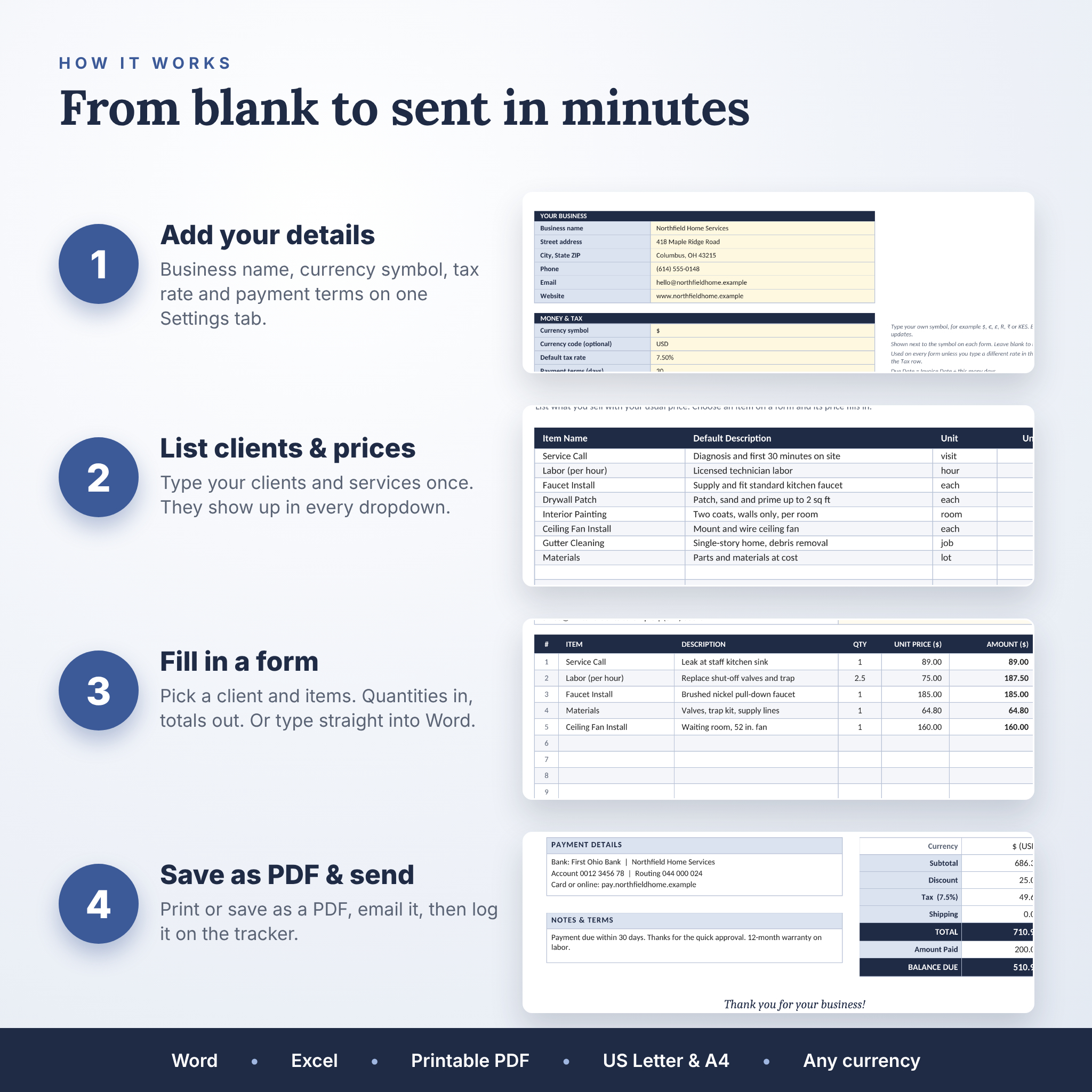
- Fill in the Settings tab: business details, currency, tax rate, payment terms and the wording on your forms.
- Add your clients and your products or services with their usual price.
- Open a form, pick a client and items and type the quantities.
- Print it or save it as a PDF, then log it on the Invoice Tracker.
Formula cells are locked so a stray click cannot break them. The sheets have no password, so you can unprotect them any time to change the layout.
File formats and software
- Word templates: .docx for Microsoft Word 2016 or newer, or Microsoft 365, on Windows or Mac.
- Invoice Maker: .xlsx for Microsoft Excel 2016 or newer, or Microsoft 365. Use the desktop app for the full feature set.
- Printable forms: PDF for any PDF reader and printer.
- Fonts: Calibri and Cambria, which come with Microsoft Office. Nothing to install.
Customizing your forms
Add your logo, change the navy header bars to your brand color, rename labels, edit the terms and thank-you line, and add or delete item rows. In Excel, your payment details, invoice terms, quote terms and thank-you note live on the Settings tab and flow to every form.
Real ways people use it
- A handyman sends a job estimate on Monday, gets it signed on Tuesday and turns it into an invoice when the work is done.
- A freelance designer bills three clients a month from the Excel Invoice Maker and checks the dashboard for late payers.
- A cleaning business keeps a stack of printed blank receipts in the van for cash jobs.
- A small shop raises purchase orders for stock and keeps a copy with each delivery.
Instant digital download
This is a digital product. Nothing is shipped. Your files are ready to download as soon as your payment goes through, and you can use them for as many invoices and clients as you like.
Licence: for use in your own business. Please do not resell, share or give away the files, edited or not. The business and client names in the preview images are made up.
FAQ
Can I edit the invoice template in Word?
Yes. Every Word form is fully editable. Type over the placeholders, add your logo, change colors and add or remove rows.
Does the invoice calculate totals automatically?
The Excel Invoice Maker does: line amounts, subtotal, discount, tax, total, deposit and balance due. The Word templates are for typing, which keeps them simple.
Can I use my own currency?
Yes. In Excel, change the currency symbol on the Settings tab and every form follows. In Word, type your currency in the Currency box.
Are US Letter and A4 sizes included?
Yes. All five Word forms and all five printable PDFs come in both sizes. The Excel forms print on Letter by default and switch to A4 in one click.
Does it work on a Mac?
The files are standard .docx and .xlsx files for Microsoft Word and Excel on Windows and Mac.
Can I add more line items?
Yes. In Word, insert extra rows and the form flows onto a second page. Each Excel form has 15 rows.
Is there a guide?
Yes. The illustrated user guide covers setup, every form, the tracker, printing, customizing and troubleshooting.
Reviews
There are no reviews yet.