


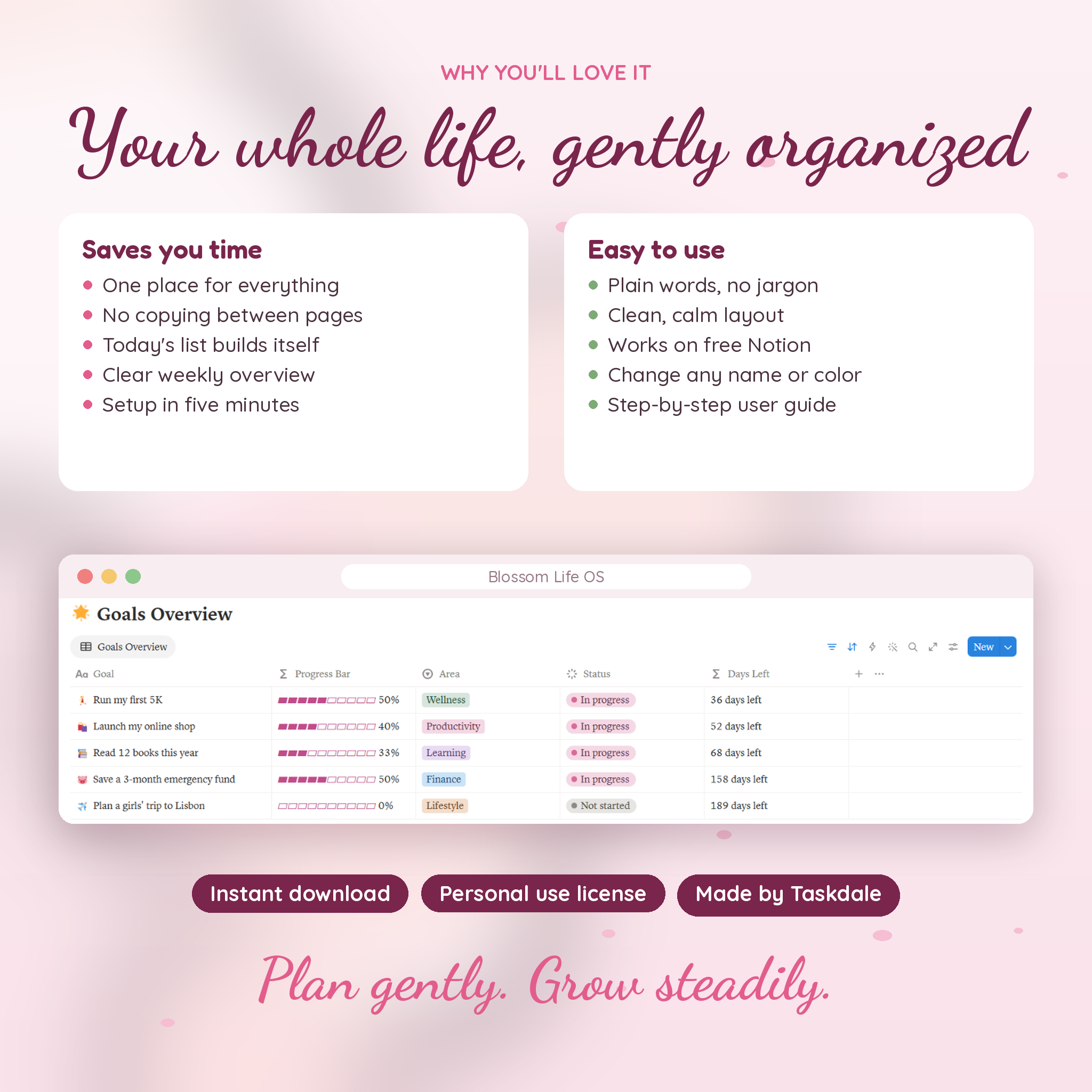
Most planners make you write the same thing three times. Blossom Life OS is a Notion life planner where you write it once. Add a task with a due date and it lands on your dashboard, your Daily Planner, the week board and the calendar. Log a coffee and it comes off your Eating Out budget. Tick off a task linked to a goal and the goal’s pink progress bar moves.
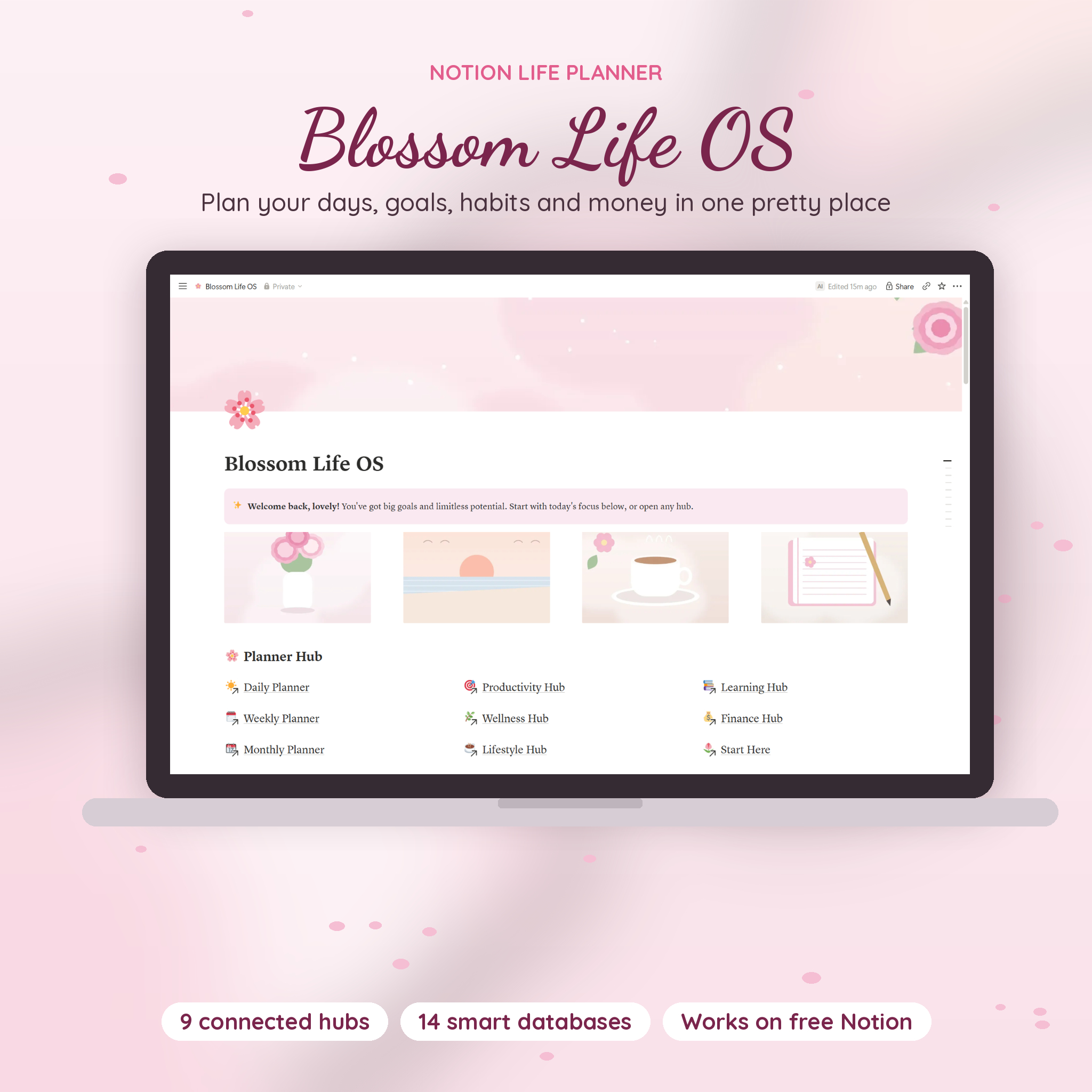
It’s a pretty, calm workspace with nine hubs, fourteen connected databases and original pastel artwork. You don’t need to know a single formula. You type, tick and pick from lists. The planner does the adding up.
What’s Inside This Notion Life Planner
- Dashboard: Today’s Focus, events coming up this week, every goal with a progress bar, and a budget snapshot
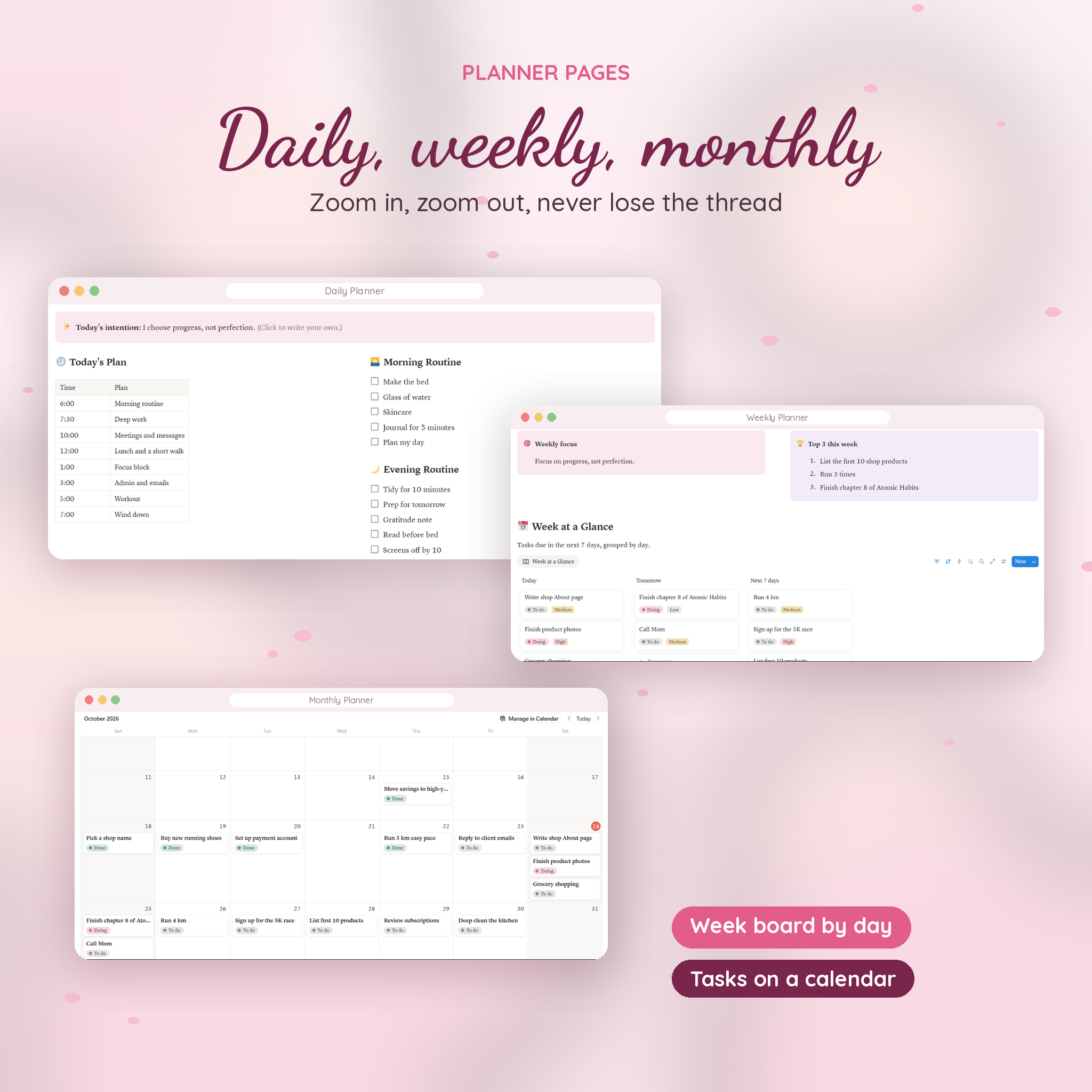
- Daily Planner: time blocks, morning and evening routines, today’s tasks and events, and a daily check-in
- Weekly Planner: weekly focus, top 3, a board of tasks for today, tomorrow and the next 7 days, weekly habits and weekly reviews
- Monthly Planner: a tasks calendar and a month reflection
- Productivity Hub: today and overdue list, drag-and-drop task board, goals gallery, all tasks, notes and ideas
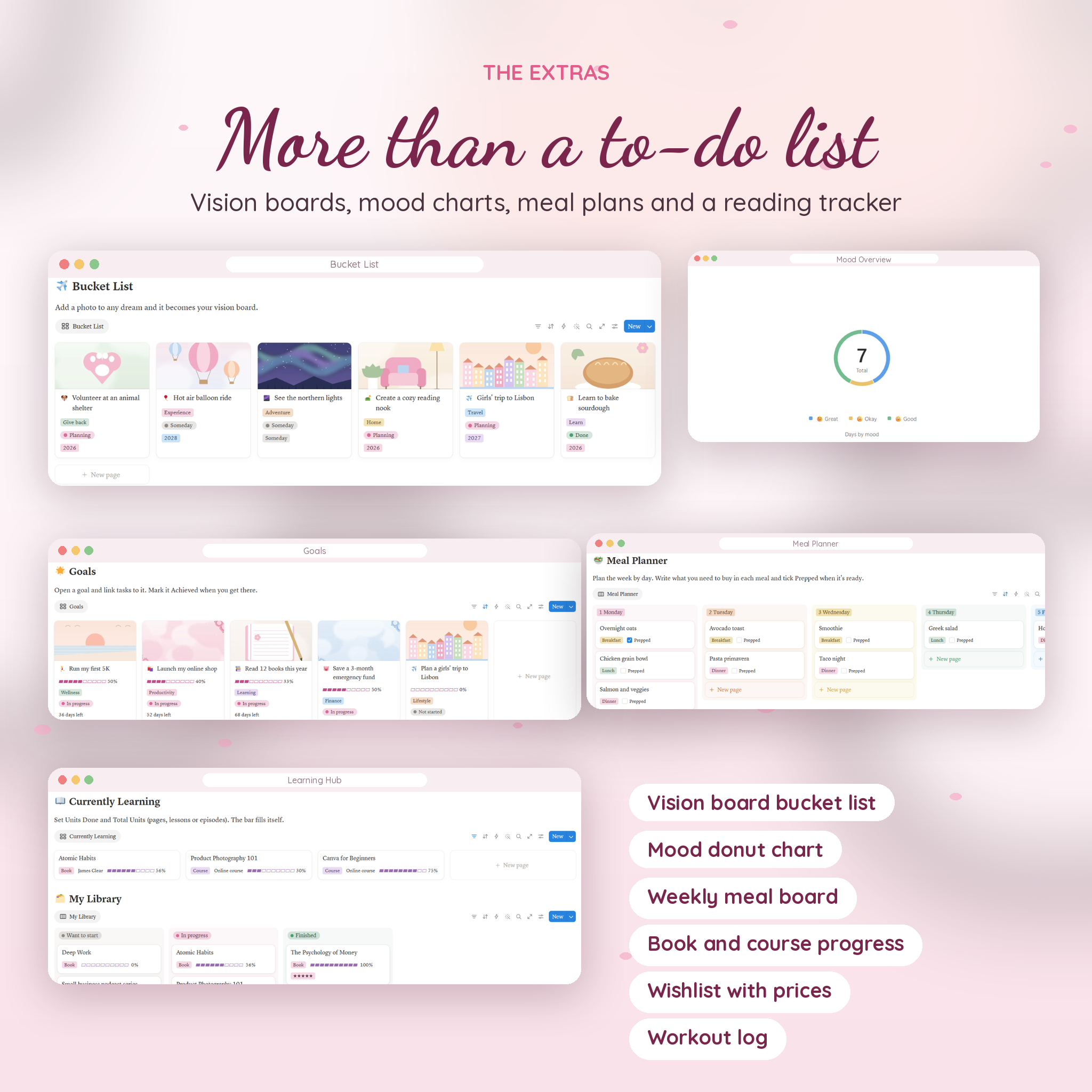
- Wellness Hub: habit tracker, mood donut chart, workout log, meal planner board and a self-care menu
- Lifestyle Hub: events with countdowns, a bucket list vision board, a wishlist with prices and a weekly home reset
- Learning Hub: books, courses and podcasts with progress bars, learning goals and notes
- Finance Hub: monthly budget by category, transactions and savings goals
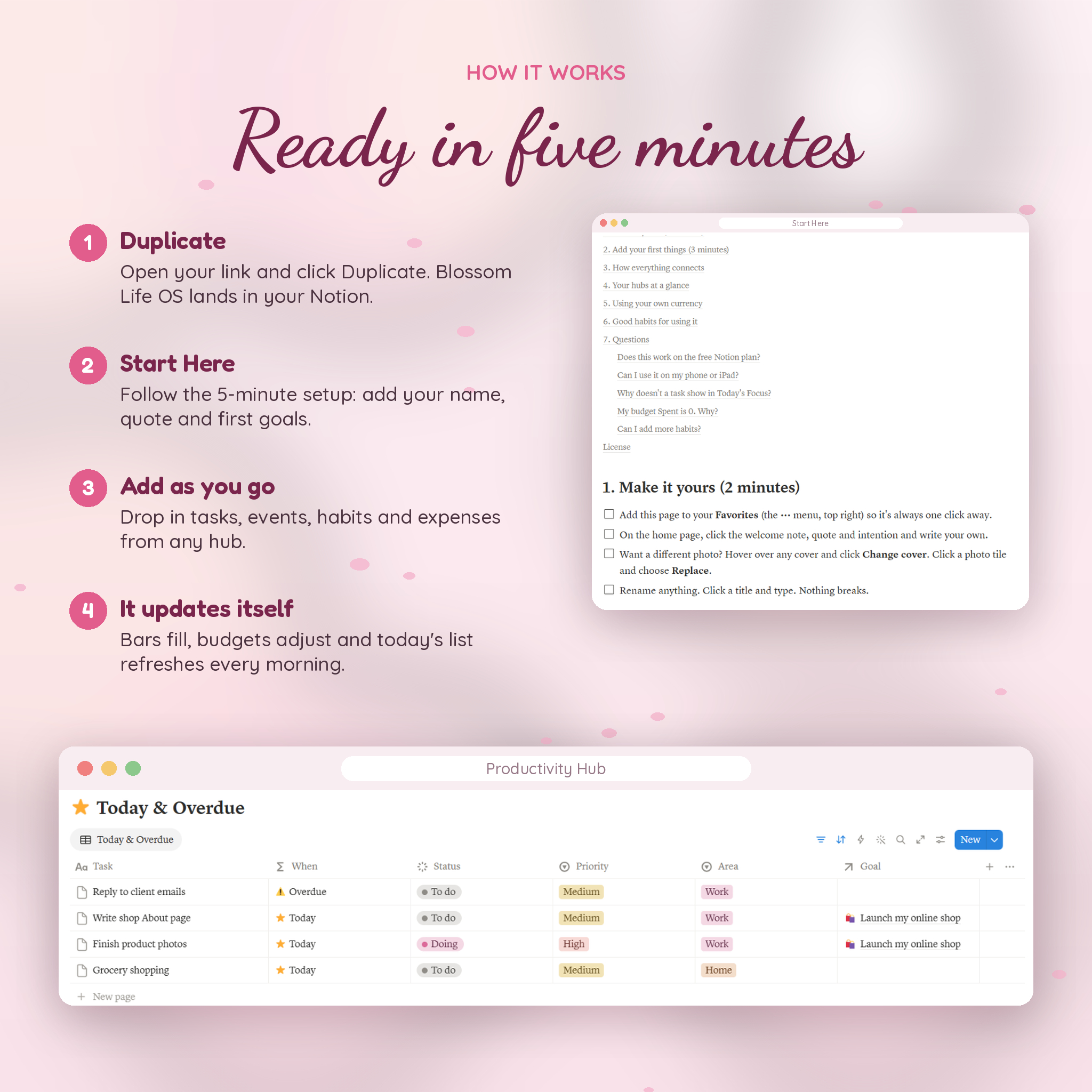
- Start Here: a 5-minute setup checklist, a map of how everything connects, and an FAQ
The Parts That Work for You
Tasks that sort themselves
Every task gets a When label: Today, Overdue, This week, Later or Done. It updates each day. Overdue jobs can’t hide, and Today’s Focus always shows what matters right now.
Goals with real progress bars
Link tasks to a goal. Three of five done? The bar shows 60%. Add a target date and you’ll see the days left. Add a vision image and your goals turn into a gallery you’ll enjoy looking at.
Habits, mood and sleep in one check-in
One row a day covers eight habits, mood, energy, sleep and a line of gratitude. Your habit score shows as little dots, and the mood chart fills in as the week goes on.
A budget that keeps up
Set a monthly amount per category, then log spending as it happens. Spent, Left, a usage bar and a status flag (On track, Close to limit, Right on budget, Over budget) all update on their own. Spent starts fresh on the 1st of every month, and your history stays put.
Savings goals with a monthly target
Enter a target, what you’ve saved and a date. The planner tells you how much is still needed and how much to save each month to make it.
Who It’s For
- Women who want one calm home for work, home, health and money
- Notion beginners who want something finished, not a kit of parts
- Students and side hustlers juggling classes, clients and a social life
- Anyone tired of switching between a to-do app, a habit app and a budgeting spreadsheet
Real Ways to Use It
- Sunday reset: fill in the Weekly Planner, plan meals on the board, and tick through the home reset list
- Launching a shop: make it a goal, add the tasks, and watch the bar climb as you finish each one
- Saving for a trip: add it to Savings Goals and to the bucket list, then track spending so the money’s there
- Reading more: add books to the library, log pages read, and keep takeaways in one place
How It Works
- Buy and download the ZIP file
- Open the template link PDF and click the button
- Log in to Notion and click Duplicate
- Follow the 5-minute Start Here setup
- Start adding tasks, habits and expenses
Files and Requirements
- 1 ZIP download with a PDF template link and a Word user guide (11 pages, with screenshots)
- A free Notion account. Notion runs in your browser and in its desktop and mobile apps
- Built and tested on Notion for web and desktop
- Money fields show dollars by default. You can switch each one to your own currency in two clicks, and the guide shows how
This is a digital product. Nothing is shipped. Your copy lives in your own Notion workspace, and you can rename, recolor and rearrange anything.
Customize It
Swap any cover or photo tile for your own pictures. Rename hubs, habits and categories. Add or remove select options. The formulas follow the property, so renaming doesn’t break anything.
FAQ
Does this Notion life planner work on the free plan?
Yes. It was built and tested on a free Notion account.
Do I need Notion experience?
No. Everything is set up for you, and the Start Here page plus the user guide walk you through each hub.
Can I use my own currency?
Yes. Change the number format on the money columns to your currency. Calculated columns show plain numbers, so they match.
Will it reset each month?
The budget counts only this month’s spending, so it starts fresh on the 1st. Nothing gets deleted.
Can I use it on my phone?
Your copy opens in the Notion app like any other page. It looks its best on a larger screen, and wide tables scroll sideways on a phone.
How do I get the template?
Your download includes a PDF with a link. Open it, click Duplicate in Notion, and it’s yours.
Can I share it with a friend?
Please don’t. The license covers personal use for the buyer only.
License
For personal use only. Please don’t share, resell or republish the template, the link or the guide.
Reviews
There are no reviews yet.