It’s Sunday night. You’ve got a stack of quizzes to grade, a parent email you meant to answer on Thursday, and next week’s lessons still living in your head. A good template won’t teach the lessons for you. It will stop you rebuilding the same grid, gradebook and sub plan from scratch every single week.
That’s the job of the best teacher templates: take the repeat work off your plate so your evenings go back to being evenings. The trouble is that “teacher template” covers everything from a one-page lesson plan to a full gradebook that counts absences for you.
So we put ten of them side by side. Spreadsheets, browser-based planners, fillable PDFs, Word templates and a homeschool app. We looked at what each one tracks, what software it needs, whether you can type into it, and which kind of teacher it suits best.
Our top picks at a glance
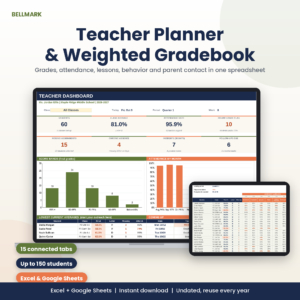
Bellmark Teacher Planner Spreadsheet
Weighted gradebook, attendance, lesson log and dashboard for 150 students in Excel or Google Sheets.
See Bellmark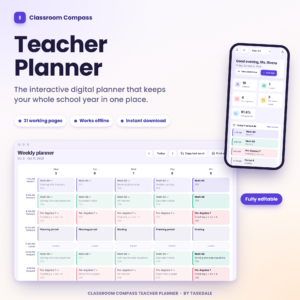
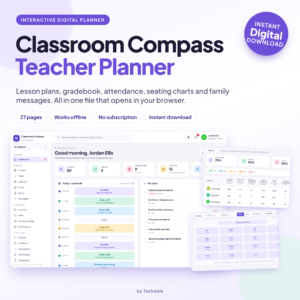
Classroom Compass Teacher Planner
31 pages that run in your browser, with 12 print-ready reports and no subscription.
See Classroom Compass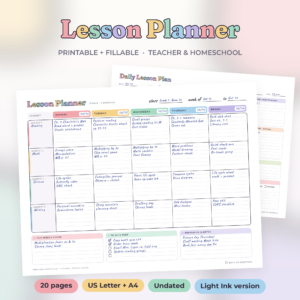
Brightweek Lesson Planner Kit
20 undated, fillable pages with six weekly layouts in US Letter and A4.
See BrightweekBest teacher templates compared
Here’s the quick version. On a phone each template shows as its own card, and the full reviews are further down.
| Template | Format | Works in | Type into it | Key feature | Best for | |
|---|---|---|---|---|---|---|
| Spreadsheet | Excel, Google Sheets | Yes | Weighted gradebook | Several class periods | View | |
| Spreadsheet | LibreOffice (tested) | Yes | 21 linked tabs | One class group | View | |
| Browser app | Any current browser | Yes | 12 print reports | The whole year | View | |
| Browser app | Chrome, Edge | Yes | Seating and quick tools | Live lessons | View | |
| Fillable PDF | Acrobat Reader, Chrome | Yes | 6 weekly layouts | Weekly planning | View | |
| Printable PDF | Any PDF reader | Print only | Theme planner | Preschool and K | View | |
| Fillable PDF | Acrobat Reader, Chrome | Yes | Detailed plan | Observations | View | |
| Word (.docx) | Word, LibreOffice | Dropdowns | 16 plan formats | Many lesson styles | View | |
| Word + PDF | Microsoft Word | Yes | 5 one-page plans | Quick Word plans | View | |
| Browser app | Computer, iPad, phone | Yes | Transcripts | Homeschool families | View |
How we compared them
We judged each one on the work it actually takes off your desk:
- What it tracks. Lesson plans only, or grades, attendance, behavior and family contact too.
- The software you need. Excel, Google Sheets, Word, a PDF reader or just a web browser. We only list what each seller tested.
- Type, print or both. Fillable fields save time on a laptop. Print-only pages suit pen people.
- Capacity. How many students, classes, assignments and school days it holds before you need a second file.
- Who it suits. A preschool room, a high school teacher with six periods and a homeschool family need different things.
The 10 best teacher templates, reviewed
Bellmark Teacher Planner Spreadsheet & Weighted Gradebook
Best overall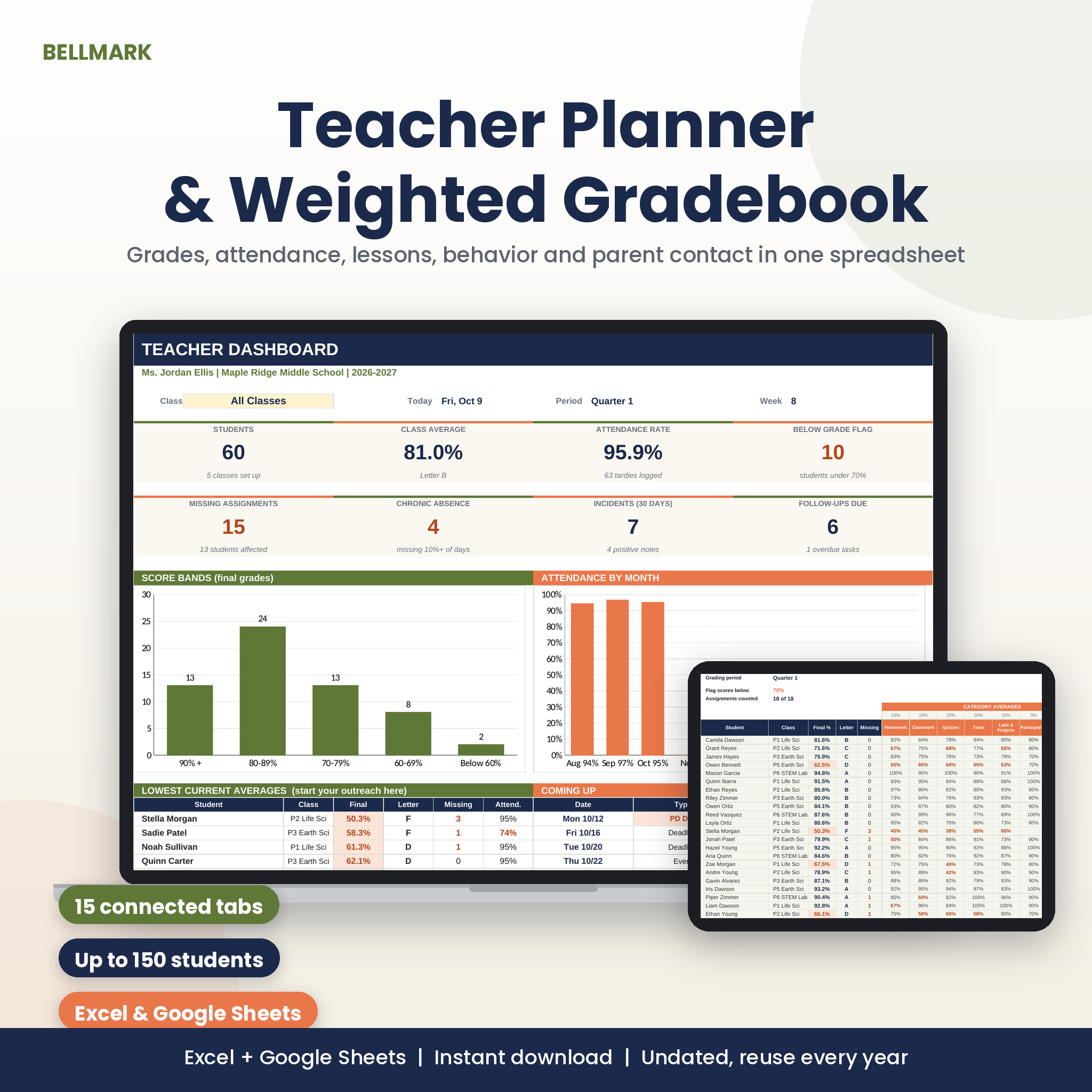
If you teach several class periods and your grading lives in a mess of tabs, start here. Bellmark is one workbook that holds a weighted gradebook, an attendance tracker, a lesson log and a dashboard, and it runs in both Microsoft Excel and Google Sheets. You fill in one Setup tab with your dates, classes and grading weights. After that the 15 tabs feed each other, so a student added to the Roster turns up in the gradebook, the attendance grid and every dropdown.
The gradebook is the part that earns its keep. Type EX and the assignment is ignored for that student. Type M and it counts as a zero and turns coral. Leave a cell blank and it simply waits. Category weights rescale fairly when a category has no grades yet, and one cell switches the view between Quarter 1, Semester 2 or the full year. An assignment can go to one class, every section of a course or everyone, so a test for periods 3 and 5 takes one column, not two.
Attendance runs off real dates. The grid builds 200 school days from your first and last day, then skips weekends and any No School or PD Day you add. Chronic absence uses the common 10% rule, and you can change the threshold.
| Format | One .xlsx workbook, 15 tabs, no macros |
|---|---|
| Works in | Excel (Windows, Mac, web) and Google Sheets |
| Capacity | 150 students, 8 classes, 120 assignments, 200 school days |
| Gradebook | Up to 8 weighted categories, your own grade scale |
| Extras | Behavior log, parent contact log, budget, sub folder, 16-page guide |
| Dated? | Undated, reuse it every year |
What we like
- Handles several classes in one file
- Smart codes for excused and missing work
- Tested in both Excel and Google Sheets
- Dashboard shows who is slipping at a glance
Keep in mind
- A spreadsheet, so it suits people who like grids
- License covers one teacher
- Lesson planning is a log, not a pretty planner page
Original price was: $15.00.$11.99Current price is: $11.99.Add to cart
See everything inside →Classroom Compass Teacher Planner Workbook
Best for one class group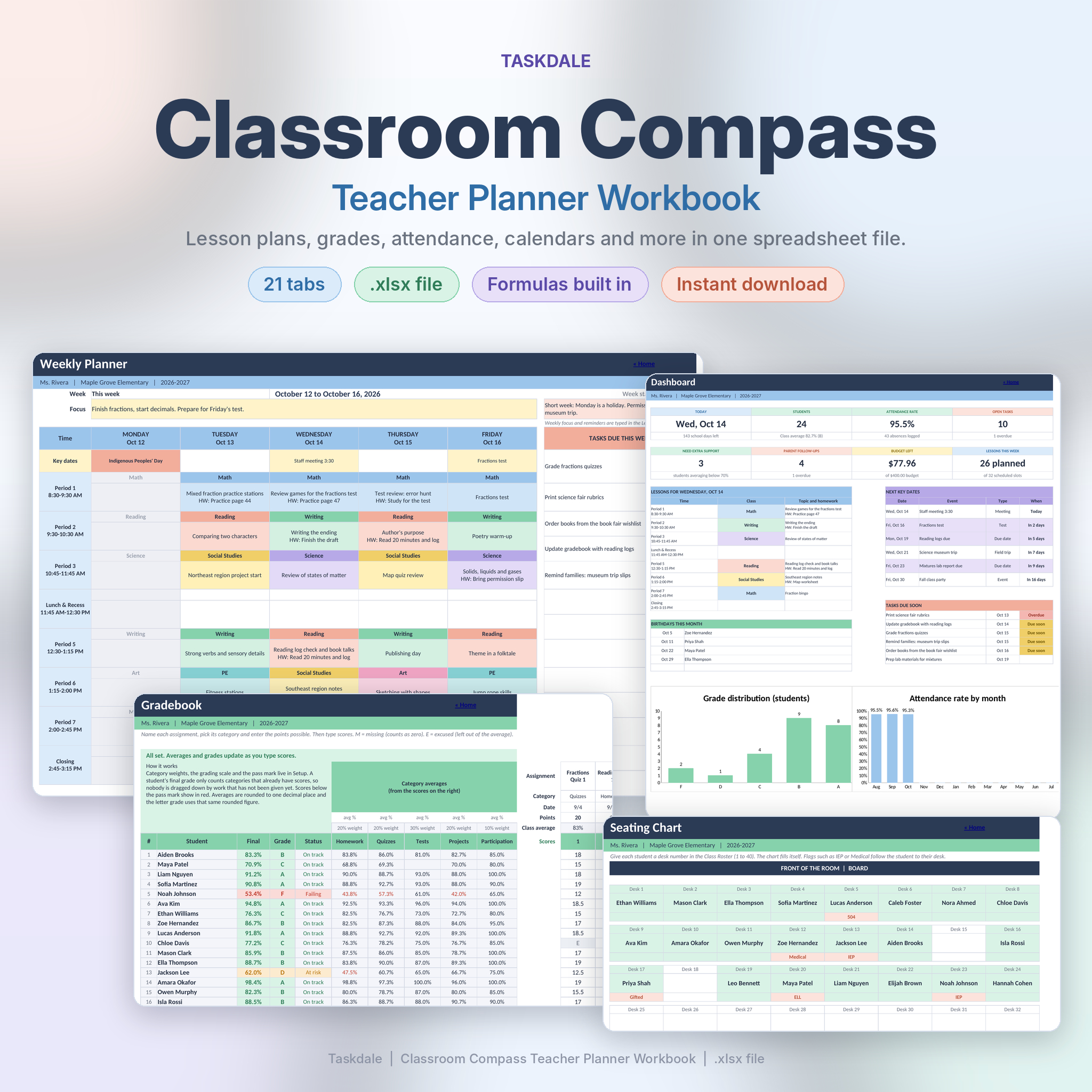
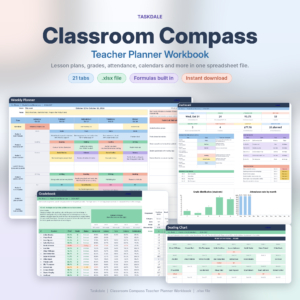
Most teachers don’t have a planning problem. They have a scattered one. Lessons in a notebook, grades in another file, attendance on a clipboard, a parent call on a sticky note. The Classroom Compass Workbook pulls those into one .xlsx file with 21 tabs that talk to each other.
Add a student to the roster once and they appear in the gradebook, attendance sheet, seating chart and parent log. Add a test to Key Dates and it shows up on the weekly planner, the month calendar, the year view and the dashboard. The Weekly Planner fills itself in from your timetable and lesson log, colored by subject, with each topic and homework note. That’s the big difference from Bellmark: this one leans harder into planning the week, not just keeping score.
The gradebook handles weighted categories, M for missing and E for excused, and leaves ungraded categories out so nobody gets marked down for work you haven’t set. A banner warns you if your weights don’t add up to 100 percent. There’s also a seating chart that draws itself from desk numbers, a behavior log with positive and concern tallies, a budget tracker and a sub plan that fills in from your timetable.
| Format | One .xlsx workbook, 21 tabs |
|---|---|
| Tested in | LibreOffice Calc |
| Capacity | 40 students, 30 assignments, 190 school days, 500 lessons |
| Planning | Weekly planner, month calendar, year view, unit planner |
| Extras | Seating chart, parent log, behavior log, sub plan, 40 label stamps |
| Guide | 25-page DOCX with screenshots |
What we like
- Weekly planner builds itself from your lessons
- Seating chart drawn from roster desk numbers
- Morning dashboard with birthdays and tasks due
- Clean file, no sample data to delete
Keep in mind
- One class group per file
- Only tested in LibreOffice Calc
- Weekly planner runs Monday to Friday only
Original price was: $11.99.$5.99Current price is: $5.99.Add to cart
See everything inside →Classroom Compass Teacher Planner
Best all-in-one app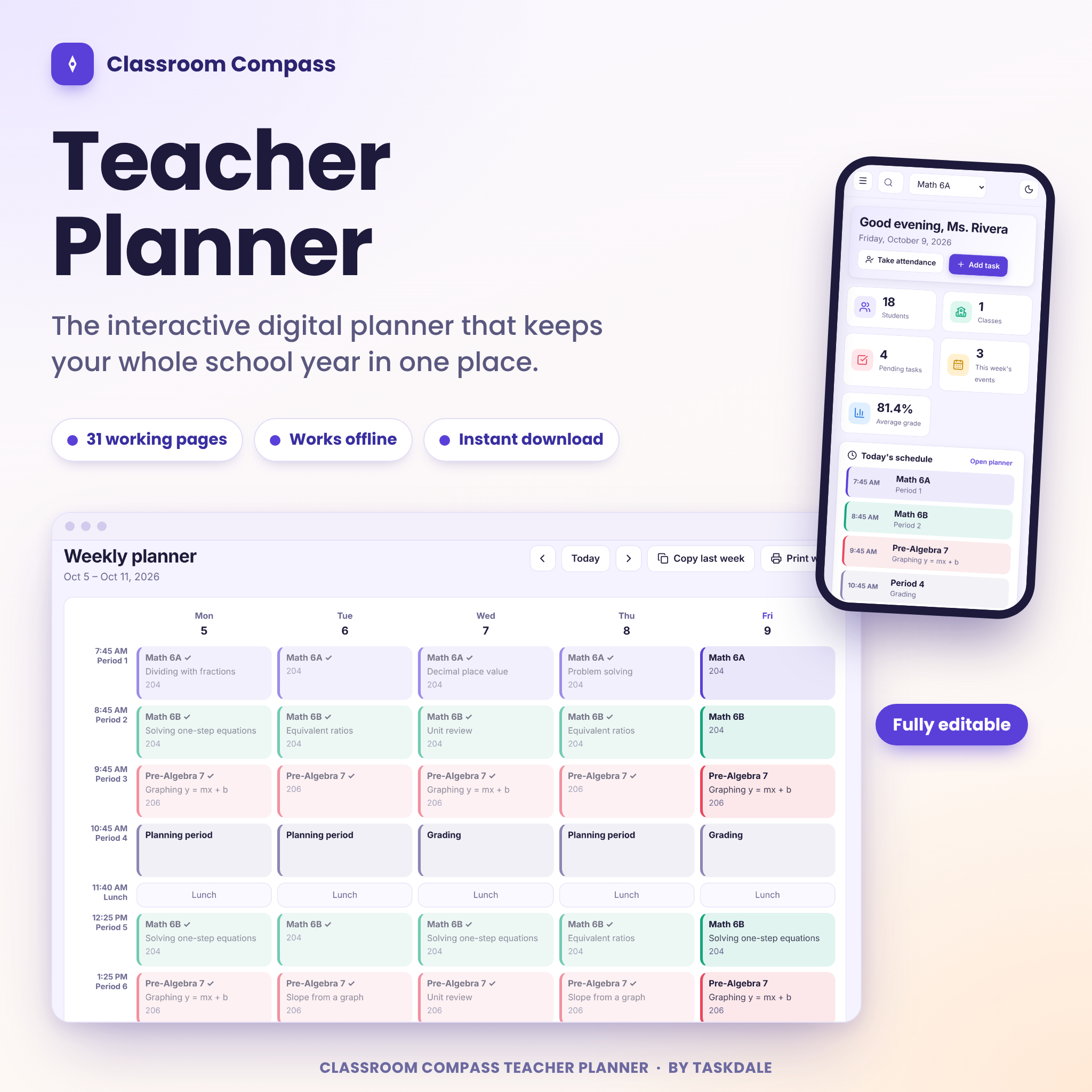
Not a spreadsheet person? This version of Classroom Compass is a planner app in a single HTML file. You download it, double-click it, and it opens in your web browser. No account, nothing to install, no monthly fee. Thirty-one pages cover weekly plans, a lesson bank, unit plans, a curriculum map, grades, attendance, seating, family messages and reports.
The weekly planner is built from your own bell schedule. Click a cell, pick a class, attach a lesson, and it repeats every week on that day. Copy last week into this one with a click. Attendance is a click on P, A, T or E. Scores go into the gradebook and you press Tab to move along while averages and letter grades update.
Where it pulls ahead is the people side. Ten family message templates fill in the student, guardian and class for you, so the twentieth email takes a minute. Each student gets a profile page that gathers grades, attendance, behavior notes and contacts before a conference. And twelve reports are ready to print or save as PDF, from the class roster to a full substitute plan. You can import your class list from a CSV, search everything with Ctrl+K and undo after deleting almost anything.
| Format | Single HTML file, works offline |
|---|---|
| Pages | 31 |
| Tested in | Chromium (Chrome and Edge) at desktop, tablet and phone sizes |
| Reports | 12 printable reports, including a full sub plan |
| Extras | Focus timer, random picker, quick groups, four themes and dark mode |
| Guide | Illustrated Word user guide |
What we like
- Everything in one place, with no subscription
- Student profile page for conferences
- Family message templates save real time
- CSV import for class lists
Keep in mind
- No sync between devices, so back up weekly
- Only tested in Chromium browsers
Original price was: $6.49.$4.99Current price is: $4.99.Add to cart
See everything inside →Classroom Compass Digital Teacher Planner
Best for live classroom tools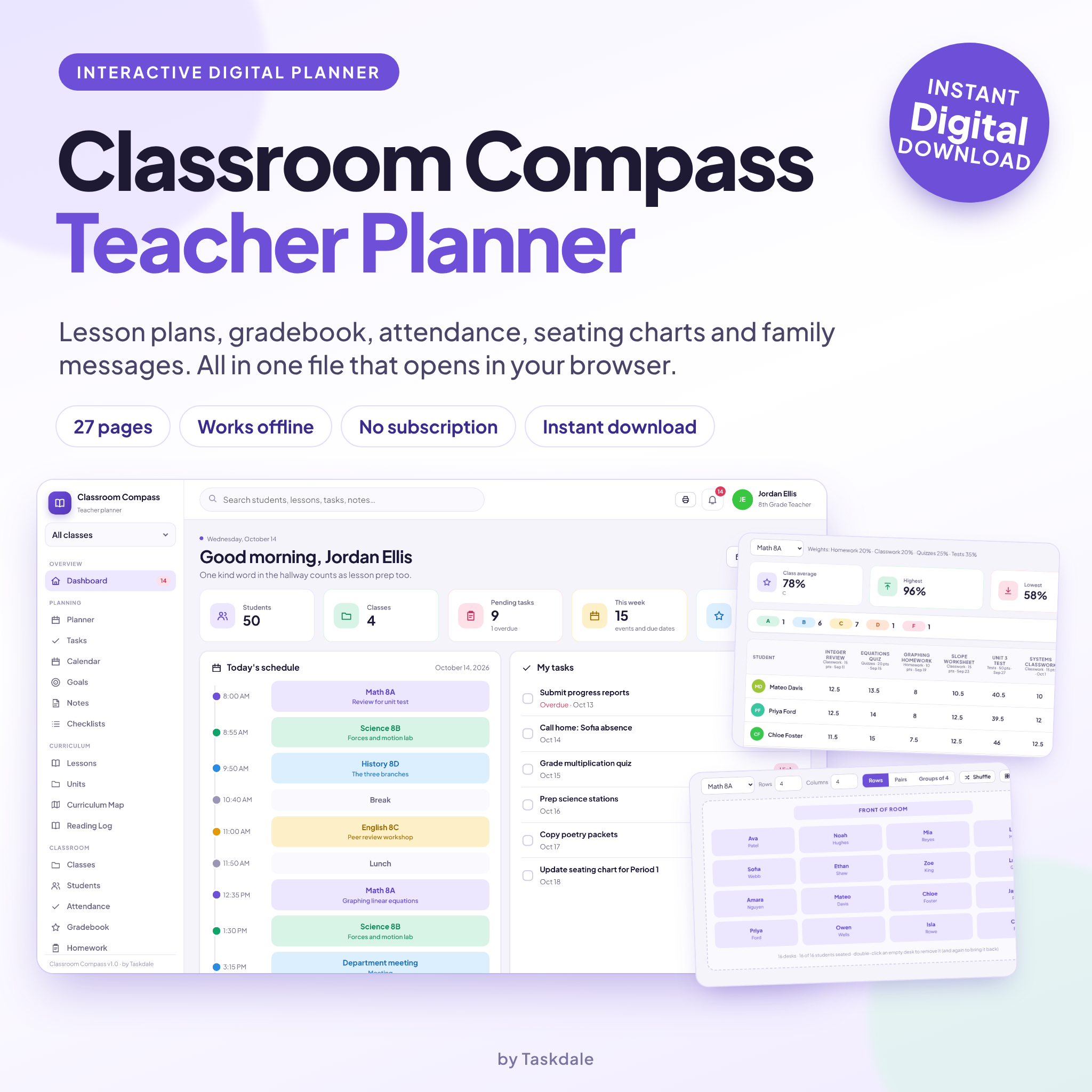
This is the lighter sister of the planner above. It’s also a single HTML file that opens in your browser, with no account and nothing to install, but it has 27 pages instead of 31 and puts more weight on what happens during the lesson.
The weekly planner shows every period in your bell schedule. Tap a block and add the topic, objective, materials and homework, mark lessons as taught, and copy a week forward when you repeat a sequence. A progress bar shows how much of the week is planned. The gradebook uses your own categories and weights, and if a category has no scores yet, the others scale up so students aren’t penalized.
The seating chart is the standout. Choose rows, pairs or groups, drag students to desks or tap a name and then a desk, shuffle the room or let auto fit place everyone. Next to it sits a toolkit: a focus timer, a random picker that calls on everyone before it repeats, quick groups, a break countdown and a list of 20 brain breaks. The report card comment bank builds a paragraph from phrases you pick.
The sub plan builder pulls your schedule, lesson notes and seating chart into one printable page. Fill it in September and you won’t be writing it at 6 a.m. when you wake up sick.
| Format | Single HTML file, works offline |
|---|---|
| Pages | 27 |
| Tested in | Google Chrome and Microsoft Edge |
| Seating | Rows, pairs or groups with drag, shuffle and auto fit |
| Extras | 8 family message templates, comment bank, 20 brain breaks |
| Guide | 16-page DOCX |
What we like
- Best seating chart builder in this list
- Classroom toolkit for the live lesson
- Five accent colors, light and dark mode
- Print layouts for the main pages
Keep in mind
- Data stays in one browser, no sync
- Fewer reports than the 31-page version
- Grade entry is easiest on a laptop
Original price was: $6.49.$4.99Current price is: $4.99.Add to cart
See everything inside →Brightweek Printable Lesson Planner Kit
Best printable lesson planner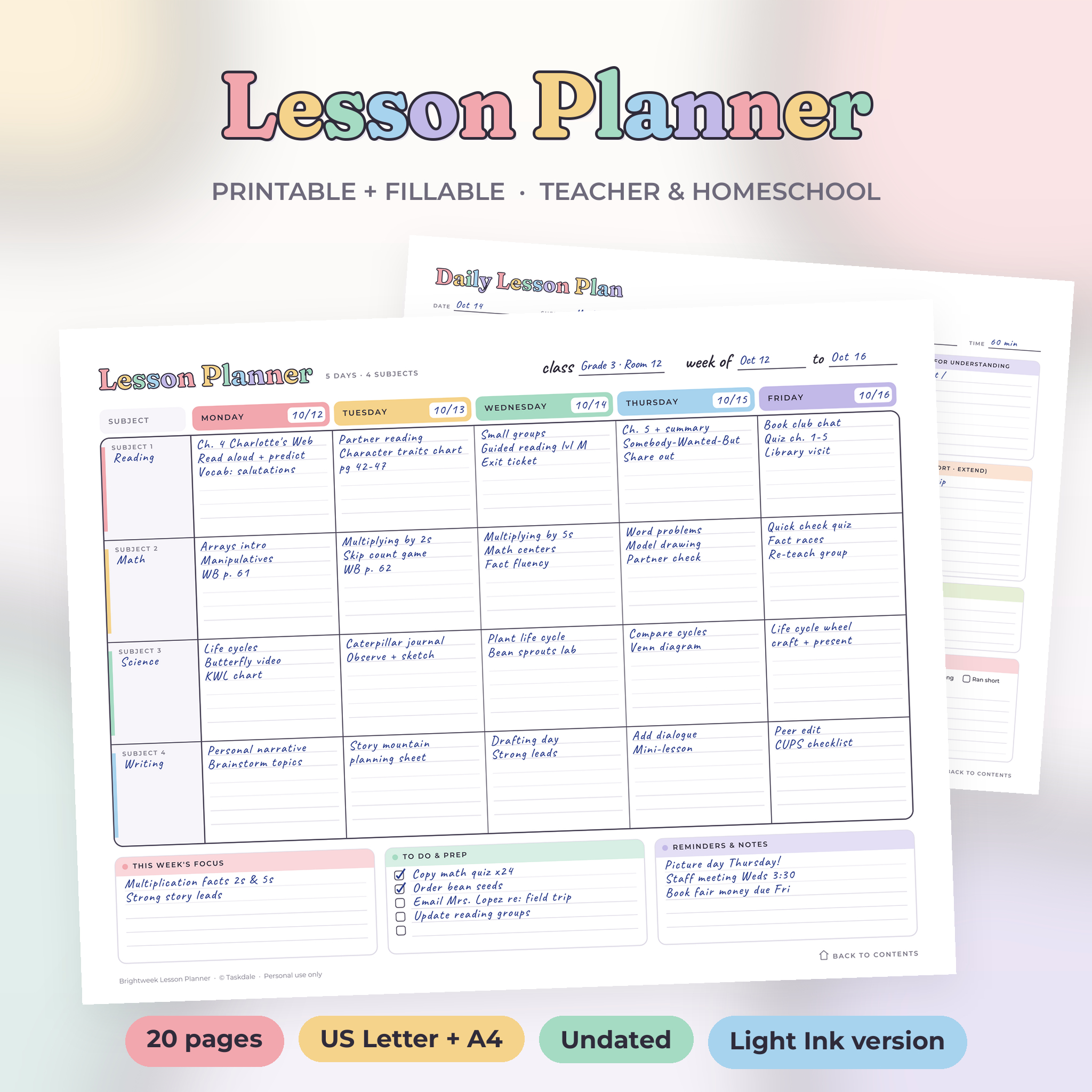
Sunday planning shouldn’t take two hours. Brightweek is a printable lesson planner with soft pastel days and real room to write: 20 undated pages in one PDF that you can type into on a computer or print and fill by hand.
The heart of it is the weekly grid, in six layouts. You get 3, 4, 5 or 6 subjects across Monday to Friday, a 4-day week for Monday to Thursday, and a 7-period schedule with time slots for middle and high school. Most layouts carry a box for the week’s focus, a to-do checklist and reminders, so prep tasks stop living on sticky notes.
Around that sit the pages teachers ask for once the weekly grid is sorted: a daily lesson plan with a five-part lesson flow and reflection checkboxes, a unit planner with a five-week map, a monthly overview, a year at a glance from August to July, a scope and sequence page, an attendance tracker for 12 months by 31 days and a grade tracker for 22 students by 12 assignments. A clickable contents page links to everything.
| Pages | 20, undated |
|---|---|
| Files | 4 PDFs: US Letter and A4, full color and Light Ink |
| Fillable | Yes, in Adobe Acrobat Reader or Chrome |
| Weekly layouts | 6, including 4-day and 7-period |
| Trackers | Attendance, grades, roster, parent log |
| Guide | DOCX user guide |
What we like
- Type or print, your choice
- Layouts for elementary, secondary and homeschool
- Light Ink files save your cartridge
- Undated, so no wasted pages
Keep in mind
- Grade tracker doesn’t do any maths
- Fillable boxes not tested in GoodNotes
- Colors and fonts are fixed
Original price was: $2.79.$2.29Current price is: $2.29.Add to cart
See everything inside →Brightside Printable Lesson Planner Kit
Best for preschool and kindergarten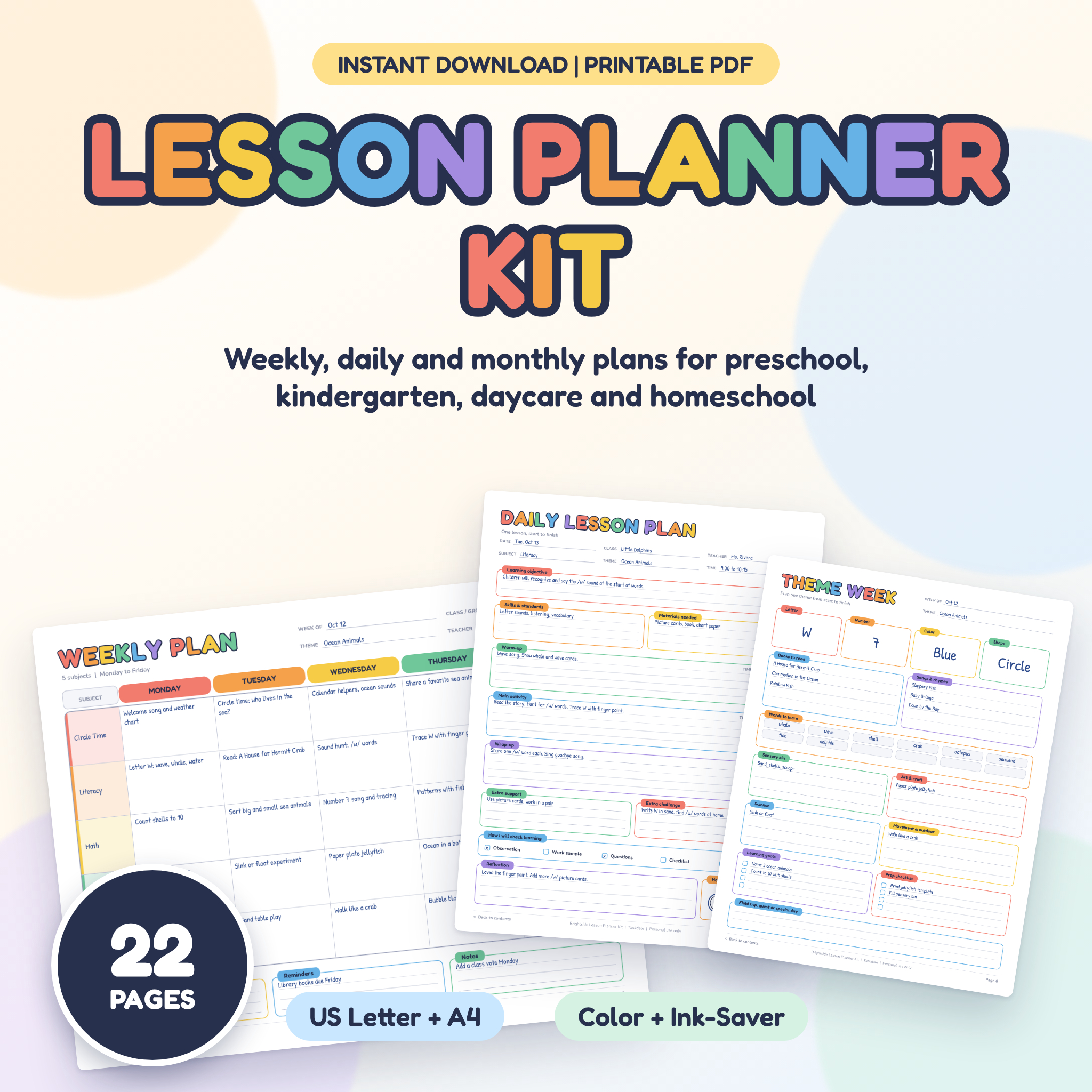
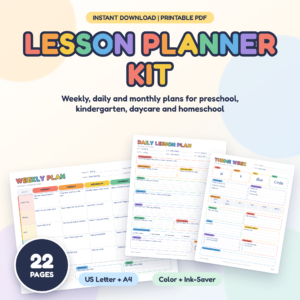
Teaching little ones is its own kind of planning. You’re thinking in themes, centers, circle time and letter of the week, not periods and pacing guides. Brightside is a 22-page printable kit made for preschool and pre-K teachers, kindergarten teachers, home daycare providers and homeschool parents.
There are four weekly layouts with 4 to 7 subject rows in rainbow columns. The page we’d reach for first is the weekly theme planner: letter, number, color and shape of the week, books, songs, words to learn and ideas for sensory, art, science and movement, with a prep checklist. There’s also a daily routine with eleven named blocks from arrival to closing circle, a learning centers rotation for six centers over five days, and a skills tracker for 18 students across 12 early learning skills.
Be clear on one thing before you buy: these pages are print-first and not fillable. You write on them with a pen, pencil or dry-erase marker. The ink-saver files skip the color fills, so a classroom set won’t drain your printer.
| Pages | 22, undated |
|---|---|
| Files | 4 PDFs: Letter and A4, color and ink-saver |
| Fillable | No, print and write |
| Made for | Preschool, kindergarten, daycare, homeschool |
| Standouts | Theme planner, centers rotation, skills tracker, parent news |
| Year planners | August to July and January to December |
What we like
- Built around themes and centers
- Parent news page copies cleanly
- Ink-saver version for big print runs
- Two year planner options
Keep in mind
- Can’t type into the pages
- Less useful past early grades
Original price was: $3.49.$1.49Current price is: $1.49.Add to cart
See everything inside →ChalkBright Lesson Plan Kit
Best for observations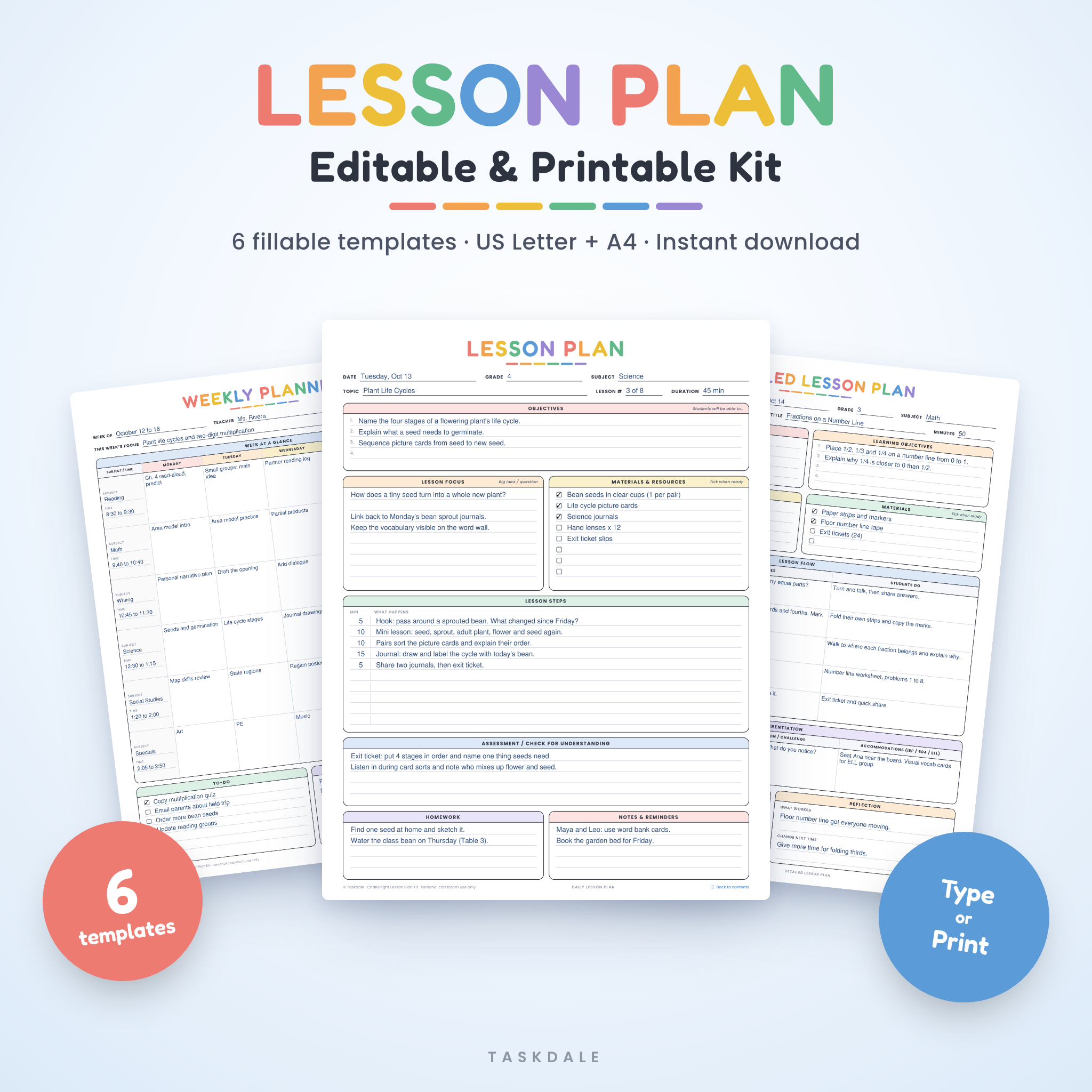
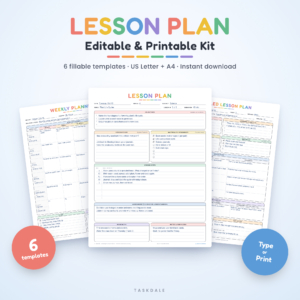
Some weeks you need more than a grid. You’ve got a formal observation on Tuesday, or a student teaching supervisor who wants to see standards, differentiation and a timed lesson flow. ChalkBright is a fillable PDF kit with six planning pages built for exactly that kind of plan.
The Detailed Lesson Plan is the reason to buy it. It covers standards, objectives, key vocabulary and a five-phase lesson flow table (warm-up, direct instruction, guided practice, independent practice and closure). There’s a differentiation section for support, extension and IEP, 504 and ELL accommodations, plus assessment type tick boxes and a short reflection.
The rest of the kit fills the gaps around it: a one-page daily plan, a weekly planner with six editable rows, a unit planner with a 10-lesson sequence and a Done box for each lesson, a substitute plan with a box for the sub to write back to you, and a lesson reflection page that rates engagement from 1 to 5 and asks whether you’d teach it again. The contents page includes a 45-minute lesson timing guide and an objective verb bank, which is handy when you’re stuck on how to phrase a goal.
| Pages | 7 per file (6 templates plus contents) |
|---|---|
| Files | 2 fillable PDFs: US Letter and A4 |
| Fill in with | Adobe Acrobat Reader, Chrome or Edge |
| Standout | Detailed plan with differentiation and IEP/504/ELL boxes |
| Extras | Timing guide, objective verb bank |
| Guide | DOCX with screenshots |
What we like
- Strong detailed plan for formal observations
- Reflection page that makes next year easier
- Prints clearly in black and white
- No paid software needed
Keep in mind
- Headings and colors are fixed
- Tested on desktop Chrome, tablet apps not promised
- No gradebook or attendance
Original price was: $2.99.$1.99Current price is: $1.99.Add to cart
See everything inside →Lesson Plan Studio: 16 Editable Word Lesson Plan Templates
Best for many lesson stylesMost teachers end up with one plan format and bend every lesson to fit it. That works until you need a 5E science plan, a reading workshop plan or a pacing calendar for the month. Lesson Plan Studio gives each job its own layout: 16 editable Word templates in one download.
The list is long and useful. Daily, formal (two pages with thinking levels and reflection), gradual release, 5E, direct instruction, reading workshop, math, small group, project-based, substitute, two weekly plans (by subject or by time block), unit plan, monthly pacing calendar, standards coverage tracker and a lesson reflection page.
What makes it different from a plain Word table is the form controls. Gray prompts vanish when you type, dropdowns let you pick the subject, grade, grouping or thinking level, date pickers pop up a calendar, and checkboxes tick with a click. Boxes grow as you type, so a long objective never gets cut off. You get 64 individual files (Letter and A4, color and black and white), four all-in-one files with a clickable contents page, and blank PDFs for handwriting.
| Templates | 16 layouts, 72 files in four folders |
|---|---|
| Format | Word (.docx) plus blank printable PDFs |
| Tested in | LibreOffice Writer; Word content controls |
| Paper | US Letter and A4, color and black and white |
| Grades | Pre-K to grade 12 in the Grade dropdown |
| Guide | 9-page DOCX |
What we like
- The widest range of plan formats here
- Dropdowns and date pickers save typing
- Standards coverage tracker for the semester view
- Nothing locked, edit any label
Keep in mind
- Google Docs not tested
- No gradebook or attendance
- Lots of files to sort through at first
Original price was: $4.50.$3.99Current price is: $3.99.Add to cart
See everything inside →Teacher’s Compass Editable Lesson Plan Template Pack
Best simple Word set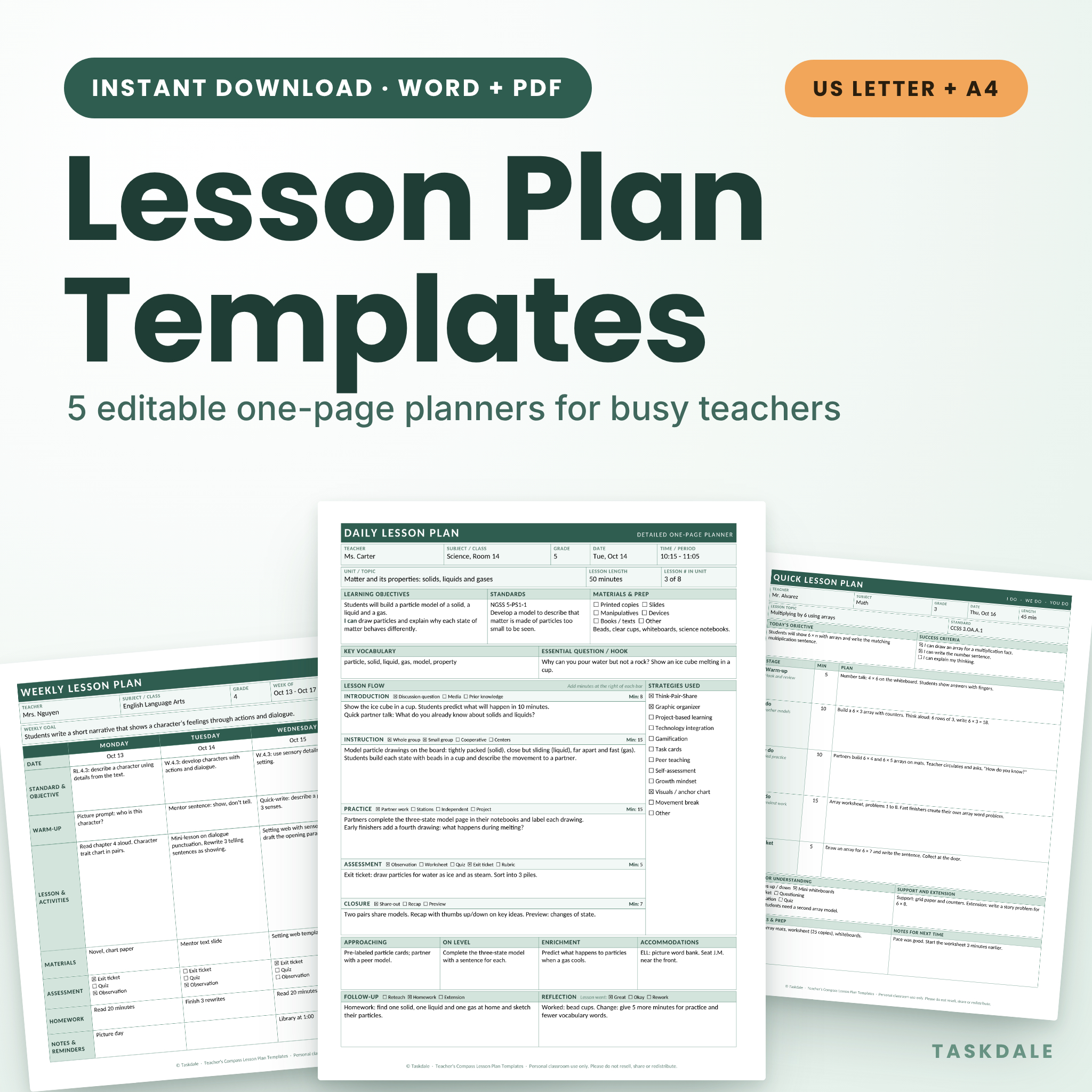
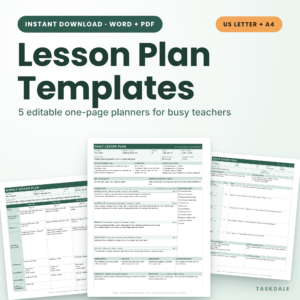
If 16 templates sounds like too many, this is the calm alternative. Teacher’s Compass gives you five one-page planners: a detailed daily plan, a quick daily plan, a weekly plan, a unit plan and a substitute plan. Type into the Word files or print the PDFs and write by hand.
The quick daily plan is the one busy teachers will live in. It follows the I do, we do, you do pattern, with success criteria and an exit ticket, and it’s built for days when you have ten minutes rather than an hour. The detailed plan adds a timed five-stage lesson flow with a minutes field for each stage, so your plan adds up to the period. There are four differentiation boxes (approaching, on level, enrichment and accommodations) and room for an “I can” statement.
Nothing is locked. Click a gray heading and type over it, so “Standards” can become “Learning targets” and “Key vocabulary” can become “Word wall”. You can add rows to the unit plan or change the shading to your school colors. Two color styles come in the box: Classic Gray for low-ink printing and Soft Sage for a gentler look.
| Templates | 5 one-page planners |
|---|---|
| Files | 20 Word files and 20 PDFs |
| Software | Microsoft Word (uses Calibri); PDFs in any reader |
| Paper | US Letter and A4 |
| Styles | Classic Gray and Soft Sage |
| Guide | 6-page DOCX |
What we like
- Every plan fits on one page
- Fully editable labels and checklists
- Quick plan for short-on-time days
- Low-ink gray style
Keep in mind
- PDFs are print-only, not fillable
- Long text can push a plan to a second page
- Made for Word, other apps may shift spacing
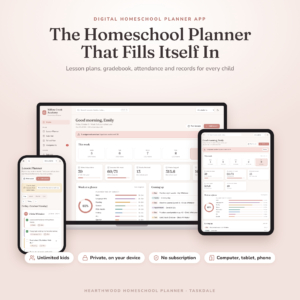
Hearthwood Homeschool Planner App
Best for homeschool families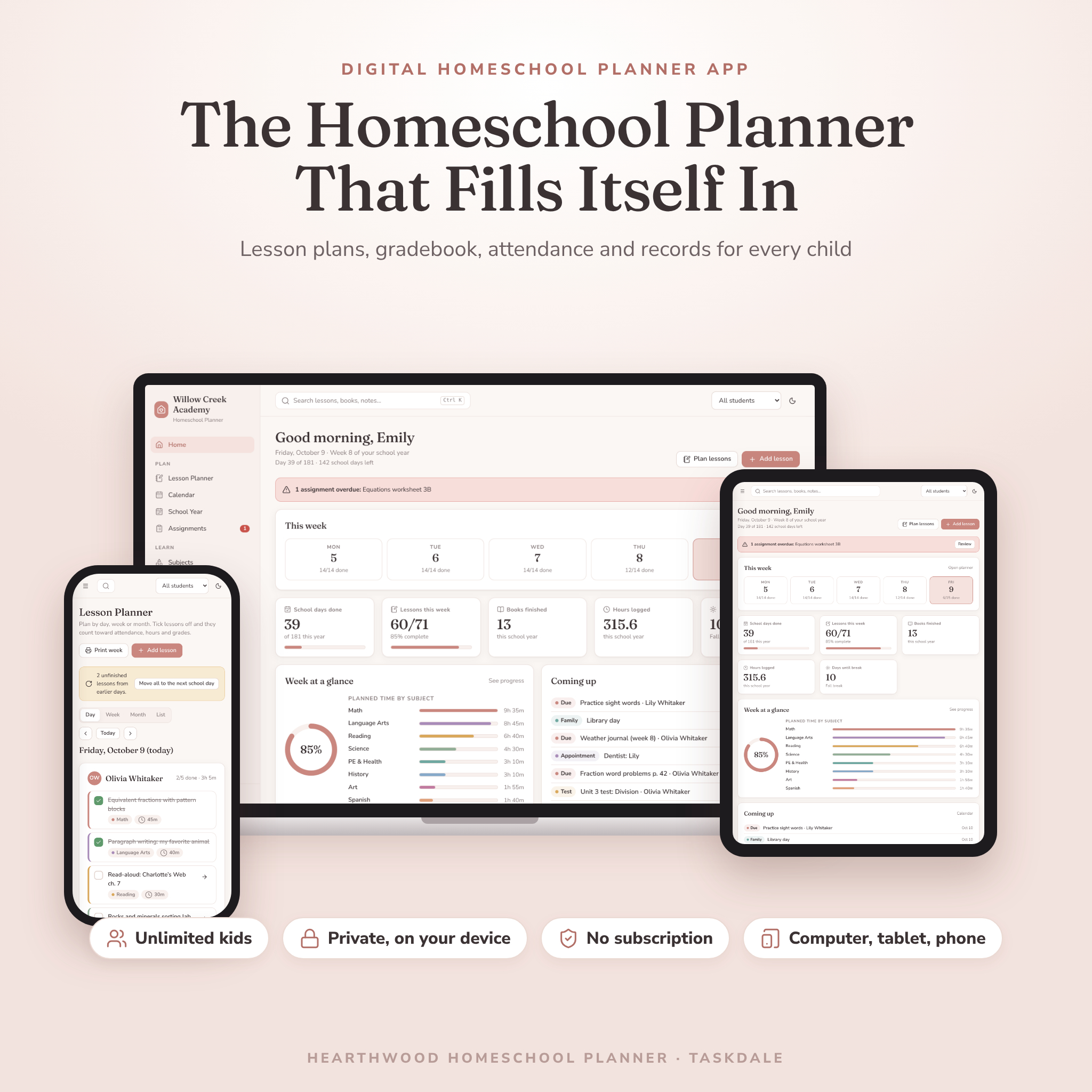
Teaching at home has a different paperwork problem. You’re planning for several kids at different levels, and depending on your state you may need day counts, hour logs, a portfolio or a transcript. Hearthwood is a homeschool planner app for one child or six that turns those records into a by-product of planning.
Plan a lesson, tick it off, and the rest follows. Ticking a lesson marks that day present for that child, so you only log sick days, half days and field trips. Lesson minutes, extra learning time and field trips roll into one hours total, split into core and elective, home and away. Missed a day? One tap moves every unfinished lesson to the next school day, skipping breaks and holidays.
The gradebook has weighted categories you can rename, an editable grading scale and a credit-weighted GPA. Around it sit a family calendar, a reading log with a yearly challenge, goals with printable award certificates, a chore chart, a field trip planner, a photo portfolio and a budget with tax-record flags and CSV export. Report cards, transcripts, attendance reports and 10 more printables come in US Letter or A4.
| Format | HTML web app, works offline on a computer |
|---|---|
| Devices | Computer, plus iPad, iPhone and Android via online link |
| Kids | As many as you like |
| Records | Report cards, transcripts, attendance and hours logs |
| Themes | 4 color themes, each with dark mode |
| Guide | 21-page DOCX plus Quick Start PDF |
What we like
- Attendance and hours fill in as you teach
- Transcripts with credits and cumulative GPA
- One-tap catch-up for missed days
- No subscription or account
Keep in mind
- No sync between devices
- Tablet and phone link needs internet to open
- Built for families, not a school classroom
Original price was: $5.99.$4.49Current price is: $4.49.Add to cart
See everything inside →Which teacher template should you choose?
Still not sure? Find the line that sounds like your week.
| If you… | Choose | |
|---|---|---|
| Teach five or six class periods and want grades and attendance to add up on their own | Bellmark Spreadsheet | View |
| Teach one class and want lessons, grades and seating in one linked workbook | Classroom Compass Workbook | View |
| Want one app for the whole year, with family emails and printable reports | Classroom Compass Planner | View |
| Care most about seating charts and in-class tools like timers and pickers | Classroom Compass Digital | View |
| Plan by the week on paper or in a fillable PDF | Brightweek Kit | View |
| Teach preschool, pre-K or kindergarten | Brightside Kit | View |
| Have a formal observation or student teaching placement coming up | ChalkBright Kit | View |
| Use different lesson models, like 5E, workshop and project-based | Lesson Plan Studio | View |
| Want a few simple one-page plans in Word | Teacher’s Compass Pack | View |
| Homeschool one or more kids and need transcripts or hour logs | Hearthwood | View |
Buying guide: what to look for in the best teacher templates
1. Decide what you need it to track
Start with the job, not the format. If your pain is grading and attendance, you want a spreadsheet or app that does the sums. If your pain is staring at a blank page on Sunday, a lesson plan template is enough. Plenty of teachers end up with one of each: a gradebook for the numbers and a printable or Word plan for the teaching. Our guide to how a weighted gradebook spreadsheet works explains the maths if you’ve never set up category weights.
2. Match the software you already use
Check what each seller actually tested. Bellmark is tested in Excel and Google Sheets. The Classroom Compass Workbook is tested in LibreOffice Calc. The browser planners need a current browser, and the Word sets need Word or a word processor that opens .docx files. If your school laptop blocks downloads or only runs Google tools, that narrows it fast.
3. Type, print, or both
Fillable PDFs and Word files let you type the long parts and print a clean copy. Print-only pages suit teachers who think better with a pen. Not sure which camp you’re in? We’ve weighed up Word versus fillable PDF lesson plans in more detail.
4. Check the capacity
Look at the numbers before you fall for the design. Bellmark holds 150 students across 8 classes. The Classroom Compass Workbook holds 40 students in one class group. If you teach several sections, that difference decides it for you.
Tip: before you enter a single student, save a clean master copy of whatever template you buy. Next August you’ll copy the master, change the dates and start fresh in five minutes.
How to set up your teacher templates before the first week
- Enter your school year first: first and last day, breaks, PD days and testing windows. Calendars and attendance grids build from these.
- Set your grading categories and weights to match your syllabus, and check they add up to 100 percent.
- Add your roster by typing it, pasting a list, or importing a CSV where the planner allows it.
- Plan two weeks ahead, not twelve. Fill the weekly plan for weeks one and two, then sketch the first unit.
- Write your sub plan now, while you’re healthy and calm. Our checklist of what to put in a substitute teacher plan covers the essentials.
- Book a weekly 30-minute slot to update grades and plan the next week. The weekly lesson plan template guide shows how to fit it into half an hour.
Torn between the three Classroom Compass versions? We’ve compared them side by side in which Classroom Compass teacher planner fits your classroom. Teaching at home with more than one child? Read how to set up a homeschool planner for multiple kids.
Teacher templates FAQ
What are the best teacher templates for grading?
For grading, you want a template that does the maths. Bellmark is the strongest pick here, with up to 8 weighted categories, codes for excused and missing work, and 150 students across 8 classes in Excel or Google Sheets. The Classroom Compass Workbook and both browser planners also calculate weighted averages and letter grades.
Can I use these teacher templates in Google Sheets or Google Docs?
Bellmark is tested in Google Sheets: upload the .xlsx and save it as a Google Sheet. The Classroom Compass Workbook and Lesson Plan Studio haven’t been tested in Google tools, so the sellers don’t promise them there. The fillable PDF kits open in Chrome’s PDF viewer.
Do I need the internet to use the browser planners?
No. The Classroom Compass planners and Hearthwood work offline once the file is on your computer. Hearthwood’s tablet and phone link needs a connection to open.
Can I share a template with my grade-level team?
Each license covers one teacher (or one family for Hearthwood). Colleagues need their own copy. You can still share printed plans or PDFs of your own work.
The verdict
If you want one file that handles grades, attendance and the paperwork around them, get the Bellmark Teacher Planner Spreadsheet. It holds the most students, runs in Excel and Google Sheets, and its dashboard tells you who is slipping before progress reports go home. Prefer an app to a spreadsheet? The Classroom Compass Teacher Planner is the most complete. And if all you need is a better weekly plan, Brightweek will make Sunday night a lot shorter.