Best Homeschool Planner: Compare Printable, Excel and App
The best homeschool planner is the one that matches how you actually plan. Choose a printable or fillable PDF if you like paper and wall charts, an Excel workbook if you want attendance, hours and grades added up for you, or an app if you want the least set-up. Families with several children usually gain most from a planner that also keeps records.
Key facts at a glance
- A homeschool planner can be a printable PDF, a hyperlinked GoodNotes file, an Excel workbook or an app, and the format shapes your daily routine more than the design does.
- Undated planners such as Schoolhouse Compass let you start in any month and reprint each year, while dated ones such as Thistlewood and Brightwood cover July 2026 to June 2028.
- The spreadsheet planners on this page cover up to 6 children, while the printable planners generally cover up to 4.
- If your state asks for attendance days, hours or a high school transcript, pick a planner that counts these automatically.
- Several 19 options below are teacher planners, so check for homeschool records before you buy one.
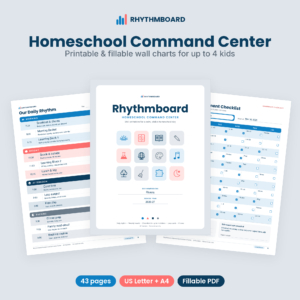 Homeschool Command Center Printables & Daily Rhythm Chart | Rhythmboard Fillable Homeschool Schedule for Up to 4 Kids
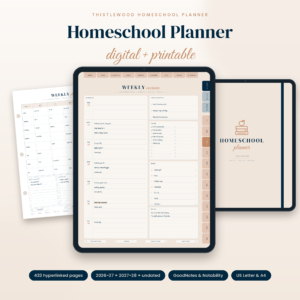 Homeschool Planner 2026-2027 Digital & Printable | Thistlewood Hyperlinked GoodNotes Planner with Lesson Plans, Attendance Tracker, Reading Log & Transcript | US Letter & A4
 Undated Homeschool Planner Printable | Schoolhouse Compass Hyperlinked PDF with Weekly Lesson Plans, Attendance Tracker, Hours Log, Reading Log & High School Transcript | US Letter & A4
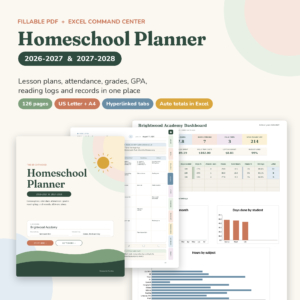 Brightwood Homeschool Planner 2026-2027 | Fillable PDF Lesson Planner, Attendance, Grade & GPA Tracker + Excel Command Center | US Letter & A4
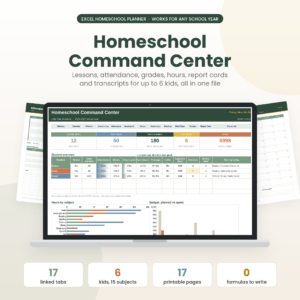
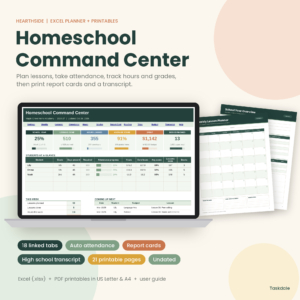 Hearthside Homeschool Command Center | Excel Homeschool Planner with Lesson Planner, Attendance, Gradebook, Report Cards & Transcript + 21 Printable Pages | US Letter & A4
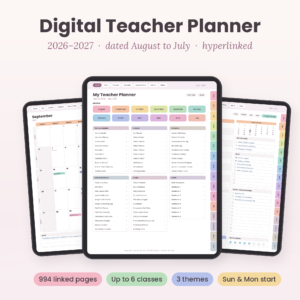 Hopscotch Digital Teacher Planner 2026-2027 | Dated Hyperlinked Lesson Planner for GoodNotes & Notability | Gradebook, Attendance & 6 Classes
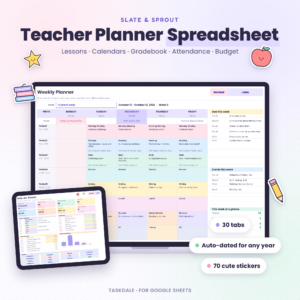 Teacher Planner Spreadsheet for Google Sheets | Lesson Planner, Gradebook, Attendance Tracker, Dated Monthly Calendars, Seating Chart & Sub Plans
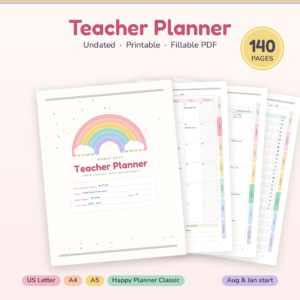 Bright Days Teacher Planner | 140-Page Printable & Fillable Undated Lesson Planner, Gradebook, Attendance & Sub Binder | Letter, A4, A5, Happy Planner
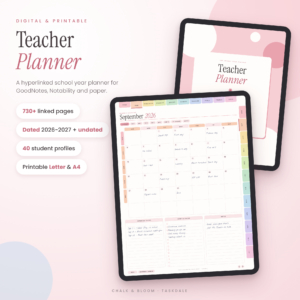 Chalk & Bloom Digital Teacher Planner 2026-2027 + Undated | Hyperlinked GoodNotes Lesson Planner | Printable Letter & A4
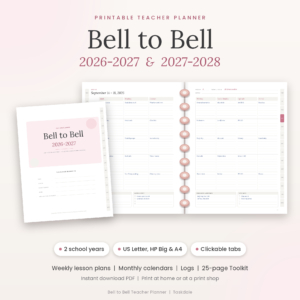 Bell to Bell Printable Teacher Planner 2026-2027 & 2027-2028 | Weekly Lesson Planner, Happy Planner Big Inserts, US Letter & A4 PDF
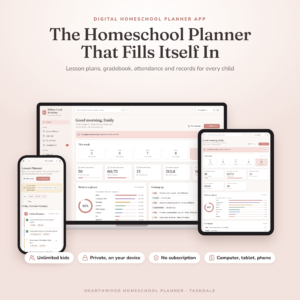 Homeschool Planner App for Multiple Kids | Digital Lesson Planner, Gradebook, Attendance Tracker, Report Cards & Transcripts | Works on iPad, Phone & Computer
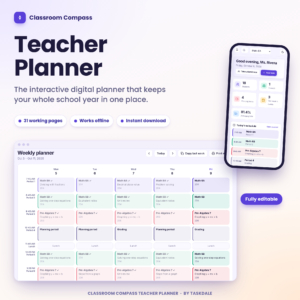
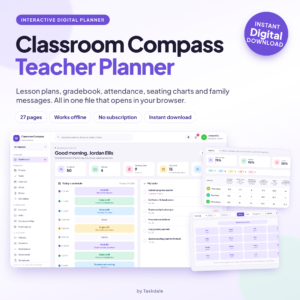 Classroom Compass Digital Teacher Planner | Lesson Plans, Gradebook, Attendance and Seating Charts
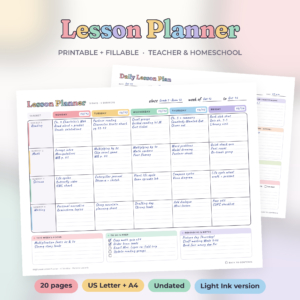
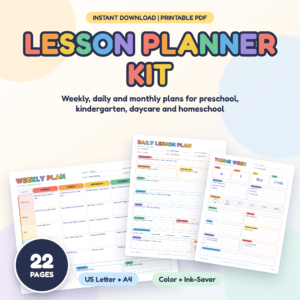
Table of Contents
Toggle
- What should you look for in a homeschool planner?
- How do the best homeschool planners compare?
- Which homeschool planner suits which family?
- How do you use a homeschool planner through the year?
- What mistakes should you avoid when choosing a homeschool planner?
- What affects the price of a homeschool planner?
- How do you decide on the best homeschool planner for your home?
- Common questions
Choosing a planner can feel bigger than it should. There are dozens of layouts, several file types and a lot of promises about "command centres". This guide narrows that down, so you can see what each type does well and where it falls short, and pick one with confidence.
What should you look for in a homeschool planner?
A good homeschool planner does two jobs: it plans the week, and it keeps the records you may need later. Six factors separate the options on this page, and each one is easy to check before you buy.
Format: paper, tablet, spreadsheet or app
A planner's format decides where you will use it. Printable PDFs such as Rhythmboard and Brightside suit families who want pages on the wall or in a binder. Hyperlinked GoodNotes files such as Thistlewood suit people who already write on an iPad. Excel workbooks such as Little Oak Command Centre suit people who would rather type a lesson once and let the sheet do the sums.
The Homeschool Planner App for Multiple Kids works on a computer offline and on an iPad or phone through your own link.
Dated or undated pages
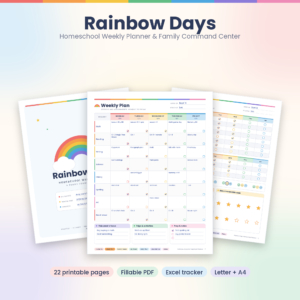
Dated planners give you a ready calendar. Undated ones give you freedom. Thistlewood and Brightwood run from July 2026 to June 2028, so the year is laid out before you begin. Schoolhouse Compass, Brightpath, Hearthside and Rainbow Days are undated, which suits you if you start in January, take long breaks or reprint every year.
Number of children
Check the child limit before anything else. Rhythmboard covers up to 4 kids, with colour-coded assignment checklists for each. Thistlewood holds records for up to four students. Little Oak, Brightpath and Hearthside handle up to 6. Brightwood stores 4 students in the PDF and 6 in its spreadsheet. The app lists unlimited kids.
Record keeping and transcripts
Record keeping means attendance, hours, grades and, for older students, a transcript. If your state asks for 180 days or a set number of hours, a planner that counts them for you removes a tedious job. Little Oak counts toward 180 days or your state's hours. Brightpath skips breaks when counting school days and hours. Hearthside adds a weighted gradebook, report cards and a high school transcript.
Lesson planning layout
A planner's weekly layout should match how you teach. Brightweek offers six weekly layouts, including a 4-day homeschool week. Brightside offers layouts for 4, 5, 6 or 7 subjects, aimed at younger learners. Thistlewood's weekly spreads include a schedule, to-do list, menu and subject grid.
Privacy and subscriptions
Some planners hold your children's data, so it matters where that data lives. The Homeschool Planner App for Multiple Kids states that there is no account and no subscription, and that your data stays on your device. The listing for the two Classroom Compass planners makes similar statements, though they are built for classroom teachers.
How do the best homeschool planners compare?
The table below compares eight of the most complete homeschool planners on this page by format, children covered and date style. Each one handles lesson plans and records, but they differ in how much they do for you.
| Product | Format | Children covered | Dates |
|---|---|---|---|
| Homeschool Command Centre Printables & Daily Rhythm Chart | Rhythmboard Fillable Homeschool Schedule for Up to 4 Kids | Printable and fillable, 43 pages | Up to 4 | Undated, plus 2026-27 and 2027-28 year calendars |
| Homeschool Planner 2026-2027 Digital & Printable | Thistlewood Hyperlinked GoodNotes Planner with Lesson Plans, Attendance Tracker, Reading Log & Transcript | US Letter & A4 | GoodNotes, Notability and printable | Up to 4 | Dated July 2026 to June 2028, plus 12 undated months |
| Undated Homeschool Planner Printable | Schoolhouse Compass Hyperlinked PDF with Weekly Lesson Plans, Attendance Tracker, Hours Log, Reading Log & High School Transcript | US Letter & A4 | Hyperlinked PDF, 63 pages | One child, two or the whole family | Undated |
| Homeschool Planner Spreadsheet for Excel | Little Oak Command Centre | Excel, 17 printable pages | Up to 6 | Dates itself for any school year |
| Brightwood Homeschool Planner 2026-2027 | Fillable PDF Lesson Planner, Attendance, Grade & GPA Tracker + Excel Command Centre | US Letter & A4 | Fillable PDF (126 pages) plus Excel | 4 in the PDF, 6 in the spreadsheet | Dated July 2026 to June 2028 |
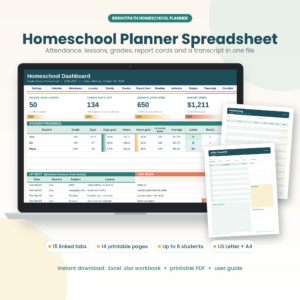 Brightpath Homeschool Planner Spreadsheet & Printable Pages | Excel, 15 tabs, 14 printable pages | Up to 6 students, 12 subjects | Undated |
| Hearthside Homeschool Command Centre | Excel Homeschool Planner with Lesson Planner, Attendance, Gradebook, Report Cards & Transcript + 21 Printable Pages | US Letter & A4 | Excel, 21 printable pages | 1 to 6, Pre-K to 12th grade | Undated |
| Homeschool Planner App for Multiple Kids | Digital Lesson Planner, Gradebook, Attendance Tracker, Report Cards & Transcripts | Works on iPad, Phone & Computer | App on computer, iPad or phone | Unlimited | Not stated |
Which homeschool planner suits which family?
Each planner suits a different habit. Match yours first, then compare features.
- You run a busy house with several younger children. Rhythmboard puts a daily rhythm chart, subject loop tracker and What's Next cards for independent work on the wall. It is built for routine more than record keeping.
- You use an iPad and like hyperlinks. Thistlewood links your lessons, attendance, reading log and transcript in one file. Brightwood gives you fillable PDF pages and adds an Excel Command Centre that totals attendance, hours, grades and GPA.
- You prefer paper but need records. Schoolhouse Compass offers 63 undated pages with an hours log, grade tracker and high school GPA transcript. You can print it again every year.
- You want the spreadsheet to do the maths. Little Oak, Brightpath and Hearthside all fill in dashboards from the lessons you enter. Hearthside also covers curriculum pace, and Brightpath handles up to 12 subjects.
- You want minimal set-up. The Homeschool Planner App for Multiple Kids does the record keeping for you and prints report cards and transcripts.
- You have a preschooler or kindergartener. Brightside has weekly and daily plans, centres and a skills tracker for preschool, kindergarten, daycare and homeschool.
- You want a light, weekly-only planner. Rainbow Days has 22 undated pages with a Family Week, a My Week page kids can tick off themselves and a 180-Day Attendance page. It also comes with a spreadsheet for up to 4 kids.
How do you use a homeschool planner through the year?
A homeschool planner works best when you set it up once and keep a short weekly habit. These steps suit any of the formats above.
- Enter your family details first. Rhythmboard, for example, fills every page once you type the names on Family Setup.
- Set your school year dates, including breaks. Spreadsheet planners count days and hours more accurately when you do this.
- Plan one week at a time rather than the whole year, so a slow week does not leave blank pages.
- Enter each lesson once. In Excel planners the weekly view, hours and dashboard then update on their own.
- Tick off attendance daily, even if it is only a minute at the end of the day.
- At the end of each term, print or export report cards, and for older students check the transcript.
For printable planners, keep a spare copy of the blank file so you can reprint a lost week. For spreadsheets and apps, back up the file now and then, particularly where the data stays on your own device.
What mistakes should you avoid when choosing a homeschool planner?
The most common mistake is buying a planner that does not fit your child count or record needs. Most of the others are just as simple to avoid.
- Picking by looks alone. A pretty layout is no help if it only covers one child and you teach three.
- Ignoring state requirements. If you must log hours or days, choose a planner with an attendance tracker and hours log built in.
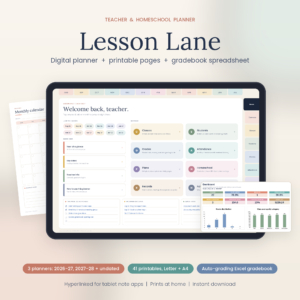
- Choosing a teacher planner by accident. Lesson Lane and Hopscotch are designed for teachers, with gradebooks, rosters and classes. Lesson Lane mentions logging homeschool hours, but the Hopscotch listing is classroom-focused, so check it covers what you need.
- Buying a dated planner and starting late. If your school year starts in January, an undated planner avoids empty months.
- Overbuilding the system. A planner with 994 pages may be more than you will ever fill. A shorter one that you use is better.
- Forgetting the device. A GoodNotes planner needs a tablet, and an Excel planner needs a computer.
What affects the price of a homeschool planner?
The price of a homeschool planner mostly reflects how many tools it includes and how much the file does automatically. Spreadsheets with dashboards, transcripts and automatic counting often cost more than simple printable pages. Planners that bundle several formats, such as Brightwood's PDF plus Excel Command Centre, usually cost more than a single-format planner.
Page count matters, but features matter more. Dated multi-year planners, large sticker sets and extra printable forms can raise the price. Subscriptions are a separate question: the Homeschool Planner App for Multiple Kids is listed with no subscription, so you pay once rather than yearly. Check the live product cards for current prices.
How do you decide on the best homeschool planner for your home?
Start with your records, then your routine. If your state wants attendance, hours and grades, choose a spreadsheet such as Little Oak, Brightpath or Hearthside, or the app. If your priority is a calm daily rhythm, choose Rhythmboard. If you love paper and want records too, choose Schoolhouse Compass. If you work on an iPad, choose Thistlewood.
Count your children, check the format works on your devices, and decide whether you want dates printed in. If those three answers point to the same planner, you have found yours.
Common questions
Can I use a teacher planner for homeschooling?
Yes, in many cases. Teacher planners have lesson plans, attendance and gradebooks, which overlap with homeschool needs. They may lack a transcript or hours log, and some are built around classes and rosters, so check what the listing includes first.
Is an undated planner better for homeschoolers?
It suits families who start mid-year, take irregular breaks or want to reprint the same planner each year. Dated planners save effort if your year follows the usual calendar, since the months are already set out.
Do I need a printer to use these planners?
Not always. GoodNotes and Notability planners such as Thistlewood work on a tablet, and the Excel planners work on a computer. The printable planners are made for printing, and several include ink-saver or light-ink versions.
What is a homeschool transcript and who needs one?
A homeschool transcript is a record of a high school student's courses, grades and GPA. Parents often need it for college applications. Schoolhouse Compass, Hearthside, Brightwood and the app all include a high school transcript.
Which planner covers the most children?
The Homeschool Planner App for Multiple Kids lists unlimited kids. Among the spreadsheets, Little Oak, Brightpath and Hearthside cover up to 6 children. Most printable planners on this page cover up to 4.