Best Money Tracker: How to Choose the Right One
A money tracker is a tool that records what comes in and goes out so you can see what is left to spend. The best one is the one you will open every week. For most people that means a spreadsheet or app matched to their pay cycle, with a dashboard that answers "what can I spend today?" in a few seconds.
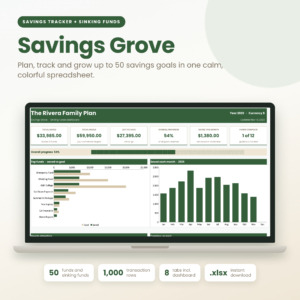 Savings Tracker Spreadsheet | Savings Grove Sinking Funds Planner with Dashboard, 50 Fund Cards, 52-Week & 100-Envelope Challenges and Savings Calculators | Excel Format (.xlsx)
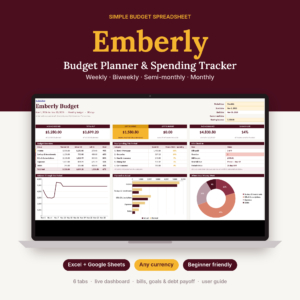 Simple Budget Spreadsheet for Excel & Google Sheets | Emberly Budget Planner & Spending Tracker with Dashboard, Bill Tracker, Savings Goals & Debt Payoff | Weekly, Biweekly or Monthly
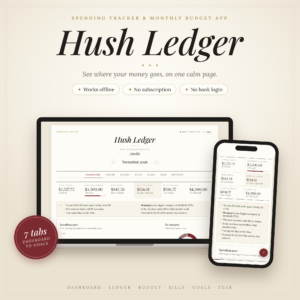 Spending Tracker App | Hush Ledger Expense Tracker & Monthly Budget Planner with Dashboard, Bills, Savings Goals & Safe-to-Spend | ADHD Friendly, Works Offline
 Debt Payoff Planner App | Paidwell Snowball & Avalanche Debt Tracker with Payoff Calculator, Budget, Credit Score Tracker & Printables | Works Offline
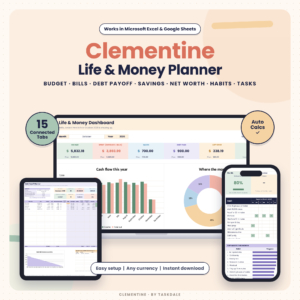 Budget Planner Spreadsheet for Excel & Google Sheets | Clementine Life & Money Planner with Debt Payoff, Bill Tracker, Habit Tracker, Task Tracker & Savings Goals
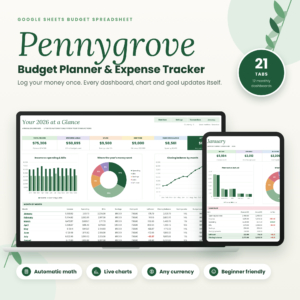 Budget Planner Spreadsheet for Google Sheets | Pennygrove Monthly Budget, Expense Tracker, Bill Calendar, Debt Payoff & Savings Goals
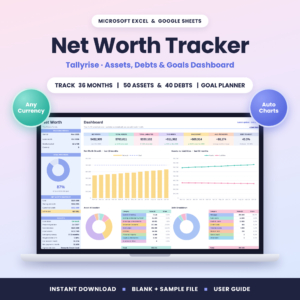 Net Worth Tracker Spreadsheet for Excel & Google Sheets | Tallyrise Assets, Debt & Goal Dashboard, 36 Months
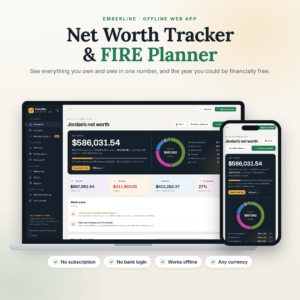 Net Worth Tracker & FIRE Calculator | Emberline Early Retirement Planner with Debt Payoff, Savings Goals & Milestones | Offline HTML App
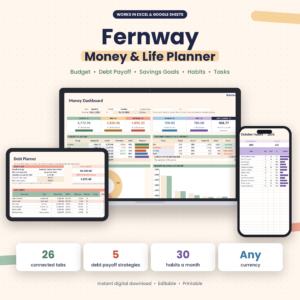 Budget Planner Spreadsheet for Excel & Google Sheets | Fernway Money & Life Planner with Debt Payoff Calculator, Savings Goals, Habit & Task Tracker
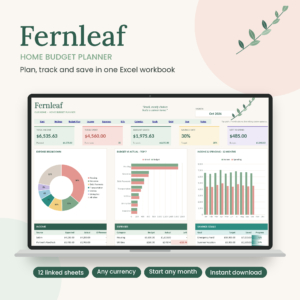 Fernleaf Home Budget Planner Spreadsheet | Excel Monthly Budget Template with Dashboard, Bill Calendar, Savings Goals & Debt Payoff
 Penny & Petal Income and Expense Tracker Spreadsheet | Excel & Google Sheets Budget Planner with Net Worth, Bills & Savings Goals
Key facts about choosing a money tracker
- A money tracker can be a spreadsheet for Excel or Google Sheets, an offline browser app, or a printable planner.
- Tools that match your pay cycle (weekly, biweekly, semi-monthly or monthly) are easier to keep up than ones built around calendar months only.
- Several trackers here, including Hush Ledger and Emberline, need no bank login and keep your data on your own device.
- Tracking spending, tracking debt and tracking net worth are three different jobs, and each has a tool built for it.
- Every product on this page supports any currency, so your location should not limit your choice.
Table of contents
- What should you look for in the best money tracker?
- How do the best money trackers compare?
- Which money tracker suits which person?
- How do you use a money tracker so it sticks?
- What mistakes should you avoid?
- What affects the price of a money tracker?
- Which money tracker should you choose?
- Common questions
Money tracking can feel like a chore before you have started. It helps to pick on a few plain factors rather than on how many tabs a template has. The sections below go through those factors, then match them to the 13 options in the grid.
What should you look for in the best money tracker?
The best money tracker fits the way you already handle money. Six factors decide that, and they matter more than any feature list.
Spreadsheet, app or printable?
A spreadsheet tracker is a workbook you fill in yourself, usually in Excel or Google Sheets. It gives you full control and lets you see how every number is calculated. An app such as Hush Ledger or Paidwell opens in your browser, works offline and asks less of you when you type an entry.
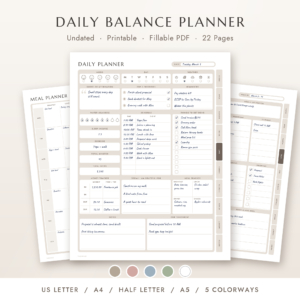
A printable suits people who prefer paper. The Daily Balance Planner has a money section but is mainly a daily life planner, so treat it as a companion rather than a full tracker.
How much effort does each entry take?
The easiest tracker to keep up is the one with the shortest route from purchase to record. Pennygrove uses a single transaction log, and Penny & Petal lets you log an entry once so 12 connected tabs update. Hush Ledger asks you to type what you spent and press Enter.
If an entry takes more than about 20 seconds, you will skip it by week three.
Does the budget period match your pay?
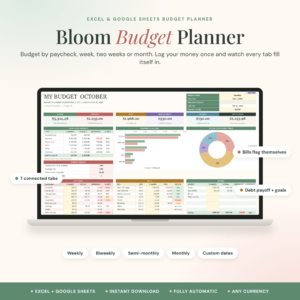
Your budget period should follow your pay, not the calendar. Bloom Budget Planner and Emberly Budget Planner both support weekly, biweekly, semi-monthly, monthly or custom dates. Emberly lets you change one date to start a new period.
This matters most if you are paid every two weeks or on irregular dates. A purely monthly layout will always feel slightly out of step with your bank balance.
Does the dashboard give you a usable number?
A good dashboard shows one figure you can act on. Hush Ledger gives you a safe-to-spend number, and Bloom shows a safe-to-spend-per-day figure. Emberly offers 6 cards and 3 charts, with a bills check-in.
Charts are pleasant, but a single "what is left" number changes behaviour. Look for that first.
Do you want a bank login?
Not one tracker on this page asks for a bank login. Hush Ledger and Emberline both state that your data stays on your device, with no account. If privacy matters to you, that rules out the worry of connecting a bank. The trade-off is manual entry, which many people find makes them more aware of what they spend.
What else does it need to track?
Decide whether you need spending alone or something wider. Debt payoff, savings goals, bills and net worth are each handled differently across the range. Pick for your main goal now, not for a feature you might use in a year.
How do the best money trackers compare?
The table below compares eight of the main options on what each is built to do and how you run it.
Which money tracker suits which person?
Each tracker suits a different habit, so match yours to the person you are. Here is how that plays out for the main ones.
You want the quickest daily habit. Hush Ledger is built for it. It is described as ADHD friendly, works offline, and shows a safe-to-spend number and plain-English insights. It suits anyone who wants to type, press Enter and move on.
You are paid every fortnight or on odd dates. Bloom Budget Planner and Emberly Budget Planner both follow your paycheck. Emberly is the calmer, simpler workbook. Bloom adds the per-day figure and bill status flags.
You are paying off debt. Paidwell shows a debt-free date and what to pay on each debt every month. It also lets you test balance transfers and lump sums. Several spreadsheets, including Pennygrove, include snowball or avalanche payoff as one part of a wider budget.
You are saving for several goals at once. Savings Grove keeps up to 50 sinking funds, such as car repairs, holidays or annual bills, in one file. It also includes 52-week and 100-envelope challenges.
You want a whole-year, all-in-one budget. Pennygrove has 12 monthly dashboards, an annual dashboard and a net worth tracker. It is for Google Sheets and includes a step-by-step guide for first-time spreadsheet users.
You care about net worth. Tallyrise tracks assets and debts over 36 months and projects the date you will reach your goal. Emberline Net Worth Tracker & FIRE Calculator adds a financial independence plan with Lean, Fat, Barista and Coast FI options.
You have several accounts and cards. Penny & Petal shows live balances, card utilisation and net worth. It is the one to look at if you want to see where money sits, not just where it goes.
How do you use a money tracker so it sticks?
To use a money tracker well, set it up once and then follow a short, regular routine. Most people who give up do so because the first week took too long.
- Choose one period (weekly, biweekly or monthly) that matches your pay.
- Enter your income and your fixed bills first.
- Set a budget for three or four main categories, not twenty.
- Log each purchase the same day, or in one short sitting every second day.
- Check your dashboard once a week and note what is left to spend.
- Review at the end of each period and adjust the categories that went over.
Most of these products include a user guide and some include a sample file. Open the sample first, so you see what a finished version looks like before you enter your own figures.
What mistakes should you avoid?
The most common mistake is choosing a tool that does too much. A 26-tab workbook with habit and task trackers is attractive, but if you only want to see your spending, it adds clutter. Fernway and Clementine are good examples of broader life planners, so choose them on purpose.
Other pitfalls are worth knowing:
- Tracking too many categories. More than about ten makes every entry a decision.
- Skipping bills. A tracker that ignores due dates will give you a misleading "left to spend" figure.
- Mixing up spending and net worth. Net worth trackers use month-end balances and will not tell you what you spent this week.
- Never backing up. For offline tools, where data stays on your device, save a copy regularly. Hush Ledger includes backup and CSV export.
- Waiting for the perfect month to start. Start part-way through a period and use a custom start date.
What affects the price of a money tracker?
The price of a money tracker mostly reflects how many jobs it does and how much support comes with it. A single-purpose tracker, such as a savings or net worth file, usually costs less than a wide planner that also handles bills, debt, habits and tasks.
Format matters too. Offline apps like Hush Ledger and Paidwell are bought once, with no subscription, so you pay up front and nothing after. Extras such as a sample file, a long illustrated guide or printable pack add value without changing how the tool works. Check the live product cards for current prices before you decide.
Which money tracker should you choose?
Choose by your biggest money problem, not by the longest feature list. Use this rule:
- If you overspend and lose track, pick Hush Ledger, Emberly or Bloom.
- If debt is the problem, pick Paidwell.
- If you save for many goals, pick Savings Grove.
- If you want the full picture for a year, pick Pennygrove.
- If you want to watch wealth grow, pick Tallyrise or Emberline.
If you are unsure, start with the simplest option. You can add complexity later, but few people simplify a tracker they have already abandoned.
Common questions
Is a spreadsheet or an app better for tracking money?
Neither is better for everyone. A spreadsheet gives you full visibility of the calculations and works in Excel or Google Sheets. An app is faster to enter data into. If you dislike formulas, choose an app such as Hush Ledger. If you like control, choose a spreadsheet.
Do I need to connect my bank account?
No. None of the trackers on this page needs a bank login. You type or paste in your own entries. Hush Ledger and Emberline keep your data on your device. That takes more effort than automatic syncing, but it keeps your details private.
Can I use these trackers in my own currency?
Yes. Every product on this page lets you choose your currency. Hush Ledger supports 43 currencies, and the spreadsheets use a currency setting you change once. Some templates default to the dollar symbol, so check the setting when you first open the file.
What is the difference between snowball and avalanche debt payoff?
The snowball method pays off your smallest debt first for quick wins. The avalanche method pays off the highest interest rate first to save the most money. Paidwell compares both, plus five more methods, while Pennygrove, Clementine and Fernway offer snowball or avalanche.
How long does it take to set up a money tracker?
Allow roughly an hour for a first setup, mainly to enter bills, income and balances. After that, daily entries take a minute or two. Starting with the included sample file and guide makes the first session quicker.