Most budgets don’t fail on day one. They fail in week three, when a bill comes out early, you forget to log the grocery shop, and the spreadsheet you built in a burst of January energy starts to feel like homework.
The best budget planner templates are the ones that survive week three. They ask you to type less, they catch the bills you’d forget, and they tell you, in one number, what you can actually spend. That’s what we looked for here.
We compared ten Taskdale budget planners across three formats: Excel and Google Sheets spreadsheets, an offline budget app that runs in your browser, and an interactive HTML money dashboard. Below you’ll find our top picks, a comparison table, a full review of each one, a buying guide and a simple first-month setup.
If you already know you want a spreadsheet and nothing else, our deeper guide to the best budget spreadsheet for Excel and Google Sheets goes further on that one format. This page is the wider view.
Our top picks at a glance
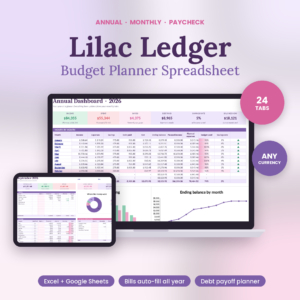
Lilac Ledger Budget Planner
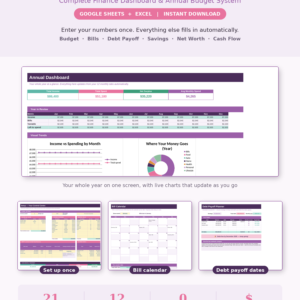
Enter recurring bills once and it fills all 12 months, with a paycheck planner and bill calendar.
See Lilac Ledger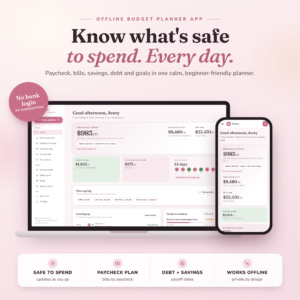
Peony Budget Planner App
An offline app that shows one safe-to-spend number. No formulas, no bank login, no subscription.
See Peony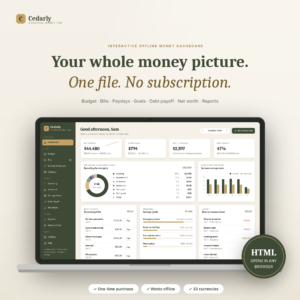
Cedarly Money Hub
A full finance dashboard in one HTML file, with bank CSV import and a payday planner.
See CedarlyBest budget planner templates compared
The short version first. On a phone, each template shows as its own card.
| Template | Format | Works in | Debt planner | Bill calendar | Best for | |
|---|---|---|---|---|---|---|
| Spreadsheet | Excel, Sheets | Yes | Yes | Most people | View | |
| Offline app | Chrome, Edge | Yes | Yes | Spreadsheet avoiders | View | |
| HTML dashboard | Any browser | Yes | Yes | All-in-one view | View | |
| Spreadsheet | Excel, Sheets | Yes | Paid grid | Dark mode fans | View | |
| Spreadsheet | Excel, Sheets | Yes | Yes | Credit card users | View | |
| Spreadsheet | Excel 2010+, Sheets | Yes | Yes | Couples | View | |
| Spreadsheet | Excel, Sheets, Numbers | Yes | Bill list | Detail lovers | View | |
| Spreadsheet | Excel, Sheets | Payoff dates | Bill status | Beginners | View | |
| Spreadsheet | Excel, Sheets | Yes | Yes | Set up once | View | |
| Spreadsheet | Excel, Sheets, LibreOffice | Yes | Yes | Annual planning | View |
How we compared them
Every template here can add up a column. That’s not the test. The test is whether it still gets opened in March. So we looked at five things.
- How much do you type each month? The best ones ask for recurring bills once and fill the year themselves.
- Does it tell you what you can spend? A clear left-to-spend or safe-to-spend figure beats ten charts.
- Bills and paydays. Can it show which paycheck covers which bill, and warn you before something goes overdue?
- Debt and savings. Snowball and avalanche comparisons, payoff dates and monthly savings targets.
- Where it runs. Excel, Google Sheets, a browser, or a phone. And whether your data stays on your own machine.
The 10 best budget planner templates, reviewed
Lilac Ledger Budget Planner
Best overall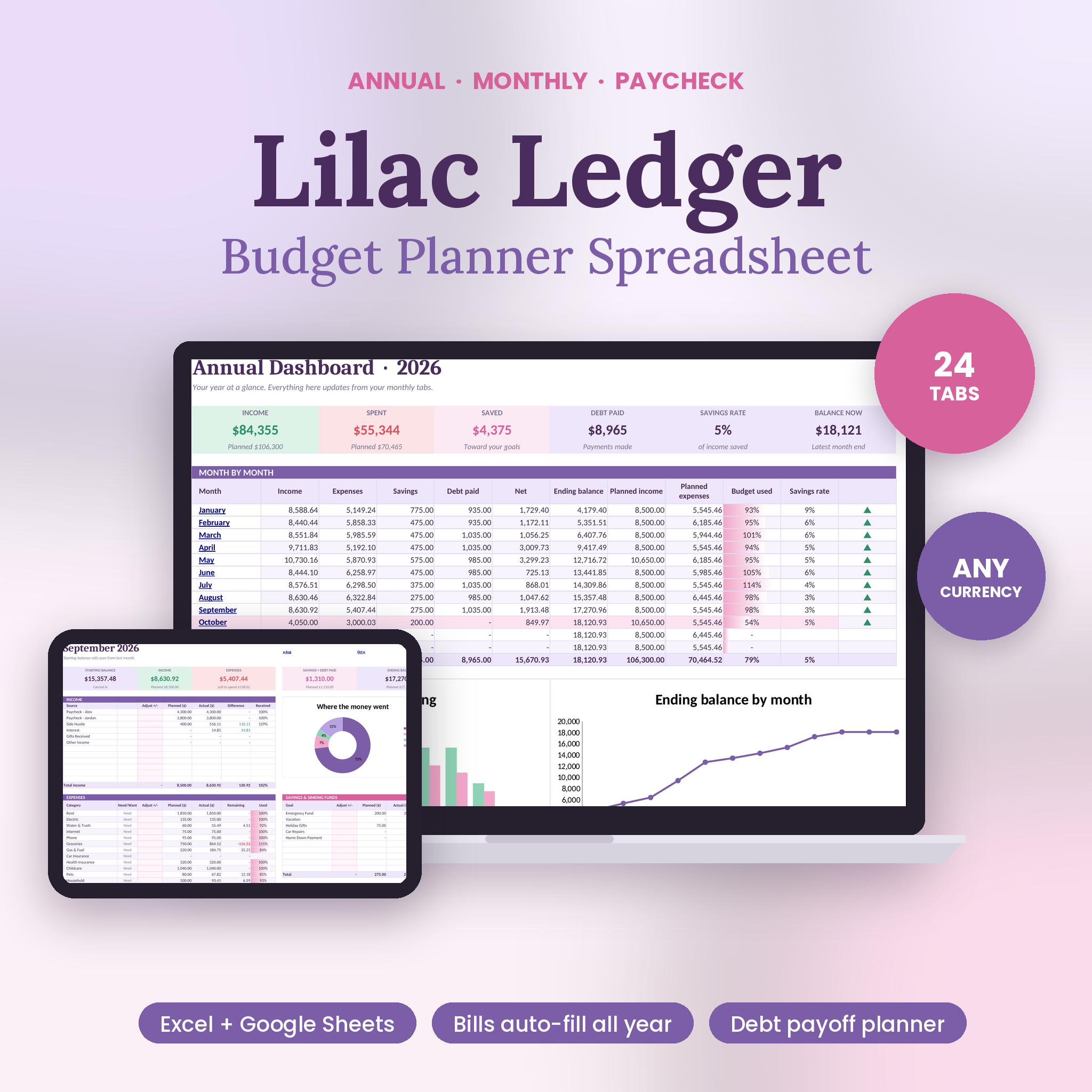
Lilac Ledger fixes the most tiring part of budgeting: re-typing the same 20 bills every month. You list your paychecks, rent, subscriptions, savings transfers and loan payments once, pick how often each one happens (weekly, biweekly, semi-monthly, monthly, quarterly, yearly or one-time) and give a first due date. The workbook spreads them across all 12 months on its own. After that you only log everyday spending.
It even catches the awkward ones. A biweekly paycheck that lands three times in May? Counted. Car insurance every quarter? Placed in the right months. That’s the kind of detail that makes a budget feel accurate instead of roughly right.
The bill and payday calendar is the feature we’d point a nervous budgeter to. Pick a month and you see paydays in green, bills in red and your projected balance after each day. Set a low-balance alert and it flags any day you’d dip below it, so you can move a bill before it bounces. The paycheck planner shows every bill a single paycheck has to cover before the next payday, plus what’s left.
Underneath sit 12 self-building monthly budgets with planned against actual, a roll-over or zero-based switch, a debt planner for up to 10 debts (snowball, avalanche or your own order), 10 savings goals, a net worth tracker and a 2,000-row transactions log. You only type in the pink cells. It works in Excel, Google Sheets and LibreOffice Calc.
| Format | Excel workbook (.xlsx), 24 tabs |
|---|---|
| Works in | Excel, Google Sheets, LibreOffice Calc |
| Pay schedules | Weekly, biweekly, semi-monthly, monthly |
| Debt planner | Up to 10 debts, snowball, avalanche or custom |
| Capacity | 60 recurring items, 30 expense categories, 2,000 transactions |
| Guide | User guide (.docx) |
What we like
- Recurring items fill the whole year for you
- Calendar shows your balance after every day
- Paycheck planner for people paid every two weeks
- Formula cells locked, so it’s hard to break
Keep in mind
- 24 tabs take a little exploring at first
- A few progress-bar shadings drop in Google Sheets
Original price was: $19.00.$12.99Current price is: $12.99.Add to cart
See everything inside →Peony Budget Planner App
Best budget app (no spreadsheet)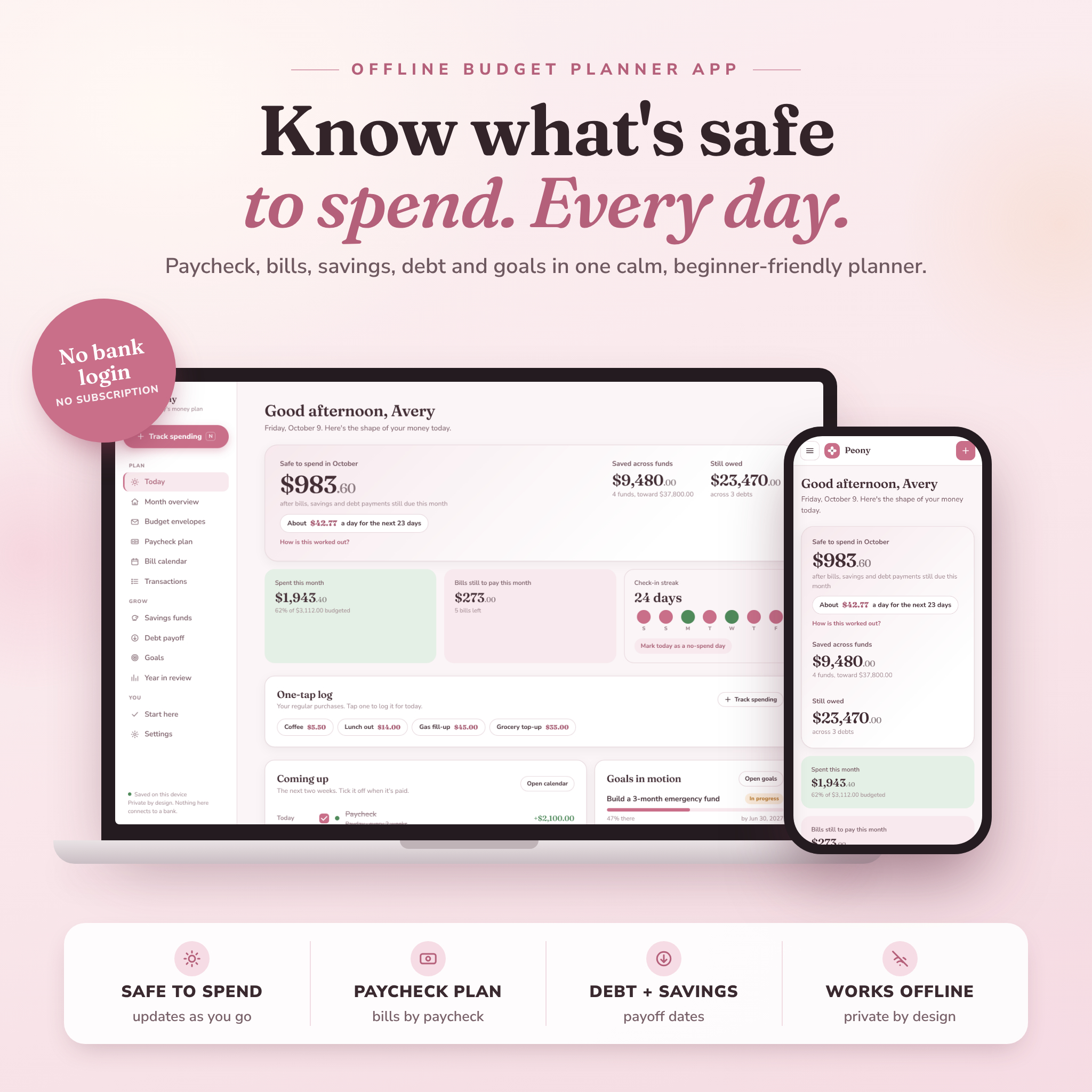
Peony isn’t a spreadsheet at all. It’s a budget planner app in a single HTML file that opens in Chrome or Edge, works offline, and never asks for a bank login. If you’ve started three spreadsheets and abandoned all of them, this is the one we’d try next.
Everything points to one question: how much can I spend right now? Peony subtracts every bill, savings transfer and debt payment still due this month and shows a single safe-to-spend figure, plus a daily amount. There’s a breakdown if you want to see how it got there. Standing in the supermarket car park deciding whether the big shop can wait? That number is the answer.
It was made for people who want fewer steps, and that includes a lot of people with ADHD. You add bills once and set them to repeat. Tick a bill and it’s logged in the right envelope. Tick payday and the money appears as income. Press N on the keyboard to log a purchase in seconds. Miss a few days and a welcome-back catch-up lets you carry on without guilt.
Behind the simple front there’s real depth: 16 renamable budget envelopes that carry forward, a left-to-assign meter for zero-based budgeting, a paycheck plan, a bill calendar, savings funds, a snowball versus avalanche debt tracker, a year in review and CSV export. Seven colourways, night mode, a large-text option and 44 currencies.
| Format | One HTML app file plus 23-page guide |
|---|---|
| Works in | Chrome or Edge on Windows, Mac, Chromebook |
| Internet | Not needed after download |
| Envelopes | 16 ready-made, renamable |
| Debt planner | Snowball and avalanche with debt-free date |
| Currencies | 44, or set your own symbol |
What we like
- One clear safe-to-spend number, daily and monthly
- Ticking a bill logs it for you
- Forgiving catch-up if you miss days
- Data stays on your computer
Keep in mind
- Use it on a laptop or desktop, not a phone
- Not an Excel or Google Sheets file
- Sharing means sharing one computer
Original price was: $19.00.$14.99Current price is: $14.99.Add to cart
See everything inside →Cedarly Money Hub
Best all-in-one dashboard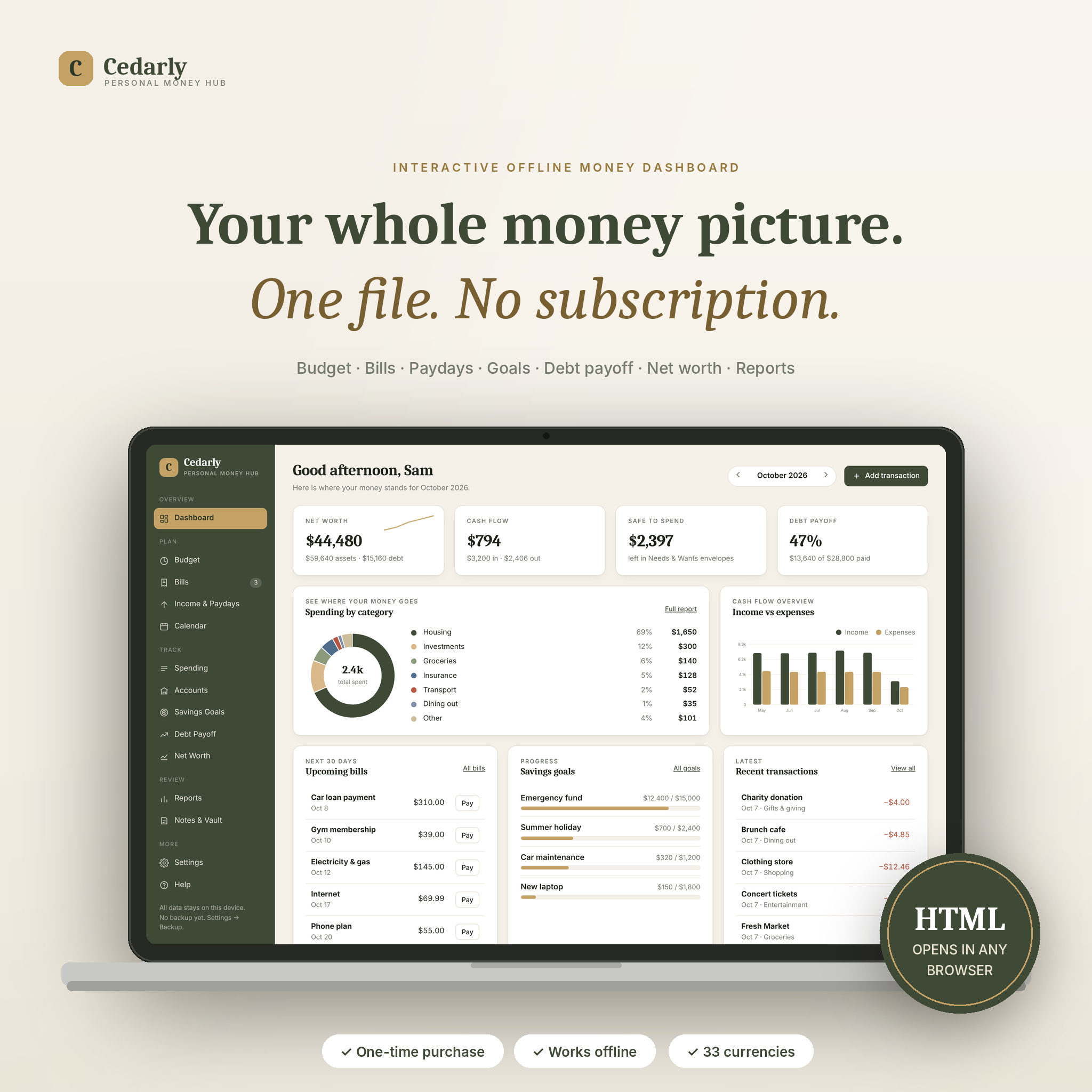
Cedarly is the most app-like option here. Double-click one file and it opens in your browser with a sidebar, live charts, a month switcher and forms instead of cells. Mark a bill paid and the transaction is logged, the budget bar fills, the account balance drops and the report updates. One entry, everywhere.
What sets it apart is how much it links together. Paydays are matched to the bills they need to cover. Debt payments update your accounts. Goals tell you the monthly amount that gets you there on time. And unlike most offline tools, it can import CSV statements from your bank, which saves a lot of typing if your bank offers that export.
The budget page does zero-based planning with a banner that counts down what’s left to assign and turns green at zero, or you can switch to a 50/30/20 view. Variable income is supported, which matters if you freelance. The debt planner simulates snowball and avalanche side by side and shows how many months faster an extra payment gets you there.
It runs in Chrome, Edge, Firefox, Safari and Brave, on computers, Android and iPhone, with no internet needed. Data lives in the browser you open it in, so use the backup file to move between devices. Five themes, dark mode, 33 currencies and a privacy PIN round it out.
| Format | HTML dashboard plus 23-page guide |
|---|---|
| Works in | Chrome, Edge, Firefox, Safari, Brave |
| Devices | Windows, Mac, Linux, Chromebook, Android, iPhone |
| Budget styles | Zero-based or 50/30/20 |
| Imports | Bank CSV statements |
| Extras | Net worth snapshots, notes vault, privacy PIN |
What we like
- Bank CSV import cuts down manual entry
- Payday planner matches paychecks to bills
- Works offline with no account or fee
- Sample household to explore, then erase
Keep in mind
- Data is tied to one browser unless you back it up
- More screens to learn than a simple spreadsheet
Northstar Budget Planner
Best for dark mode and phone checks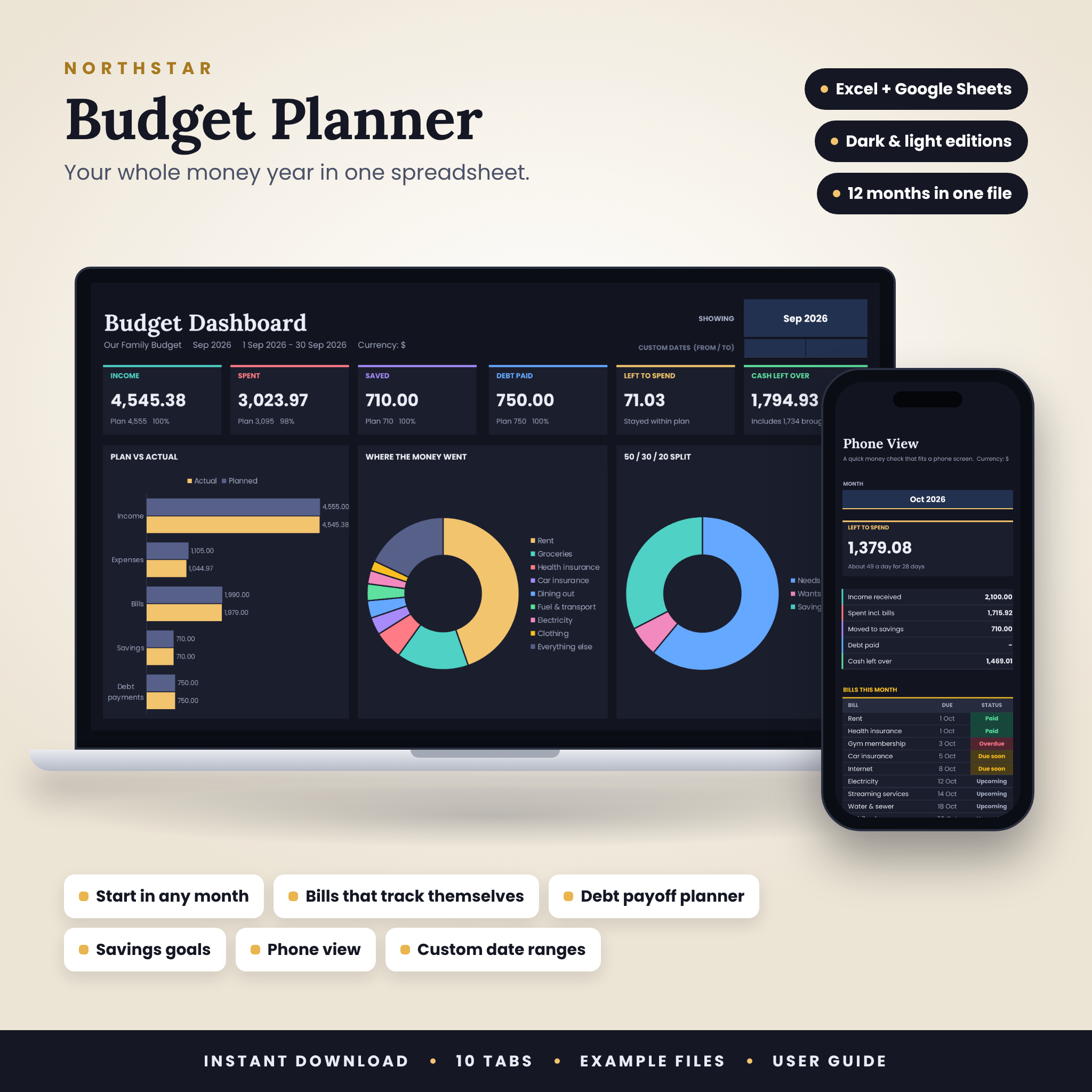
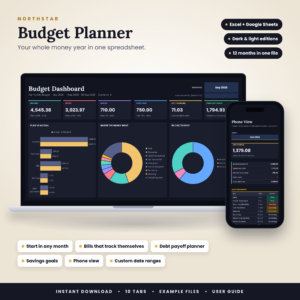
Northstar keeps your whole money year in one workbook. No copying a tab each month. Pick a month from a dropdown and the dashboard follows. Log a transaction once and the charts, bill statuses, savings progress and debt totals catch up on their own.
It comes in a dark theme and a light theme, each with a blank copy and an example file holding nine months of sample data. If you budget late at night, the dark version is easier on the eyes, and there’s a good argument that a budget you like looking at is one you’ll keep opening.
Two touches stand out. The dashboard can show any month, the full year or custom dates, which is handy if you budget by pay period rather than calendar month. And a Phone View tab gives a small-screen summary with a daily spending allowance, so a quick check on the bus is actually readable. A Start Here health check flags duplicate names or missing categories before they cause odd totals.
Bills are marked Paid, Due soon or Overdue, with a 12-month paid grid in green, amber and red. Leftover cash rolls into the next month. Setup takes about 15 minutes. It works in Excel 2016 or newer and Google Sheets, though not Apple Numbers.
| Format | 4 .xlsx files (dark, light, two examples) |
|---|---|
| Works in | Excel 2016+, Microsoft 365, Google Sheets |
| Transactions | 1,500 rows |
| Capacity | 15 bills, 10 goals, 10 debts, 24 expense categories |
| Extras | Phone View tab, 50/30/20 check, spending heat map |
What we like
- Dark and light themes included
- Custom date ranges for pay-period budgets
- Phone View with a daily allowance
- Health check catches setup mistakes
Keep in mind
- No day-by-day bill calendar
- Not for Apple Numbers
- Fonts need installing in Excel for the exact look
Calm Cash Budget & Goal Planner
Best for credit card users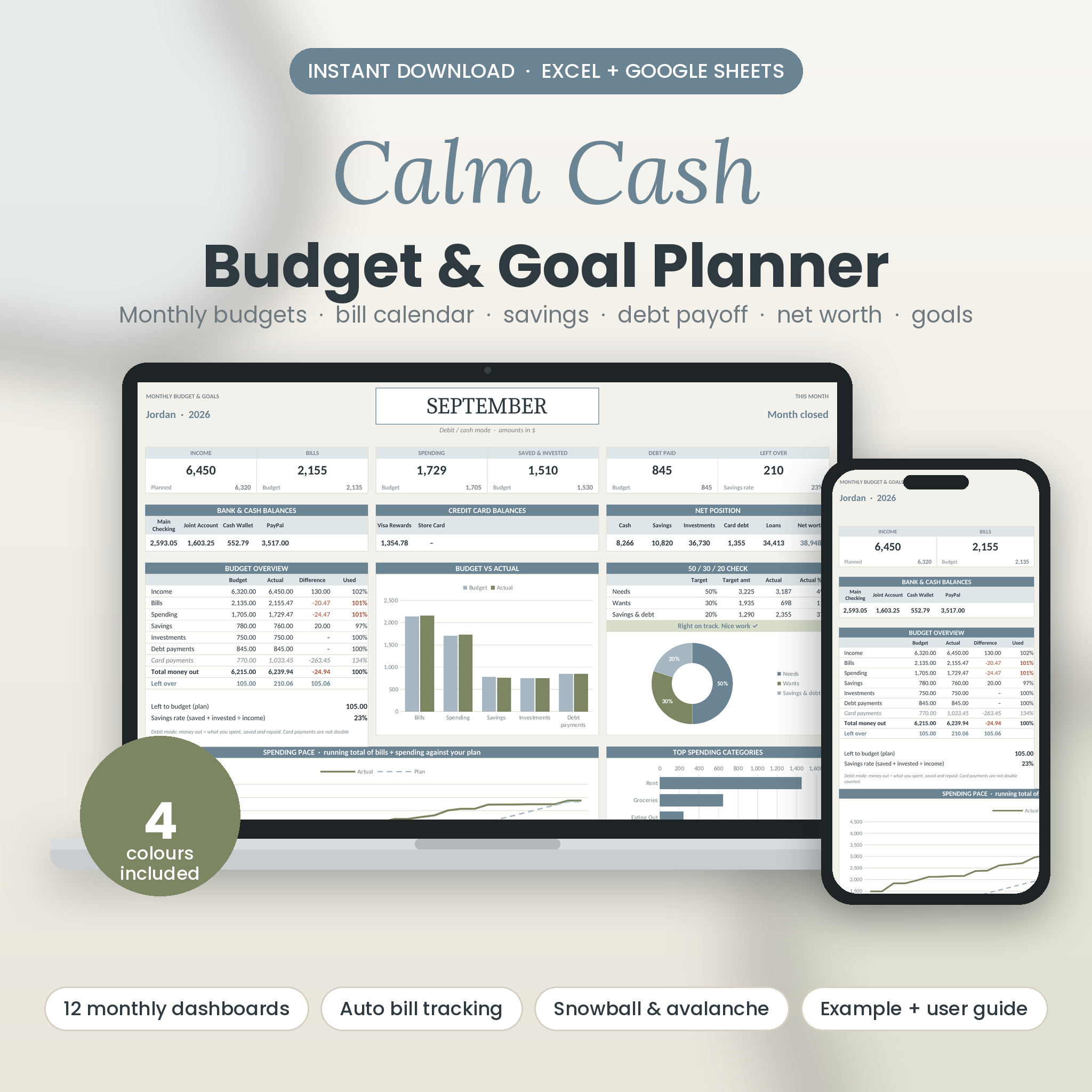
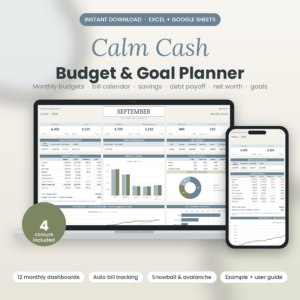
Calm Cash solves a problem most budget templates quietly ignore: credit cards. If you put groceries on a card and pay it off each month, a lot of spreadsheets count that spending twice. Calm Cash has a debit or credit mode, so the totals count money the right way with no double counting of card payments.
You fill in one Setup page, log spending in a single list, and it builds twelve monthly dashboards, a year in review, a bill calendar, savings and debt trackers, net worth and goals. Paid on the 1st and the 15th? Starting in October? Both handled. The bill calendar puts paydays, bills, card and loan payments on the right day with paid ticks.
It goes further than most on the long view. There’s an investments tab with contributions, employer match and a 1 to 30 year growth projector, a debt page that includes credit card utilisation, and a Goals tab covering five life areas with a monthly focus scorecard and reflection prompts.
All four colourways come in the download (Sage & Slate, Blush & Mocha, Coastal Navy and Warm Neutral), plus an example planner with nine months of sample data and a 27-page illustrated guide. It works in Excel 2016 or newer, Excel for Mac 2019 or newer and Google Sheets.
| Format | 5 .xlsx files (4 colourways plus example), 23 tabs |
|---|---|
| Works in | Excel 2016+, Excel for Mac 2019+, Google Sheets |
| Card handling | Debit or credit mode |
| Transactions | 2,000 rows |
| Extras | Investments projector, goals scorecard |
| Guide | 27-page illustrated user guide |
What we like
- Counts credit card spending correctly
- Four colourways in one download
- Investments and net worth in the same file
- Start your year in any month
Keep in mind
- 23 tabs is a lot if you only want a simple budget
- Not designed for Apple Numbers
NestShare Couples Budget Spreadsheet
Best for couples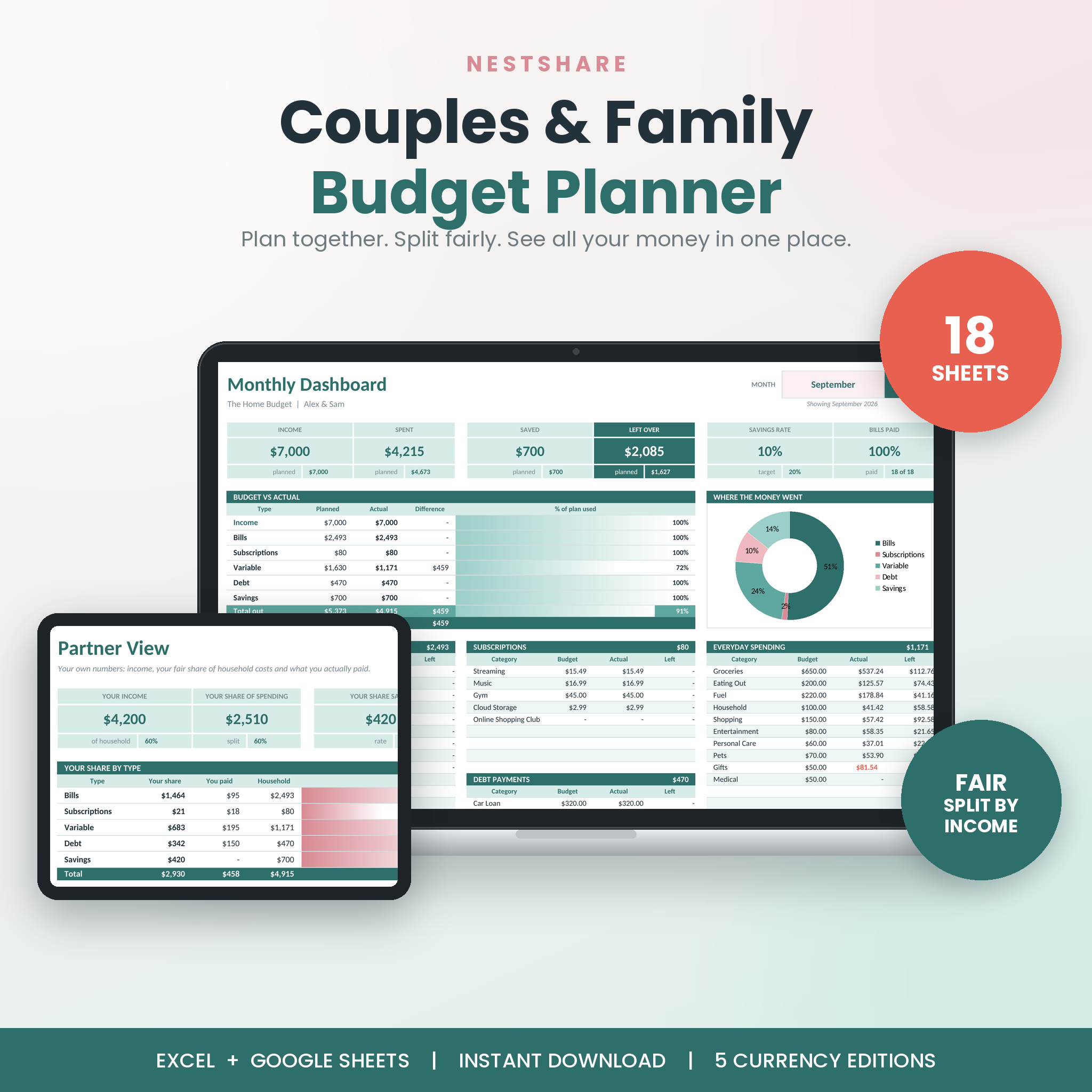
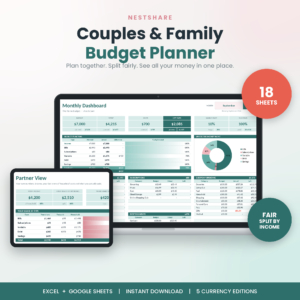
Who paid the electricity? Why does one of you always buy the groceries? NestShare puts both of you on the same numbers so nobody keeps score in their head. It’s the only planner here built around two people.
The split is the clever part. Share costs 50/50, by income (earn 60% of the household pay, cover 60% of shared costs) or by your own percentage, and override it on any single bill. The Settle Up sheet then tells you who owes whom in one sentence, with a log for the money you send each other. A Partner View shows each person’s income, fair share and what they actually paid.
Recurring bills on almost any schedule (weekly, fortnightly, twice a month, monthly, every 2 months, quarterly, twice a year, yearly) fill all 12 months for you, and fortnightly pay correctly lands three times in some months. There’s a Money Dates sheet, a printable monthly check-in for the two of you, which is a nice way to make the money talk a habit instead of an argument.
It runs in Excel 2010 or newer and Google Sheets, with five currency editions (USD, GBP, EUR, ZAR and any-currency). The budget year can start in any month. It arrives with a sample couple filled in, and the 22-page guide shows which cells to clear.
| Format | 5 .xlsx currency editions, 18 sheets |
|---|---|
| Works in | Excel 2010+, Excel for the web, Google Sheets |
| Split methods | 50/50, by income or custom |
| Debt payoff | Up to 10 debts, 4 methods |
| Transactions | 500 rows |
| Guide | 22-page illustrated user guide |
What we like
- Fair split by income, not just 50/50
- Settle Up shows who owes whom
- Runs on older versions of Excel
- Money Dates checklist for monthly check-ins
Keep in mind
- 500-row transaction log is smaller than others
- Built for two, so overkill if you budget alone
Executive Budget Dashboard Suite
Best for detailed tracking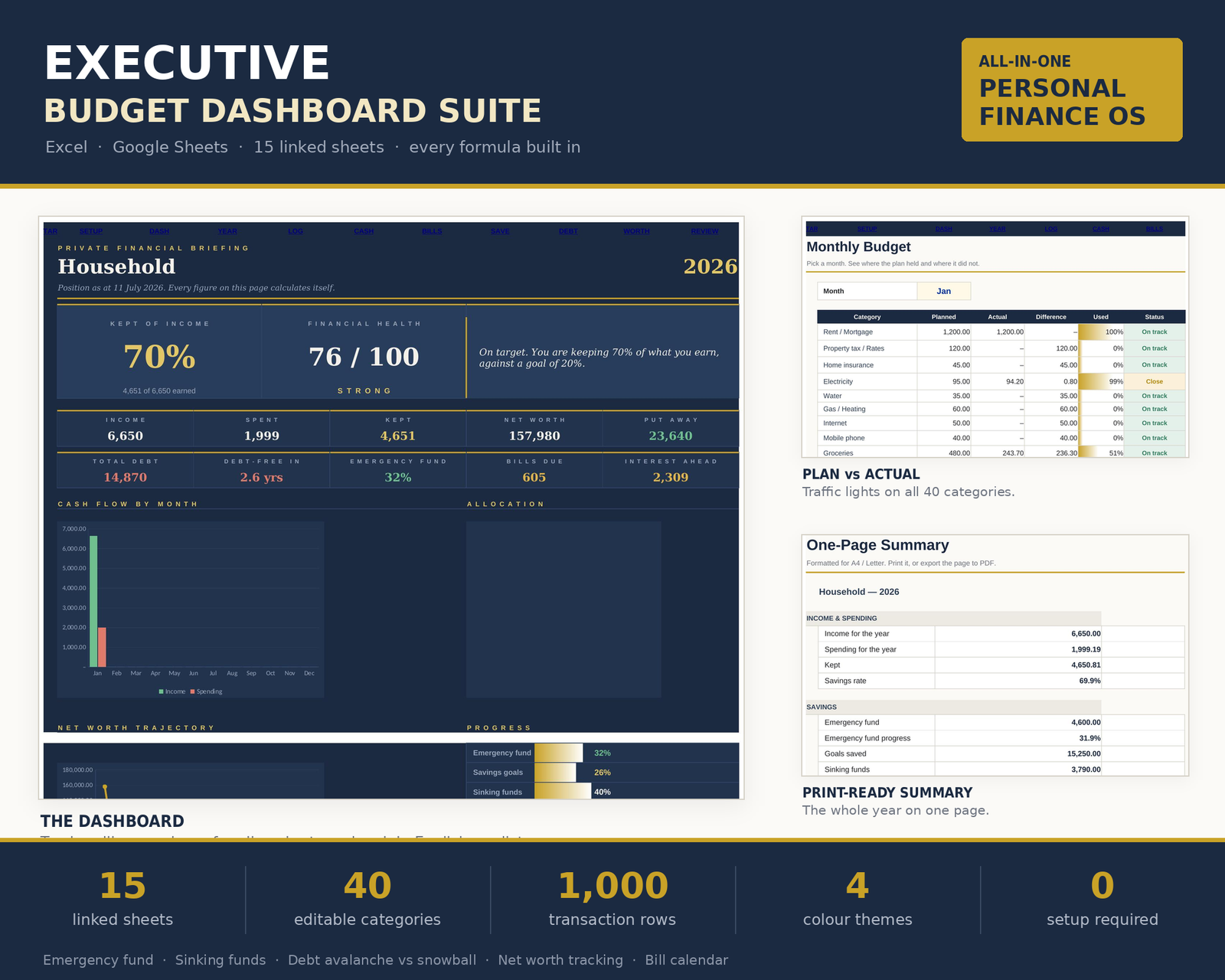
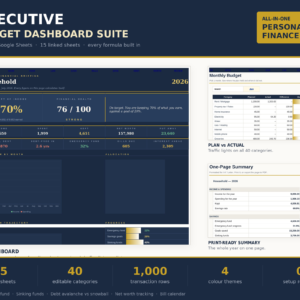
The pitch here is simple: you type each figure once. Everything you spend goes on the Transactions sheet, and the other fourteen sheets read from it. That’s why the numbers never disagree with each other, which is the quiet failure of a lot of home-made budgets.
It’s the most detailed of the spreadsheets. The Annual Plan holds 40 categories across 12 months in one grid. The Savings sheet covers an emergency fund, 12 goals with deadlines and 14 sinking funds. The dashboard shows ten headline figures, four live charts and a plain-English verdict on how the year is going.
It’s been built for real life too. Enter a debt as a negative and it still lands correctly in net worth. Log a transfer between your own accounts and it stays out of your spending. Rename a category and the whole workbook follows. A Print Pack fits the full picture on one sheet of paper, which is handy for a monthly sit-down.
It works in Excel 2016 or newer and Google Sheets, and also opens in Apple Numbers and LibreOffice, which makes it the widest-reaching spreadsheet here. Four colour themes and a 14-page illustrated guide are included.
| Format | Excel workbook, 15 sheets |
|---|---|
| Works in | Excel 2016+, Google Sheets, Apple Numbers, LibreOffice |
| Categories | 40 across 12 months |
| Savings | Emergency fund, 12 goals, 14 sinking funds |
| Transactions | 1,000 rows |
| Guide | 14-page illustrated user guide |
What we like
- One transactions sheet feeds everything
- Handles transfers and negative debts correctly
- Opens in Apple Numbers
- Plain-English verdict on your year
Keep in mind
- No day-by-day bill calendar
- Non-refundable digital download
- 40 categories may be more than you need
Clarity Budget Planner
Best for beginners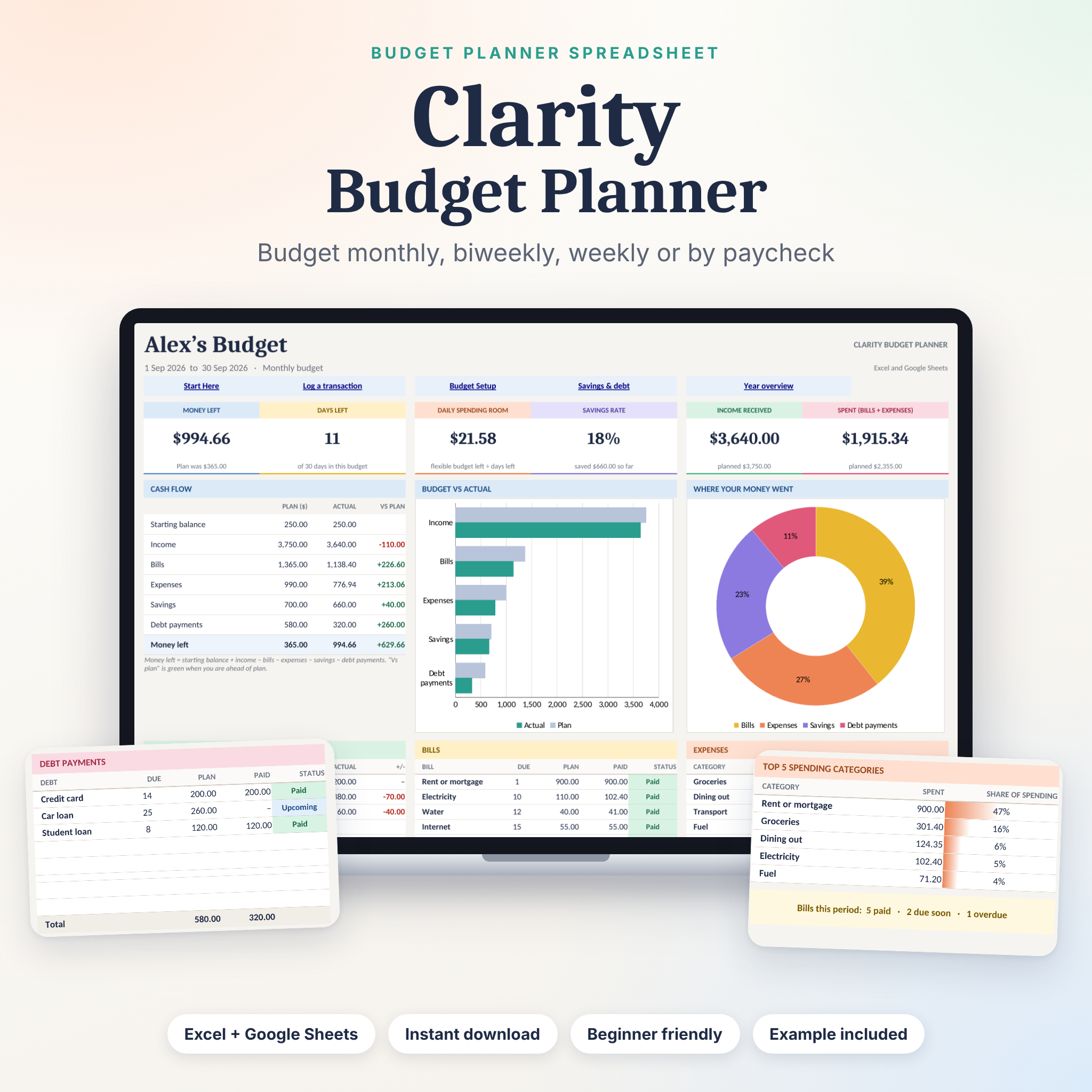
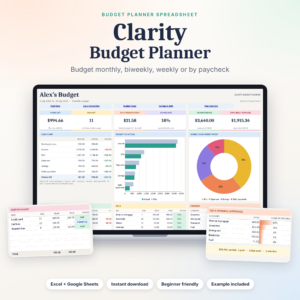
Clarity is the planner we’d give someone who has never kept a budget. It promises a clear picture in about ten minutes, and it keeps the moving parts few. Set it up once, log what you spend on a single sheet, and the dashboard shows money left, days left and daily spending room.
That daily figure is the reason to pick it. It tells you what you can spend today and still stay on plan. Overspending shows up in red the moment it happens. Bills check themselves too: give one a due day and it shows Paid, Due soon, Upcoming or Overdue.
It handles monthly, biweekly, weekly or payday-to-payday budgets. Change one date and you’re on to the next period, with no copying tabs or rebuilding charts. That makes it a good fit for freelancers with uneven income and anyone paid on an odd cycle.
You get five category tables, savings goals with monthly targets, debts with estimated payoff dates and snowball or avalanche order, and a Year Overview. A filled example file shows every feature working. It runs in Excel 2010 or newer, the Excel mobile apps and Google Sheets.
| Format | 2 .xlsx files (blank and example) |
|---|---|
| Works in | Excel 2010+, Excel mobile, Google Sheets |
| Budget periods | Monthly, biweekly, weekly, payday to payday |
| Transactions | 1,000 rows |
| Categories | Income 8, bills 20, expenses 20, goals 8, debts 8 |
What we like
- Daily spending room on the dashboard
- Works for any pay period
- Few moving parts, quick to learn
- Dashboard prints on one page
Keep in mind
- Lighter on debt planning than the bigger workbooks
- Dashboard shortcuts may not jump between sheets in Google Sheets
Aurora Finance OS
Best for set-and-forget setup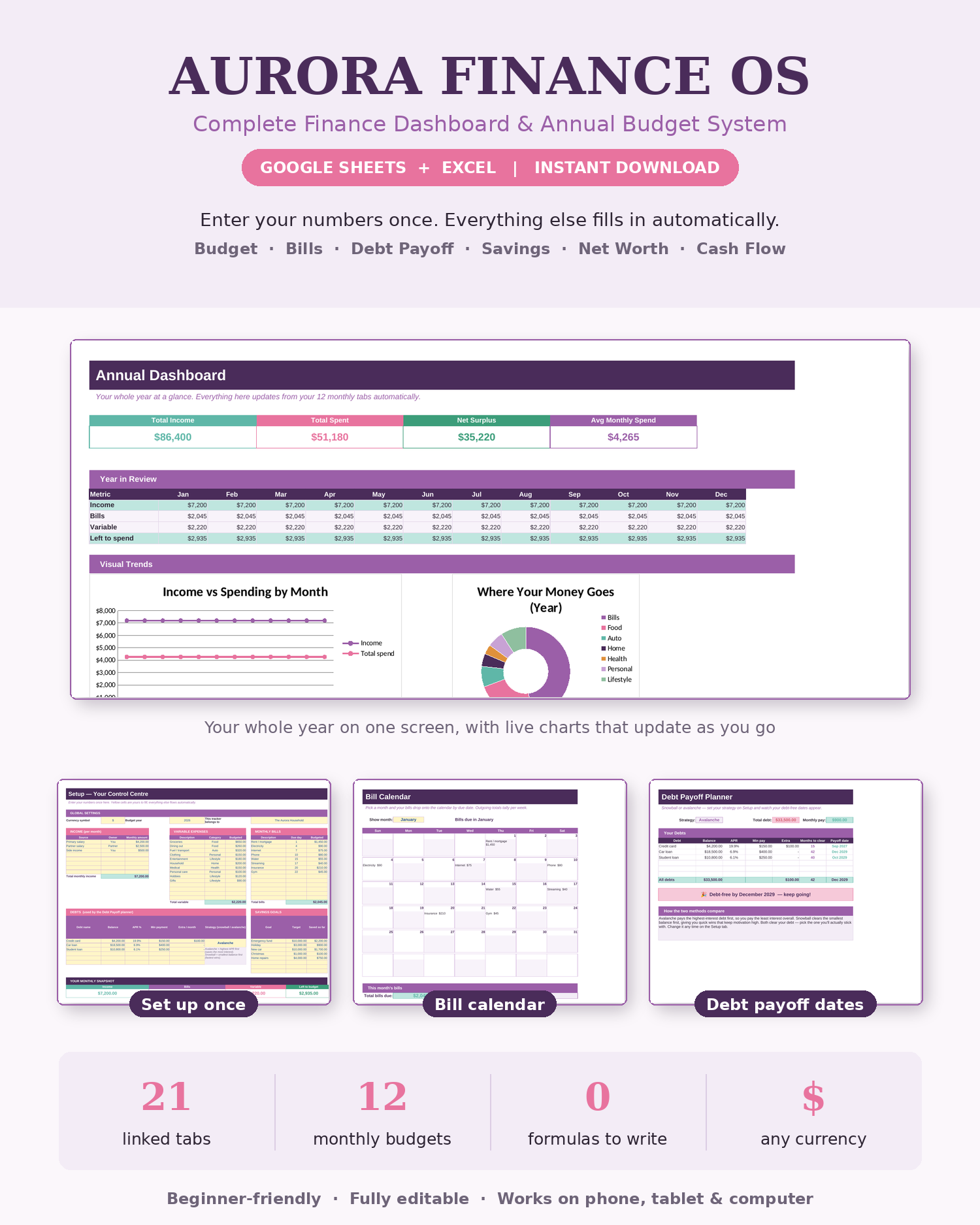
Aurora is for people who like the idea of a full finance system but don’t want to build one. You type income, bills, expenses, debts and savings goals into a single Setup tab, and the rest of the workbook does the work.
From that one tab you get twelve monthly budgets, an auto-populated bill calendar, a snowball or avalanche debt planner with real payoff dates, savings progress bars, a net worth tracker and a custom cash-flow worksheet. Twenty-one tabs in all, with live charts and category dropdowns.
Only the yellow cells are yours to edit. Everything else is calculated and protected, so there are no formulas to write and nothing to break. A Start Here guide and a Word user guide walk you through it. It works in Google Sheets and Excel.
| Format | Spreadsheet, 21 tabs |
|---|---|
| Works in | Google Sheets and Excel |
| Setup | One Setup tab feeds everything |
| Debt planner | Snowball or avalanche with payoff dates |
| Guide | Word user guide plus Start Here tab |
What we like
- One setup tab, then it runs itself
- Auto-filled bill calendar
- Protected formulas, hard to break
Keep in mind
- Only the yellow cells are editable, so less room to tinker
- Says less about pay schedules than Lilac Ledger or Clarity
Ultimate Annual Budget Spreadsheet
Best for Google Sheets on your phone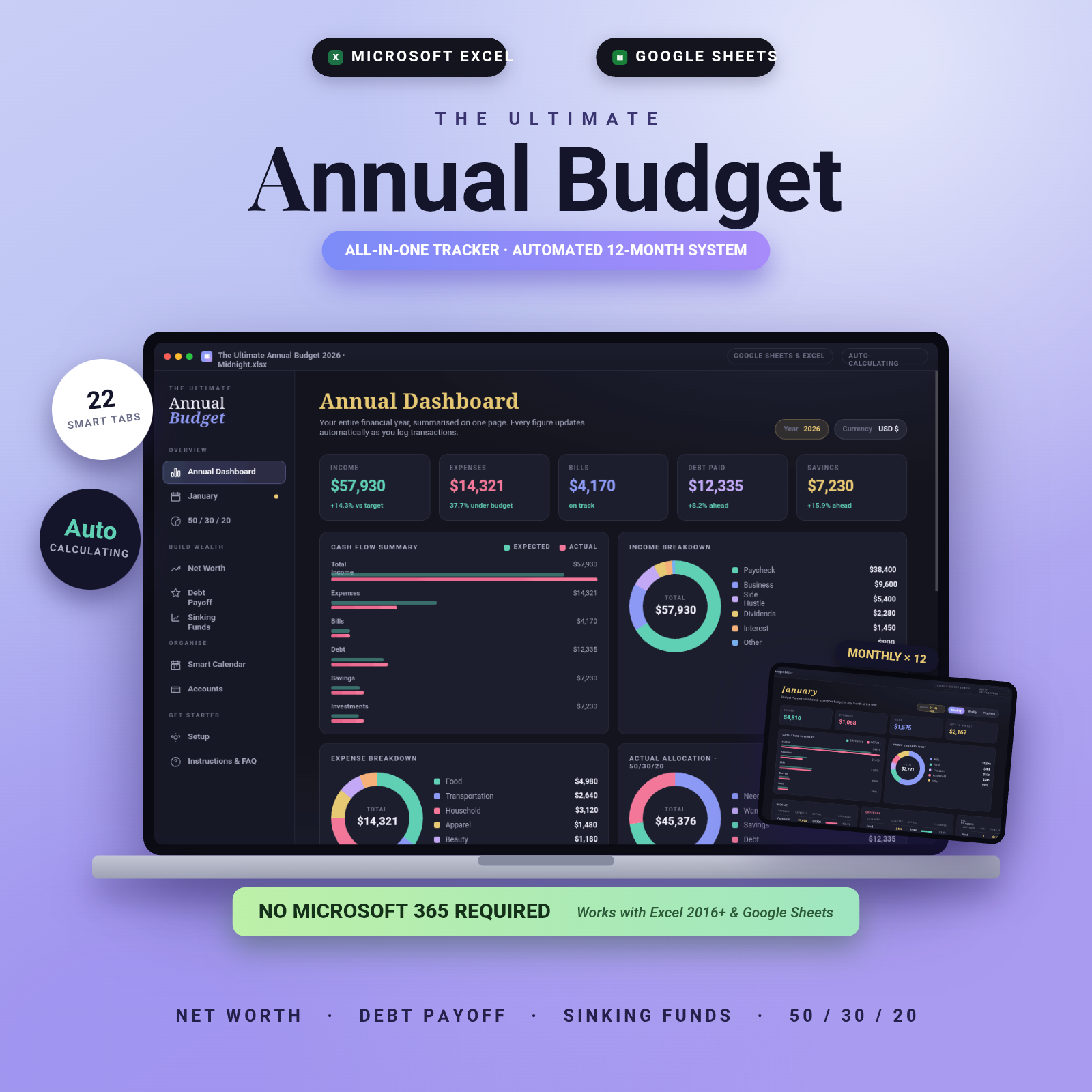
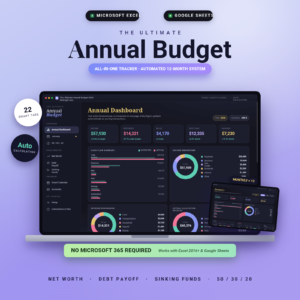
The Ultimate Annual Budget puts a whole year in one workbook with 22 tabs: an annual dashboard, 12 monthly dashboards with expected against actual and auto progress bars, a 50/30/20 dashboard, net worth, a snowball and avalanche debt payoff calculator, sinking funds, an accounts dashboard and a smart calendar.
You only fill the gold cells. Every chart, total and progress bar updates itself. Start in any month, use any currency and change the colours and fonts if you like. Three colour themes are included: Midnight, Rose and Sage.
Its practical edge is delivery. Along with the Excel file you get a Google Sheets access link, and the listing notes it syncs to your phone through the free Google Sheets app. It also runs in Excel 2016 or newer and LibreOffice, with no Microsoft 365 needed. Sample data and a printable quick-start guide help you get going.
| Format | Excel file plus Google Sheets link, 22 tabs |
|---|---|
| Works in | Excel 2016+, Google Sheets, LibreOffice |
| Dashboards | Annual, 12 monthly, 50/30/20, accounts |
| Themes | Midnight, Rose, Sage |
| Guide | Printable quick-start guide |
What we like
- Google Sheets link included
- Phone access through the Sheets app
- Sinking funds and net worth built in
Keep in mind
- Shorter guide than most picks here
- No paycheck-by-paycheck planner
Which budget planner template should you choose?
Find your situation, then your planner.
| If you… | Choose | |
|---|---|---|
| Want one spreadsheet that fills the year from your recurring bills | Lilac Ledger | View |
| Have given up on spreadsheets before and just want to know what you can spend | Peony | View |
| Want an app-style dashboard with bank CSV import, offline | Cedarly Money Hub | View |
| Budget by pay period and check on your phone | Northstar | View |
| Pay for most things on a credit card | Calm Cash | View |
| Share bills with a partner and want a fair split | NestShare | View |
| Want 40 categories, sinking funds and Apple Numbers support | Executive Budget Dashboard | View |
| Are budgeting for the very first time | Clarity Budget Planner | View |
| Want to fill in one tab and let the rest run | Aurora Finance OS | View |
| Live in Google Sheets and want a ready link | Ultimate Annual Budget | View |
Buying guide: what to look for in budget planner templates
1. Spreadsheet, app or dashboard
This is the first choice to make. A spreadsheet (Excel or Google Sheets) is the most flexible and easiest to share. An offline app like Peony hides the formulas completely, so there’s nothing to break. An HTML dashboard like Cedarly feels like paid software but runs from a file on your computer. If you’re torn, our post on finding a budget app without a subscription lays out the trade-offs.
2. Recurring items that fill themselves
Rent, phone, streaming, insurance. These don’t change much, and you shouldn’t have to type them twelve times. Look for a template where you enter recurring items once with a frequency. Lilac Ledger, NestShare and Peony all work this way.
3. A plan for your pay schedule
If you’re paid every two weeks, a calendar-month budget can feel wrong twice a year when a third paycheck lands. Choose a template with a paycheck planner or pay-period view. Our guide to a paycheck budget explains how to budget when you’re paid biweekly.
4. One number you can act on
Charts are nice. A single figure (left to spend, safe to spend, daily spending room) is what changes behaviour at the till. Most of the planners here have one, and it’s worth checking where it sits on the dashboard.
5. Debt and savings tools
If you carry debt, a snowball against avalanche comparison with a real payoff date is motivating in a way a list of balances never is. If you’re saving for known costs like car repairs or Christmas, look for sinking funds with a monthly amount to set aside.
Tip: keep a blank copy of whatever template you buy. When the year ends, or if a month goes badly wrong, you can start fresh in minutes instead of untangling old entries.
How to set up your budget in one evening
- Gather three months of bank statements. You’ll spot the subscriptions you forgot about.
- List your income and when it lands. Monthly, every two weeks, or uneven.
- Enter your fixed bills once, with their due dates and how often they repeat.
- Set targets for the flexible stuff: groceries, fuel, eating out. Use last quarter’s average as a starting point.
- Give every leftover dollar a job. Savings, debt or a buffer. Our explainer on the zero based budget shows how.
- Log spending for two weeks before judging the plan. The first month is for learning, not for being perfect.
Budgeting with a partner? Read how to budget as a couple before you pick a split. Wondering if the classic rule fits your income? We looked at whether the 50/30/20 budget works on a real income.
Best budget planner templates FAQ
What is the best budget planner template?
For most people, Lilac Ledger. You enter recurring bills and paychecks once and it fills all 12 months, then shows a day-by-day bill calendar and a paycheck planner. If you’d rather avoid spreadsheets entirely, Peony is the simplest option on this list.
Is a budget spreadsheet better than a budget app?
It depends on you. Spreadsheets are flexible and easy to share in Google Sheets. Apps are quicker to use day to day and harder to break. Peony and Cedarly give you the app feel without a subscription or a bank login, because they run from a file on your own computer.
Do these budget templates connect to my bank?
No. None of them link to a bank account, so your data stays with you. Cedarly can import CSV statements you download from your bank, which saves some typing.
Can I use these budget planners in Google Sheets?
All the spreadsheets on this list work in Google Sheets, with small display differences such as progress bars showing as percentages. Peony and Cedarly are not spreadsheets; they open in a web browser.
Which budget template is best for couples?
NestShare. It splits shared costs 50/50, by income or by your own percentage, and the Settle Up sheet shows who owes whom. Lilac Ledger and Calm Cash also suit couples who pool everything into one budget.
Can I reuse a budget template next year?
Yes. Keep a clean copy, change the year in setup and start again. Peony lets you switch years with arrows so your history keeps building.
The verdict
If you want one budget planner that does the heavy lifting, get Lilac Ledger. It fills your year from recurring items and shows you exactly which days get tight. If spreadsheets have never stuck for you, Peony gives you one clear number to spend by. And for a full money dashboard that runs offline, Cedarly Money Hub is the most complete.