Best Wedding Vendor Tracker: Spreadsheets and Planners
A wedding vendor tracker is a single place to record every supplier, contract, deposit, balance and due date, so nothing is missed or paid twice. The best choice for most couples is a linked spreadsheet that ties vendors to the budget. If you plan on a tablet or on paper, a hyperlinked or printable planner works instead.
At a glance
- A good wedding vendor tracker records each supplier's contact details, contract status, total cost, deposit paid, balance owed and next due date.
- The Blush & Sage spreadsheet is the one built around vendor payments, with overdue alerts and 24 budget categories.
- Spreadsheets in this range open in Excel and Google Sheets, and most work in any currency.
- Tablet planners such as Forever Planned suit couples who like handwriting, while the Printable Wedding Planner Book suits those who want a binder.
- Browse all 13 options below once you know which format fits how you plan.
Choosing a tracker can feel like one more job on an already long list, and the listings don't make it easier, because nearly every one promises "everything in one file". This guide explains what actually matters for tracking vendors, how the options differ, and how to pick one without second-guessing yourself.
 Melon & Matcha Wedding Planner Spreadsheet | Excel & Google Sheets Wedding Budget Tracker, Guest List & RSVP, Auto Seating Chart, 102-Task Checklist & Dashboard
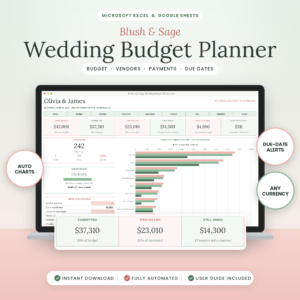 Blush & Sage Wedding Budget Planner Spreadsheet | Excel & Google Sheets Wedding Budget Tracker with Vendor Payments, Due Dates & Dashboard
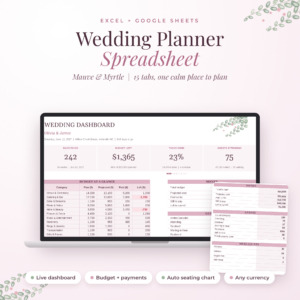 Mauve & Myrtle Wedding Planner Spreadsheet | Excel & Google Sheets Wedding Budget Tracker, Checklist, Guest List RSVP & Auto Seating Chart
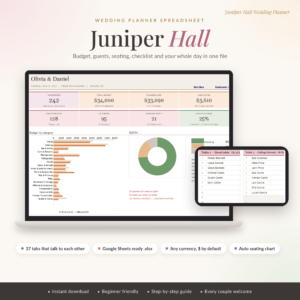 Juniper Hall Wedding Planner Spreadsheet | Wedding Budget Tracker, Guest List, Seating Chart & Checklist for Google Sheets
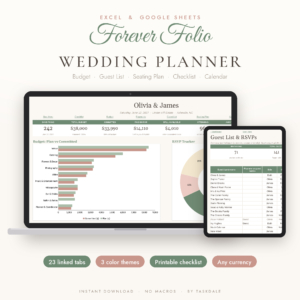 Forever Folio Wedding Planner Spreadsheet for Excel & Google Sheets | Budget Tracker, Guest List, RSVP, Seating Chart & Checklist
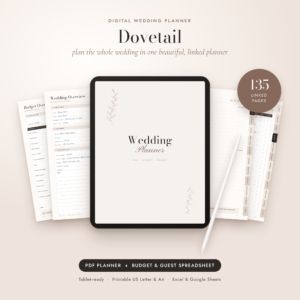 Dovetail Digital Wedding Planner 2026–2028 | Hyperlinked Tablet & Printable Wedding Binder with Budget, Guest List & Seating Spreadsheet
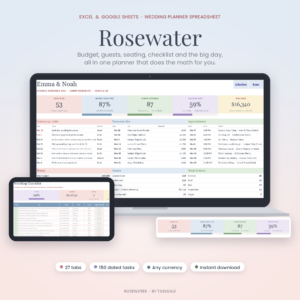 Rosewater Wedding Planner Spreadsheet for Excel & Google Sheets | Wedding Budget Tracker, Guest List, Seating Chart, 150-Task Checklist & Day-Of Timeline
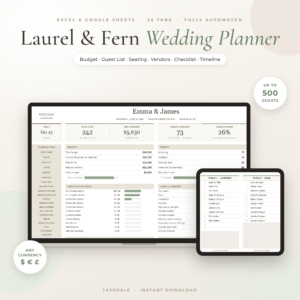 Laurel & Fern Wedding Planner Spreadsheet | Wedding Budget Tracker, Guest List, Seating Chart & Checklist | Google Sheets & Excel Template
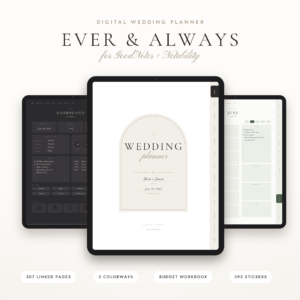 Ever & Always Digital Wedding Planner for GoodNotes + Notability, 307 Hyperlinked Pages, Budget Workbook, Guest List, Seating Chart + Printable
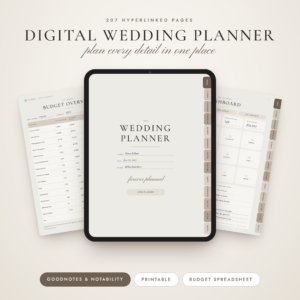 Forever Planned Digital Wedding Planner: GoodNotes & Notability, 207 Hyperlinked Pages, Printable, Budget Spreadsheet
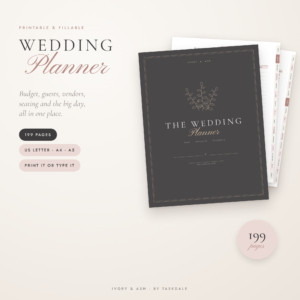 Printable Wedding Planner Book, 199 Pages | Fillable PDF Wedding Binder with Budget, Guest List, Checklist & Seating Chart | US Letter, A4, A5
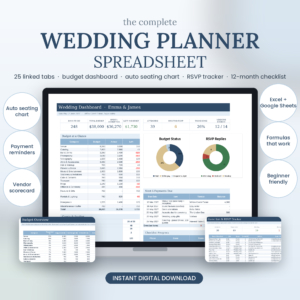
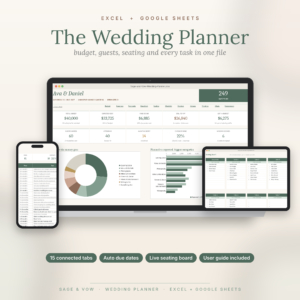
Table of Contents
Toggle
- What should you look for in a wedding vendor tracker?
- How do the best wedding vendor trackers compare?
- Which wedding vendor tracker suits which couple?
- How do you set up and use a wedding vendor tracker?
- What mistakes should you avoid when tracking wedding vendors?
- What affects the price of a wedding vendor tracker?
- Which wedding vendor tracker should you choose?
- Common questions
What should you look for in a wedding vendor tracker?
A good wedding vendor tracker does five things: it logs payments against due dates, lets you compare suppliers before booking, links to your budget, works in the app you already use, and explains itself. Everything else is decoration.
Payment dates and alerts
The most useful vendor feature is a reminder before a balance falls due. Blush & Sage tracks vendors, contracts, balances and every due date, with overdue alerts. Juniper Hall and Forever Folio also include payment reminders or alerts. Without them, a tracker is just a contact list.
A way to compare vendors before you book
Comparison pages stop you booking the first photographer who replies. The Printable Wedding Planner Book includes 13 vendor comparisons, and Dovetail Digital Wedding Planner has 10. The 25-tab Wedding Planner Spreadsheet with a vendor directory and scorecard lets you rate suppliers side by side. Mauve & Myrtle adds venue and outfit comparisons too.
A link to the budget
A vendor's quote only matters once it changes what you have left to spend. In a linked spreadsheet, a deposit logged against a supplier updates the dashboard automatically. Blush & Sage goes furthest here, suggesting a split across 24 categories once you set your total.
The right format for how you plan
A format decides whether you open the tracker at all. Spreadsheets for Excel and Google Sheets suit people who like formulas doing the work. GoodNotes and Notability planners such as Ever & Always (307 pages) and Forever Planned (207 pages) suit tablet writers. Juniper Hall is built for Google Sheets and opens free on a laptop, tablet or phone.
A guide and a sample
A tracker you can't work out sits unused. Look for a written user guide, which most of these include. The 25-tab Wedding Planner Spreadsheet and the Wedding Planner Spreadsheet with 81 auto-dated tasks both include a filled sample, which shows how the tabs behave before you type anything.
How do the best wedding vendor trackers compare?
The strongest vendor tracking comes from the spreadsheets, and the planners differ mainly in format. This table compares six representative options on what differs for vendor tracking.
The details that separate them are small but real. Blush & Sage is the only one in the table whose headline feature is vendor payments, so it suits the couple whose main worry is money. The 25-tab spreadsheet is the one with a scorecard, which helps when you're choosing between suppliers rather than just recording them.
Which wedding vendor tracker suits which couple?
Each tracker suits a different habit, so match it to the way you already work rather than to the longest feature list.
Couples who worry about deposits and balances should look at Blush & Sage first. It also shows pledges and payments for up to 10 family members, which helps when parents are contributing.
Couples who want one file for everything have several choices. Mauve & Myrtle packs 15 linked tabs and an 85-task checklist. Rosewater offers 27 tabs and a 150-task checklist. Melon & Matcha has 22 tabs and 102 tasks dated from your wedding day. Choose by how many tasks you want to be reminded of, not by the tab count.
Couples who use Google Sheets on a phone are well served by Juniper Hall, which has 37 colour-coded tabs and opens free in Google Sheets.
Couples who prefer a tablet should compare Ever & Always, Forever Planned and Dovetail. Forever Planned is undated, so you can start today, while Dovetail runs from October 2026 to December 2028.
Couples who want paper will like the Printable Wedding Planner Book, which prints in US Letter, A4 and A5 and includes two fillable PDFs you can type into.
How do you set up and use a wedding vendor tracker?
Setting up a wedding vendor tracker takes about an hour, and a short weekly check keeps it accurate. The steps below suit any of the spreadsheets.
- Enter your wedding date and total budget once, if the file asks for them.
- List every supplier you're considering, even ones you haven't contacted.
- Compare two or three quotes per category before you commit.
- When you book, record the contract date, total, deposit and balance due date.
- Log each payment on the day you make it, so the dashboard stays true.
- Check the next-payments view once a week.
If you pick a tablet or printable planner, keep the bonus spreadsheet for the numbers. Forever Planned, Ever & Always and Dovetail each include a budget spreadsheet that adds up payments for you.
What mistakes should you avoid when tracking wedding vendors?
The most common mistake is logging a vendor only after booking, when the comparison has already been lost. A tracker works best when it starts with the shortlist.
- Skipping the balance date. Deposits get remembered. Final payments are often due weeks before the wedding, so record both.
- Splitting information across tools. Quotes in email, payments in a notes app and a spreadsheet for the rest leads to disagreement about what's been paid.
- Choosing a format you won't open. A beautiful hyperlinked planner is no use if you'd rather type into a grid.
- Ignoring the sample. If a file includes a filled example, read it first. It shows the intended workflow.
- Forgetting extras. Tips and overtime charges belong in the budget. Blush & Sage includes a tip planner for this.
What affects the price of a wedding vendor tracker?
Price depends mainly on how much the product includes and how much work it saves you. Spreadsheets with more linked tabs and extras, such as a user guide, a sample and printable packs, generally cost more than simpler files.
Tablet planners with hundreds of pages, stickers and covers sit differently again, because you're paying for design as well as function. A planner with a bonus spreadsheet usually costs more than one without. Check the live product cards for current prices. Since these are digital downloads, the cost is a one-off for the file rather than a subscription, though you should confirm the details on each listing.
Which wedding vendor tracker should you choose?
Choose by your biggest worry. If it's money, start with Blush & Sage. If it's comparing suppliers, pick the 25-tab Wedding Planner Spreadsheet with its vendor scorecard. If you plan on a tablet, pick Forever Planned or Ever & Always. If you want paper, choose the Printable Wedding Planner Book.
A simple rule: pick the format you'll open every week, then pick the one in that format with the vendor features you need. You can always add a second tool later, but a tracker you use beats a better one you don't.
Common questions
Can I use a wedding vendor tracker in Google Sheets and Excel?
Yes. Most spreadsheets here work in both, including Melon & Matcha, Mauve & Myrtle, Rosewater and Laurel & Fern. Juniper Hall is designed for Google Sheets, so check the listing if you need Excel before buying.
Do these trackers work in pounds?
Many do. Mauve & Myrtle, Forever Folio, Rosewater, Laurel & Fern and Juniper Hall all list any-currency support. Rosewater and Juniper Hall default to the dollar sign, which you can change. Check the listing for the file you pick.
What should I record for each vendor?
Record the supplier's name and contact details, the service, the quote, the contract date, the deposit paid, the balance and its due date, and any cancellation terms. A tracker with a contract and balance field, such as Blush & Sage, covers most of this.
Is a printable planner enough for tracking vendor payments?
It can be, but you'll add up the sums yourself. The Printable Wedding Planner Book has vendor comparisons and fillable PDFs. If you want totals calculated automatically, choose a spreadsheet or a planner with a bonus budget spreadsheet.
When should I start tracking vendors?
Start when you begin shortlisting, ideally before you've contacted anyone. Logging early gives you quotes to compare and a record of who has replied. Undated planners like Forever Planned let you begin at any time.