Paper logbooks get sweaty, bent and lost. Apps want a subscription and show you a chart you did not ask for. So a lot of lifters end up in a spreadsheet, and honestly, that is a smart place to land. A good workout planner spreadsheet adds up your volume, flags your personal records and keeps every session in one file you own. This guide compares five workout planner spreadsheets from Taskdale, plus two extras, all built for Excel and Google Sheets. Prices run from $3.79 to $9.99, so you can match the tool to your budget and your training style.
General fitness information, not professional advice. If you are new to lifting or have an injury, check with a doctor or qualified coach first.
Quick picks
| Product | Best for | Price | Link |
|---|---|---|---|
| Steady Reps Workout Planner | A monthly gym planner with a PR tracker and 1RM calculator | $3.79 | View |
| Kestrel Workout Tracker | Lifters who want a gym log and fitness dashboard | $6.49 | View |
| Ironwood Workout Planner | Training plus meals, groceries and a 75 day challenge | $5.49 | View |
| Momentum Workout Planner | A workout calendar with PR and 1RM tracking | $3.99 | View |
| Lift & Thrive Workout Planner Spreadsheet | Workouts, meals and habits in one file | $9.99 | View |
Why Use a Workout Planner Spreadsheet Instead of an App?
Apps are fine until they are not. A free app can start charging. A paid one can shut down. Then your two years of squat numbers vanish with it. A spreadsheet sits in your own Google Drive or on your own computer, and nobody can switch it off.
There is a second reason, and it is more practical. A workout planner spreadsheet lets you see everything at once. Last week’s bench numbers sit right next to this week’s empty boxes. You do not tap through three screens to remember what you lifted. You just look.
And a spreadsheet does maths. Total volume, estimated one rep max, change in body measurements: the sheet works these out so you do not need a calculator beside the rack.
What to Look For in a Workout Planner Spreadsheet
Not every sheet is built the same. Before you buy, check for these four things.
- A real workout log. You want space for exercise, sets, reps and weight, and it should be quick to fill in with a thumb on a phone.
- A PR tracker. Seeing a personal record logged automatically is great motivation.
- A 1RM calculator. It turns the weight and reps you lifted into an estimated one rep max, which helps you pick working weights.
- Body measurements. Scale weight is only one signal. Arms, waist and chest tell the rest of the story.
Notice what is not on the list: fancy colours. Pretty is nice, but a plain sheet you actually log in beats a gorgeous one you abandon.
Excel or Google Sheets?
All five picks here work in both Excel and Google Sheets, which is handy. Excel is the choice if you like working offline on a laptop. Google Sheets wins on your phone, because the app opens fast in the gym and your data syncs across devices without any fuss. Many lifters use Sheets at the gym and Excel at home to review the month.
The Best Workout Planner Spreadsheet Picks for 2026
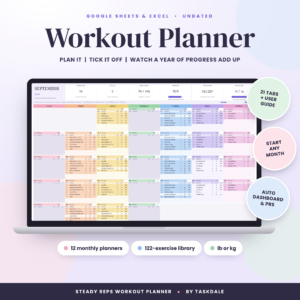
Steady Reps Workout Planner
Price: $3.79 | Best for: lifters who want a simple monthly planner
An undated monthly gym planner for Google Sheets and Excel. It includes a workout log, a fitness dashboard, a PR tracker, a 1RM calculator and body measurements. Undated means you can start any week, and the one-month layout keeps your plan easy to scan.
Steady Reps is the one I would hand to a friend who says they have never used a training spreadsheet. It covers the basics well and costs $3.79. The monthly view means you never stare at a blank year.
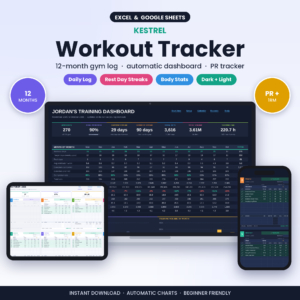
Kestrel Workout Tracker
Price: $6.49 | Best for: lifters who want more detail in the log
A workout tracker spreadsheet for Google Sheets and Excel with a gym log, a fitness dashboard, a PR tracker, a 1RM calculator and body measurements. It is the priciest of the dedicated gym logs at $6.49, built for people who want a log that feels complete.
If you like looking at your numbers, Kestrel makes that easy. The fitness dashboard gives you one place to check progress, so a quick look tells you whether the last month moved forward.
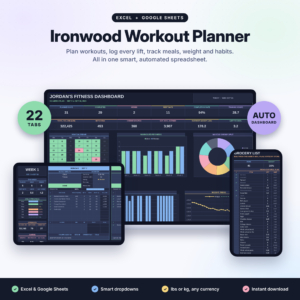
Ironwood Workout Planner
Price: $5.49 | Best for: people who plan training, food and habits together
A workout planner spreadsheet for Excel and Google Sheets. It includes a fitness tracker, gym log and PR tracker, plus a meal planner and grocery list, a habit tracker and a 75 day challenge.
Ironwood is a good fit if your training falls apart when the fridge is empty. Planning meals and groceries in the same file as your workouts removes a step. The 75 day challenge section gives you a built-in short-term goal, which some people find a useful push.
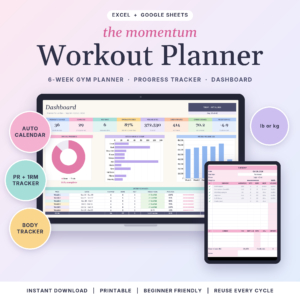
Momentum Workout Planner
Price: $3.99 | Best for: a clear workout calendar with PR tracking
A workout planner spreadsheet for Excel and Google Sheets with a gym tracker, a workout calendar, a PR and 1RM tracker and a body measurement tracker. At $3.99 it sits close to Steady Reps in price.
The workout calendar is what sets Momentum apart. If you like to see a month at a glance and tick off the days you trained, you will probably enjoy this one.
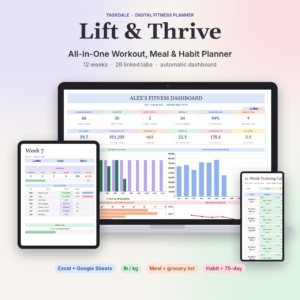
Lift & Thrive Workout Planner Spreadsheet
Price: $9.99 | Best for: an all-in-one fitness file
A fitness, meal and habit tracker for Excel and Google Sheets. It combines workouts with food and daily habits, and it is the top-priced option here at $9.99.
The price is higher, but this one is about the full picture. If you want one place for the workout, the meals and the habits that support them, it is worth a look.
Two more worth knowing
If your goal leans toward weight loss, Glow Goals is a Google Sheets weight loss and fitness tracker with a calorie and macro tracker, meal planner, grocery list, workout log and habit tracker for $2.50. And Momentum 75 Day Challenge Tracker is a spreadsheet for Excel and Google Sheets with a habit tracker, streaks, rewards and a wellness log at $2.99.
Side-by-side comparison
| Product | Format | Price | Best for | Link |
|---|---|---|---|---|
| Steady Reps | Google Sheets and Excel, monthly undated | $3.79 | Beginners who want simple | View |
| Kestrel | Google Sheets and Excel | $6.49 | Detailed gym logging | View |
| Ironwood | Excel and Google Sheets | $5.49 | Training plus meals and groceries | View |
| Momentum | Excel and Google Sheets | $3.99 | A workout calendar view | View |
| Lift & Thrive | Excel and Google Sheets | $9.99 | Workouts, meals and habits | View |
How to Set Up Your Workout Planner Spreadsheet in 20 Minutes
A new sheet looks like homework. Do not try to fill every tab on day one. Follow these steps and you will be training with it the same evening.
- Make a copy of the file so you keep a clean original.
- Open it on your phone and your computer to make sure both work.
- Type in your current best lifts and body measurements as a starting point.
- Fill in next week’s plan using exercises you already know.
- Log your first workout straight after training, while it is fresh.
That is all. The rest is repetition. After two or three sessions you will know where everything sits, and logging takes a minute or two.
Making a Workout Planner Spreadsheet Part of the Habit
Log inside five minutes of finishing. If you wait until the evening, you will forget the last set or round a weight up. Memory is generous to us, and a spreadsheet is not.
Pick a weekly review time too. Sunday evening works for many people. Spend ten minutes looking at the past week, check which lifts moved and plan the next one. That small ritual is where a sheet pays for itself. You stop guessing and start training on purpose.
One more tip: keep your plan boring. Beginners often change the whole programme every two weeks. A sheet only shows progress if you repeat the same lifts long enough to compare them. Pick a plan, stick with it for a few months, and let the PR tracker do its work.
Common mistakes
Skipping the warm-up sets is common, and so is logging only the good sessions. Log the bad ones too. A rough day tells you about sleep, stress and food, which matters just as much as a record. Another trap is tinkering with the layout instead of lifting. Change one thing at a time and go train.
A Simple Week to Plug Into Any Workout Planner Spreadsheet
Not sure what to put in the boxes? Here is a plain three-day structure many beginners use. It is a starting point, not a prescription, and you should change it to suit your own body and goals.
Day one: push. A pressing movement, a shoulder movement and something for the triceps. Day two: pull. A row, a pulldown or pull-up, and something for the biceps. Day three: legs. A squat pattern, a hinge pattern and a calf or core finisher. Rest days in between.
Type those into the planner as your weekly template. Then log the sets, reps and weights beside each one. After four weeks, look for lifts where the weight or the reps crept up. That is progressive overload in plain English: doing a little more over time. Your sheet makes it easy to spot, because last month sits right above this month.
If a lift stalls, do not panic. Check your notes. Did you sleep badly? Skip meals? Change the exercise? The sheet cannot fix a stall, but it gives you clues, and clues beat guessing.
Which Sheet Fits Which Lifter?
Brand new and a bit nervous? Start with Steady Reps or Momentum. They are simple, they are under $4, and they keep the focus on the basics. Already lifting and keen on data? Kestrel gives you a fuller gym log. Training and eating on one plan? Ironwood or Lift & Thrive tie meals and habits to workouts. Trying a short, intense block? The 75 day sections in Ironwood and the Momentum 75 Day Challenge Tracker are built for that.
Frequently asked questions
What is the best workout planner spreadsheet for beginners?
Steady Reps is a good place to start. It is an undated monthly planner for Google Sheets and Excel with a workout log, fitness dashboard, PR tracker, 1RM calculator and body measurements, at $3.79. Momentum is another simple option with a workout calendar.
Can I use a workout planner spreadsheet on my phone?
Yes. These sheets work in Google Sheets and Excel, and both have phone apps. Many lifters use the Google Sheets app at the gym because it opens quickly and syncs across devices. Test the file on your phone before your first session.
Is a workout planner spreadsheet better than an app?
It depends on what you value. A spreadsheet is yours to keep, shows everything on one screen and has no subscription. An app can be quicker to tap through. If you want control and long-term records, a spreadsheet is a solid choice.
What does a 1RM calculator do?
It estimates the heaviest weight you could lift for one rep, based on the weight and reps you actually performed. That estimate helps you choose working weights for your sets. Steady Reps, Kestrel and Momentum all include one.
Do these spreadsheets include meal planning?
Some do. Ironwood includes a meal planner and grocery list, and Lift & Thrive combines fitness, meal and habit tracking. Steady Reps, Kestrel and Momentum focus on training, with a log, PR tracker and body measurements.
So, the short version: choose a sheet that matches how you train, set it up tonight and log your next session within five minutes of finishing. If you want a clean place to start, grab Steady Reps for $3.79.