Best Google Sheets Planner: How to Choose the Right One
If you want the best Google Sheets planner, choose one that runs in Google Sheets without extra software and fills your calendar and dashboard from a single entry. For a weekly routine, Petalpace is built specifically for Google Sheets. For tasks, money or study, the Excel and Google Sheets workbooks here are the better fit.
Choosing a planner can feel more complicated than it should, because many templates look alike until you start using them. We'll go through what separates them, so you can match one to the way you actually plan your days.
- Petalpace's Weekly Planner Google Sheets is the only product here described as working with a free Google account, with 52 ready-dated weeks.
- The other planners on this page are built for both Excel and Google Sheets, so check the sample file after opening it in Sheets.
- Capacity varies a lot: Clearday's To-Do Planner has room for 500 to-dos, while DayDeck holds 5,000 task rows and 30 projects.
- Several planners are undated, which means they work for any year and any week start.
- Most include a blank copy, a filled example and a written user guide, which is the quickest way to learn a new layout.
Table of Contents Toggle
- What should you look for in the best Google Sheets planner?
- How do the Google Sheets planners on this page compare?
- Which Google Sheets planner suits which person?
- How do you set up a Google Sheets planner?
- What mistakes should you avoid?
- What affects the price of a Google Sheets planner?
- Which one should you pick first?
- Common questions
 Weekly Planner Google Sheets | Petalpace ADHD Planner & Productivity Tracker with 52 Dated Weeks, Habit Tracker, Goals, Brain Dump & Dashboard
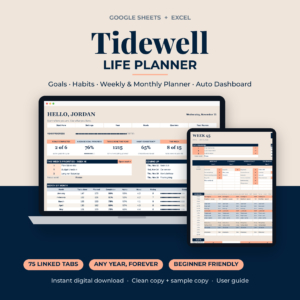 Life Planner Spreadsheet for Google Sheets & Excel | Tidewell Goal Tracker, Habit Tracker, Weekly & Monthly Digital Planner with Auto Dashboard
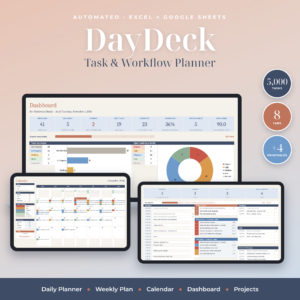 Task Tracker Spreadsheet for Excel & Google Sheets | DayDeck Daily Planner, Weekly Planner, Calendar & Project Dashboard
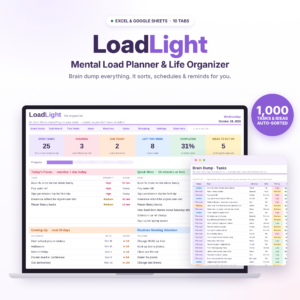 LoadLight Mental Load Planner | Brain Dump Task Organizer & Weekly Planner Spreadsheet for Moms | Excel & Google Sheets Life Organizer
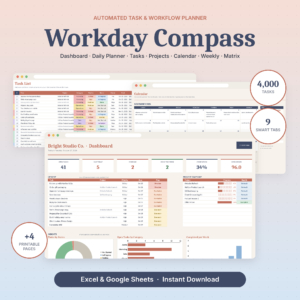 Task Tracker Spreadsheet for Excel & Google Sheets | Workday Compass Daily Planner, Project Tracker & To Do List Dashboard
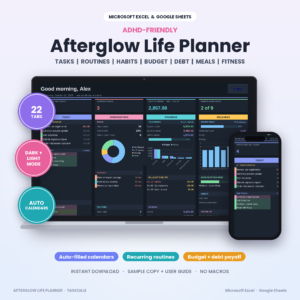 ADHD Life Planner Spreadsheet for Excel & Google Sheets | Afterglow Dark Mode Planner with Budget Tracker, Habit Tracker, Routine Tracker, Meal Planner & Debt Payoff
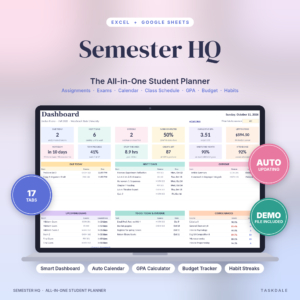 Semester HQ Student Planner Spreadsheet | Excel & Google Sheets Assignment Tracker, GPA Calculator, Class Schedule & College Budget
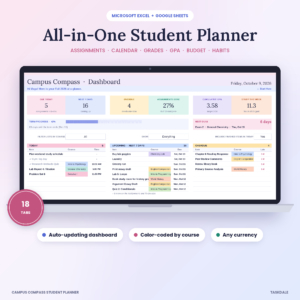 Campus Compass Student Planner Spreadsheet | Assignment Tracker, GPA Calculator, Class Schedule & Budget for Excel and Google Sheets
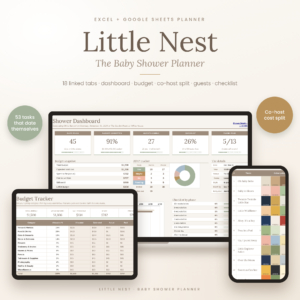 Little Nest Baby Shower Planner | Excel & Google Sheets | Budget, Guest List & RSVP Tracker, Gift & Thank-You Log, Checklist, Co-Host Cost Split
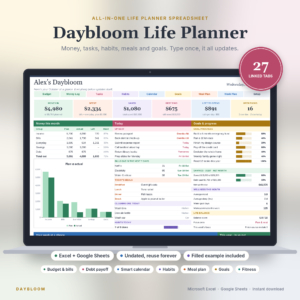 Daybloom Life Planner Spreadsheet | Excel & Google Sheets | Budget, Bills, Debt, Habit Tracker, Meal Planner, Goals & Digital Calendar
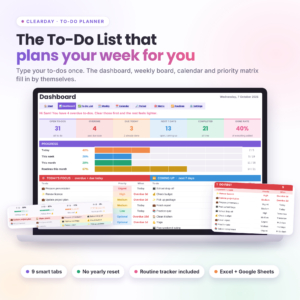 Clearday To-Do Planner | To-Do List Spreadsheet for Excel & Google Sheets with Dashboard, Weekly & Monthly Calendar and Routine Tracker
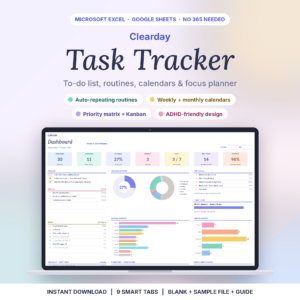 Clearday Task Tracker Spreadsheet | To Do List, Recurring Task Planner, Weekly & Monthly Calendar for Excel & Google Sheets
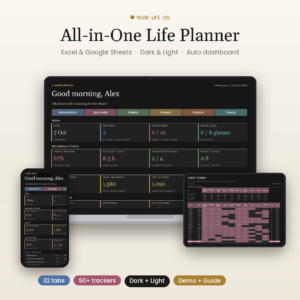 Noir Life OS | All-in-One Life Planner Spreadsheet for Excel & Google Sheets | Dashboard, Habit Tracker, Budget, Daily Weekly Monthly Planner
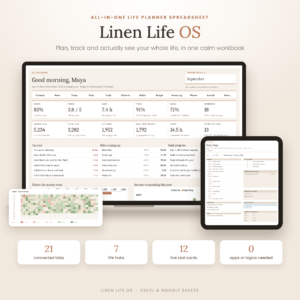 Linen Life OS: Ultimate Life Planner Spreadsheet for Excel & Google Sheets | Budget, Habit Tracker, Goals & Life Dashboard
What should you look for in the best Google Sheets planner?
A good Google Sheets planner is a spreadsheet template where you type something once and the calendar, task lists and dashboard update themselves. Five things separate a planner you'll keep using from one you'll abandon in a fortnight.
Does it work properly in Google Sheets?
Google Sheets support means the file opens in your browser with your free Google account and its formulas calculate correctly. Petalpace's planner states this directly. The others are written for Excel and Google Sheets together, which is perfectly usable, but open the sample file first and confirm the dashboard and ticking features behave as described.
Do the tabs link to each other?
Linked tabs mean one entry feeds several views. With Workday Compass, you type a task once and it lands on a dashboard, daily planner, monthly calendar, weekly board and priority matrix. Without that linking, you're simply copying the same information into a grid, which is the work a planner should take off you.
Is it dated or undated?
A dated planner has the calendar filled in for you, such as Petalpace's 52 dated weeks. An undated planner, such as Daybloom or Afterglow, lets you start in any month. Tidewell is described as working for any year, with a Monday or Sunday start. Dated is quicker on day one. Undated lasts longer.
How much room does it have?
Capacity is the number of tasks, projects or tabs a file can hold before you outgrow it. DayDeck offers 5,000 task rows and 30 projects, Workday Compass 4,000 tasks and 40 projects, and Clearday's To-Do Planner 500 to-dos. If you plan one household, 500 is plenty. If you run client work, you'll want the larger figures.
Does it come with a guide and a sample file?
A filled sample copy shows you what a working planner looks like before you commit your own data. Most products here include a blank copy, a filled example and a user guide, and the guides range from 14 to 35 pages. Read the guide's contents before you start, because it usually explains the one or two steps that make everything else work.
How do the Google Sheets planners on this page compare?
The planners differ most in scope. Some do one job well, such as weekly planning, while others combine money, habits, meals and goals in a single workbook. This table compares a representative selection using the details supplied for each.
Which Google Sheets planner suits which person?
The right planner depends on what you're planning: a week, a workload, a household or a semester. Here is how the options split by buyer.
You want a simple weekly routine. Petalpace's planner gives you one screen per week with focus, energy, water, a schedule and 15 tasks a day. It also has Brain Dump and Goals tabs for busy thoughts and bigger plans.
You manage a lot of tasks or small projects. DayDeck and Workday Compass both build daily, weekly and calendar views from one task list. Workday Compass adds project hours and budget in your own currency. DayDeck adds workload by person.
You want a gentle, uncluttered to-do list. Clearday's To-Do Planner and Clearday Task Tracker Spreadsheet both turn a plain list into a dashboard, calendar and priority matrix. The task tracker version adds a Kanban board and routines that repeat daily, weekly, monthly and more.
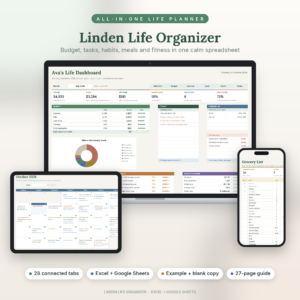
You run a home. LoadLight sorts a brain dump by priority and due date, and tracks birthdays and shopping. Linden Life Organiser adds a meal planner with an automatic grocery list and bills that roll forward.
You want your whole life in one file. Daybloom has 27 tabs, Linden 28, Linen Life OS 21 and Noir Life OS 32. Pick the one whose sections match your life. Noir includes grades and trip planning, while Linen adds books and courses.
You are a student. Semester HQ and Campus Compass both calculate what you need on the final. Campus Compass colour-codes by course and has 18 tabs.
How do you set up a Google Sheets planner?
Setting up a Google Sheets planner takes about an hour if you follow a fixed order. Always work on a copy so you can start again.
- Open the filled sample file first and click through every tab to see how entries flow.
- Make a copy of the blank file in your Google Drive and rename it with the year.
- Read the user guide's setup pages before typing anything.
- Enter your fixed items first: birthdays, routines, recurring tasks and bills.
- Add this week's tasks and tick one off to confirm the dashboard responds.
- Set a ten-minute weekly review in your calendar.
What mistakes should you avoid?
The most common mistake is typing over formulas, which breaks the automatic features. Four others come up often.
- Typing in the wrong cells. Most planners keep input areas separate from calculated ones. Follow the guide's colour or label hints.
- Choosing too large a file. A 32-tab workbook can feel heavy if you only need a to-do list. Start smaller.
- Skipping the test. If a product is built for Excel and Google Sheets, tick a task in Sheets and confirm the dashboard reacts before you enter months of data.
- Never reviewing. A planner you open only when you remember will fall quiet. Tie it to a regular time.
What affects the price of a Google Sheets planner?
The price of a Google Sheets planner mostly reflects how many connected tabs it has and what extras come with it. A single-purpose weekly planner usually costs less than an all-in-one workbook with budgeting, meals and health trackers.
Extras that push the cost up include printable pages (DayDeck offers four in Letter and A4), multiple editions such as dark and light versions in Noir Life OS and Afterglow, and longer guides. LoadLight is a one-time purchase with no subscription, and Linen Life OS also states no subscription. Check each product card for the live price.
Which one should you pick first?
Choose by the job you do most often. If it is a weekly routine, start with Petalpace. If it is a growing task list, choose DayDeck, Workday Compass or Clearday. If your plans cover money, home and health, pick one of the life planners. If you're studying, take a student planner. With 16 options below, ignore any that cover areas you won't use.
Common questions
Can I use an Excel planner in Google Sheets?
Yes, many of these planners say they work in both. Upload the file to Google Drive and open it with Sheets. Then test the main features, such as ticking a task or entering a due date, using the sample file before adding your own information.
Do I need a paid Google account?
No. Petalpace states that its planner works with a free Google account. For the others, the listings describe compatibility with Google Sheets, so a free account is the normal route. Check the product description if you rely on specific features.
What does an undated planner mean?
An undated planner has no fixed year built in. You enter the start date or month, and the calendars follow. It suits people who begin mid-year or want to reuse the file. Tidewell, Daybloom and Afterglow are described as working this way.
Can two people share one planner?
Google Sheets lets you share a file with another person. LoadLight includes a load-share view for couples, and DayDeck shows workload by person. If two people will edit, agree who owns the calendar tabs so entries don't overlap.
Is a bigger planner always better?
No. A bigger workbook has more to learn and more places to make mistakes. If you only plan tasks, a focused tracker such as Clearday is easier to keep up. Choose an all-in-one only when you'll use most of its sections.